Best RTX 5070 Laptops 2026
RTX 5070 laptops deliver 90% of 5070 Ti performance at $300-$600 less. Top picks from Lenovo, ASUS, MSI, Acer, and Razer for every budget in 2026. Expert pic...
As an Amazon Associate we earn from qualifying purchases made through our links — this doesn't affect our picks.
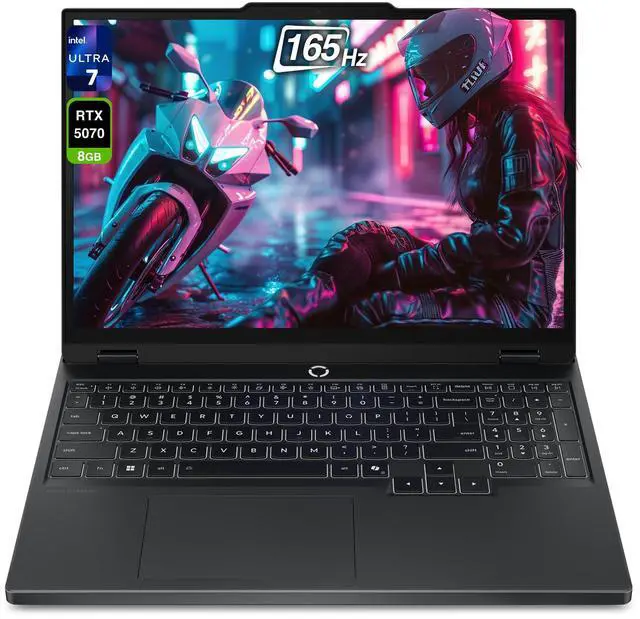
Lenovo Legion 5i Gen 10 (RTX 5070)
Our top recommendation for this category
Price as of May 7, 2026 — see current price on Amazon.
The RTX 5070 laptop occupies a rare sweet spot: close enough to 5070 Ti performance that most buyers won't notice the difference in daily gaming, but priced $300 to $600 lower. PC Gamer called this tier the best price-to-performance ratio in the entire RTX 50 lineup, and the numbers back it up. With the Lenovo Legion 5i Gen 10 at $1,499 during the Amazon Spring Sale and the MSI Katana starting under $1,100, there are real options here at nearly every budget.
Torn between GPU tiers? Our RTX 5070 Ti laptops guide breaks down whether the extra spend is worth it. If the budget is tighter, our RTX 5060 laptops guide covers the sub-$1,100 tier.
Quick Comparison
| Laptop | Price | CPU | Display | Weight | |
|---|---|---|---|---|---|
| Lenovo Legion 5i Gen 10 | $1,499 | Intel Ultra 7-255HX | 15.1" WQXGA 165Hz | ~4.1 lbs | Check Price |
| ASUS ROG Strix G16 | $1,999 | AMD Ryzen 9 9955HX | 16" 2.5K 240Hz | 5.22 lbs | Check Price |
| MSI Katana 15HX | $1,049+ | Intel Core i9-14900HX | 15.6" QHD+ 165Hz | ~4.8 lbs | Check Price |
| Acer Predator Triton 14 AI | $2,499 | Intel Core Ultra 9 288V | 14.5" OLED 120Hz Touch | 3.53 lbs | Check Price |
| Razer Blade 14 | $1,999 | AMD Ryzen AI 9 365 | 14" 3K OLED 120Hz | 3.59 lbs | Check Price |
Lenovo Legion 5i Gen 10 (RTX 5070)
Lenovo Legion 5i Gen 10 (RTX 5070)
Pros
- LaptopMedia measured the fastest sustained RTX 5070 GPU clocks of any laptop tested
- Intel Ultra 7-255HX pairs cleanly without CPU bottlenecking the GPU
- Wi-Fi 7, Thunderbolt 4, HDMI 2.1, and 2.5GbE all included
- 80Whr battery charges to 70% in under 30 minutes
Cons
- Non-OLED IPS panel at this tier is a miss for color-critical work
- Fan noise under full GPU load is audible in quiet rooms
Price as of May 7, 2026 — see current price on Amazon.
If one laptop defines the RTX 5070 argument in 2026, this is it. LaptopMedia reviewed the Legion 5i Gen 10 as the fastest RTX 5070 laptop they had tested, measuring sustained GPU clocks around 2700 MHz. That's notably higher than competing models, and the gap shows up in real gaming as better frame rates during sustained sessions where thermal throttling cuts into lesser systems.
The Intel Core Ultra 7-255HX handles CPU-bound workloads without the GPU waiting. The 15.1-inch WQXGA display at 2560x1600 runs 165Hz, which is more than enough resolution and refresh for the frame rates this machine produces at 1440p. TechRadar picked it as their top Amazon Spring Sale pick at $1,499 ($500 off the $1,999 list price), and I think they got that right.
The main critique: no OLED. The IPS panel is accurate and fast, but it won't give you the deep blacks of the Razer Blade 14 or Acer Triton. For pure gaming and productivity, that's an easy trade. For color-critical creative work alongside gaming, step up to one of the OLED options below.
ASUS ROG Strix G16 (RTX 5070)
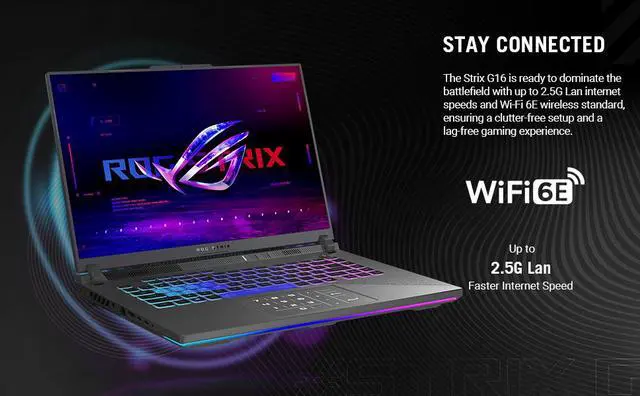
ASUS ROG Strix G16 (2025) RTX 5070
Pros
- 240Hz ROG Nebula 2.5K display is one of the best gaming panels at this price
- AMD Ryzen 9 9955HX excels in multi-threaded CPU workloads
- PCWorld praised the cooling as excellent under sustained load
- 100W USB-C charging supported
Cons
- 5.22 lbs is heavy even for a 16-inch gaming laptop
- Real-world battery life around 4-6 hours won't survive a full workday
Price as of May 7, 2026 — see current price on Amazon.
For competitive gaming, the ROG Strix G16's 240Hz ROG Nebula display is the main reason to pick it over the Lenovo. At 2560x1600 with a 3ms response time, it's fast enough that ghosting disappears in multiplayer, and the extra pixel density compared to 1080p panels is noticeable. PCWorld reviewed it as a machine where "cooling readily keeps up with the internals," which is more meaningful praise than it sounds given how many 16-inch gaming laptops throttle under sustained load.
The AMD Ryzen 9 9955HX outpaces Intel's 14th-gen HX equivalents in multi-threaded work like video encoding and large compilations. Paired with the RTX 5070 at up to 115W TGP with Dynamic Boost, you get a machine that doesn't compromise on either gaming or creative heavy lifting.
At $1,999, the Strix G16 undercuts most RTX 5070 Ti systems while delivering frame rates within 10-15% of that tier. The weight is the honest drawback: 5.22 lbs is a lot to carry daily, and real battery life in gaming is 3-4 hours. This is a desk machine that you move occasionally, not a daily commuter.
MSI Katana 15HX (RTX 5070)
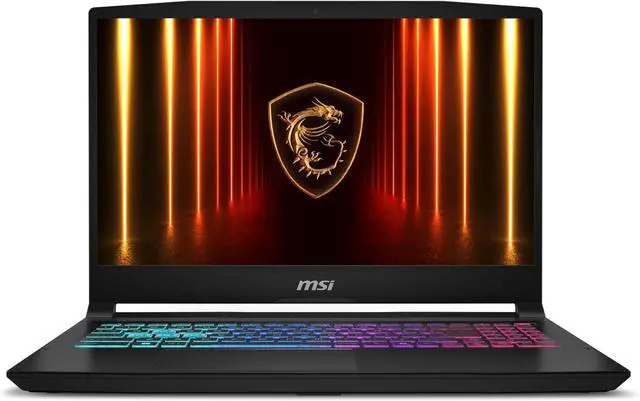
MSI Katana 15HX (RTX 5070)
Pros
- RTX 5070 starting below $1,100 is genuinely rare
- QHD+ 165Hz display punches above its price tier
- Cooler Boost 5 keeps thermals stable in extended gaming
- i9-14900HX handles CPU-intensive titles without issue
Cons
- Plastic chassis flexes noticeably under pressure
- No Thunderbolt or USB4 connectivity
- Base 16GB RAM configuration is limiting for 2026 (step up to 32GB)
Price as of May 7, 2026 — see current price on Amazon.
The MSI Katana 15HX makes the RTX 5070 accessible to buyers who would otherwise be stuck looking at 5060-tier machines. The i7/16GB configuration starts at $1,049, and the i9-14900HX with 32GB RAM steps up to around $1,679. I'm linking the latter since the 32GB config holds up better for multitasking alongside gaming.
Benchmarks from Tom's Hardware and LaptopMedia show the Katana running Civilization VII at 105fps and Call of Duty: Black Ops 6 at 98fps at 1080p Ultra. Cyberpunk 2077 at Ultra 1080p comes in at 74fps native and 108fps with DLSS Quality mode enabled. The 165Hz QHD+ panel means you're actually using those extra frames in faster-paced titles.
Look, there are real tradeoffs here. A plastic chassis that flexes noticeably, no Thunderbolt or USB4, and I'd skip the 16GB base config if the budget allows. If you can stretch to $1,499, the Lenovo Legion 5i covers the quality and performance gap considerably. But at $1,049, no other RTX 5070 laptop comes close on price.
Acer Predator Triton 14 AI (RTX 5070)
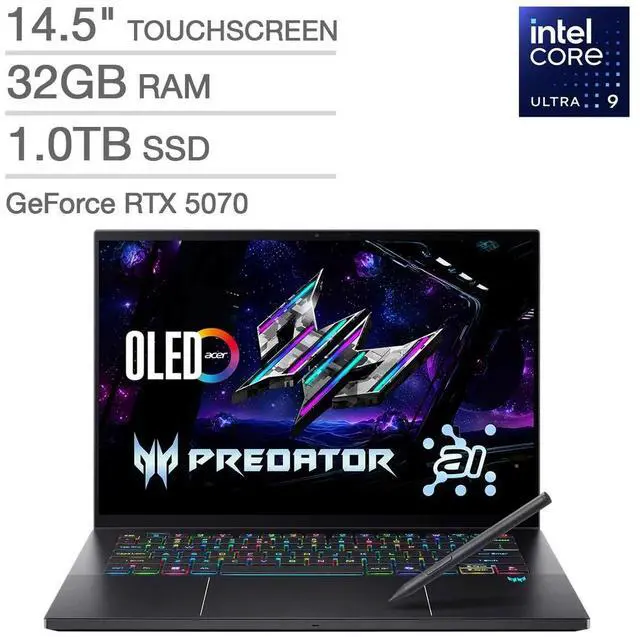
Acer Predator Triton 14 AI (RTX 5070)
Pros
- 3.53 lbs is the lightest RTX 5070 laptop in this roundup
- 14.5" OLED touchscreen at 2880x1800 120Hz is the sharpest display here
- Intel Core Ultra 9 288V Lunar Lake chip delivers excellent battery efficiency
- Active stylus included, making it genuinely useful for creative work
Cons
- $2,499 is as much as some 5070 Ti machines
- Lunar Lake CPU limits multi-core throughput vs. HX-class competitors
- Gaming performance slightly trails the larger, higher-TDP options here
Price as of May 7, 2026 — see current price on Amazon.
The Predator Triton 14 AI weighs 3.53 lbs and measures 0.44 inches thin at its slimmest point. No other RTX 5070 laptop in this guide gets close to that portability. Acer pulled it off by pairing the GPU with Intel's Lunar Lake Core Ultra 9 288V chip, built for efficiency rather than brute multi-core output.
Its 14.5-inch OLED touchscreen is the best display in this roundup on paper. At 2880x1800 with 120Hz refresh and 0.2ms response, pixels disappear at any normal viewing distance, and the OLED contrast ratio makes HDR gaming look genuinely different compared to IPS. The included stylus pushes it toward dual-use territory for designers or artists who want one machine that handles both work and gaming.
The caveat is real: $2,499 is expensive for the performance tier. Gaming benchmarks put it close to the other RTX 5070 machines, but the Lunar Lake CPU trades peak multi-threaded performance for thermal efficiency, and the tighter chassis limits sustained GPU output slightly versus the bulkier Lenovo or ASUS. If you commute with the laptop and game at home, the Triton 14 makes sense. If it mostly sits on a desk, the Lenovo or ASUS delivers more performance per dollar.
Razer Blade 14 (RTX 5070)
Razer Blade 14 (2025) RTX 5070
Pros
- CNC aluminum chassis has zero flex and feels genuinely premium
- 14" 3K OLED (2880x1800) at 120Hz is among the best laptop displays available
- 11-hour battery life on light tasks is class-leading at this GPU tier
- 3.59 lbs with an RTX 5070 is an engineering accomplishment
Cons
- $500 more than the Lenovo Legion 5i for similar GPU performance
- 32GB LPDDR5X RAM is soldered (no post-purchase upgrades)
- Slim chassis means sustained GPU performance trails bulkier competitors under long loads
Price as of May 7, 2026 — see current price on Amazon.
Razer's Blade 14 is what you buy when you want RTX 5070 performance but refuse to carry a plastic gaming slab to client meetings. Its CNC-milled aluminum chassis has no flex anywhere, the hinge action stays precise after months of use, and Chroma RGB per-key backlighting lands more tastefully than most gaming laptops at twice the price.
The 3K OLED (2880x1800, 120Hz, 0.2ms response) is the other reason people choose the Blade 14 over the larger options. Battery life is legitimately impressive: Razer quotes 11 hours, and real-world light-use testing holds close to that figure. That comes from the Ryzen AI 9 365's power management working alongside the 72Whr battery. Gaming battery is still 2-3 hours, same as the competition, but the Blade 14 actually survives a full workday unplugged.
Its GPU runs at up to 115W TGP. In practice, Razer's thermal management in the slim chassis is more conservative than the bulkier Legion or Strix G16, so sustained GPU performance trails those machines in long gaming sessions. The Blade 14 is not the machine to buy for maximum frame rates. It's the machine to buy when you need it to be a credible work laptop that also runs modern games at high settings.
What to Look for in an RTX 5070 Laptop
GPU Power Limit (TGP) Changes Everything
All RTX 5070 laptops share the same GPU chip, but configured power limits range from around 80W to 140W depending on the chassis. A 5070 running at 140W performs significantly better than the same chip at 80W, and the spec is not always prominently disclosed. Look for Total Graphics Power (TGP) in the product listing or spec sheet. The models in this roundup all run at or near 115W TGP, which is the standard target for this tier without a laptop-sized cooling system.
RTX 5070 vs. 5070 Ti: Should You Spend More?
The RTX 5070 Ti has roughly 25% more CUDA cores than the 5070 and a wider memory bus. In benchmarks at 1440p Ultra settings, that typically produces 10-20% higher frame rates depending on the title. Ray tracing performance sees a slightly larger gap. The 5070 Ti adds $300-$500 to the laptop price in most configurations. For competitive multiplayer or standard 1440p gaming, the 5070 is the smarter buy. For 4K gaming or heavy ray tracing, the Ti starts to justify the premium. Most buyers in this category are gaming at 1440p, which means 90% of the 5070 Ti's performance for considerably less money.
Display: High Refresh vs. OLED
A 240Hz IPS and a 120Hz OLED both make sense, but for different buyers. High refresh matters most for competitive multiplayer, where reducing motion blur has a direct impact on reaction time. OLED matters for deep blacks, HDR gaming, and color accuracy. The ASUS Strix G16 wins on refresh rate (240Hz), while the Razer Blade 14 and Acer Predator Triton 14 win on panel quality (3K and WQXGA+ OLED). The Lenovo Legion 5i splits the difference with a fast 165Hz IPS at a lower price.
Weight and Battery Life
The range here goes from 3.53 lbs (Acer Triton 14) to 5.22 lbs (ASUS Strix G16). That's a meaningful gap for daily carrying. Battery life has improved significantly in the RTX 50 generation: the Razer Blade 14 hits 11 hours on light tasks, which was not achievable a generation ago. Gaming battery life stays at 2-3 hours across the board, so if you're gaming unplugged, bring the charger regardless of which machine you choose.
CPU Pairing at the RTX 5070 Tier
For gaming, the CPU rarely limits the RTX 5070. The Ultra 7-255HX (Lenovo), Core i9-14900HX (MSI), Ryzen 9 9955HX (ASUS), and Ryzen AI 9 365 (Razer) all handle gaming workloads without leaving the GPU waiting. The difference shows up in heavily CPU-bound tasks like video encoding, 3D rendering, and large compilations. For those workloads, the HX-class chips (Lenovo, MSI, ASUS) hold an advantage over the Ryzen AI 365 or the Lunar Lake chip in the Acer Triton 14.
Frequently asked questions
- Is the RTX 5070 laptop worth it over the RTX 5060 in 2026?
- Yes, if your budget can stretch above $1,100. The RTX 5070 has roughly 50% more CUDA cores than the 5060 and a wider memory bus. At 1440p Ultra settings in demanding titles, the 5070 averages 25-35% higher frame rates. The 5060 is the right call below $1,000; the 5070 makes sense once you're buying a QHD display that can actually use those frames.
- How much faster is the RTX 5070 Ti laptop vs. the RTX 5070 laptop?
- About 10-20% faster at 1440p Ultra, depending on the title. Ray tracing performance has a slightly larger gap. The 5070 Ti typically adds $300-$500 to the laptop price. For competitive multiplayer or standard 1440p gaming, the 5070 gets you 90% of the performance for considerably less. The Ti starts to pull ahead if you're pushing 4K or maximum ray tracing settings.
- Can the RTX 5070 laptop handle 1440p at high settings?
- Yes, comfortably. The MSI Katana benchmarks show 74fps in Cyberpunk 2077 at Ultra 1440p native, jumping to 108fps with DLSS Quality mode. Call of Duty: Black Ops 6 runs at 98fps at 1080p Ultra, which means 1440p at medium-high is fully viable for competitive play. Civilization VII averages 105fps at 1440p.
- Which RTX 5070 laptop is best for portability?
- The Acer Predator Triton 14 AI at 3.53 lbs and the Razer Blade 14 at 3.59 lbs are the clear leaders. Both use slim aluminum chassis designs with OLED displays. The Razer has better battery life (11 hours vs. roughly 7-8 hours for the Acer on light tasks). If you move between office, coffee shop, and gaming sessions in a single day, either handles daily carry significantly better than the 16-inch options.
- Does the RTX 5070 laptop support DLSS 4?
- Yes. All RTX 50-series GPUs, including the laptop 5070, support DLSS 4 with Multi Frame Generation. This goes beyond DLSS 3: the new generation can generate up to three frames between each rendered frame, more than doubling apparent frame rates in supported titles with minimal quality impact when using DLSS Quality mode.
- What warranty comes with these RTX 5070 laptops?
- Most ship with a 1-year limited manufacturer warranty. Lenovo offers optional 2 and 3-year Premium Care plans. Razer's hardware quality is excellent but their depot repair service is slower than Lenovo or ASUS for most users. MSI covers defects but not physical damage on the standard 1-year plan. For a $1,500-$2,500 purchase, an extended warranty or accidental damage plan is worth considering.
The Bottom Line
For most buyers, the Lenovo Legion 5i Gen 10 at $1,499 is the right answer. LaptopMedia clocked it as the fastest sustained RTX 5070 machine they'd tested, and the Spring Sale pricing makes it one of the best values in gaming laptops right now. For a 16-inch machine with a 240Hz panel and strong AMD multi-core performance, the ASUS ROG Strix G16 at $1,999 is the logical step up. The MSI Katana 15HX starts under $1,100 and makes the RTX 5070 accessible to buyers who can't stretch to $1,499. At the premium end, the Razer Blade 14 and Acer Predator Triton 14 AI prove that thin, light, and RTX 5070 are no longer mutually exclusive, though you'll pay $2,000-$2,500 for that combination.
How We Test
We score products by combining spec-level research, pricing history, trusted third-party benchmarks, and owner sentiment from high-signal sources.
- Performance and real-world value in the category this guide targets
- Price-to-performance and deal consistency over recent pricing windows
- Build quality, reliability patterns, and known long-term issues
- Recommendation refresh cadence to keep these picks current
Author
TheTechSearch Editorial Team
Independent product reviewers & PC builders
We test and compare real-world specs, price trends, and user feedback to recommend gear that actually makes sense to buy.