Best Smart Lights 2026: Bulbs, Strips, and Panels Ranked
The best smart lights of 2026 ranked by setup ease, app quality, and ecosystem compatibility. Top picks from Philips Hue, Nanoleaf, Govee, Kasa, and WiZ.
As an Amazon Associate we earn from qualifying purchases made through our links — this doesn't affect our picks.
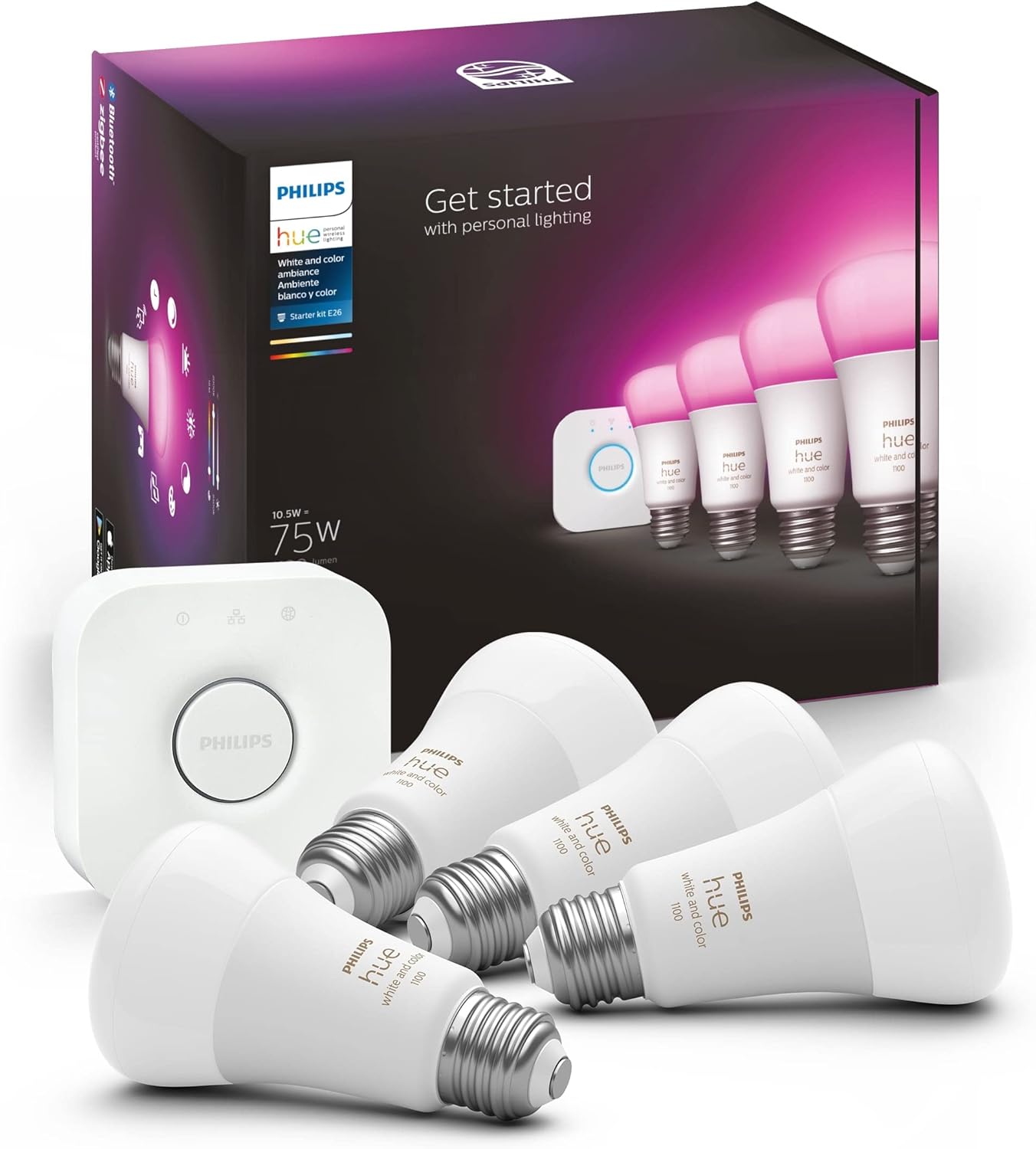
Philips Hue White and Color Ambiance Starter Kit
Our top recommendation for this category
Price as of Feb 27, 2026 — see current price on Amazon.
Smart lighting is the easiest upgrade in any smart home. Screw in a bulb, download an app, and you have voice control, schedules, and 16 million colors before the instructions finish printing.
This guide covers five smart light products for 2026 across three categories: bulbs you swap in for everyday fixtures, LED strips for behind TVs and under cabinets, and decorative panels for walls and gaming setups. The lineup covers every budget from $21 to $149, and every major ecosystem from Apple HomeKit to Google Home to Alexa. Here is what is worth buying.
Quick picks
- Best overall: Philips Hue White and Color Ambiance Starter Kit at ~$148: the gold standard ecosystem with the most reliable app, broadest third-party integrations, and best color accuracy in this category
- Best LED strip for ambient lighting: Govee RGBIC WiFi LED Strip 16.4ft at ~$30: Alexa and Google compatible, segmented zones display multiple colors simultaneously, easy peel-and-stick installation
- Best decorative wall panels: Nanoleaf Shapes Hexagons Smarter Kit 7-Pack at ~$150: wall-mounted modular panels with music sync and an ever-expanding design system
- Best budget bulb: Kasa Smart KL135P2 2-Pack at ~$22: 1,000 lumens, 16 million colors, and no hub required for under $12 per bulb
- Best value / Matter-certified: WiZ Color Smart Bulb 2-Pack at ~$21: Matter support, motion detection, and full color in a no-hub bulb made by Signify (Philips parent company)
Philips Hue White and Color Ambiance Starter Kit
Philips Hue White and Color Ambiance Starter Kit
Pros
- Hue Bridge unlocks local control: automations run even when internet is down
- Best-in-class color accuracy and smooth dimming down to 1% brightness
- Works with Apple HomeKit, Alexa, Google Home, Samsung SmartThings, and more
- Huge product ecosystem: bulbs, light strips, outdoor lights, light bars, all on one hub
- Hue Sync app ties lighting to movies and music in real time
Cons
- Hub is required for full functionality and adds cost to the initial buy-in
- Per-bulb price is higher than no-hub alternatives
- Hub is limited to 50 bulbs before you need a second one
Price as of Feb 27, 2026 — see current price on Amazon.
Philips Hue has dominated smart lighting for a decade, and nothing in 2026 has dethroned it. The starter kit includes four A19 bulbs and one Hue Bridge, giving you everything needed to start and room to scale into dozens of products without switching platforms.
The Bridge is what separates Hue from every cheaper competitor. Because it runs locally rather than relying on a cloud server, your automations still fire when Philips has a server outage. Sunrise scenes wake you at 6 AM whether your Wi-Fi is having a bad morning or not. That reliability is genuinely rare in smart home hardware. If waking to light is the main goal, a dedicated wake-up light does it from the nightstand, and our sunrise alarm clock guide compares the best ones.
Color accuracy is noticeably better than budget alternatives. The warm whites look like incandescent, the neutral daylight is clean without the blue cast you see on cheaper smart bulbs, and the color mode covers vivid saturation without washing out. If you are setting a dinner table ambiance or a home theater bias light, the output looks intentional rather than toy-like.
The ecosystem depth is unmatched. Hue sells light strips, outdoor path lights, gradient lightbars for TVs, ceiling fixtures, and portable table lamps, and all of them live in the same app and respond to the same automations. Building out a full home of smart lighting on one platform is a real option here where it is more complicated on Govee or Kasa.
Best for: Homeowners who want a long-term smart lighting ecosystem, Apple HomeKit users, anyone adding lighting to a whole room or house rather than one fixture.
Govee RGBIC WiFi LED Strip Lights 16.4ft
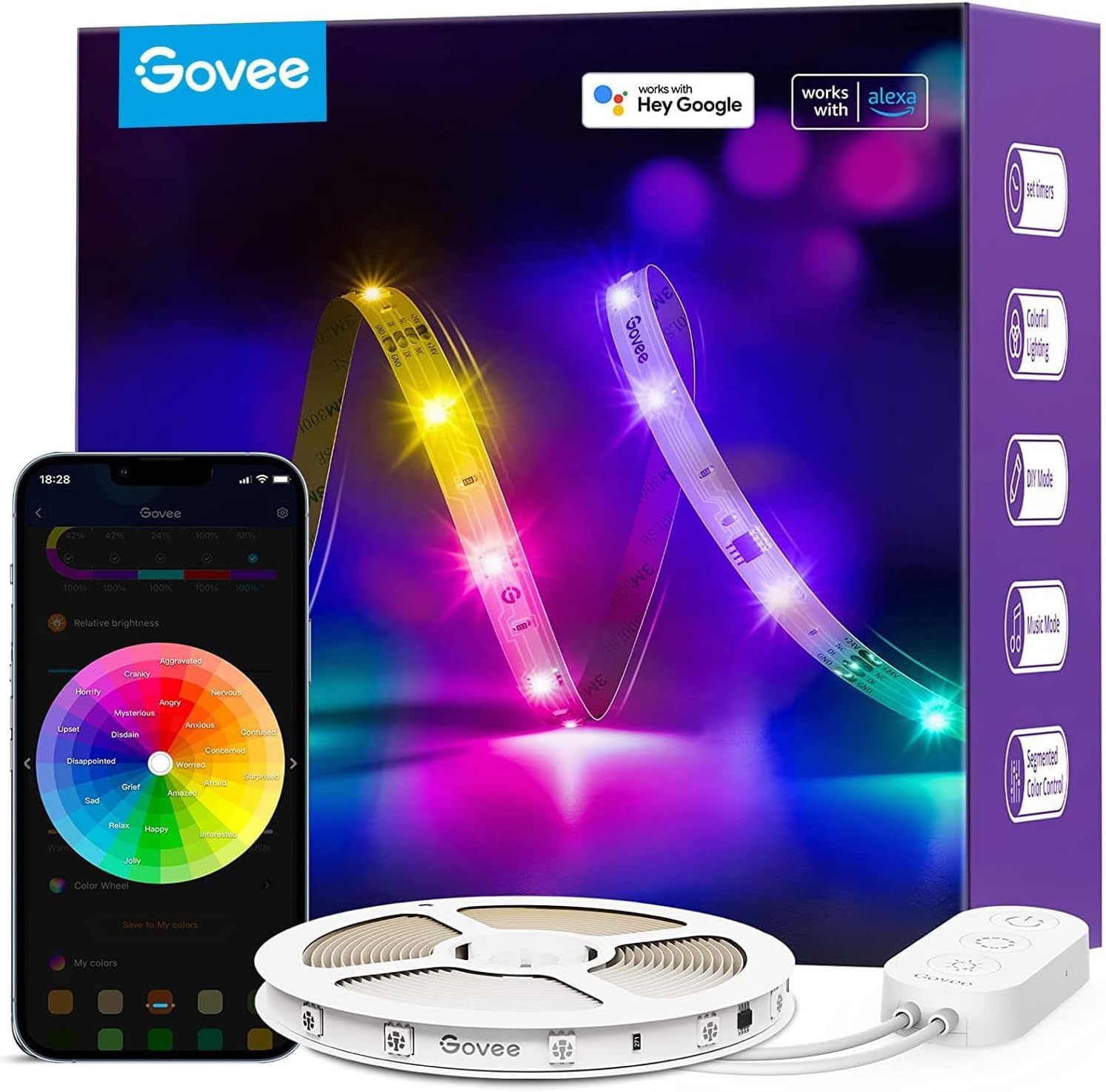
Govee RGBIC WiFi LED Strip Lights 16.4ft
Pros
- RGBIC technology displays multiple colors simultaneously on one strip
- Works with Alexa and Google Assistant via Wi-Fi without a separate hub
- Segmented control lets you set different colors on different sections of the strip
- Music sync mode reacts to audio from your phone or environment in real time
- Peel-and-stick mounting with included clips for corners and curves
Cons
- Cannot be cut to length without losing the segmented color feature
- Govee app is functional but cluttered compared to Hue or WiZ
- Wi-Fi setup requires a 2.4 GHz network, 5 GHz will not work
Price as of Feb 27, 2026 — see current price on Amazon.
Govee's RGBIC strip is the go-to recommendation for anyone who wants color ambient lighting behind a TV, under a kitchen cabinet, or along a desk without spending $50 or more on a Hue strip. The RGBIC chip is the key differentiator: while standard RGB strips show one color at a time, RGBIC can display a gradient of multiple colors across the strip simultaneously, which looks dramatically better as a bias light or gaming accent.
Wi-Fi connectivity matters more than it seems. Bluetooth-only Govee strips require your phone to be within range to control them and will not respond to Alexa commands without being home. The Wi-Fi version connects directly to your router, so "Alexa, turn on the desk lights" works from anywhere and integrates cleanly into whole-home routines.
Segmented control is a feature usually found on strips twice the price. You can divide the 16.4 foot strip into independent zones and set each one to a different color or pattern, which lets you create custom gradients instead of single-tone ambient light.
Installation is genuinely simple. Clean the surface with the included alcohol wipe, peel the backing, and press the strip down. Govee also includes plastic clips for tight corners so the strip bends smoothly around 90-degree angles without kinking the LEDs.
Best for: Gaming setups, TV bias lighting, under-cabinet kitchen lighting, anyone who wants ambient color without a hub at under $30.
Nanoleaf Shapes Hexagons Smarter Kit 7-Pack
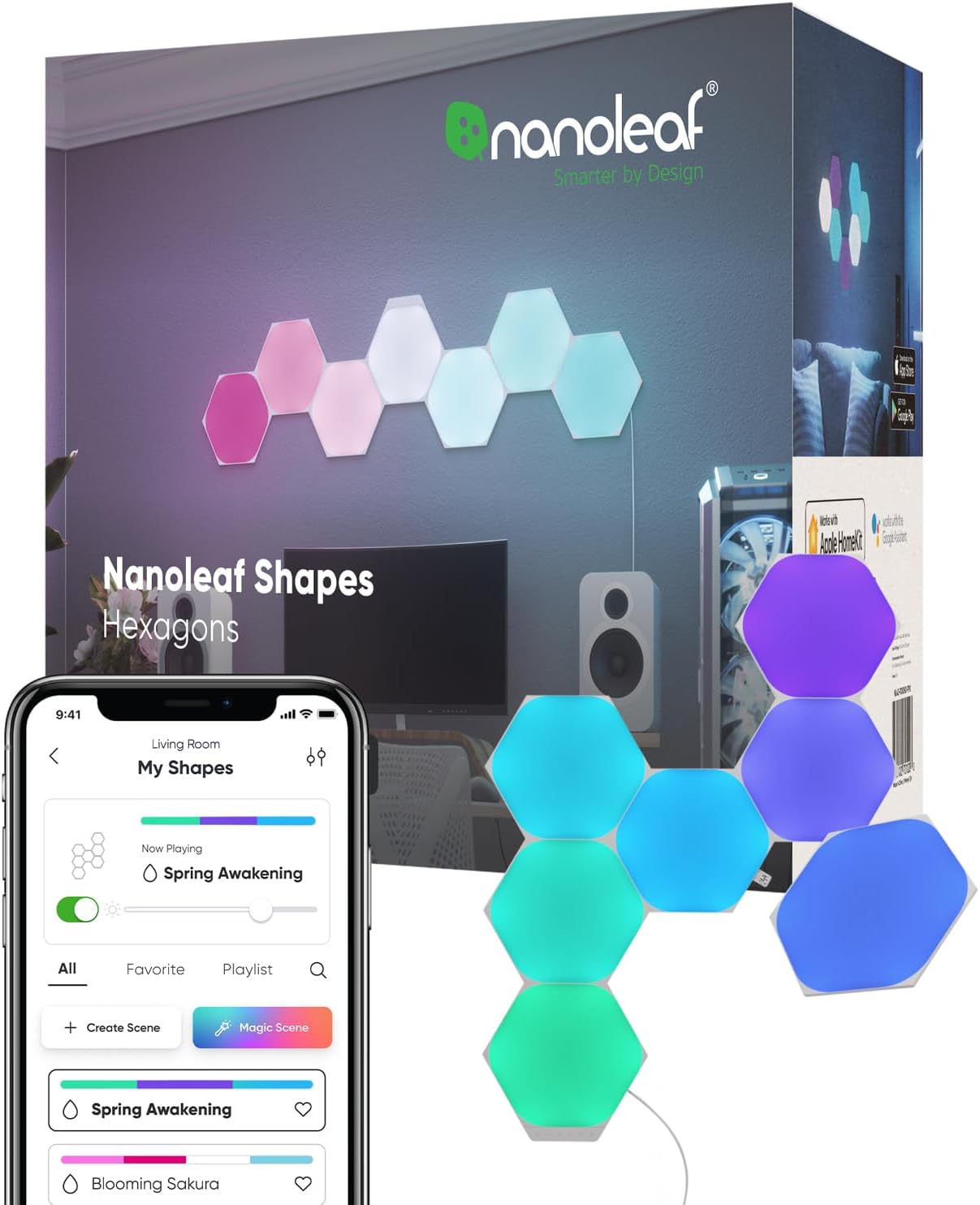
Nanoleaf Shapes Hexagons Smarter Kit 7-Pack
Pros
- Modular hexagon panels snap together into custom shapes on your wall
- 16 million colors with individual per-panel control for complex patterns
- Works with Apple HomeKit, Alexa, and Google Assistant
- Touch-enabled: tap any panel to toggle on, off, or change scenes
- Music visualizer mode reacts to audio and creates real-time light patterns
Cons
- Starts at 7 panels, which covers roughly 2 square feet of wall space
- Adding more panels quickly raises the total cost
- Mounting adhesive is permanent enough to damage painted drywall if removed carelessly
Price as of Feb 27, 2026 — see current price on Amazon.
Nanoleaf Shapes are not a lighting product in the traditional sense. They are wall art that happens to light up, and the hexagon format is the most versatile shape in the lineup. Seven panels let you build a honeycomb cluster, a diagonal stripe, or a scattered asymmetric pattern depending on the wall space.
The per-panel color control is what makes them interesting. Each hexagon can run a different color independently, so the result at the wall can be a gradient, a scene that shifts colors around the cluster, or a music visualizer that pulses different hues on different panels in sync with your speaker. This is not achievable with bulbs or strips.
The touch control is a feature that gets used more than you would expect. Tap a panel to cycle through your saved scenes without reaching for your phone, which makes them useful as bedside lighting where you want to switch from a movie-mode color to a reading warm white without speaking a command.
Apple HomeKit integration is tight enough that Nanoleaf scenes show up as accessories in the Home app and respond to location-based automations. The panels will dim to a warm sunset color when your phone comes home after 7 PM if you set that up.
Expansion packs let you add individual hexagons to the original 7 over time, which spreads the cost and lets you grow the design as wall space allows.
Best for: Gaming rooms, home offices, media rooms, or any space where the lighting is also part of the interior design.
Kasa Smart Bulb KL135P2 2-Pack
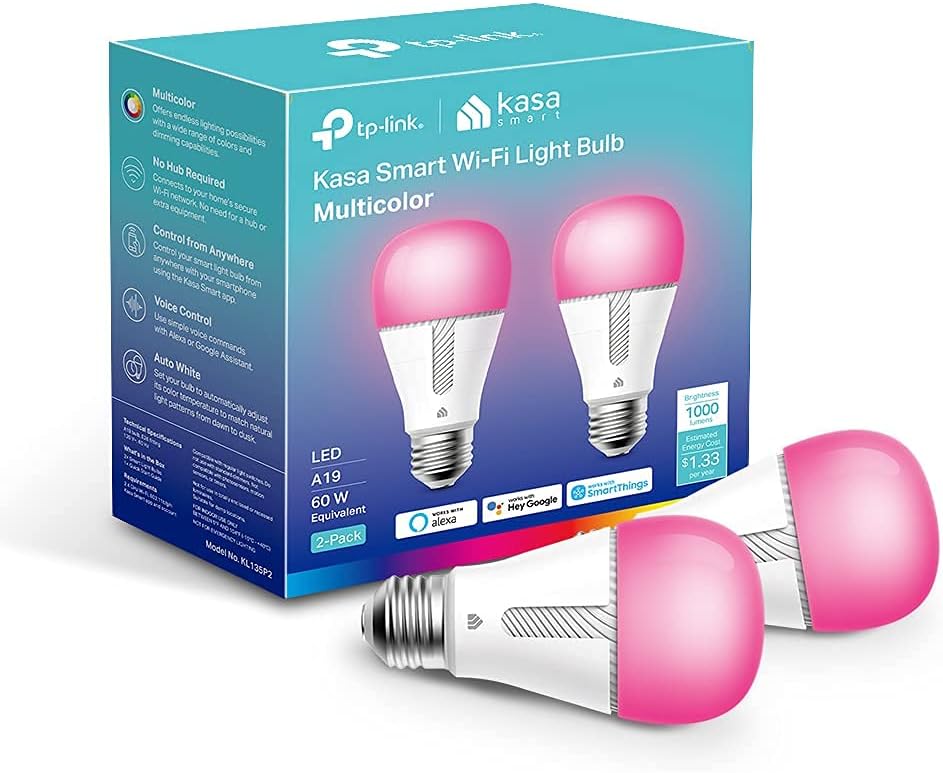
Kasa Smart Bulb KL135P2 2-Pack
Pros
- No hub required: connects directly to 2.4 GHz Wi-Fi and pairs in under 2 minutes
- 1,000 lumens is bright enough for overhead fixtures, not just accent lamps
- Tunable white from 2500K warm to 9000K cool daylight
- Works with Alexa and Google Assistant with no paid subscription
- Kasa app has clean scheduling and energy usage tracking
Cons
- Color vibrancy is slightly less saturated than Philips Hue at matching brightness
- No Apple HomeKit or Matter support on this model
- Kasa does not sell strip lights or outdoor fixtures, limiting ecosystem growth
Price as of Feb 27, 2026 — see current price on Amazon.
The Kasa KL135 is the best budget smart bulb for 2026 for one straightforward reason: 1,000 lumens. Most competitors in this price range top out at 800 lumens and use the full-brightness claim to mask a dimmer output. The KL135 actually lights a room properly, which matters when replacing a ceiling fixture that currently runs a 75-watt incandescent.
Setup takes about 90 seconds. No bridge, no secondary app, no QR code hunt. Screw in the bulb, open the Kasa app, tap the plus button, and follow the Wi-Fi pairing prompt. The app asks for your 2.4 GHz network password once and then controls the bulb from anywhere.
Tunable white coverage spans the full spectrum from a warm 2500K that matches the amber glow of a bedside lamp to a clean 9000K cool white that is closer to daylight than most smart bulbs achieve. An auto-schedule that shifts color temperature from warm in the evening to neutral during the day runs without any configuration once you enable it.
At $11 per bulb in the two-pack, this is the obvious choice for replacing multiple fixtures throughout a home without committing to the Philips Hue system cost.
Best for: Budget-conscious buyers replacing multiple bulbs, Alexa and Google Home users who need a reliable no-hub option, anyone upgrading standard fixtures without committing to an ecosystem.
WiZ Color Smart Bulb 2-Pack
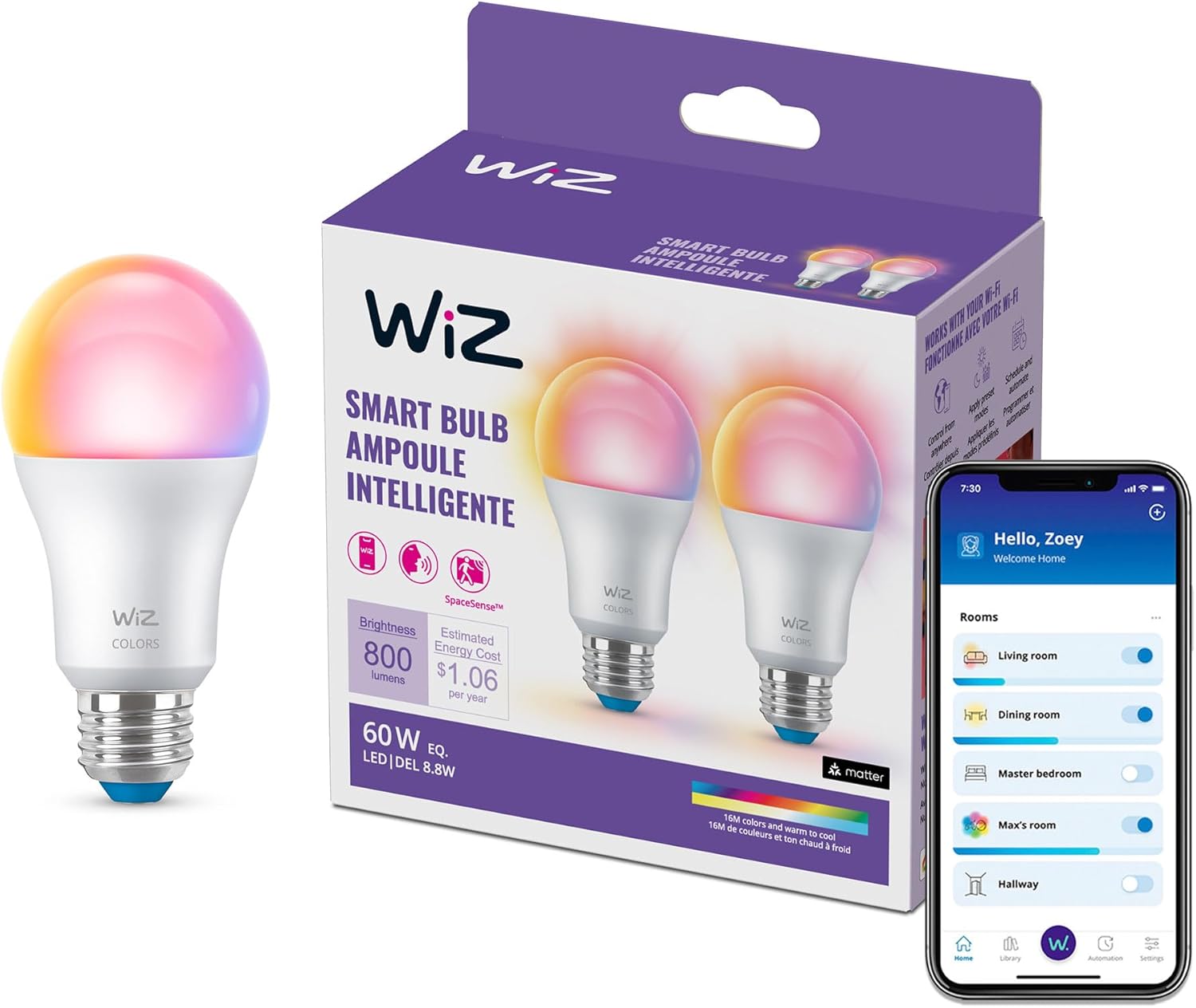
WiZ Color Smart Bulb 2-Pack
Pros
- Matter-certified: works with Apple HomeKit, Google Home, Alexa, and Samsung SmartThings
- Built-in motion detection activates the bulb automatically when someone enters the room
- Made by Signify, the same parent company as Philips Hue, with better long-term firmware support
- No hub required for Wi-Fi, Alexa, and Google control
- SpaceSense ambient detection turns lights on/off based on room occupancy
Cons
- Color saturation is less vivid than Philips Hue at the same price tier
- WiZ app has occasional sync lag versus the Hue app
- 800 lumens is noticeably dimmer than the Kasa KL135 at the same price
Price as of Feb 27, 2026 — see current price on Amazon.
WiZ earns its spot in this roundup because of Matter certification and built-in motion detection, two features that no other bulb at this price offers simultaneously. Matter is the smart home interoperability standard backed by Apple, Google, Amazon, and Samsung, meaning a Matter-certified device connects to any of those platforms without workarounds.
The motion detection uses WiZ's SpaceSense technology, which detects subtle changes in ambient radio signals to determine whether someone is in the room. Unlike a dedicated motion sensor that needs line-of-sight, SpaceSense works through furniture and from across a room. Set the bulb to turn on when someone enters and off five minutes after they leave, and you never think about the light switch again.
WiZ is made by Signify, the company that also owns Philips Hue. That matters for long-term firmware support. Cheap smart bulbs from no-name brands lose app support within two to three years when the company pivots or folds. Signify has sustained Hue through a decade of updates and is legally committed to the Philips brand licensing. WiZ is a safer bet for longevity than Amazon Basics smart bulbs at the same price.
The $21 price for a 2-pack makes this the most capable smart bulb per dollar in 2026 for anyone who needs HomeKit compatibility without the Hue system cost.
Best for: Apple HomeKit users on a budget, anyone who wants motion-activated lights without a separate sensor, households using multiple smart home platforms.
How to choose the right smart lights
Bulbs vs. strips vs. panels
Start with what you are trying to light. Standard bulbs replace existing fixtures and are the most practical starting point for most homes. LED strips work best for ambient accent lighting behind surfaces, under furniture, or inside shelving. Panels are decorative first and functional second.
Hub or no hub?
Philips Hue requires a bridge, but that bridge adds local control and ecosystem depth that justify the upfront cost for anyone building out a full home. For a single room or a starter setup, no-hub options like Kasa, WiZ, and Govee connect directly to your router without any additional hardware.
Ecosystem lock-in
If you are already on Apple HomeKit, WiZ is the budget-friendly option with Matter certification. Alexa and Google users have more flexibility since Kasa, Govee, WiZ, and Hue all support those platforms.
Color temperature vs. full color
Not every smart bulb needs full RGB color. Tunable white bulbs that shift from warm to cool throughout the day are often more useful for main living areas than color-changing bulbs that stay on a warm white 95% of the time. Full color makes sense for accent fixtures, gaming setups, and mood lighting.
Lumens matter
Budget smart bulbs often advertise color capabilities and bury the lumen spec. A 60-watt equivalent incandescent outputs around 800 lumens. A 75-watt equivalent hits 1,100 lumens. Verify the lumen rating before buying for overhead fixtures that need to actually light a room.
FAQ
What is the best smart light brand in 2026? Philips Hue remains the most complete system for whole-home smart lighting with the best app, most reliable hardware, and widest ecosystem of products. For budget setups without a hub, Kasa and WiZ are the two most reliable no-hub alternatives.
Do smart bulbs work without Wi-Fi? Most smart bulbs with built-in Wi-Fi will still turn on and off manually via a wall switch if your network is down, but remote control and voice commands require an active connection. Philips Hue bulbs connected to a Bridge retain local control and automations even if the internet goes out.
What is the difference between RGB and RGBIC LED strips? Standard RGB strips display one color at a time across the entire strip. RGBIC strips have independent chips that let different sections display different colors simultaneously, creating gradients and multi-color scenes. Govee uses RGBIC technology in its Wi-Fi strip, making it significantly more visually interesting than basic RGB alternatives.
Can smart bulbs work with any smart home system? It depends on the bulb. Matter-certified bulbs like WiZ work across Apple HomeKit, Google Home, Alexa, and Samsung SmartThings. Non-Matter bulbs like the Kasa KL135 work with Alexa and Google Home but not Apple HomeKit. Philips Hue works with all major platforms. Check compatibility before buying if you use Apple Home.
How long do smart bulbs last? Most smart LED bulbs are rated for 15,000 to 25,000 hours, which works out to 10 to 17 years at 4 hours of daily use. Philips Hue bulbs carry a two-year warranty and typically outlast their rated hours. Budget smart bulbs from lesser-known brands may fail sooner, particularly if the Wi-Fi radio is constantly active.
Verdict
The Philips Hue Starter Kit is the right buy for anyone building out a home with smart lighting long-term. The local control, ecosystem depth, and color accuracy are meaningfully better than everything else in this list.
For strip lighting on any budget, the Govee RGBIC WiFi Strip delivers RGBIC segmented color and Alexa/Google integration for $30, which is hard to argue against for a TV backlight or desk accent.
The Kasa KL135 2-Pack is the budget pick for replacing standard bulbs: no hub, 1,000 lumens, and clean Alexa/Google support at $11 per bulb. The WiZ 2-Pack edges ahead for HomeKit users or anyone who wants built-in motion detection without a separate sensor.
If your goal is wall decor that doubles as lighting, the Nanoleaf Shapes Hexagons are the only product here that functions as both. Just plan for the expansion pack habit.
For the rest of your smart home setup, see our picks for best smart speakers, best smart locks, and best smart thermostats.
How We Pick
We pick products by combining spec-level research, price checks, trusted third-party benchmarks, and owner sentiment from high-signal sources.
- Performance and real-world value in the category this guide targets
- Price-to-performance and deal consistency over recent pricing windows
- Build quality, reliability patterns, and known long-term issues
- Recommendation refresh cadence to keep these picks current
Author
TheTechSearch Editorial Team
Independent product reviewers & PC builders
We compare real-world specs, reviews and owner reports, price trends, and user feedback to recommend gear that actually makes sense to buy.