Best Smart Locks 2026: Keyless Entry Picks for Every Budget
The best smart locks of 2026 compared on security, app reliability, and smart home integration. Top picks from Yale, Schlage, August, and Wyze. Expert picks,...
As an Amazon Associate we earn from qualifying purchases made through our links — this doesn't affect our picks.
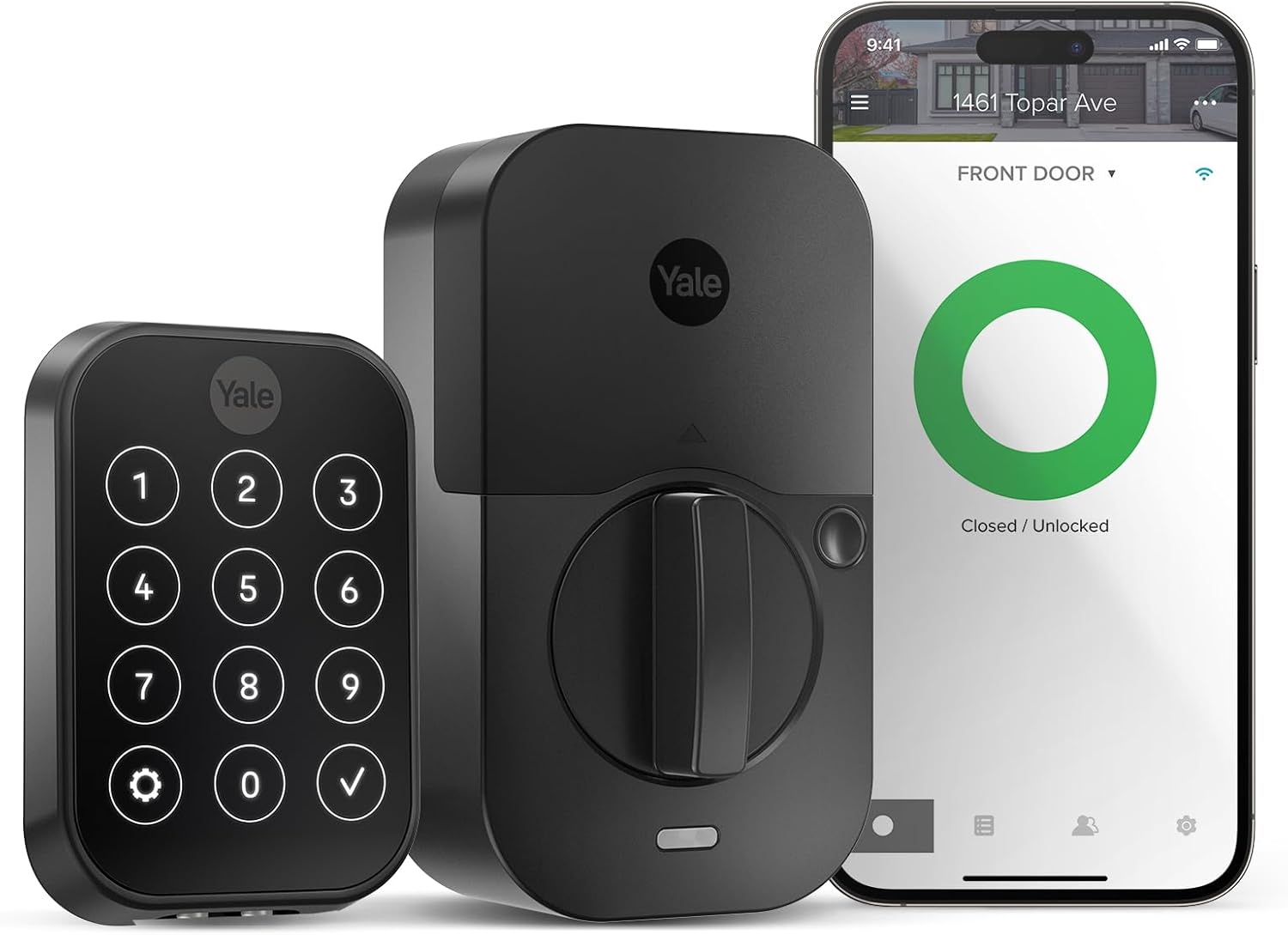
Yale Assure Lock 2 with Wi-Fi
Our top recommendation for this category
Price as of Feb 27, 2026 — see current price on Amazon.
Forgetting your house keys is annoying. Rekeying after a breakup or a contractor job is expensive. A smart lock solves both problems and adds remote access, guest codes, and activity logs in the process.
This guide compares five smart locks for 2026 on installation simplicity, app quality, connectivity options, and real-world daily use. The lineup runs from $99 fingerprint deadbolts to $299 locks with Apple Home Key. Here is what is worth buying.
Quick picks
- Best overall: Yale Assure Lock 2 with Wi-Fi at ~$229: clean hardware, no hub required, supports Z-Wave and Zigbee upgrades if you ever want them
- Best for Apple HomeKit: Schlage Encode Plus at ~$299: one of the few locks with Apple Home Key (tap your iPhone or Apple Watch to unlock instantly)
- Best for renters: August Wi-Fi Smart Lock 4th Gen at ~$229: fits over your existing deadbolt so you keep your original keys and take the lock with you when you move
- Best mid-range: Schlage Encode Smart Wi-Fi at ~$149: built-in Wi-Fi and Alexa/Google compatibility with no extra hub
- Best budget fingerprint lock: Wyze Auto-Lock Bolt at ~$99: auto-lock, fingerprint reader, backlit keypad, and IPX5 weather resistance for under $100
Yale Assure Lock 2 with Wi-Fi
Yale Assure Lock 2 with Wi-Fi
Pros
- Built-in Wi-Fi means no bridge or hub required for remote access
- Modular design supports optional Z-Wave, Zigbee, or HomeKit modules
- Up to 250 access codes for guests, cleaners, or Airbnb stays
- Voice control via Alexa and Google Assistant out of the box
- Compact touchscreen keeps the exterior profile clean
Cons
- No fingerprint reader on the standard Wi-Fi model
- Shorter battery life than Bluetooth-only variants
- August and Schlage apps feel slightly more polished
Price as of Feb 27, 2026 — see current price on Amazon.
The Yale Assure Lock 2 earns its spot as the best overall pick because it does everything well without a hub cluttering your closet. Built-in Wi-Fi handles remote locking and unlocking directly through the Yale Access app, which is straightforward enough that non-technical family members figure it out on their own.
The modular slot on the back is Yale's smartest feature. The base Wi-Fi model works standalone on every major voice platform, but if you later want to add it to a Z-Wave or Zigbee smart home system, you buy the module and snap it in. That kind of forward compatibility is rare at this price.
250 access codes is enough for every scenario: regular housekeepers, dog walkers, short-term rental guests, and the neighbor who waters your plants when you travel. Each code gets its own schedule so guest codes expire automatically at checkout time.
The touchscreen exterior is slimmer and more discreet than Schlage's number pad. The backlit digits are comfortable to type in the dark, and the capacitive touch does not require actual force to register.
If you have no strong preference for Apple HomeKit or an existing smart home hub, this is the lock to buy in 2026.
Best for: Homeowners who want Wi-Fi access without a hub, Airbnb or short-term rental hosts, households split across Alexa and Google ecosystems.
Schlage Encode Plus Smart Wi-Fi Deadbolt
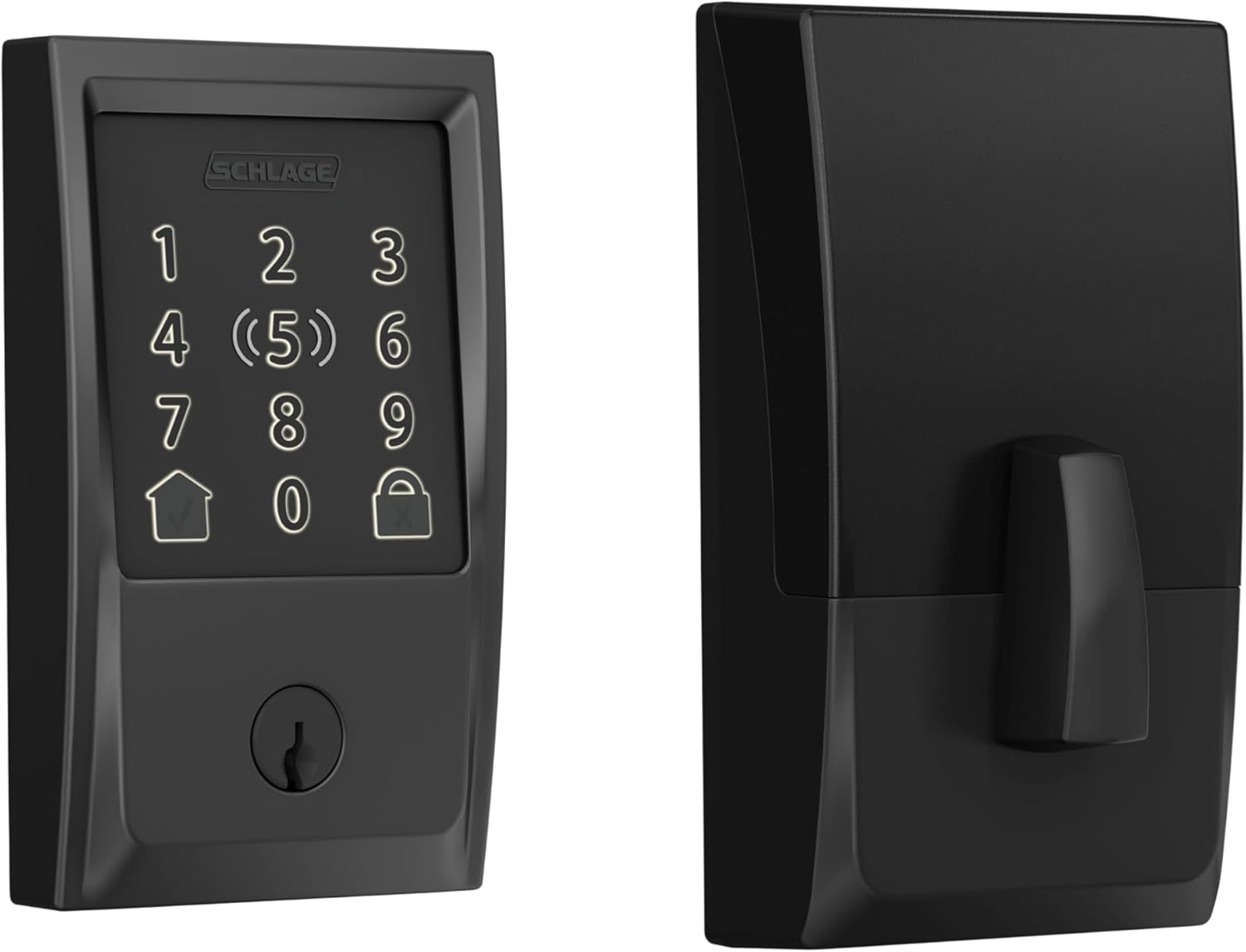
Schlage Encode Plus Smart Wi-Fi Deadbolt
Pros
- Apple Home Key lets you tap your iPhone or Apple Watch to unlock instantly
- ANSI Grade 1 deadbolt rating, the highest residential security rating available
- Built-in Wi-Fi works with Apple HomeKit, Alexa, and the Schlage Home app
- Works with iOS Shortcuts and automations for hands-free unlock on arrival
- No hub required for any connectivity feature
Cons
- Highest price in this roundup at $299
- Apple Home Key only works for iPhone and Apple Watch users
- Android users miss out on the main differentiator
Price as of Feb 27, 2026 — see current price on Amazon.
The Schlage Encode Plus is the only deadbolt in this roundup that supports Apple Home Key, and if you are in the Apple ecosystem, that feature alone justifies the price premium. Hold your iPhone or Apple Watch near the lock and it unlocks in roughly 0.5 seconds, faster and more reliable than any PIN entry or app unlock. It uses the same NFC-based technology as hotel key cards but tied to your actual Apple ID.
Beyond the Home Key magic, this is a ANSI Grade 1 deadbolt, the top residential security rating. The bolt throw is solid, the exterior grade metal resists drilling and picking, and the touchscreen keypad handles physical code entry when guests do not have iPhones.
Full HomeKit integration means the lock appears in the Apple Home app alongside your lights, thermostat, and cameras. You can build automations like "lock the front door at 10pm" or "lock everything when I leave home" using iOS Location Services. Siri voice commands work hands-free.
The one honest caveat: if you or your household members are Android users, you lose the main selling point. Schlage's standard Home app and Alexa/Google compatibility still work, but those features are available on cheaper locks. The Encode Plus is worth its price specifically for iPhone and Apple Watch households.
Best for: iPhone and Apple Watch users who want tap-to-unlock convenience, anyone who uses Apple HomeKit for their smart home ecosystem, security-conscious buyers who want ANSI Grade 1 hardware.
August Wi-Fi Smart Lock (4th Gen)
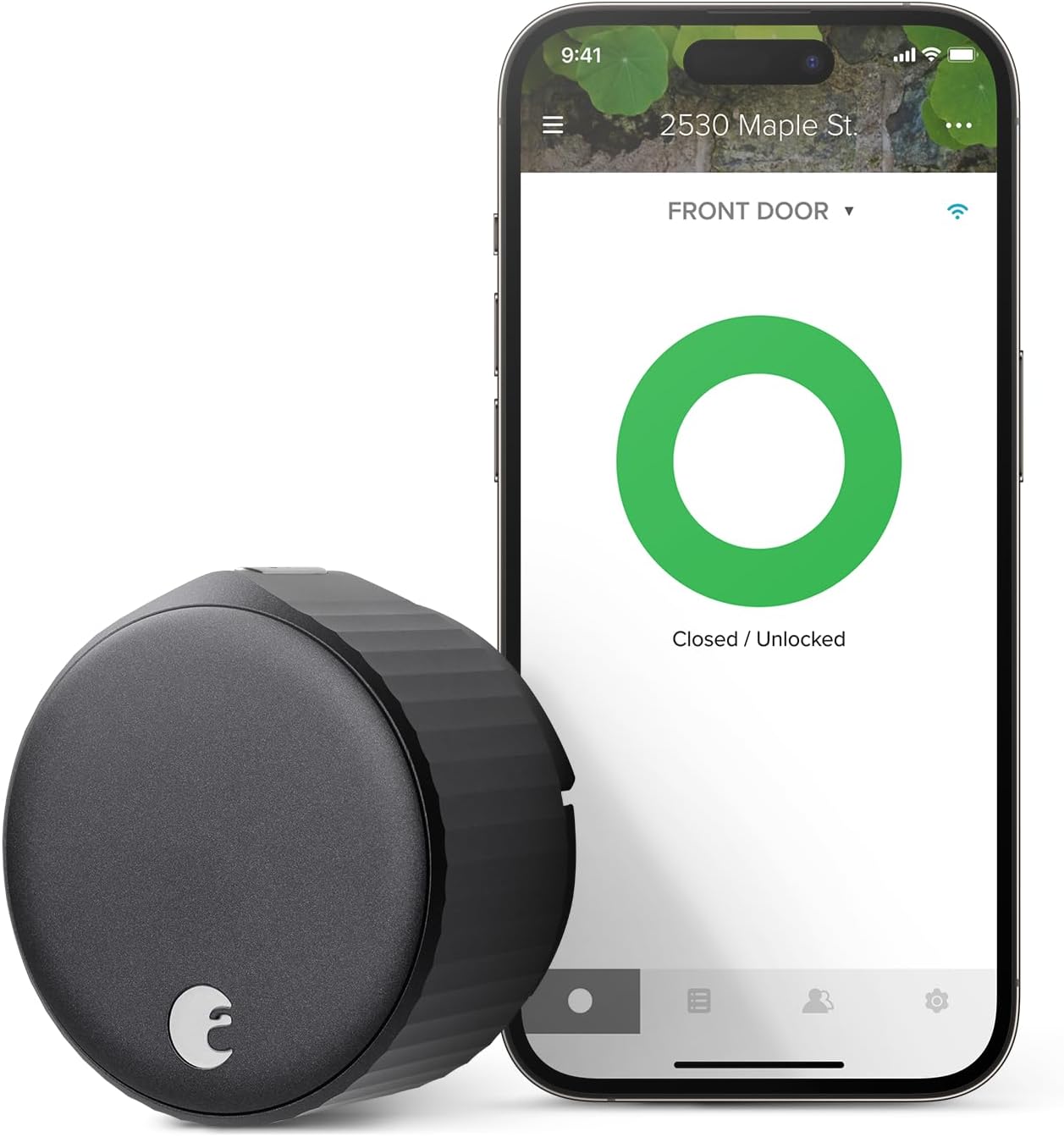
August Wi-Fi Smart Lock (4th Gen)
Pros
- Retrofit design fits over your existing deadbolt, no deadbolt replacement needed
- Keep your original keys and take the lock with you when you move
- Auto-unlock detects your phone via geofencing and unlocks as you approach
- Built-in Wi-Fi with HomeKit, Alexa, and Google Assistant support
- DoorSense sensor confirms whether the door is physically open or closed
Cons
- Interior-only installation means the outside of the door looks unchanged
- Round form factor is bulkier on the interior than modern deadbolt replacements
- Auto-unlock geofencing occasionally triggers too early or too late
Price as of Feb 27, 2026 — see current price on Amazon.
The August Wi-Fi Smart Lock is the only retrofit lock in this roundup, and that distinction matters enormously for renters. Installation takes about 15 minutes: you remove the existing interior thumb-turn, attach the August adapter plate, snap on the smart lock body, and pair it to the app. The exterior of your door remains unchanged. Your landlord never needs to know.
Because you keep the original deadbolt mechanism, your existing keys still work. Guests, family members, and building staff who are not enrolled in the app can use regular metal keys the same way they always did. When you move out, remove the August, reinstall the original thumb-turn, and take the smart lock to your next apartment.
Auto-unlock is the killer feature for daily use. The August app uses geofencing to detect when you are walking toward home and unlocks the door before you reach for anything. It works through your phone's location without draining the battery, and the timing gets calibrated over time. On a good day, the lock clicks open just as you reach for the handle.
The DoorSense magnetic sensor detects whether the door is actually closed versus just locked but ajar. Notifications that say "door left open" are more useful than "lock status: locked" because they tell you something actionable.
Best for: Renters who cannot permanently alter their locks, anyone who wants to keep physical key access for family members, households that want auto-unlock without buying a full replacement deadbolt.
Schlage Encode Smart Wi-Fi Deadbolt
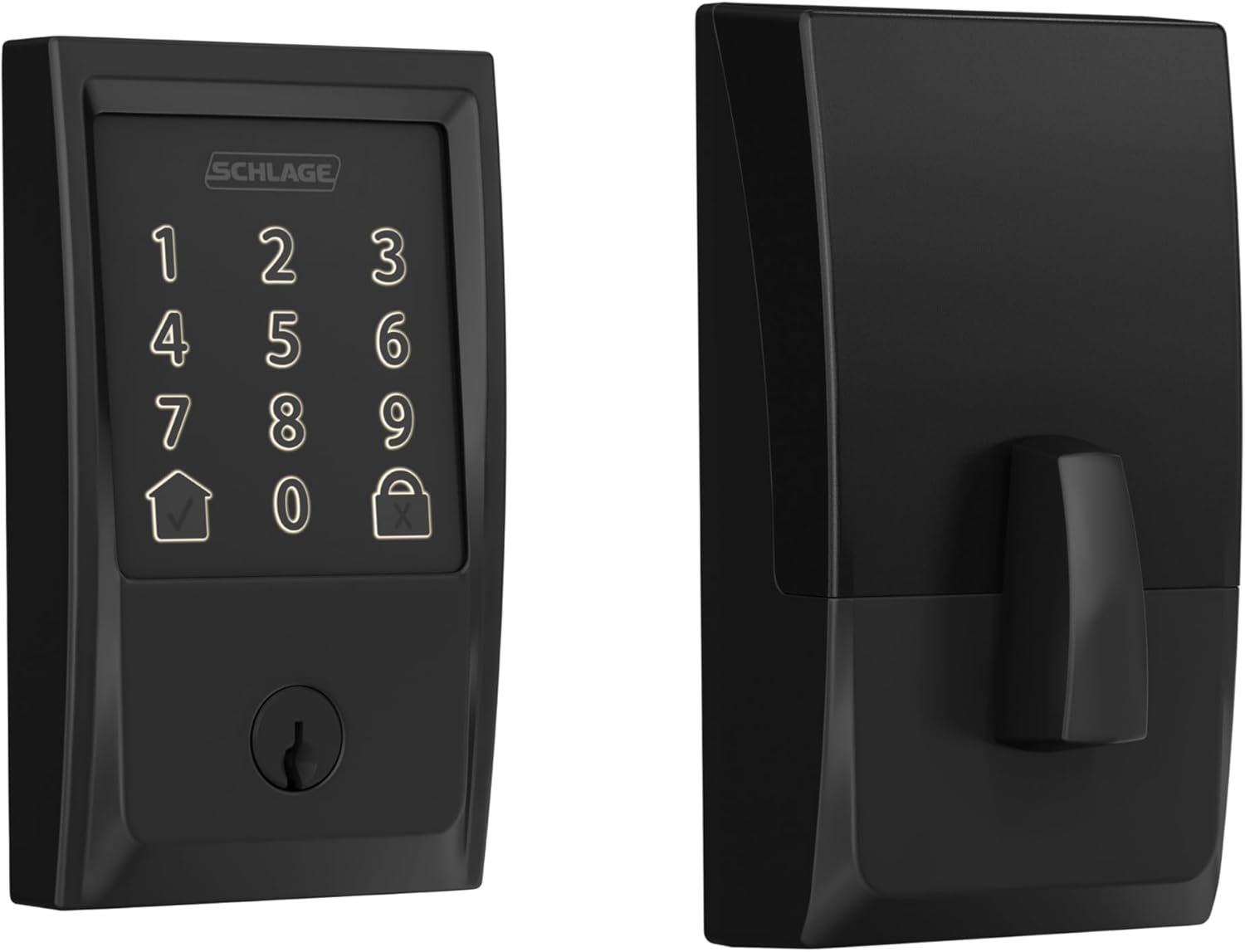
Schlage Encode Smart Wi-Fi Deadbolt
Pros
- Built-in Wi-Fi means no hub or bridge required
- Works with Alexa, Google Assistant, and Airbnb for automated guest codes
- Up to 100 access codes with individual scheduling
- ANSI Grade 1 deadbolt rating for serious hardware security
- Schlage Home app is straightforward and has not required account subscriptions
Cons
- No Apple HomeKit support (that requires the Encode Plus at $299)
- 100 access codes is enough for most households but fewer than Yale's 250
- Keypad style is functional but not as sleek as newer touchscreen competitors
Price as of Feb 27, 2026 — see current price on Amazon.
The Schlage Encode is what you buy when you want reliable Wi-Fi connectivity, solid hardware security, and Alexa and Google compatibility without the Apple HomeKit premium. At $150, it is $80 less than the Yale Assure Lock 2 and $150 less than the Encode Plus.
No hub means you plug in the lock, connect it to your home Wi-Fi during setup, and remote access works immediately through the Schlage Home app. For Airbnb hosts specifically, the Airbnb integration lets guests receive a unique access code automatically when they book and the code expires when checkout is complete.
The ANSI Grade 1 rating matches the Encode Plus. Schlage builds their deadbolts to the same physical security standard regardless of the smart connectivity tier. The difference between the two models is software features and ecosystem support, not hardware quality.
100 access codes is genuinely enough for the vast majority of homeowners. Where it lags behind Yale is the lack of optional module upgrades. This lock is Wi-Fi only. If you ever want Z-Wave compatibility, you need a different lock.
Best for: Homeowners who want Alexa or Google integration without a smart home hub, Airbnb hosts who want automated guest code creation, anyone who wants ANSI Grade 1 security hardware under $200.
Wyze Auto-Lock Bolt
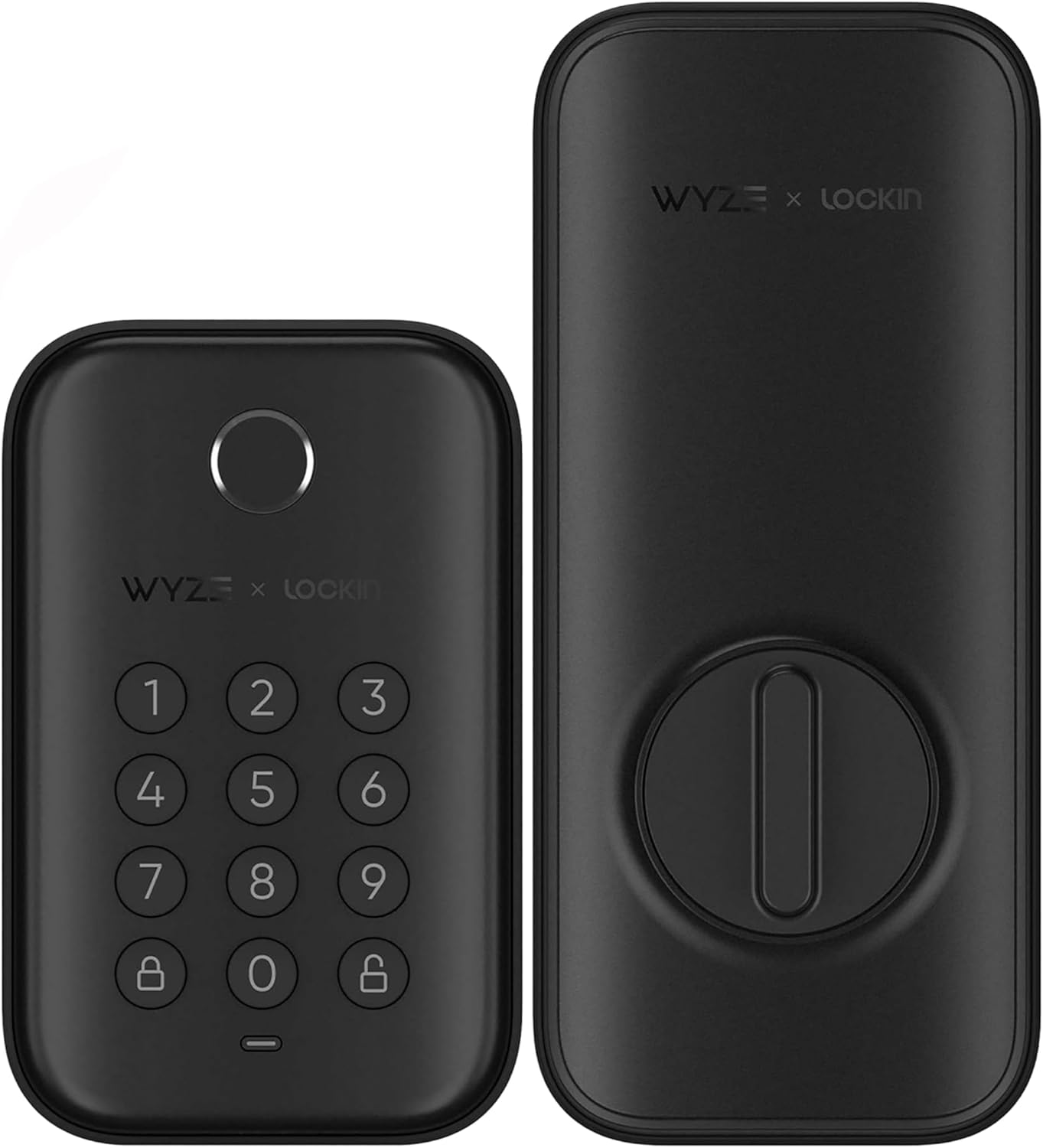
Wyze Auto-Lock Bolt
Pros
- Fingerprint reader unlocks in under one second with no phone or keypad needed
- Backlit keypad for code entry when fingerprint is not convenient
- Auto-lock configurable from 1 to 30 minutes after closing
- IPX5 weatherproof rating handles rain and humidity
- UL 20-minute fire rating and BHMA Grade 2 certification
Cons
- Bluetooth only, no Wi-Fi for remote access without the separate Wyze Hub
- Smaller company ecosystem compared to Yale, Schlage, or August
- Fingerprint scanner occasionally misreads in very cold or wet conditions
Price as of Feb 27, 2026 — see current price on Amazon.
The Wyze Auto-Lock Bolt is the right choice when you want fingerprint entry at a budget price. Under $100 gets you a backlit keypad, a fast capacitive fingerprint reader, auto-lock, and IPX5 weather resistance. That is a feature set that cost $200 or more from premium brands two years ago.
The fingerprint reader is the headline. Enrolling a finger takes about 30 seconds in the Wyze app. Once enrolled, the sensor reads a registered print in roughly 0.8 seconds. Dry fingers in normal indoor conditions work reliably. Very wet or very cold fingers occasionally need a second press, but the keypad backup is right there.
The important caveat is connectivity. The Wyze Auto-Lock Bolt is Bluetooth only, which means remote access requires pairing it with a Wyze Hub (sold separately). If you want to check lock status from across town or unlock for a delivery, budget for the hub or consider stepping up to a Wi-Fi lock. For households that only need local keyless entry, the Bluetooth-only model handles it fine without any ongoing cost.
Auto-lock is the practical selling point for people who routinely forget to lock up. Set it to trigger 5 minutes after the door closes and the lock handles itself. You never leave for work wondering if you locked the front door.
Best for: Budget-conscious buyers who prioritize fingerprint entry over remote access, anyone who already has a Wyze ecosystem, households that want auto-lock without paying a premium price.
How to choose a smart lock
Wi-Fi vs Bluetooth vs Z-Wave
Wi-Fi smart locks connect directly to your router and give you remote access through an app without any additional hardware. The trade-off is battery life: Wi-Fi locks typically last 3 to 6 months on AA batteries compared to 12 or more months for Bluetooth-only locks.
Bluetooth locks are more energy efficient but require your phone to be nearby for direct connection. Adding a compatible bridge or hub like the August Connect or Wyze Hub restores remote access. If remote access is important to you, factor in that hub cost.
Z-Wave and Zigbee locks integrate deeply with smart home hubs like SmartThings, Hubitat, or Home Assistant. If you have an existing hub setup, a Z-Wave lock gives you the most automation flexibility. The Yale Assure Lock 2's modular slot is worth noting here: you can add Z-Wave without replacing the entire lock.
ANSI grading actually matters
Most residential deadbolts are ANSI Grade 2 or Grade 3. Grade 1 is the standard used in commercial buildings and means the lock has survived more cycles, higher strike force tests, and more aggressive torque testing. Both Schlage locks in this roundup are Grade 1. Yale's Assure Lock 2 is Grade 2. Wyze rates as BHMA Grade 2.
For most residential use cases, Grade 2 is adequate. If physical security is a priority, the Schlage locks have a hardware edge.
Subscription fees
None of the locks in this roundup require a subscription for their core features. Access codes, remote lock and unlock, activity history, and guest keys are all available on free app tiers. August charges for extended history beyond a certain period, but the basic feature set is subscription-free. This is worth confirming before you buy any smart lock, since some competitors have moved features behind paywalls.
Smart home ecosystem compatibility
If you use Apple HomeKit, the Schlage Encode Plus is the clear choice because of Apple Home Key. If your household runs entirely on Alexa or Google Assistant, the Schlage Encode and Yale Assure Lock 2 both handle those integrations without compromise. If you use Google Home alongside smart speakers and a video doorbell, the Yale or Schlage Encode connects to both ecosystems without issues.
For households running mesh networking through a Wi-Fi mesh system, make sure the smart lock's Wi-Fi frequency is supported. All locks in this roundup use 2.4GHz Wi-Fi, which is universal across mesh systems.
Frequently asked questions
Can a smart lock be hacked? Smart locks use AES-128 or AES-256 encryption for their wireless signals, the same standard used for banking apps. The physical hardware is still the weak point in most home security setups, which is why ANSI Grade 1 deadbolts matter. No lock is completely unbeatable, but a quality smart lock is not meaningfully easier to compromise than a traditional deadbolt.
Do smart locks work during a power outage? Yes. Smart locks run on batteries, not wall power, so they keep working when the power goes out. All locks in this roundup include low-battery warnings in their apps well before the batteries die. Most also have a physical key override in case the battery is completely dead.
How many access codes do I actually need? For a typical household, 10 to 20 codes covers family members, a regular housekeeper, a neighbor with emergency access, and a few guest slots. The Wyze Bolt handles up to 100 codes, Yale supports 250. For most homes, any lock in this roundup has headroom to spare.
Will a smart lock work with my existing deadbolt hole? All five locks in this roundup use a standard single-cylinder deadbolt form factor and fit doors with a standard 2-1/8 inch bore hole. The August Wi-Fi Lock is the exception since it installs over your existing deadbolt rather than replacing it. Check the product listing for door thickness compatibility if your door is non-standard.
What happens when the battery dies? Most smart locks will warn you via app notification when the battery drops below 15 to 20 percent. If the battery does die completely, all locks in this roundup have a physical keyway backup. The Schlage Encode also supports 9V battery emergency power through contact with the keypad face.
How We Pick
We pick products by combining spec-level research, price checks, trusted third-party benchmarks, and owner sentiment from high-signal sources.
- Performance and real-world value in the category this guide targets
- Price-to-performance and deal consistency over recent pricing windows
- Build quality, reliability patterns, and known long-term issues
- Recommendation refresh cadence to keep these picks current
Author
TheTechSearch Editorial Team
Independent product reviewers & PC builders
We compare real-world specs, reviews and owner reports, price trends, and user feedback to recommend gear that actually makes sense to buy.