Best USB-C Chargers 2026
The best USB-C GaN chargers for laptops, phones, and tablets in 2026. Top picks from Anker, Ugreen, Baseus, and Apple at every wattage. Expert picks, pros an...
As an Amazon Associate we earn from qualifying purchases made through our links — this doesn't affect our picks.
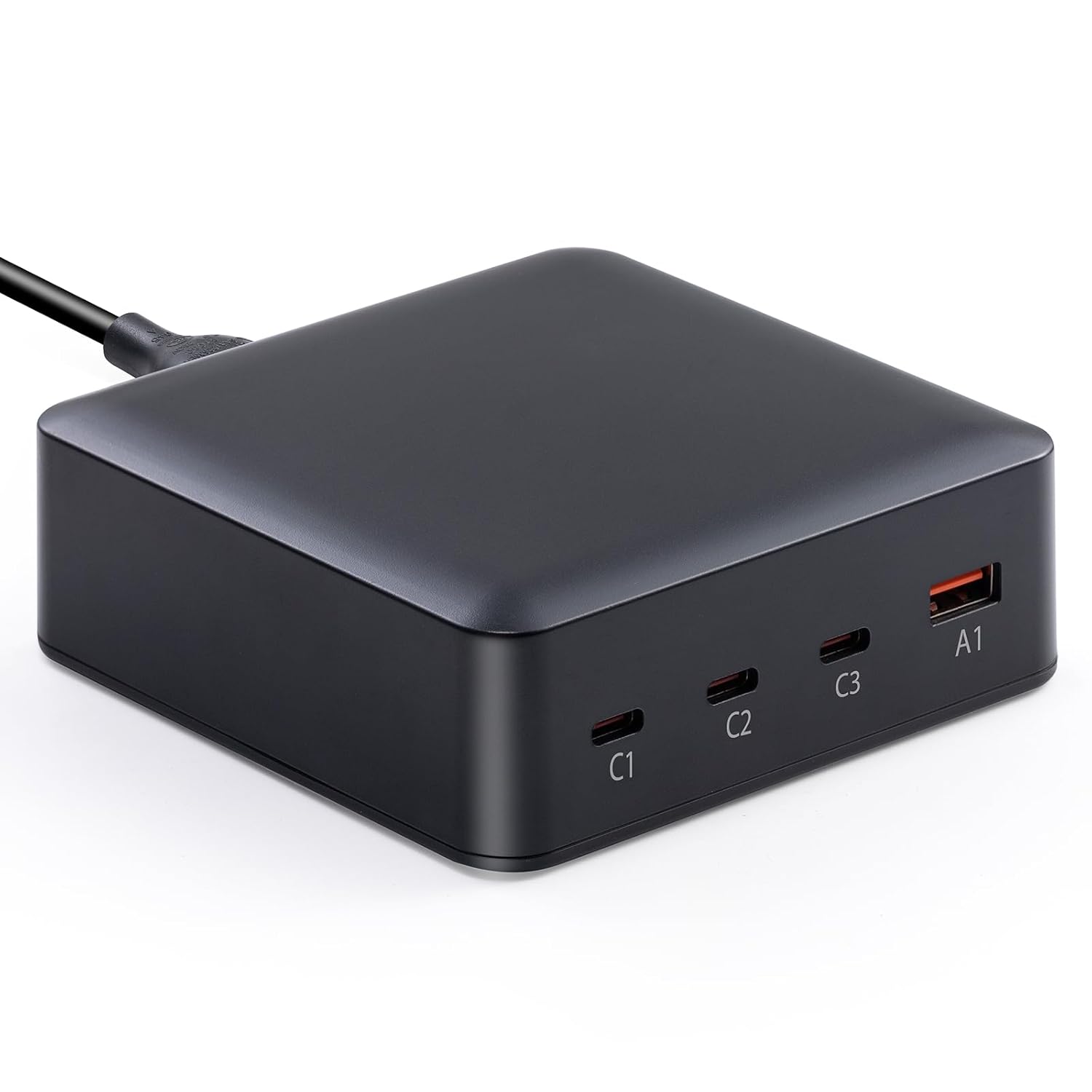
Anker 747 GaNPrime 150W Charger
Our top recommendation for this category
Price as of Feb 28, 2026 — see current price on Amazon.
In this guide
USB-C has finally won. Every laptop worth buying now charges over USB-C, and the charger market has caught up with GaN technology that packs serious wattage into surprisingly small bricks. The problem is the market is full of chargers that overclaim wattage, shrink performance when you plug in a second device, or just run hot in a way that makes you nervous.
These four picks have earned their spots. They cover everything from a 65W everyday compact to a 150W four-port monster that can charge two laptops at once.
Our top picks at a glance
| Charger | Wattage | Ports | Best For | Price | |
|---|---|---|---|---|---|
| Anker 747 GaNPrime | 150W | 3x USB-C + 1x USB-A | Multi-device power users | $80 | Check Price |
| Ugreen Nexode X 100W | 100W | 2x USB-C + 1x USB-A | Best everyday laptop charger | $46 | Check Price |
| Baseus GaN2 Pro 65W | 65W | 2x USB-C + 1x USB-A | Budget pick / travel compact | $25 | Check Price |
| Apple 140W USB-C | 140W | 1x USB-C | MacBook Pro 16 owners | $79 | Check Price |
Best for multiple devices: Anker 747 GaNPrime 150W
Anker 747 GaNPrime 150W Charger
Pros
- 150W total output covers two laptops or one laptop plus two phones
- GaNPrime technology keeps it noticeably cooler than older GaN chips
- Foldable prongs and compact body for a 150W charger
- Single port can hit 140W for a MacBook Pro 16
Cons
- Still bigger than a single-device charger, realistically
- No USB-C cable included at this price
- Overkill if you only ever charge one device at a time
Price as of Feb 28, 2026 — see current price on Amazon.
When you need to charge a laptop and keep everything else topped up from a single outlet, this is the charger. The Anker 747 uses GaNPrime technology, Anker's more advanced gallium nitride architecture that runs cooler under load than the first-generation GaN chips you'll find in older chargers. That difference is real: you can leave this plugged in overnight under a desk without it becoming a warm brick.
The 150W split makes sense for real-world use. With one USB-C device plugged in, you get 100W on that port. With two USB-C devices, they share intelligently based on what each device requests. Add a phone on USB-A and you're running three devices off one plug. The 140W single-port peak matters specifically for MacBook Pro 16 users, which technically wants 140W to charge at full speed while the machine runs heavy tasks.
Its size is unavoidably larger than a single-device charger, but for a 150W four-port brick it's genuinely compact. The foldable prongs help with travel.
Who it's for: Remote workers and road warriors who carry a laptop, phone, and earbuds and are done juggling power strips. If you want to build out a proper desk charging setup, see our best portable chargers guide for power bank options that pair well with a wall charger like this.
Best everyday laptop charger: Ugreen Nexode X 100W
Ugreen Nexode X 100W GaN Wall Charger
Pros
- 100W covers almost every laptop at full charging speed
- Three ports including two USB-C in a notably compact package
- PPS support for fastest phone charging on compatible Samsung and Pixel devices
- Reasonable price for a capable multi-device charger
Cons
- 100W splits to 65W + 30W when both USB-C ports are used simultaneously
- Less brand recognition in the US than Anker, though quality is comparable
- No cable included
Price as of Feb 28, 2026 — see current price on Amazon.
Ugreen has quietly become the brand that undercuts Anker on price without sacrificing build quality, and the Nexode X 100W is the clearest example of that. At $46 it costs about half what the Anker 747 runs, and for most laptop users it delivers everything they actually need.
100W on the primary port handles MacBook Air M4, MacBook Pro 14", Dell XPS 13, ThinkPad, and most Windows ultrabooks at full speed. The second USB-C port is there for a phone or iPad alongside the laptop. PPS (Programmable Power Supply) support means compatible devices like the Samsung Galaxy S25 charge at their native fast-charge speeds, which matters if you care about your phone going from 20% to 80% in half an hour.
The "X" in Nexode X refers to the newer chipset generation that improved thermal performance. In practice it means this stays cool enough to leave packed in a bag against your laptop without worry.
Who it's for: Anyone who wants a reliable single-charger solution for laptop plus phone without spending $80. Pairs well with any laptop in our best laptops for programming roundup.
Best budget pick: Baseus GaN2 Pro 65W
Baseus GaN2 Pro 65W Charger
Pros
- 65W handles MacBook Air and most ultrabooks at full speed
- Three ports in a compact form factor at a hard-to-beat price
- GaN2 Pro chip runs cooler than older, cheaper GaN chargers
- Good option for travel when you want a cheap backup charger
Cons
- 65W is not enough for MacBook Pro 16 at full charging speed
- Some users report the build quality feels slightly less premium than Anker or Ugreen
- USB-A output is limited to 22.5W, not quite full fast charge for all phones
Price as of Feb 28, 2026 — see current price on Amazon.
At $25, the Baseus GaN2 Pro punches well above the price range occupied by off-brand chargers that run hot and degrade fast. Baseus uses their second-generation GaN chip here, which matters: first-gen GaN chargers in this price bracket generate uncomfortable heat and can cycle between output levels in ways that confuse laptops. The GaN2 Pro chip handles this more cleanly.
65W covers a MacBook Air M4 (45W nominal, charges faster with headroom), all iPad Pro models, and any slim Windows laptop. It won't charge a MacBook Pro 14 at full speed under load, though it'll keep pace while you're doing light work. For the MacBook Pro 16 at 140W, this isn't the right charger.
Three ports (two USB-C, one USB-A) at this price is solid. The foldable prong design means it won't scratch up whatever it's packed next to.
Who it's for: Students, travelers who want a cheap backup, or anyone whose primary laptop is a MacBook Air or lightweight Windows machine and doesn't need more than one port at a time.
Best for MacBook Pro 16: Apple 140W USB-C Power Adapter
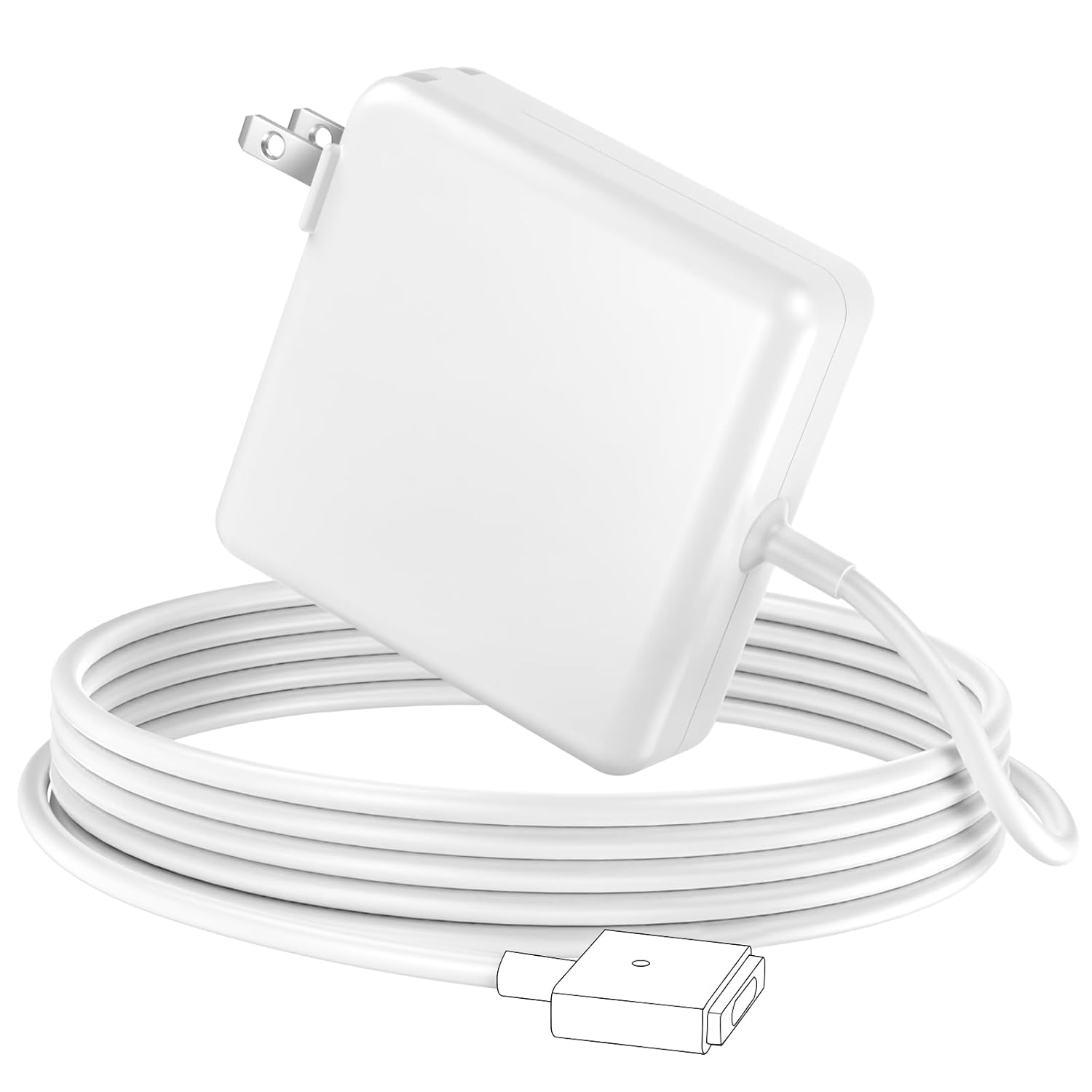
Apple 140W USB-C Power Adapter
Pros
- The only charger Apple officially supports for full-speed MacBook Pro 16 charging
- Compact for 140W, smaller than the old MagSafe 3 bricks
- Retractable plug for cleaner storage
- Works with any USB-C device, not just Apple
Cons
- Single port, no simultaneous phone charging without an extra charger
- Higher price than third-party 140W options with equivalent output
- No cable included
Price as of Feb 28, 2026 — see current price on Amazon.
If you own a MacBook Pro 16 and want the official Apple charger that matches what ships with the laptop, this is it. The 140W adapter works over USB-C directly, and also connects to the MagSafe 3 port via a separate MagSafe cable (sold separately). Either way, it delivers the full 140W the MacBook Pro 16 pulls at peak demand.
Third-party 140W chargers work fine for most people, but Apple's is worth considering if you care about having the exact Apple-certified hardware, or if you want the retractable plug design that keeps the cable routed cleanly. It's genuinely compact for 140W, notably smaller than the outgoing MagSafe brick generations.
The single-port limitation is the honest tradeoff. If you need to charge your iPhone at the same time, you'll still need a second port somewhere. For desk setups, the Anker 747 is a better choice. For a pure MacBook-only charger where you want official Apple quality, this is the one.
Who it's for: MacBook Pro 16 owners who want Apple's official adapter. For a full home office charging setup, our best wireless chargers guide covers desk options for keeping your phone charged alongside a laptop.
How to choose a USB-C GaN charger
Match wattage to your laptop. MacBook Air M4: 45W works, 65W+ charges faster. MacBook Pro 14: 70W or more. MacBook Pro 16: 100W minimum to charge while working, 140W for full speed. Windows ultrabooks: most charge fine at 65W. Gaming laptops with dedicated GPUs often need 100W or higher.
GaN vs. standard chargers. Gallium nitride runs at higher frequencies than silicon, which means the components can be physically smaller and generate less heat for the same output. A 65W GaN charger is roughly half the size of a 65W standard charger from five years ago. This is the main reason the "compact 100W charger" category exists now.
Port configuration matters. A charger that shows 100W but splits to 65W + 30W when both ports are used is a different product than one that delivers 100W on a single port. Check the spec sheet for single-port vs. multi-port wattage before buying.
PPS vs. standard PD. USB Power Delivery (PD) is the base standard. Programmable Power Supply (PPS) is an extension that allows finer-grained voltage control, enabling faster charging on compatible phones like Samsung Galaxy and Google Pixel. If you charge a Samsung flagship, PPS support is worth looking for.
USB-C monitors and hubs: If you're building a full desk setup, our best USB-C monitors guide covers displays that double as hubs and accept power delivery passthrough, which can simplify the cable situation significantly.
Frequently asked questions
What wattage USB-C charger do I need for a MacBook? MacBook Air (M2/M3/M4) charges fastest with 45W or higher, though 65W gives you headroom. MacBook Pro 14 needs 67W to charge efficiently. MacBook Pro 16 needs 100W at minimum to maintain charge under load, and 140W for full-speed charging.
Is a 100W USB-C charger faster than a 65W charger for laptops? For laptops that accept 100W (like MacBook Pro 14 or most 15-inch Windows machines), yes. A 65W charger will charge more slowly under moderate load. For phones and tablets, both deliver more than enough.
Can I use the same USB-C charger for my laptop and phone? Yes. USB Power Delivery chargers work with both. A multi-port charger like the Ugreen Nexode 100W or Anker 747 lets you charge a laptop and phone from one plug, with each device getting the wattage it negotiates.
What is GaN technology in USB-C chargers? Gallium nitride (GaN) is a semiconductor material that operates at higher frequencies than traditional silicon. This lets charger components run smaller and cooler for the same output. GaN chargers at 65W or 100W are roughly half the physical size of equivalent silicon chargers from a few years ago.
Is the Apple 140W charger worth it over third-party options? For most people, a quality third-party 140W charger like the Anker 747 works equally well and adds multi-port functionality. The Apple 140W adapter is worth it if you want the official Apple-certified hardware, the retractable plug design, or a single dedicated MacBook Pro 16 charger with no compromises.
Bottom line
For most people, the Ugreen Nexode X 100W is the right answer: it covers laptops at full speed, adds a port for a phone, and costs about half what the Anker does. If you need to charge two laptops or a laptop and multiple devices from one plug, move up to the Anker 747 GaNPrime. Students and budget-conscious buyers who just need to charge a MacBook Air or slim laptop will find everything they need in the Baseus GaN2 Pro 65W at $25. MacBook Pro 16 owners who want Apple's official adapter get it with the Apple 140W.
How We Pick
We pick products by combining spec-level research, price checks, trusted third-party benchmarks, and owner sentiment from high-signal sources.
- Performance and real-world value in the category this guide targets
- Price-to-performance and deal consistency over recent pricing windows
- Build quality, reliability patterns, and known long-term issues
- Recommendation refresh cadence to keep these picks current
Author
TheTechSearch Editorial Team
Independent product reviewers & PC builders
We compare real-world specs, reviews and owner reports, price trends, and user feedback to recommend gear that actually makes sense to buy.