144Hz vs 240Hz Monitor: Is the Upgrade Worth It for Gaming in 2026?
Should you upgrade from 144Hz to 240Hz? Here's the honest answer based on your games, GPU, and how serious you are. Expert picks, pros and cons, and side-by-...
As an Amazon Associate we earn from qualifying purchases made through our links — this doesn't affect our picks.
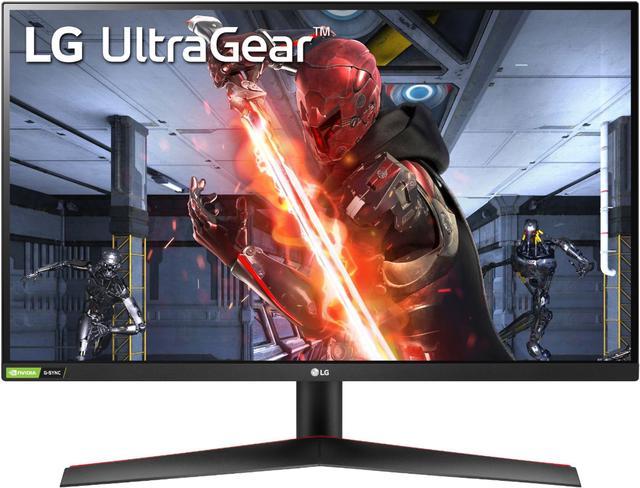
LG UltraGear 27GN800-B
Our top recommendation for this category
Price as of Aug 26, 2026 — see current price on Amazon.
The answer to "should I upgrade?" is almost always the same: it depends heavily on what you play and how seriously you play it. Not the most satisfying answer, I know. But the refresh rate debate has a lot of noise around it, and I want to give you something actually useful.
Here's the short version - then we'll dig into the details and get you pointed at the right monitor for your setup.
| Monitor | Refresh Rate | Resolution | Panel | Price | |
|---|---|---|---|---|---|
| LG 27GN800-B | 144Hz | 1440p QHD | IPS | ~$279 | Check Price |
| ASUS TUF VG27AQ | 165Hz | 1440p QHD | IPS | ~$284 | Check Price |
| Sceptre E255B-FWD240 | 240Hz | 1080p FHD | IPS | ~$149 | Check Price |
| ASUS TUF VG27AQML1A | 260Hz | 1440p QHD | Fast IPS | ~$510 | Check Price |
The Honest Answer Upfront
144Hz is enough for most gamers. Full stop.
If you play anything outside of competitive first-person shooters - RPGs, strategy games, platformers, adventure titles, casual shooters - going from 144Hz to 240Hz will not meaningfully change your experience. The difference between these refresh rates is real and technically measurable. But your brain at a normal gaming distance, focused on gameplay rather than staring at a bouncing ball test? You're unlikely to notice in most gaming scenarios.
That said, 240Hz is genuinely worth it for a specific type of player. Think CS2, Valorant, or Apex Legends at a high level, frame rates already above 200fps, and a context where every millisecond of reaction advantage matters. For those folks, the upgrade is real and it does translate to better performance.
The other thing nobody talks about enough: your GPU matters more than your monitor here. If your RTX 4060 is pumping out 130fps in Apex at 1440p, a 240Hz monitor displays exactly 130 frames per second. You're paying for 240Hz capability you can't use. The panel sits at effectively 130Hz because there are no extra frames to display.
So before anything else: figure out what games you play at what frame rates. Then choose your monitor accordingly.
When 144Hz Is the Right Call (and Which to Buy)
If you're on a mid-range GPU (RTX 4060, RTX 5060, RX 7600, RX 9060 XT), play a mix of games that aren't purely competitive FPS, or sit farther than arm's length from your monitor - stick with 144Hz. You'll get better resolution, more panel options, and spend less money.
The 1440p 144Hz market is genuinely excellent right now. These are the two I'd recommend without hesitation.
LG UltraGear 27GN800-B
Pros
- Excellent IPS color accuracy and contrast for the price
- 1ms GtG response time with no significant overshoot
- G-Sync compatible and AMD FreeSync Premium
- 27-inch 1440p is the sweet spot for desk distance
Cons
- Stand has limited adjustability (no pivot)
- Older model - no HDR to speak of (HDR400 in name only)
- 144Hz ceiling means future-proofing is limited
Price as of Aug 26, 2026 — see current price on Amazon.
I've recommended this panel to more people than I can count. LG's IPS panels have consistently excellent pixel uniformity, and the 27GN800-B in particular handles fast motion cleanly without the smearing you'd see on a VA panel. It's a few years old at this point but the price has dropped to where it's an outstanding value. For anything outside of hardcore competitive play, this is the monitor.
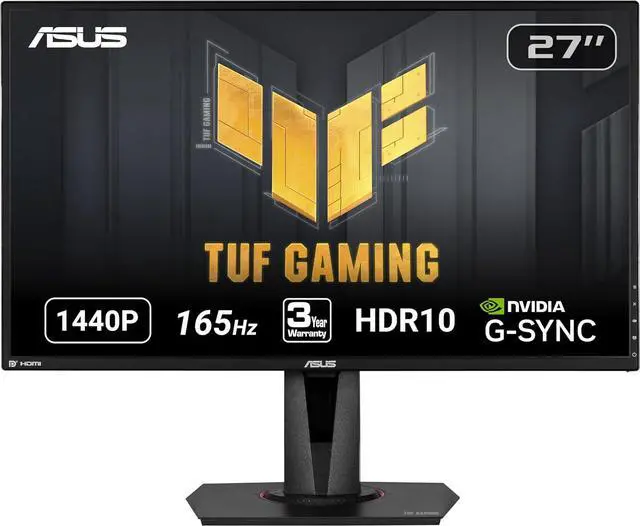
ASUS TUF Gaming VG27AQ
Pros
- 165Hz base rate (overclocks to 170Hz) for a little extra headroom
- Built-in speakers save you desk space
- Full height/tilt/swivel stand included
- G-Sync Compatible + FreeSync Premium
Cons
- Color accuracy is slightly behind the LG out of the box
- Not the sharpest IPS panel in its class
- 165Hz is still not 240Hz if you're competitive-minded
Price as of Aug 26, 2026 — see current price on Amazon.
This one goes for almost the same price as the LG and adds 165Hz, a better stand, and built-in speakers. Honest comparison: the LG has marginally better pixel quality. The ASUS gives you more practical adjustability and that extra 21Hz of headroom. For most setups, I'd lean ASUS here because the stand alone is worth it - no separate monitor arm required.
When 240Hz Actually Makes a Difference
If your gaming looks like this, 240Hz will give you a real edge: CS2 or Valorant five nights a week, 1080p because you're chasing the highest frame rates possible, an RTX 4070 or better, and 200+ fps consistently. Not a massive edge, but a real one.
The difference between 144Hz and 240Hz is roughly 2.8ms vs 6.9ms frame display time. In competitive FPS at the highest levels, that's the margin some players are willing to pay for. I'm not going to tell you it's placebo if you're genuinely hitting those frame rates and competing seriously.
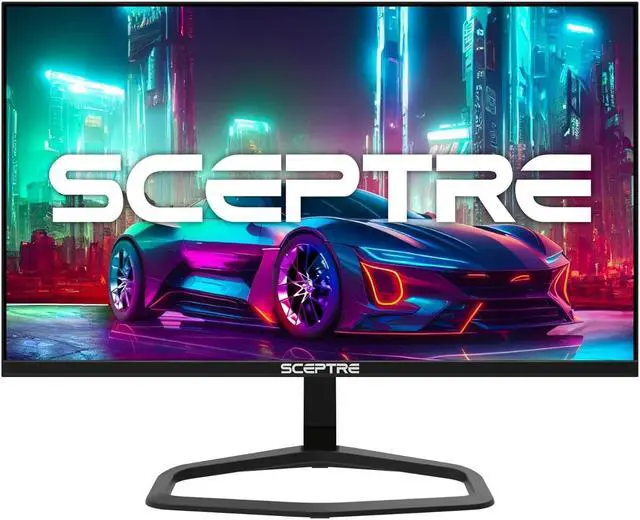
Sceptre E255B-FWD240 (2026)
Pros
- 240Hz at 1080p hits high frame rates more easily with mid-range GPU
- Under $150 makes it the most accessible 240Hz option
- Dual DisplayPort for daisy-chaining or future use
- AMD FreeSync Premium for tear-free gameplay
Cons
- 1080p resolution looks noticeably soft on a 24.5-inch panel up close
- Budget panel with average color accuracy (100% sRGB, not wide gamut)
- No height adjustment on the stand
Price as of Aug 26, 2026 — see current price on Amazon.
This Sceptre is the honest budget path to 240Hz. At $149, you're getting a factory-2026 panel with proper DisplayPort 1.4, AMD FreeSync, and 1ms response time. But you're trading resolution. At 24.5 inches, 1080p looks decent but not sharp, especially if you sit close. If you already own a 1080p 240Hz setup and you're wondering whether to upgrade to 1440p 240Hz, the answer is yes once you can afford it - the resolution hit is real. But if you're starting fresh and budget-conscious, this gets you in the game.
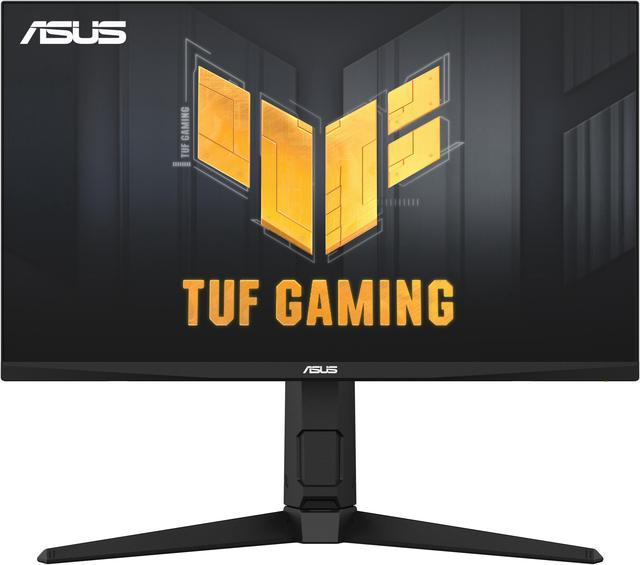
ASUS TUF Gaming VG27AQML1A
Pros
- 260Hz at 1440p - you get both resolution and speed
- Fast IPS panel with minimal motion blur
- DisplayHDR 400 certification (actually usable)
- G-Sync compatible + FreeSync Premium on the same panel
Cons
- $500+ is a significant jump over 144Hz 1440p monitors
- You need a powerful GPU (RTX 4070 Ti or better) to genuinely max this out
- 260Hz vs 240Hz is a spec difference that won't be perceptible in games
Price as of Aug 26, 2026 — see current price on Amazon.
This is the monitor for someone who wants 1440p sharpness without sacrificing competitive frame rate capability. It's expensive - and let me be real, you need a powerful GPU to actually benefit from 260Hz at 1440p. But if you've got the hardware and you're serious about both visual quality and competitive gaming, this panel delivers. The Fast IPS technology here is noticeably better in motion than older IPS panels, and the picture quality is genuinely good for an all-around monitor.
The GPU Bottleneck Problem
Here's the thing a lot of articles skip: a 240Hz monitor can only display 240 unique frames per second. If your GPU isn't producing that many frames, you're paying for refresh rate headroom you'll never use.
At 1440p with current mid-range GPUs, here's what you'll actually hit in demanding titles:
- RTX 4060: roughly 80-130fps in AAA games at 1440p high settings
- RTX 4070: roughly 110-180fps at 1440p high settings
- RTX 4070 Ti / 5070: 150-240fps range in many titles
- RTX 5080 and above: consistently above 240fps in most titles
At 1080p, these numbers go up significantly - which is why competitive players often pair a 240Hz monitor with 1080p. You can actually push 240fps in CS2 or Valorant on a mid-range GPU at 1080p. At 1440p, it's only the higher-end GPUs that reliably hit 240fps.
If you're on an RTX 4060 Ti or anything in that tier and gaming at 1440p, a 144Hz monitor is the right pairing. Save the 240Hz for when you have the GPU to back it up.
Resolution vs Refresh Rate: Don't Get This Wrong
The other tradeoff to understand: 240Hz monitors at 1440p cost significantly more than 144Hz monitors at 1440p. And 240Hz monitors at 1080p sacrifice the resolution to hit that price point.
In general:
- For competitive players who play at 1080p anyway: a 1080p 240Hz monitor makes sense
- For players who want visual quality first: 1440p 144Hz gives better resolution at lower cost than 1440p 240Hz
- For players who have the budget and GPU: 1440p 240Hz+ is the long-term sweet spot
There's no bad choice here, only choices that don't match your actual setup or gaming style.
Frequently asked questions
- Can I actually see the difference between 144Hz and 240Hz?
- In direct side-by-side comparison, yes - motion appears smoother at 240Hz. In normal gameplay focused on the game itself, most players cannot reliably tell the difference without knowing which monitor they're on. Competitive FPS players are the exception because they're trained to notice fine motion resolution.
- Do I need a powerful GPU to use a 240Hz monitor?
- Yes, practically speaking. To benefit from 240Hz, your GPU needs to render 240+ frames per second. At 1080p in esports titles like CS2 or Valorant, an RTX 4060 can hit this. At 1440p in demanding games, you need at least an RTX 4070 Ti to push 240fps consistently.
- Is 165Hz meaningfully better than 144Hz?
- Barely. The difference between 144Hz and 165Hz is about 1.1ms of frame time. In practice, no one notices this. If a 165Hz monitor is the same price as a 144Hz equivalent, take it. But don't pay more for 165Hz specifically.
- What about 360Hz monitors? Are they worth it?
- Only for pro-level esports players in titles where frame rate consistently exceeds 300fps. For everyone else, 360Hz is marketing material - the marginal benefit over 240Hz is even smaller than the jump from 144Hz to 240Hz.
- Should I get 1080p 240Hz or 1440p 144Hz for gaming?
- Depends on your GPU and games. If you play competitive FPS and have a GPU that can push 240fps at 1080p (RTX 4060 or better), go 1080p 240Hz. If you play more varied games and want visual quality, 1440p 144Hz is almost always the better choice.
- Does 240Hz help in non-FPS games?
- Marginally. Some players notice smoother mouse cursor movement and UI animations at 240Hz, which can improve comfort. But for the actual gameplay experience in RPGs, strategy games, or MOBAs, the difference is negligible. Spend the extra money on a better CPU or GPU instead.
Bottom Line
For the majority of people reading this: stay at 144Hz, or buy a 1440p 144Hz monitor if you're upgrading. The LG 27GN800-B and ASUS TUF VG27AQ are both excellent and genuinely represent the sweet spot of price, resolution, and refresh rate for how most people actually play games.
If you're a competitive FPS player who consistently hits high frame rates - and you're being honest with yourself about that - the upgrade to 240Hz is real and worth budgeting for. The Sceptre E255B-FWD240 gets you there cheaply at 1080p, and the ASUS TUF VG27AQML1A is the choice if you want 1440p quality alongside competitive refresh rates.
Everything in between is marketing. Pick based on your games, your GPU, and your budget - not the spec sheet.
How We Test
We score products by combining spec-level research, pricing history, trusted third-party benchmarks, and owner sentiment from high-signal sources.
- Performance and real-world value in the category this guide targets
- Price-to-performance and deal consistency over recent pricing windows
- Build quality, reliability patterns, and known long-term issues
- Recommendation refresh cadence to keep these picks current
Author
TheTechSearch Editorial Team
Independent product reviewers & PC builders
We test and compare real-world specs, price trends, and user feedback to recommend gear that actually makes sense to buy.