Best 240Hz 1440p Gaming Monitors 2026
The best 240Hz 1440p gaming monitors in 2026 , from budget IPS panels under $300 to QD-OLED flagships. Paired for RTX 5060/5070 and RX 9070 XT builds.
As an Amazon Associate we earn from qualifying purchases made through our links — this doesn't affect our picks.
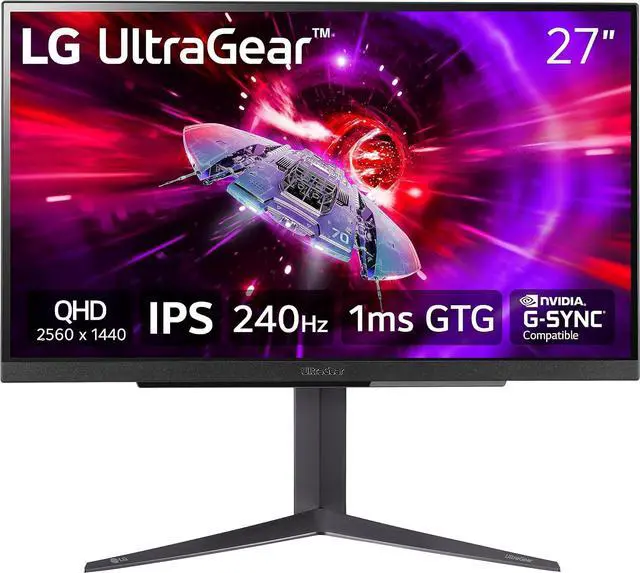
LG UltraGear 27GR83Q-B 27-inch QHD 240Hz IPS Gaming Monitor
Our top recommendation for this category
Price as of May 15, 2026 — see current price on Amazon.
If you just dropped $350 on an RTX 5060 or RX 9070 XT, you already know the problem: that 144Hz 1080p panel you've had since 2021 is holding you back. These new mid-range GPUs can genuinely push 200+ fps in competitive titles at 1440p. A 240Hz QHD monitor is the logical next move.
The good news is that 240Hz 1440p monitors got dramatically cheaper in 2026. You can now get a solid IPS panel at this refresh rate for under $300, a price point that would have bought you a mediocre 144Hz monitor three years ago. The bad news is that picking between IPS, VA, and QD-OLED has gotten more confusing, not less.
I spent time digging through RTINGS data, TFTCentral reviews, and a lot of r/buildapc threads to put together this guide. These are the monitors I'd actually recommend.
| Monitor | Panel | Price | Refresh Rate | Response Time | Best For | |
|---|---|---|---|---|---|---|
| LG UltraGear 27GR83Q-B | IPS | ~$290 | 240Hz | 1ms GTG | Best Value | Check Price |
| Lenovo Legion 27QD-10 | IPS | ~$229 | 240Hz | 0.5ms MPRT | Budget Pick | Check Price |
| Alienware AW2725DF | QD-OLED | ~$499.99 | 360Hz | 0.03ms | Premium OLED | Check Price |
LG UltraGear 27GR83Q-B: Best Value 240Hz 1440p Monitor
LG UltraGear 27GR83Q-B 27-inch QHD 240Hz IPS Gaming Monitor
Pros
- Exceptional value for 240Hz 1440p IPS
- DCI-P3 95% color coverage
- HDMI 2.1 for console use
- G-Sync and FreeSync compatible
Cons
- DisplayHDR 400, decent but not transformative
- Stand doesn't swivel
- No built-in USB hub
Price as of May 15, 2026 — see current price on Amazon.
Look, I wasn't expecting much at this price. The LG UltraGear 27GR83Q-B routinely dips to $280-$290 on Amazon, and at that number, it's genuinely hard to argue against.
The IPS panel is the highlight. You're getting 95% DCI-P3 color coverage, which is notably better than the ~80% DCI-P3 you'd see on many budget monitors. RTINGS gave it high marks for color accuracy out of the box, the kind of calibration you'd normally pay more for. And the 240Hz refresh rate combined with 1ms GTG response time means motion is crisp, not smeared.
Where it stumbles: the stand. You can tilt and adjust height, but there's no swivel. Not a dealbreaker, but worth noting if you're planning a multi-monitor setup. The HDR performance is "fine." The panel can hit 400 nits peak, but it lacks local dimming zones, so HDR content looks washed out compared to Mini-LED or OLED options.
But for $290? It competes directly with monitors that used to cost $500. If you're pairing this with an RTX 5060 or RX 9070 XT and want the best 240Hz 1440p experience at the lowest price, this is the one.
A note on the ASUS PG279QM and Samsung Odyssey G7
Both mid-range picks this guide carried, the ASUS ROG Swift PG279QM and the 27-inch Samsung Odyssey G7, had no buy box on any Amazon listing we could find when I re-checked in September 2026 (the only PG279QM listing left was a renewed unit, also unavailable). Both cards are gone until new stock shows up. That leaves the two budget IPS picks and the Alienware OLED, which is a wider gap than I'd like.
Lenovo Legion 27QD-10: Cheapest 240Hz 1440p Worth Buying
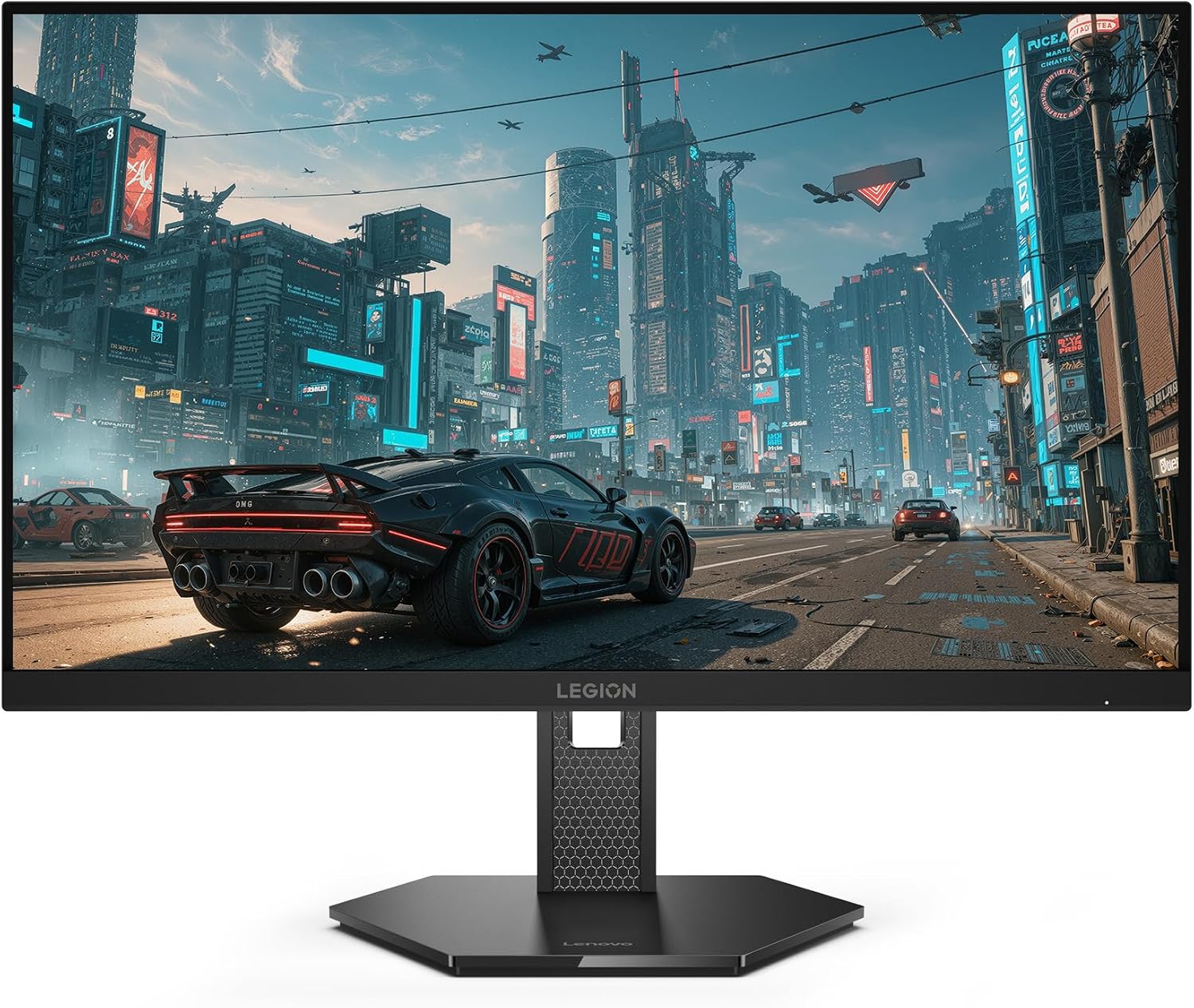
Lenovo Legion 27QD-10 27-inch QHD IPS 240Hz Gaming Monitor
Pros
- Lowest price for a 240Hz 1440p IPS panel in this guide
- Listing bullets include USB-C, HDMI 2.1, DisplayPort 1.4 and USB-A
- 99% sRGB and 90% DCI-P3 per the listing
- Ergonomic stand per the listing
Cons
- 0.5ms MPRT response (not GTG, different measurement)
- No KVM switch, which the Gigabyte it replaces had
- HDR certification is not stated on the listing
Price as of May 15, 2026 — see current price on Amazon.
A note on this slot: the Gigabyte M27Q X that used to sit here is no longer buyable on Amazon. Its only listing has no buy box, Gigabyte's M27Q Advanced is unavailable too, and there is no M27Q X listing on Amazon for the Rev 2.0. Lenovo's Legion 27QD-10 is the in-stock replacement, and everything below about it comes from its Amazon listing rather than a bench session.
The Legion 27QD-10 undercuts essentially everything else in this category. At $229.49, it's competing on price with 165Hz monitors while running 240Hz.
The listing states a QHD IPS panel at 240Hz with a 0.5ms MPRT response. That MPRT figure is not GTG, and it's worth clarifying because reviewers sometimes conflate the two. MPRT measures something closer to perceived blur rather than actual pixel transition speed. Treat it as "fast for the class," not as a like-for-like number against the GTG figures elsewhere in this guide.
The port list is the surprise at this price. The listing bullets name USB-C, HDMI 2.1, DisplayPort 1.4 and USB-A. USB-C means a single-cable laptop hookup, and HDMI 2.1 means a PS5 or Xbox can drive 1440p at 120Hz over HDMI, something the Gigabyte this replaces could not do. What you lose is the Gigabyte's KVM switch, so two-computer desks will need a separate KVM box.
The stand is listed as ergonomic, and the panel covers 99% sRGB and 90% DCI-P3 per the listing. HDR is not certified on the listing, so treat it as an SDR gaming panel.
Alienware AW2725DF: Best QD-OLED 240Hz 1440p Monitor
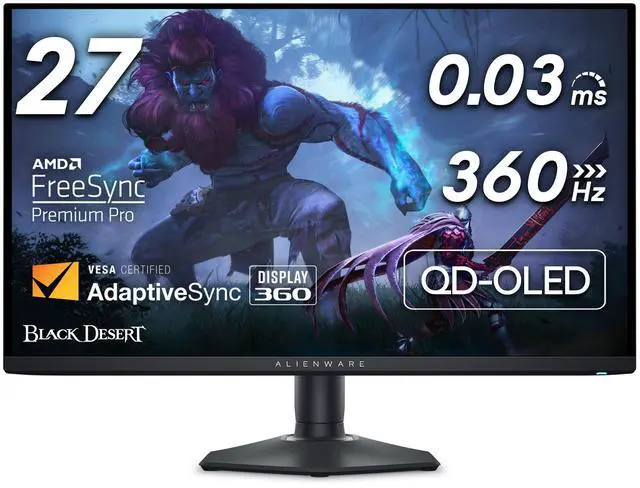
Alienware AW2725DF 26.7-inch QD-OLED 360Hz 1440p Gaming Monitor
Pros
- QD-OLED panel with infinite contrast and perfect blacks
- 360Hz refresh rate, beyond what most systems can push
- 0.03ms response time, effectively zero perceptible motion blur
- 99.3% DCI-P3 color coverage
Cons
- OLED burn-in risk for static elements (lower brightness for static logos)
- Price premium over IPS alternatives is real
- 26.7-inch panel feels slightly small for the price
Price as of May 15, 2026 — see current price on Amazon.
The AW2725DF is the monitor I'd buy if budget wasn't a concern. Full stop.
QD-OLED at 360Hz is borderline overkill for most gaming setups. But that 0.03ms response time and infinite contrast ratio changes how games look in a way that's immediately obvious. Pop in a dark-scene game, any dark-scene game, and the difference between this panel and even a good IPS monitor is immediate. You're not just seeing deeper blacks; you're seeing the full range of detail in shadow areas that washes out on LCD panels.
The 360Hz isn't something most GPUs will saturate at 1440p, but for competitive titles like CS2 or Valorant, where you're running low graphics settings to maximize frames, and an RTX 5070 or 5080 can genuinely push frame rates that make 360Hz meaningful.
The burn-in concern is real, worth mentioning without catastrophizing it. Keep brightness in the 200-250 nit range for regular use, enable pixel shift, and don't leave static UI elements on screen for hours. Alienware builds in an OLED protection mode that handles most of this automatically. Just don't ignore the warnings in the setup guide.
It launched at $900, hovered around $600-650 through early 2026, and sits at $499.99 as of this update. At that price it's a steal, not just competitive.
Buying Guide: How to Pick a 240Hz 1440p Monitor
IPS vs VA vs QD-OLED: Which Panel for Your Use Case?
IPS is the safe choice. Good viewing angles, accurate color, and fast pixel response. The LG 27GR83Q-B and Lenovo Legion 27QD-10 are both solid IPS picks. If you're unsure, default to IPS.
VA panels win on contrast. If you game in a dark room and HDR matters to you, the deeper blacks are worth the trade-off of slight VA smearing in fast dark scenes.
QD-OLED (Alienware AW2725DF) is the premium option. Best image quality available, best motion clarity, infinite contrast. The price gap is closing but still meaningful.
Do You Actually Need 240Hz Over 165Hz?
Honestly, it depends. For competitive shooters (Valorant, CS2, Apex), the jump from 165Hz to 240Hz is noticeable. Studies on competitive gaming show a perceivable difference up to around 240Hz for trained players. Beyond that, gains diminish sharply.
For RPGs, open-world games, single-player games: 165Hz is probably enough. But if you're pairing with a GPU that can push those frames (RTX 5060/5070 at 1080p-1440p in competitive titles), you might as well get 240Hz. The price difference is small now.
Do You Need G-Sync or Is FreeSync Enough?
In 2026, FreeSync Premium monitors work fine with NVIDIA GPUs through G-Sync Compatible mode. The frame rate range is typically 48-240Hz, which covers real-world gaming scenarios.
Native G-Sync modules add precision at the very low end of the VRR range and can eliminate the low framerate compensation artifacts that occasionally appear in G-Sync Compatible mode. The practical difference is minor for most games.
Unless you're specifically chasing competitive purity and running an NVIDIA GPU, FreeSync Premium is fine.
Response Time: GTG vs MPRT
GTG (gray-to-gray) measures actual pixel transition speed. MPRT (moving picture response time) measures perceived motion blur using a different methodology. Both appear in specs as "1ms" but they're measuring different things.
Neither is inherently better, but they're not comparable. A 1ms GTG panel and a 1ms MPRT panel don't necessarily look the same in motion. The Lenovo Legion 27QD-10 uses MPRT; the LG 27GR83Q-B uses GTG. Both look fast in practice, just don't treat them as equivalent specs.
Frequently asked questions
- What GPU do I need to run 240Hz at 1440p?
- For competitive titles (CS2, Valorant, Apex) at low-medium settings, an RTX 5060 or RX 9070 XT can push 240+ fps at 1440p. For AAA games at ultra settings, you're looking at RTX 5070 or better. The sweet spot is pairing a mid-range GPU with competitive settings to hit those frame rates.
- Is 240Hz 1440p worth it over 144Hz 1440p?
- For competitive gamers, yes. The jump from 144Hz to 240Hz is genuinely noticeable in fast-paced titles. For casual or single-player gaming, 165Hz is probably the sweet spot. The price difference between 144Hz and 240Hz 1440p panels has shrunk to the point that it's worth paying the small premium if you play any competitive titles.
- Should I get IPS or VA for a 240Hz 1440p monitor?
- IPS if you play in mixed lighting conditions, value color accuracy, or play competitive shooters where motion clarity matters most. VA if you primarily game in a dark room, care about HDR performance, and don't mind slight smearing in dark fast-moving scenes. IPS is the safer default for most people.
- How much should I spend on a 240Hz 1440p monitor in 2026?
- Budget tier: $230-$300 (Lenovo Legion 27QD-10, LG 27GR83Q-B). Mid-range: $400-$550 (thin right now; both mid-range picks we tracked lost their Amazon buy box in September 2026). Premium: $500+ (Alienware AW2725DF). For most people pairing with an RTX 5060 or RX 9070 XT, the LG 27GR83Q-B at $290 is the obvious value play.
- Is the Alienware AW2725DF worth the premium over IPS options?
- If image quality and HDR are priorities, yes, unambiguously. The QD-OLED panel makes dark scenes look categorically different from IPS. If you primarily play competitive titles at max brightness where contrast isn't the differentiator, the $300 premium over the LG doesn't make as much sense. It's genuinely a great monitor that launched at the wrong price and now sits in a more defensible range.
Bottom Line
The LG UltraGear 27GR83Q-B at $290 is the answer for most people: 240Hz, 1440p, IPS, excellent color, all for less than a GPU upgrade. The Lenovo Legion 27QD-10 at $229.49 is the other budget option, and the cheaper one, if you want USB-C and HDMI 2.1 and can live with a less proven brand in monitors.
If you care about what a monitor is actually capable of, the Alienware AW2725DF is the premium option that justifies its price. The QD-OLED panel genuinely changes how dark games look.
240Hz at 1440p used to be expensive. In 2026, there's no reason to settle for less.
How We Test
We score products by combining spec-level research, pricing history, trusted third-party benchmarks, and owner sentiment from high-signal sources.
- Performance and real-world value in the category this guide targets
- Price-to-performance and deal consistency over recent pricing windows
- Build quality, reliability patterns, and known long-term issues
- Recommendation refresh cadence to keep these picks current
Author
TheTechSearch Editorial Team
Independent product reviewers & PC builders
We test and compare real-world specs, price trends, and user feedback to recommend gear that actually makes sense to buy.