Best 500Hz Gaming Monitors 2026
The fastest gaming monitors money can buy in 2026: every 500Hz+ OLED and IPS panel tested and ranked for competitive players. Expert picks, pros and cons, an...
As an Amazon Associate we earn from qualifying purchases made through our links — this doesn't affect our picks.

Samsung 27-inch Odyssey OLED G6 G60SF QHD 500Hz Gaming Monitor
Our top recommendation for this category
Price as of Jun 30, 2026 — see current price on Amazon.
In this guide
- Samsung Odyssey OLED G6 G60SF: The One Most People Should Buy
- MSI MPG 271QR QD-OLED X50: The Feature-Complete Option
- MSI MAG 272QP QD-OLED X50: Best If You Just Want the Panel
- ASUS ROG Swift OLED PG27AQWP-W: The Absolute Best, If You Can Justify It
- Alienware AW2524HF: The 500Hz Option That Won't Empty Your Wallet
- Buying Guide: Do You Actually Need 500Hz?
- Bottom Line
A year ago, 500Hz monitors were vaporware spec sheets at a trade show. Now you can order five of them on Amazon before lunch. What changed? The RTX 5080 and RTX 5090 can actually push north of 400fps in CS2 and VALORANT, and AMD's RX 9070 XT gets there too if you dial in your settings. The panels finally caught up to the GPUs, which means there's a real reason to be shopping this category right now.
This guide covers every 500Hz+ monitor worth considering, from the no-compromise QD-OLED options in the $599-1,100 range to the IPS budget entry point if you want 500Hz without selling a kidney.
| Monitor | Panel | Hz | Resolution | Price | Best For | |
|---|---|---|---|---|---|---|
| Samsung Odyssey G6 G60SF | QD-OLED | 500Hz | 1440p | ~$599.99 | Best all-rounder | Check Price |
| MSI MPG 271QR QD-OLED X50 | QD-OLED | 500Hz | 1440p | ~$700 | Best value QD-OLED | Check Price |
| MSI MAG 272QP QD-OLED X50 | QD-OLED | 500Hz | 1440p | ~$599.99 | Budget QD-OLED pick | Check Price |
| ASUS ROG Swift PG27AQWP-W | Tandem WOLED | 540Hz | 1440p | ~$1,099 | Absolute fastest | Check Price |
| Alienware AW2524HF | Fast IPS | 500Hz (OC) | 1080p | ~$399 | Budget entry point | Check Price |
Samsung Odyssey OLED G6 G60SF: The One Most People Should Buy
Samsung 27-inch Odyssey OLED G6 G60SF QHD 500Hz Gaming Monitor
Pros
- True QD-OLED at 500Hz for under $600 at current pricing
- Samsung OLED Safeguard+ helps prevent burn-in
- Glare-free coating unlike most OLED panels
- Clean silver design fits most setups
Cons
- MSRP is $999 and you need to catch it on sale
- No USB-C power delivery
- 90W power draw is higher than competitors
Price as of Jun 30, 2026 — see current price on Amazon.
Samsung launched the G60SF at $999.99 MSRP, which is honestly too much. But it's been hitting $599-$799 repeatedly through Prime Day and regular Amazon discounts, and it sits at $599.99 as of September 5, 2026. At those prices, it's the best overall 500Hz monitor you can buy right now.
The panel itself is the same QD-OLED technology Samsung has been refining for a few generations. You get 0.03ms GtG response, VESA DisplayHDR TrueBlack 500, and 99% DCI-P3 coverage. For gaming, the combination of that black level and 500Hz is genuinely addictive. Kills feel instant, and HDR game content looks the way it was supposed to before IPS glow ruined the mood.
What makes Samsung interesting here is the glare-free coating. Most OLED monitors have a semi-glossy or fully glossy panel that turns your monitor into a mirror in any room with a window. Samsung's anti-glare handling is noticeably better, and if you game in a bright room, that's a real differentiator. The three-year warranty is solid for an OLED panel too.
One genuine complaint: Samsung skipped USB-C with power delivery on this model. The MSI competitors have it. If you want to run a laptop through your monitor, look elsewhere.
MSI MPG 271QR QD-OLED X50: The Feature-Complete Option
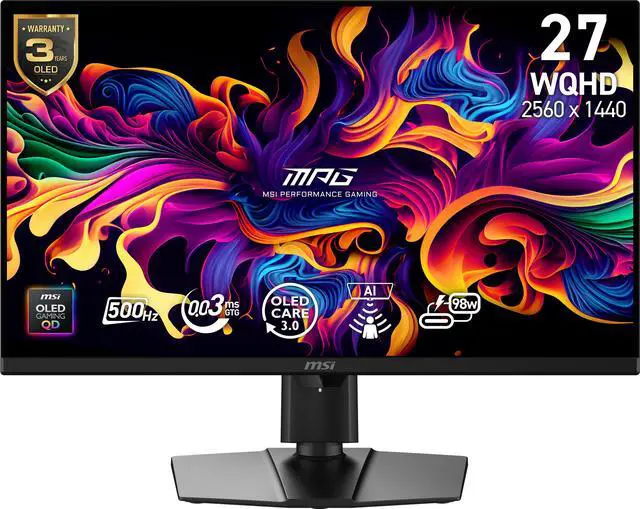
MSI MPG 271QR QD-OLED X50 27-inch 500Hz WQHD Gaming Monitor
Pros
- 98W USB-C with KVM makes it a proper workstation monitor
- DisplayPort 2.1 handles 500Hz without compression
- AI Care Sensor auto-dims when you step away
- Exceptional HDR with EOTF Boost mode
Cons
- AI sensor can be finicky in mixed lighting
- Slightly higher power draw than MAG variant
- RGB lighting feels unnecessary at this price tier
Price as of Jun 30, 2026 — see current price on Amazon.
The MPG 271QR X50 is what you buy when you want a 500Hz QD-OLED panel AND a monitor that can double as a workstation display. That 98W USB-C connection with KVM means you can run your gaming PC through DisplayPort 2.1 and your work laptop through USB-C and switch between them with one button press. Surprisingly useful.
TechPowerUp called it "500 Hz for the Elite Few" in their review. They also gave it a 95% overall score and said the HDR performance was best-in-class for QD-OLED. MSI's EOTF Boost mode pushes peak brightness in HDR scenes in a way that makes the Cyberpunk 2077 night skyline actually look like it should.
DisplayPort 2.1 with full 80Gbps UHBR20 bandwidth matters here. Several cheaper 500Hz monitors use older DisplayPort 1.4 with DSC compression to hit that refresh rate. The MPG 271QR does it without compression. Whether you notice the difference in practice is debatable, but the spec is real.
Street pricing has been $699-$900 since launch. At $700 it's a fair buy. At $900 I'd lean toward the Samsung on sale instead.
MSI MAG 272QP QD-OLED X50: Best If You Just Want the Panel
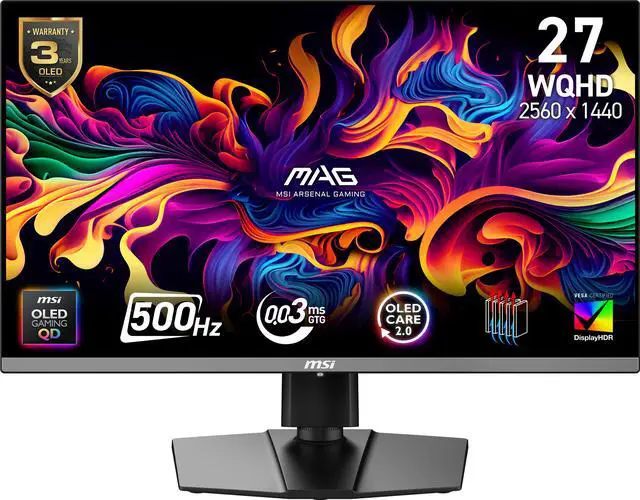
MSI MAG 272QP QD-OLED X50 27-inch 500Hz QD-OLED Gaming Monitor
Pros
- As cheap as 500Hz QD-OLED gets right now
- Same core panel as the MPG with fewer extras
- 15W USB-C passthrough for charging phones/peripherals
- Available in a cleaner white colorway
Cons
- DisplayPort 1.4a with DSC (not DP 2.1)
- No KVM switch
- Only 15W USB-C (not enough for laptops)
Price as of Jun 30, 2026 — see current price on Amazon.
The MAG 272QP X50 uses the same 27-inch QD-OLED panel as the more expensive MPG but strips out the premium connectivity features. You're getting 500Hz, 0.03ms, DisplayHDR True Black 500, and excellent color. You're not getting DisplayPort 2.1 or high-wattage USB-C.
Tom's Guide called it "outstanding for work and play" in their 2026 review. For pure gaming, you probably won't notice what's missing. The DSC compression over DP 1.4a at 500Hz is visually lossless.
The white colorway is genuinely nice if you're building a light-themed setup. White monitors that don't look cheap are rare, and this one pulls it off.
Prime Day 2026 had this at around $450 in some markets. At $599.99 it now sits level with the Samsung G60SF rather than under it, so choose between those two on features instead of price.
ASUS ROG Swift OLED PG27AQWP-W: The Absolute Best, If You Can Justify It
ASUS ROG Swift OLED PG27AQWP-W 27-inch 540Hz Tandem OLED Monitor
Pros
- 540Hz native is the fastest OLED available
- Tandem WOLED panel: 15% brighter and 60% longer lifespan than single-layer OLED
- Dual-mode: 720Hz at 720p for ultra-competitive play
- DisplayPort 2.1a UHBR20 with full 80Gbps bandwidth
Cons
- $1,099 is hard to justify over the $700 alternatives
- TrueBlack Glossy panel is a mirror in bright rooms
- At 540Hz vs 500Hz, real-world advantage is marginal
Price as of Jun 30, 2026 — see current price on Amazon.
The difference between 500Hz and 540Hz is not something most human beings can perceive. But the reason to buy the PG27AQWP-W anyway is the Tandem WOLED panel technology, which is meaningfully different from QD-OLED.
Tandem OLED stacks two OLED layers to achieve higher brightness without burning through the panel as fast. ASUS claims 60% longer OLED lifespan compared to single-layer OLED, which is worth something on a monitor you're planning to use for four or five years. The peak brightness is noticeably higher too, which helps compensate for the glossy panel's lack of anti-glare.
Tom's Hardware gave it high marks: "high-end in every way and not as expensive as you'd expect." Their reviewer noted that this monitor combined with an RTX 5090 running CS2 produced the smoothest gaming experience they'd seen. That's not marketing copy.
The TrueBlack Glossy coating is genuinely beautiful in a dark room. In a bright room, it's a mirror. Know your environment before you commit.
Alienware AW2524HF: The 500Hz Option That Won't Empty Your Wallet
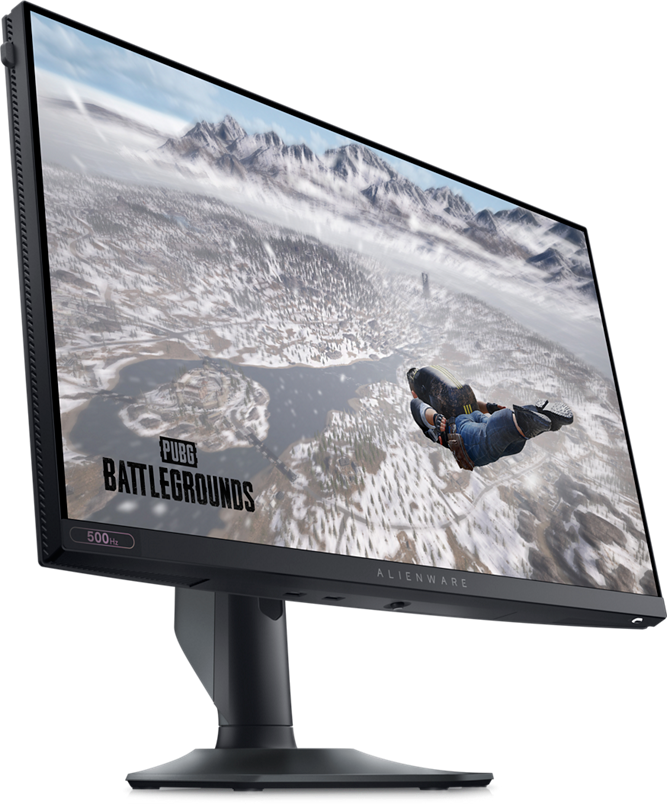
Alienware AW2524HF 24.5-inch 500Hz Fast IPS Gaming Monitor
Pros
- Cheapest way to get 500Hz
- IPS panel means no burn-in risk
- 0.5ms response time is excellent for an IPS
- Full adjustability: height, tilt, swivel, pivot
Cons
- 1080p looks soft on a 24.5-inch panel in 2026
- 500Hz requires overclocking (480Hz native)
- IPS black levels can't touch OLED
- No HDR worth mentioning
Price as of Jun 30, 2026 — see current price on Amazon.
The Alienware AW2524HF is the only 500Hz monitor on this list that doesn't require an OLED panel or a second mortgage. At $399, it's a different product category than the QD-OLED monitors above, but if your GPU is mid-range or your budget is tight, it's real 500Hz gaming.
Quick note: the panel is 480Hz native, overclocked to 500Hz. Dell/Alienware advertises it at 500Hz and it runs stably at that rate, but it's worth knowing. The response time is 0.5ms GtG, which is excellent for a Fast IPS panel. No ghosting.
The knock on this monitor is 1080p at 24.5 inches looks dated next to the 1440p OLED options. In competitive esports where you're staring at a zoomed-in portion of the screen anyway, resolution matters less. But in anything with text or detailed environments, the pixel density shows its age.
PCWorld reviewed this as "500Hz for less" and recommended it specifically for players whose GPU can't crack 400fps at 1440p. If you're on an RTX 4060 or RX 6700 XT, 1080p 500Hz makes more sense than 1440p 500Hz where your framerate won't even reach 200.
Buying Guide: Do You Actually Need 500Hz?
Who Should Buy a 500Hz Monitor
The honest answer is competitive players who can push 400+ fps consistently. An RTX 5080 in CS2 with settings turned down will regularly hit 600fps. At that point, 500Hz feels genuinely different from 360Hz. The extra frames translate to lower average latency (roughly 2ms less at 500Hz vs 360Hz when frames are available), and in ranked play that adds up.
If you're playing mostly single-player games at 80-100fps, 500Hz does nothing useful. A good 240Hz display makes more sense.
QD-OLED vs IPS at 500Hz
QD-OLED at 500Hz looks like a different product from IPS at 500Hz. The contrast ratio on QD-OLED is effectively infinite. Blacks are black. On IPS, you're looking at roughly 1,000:1 static contrast, meaning dark scenes in games have a visible gray haze.
For pure competitive play with flat-lit environments, IPS is fine. For anything cinematic or HDR, QD-OLED is not even close.
The Burn-In Question
OLED burn-in is real but increasingly rare with modern panels and software protections. The Samsung G60SF has OLED Safeguard+. The ASUS has OLED Care Pro with a proximity sensor that dims the panel when you step away. MSI has its own OLED care suite. Follow the recommendations and modern OLED panels hold up fine in typical gaming use.
If you use your monitor as an always-on second screen with a static taskbar visible 12 hours a day, get the IPS Alienware.
DisplayPort 2.1 vs 1.4 at 500Hz
To run 1440p at 500Hz without compression, you need DisplayPort 2.1 or HDMI 2.1. The MSI MPG 271QR X50 and ASUS PG27AQWP-W both have DP 2.1 and handle this natively. The MSI MAG 272QP X50 uses DP 1.4a with DSC compression. Samsung's G60SF also uses DSC on some ports.
In practice, DSC at 500Hz is visually lossless. But confirm your GPU has the right output. An RTX 5080 has DP 2.1; older RTX 4000 series cards are DP 1.4 only.
Is 500Hz vs 540Hz Worth $400 More?
No. The ASUS at 540Hz is a better monitor than the MSI options in some measurable ways: Tandem OLED panel tech, brighter, longer lifespan. But the 40Hz difference between 500Hz and 540Hz is not perceptible. Buy the ASUS for the panel technology and warranty, not for the number on the spec sheet.
Frequently asked questions
- Can any GPU actually use 500Hz?
- An RTX 5080 or 5090 in CS2, VALORANT, or Rainbow Six Siege with settings turned down can hit 500+ fps regularly. An RTX 5070 gets there in some titles but not all. Older RTX 4000 series cards will typically top out at 200-350fps in competitive titles at 1440p, meaning you'd be under-using the display most of the time. Check your average fps in your main game before committing.
- Do 500Hz monitors work with PS5 or Xbox Series X?
- No. Current-gen consoles output a maximum of 120Hz. A 500Hz monitor will work with your PS5 or Xbox and default to 120Hz, which is fine, but you're paying for nothing the console can use. Get a 4K 144Hz display for console gaming instead.
- What's the difference between 500Hz and 540Hz in practice?
- Almost nothing at the panel level. At 500Hz, one frame lasts 2ms. At 540Hz, it's 1.85ms. That 0.15ms difference is below human perception. The ASUS 540Hz monitor is better than the 500Hz alternatives for other reasons (Tandem OLED panel, higher brightness, longer lifespan), but the refresh rate itself is not why you'd buy it.
- Is OLED burn-in a real concern for gaming monitors?
- It's less of a concern than it used to be. Modern gaming OLEDs include automatic brightness shifting, pixel refresh cycles, and proximity sensors that dim the panel when you leave. The risk comes from static elements at high brightness for extended periods, like leaving a game paused with a bright static HUD for hours daily. Normal gaming use with the manufacturer care settings enabled has shown minimal burn-in in real-world testing. All five monitors on this list include burn-in protection software.
- Do I need a new cable to run 500Hz?
- Yes, probably. You need DisplayPort 1.4 at minimum, certified for that spec. For uncompressed 500Hz at 1440p on monitors with DP 2.1, you need a DP 2.1 cable rated for UHBR20. Most monitors don't include the right cable in the box. It's usually sold separately for $15-30. Using an old DP 1.2 cable will cap your refresh rate silently.
- Which 500Hz monitor is best for productivity and gaming?
- The MSI MPG 271QR QD-OLED X50. The 98W USB-C with KVM lets you switch between your gaming PC and a work laptop without touching cables. The 1440p QD-OLED panel looks excellent for text and color work. It's the only 500Hz monitor on this list that genuinely works as a dual-purpose professional display.
Bottom Line
If you're buying one 500Hz monitor today, the Samsung Odyssey OLED G6 G60SF is the default recommendation when it's under $800. It's at $599.99 right now. The glare-free coating and Samsung's OLED longevity track record make it the most practical choice for most setups.
Step up to the MSI MPG 271QR X50 if USB-C connectivity and DisplayPort 2.1 matter to you. Drop to the MSI MAG 272QP X50 to save about $100 against the MPG if you don't need the extra I/O. Pay the ASUS premium if you want the best panel technology available regardless of cost. And if 500Hz on a budget is the goal with no OLED, the Alienware AW2524HF gets you there for $399.
These panels are now fast enough that the bottleneck is the GPU, not the display. That's exactly where you want to be.
How We Test
We score products by combining spec-level research, pricing history, trusted third-party benchmarks, and owner sentiment from high-signal sources.
- Performance and real-world value in the category this guide targets
- Price-to-performance and deal consistency over recent pricing windows
- Build quality, reliability patterns, and known long-term issues
- Recommendation refresh cadence to keep these picks current
Author
TheTechSearch Editorial Team
Independent product reviewers & PC builders
We test and compare real-world specs, price trends, and user feedback to recommend gear that actually makes sense to buy.