Best Gaming Monitors Under $400 2026
The $400 tier finally has QD-OLED and Mini LED options. Here are the 4 best gaming monitors under $400 in 2026 with real specs and prices. Expert picks, pros...
As an Amazon Associate we earn from qualifying purchases made through our links — this doesn't affect our picks.

Acer Nitro XV275U F3 27-inch 1440p 320Hz Mini LED Gaming Monitor
Our top recommendation for this category
Price as of Jul 31, 2026 — see current price on Amazon.
Something quietly happened to gaming monitor prices in 2026. The QD-OLED panels that cost $600 two years ago are now sitting under $350. And if you want mini LED with over a thousand local dimming zones at 320Hz, you're looking at $320. This is the first time the sub-$400 bracket stopped being a consolation prize and became a legitimate shopping destination.
Whether you're building a new gaming PC around an RTX 5060 or RTX 5060 Ti, upgrading from a 1080p 60Hz office monitor, or just finally making the jump to 1440p, the options here beat what twice the money bought in 2023.
| Monitor | Panel | Size | Resolution | Refresh Rate | Price | |
|---|---|---|---|---|---|---|
| Acer Nitro XV275U F3 | Mini LED IPS | 27in | 1440p | 320Hz | ~$320 | Check Price |
| AOC Q27GAZD | QD-OLED | 27in | 1440p | 240Hz | ~$340 | Check Price |
| MSI MAG 272QP QD-OLED X24 | QD-OLED | 27in | 1440p | 240Hz | ~$400 | Check Price |
| LG 27GR75Q-B UltraGear | IPS | 27in | 1440p | 165Hz | ~$280 | Check Price |
Acer Nitro XV275U F3: Best Overall
Acer Nitro XV275U F3 27-inch 1440p 320Hz Mini LED Gaming Monitor
Pros
- 1152-zone mini LED at this price is borderline absurd
- 320Hz puts it above most $500 monitors on refresh rate
- VESA DisplayHDR 1000 certification, not HDR400 lip service
- 0.5ms GtG keeps motion sharp at high framerates
Cons
- IPS panel means black levels won't match OLED monitors
- No USB-C port at this price (DisplayPort and HDMI only)
- Stand ergonomics could offer more height adjustment range
Price as of Jul 31, 2026 — see current price on Amazon.
Here is why it takes Best Overall. A 1152-zone mini LED backlight running at 1000 nits peak brightness, paired with a 320Hz IPS panel at 1440p, for around $320. That sentence would have described a flagship monitor eighteen months ago. Acer basically printed this thing at the wrong price.
The 320Hz is the number that catches people off guard. You'd typically need a 1080p IPS panel to hit that refresh rate cheaply, but the XV275U F3 does it at 1440p without dropping resolution for competitive gaming. For FPS players, that extra headroom above the common 240Hz ceiling is real, especially if your GPU can push north of 240 fps in titles like Valorant or CS2.
The HDR story is also strong on paper: VESA DisplayHDR 1000 certification, not the HDR400 label slapped on every budget screen. Local dimming with 1152 zones gives specular highlights far more control than an edge-lit panel can. Mini LED monitors at this zone count often cost $800, which makes this spec sheet rare for the money.
Where it stumbles: IPS blacks are IPS blacks. Even with local dimming, an IPS panel can't switch pixels off the way OLED does, and that limit shows if you game in the dark with high-contrast scenes. If that matters to you, the OLED options below are the better fit.
AOC Q27GAZD: Best OLED Value
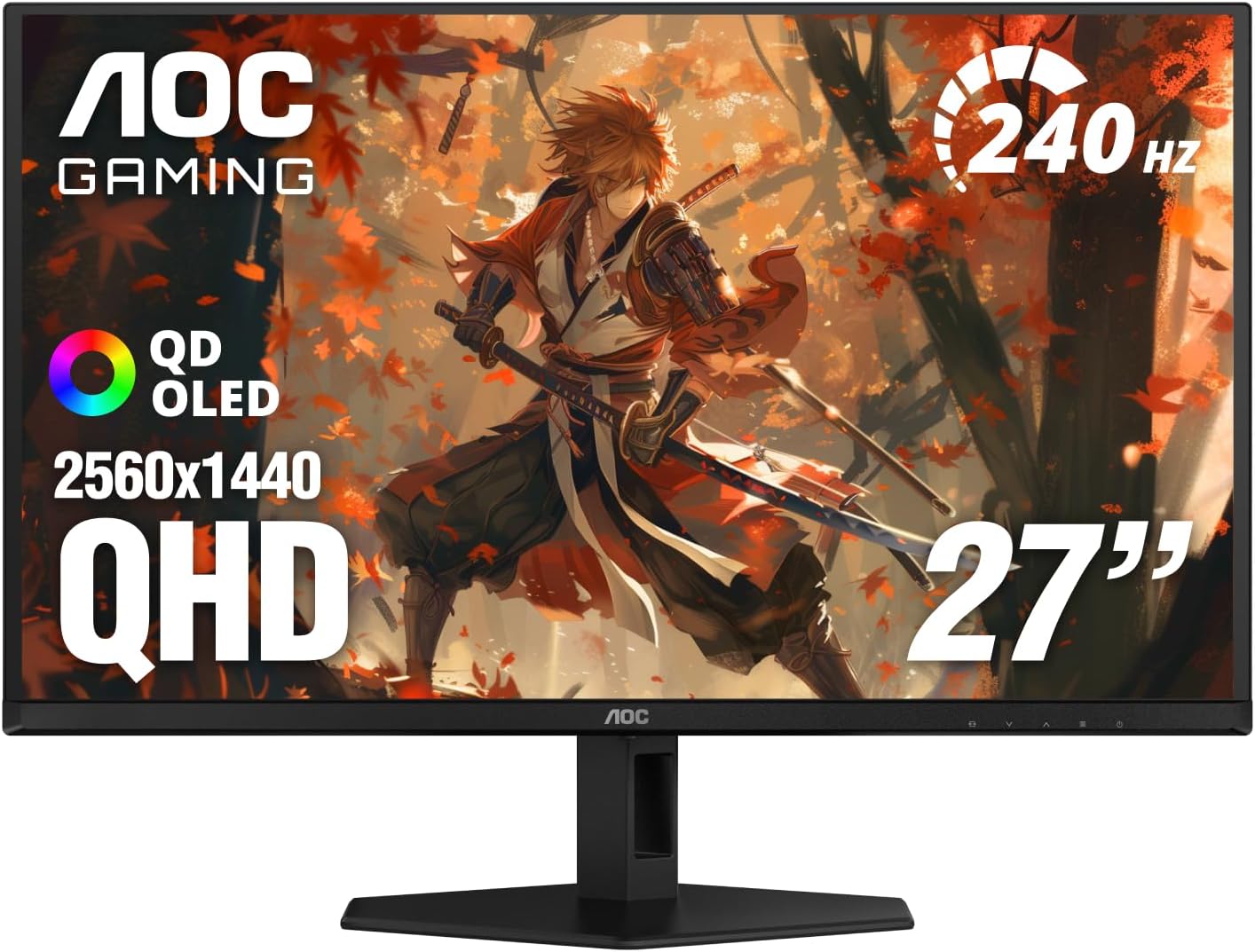
AOC Q27GAZD 27-inch QHD QD-OLED 240Hz Gaming Monitor
Pros
- QD-OLED panel for $340, the first time this has been possible
- Infinite contrast ratio, blacks that are actually black
- 0.03ms response time spec, the fastest class available
- G-Sync Compatible and FreeSync support
Cons
- Glossy OLED panel picks up reflections in bright rooms
- 240Hz ceiling means competitive FPS players want the Acer above
- HDMI 2.0 (not 2.1) limits some console setups
Price as of Jul 31, 2026 — see current price on Amazon.
The AOC Q27GAZD is the default answer for a 2026 gaming monitor that doesn't cost crazy money. It's a 27-inch QD-OLED at 1440p and 240Hz for around $340. QD-OLED. Three hundred and forty dollars. That's the story.
If you've never used an OLED gaming monitor before, the jump from IPS is large. The contrast ratio is effectively infinite, which means game scenes with mixed bright and dark areas look the way they do in screenshots rather than the way they look on a hazy IPS panel. Dark forests, night scenes, space games. They take on a different character when blacks are actually black rather than a dim gray.
The Q27GAZD uses QD-OLED specifically rather than W-OLED, which means the color saturation is a step above the LG-sourced panels. You get a wider color gamut hitting around 99% DCI-P3, which matters if you also do any creative work or just want your games to look vibrant.
One thing to know: OLED panels carry a small burn-in risk over many years of static content. AOC includes pixel shift and screen saver protections, and for a gaming monitor the risk is low in practice. But keep it in mind if you also use your screen as a desktop productivity monitor with persistent taskbars and UI elements.
The glossy panel finish is the main drawback. It's sharper and more saturated than matte, but in a bright room with windows behind you, the reflections can be distracting. A monitor arm and some thoughtful positioning mostly solves it, but it's a real consideration.
MSI MAG 272QP QD-OLED X24: Best Premium Build

MSI MAG 272QP QD-OLED X24 27-inch 1440p 240Hz Gaming Monitor
Pros
- Same QD-OLED tech as monitors costing $200 more a year ago
- USB-C and HDMI 2.1 connectivity for modern setups
- Full ergonomic stand with height, tilt, swivel, and portrait rotation
- 0.03ms response time with Adaptive-Sync
Cons
- Sits right at the top of the $400 budget, sometimes slightly over
- You're paying a premium for the stand and connectivity vs the AOC
- No meaningful panel advantage over the AOC Q27GAZD at this price
Price as of Jul 31, 2026 — see current price on Amazon.
The MSI MAG 272QP QD-OLED X24 is the pick for people who want QD-OLED but also care about the desk setup around it. Its panel performance is comparable to the AOC above, but where MSI earns the higher price tag is in the physical package.
The stand is complete. Full height adjustment, tilt, swivel, and portrait rotation. If you're mounting multiple monitors or need a specific ergonomic height, you won't be shimming this thing on a stack of books. It also adds HDMI 2.1 and DisplayPort 1.4a, which matters if you're connecting an Xbox Series X or PlayStation 5 alongside a PC.
USB-C is another differentiator. At this price, a USB-C port with video input means laptop users can drive the display and charge simultaneously with one cable.
The honest truth is that the underlying QD-OLED panel gives you a very similar experience to the AOC Q27GAZD. Infinite contrast, 0.03ms response, 99% DCI-P3. The image quality argument for the MSI over the AOC is thin. But if you value a solid stand, cleaner cable management, and HDMI 2.1 for console gaming, the extra $60 is justified. If you just want the best OLED image for the least money, get the AOC.
LG 27GR75Q-B UltraGear: Best Budget Pick

LG 27GR75Q-B UltraGear 27-inch 1440p 165Hz IPS Gaming Monitor
Pros
- $279.99 for a 1440p IPS with 165Hz is still a fair deal
- 99% sRGB coverage, accurate colors for gaming and productivity
- LG IPS panel has excellent horizontal viewing angles
- AMD FreeSync Premium, G-Sync Compatible
Cons
- 165Hz feels modest next to 240Hz and 320Hz options above
- No USB-C, limited to HDMI and DisplayPort
- HDR10 support is present but not a meaningful HDR experience
Price as of Jul 31, 2026 — see current price on Amazon.
Not everyone needs 240Hz. Not everyone is running an RTX 5070 or RX 9070 XT. For people who are playing at 1440p and mostly hitting 120 to 165 fps, the LG 27GR75Q-B makes a strong case at $279.99, though with the AOC QD-OLED only $60 more, the value gap is narrow.
The 27GR75Q-B uses LG's IPS panel with 99% sRGB color coverage and a 1ms GtG response spec. It's not an OLED, and you know what you're getting, but it covers the basics for 1440p gaming.
This is also the pick if burn-in anxiety is going to bother you. IPS has no burn-in risk. You can leave a loading screen running overnight, display static task management apps all day, and wake up to the same panel you bought. For anyone coming from older monitors who wants a clean 1440p upgrade without the OLED learning curve, the 27GR75Q-B is a low-drama purchase.
How to Pick the Right One
Panel technology matters more than it used to
For most of gaming history, IPS was the sensible choice and VA was for people who wanted contrast. OLED existed at stratospheric prices. That's no longer the framework to use when shopping in 2026.
QD-OLED at $340 changes the IPS-vs-OLED conversation entirely. If you game in moderate to low light and want the most visually striking image (for RPGs, story games, horror games, anything with varied lighting), QD-OLED is now the right answer at $340 or more. Mini LED IPS is the right answer if you want maximum refresh rate and sit near a window.
240Hz vs 320Hz vs 165Hz: an honest take
The gap from 165Hz to 240Hz is noticeable. Most people can feel it, especially in fast games. The gap from 240Hz to 320Hz is real but smaller, and you'll only perceive it if your GPU can consistently push that high. In 1440p, that means you're getting significant output from your GPU.
If your PC regularly hits more than 240 fps in competitive titles, the XV275U F3's 320Hz is worth it. If you're typically gaming between 100 and 200 fps, 240Hz is plenty and the OLED image quality might matter more than the extra 80Hz.
What the $300-$400 bracket actually delivers now
Two years ago, $350 bought you a fast 1440p IPS monitor. Fine, but not exciting. Today that money gets you true QD-OLED with infinite contrast, or 1152-zone mini LED at 320Hz. The value shift happened because OLED panel manufacturing costs dropped significantly in 2025, and competition pushed prices down further in 2026.
If you're replacing a 1080p 60Hz monitor, almost any monitor in this guide will feel transformative. If you're coming from a 1440p 144Hz IPS, the jump to OLED will still surprise you.
Size and ergonomics
The 27-inch 16:9 format dominates this price range for good reason. It's the sweet spot for 1440p pixel density at typical desk distances, about 60 to 80 centimeters. At 27 inches and 1440p, individual pixels are crisp without requiring you to scale the UI.
Frequently asked questions
- Is QD-OLED worth it under $400, or is a fast IPS the better buy?
- For most gaming, QD-OLED is worth it. The contrast advantage in QD-OLED makes games with dark environments look better. The AOC Q27GAZD at $340 delivers an OLED experience that used to cost $550 or more. If you game primarily in a bright room with windows, the glossy OLED panel is harder to recommend and a mini LED IPS like the Acer XV275U F3 makes more practical sense.
- Will QD-OLED burn in when it doubles as a productivity monitor?
- Burn-in risk exists but is low for gaming monitors used normally. AOC and MSI include pixel shift and brightness adjustment features that reduce static retention. Most users running a mix of gaming and general desktop use won't see burn-in issues for years. The risk is higher if you leave the same static image on screen for extended periods daily, like a financial dashboard or a locked HUD.
- Can an RTX 5060 or RX 9060 XT actually push 240Hz at 1440p?
- Yes, in less demanding titles. Games like Valorant, CS2, Overwatch 2, and Apex Legends will regularly hit 240fps and above at 1440p on those GPUs. In AAA titles like Cyberpunk or Alan Wake 2 at max settings, you'll be in the 80 to 140fps range, where 240Hz monitors still benefit from VRR tech like G-Sync and FreeSync.
- What's the difference between the AOC Q27GAZD and the MSI MAG 272QP QD-OLED X24?
- The underlying QD-OLED panel technology is very similar. Both deliver the same infinite contrast, 0.03ms response, and vibrant color gamut. The MSI adds HDMI 2.1 (vs HDMI 2.0 on the AOC), USB-C input with video, and a better ergonomic stand with full height and swivel adjustment. If you connect a PS5 or Xbox Series X, the MSI's HDMI 2.1 is important. If you're PC-only via DisplayPort, the AOC saves you $60 for an identical image.
- Does the Acer XV275U F3 actually display HDR well for a $320 monitor?
- Better than most monitors at this price, yes. The 1152-zone local dimming with 1000 nit peak brightness means highlights pop in HDR-mastered content in a way that HDR400 and HDR600 monitors can't replicate. It's not OLED-level contrast, but full-array local dimming at 1152 zones creates a strong HDR experience. For HDR gaming on a budget, it's the best IPS option available right now.
Bottom Line
The $400 gaming monitor tier has never looked like this. A year ago, spending less than $400 meant accepting a solid-but-ordinary IPS panel. Today, it means choosing between QD-OLED infinite contrast and 1152-zone mini LED at 320Hz. The top pick is the Acer Nitro XV275U F3 for competitive gaming, but if you play slower-paced or atmospheric games, the AOC Q27GAZD's QD-OLED image quality will serve you better long-term. Either way, you're getting more monitor than this price bracket has ever offered.
How We Pick
We pick products by combining spec-level research, price checks, trusted third-party benchmarks, and owner sentiment from high-signal sources.
- Performance and real-world value in the category this guide targets
- Price-to-performance and deal consistency over recent pricing windows
- Build quality, reliability patterns, and known long-term issues
- Recommendation refresh cadence to keep these picks current
Author
TheTechSearch Editorial Team
Independent product reviewers & PC builders
We compare real-world specs, reviews and owner reports, price trends, and user feedback to recommend gear that actually makes sense to buy.