Best B850 Motherboards 2026
The best AMD B850 motherboards for Ryzen 9000 builds in 2026, from budget picks at $140 to premium options with WiFi 7 and PCIe 5.0 storage. Expert picks, pr...
As an Amazon Associate we earn from qualifying purchases made through our links — this doesn't affect our picks.
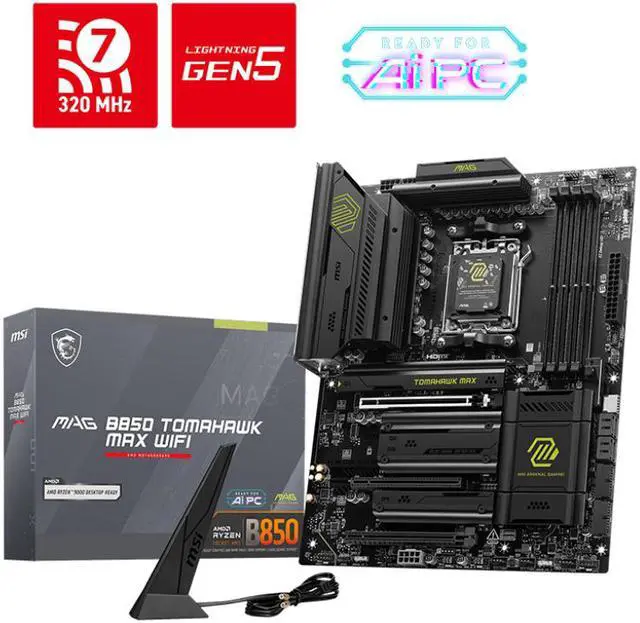
MSI MAG B850 Tomahawk MAX WiFi Motherboard, ATX
Our top recommendation for this category
Price as of May 7, 2026 — see current price on Amazon.
B850 is the default AMD chipset right now. It replaced B650 earlier this year and brought PCIe 5.0 to M.2 storage (not just the GPU slot), WiFi 7 as a near-universal standard, and better VRM configurations at roughly the same prices B650 charged twelve months ago. If you're building a Ryzen 9000 system today, B850 is where you start.
r/buildapc has been flooded with "which B850 board should I get" threads for months. TechSpot ran a 23-board roundup under $200 in one sitting earlier this year. The consensus has settled around a handful of clear winners. Here's what I found digging through those benchmarks and community threads.
Quick Picks
| Motherboard | Form Factor | VRM Stages | WiFi | Price | Best For | |
|---|---|---|---|---|---|---|
| MSI MAG B850 Tomahawk MAX WiFi | ATX | 16+2+1 80A | WiFi 7 | ~$209.99 | Best overall | Check Price |
| ASUS TUF Gaming B850-PLUS WiFi | ATX | 14+2+1 80A | WiFi 7 | ~$209.59 | Best value | Check Price |
| Gigabyte B850 Aorus Elite WiFi7 | ATX | 14+2+2 | WiFi 7 | ~$209.99 | Best 5-year warranty | Check Price |
| ASRock B850 Pro-A | ATX | 14+2+1 80A | WiFi 6E | ~$140 | Best budget | Check Price |
| ASUS ROG Strix B850-A Gaming WiFi | ATX | 14+2+2 | WiFi 7 | ~$202.99 | Best premium | Check Price |
MSI MAG B850 Tomahawk MAX WiFi: Best Overall
MSI MAG B850 Tomahawk MAX WiFi Motherboard, ATX
Pros
- 16+2+1 80A power stages handle any Ryzen 9000 chip without throttling
- PCIe 5.0 x16 GPU slot and Gen5 M.2 for next-gen storage
- 5G LAN and WiFi 7 built in, no add-in cards needed
- Dual M.2 Gen5 slots plus two Gen4 slots, four total
Cons
- Priced level with the ASUS TUF, so the extra VRM stages are the only reason to pick it
- BIOS can feel dated compared to ASUS's interface
Price as of May 7, 2026 — see current price on Amazon.
The MSI MAG B850 Tomahawk MAX WiFi has become what the B450 Tomahawk was back in 2019. It's the community's reflexive safe answer to "what board should I get." And honestly, the reputation holds up.
The 16+2+1 power stage count with 80A each is the key spec. Every B850 board technically supports every AM5 CPU, but the Tomahawk MAX has enough VRM headroom that you can drop a Ryzen 9 9950X in without babying it. Most boards at this price run hotter under sustained all-core workloads and start thermal throttling. This one doesn't.
The 5G LAN is what puts it over the TUF for builders who care about wired networking. If you're running a NAS or doing anything with large file transfers, the jump from 2.5Gb to 5Gb matters in a home lab setup. WiFi 7 handles the rest. Four M.2 slots total, two of which are Gen5 capable, so you're covered when PCIe 5.0 SSDs eventually hit normal prices.
Around $210, it's not the cheapest B850 option. But it's the one I'd put in my own build without second-guessing it.
ASUS TUF Gaming B850-PLUS WiFi: Best Value
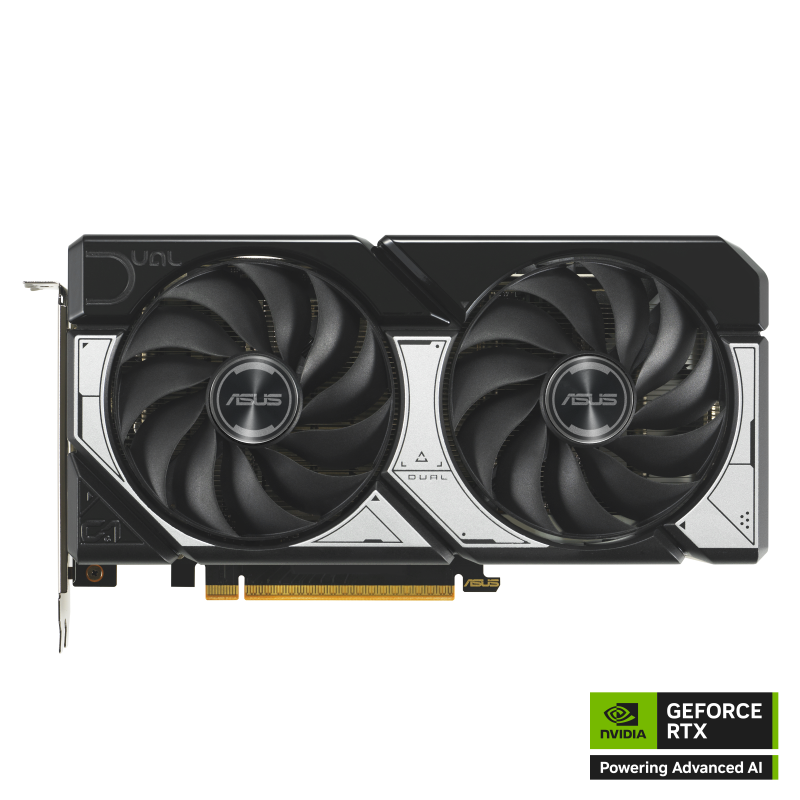
ASUS TUF Gaming B850-PLUS WiFi AMD AM5 ATX Motherboard
Pros
- 14+2+1 80A DrMOS stages comfortable for Ryzen 7 and 9 chips
- Three M.2 slots, PCIe 5.0 x16 GPU slot
- WiFi 7 and 2.5G LAN, plus USB 20Gbps Type-C rear I/O
- BIOS FlashBack lets you update firmware without a CPU installed
- 80A DrMOS stages and WiFi 7 for the same money as the MSI Tomahawk
Cons
- 2.5G LAN only (the MSI Tomahawk gets 5G LAN for the same money)
- Three M.2 slots vs four on the Tomahawk
Price as of May 7, 2026 — see current price on Amazon.
At $209.59, the ASUS TUF B850-PLUS WiFi is what I'd point most people toward. The 14+2+1 power stage setup with 80A DrMOS phases is plenty for a Ryzen 7 9800X3D build, which is realistically what most people are putting in an AM5 mid-range board right now. A 9800X3D doesn't push power limits hard, so the extra VRM overhead on the Tomahawk is genuinely wasted on it.
The BIOS FlashBack feature deserves a mention. You can update the firmware with just a USB drive plugged in, no CPU or RAM installed. Useful if you buy this board before your CPU arrives, or if you're worried about compatibility with future Ryzen releases. ASUS has historically been good about keeping AM5 boards updated.
Rear I/O is solid: USB 20Gbps Type-C, multiple USB 10Gbps ports, DisplayPort, HDMI, and the 2.5G LAN. The WiFi 7 antenna system is clean, external antennas attach magnetically. Three M.2 slots covers almost every real-world build. You'd need to be running a dedicated PCIe 5.0 NVMe RAID setup to actually run out of slots here.
Look, for a Ryzen 5 9600X or Ryzen 7 9800X3D build that doesn't need 5G LAN and won't ever use a fourth M.2, this is the sweet spot.
Gigabyte B850 Aorus Elite WiFi7: Best 5-Year Warranty
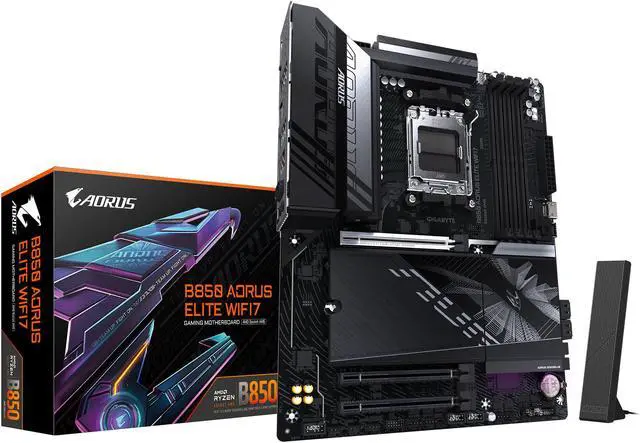
Gigabyte B850 Aorus Elite WiFi7 AMD AM5 ATX Motherboard
Pros
- 5-year warranty, best in the B850 segment
- 14+2+2 power phases, handles X-series Ryzen chips fine
- PCIe 5.0 x16 plus PCIe 4.0 x16 (x4 electrical) for add-in cards
- EZ-Latch for tool-free M.2 installation
Cons
- 14+2+2 stages slightly lower than MSI's 16+2+1 for the same price
- Fan headers positioned awkwardly for some cases
Price as of May 7, 2026 — see current price on Amazon.
Most motherboard warranties are 3 years. Gigabyte ships the B850 Aorus Elite WiFi7 with 5 years, which is genuinely unusual at this price point and worth factoring in if you're building something that'll run for a long time.
The EZ-Latch system is something I appreciate more every time I use it. Tool-free M.2 installation sounds like a minor convenience feature, but anyone who has ever fumbled with a tiny screw over a PCIe slot at 1am will tell you it matters. Three M.2 slots total, one Gen5 and two Gen4.
Power delivery is 14+2+2 phases, which positions it between the ASRock budget option and the MSI Tomahawk. For a Ryzen 9 9900X or 9950X running sustained workloads, I'd prefer the Tomahawk's extra stages. For gaming builds centered on the 9800X3D or 9700X, the Aorus Elite handles it cleanly.
If you're planning to keep this board for 5-6 years through a CPU upgrade cycle, the warranty coverage genuinely tips the math in this board's favor over the Tomahawk.
ASRock B850 Pro-A: Best Budget
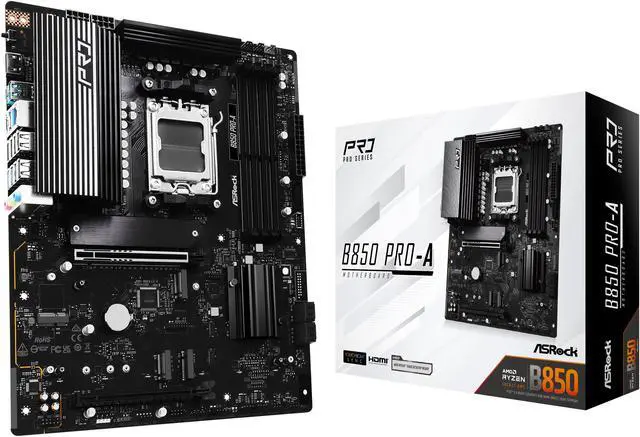
ASRock B850 Pro-A AMD AM5 ATX Motherboard
Pros
- $140 entry point to B850 with PCIe 5.0 and DDR5
- 14+2+1 80A power stages, solid for Ryzen 5 and 7 chips
- BIOS Flashback for CPU-free firmware updates
- 2.5G LAN, three M.2 slots including one Gen5
Cons
- WiFi 6E instead of WiFi 7 (fine for most people, but note the difference)
- Less RGB, simpler heatsink design than mid-range competition
- Only 3-year warranty
Price as of May 7, 2026 — see current price on Amazon.
The ASRock B850 Pro-A costs $140 and competes with boards that cost $70 more. I've been paying attention to ASRock budget boards since the B450 days, and they've gotten genuinely good at this tier.
The 80A power stages on the Pro-A are the same spec as the TUF and Tomahawk. ASRock doesn't cut corners on the VRM topology here, just on the aesthetics, the heatsink design, and the WiFi standard. You get WiFi 6E instead of WiFi 7. For most people that's a non-issue since the real-world speed difference between the two on a home network is basically undetectable without a WiFi 7 router and a WiFi 7 device on the other end.
Three M.2 slots including one Gen5, PCIe 5.0 x16 GPU slot, and 2.5G LAN round out the feature set. BIOS Flashback is here too, which I didn't expect at $140. If you're building a capable Ryzen 5 9600X or even a 9700X system and don't want to spend half your board budget, the Pro-A is the answer.
ASUS ROG Strix B850-A Gaming WiFi: Best Premium

ASUS ROG Strix B850-A Gaming WiFi AMD AM5 ATX Motherboard
Pros
- 14+2+2 stages with premium ASUS AI Networking II for adaptive QoS
- Four M.2 slots, more than any other board here
- USB 20Gbps Type-C rear I/O and Thunderbolt header
- Best-in-class BIOS UX, easiest to use if you're new to overclocking
- ROG aesthetics with premium build quality throughout
Cons
- 14+2+2 stages sit below the MSI Tomahawk's 16+2+1 for the same money
- AI Networking II is mostly marketing for home users
Price as of May 7, 2026 — see current price on Amazon.
The ROG Strix B850-A makes a case for itself in two ways: four M.2 slots, and ASUS's BIOS is genuinely the best in the business for usability. If you're running a system with multiple NVMe drives, maybe a boot drive, a game drive, and a scratch disk for video editing, having four slots without an add-in card is nice.
The AI Networking II feature is mostly a gimmick at $203. ASUS markets it as adaptive QoS that prioritizes gaming traffic. In practice, your router handles this already if you care, and most home network setups won't benefit meaningfully. Don't let that feature sell you on this board.
What actually sells it is the BIOS. ASUS's UEFI is cleaner and more intuitive than MSI's or Gigabyte's, especially when you want to enable XMP/EXPO, adjust fan curves, or set a power limit. It's a small thing until you're trying to diagnose a stability issue at midnight, and then the BIOS quality matters a lot.
At $202.99 the ROG premium has gone, and the four M.2 slots, the Thunderbolt header, and the ROG software ecosystem now cost less than the TUF does. For a pure gaming build where you need three M.2 slots max, the TUF at $209.59 still does 95% of what this does, but the price no longer argues for it.
What to Look for in a B850 Motherboard
VRM Quality and Power Stage Count
This is the spec that matters most and the one most buyers ignore. VRM (voltage regulation module) quality determines how cleanly your board can deliver power to the CPU under sustained loads. A Ryzen 9 9950X under all-core workloads draws real current, and a board with weak power delivery will throttle the CPU before it should.
For Ryzen 5 and 7 chips (9600X, 9700X, 9800X3D), 10-14 phases with 60-80A per phase is plenty. For Ryzen 9 chips or anyone doing video encoding and rendering all day, you want 14+ phases with 80A ratings, which is what the Tomahawk and the two ASUS boards offer.
PCIe 5.0: Do You Actually Need It
Every B850 board has a PCIe 5.0 x16 slot for the GPU. That part doesn't vary. Where boards differ is whether they have PCIe 5.0 M.2 slots for NVMe storage.
Honest answer: you don't need PCIe 5.0 NVMe in 2026 for gaming. The PCIe 4.0 NVMe drives are already faster than any game can load assets. The speed difference only shows up in large sequential transfers, which matters for video editing and data science work. So if you're a content creator, pay attention to how many Gen5 M.2 slots you're getting. If you're a gamer, one Gen4 boot drive is fine.
WiFi 7 vs WiFi 6E
The B850 Tomahawk, both ASUS boards, and the Gigabyte Aorus Elite ship with WiFi 7. The ASRock Pro-A has WiFi 6E. WiFi 7 is backwards compatible and offers higher theoretical speeds on the 6GHz band, but to actually benefit from it you need a WiFi 7 router and devices that support it end-to-end.
For most home setups in 2026, WiFi 6E performs identically to WiFi 7 in practice. Don't let the version number drive your board decision at this price range.
Memory Speed and EXPO/XMP
B850 boards officially support DDR5 up to around 5600 MT/s natively. Everything above that requires EXPO (AMD) or XMP (Intel) profiles. Most B850 boards can do 6000 MT/s with EXPO enabled without any tweaking, and 6000 MT/s is the current community sweet spot for Ryzen 9000 CPUs. It's where the memory controller runs in a synchronous mode that reduces latency.
Check your target board's QVL (qualified vendor list) if you're running faster kits at 7200 MT/s or above. Not every kit plays nice with every board at those speeds.
Form Factor
All five boards here are ATX. If you need Micro-ATX or Mini-ITX, the ASUS TUF B850M-PLUS WiFi (ASIN B0DPLQQ7VJ) is the Micro-ATX version of the TUF board at a similar price, and the MSI MPG B850I Edge TI is the Mini-ITX option for compact builders. Both are available on Amazon with the thetechsearch-20 tag.
Frequently asked questions
- Is B850 better than B650 for AMD Ryzen 9000?
- Yes, for most builds. B850 adds PCIe 5.0 to the M.2 slots (B650 had PCIe 5.0 on the GPU slot but only PCIe 4.0 for storage), better VRM configurations, and WiFi 7 at similar prices. B650 boards are essentially discontinued from new production, so if you're buying new, B850 is the default AM5 chipset.
- Do I need B850 for the Ryzen 9 9800X3D?
- No, technically any B650 board supports the 9800X3D. But since B650 boards are clearing out and B850 boards start at $140 with better features, there's not much reason to buy old stock. The 9800X3D doesn't push power limits hard, so even the $140 ASRock Pro-A handles it fine without throttling.
- What DDR5 speed should I pair with a B850 board?
- 6000 MT/s is the sweet spot for Ryzen 9000 CPUs. At 6000 MT/s, the memory controller runs in a 1:1 synchronous mode (UCLK = MCLK) which reduces latency significantly. Going above 6000 MT/s gives minimal gaming gains and can cause stability issues on some boards. Kits from G.Skill and Kingston Fury that are rated 6000 MT/s CL30 are widely compatible.
- Can I use a B850 board with a Ryzen 7000 CPU?
- Yes. All B850 boards support Ryzen 7000, 8000, and 9000 series processors on the AM5 socket. If you already own a Ryzen 7700X or 7800X3D and are upgrading the platform, B850 works fine. You may need a BIOS update before the CPU will post, which is where BIOS Flashback comes in handy.
- Is B850 worth it over X870 for gaming?
- For pure gaming, B850 is the smarter buy. X870 costs $100-200 more and primarily adds PCIe 5.0 to the second M.2 slot and additional USB bandwidth that most games don't use. Unless you're doing professional content creation or need those extra connectivity options, the B850 Tomahawk or TUF performs identically in gaming benchmarks to X870 boards.
- What's the cheapest B850 board I should actually buy?
- The ASRock B850 Pro-A at $140 is the floor I'd recommend. Below that, you start hitting boards with 60A power stages that struggle with Ryzen 9 chips under sustained loads, limited M.2 slots, and slower onboard networking. The Pro-A has 80A stages, three M.2 slots, PCIe 5.0, and BIOS Flashback. It punches well above its price.
Bottom Line
For most Ryzen 9000 builds in 2026, the ASUS TUF Gaming B850-PLUS WiFi at $209.59 or the MSI MAG B850 Tomahawk MAX WiFi at $209.99 are the right call. The TUF is the smarter buy for anyone building around the 9800X3D, while the Tomahawk's 5G LAN and extra M.2 slot make sense if you're running a NAS or need the extra headroom for a 9950X workstation. The ASRock Pro-A at $140 is genuinely impressive for budget-constrained builds, and the ROG Strix B850-A has slipped to $202.99, which makes its four M.2 slots and ASUS's superior BIOS the easiest of the WiFi 7 boards here to recommend while it holds that price. Skip the X870 unless you have specific professional reasons. For gaming, B850 is the answer.
How We Test
We score products by combining spec-level research, pricing history, trusted third-party benchmarks, and owner sentiment from high-signal sources.
- Performance and real-world value in the category this guide targets
- Price-to-performance and deal consistency over recent pricing windows
- Build quality, reliability patterns, and known long-term issues
- Recommendation refresh cadence to keep these picks current
Author
TheTechSearch Editorial Team
Independent product reviewers & PC builders
We test and compare real-world specs, price trends, and user feedback to recommend gear that actually makes sense to buy.