Best CPUs for Gaming 2026
The AMD Ryzen 7 9800X3D is the clear gaming king, but there are better picks at every price point. Here's what to buy in 2026. Expert picks, pros and cons, a...
As an Amazon Associate we earn from qualifying purchases made through our links — this doesn't affect our picks.
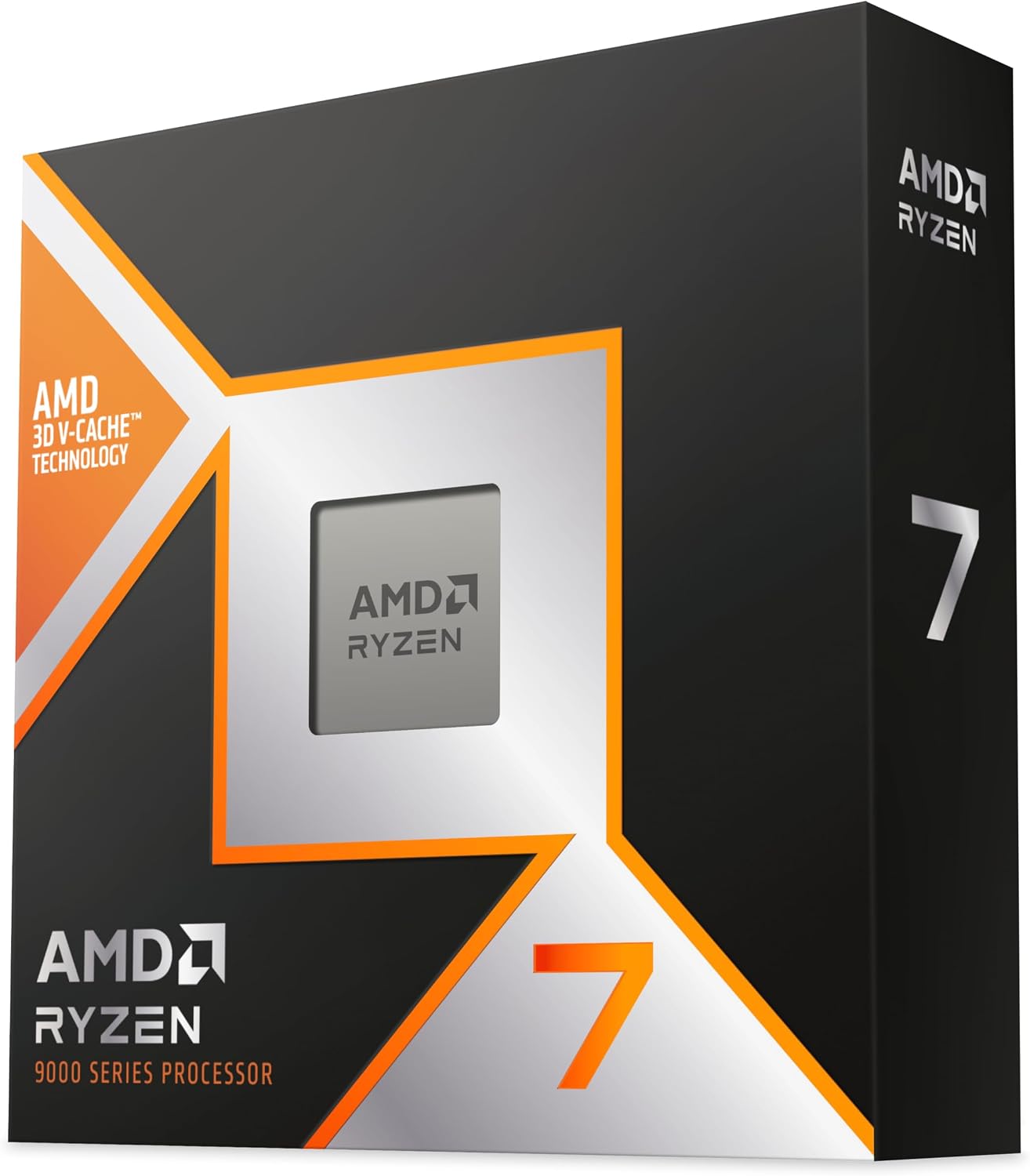
AMD Ryzen 7 9800X3D
Our top recommendation for this category
Price as of Apr 28, 2026 — see current price on Amazon.
Two years ago, telling someone to drop $449 on a gaming CPU would've earned some side-eye. Now? The Ryzen 7 9800X3D has been the #1 Amazon gaming CPU best-seller for months and consistently tops r/buildapc's weekly recommendation threads. AMD's 3D V-Cache went from an interesting experiment to something you can actually feel in games.
Intel's Arrow Lake launched rough. Like, really rough. The gaming benchmarks were so bad at launch that reviewers including Steve from GamersNexus went back to verify they weren't misconfigured. Intel patched things with firmware updates and the 285K is better now, but AMD owns the gaming CPU story in 2026. Here's what to buy at each price point.
Quick Picks
| CPU | Cores/Threads | Price | Best For | |
|---|---|---|---|---|
| AMD Ryzen 7 9800X3D | 8C/16T | $449 | Best overall gaming CPU | Check Price |
| AMD Ryzen 9 9950X3D | 16C/32T | $644 | Gaming + creator workloads | Check Price |
| AMD Ryzen 7 9700X | 8C/16T | $339 | Best mainstream value | Check Price |
| AMD Ryzen 5 9600X | 6C/12T | $171.95 | Best budget gaming CPU | Check Price |
| Intel Core Ultra 9 285K | 24C/24T | $505.95 | Best for streaming/multitasking | Check Price |
AMD Ryzen 7 9800X3D: Best Overall Gaming CPU
AMD Ryzen 7 9800X3D
Pros
- Fastest gaming CPU available by a significant margin
- 96MB L3 cache crushes 1% lows in CPU-limited titles
- 65W TDP runs cool and quiet with a decent tower cooler
- AM5 platform has long-term upgrade path
Cons
- Not the best for heavy rendering or streaming workloads
- Still commands a $449 price tag
Price as of Apr 28, 2026 — see current price on Amazon.
Look, the 9800X3D is the best gaming CPU you can buy. Full stop. GamersNexus numbers put it roughly 27% faster than the old Core i9-14900K and about 38% faster than Intel's current flagship Core Ultra 9 285K in gaming. Not a rounding error. Not cherry-picked games. Across dozens of titles, that gap holds.
The reason comes down to 3D V-Cache. AMD physically stacks extra cache on top of the compute die, giving the 9800X3D 96MB of total L3 cache. Games are memory-latency constrained at the CPU level, and more cache means fewer trips to slower DRAM. Cyberpunk 2077, The Finals, Hogwarts Legacy, Starfield, all of them show meaningful jumps in 1% lows compared to chips without it.
And it runs cool. The TDP is 120W, which sounds high until you realize a halfway decent $45 tower cooler handles it just fine. I've seen screenshots in r/buildapc of people running Hyper 212s with perfectly stable temperatures. You don't need a 360mm AIO.
The only real tradeoff is multi-core throughput. The V-Cache die takes up silicon real estate that would otherwise go to more execution resources, so pure rendering or simulation workloads are slightly behind the non-3D chips. For gaming? It's almost unfair.
AMD Ryzen 9 9950X3D: For Gamers Who Also Create

AMD Ryzen 9 9950X3D
Pros
- Gaming performance within 1-2% of the 9800X3D
- 16 cores handle streaming, rendering, and gaming simultaneously
- 128MB total L3 cache with 2nd gen 3D V-Cache
- Eliminates the need to choose between gaming and productivity CPU
Cons
- $644 price tag is hard to justify if you only game
- 170W TDP needs a proper 240mm or 360mm AIO
Price as of Apr 28, 2026 — see current price on Amazon.
The original 7950X3D had a notorious problem: the dual-die design sometimes ran games on the wrong die, causing inconsistent performance. You'd see weird frame time spikes depending on what was scheduled where. AMD fixed the scheduler in the 9950X3D's second-gen V-Cache implementation, and now gaming workloads reliably land on the V-Cache die.
What you get is gaming performance within about 1-2% of the 9800X3D (sometimes you won't notice the difference at all) plus 16 full Zen 5 cores for everything else. Stream 4K to Twitch while gaming on a competitive title? Not an issue. Blender render running in the background while you play? The 9950X3D shrugs.
If your build is $3,000+ and you do any serious creative work, the $195 premium over the 9800X3D is easy to justify. Pure gamers should save the money and put it in GPU or RAM.
AMD Ryzen 7 9700X: Best Mainstream Value

AMD Ryzen 7 9700X
Pros
- 65W TDP, runs cool with no premium cooling needed
- Strong single-thread performance in games
- Good value on AM5 for GPU-limited builds
- Pairs well with mid-range GPUs like RTX 5060 Ti
Cons
- No 3D V-Cache means it lags 15-20% behind 9800X3D in gaming at 1080p
- Higher GPU budgets expose the CPU ceiling faster
Price as of Apr 28, 2026 — see current price on Amazon.
The 9700X is good, and I want to be specific about who should buy it. At 1440p with a mid-range GPU like an RTX 5060 Ti, you'll almost never hit the CPU ceiling. The game is GPU-bound, and the 9700X has plenty of headroom to stay out of the way.
Where things get interesting is 1080p esports. If you're chasing 240fps in CS2, Valorant, or Apex, the no-V-Cache thing will show up in your frame time graphs. Games become CPU-limited at those framerates, and that's where the 9800X3D's cache advantage gets very real.
But here's my honest take: most people buying a $339 CPU are not pairing it with a $600+ GPU. And if your GPU is mid-range, the 9700X is still the right call. Take that $110 you save against the 9800X3D and put it into a faster GPU. You'll get more fps per dollar that way than upgrading to the 9800X3D would give you. Worth saying plainly though, the gap has narrowed from $214 to $140, so if you game at 1080p the X3D chip is an easier upsell than it used to be.
AMD Ryzen 5 9600X: Best Budget Gaming CPU

AMD Ryzen 5 9600X
Pros
- Sub-$200 price point
- 65W TDP, great for small form factor builds
- Zen 5 IPC brings big gains over Zen 4
- Handles 1440p gaming well when GPU-limited
Cons
- 6 cores can struggle in heavily threaded modern titles
- No headroom for future CPU-hungry games
- 9700X is often worth the extra $167
Price as of Apr 28, 2026 — see current price on Amazon.
The 9600X was sitting at $171.95 when I checked in September 2026, and at that price it's a legitimately good AM5 entry point. Zen 5 brought about 16% IPC gains over Zen 4, so you're getting meaningful generational uplift even on the budget tier.
At 1440p with a mid-range GPU, you genuinely cannot tell the difference between a 9600X and a 9800X3D. The game is GPU-limited, and frame rates are nearly identical when the GPU is the ceiling. That's important to understand before you chase the more expensive chip.
Six cores is my one hesitation here. It's fine today, but 2027-2028 could get tight as games start expecting more threads. If you're planning to run this build for 4+ years, push the extra $167 to the 9700X. But for tight budgets, first AM5 builds, or small form factor PCs where 65W TDP really matters, the 9600X delivers.
Intel Core Ultra 9 285K: Best for Heavy Multitasking

Intel Core Ultra 9 285K
Pros
- 24 cores with 8 Performance and 16 Efficiency cores
- Dominant in multi-threaded productivity tasks
- Strong for content creation, simulation, and rendering
- PCIe 5.0 with full Z890 platform features
Cons
- Roughly 38% slower than Ryzen 9800X3D in pure gaming benchmarks
- Requires Z890 motherboard and DDR5 for best performance
- Higher power draw than AMD alternatives
Price as of Apr 28, 2026 — see current price on Amazon.
Intel's Arrow Lake launch was a disaster, and I don't think that's overstating it. Day-one gaming performance was so underwhelming that GamersNexus literally went back and re-ran tests to confirm the numbers were right. Intel pushed BIOS and firmware updates and things improved, but honestly the 285K never caught up to the 9800X3D in gaming. It's still about 38% slower in average game benchmarks.
But. The 24-core hybrid architecture (8 Performance + 16 Efficiency cores) is legitimately good at multi-threaded work. Running OBS encoding while gaming while a Blender render goes in the background? The 285K handles that stack without breaking a sweat, in ways the 9800X3D really can't.
So the decision is simple. If you game and game primarily, spend $449 on the 9800X3D and don't look back. If you're a content creator who also games, which is an increasingly common setup in 2026, the 285K at $505.95 covers both use cases in a single chip. That's the only scenario where it makes sense over AMD.
What to Look for in a Gaming CPU
Core Count vs. Clock Speed vs. Cache
Most people focus on clock speed when shopping CPUs. It's a holdover from when faster GHz meant faster everything. Modern game engines don't really work that way. They're constrained by memory latency and how quickly the CPU can fetch data from cache, not raw execution speed. That's the whole reason the 9800X3D at 5.2GHz max boost beats chips clocked at 5.7GHz in gaming.
For pure gaming in 2026: 8 cores is the sweet spot, but cache matters more than cores or clocks. Six cores handles most games fine if you're not targeting ultra-high refresh rates. More than 8 cores does almost nothing for gaming, which is why a 16-core chip doesn't automatically outgame an 8-core chip.
AM4 vs. AM5 Platform
If you're still on AM4 with a Ryzen 5000 chip, you don't necessarily need to jump ship. The Ryzen 7 5800X3D is still available and sits within 10-15% of the 9800X3D in many titles. Upgrading to it is cheap compared to a full platform swap.
AM5 is where you want to be if you're starting a new build. DDR5, PCIe 5.0 for NVMe storage, and AMD has publicly committed to AM5 support through at least 2027. But if your current AM4 rig is running fine, there's no rush. Upgrade when the CPU stops keeping up with your GPU, not before.
Thermal Design Power and Cooling
The 9600X and 9700X are both 65W. A $35-45 tower cooler is genuinely all you need. Don't let anyone sell you an expensive AIO for these chips.
The 9800X3D at 120W is also pretty relaxed. A mid-range tower like a be quiet! Pure Rock 2 handles it fine. The 9950X3D (170W) and 285K (listed at 125W but sustains much higher in practice) are different animals. Budget $80-120 for a proper 240mm AIO or at minimum a Noctua NH-D15S if you're going that route. Underestimating cooling on these two chips will cost you performance.
Don't Bottleneck Your GPU
This one trips people up more than anything else. The 9800X3D's cache advantage only shows up when the CPU is the bottleneck. At 1440p with an RTX 5060 Ti, the GPU is the bottleneck in most titles, and you won't see any meaningful difference between the 9700X and 9800X3D.
Match CPU spend to GPU spend. A $449 CPU paired with a $299 GPU is a misallocation. A $339 9700X with a $400-450 GPU almost always gives you better total gaming performance than a $449 9800X3D with a cheaper GPU. Don't let the CPU spec sheet be the reason your GPU slot is underfunded.
Frequently asked questions
- Is the AMD Ryzen 7 9800X3D worth it over the Ryzen 7 9700X for gaming?
- At 1080p and competitive framerates above 165fps, yes. The 9800X3D's V-Cache is genuinely faster by 15-25% in many titles. At 1440p with a mid-range GPU, the difference narrows to 5-10% and is often not worth the $140 price gap. If you game at 1440p on a $300-350 GPU, put that extra money into the GPU instead.
- Do I need DDR5 for an AM5 build?
- AM5 only supports DDR5, so yes. DDR5-6000 is the sweet spot for Ryzen 9000 and 7000 series chips because it hits the Infinity Fabric frequency AMD optimizes for. Budget around $80-100 for a 32GB DDR5-6000 kit. DDR5 pricing has dropped significantly from its 2022-2023 highs.
- Is Intel Core Ultra 9 285K worth buying for gaming in 2026?
- For pure gaming, no. The 285K sits about 38% behind the Ryzen 7 9800X3D in average gaming benchmarks at similar prices, and it costs more. The 285K makes sense if you stream, render video, or run simulation workloads heavily and also happen to game. For gaming-first buyers, AMD is the clear choice right now.
- Will the Ryzen 5 9600X bottleneck an RTX 5070?
- At 1440p, probably not much. The RTX 5070 is GPU-limited in most titles at 1440p, and the 9600X has enough headroom to stay out of the way. At 1080p or in esports titles pushing 240fps+, you'll start seeing the 9600X become a ceiling. If you're spending $500+ on a GPU, budget for at least a 9700X to leave headroom.
- Should I upgrade from a Ryzen 5800X3D to the 9800X3D?
- Honestly, probably not. The 5800X3D is still competitive, sitting within 10-15% of the 9800X3D in most titles. The upgrade would cost $449 plus a new AM5 motherboard and DDR5 RAM, easily $700+ total. Unless you're also upgrading the platform for other reasons (PCIe 5.0 SSD, next-gen GPU), stick with the 5800X3D for now.
- How long will AM5 be supported?
- AMD committed to AM5 support through at least 2027, meaning at minimum two more generations of processors will work on your current motherboard. That's better longevity than AM4 ultimately delivered and gives confidence in the platform investment.
The Bottom Line
The 9800X3D at $449 is the right answer for most PC gamers in 2026. It's faster in games than anything else at the price, runs cool, and sits on a platform with years of runway left. Tight on budget? The 9600X at $171.95 is a legitimate AM5 entry point, though I'd push to the 9700X at $339 if you can manage it. Need to game and create without compromise? The 9950X3D at $644 is the only chip that legitimately does both at the highest level. And the Intel 285K? It has its place, but that place is for content creators who happen to game, not gamers who happen to occasionally open a YouTube video. AMD has this generation.
How We Test
We score products by combining spec-level research, pricing history, trusted third-party benchmarks, and owner sentiment from high-signal sources.
- Performance and real-world value in the category this guide targets
- Price-to-performance and deal consistency over recent pricing windows
- Build quality, reliability patterns, and known long-term issues
- Recommendation refresh cadence to keep these picks current
Author
TheTechSearch Editorial Team
Independent product reviewers & PC builders
We test and compare real-world specs, price trends, and user feedback to recommend gear that actually makes sense to buy.