Best Gaming Laptops for College Students 2026
Five RTX 5060-powered picks that handle coursework, gaming, and everything in between without destroying your back or your budget. Expert picks, pros and con...
As an Amazon Associate we earn from qualifying purchases made through our links — this doesn't affect our picks.
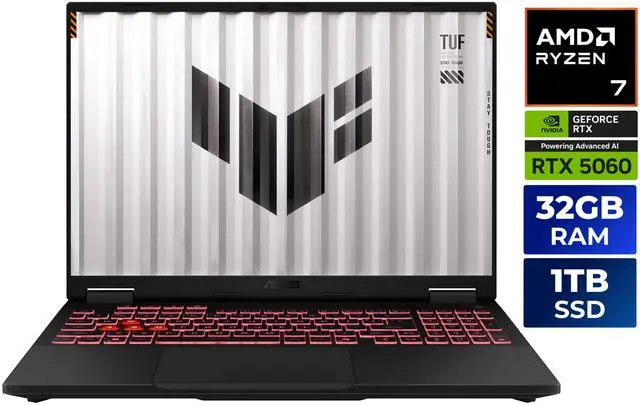
ASUS TUF Gaming A16 Gaming Laptop (2025)
Our top recommendation for this category
Price as of Aug 11, 2026 — see current price on Amazon.
Gaming laptops used to be a bad idea for college. Hot, heavy, two hours of battery max. The class of 2026 is getting a much better deal: RTX 5060 machines now sit between $1,250 and $1,500 where a $2,000 budget was needed two years ago. AMD's Ryzen 7 260 platform is stretching battery life in a way that makes all-day campus use actually viable.
I spent time looking at this year's picks, and the short version is this -- pick any of the five below and you'll game at 1080p or 1440p without compromise, finish your engineering homework in the library. Still have a machine worth something in four years.
| Laptop | GPU | RAM / Storage | Display | Weight | Price | |
|---|---|---|---|---|---|---|
| ASUS TUF Gaming A16 | RTX 5060 | 16GB / 1TB | 16 in 165Hz | 4.85 lbs | $1,499 | Check Price |
| Acer Nitro V 16S AI | RTX 5060 | 32GB / 1TB | 16 in 180Hz | ~4.8 lbs | $1,449.99 | Check Price |
| Lenovo LOQ 15 | RTX 5060 | 16GB / 512GB | 15.6 in 144Hz | ~5.4 lbs | $1,399.99 | Check Price |
| HP Victus 15 | RTX 5060 | 16GB / 1TB | 15.6 in 144Hz | ~4.7 lbs | $1,289 | Check Price |
| MSI Cyborg 15 | RTX 5060 | 16GB / 1TB | 15.6 in 144Hz | 4.3 lbs | $1,249 | Check Price |
ASUS TUF Gaming A16 (2025)
ASUS TUF Gaming A16 Gaming Laptop (2025)
Pros
- Ryzen 7 260 and an RTX 5060 in a chassis with a reputation for surviving a backpack
- Ryzen 7 260 handles all-day battery far better than Intel alternatives
- 16 inch 165Hz display is large enough to game on without being a backpack-destroyer
Cons
- The listing we link is a 16GB/1TB unit sold as a bundle with a laptop cooler at $1,499; ASUS's own 32GB listing went unavailable on Amazon
- Panel brightness sits around 300 nits, which can be a problem in sunny common areas
Price as of Aug 11, 2026 — see current price on Amazon.
The ASUS TUF Gaming A16 is where I'd send most college students first. Not because it's the flashiest pick on this list (it isn't), and these days not because of the specs-per-dollar math either. You get a Ryzen 7 260, RTX 5060 with 8GB GDDR6, 16GB DDR5, and a terabyte of SSD storage in a 16 inch chassis that checks in under five pounds.
Full disclosure on the link. The 32GB ASUS listing this guide originally recommended went unavailable on Amazon. The live listing we point to now is a 16GB/1TB unit bundled with a laptop cooler, at $1,499 when I checked in September 2026. That's more than the Acer below, which has double the RAM, so if the price hasn't come back down when you read this, the Acer is the sharper buy on paper. The TUF keeps the top spot for the two reasons that follow: battery and build.
What wins me over specifically is the battery situation. AMD's Ryzen 260 platform has efficiency that Intel simply isn't matching right now, and in real-world use that translates to 6 to 8 hours of lecture notes and browser work before you're hunting for an outlet. The moment you fire up a game that drops to 2 hours, sure -- but that's true of every laptop on this list. At least the TUF gives you the longer end of the range when class is in session.
The 165Hz IPS display handles both 1080p gaming and 1440p content well. TUF laptops have a reputation for being tanks, which matters when you're throwing this thing in a bag every single day for four years. It's not glamorous, but it's built to last.
Acer Nitro V 16S AI
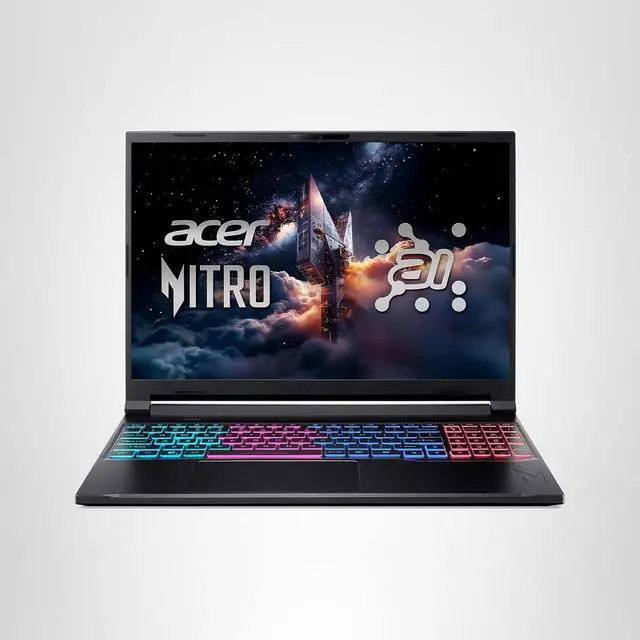
Acer Nitro V 16S AI Gaming Laptop (ANV16S-41-R2AJ)
Pros
- 180Hz panel is the fastest display on this list
- USB4 port opens up future single-cable docking station setups
- 32GB RAM and 1TB storage from day one -- no immediate upgrade pressure
Cons
- Runs louder under load than the MSI Cyborg
- Pricing has varied significantly by retailer, so watch for fluctuations
Price as of Aug 11, 2026 — see current price on Amazon.
Acer's Nitro V line doesn't get the same hype as ASUS ROG or Lenovo Legion, but the V 16S AI is underrated. The 180Hz WUXGA panel is the best display on this list for competitive gaming. If you play anything fast-paced -- Valorant, CS2, Apex Legends -- you'll notice the step up from 165Hz to 180Hz. It's not dramatic, but it's real.
The Ryzen 7 260 here pairs with 32GB DDR5 and a full terabyte NVMe SSD. The RTX 5060 inside uses GDDR7 memory, which is a step up from the GDDR6 in some competing configurations. Real-world frame rate differences are modest, but GDDR7 has more bandwidth headroom at higher resolutions, and it's a detail that matters for the laptop's longevity over four years of increasingly demanding titles.
The USB4 port is something college students will appreciate more over time than they realize now. Connect a single cable to a desk dock and you've got your external monitor, keyboard, and charging all through one port. That's a proper workstation setup without a cable management nightmare.
Lenovo LOQ 15
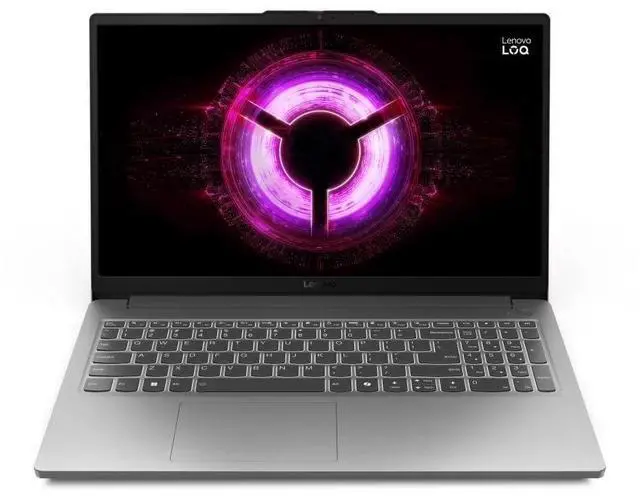
Lenovo LOQ 15 Gaming Laptop (2025)
Pros
- Lenovo designed it for user upgrades, so the small SSD is fixable
- Lenovo build quality is reliable and consistent across generations
- 144Hz is sufficient for 1080p gaming on most titles
Cons
- 16GB RAM and 512GB storage means you'll need to upgrade storage eventually
- 15.6 inch 1080p display is the baseline spec -- nothing exciting here
Price as of Aug 11, 2026 — see current price on Amazon.
The LOQ 15 used to be the cheapest RTX 5060 machine here. At $1,399.99 when I checked in September 2026 it has been passed by the HP Victus below, so read this as the upgrade-friendly pick rather than the budget one. The Ryzen 7 250 is slightly less powerful than the 260 in the other AMD picks on this list, but in gaming benchmarks the gap is around 5 to 8 percent -- something you'd need to go looking for to notice.
The limiting factor is storage. 512GB fills up fast once you install a few games alongside your course software, Photoshop, or any kind of CAD tool. Plan on picking up a secondary external SSD or upgrading the internal drive before sophomore year. The good news is the LOQ is accessible -- Lenovo designed it for user upgrades and getting into it doesn't void anything.
Gaming performance at 1080p is solid across the board. Modern Warfare 3, Elden Ring, and Cyberpunk 2077 at high settings all run well. If you want to push to 1440p you'll dial back settings more than on the 32GB Acer above, but for a machine with a genuine RTX 5060 and a chassis built to be opened up, it's hard to complain too loudly.
HP Victus 15
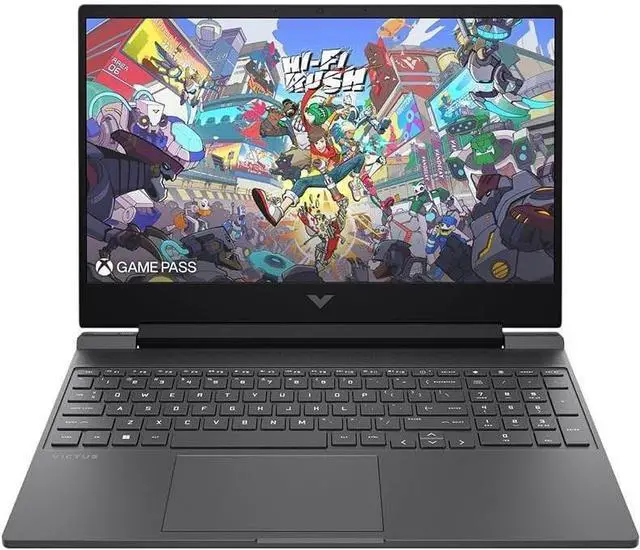
HP Victus 15 Gaming Laptop (Ryzen AI 7 350)
Pros
- Cheapest RTX 5060 machine on this list at $1,289 as of September 2026
- Ryzen AI 7 350 includes a real NPU for on-device AI acceleration
- 1TB storage comes standard where competitors charge more for the same
Cons
- 15.6 inch 1080p 144Hz is the least exciting display combination on this list
- HP's gaming software suite is less polished than ASUS Armoury Crate or MSI Center
Price as of Aug 11, 2026 — see current price on Amazon.
The cheapest RTX 5060 laptop on this list, at $1,289 when I checked in September 2026. It dipped under $1,000 for a stretch earlier this year, so if you catch it back there, grab it. The HP Victus 15 with Ryzen AI 7 350 is the value play here, and it has something none of the other picks on this list do: a proper NPU (neural processing unit) for on-device AI acceleration.
Whether that matters to you depends on your major. If you're in machine learning, data science, or any AI-adjacent program, hardware NPU support is starting to unlock real software acceleration in tools like ONNX Runtime and Windows Studio Effects. For everyone else who's gaming and writing papers, it's a nice-to-have that you'll likely grow into by the time you're a senior.
The 1TB storage at $1,289 is a genuine win over the Lenovo LOQ at $1,399.99 with half the storage. The display is the same 144Hz 1080p class, which handles the job without being spectacular. Weight comes in around 4.7 pounds, which makes it among the more comfortable daily-carry options on this list.
MSI Cyborg 15
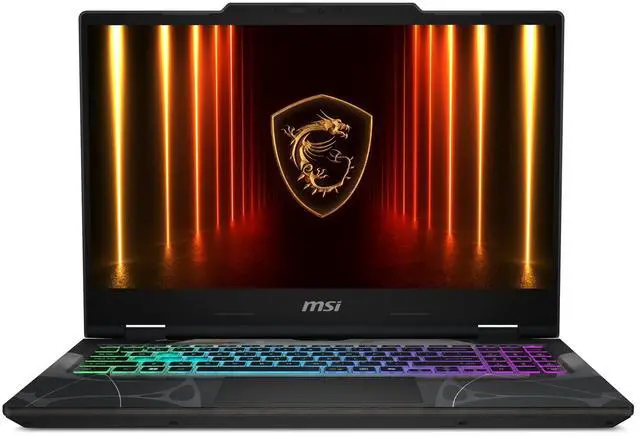
MSI Cyborg 15 Thin Gaming Laptop (Core 7-240H)
Pros
- 4.3 lbs is the lightest pick on this list
- Intel Core 7-240H delivers strong single-core performance for CPU-intensive workflows
- Sub-inch thickness means it looks more like a productivity laptop than a gaming rig
Cons
- Intel platform means noticeably shorter battery life than the AMD alternatives
- 16GB RAM can feel tight if you're running VMs or editing video alongside gaming
Price as of Aug 11, 2026 — see current price on Amazon.
The MSI Cyborg 15 is the pick if you genuinely hate carrying weight. At 4.3 pounds and under an inch thick, it doesn't feel like a gaming laptop when it's in your bag, which matters more than you'd think when you're walking between buildings with a full backpack every day.
The Intel Core 7-240H is a capable chip, but it's the one spot where the Cyborg trails the AMD picks: battery life is shorter under load, and Intel's efficiency cores don't match Ryzen 7 260 stamina. Realistically you're looking at 4 to 5 hours of mixed use on a long campus day before you need to plug in, versus 6 to 8 for the ASUS and Acer. Plan accordingly.
What you get in exchange is strong single-threaded performance that Intel still executes well, and a chassis that works in a coffee shop or lecture hall without screaming gamer energy. The 144Hz 1080p display is on par with the Victus and LOQ. For students who need to look professional in creative programs, business presentations, or just care about aesthetics at their desk, this is worth the $1,249.
Gaming Laptop Buying Guide for College
RTX 5060 Is the Right Tier for 2026
Every laptop here has an RTX 5060, and that's intentional. This GPU handles 1080p gaming at high settings in virtually every current title and gets into 1440p on less demanding games. An RTX 5070 or above jumps the price into $1,600-plus territory, which is harder to justify when you're already dealing with tuition.
The jump from last-gen RTX 4060 to the 5060 is legitimate -- roughly 25 to 35 percent better performance depending on the game, plus improved DLSS 4 support with Multi Frame Generation. You're not just getting a rebadge this cycle.
15.6 Inch vs 16 Inch: Which Screen Size
Both work for college. The 16 inch options (ASUS and Acer) give you more real estate for multitasking, split windows, and a better gaming experience with a little more room for the display. The 15.6 inch options (Lenovo, HP, MSI) are lighter and often cheaper. If you regularly work with design software, CAD, or lots of split-screen work, go 16 inch. If you're mostly gaming and doing standard student tasks, 15.6 is absolutely fine.
RAM: When 16GB Isn't Enough
32GB is worth it if you can get it at this price. 16GB handles gaming fine and most coursework without issue, but if you run virtual machines (common in CS programs), do video editing, or work with large datasets, you'll hit that ceiling. The Acer Nitro V 16S comes with 32GB from day one. The other four start at 16GB and have varying upgrade options.
Battery Life: Real Expectations
No gaming laptop gives you 10 hours while gaming. These are 80 to 90Wh batteries paired with GPUs drawing 115W at full tilt. What you can get is 6 to 8 hours of productivity work (notes, browser, Office or Google Docs) before you game -- and the AMD Ryzen picks deliver better here than Intel. Bring your charger to long campus days regardless. A slim 100W USB-C charger adds roughly half a pound and gives you flexibility wherever you sit.
Four-Year Longevity: Upgradeability Matters
College laptops get used hard. The Lenovo LOQ and ASUS TUF are both user-upgradeable for RAM and storage, meaning you can add a second SSD in your junior year when your games and projects fill the drive. The HP Victus and MSI Cyborg have more limited upgrade paths. If you're buying a machine you want to last without paying for professional upgrades, prioritize the ones designed to be opened.
Frequently asked questions
- Is an RTX 5060 laptop actually good enough for college gaming in 2026?
- Yes. The RTX 5060 handles 1080p gaming at high settings in virtually every current game and manages 1440p at medium-high in most titles. For a machine you plan to use for four years, you have real headroom -- games will still run well at 1080p through 2028 and 2029 on this GPU. If you can spend $200 more for an RTX 5070 config, thermals and battery life sometimes improve alongside performance, but at the $1,249 to $1,499 range these five sit in, RTX 5060 is the right tier.
- Which laptop here has the best battery life for all-day use on campus?
- The ASUS TUF Gaming A16 and Acer Nitro V 16S lead because the Ryzen 7 260 is significantly more power-efficient than Intel's Core 7-240H. Both push 6 to 8 hours of notes and browser use. The MSI Cyborg (Intel) sits around 4 to 5 hours in mixed use. Bring a 100W USB-C charger regardless -- no gaming laptop matches a MacBook Air in efficiency mode, but AMD Ryzen machines come closest.
- Can I use one of these as my only computer throughout college?
- Yes, and most students do. You'll want an external monitor for your dorm setup -- a 27 inch 1440p monitor in the $200 to $250 range pairs well with any of these. A full-size keyboard and mouse for desk use helps a lot during finals. These laptops handle everything from coursework to creative projects to gaming, but no 15 or 16 inch display is comfortable to stare at for 8 hours straight.
- What does actual gaming performance look like on these at 1080p?
- Counter-Strike 2 and Valorant hit 250 to 400fps easily. Elden Ring runs at 60fps at ultra settings. Cyberpunk 2077 at high settings with DLSS Quality enabled lands around 80 to 100fps. Call of Duty Modern Warfare 3 stays above 120fps at high settings. These are general benchmarks from RTX 5060 laptop reviews -- exact numbers vary based on the specific TGP (thermal design power) each manufacturer sets for the GPU, with some running the full 115W and others throttled to 100W or below.
- Should I buy a gaming laptop now for back to school or wait for a sale?
- Buy now if you need it before classes start. Back-to-school pricing is already near its seasonal low, and the next meaningful sale opportunity is Black Friday in November -- when you'll have missed an entire semester of use. If you're flexible and classes don't start until late September, waiting until late October for pre-Black Friday deals makes sense. But the ASUS TUF and Lenovo LOQ specifically go in and out of stock at good prices, so if the right config is available at a price you're comfortable with today, locking it in is reasonable.
- Do gaming laptop fans and thermals hold up over four years of college use?
- If you clean the vents every 6 to 12 months with a can of compressed air and avoid blocking the bottom intake while gaming in bed, yes. The TUF Gaming series is specifically known for durable thermal design. All five laptops here use standard dual-fan and heat pipe designs that are user-serviceable if something does go wrong. The single fastest way to kill a gaming laptop's thermal performance is gaming on carpet or a pillow that chokes airflow -- that accelerates thermal paste degradation faster than years of normal use.
Bottom Line
The ASUS TUF Gaming A16 at $1,499 is where most college students should land if build and battery matter more than the spec sheet -- RTX 5060, Ryzen 7 260 battery efficiency. A 16 inch display in a machine built to take four years of abuse. The Acer Nitro V 16S at $1,449.99 is the better spec sheet with 32GB. If your budget tops out around $1,300, the HP Victus 15 at $1,289 is genuinely impressive for the money and includes a full terabyte of storage. And if you're obsessing over weight because you're already carrying a 20-pound textbook load, the MSI Cyborg 15 at 4.3 pounds is the one to grab. All five will handle four years of college gaming and coursework without needing a replacement.
How We Test
We score products by combining spec-level research, pricing history, trusted third-party benchmarks, and owner sentiment from high-signal sources.
- Performance and real-world value in the category this guide targets
- Price-to-performance and deal consistency over recent pricing windows
- Build quality, reliability patterns, and known long-term issues
- Recommendation refresh cadence to keep these picks current
Author
TheTechSearch Editorial Team
Independent product reviewers & PC builders
We test and compare real-world specs, price trends, and user feedback to recommend gear that actually makes sense to buy.