Best Gaming Laptops Under $900 in 2026
The best RTX 5060 gaming laptops under $900 - real buyer's guide with picks from Acer, Lenovo, ASUS, HP, and MSI. Expert picks, pros and cons, and side-by-si...
As an Amazon Associate we earn from qualifying purchases made through our links — this doesn't affect our picks.
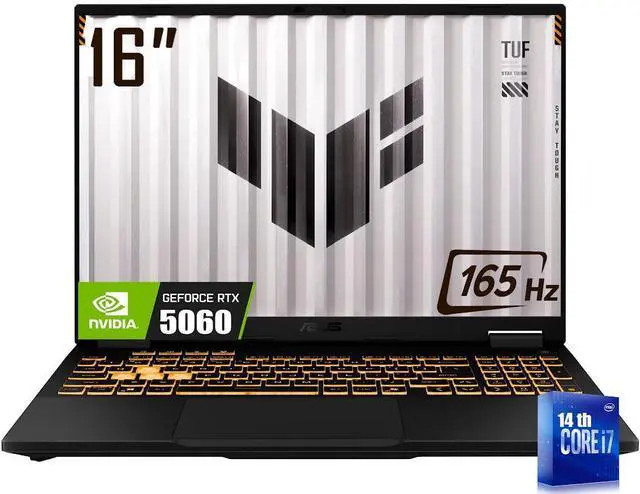
ASUS TUF F16 Gaming Laptop RTX 5060 (i7-14650HX, 32GB, 1TB)
Our top recommendation for this category
Price as of Aug 29, 2026 — see current price on Amazon.
The $900 gaming laptop bracket used to mean compromises. In 2026, it means RTX 5060 performance, fast IPS panels, and 1TB of NVMe storage - all from brands that actually honor their warranties. NVIDIA's Blackwell generation pushed real gaming horsepower down into this price range, and the competition between Acer, Lenovo, ASUS, HP, and MSI has driven specs up while keeping prices below four digits.
These are the best options right now, judged against the real question: if you've got $900 or less to spend on a gaming laptop, which one do you actually buy?
| Laptop | CPU | GPU | Display | RAM/Storage | Price | |
|---|---|---|---|---|---|---|
| ASUS TUF F16 | i7-14650HX | RTX 5060 | 16-inch 165Hz | 32GB/1TB | $879 | Check Price |
| Lenovo LOQ 2026 | Ryzen 7 250 | RTX 5060 | 15.3-inch 165Hz | 16GB/1TB | $829 | Check Price |
| Acer Nitro V 15 | i7-13620H | RTX 5060 | 15.6-inch 165Hz | 16GB/1TB | $799 | Check Price |
| HP Victus 15 | i7-13620H | RTX 5060 | 15.6-inch 144Hz | 16GB/512GB | $749 | Check Price |
| MSI Cyborg 15 | Core 5-210H | RTX 5060 | 15.6-inch 144Hz | 16GB/512GB | $699 | Check Price |
ASUS TUF F16 - Best Overall
ASUS TUF F16 Gaming Laptop RTX 5060 (i7-14650HX, 32GB, 1TB)
Pros
- 32GB DDR5 standard - no RAM upgrade needed
- i7-14650HX handles streaming + gaming simultaneously
- 16-inch FHD+ 165Hz panel is a nice step up from 15.6-inch
- MIL-SPEC durability testing, solid build quality
- Thunderbolt 4 for docking and external GPU headroom
Cons
- Closest to the $900 ceiling
- Fan noise under sustained load is noticeable
- No OLED option at this price
Price as of Aug 29, 2026 — see current price on Amazon.
The ASUS TUF F16 does something unusual in this price range: it ships with 32GB RAM as standard. That's not a bundle upsell - it's the base configuration. And 32GB matters in 2026, especially if you're running Discord, a browser, and your game simultaneously, or if you ever stream.
The i7-14650HX is a 16-core Intel chip that consistently beats older i9s in gaming workloads because of its core architecture. Paired with the RTX 5060 and the MUX switch (which bypasses the integrated GPU for direct GPU output), this machine runs AAA titles at 1440p upscaled via DLSS 4 at strong framerates. The 165Hz FHD+ display sits at 1920x1200, giving you that extra 120 vertical pixels over a standard FHD panel - nice for productivity alongside gaming.
Build quality is where ASUS TUF earns its reputation. The chassis passes MIL-SPEC drop and vibration tests, and it doesn't feel like a toy. Thunderbolt 4 means you can dock it properly or add an eGPU down the road if you decide to go that route.
At $879, it's the priciest pick here, but it's also the most capable machine that's genuinely under $900. I'd take it over most $1000+ laptops from a year ago.
Lenovo LOQ 2026 - Best Value for Storage + Display
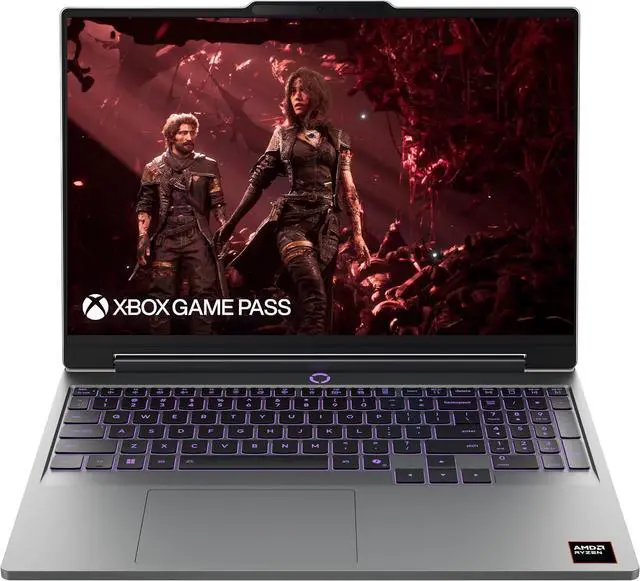
Lenovo LOQ 2026 Gaming Laptop (Ryzen 7 250, RTX 5060, 15.3-inch 165Hz, 16GB, 1TB)
Pros
- 15.3-inch WUXGA (1920x1200) IPS display at 165Hz
- 1TB Gen 4 SSD included
- Ryzen 7 250 performs strongly in gaming
- Lenovo's thermals and cooling design are well-tuned
- Good keyboard travel for a gaming laptop
Cons
- 16GB RAM is adequate but not generous
- Ryzen 7 250 is slightly behind the i7-14650HX in peak gaming
- Heavier than the MSI Cyborg at 2.3kg
Price as of Aug 29, 2026 — see current price on Amazon.
Lenovo refreshed the LOQ lineup for 2026 with the Ryzen 7 250, AMD's latest Strix Halo-class mobile chip. The result is a laptop that punches above its price in gaming benchmarks - the Ryzen 7 250 trades blows with Intel's i7-13th-gen in most titles and actually pulls ahead in multi-threaded workloads.
The 15.3-inch WUXGA panel at 165Hz is slightly unusual. Most gaming laptops in this range ship 15.6-inch FHD panels; Lenovo went with a slightly smaller, slightly taller display at the same resolution, which results in a sharper image and more vertical real estate. It's a design choice I like. The keyboard travel is better than most gaming laptops in this range, which matters if you work on this machine during the day and game at night.
The 1TB Gen 4 SSD is another plus. At $829, Lenovo is giving you storage and display quality that some $900+ competitors skip.
Acer Nitro V 15 - Best All-Rounder
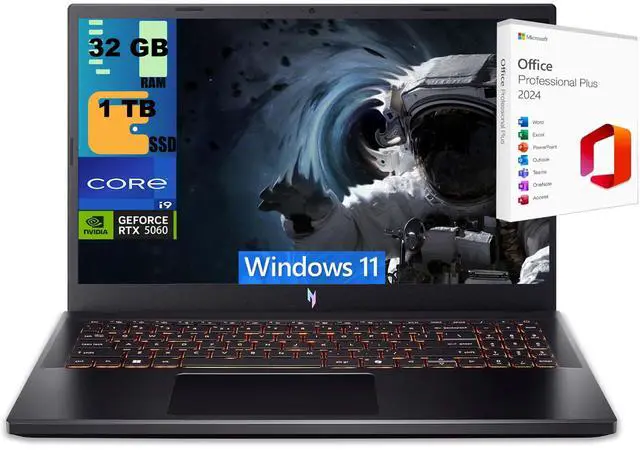
Acer Nitro V 15.6-inch Gaming Laptop ANV15-52 (i7-13620H, RTX 5060, 165Hz, 16GB, 1TB)
Pros
- 165Hz IPS panel - smoother than 144Hz competitors at this price
- 1TB SSD at $799 is solid value
- i7-13620H is a proven, reliable gaming CPU
- Quiet under light gaming loads
- Wi-Fi 6 standard
Cons
- No MUX switch on base model
- Runs slightly warm under extended gaming sessions
- Design is functional but not flashy
Price as of Aug 29, 2026 — see current price on Amazon.
The Acer Nitro V at $799 is what I'd call the safe pick. The i7-13620H is a mature chip with well-understood thermals, the RTX 5060 delivers consistent 1080p and capable 1440p gaming, and the 165Hz panel gives you a slight edge over the 144Hz options at a similar price.
It's not the most exciting laptop in the lineup, but it's the one I'd recommend to someone who doesn't want surprises. Acer's Nitro series has solid warranty support, and the 1TB SSD means you won't run out of space installing your first few games. The dual-fan cooling setup keeps temps controlled under normal gaming loads, though it does run warm during extended sessions in a hot room.
If you're on the fence between the Nitro V and the LOQ at $829, spend the extra $30 for the Lenovo. The WUXGA panel and the Ryzen 7 250 tip the scales. But if $799 is your ceiling, the Nitro V delivers.
HP Victus 15 - Best Under $750
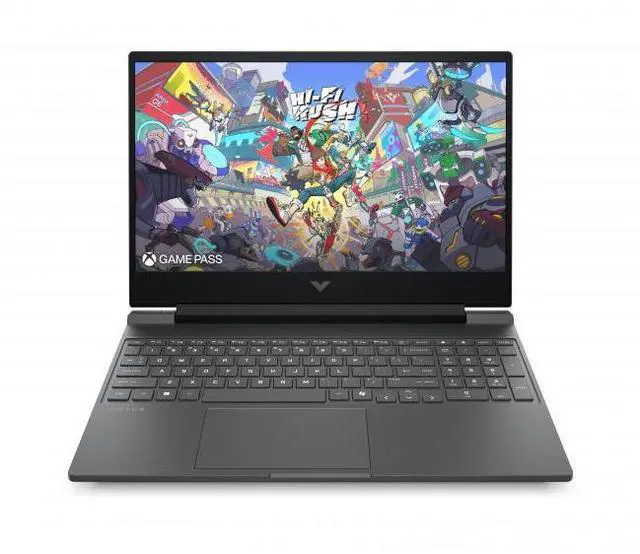
HP Victus 15.6-inch Gaming Laptop (i7-13620H, RTX 5060, 144Hz, 16GB, 512GB)
Pros
- i7-13620H + RTX 5060 at $749 is excellent value
- Slim, professional design that doesn't scream 'gaming laptop'
- HP's OMEN Command Center for fan/power tuning
- Good build rigidity for the price
Cons
- 512GB SSD will fill fast - budget for an upgrade
- 144Hz vs the 165Hz options above
- Runs hot under sustained load - fan noise is loud
Price as of Aug 29, 2026 — see current price on Amazon.
The Victus 15 is the one to pick if you need RTX 5060 performance under $750 and you're OK upgrading the storage later. HP doesn't bundle a generous SSD here - 512GB runs out fast once you install Windows updates, a few AAA games, and your apps. But the $749 price point with the i7-13620H and RTX 5060 is genuinely competitive.
The design is worth mentioning. Unlike most budget gaming laptops that shout "look at me" with aggressive vents and RGB everywhere, the Victus is understated. Meca Silver finish, minimal branding, looks like a normal work laptop from a distance. That's intentional - HP markets this to people who game at home but carry the laptop to an office or campus.
The fan noise under load is the honest criticism here. HP's thermal solution on the Victus isn't as refined as ASUS TUF or the Lenovo LOQ. Add an SSD and you've got a capable machine, but know what you're getting into.
MSI Cyborg 15 - Best Budget Entry
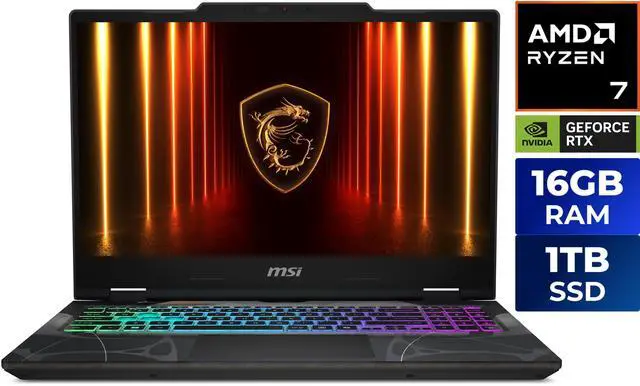
MSI Cyborg 15 Gaming Laptop (Core 5-210H, RTX 5060, 144Hz, 16GB, 512GB)
Pros
- Cheapest RTX 5060 laptop on this list at $699
- Transparent side panel design is genuinely distinctive
- Light at 1.98kg - easy to carry
- RTX 5060 GPU performance is identical to pricier configs at 1080p
Cons
- Intel Core 5-210H is the weakest CPU here - can bottleneck in CPU-heavy games
- 512GB SSD is limiting
- Build feel is more plasticky than the ASUS or Lenovo
Price as of Aug 29, 2026 — see current price on Amazon.
The MSI Cyborg 15 earns its spot by doing one thing really well: it gets you an RTX 5060 for $699. The GPU performance is the same chip as every other laptop on this list - that 5060 silicon doesn't care what CPU it's paired with in GPU-heavy workloads at 1080p.
Where the Cyborg shows its budget DNA is the Core 5-210H processor. In GPU-heavy titles at 1080p high settings, the CPU rarely matters. But in CPU-sensitive games - esports titles at high framerates, open-world games with lots of AI - the Core 5-210H can drag performance down compared to an i7-13620H. You'll notice it in titles like Cyberpunk 2077 if you push beyond 1080p.
The transparent side panel is a polarizing design choice - some people love the PC aesthetic, others think it looks cheap. Build rigidity is fine, not impressive. At 1.98kg it's the lightest laptop on this list, which is a real advantage if you're carrying it regularly. If $699 is your budget ceiling and you're primarily gaming at 1080p, the Cyborg is solid value. Just budget $30-50 for an extra SSD.
What to Look for in a Gaming Laptop Under $900
Display and Refresh Rate
The jump from 60Hz to 144Hz is massive. The jump from 144Hz to 165Hz is noticeable but smaller. At this price point, you're getting 144-165Hz IPS panels on everything - which is genuinely better than some $1200 laptops from three years ago. Avoid anything under 144Hz in this price range; they exist, and they're not worth it.
The CPU Matters More Than You Think
RTX 5060 performance is consistent across all five laptops here in GPU-limited scenarios at 1080p. The differentiator is CPU-limited scenarios - high framerates at 1080p, esports games, and CPU-heavy simulations. The i7-14650HX in the ASUS TUF F16 is clearly the best here, followed by the i7-13620H in the Acer and HP.
RAM and Storage
16GB is enough for gaming in 2026, but it's worth paying attention to whether the laptop has an open SODIMM slot for upgrades. 512GB SSDs fill fast - Windows, a few AAA games, and your apps can consume 400GB without much effort. If you're choosing between two laptops at a similar price, the one with 1TB storage is almost always the better buy.
Thermals and Fan Noise
Budget gaming laptops run hot. That's a fact. But there's a range - the ASUS TUF and Lenovo LOQ have better thermal solutions and more measured fan curves than the HP Victus or MSI Cyborg. If you're in a quiet environment (library, office) and you game for hours at a time, the fan noise delta between these laptops actually matters.
Frequently asked questions
- Is RTX 5060 good enough for 1440p gaming in 2026?
- Yes, with DLSS 4 Quality mode. Native 1440p at ultra settings is pushing it in demanding titles, but DLSS 4 Quality mode delivers image quality close to native at significantly higher framerates. At 1080p high settings, the RTX 5060 laptop GPU is fast enough for 100+ fps in most titles.
- Should I buy a gaming laptop or a desktop for $900?
- A desktop gives you more raw performance for $900 - you'd get a desktop RTX 5060 or RTX 5060 Ti instead of a laptop variant. The laptop makes sense if you actually need portability. If this machine lives on your desk forever, a desktop is the smarter build.
- Can I upgrade the RAM in these laptops later?
- Most gaming laptops in this range have at least one upgradeable SODIMM slot, though some configurations solder one stick. Check the specific model's specs before buying. The ASUS TUF F16 and Lenovo LOQ both have upgradeable RAM.
- How long will an RTX 5060 laptop stay relevant?
- Realistically, 3-4 years at 1080p settings before you start making significant compromises in new releases. At 1440p with DLSS, you're probably looking at 2-3 years of comfortable gaming. Laptop GPUs can't be upgraded, which is the fundamental limitation.
- Is the RTX 5060 laptop GPU much weaker than the desktop version?
- Laptop GPUs have lower TDP limits and therefore lower sustained performance. The RTX 5060 laptop GPU runs at roughly 70-80% of desktop RTX 5060 performance under sustained load, depending on the laptop's cooling and power limits. In short bursts the gap is smaller.
- Which of these laptops is best for college students?
- The Lenovo LOQ 2026 for most students - 1TB storage, a slightly smaller and sharper display, and Lenovo's reliable build quality. The HP Victus is a good runner-up if budget is tight, with a more discreet design that works in academic settings.
Bottom Line
The ASUS TUF F16 is the best all-around choice if your budget goes to $879 - 32GB RAM, the best CPU, and Thunderbolt 4 at a price that felt impossible two years ago. If you want to save $50 without losing much, the Lenovo LOQ 2026 is the next pick. The Acer Nitro V at $799 is the safe, proven option. And if $699 is your ceiling, the MSI Cyborg 15 gets you RTX 5060 gaming performance where it counts, at 1080p. All five laptops will run your games. The differences are in CPU headroom, storage, and build quality.
How We Pick
We pick products by combining spec-level research, price checks, trusted third-party benchmarks, and owner sentiment from high-signal sources.
- Performance and real-world value in the category this guide targets
- Price-to-performance and deal consistency over recent pricing windows
- Build quality, reliability patterns, and known long-term issues
- Recommendation refresh cadence to keep these picks current
Author
TheTechSearch Editorial Team
Independent product reviewers & PC builders
We compare real-world specs, reviews and owner reports, price trends, and user feedback to recommend gear that actually makes sense to buy.