Best Gaming Laptops Under $700 in 2026
The best gaming laptops under $700 that can actually run modern games - including one with Nvidia's new RTX 5050 GPU. Expert picks, pros and cons, and side-b...
As an Amazon Associate we earn from qualifying purchases made through our links — this doesn't affect our picks.
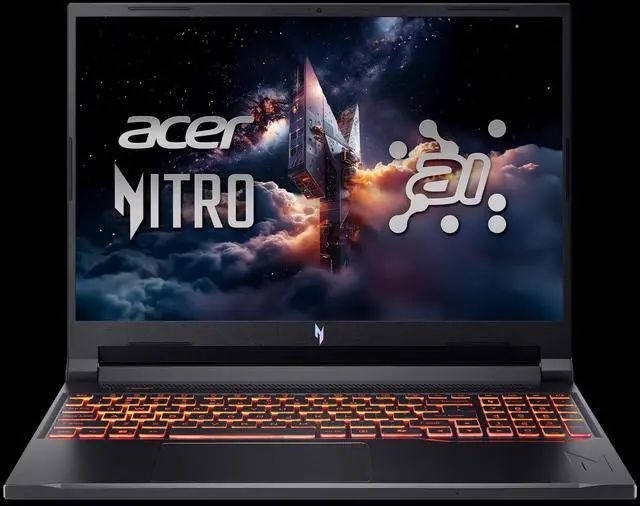
Acer Nitro V 16 AI Gaming Laptop
Our top recommendation for this category
Price as of Aug 26, 2026 — see current price on Amazon.
The gaming laptop market at $700 and under got a genuine shot in the arm this year. RTX 3050 machines have settled into the $499-649 range, making them the reliable workhorses of budget gaming. And occasionally - when deals hit - you can snag something with Nvidia's RTX 5050 (with GDDR7 memory, not the old GDDR6) for right at that $700 ceiling.
These are the five best options available right now. Honest note: if you play AAA titles at ultra settings, this budget requires some compromise on resolution or settings. But for 1080p gaming at medium-to-high settings, every laptop on this list handles it well. Esports titles - Valorant, CS2, Fortnite, Minecraft - run great on all of them.
| Laptop | GPU | CPU | RAM | Display | Price | |
|---|---|---|---|---|---|---|
| Acer Nitro V 16 AI | RTX 5050 8GB | Ryzen 5 240 | 16GB DDR5 | 16" 180Hz | ~$699 | Check Price |
| MSI Cyborg 15 | RTX 4050 6GB | i7-13620H | 16GB DDR5 | 15.6" 144Hz | ~$649 | Check Price |
| ASUS TUF A15 | RTX 3050 4GB | Ryzen 5 7535HS | 8GB DDR5 | 15.6" 144Hz | ~$549 | Check Price |
| HP Victus 15 | RTX 3050 4GB | i5-12450H | 16GB RAM | 15.6" 144Hz | ~$599 | Check Price |
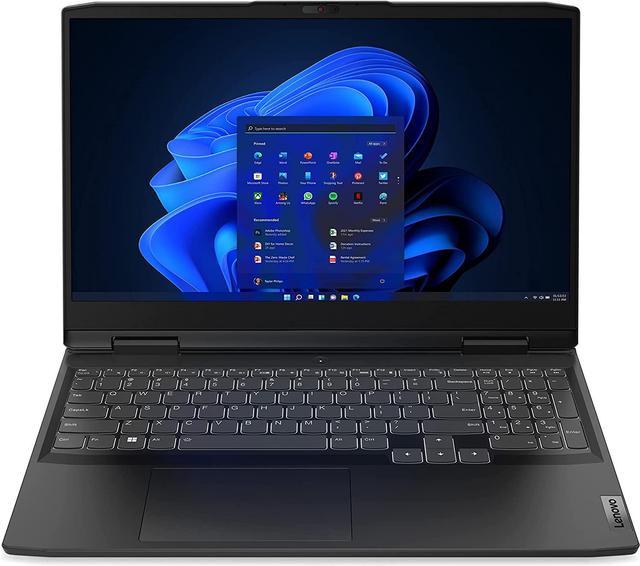
| Lenovo IdeaPad Gaming 3 | RTX 3050 4GB | Ryzen 5 6600H | 8GB DDR5 | 15.6" 120Hz | ~$499 | Check Price |
Acer Nitro V 16 AI - Best Gaming Laptop Under $700
The story here is the GPU. Nvidia's RTX 5050 uses GDDR7 memory instead of the GDDR6 in the older RTX 3050/4050, which meaningfully improves memory bandwidth. In practice, it runs noticeably better than the RTX 3050 in GPU-limited scenarios - closer to an RTX 4060 laptop than you'd expect from a budget-tier chip.
The catch is price consistency. Acer lists this at $899, but it's been regularly discounting to $699 at Amazon and Walmart. Worth watching; if it's showing $699 right now, it's an easy first pick.
Acer Nitro V 16 AI Gaming Laptop
Pros
- RTX 5050 with GDDR7 - genuinely newer and faster than RTX 3050
- 16-inch 180Hz display is unusually large and fast for this price tier
- AMD Ryzen 5 240 hits 5GHz boost - good CPU performance
- 16GB DDR5 RAM included in the base config
Cons
- Pricing fluctuates - regularly at $899, only worth buying on sale
- Battery life is mediocre at around 4-5 hours of normal use
- Build quality is plastic but not flimsy - typical for budget gaming
Price as of Aug 26, 2026 — see current price on Amazon.
The RTX 4050 is a full generation ahead of the RTX 3050 in the other machines on this list, and that's a meaningful gap. The 16-inch 180Hz display is also an outlier for this price - most competitors give you 15.6 inches at 120-144Hz. If this drops to $699 when you're reading this, buy it and don't look back.
MSI Cyborg 15 - Best RTX 4050 Under $700
The Cyborg 15 slots between the RTX 3050 pack and the Acer's RTX 5050. That RTX 4050 is a solid performer at 1080p, handling most AAA titles at high settings without too much compromise. The Intel Core i7-13620H is also a strong pairing: 10 cores handle background tasks without throttling the GPU.
MSI's Cooler Boost 5 thermal system is actually effective here. The laptop runs louder than competitors under load, but it doesn't throttle the same way budget gaming laptops often do when temps climb.
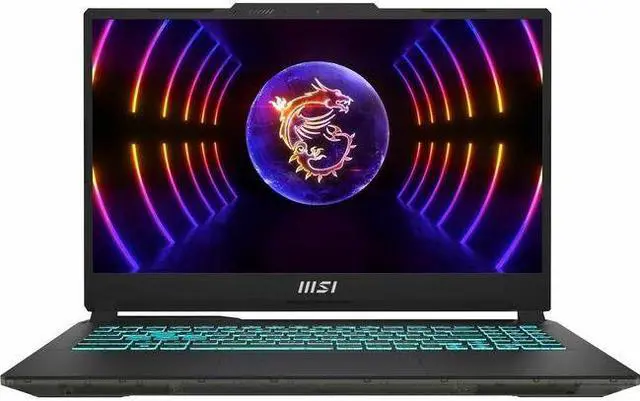
MSI Cyborg 15 A13VE-218US
Pros
- RTX 4050 handles 1080p high settings well across modern titles
- i7-13620H CPU is among the fastest in this price bracket
- 144Hz display with thin bezels looks great
- Solid build quality for a gaming laptop under $700
Cons
- Fan noise under gaming load is noticeable
- 16GB DDR5 but only one DIMM slot populated (single channel)
- Battery life around 4-6 hours depending on use
Price as of Aug 26, 2026 — see current price on Amazon.
Real talk: the Cyborg 15 is a 2023 design. It doesn't have the latest GPU architecture. But the RTX 4050 still handles 2026's games at 1080p better than the RTX 3050 does, and at $649 it's a genuine step up from the RTX 3050 crowd.
ASUS TUF A15 - Best Overall Value at $549
ASUS's TUF A15 has been one of the most recommended budget gaming laptops for years, and the FA506NC variant with Ryzen 5 7535HS continues that reputation. The RTX 3050 is a known quantity at this point: it handles esports titles excellently, modern AAA games at 1080p medium settings acceptably, and older titles without issue.
Where the TUF A15 pulls ahead is build quality. The MIL-SPEC 810H chassis handles drops and bumps better than most competitors, and the keyboard has good travel for a budget gaming laptop. For college students or anyone carrying this bag daily, that durability matters.
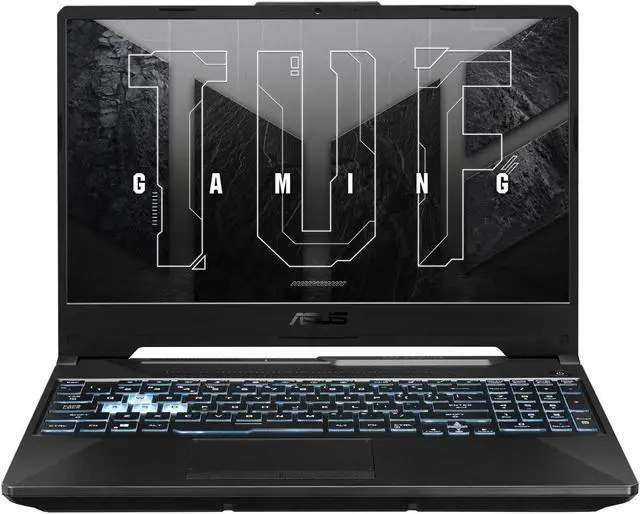
ASUS TUF A15 Gaming Laptop (FA506NC-ES51)
Pros
- MIL-SPEC durability - survives regular college or commute use
- 144Hz display at 1080p is smooth for esports and casual gaming
- Wi-Fi 6 included - fast wireless connectivity
- Ryzen 5 7535HS handles multitasking and streaming well
Cons
- 8GB RAM base config - highly recommend upgrading to 16GB (SODIMMs are accessible)
- RTX 3050 4GB struggles at high settings in demanding titles
- Speakers are weak - headphones or external audio recommended
Price as of Aug 26, 2026 — see current price on Amazon.
One upgrade I'd make on day one: add an 8GB DDR5 SODIMM stick to get to 16GB dual-channel. The laptop is accessible and the upgrade costs around $25-30. Single-channel 8GB is a real bottleneck for the RTX 3050 - dual-channel 16GB meaningfully improves gaming performance. Look up a YouTube video for your specific model before you start.
HP Victus 15 - Best for Work and Gaming
The Victus 15 with Intel Core i5-12450H and RTX 3050 is the most "normal laptop" of the group. It doesn't have the highest frame rates, the best display, or the most striking design. But it looks like a regular laptop (not a "gamer" laptop), runs comfortably at work or school, and handles gaming in the evenings without issue.
For someone who needs a single machine that goes to meetings and plays games at night, this is the pick. The 16GB RAM base config is also a genuine advantage over the ASUS TUF at the same tier.
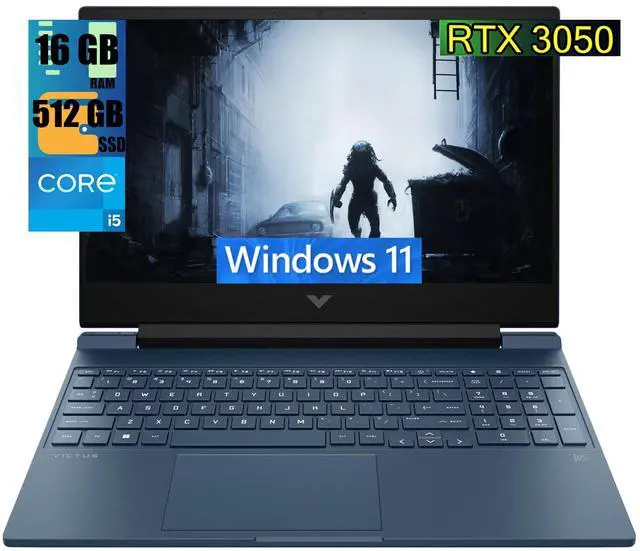
HP Victus 15.6 Gaming Laptop
Pros
- Subtle design works in professional settings
- 16GB RAM included out of the box (most competitors include 8GB)
- Good keyboard with proper key travel for typing all day
- Reliable HP build quality with good warranty support
Cons
- RTX 3050 and i5-12450H is not the fastest combo at this price
- Cooling is conservative - the laptop stays quiet but throttles under sustained gaming load
- Display brightness is average - challenging in brightly lit rooms
Price as of Aug 26, 2026 — see current price on Amazon.
One thing worth noting: the i5-12450H in this HP isn't the strongest CPU here, but it's honest. It doesn't hit the high sustained clock speeds of the AMD alternatives, which can limit gaming performance slightly in CPU-bound scenarios. But for anything GPU-limited - which is most gaming - the performance gap is small.
Lenovo IdeaPad Gaming 3 - Best Under $500
If $700 is your ceiling but you'd rather spend less, the IdeaPad Gaming 3 with Ryzen 5 6600H is genuinely capable for its price. Lenovo has refreshed this line consistently over the years, and the 6600H version remains one of the best value propositions for esports-focused gaming below $550.
The 120Hz display is a minor step down from 144Hz - you'll notice the difference in fast-paced shooters but not in most other games. And the 256GB base storage is tight; you'll want an external drive or an NVMe upgrade before long.
Lenovo IdeaPad Gaming 3
Pros
- Lowest price on this list while still packing a dedicated GPU
- Ryzen 5 6600H is fast for productivity and multi-threaded tasks
- Clean keyboard with decent typing feel
- Good port selection including USB-C with DisplayPort support
Cons
- 256GB SSD fills up fast - add external storage on day one
- 120Hz display instead of 144Hz - noticeable in shooters
- 8GB single-channel RAM needs upgrading for best performance
Price as of Aug 26, 2026 — see current price on Amazon.
The 120Hz ceiling is worth mentioning again: Valorant, CS2, and Fortnite all cap the visual smoothness advantage at 120fps here. If competitive FPS is your primary reason for buying, save the extra $50-100 and get the ASUS TUF A15 instead.
Gaming Laptop Under $700 Buying Guide
What GPU to Expect
At this price, RTX 3050 4GB is the baseline. It handles esports titles at high settings comfortably, and AAA games at medium-high settings at 1080p. The RTX 4050 (in the Cyborg 15) is a meaningful step up, especially for newer titles. The RTX 5050 in the Acer Nitro V is the best chip on this list but requires catching it on sale.
Don't expect ray tracing performance at this tier. These GPUs can technically run ray tracing but the frame rate hit makes it impractical. Disable it and gain 30-50% more frames in supported titles.
RAM and Storage
Most budget gaming laptops ship with 8GB single-channel RAM. This is a real bottleneck - upgrading to 16GB dual-channel (add a matching 8GB stick) improves gaming performance by 10-20% on AMD-based systems. Check if your specific model has an accessible SODIMM slot before buying.
Storage at this price is usually 256-512GB. That fills up quickly when games routinely use 50-100GB each. Budget $30-50 for a 2TB NVMe SSD upgrade, or plan to use an external drive for game storage.
Display at This Price
Expect 15.6-inch 1080p 120-144Hz. The 180Hz display on the Acer Nitro V is the outlier. Color accuracy is generally adequate but not great - sRGB coverage of 45-62% is typical, which means colors look somewhat washed out compared to premium panels. Fine for gaming, but not for color-accurate photo or video work.
Frequently asked questions
- Can a gaming laptop under $700 run modern games?
- Yes, at 1080p medium-to-high settings. RTX 3050 machines handle recent AAA titles like Hogwarts Legacy, Cyberpunk 2077 at medium settings, and deliver 60+ fps. Esports titles like Valorant, CS2, and Fortnite run at high settings easily. Expect to drop settings in very demanding titles released in the last year.
- Should I get a gaming laptop or build a desktop PC for this budget?
- For the same $700, a desktop PC build will outperform any laptop - you get more GPU power, better cooling, and easier upgrades. But if portability matters (school, travel, work), the laptop is the right choice. Portability has a real cost at this budget.
- Is the RTX 3050 good enough in 2026?
- For esports and older AAA titles, yes. For the newest demanding games at playable settings on a 1080p screen, it depends on the specific game. Titles from 2024-2026 may require medium or lower settings. With DLSS enabled, performance improves significantly.
- How important is RAM for gaming laptop performance?
- Very. Single-channel 8GB RAM underperforms relative to what the GPU is capable of. The first upgrade on any budget gaming laptop should be adding a matching RAM stick to enable dual-channel mode. This alone can add 15-20% to gaming performance at no change to the GPU.
- Can I upgrade the GPU in these laptops later?
- No. Laptop GPUs are soldered to the motherboard and not replaceable in any of these models. The CPU and RAM on some models are upgradeable. If you think you'll want more GPU power in 18 months, save up and buy higher now rather than planning to upgrade.
Bottom Line
The Acer Nitro V 16 AI is the best gaming laptop under $700 if you catch it on sale at $699 - the RTX 5050 GDDR7 GPU genuinely outclasses everything else on this list and the 16-inch 180Hz display is a rare feature at this price point. If it's full price when you're looking, the MSI Cyborg 15 with RTX 4050 is the next step down and still meaningfully better than the RTX 3050 crowd.
For the reliable no-fuss option at $549, the ASUS TUF A15 is the recommendation I keep coming back to. Durable, upgradeable, capable - it's been the budget gaming laptop standard for a reason.
How We Test
We score products by combining spec-level research, pricing history, trusted third-party benchmarks, and owner sentiment from high-signal sources.
- Performance and real-world value in the category this guide targets
- Price-to-performance and deal consistency over recent pricing windows
- Build quality, reliability patterns, and known long-term issues
- Recommendation refresh cadence to keep these picks current
Author
TheTechSearch Editorial Team
Independent product reviewers & PC builders
We test and compare real-world specs, price trends, and user feedback to recommend gear that actually makes sense to buy.