Best Gaming Mouse 2026: Top Picks for Every Playstyle
The best gaming mice in 2026 for FPS, MMO, and everyday gaming. From ultralight esports weapons to ergonomic all-rounders, ranked. Expert picks, pros and con...
As an Amazon Associate we earn from qualifying purchases made through our links — this doesn't affect our picks.
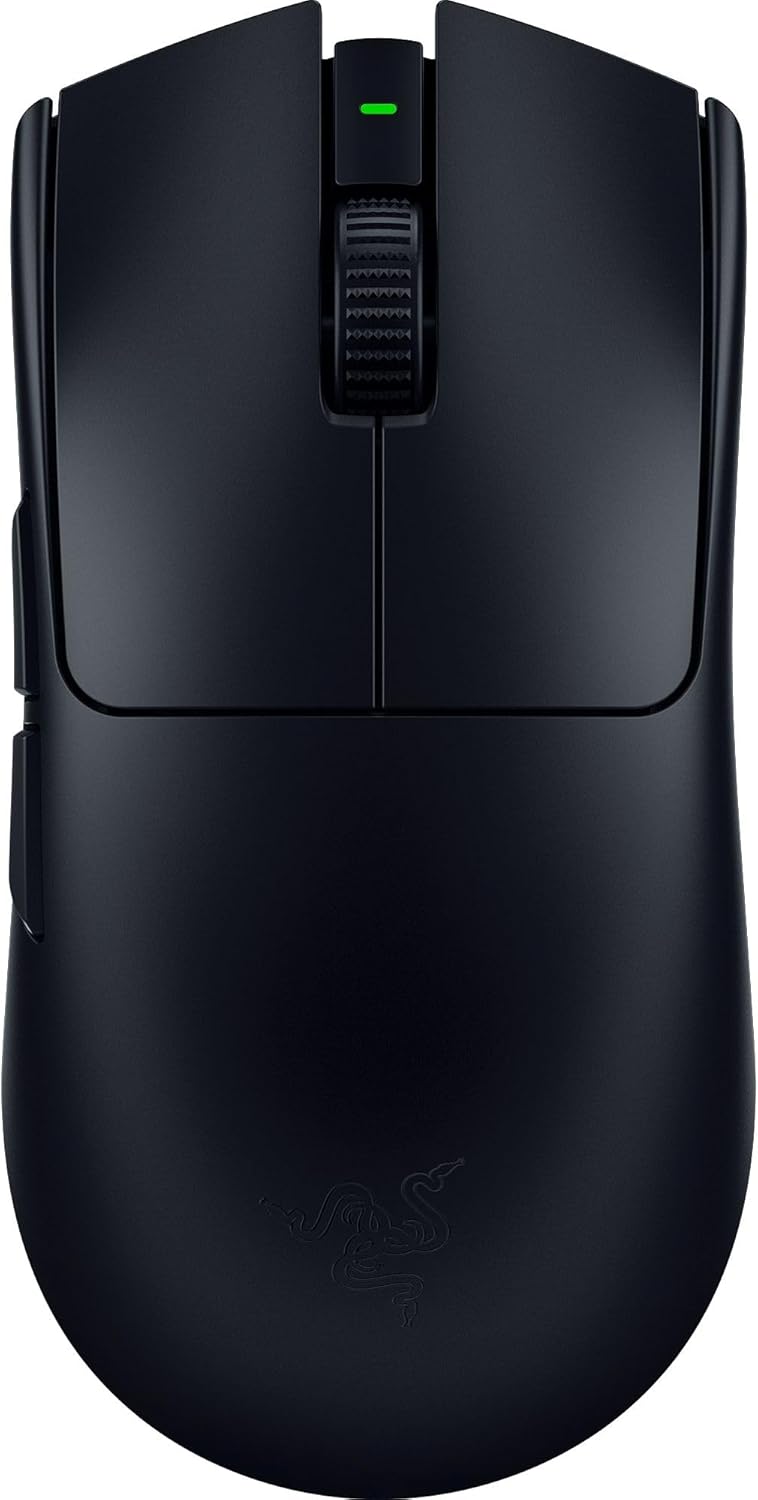
Razer Viper V3 Pro Wireless Gaming Mouse
Our top recommendation for this category
Price as of Feb 21, 2026 — see current price on Amazon.
In this guide
- Quick picks
- Best competitive FPS mouse: Razer Viper V3 Pro
- Best FPS all-rounder: Logitech G Pro X Superlight 2
- Best ergonomic gaming mouse: Razer DeathAdder V3 Pro
- Best feature-rich gaming mouse: Logitech G502 X Plus
- Best MMO/MOBA mouse: Corsair Scimitar Elite Wireless SE
- Gaming mouse buying guide: what to look for in 2026
- Our verdict
The gaming mouse market in 2026 is absurdly competitive. Every major brand has gone wireless, sub-60g mice are the norm instead of the exception, and 8K polling rates have moved from marketing gimmick to measurable advantage. The result: you can buy a genuinely excellent gaming mouse at almost every price point.
This guide picks six mice across different categories, one for each type of gamer. If you're a competitive FPS player who measures click latency in microseconds, an MMO player who needs a dozen programmable buttons, or someone who just wants a great wireless mouse that works for everything, there's a clear winner here.
Quick picks
| Mouse | Weight | Sensor | Best For | Price | |
|---|---|---|---|---|---|
| Razer Viper V3 Pro | 54g | Focus Pro 35K | Competitive FPS | $160 | Check Price |
| Logitech G Pro X Superlight 2 | 60g | HERO 2 44K | FPS all-rounder | $160 | Check Price |
| Razer DeathAdder V3 Pro | 63g | Focus Pro 30K | Ergonomic gaming | $90 | Check Price |
| Logitech G502 X Plus | 106g | HERO 25K | Feature-rich gaming | $120 | Check Price |
| Corsair Scimitar Elite Wireless SE | 130g | Marksman 26K | MMO/MOBA | $120 | Check Price |
| SteelSeries Aerox 3 Wireless | 68g | TrueMove Air | Budget wireless | $60 |
Best competitive FPS mouse: Razer Viper V3 Pro
Razer Viper V3 Pro Wireless Gaming Mouse
Pros
- 54g is absurdly light for a full-featured wireless mouse
- 8K Hz polling rate delivers measurably lower input lag
- Focus Pro 35K sensor tracks flawlessly on any surface
- Gen-3 optical switches with zero double-click issues
- 95-hour battery at 1000 Hz polling
Cons
- $160 is premium pricing for a mouse
- 8K Hz mode cuts battery life to 17 hours
- Symmetrical shape won't suit everyone's hand
- No RGB lighting (a pro for some, con for others)
- Razer Synapse software is heavy
Price as of Feb 21, 2026 — see current price on Amazon.
The Razer Viper V3 Pro is the mouse that competitive FPS players actually use. Not "recommend" in the abstract sense. Actually use, in tournaments, for money. There's a reason it dominates pro player loadouts in Valorant and Counter-Strike.
At 54 grams, the Viper V3 Pro is one of the lightest wireless gaming mice ever made without resorting to honeycomb shell designs or cutting corners on build quality. It feels solid, the buttons are crisp, and there's zero flex or creak anywhere on the chassis. Razer achieved this weight through material science rather than removing material.
The 8K Hz polling rate is where the Viper V3 Pro separates itself from every other mouse on this list. At 8000 Hz, the mouse reports its position to your PC 8,000 times per second, compared to the standard 1,000 Hz. In practice, this translates to roughly 0.125ms of input delay versus 1ms. That difference is measurable in fast flick shots and tracking scenarios, particularly in games running at high framerates on 240Hz or 360Hz monitors.
The Focus Pro 35K optical sensor tracks at up to 35,000 DPI with zero smoothing or acceleration at any sensitivity. Nobody actually plays at 35K DPI, but the headroom means the sensor delivers flawless tracking at the 400-1600 DPI range that competitive players actually use.
Battery life is the one trade-off with 8K Hz mode. At full polling rate, you get about 17 hours. At 2000 Hz (still faster than most mice), you get 62 hours. At the standard 1000 Hz, Razer claims 95 hours. Most competitive players charge overnight and run at 4K or 8K Hz during sessions.
The symmetrical design works for both right-handed claw and fingertip grip styles. Palm grip users with larger hands may find the low profile uncomfortable for extended sessions. If you prefer an ergonomic right-handed shape, the DeathAdder V3 Pro below is the better fit.
For pairing this with the right setup, check our best gaming monitors guide since a high-refresh panel is essential to take advantage of 8K Hz polling.
Best FPS all-rounder: Logitech G Pro X Superlight 2
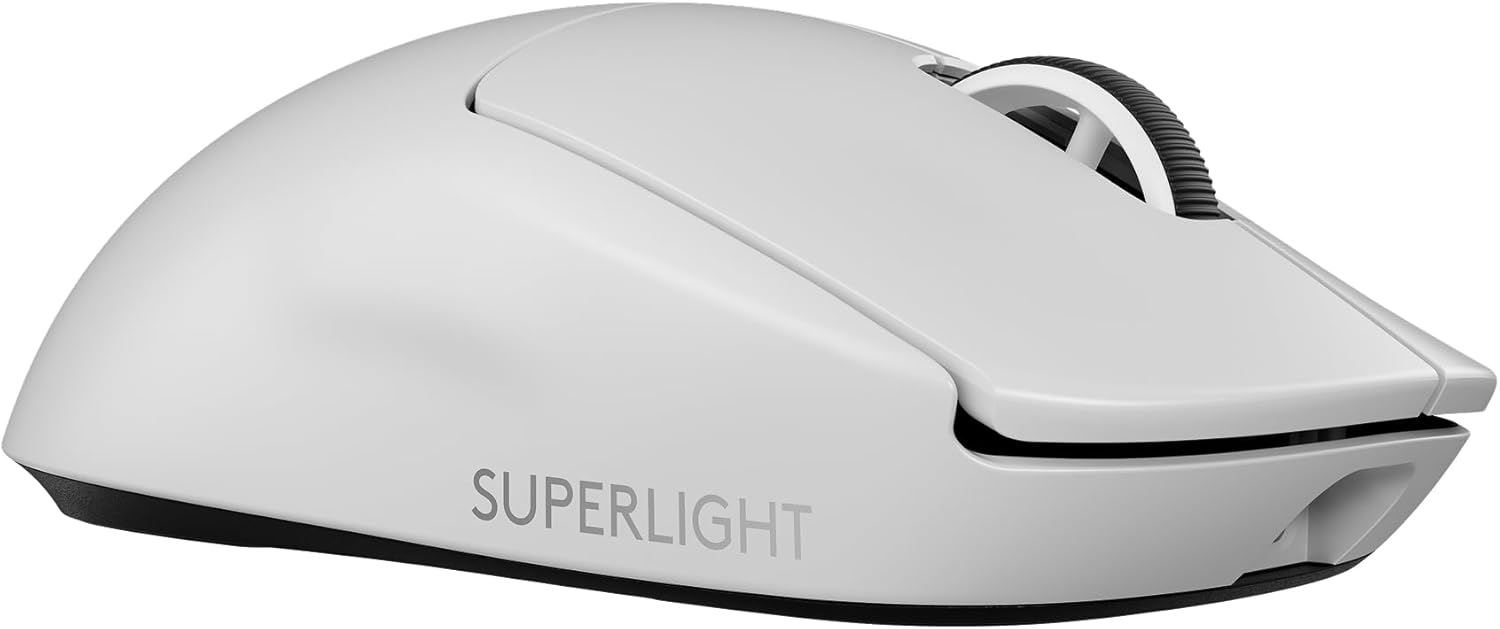
Logitech G Pro X Superlight 2 Wireless Gaming Mouse
Pros
- 60g wireless with exceptional build quality
- HERO 2 sensor with 44K DPI and zero smoothing
- 8K Hz polling via Lightspeed wireless
- LIGHTFORCE hybrid optical-mechanical switches feel incredible
- USB-C charging (finally)
Cons
- $160 matches Viper V3 Pro pricing
- Only 5 programmable buttons limits versatility
- Shape unchanged from original Superlight
- No Bluetooth mode for casual use
- G Hub software has stability issues on some systems
Price as of Feb 21, 2026 — see current price on Amazon.
If the Viper V3 Pro is a surgical instrument, the Logitech G Pro X Superlight 2 is a Swiss Army knife. It does everything well, nothing poorly, and works for every grip style without complaint.
The HERO 2 sensor tracks at up to 44,000 DPI with sub-micron precision. Like the Razer's Focus Pro, nobody needs that resolution, but the engineering headroom translates to perfect tracking at usable DPI ranges.
What sets the Superlight 2 apart is the LIGHTFORCE switches. Logitech's hybrid design combines the speed of optical actuation with the tactile feel of mechanical switches. The click is satisfying with a distinct tactile bump, and actuation is fast enough that competitive players aren't losing anything versus pure optical switches.
At 60 grams, it's 6 grams heavier than the Viper V3 Pro. In practice, the difference is imperceptible. Both mice feel like they float across a mousepad. The Superlight 2's slightly wider, taller shape makes it more comfortable for medium-to-large hands using palm grip, which is the most common grip style.
Logitech added 8K Hz polling to match Razer, and the Lightspeed wireless connection is every bit as reliable as Razer's HyperSpeed. Battery life at 1000 Hz exceeds 95 hours. USB-C charging was the most requested upgrade from the original Superlight, and it's here.
The Superlight 2 is the mouse I recommend to anyone who asks "what gaming mouse should I buy?" without specifying their exact needs. It's the safest choice because it works well for everything from competitive Valorant to casual Baldur's Gate 3 sessions.
Best ergonomic gaming mouse: Razer DeathAdder V3 Pro
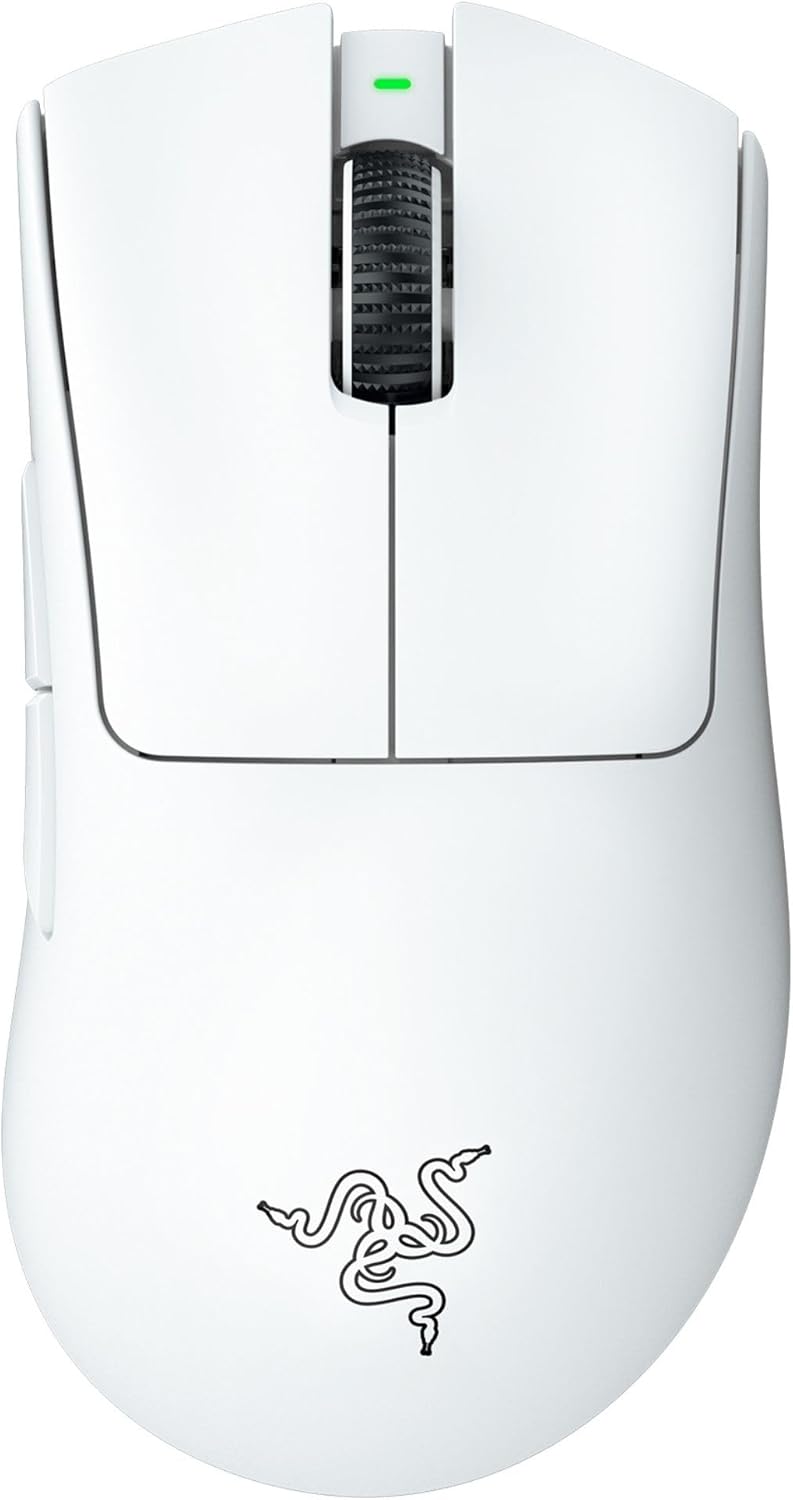
Razer DeathAdder V3 Pro Wireless Gaming Mouse
Pros
- 63g wireless with classic ergonomic shape perfected over 15 years
- Focus Pro 30K sensor with flawless tracking
- Most comfortable gaming mouse for extended sessions
- 90-hour battery life
- Excellent value at current $90 street price
Cons
- Right-handed only design excludes left-handed users
- 30K sensor vs 35K in Viper V3 Pro (academic difference)
- No 8K Hz polling option
- Scroll wheel lacks infinite scroll mode
- Side buttons are slightly mushy compared to Viper V3 Pro
Price as of Feb 21, 2026 — see current price on Amazon.
The DeathAdder shape has been refined across fifteen years and tens of millions of units sold. The V3 Pro represents the pinnacle of that evolution: the same beloved ergonomic contour, stripped down to 63 grams wireless.
If you use palm grip, the DeathAdder V3 Pro is the best gaming mouse available. Period. The right-handed ergonomic shape fills your palm naturally, with a thumb rest that prevents fatigue during marathon sessions. The shape is built for long sessions, and palm grippers tend to find it easier on the wrist over long gaming days than any symmetrical mouse, regardless of weight.
Its Focus Pro 30K sensor is the previous generation to the Viper V3 Pro's 35K sensor. In practical gaming terms, there is zero measurable difference between them. Both track flawlessly at any reasonable DPI setting. The 30K vs 35K specification difference exists only on spec sheets.
At $90 street price (down from $150 at launch), the DeathAdder V3 Pro is arguably the best value on this list. You're getting a top-tier wireless sensor, optical switches, sub-70g weight, and 90 hours of battery life for nearly half the price of the Viper V3 Pro or Superlight 2.
The main technical limitation is the lack of 8K Hz polling. The DeathAdder V3 Pro maxes out at 1000 Hz. For the vast majority of gamers, even competitive ones, 1000 Hz is more than sufficient. The 8K Hz advantage only becomes relevant on 360Hz monitors with framerates to match, which describes a very small percentage of gaming setups.
For ergonomic desk setup pairing, see our guide to the best ergonomic mice for work-focused alternatives, or check out our standing desk recommendations for a complete ergonomic workstation.
Best feature-rich gaming mouse: Logitech G502 X Plus
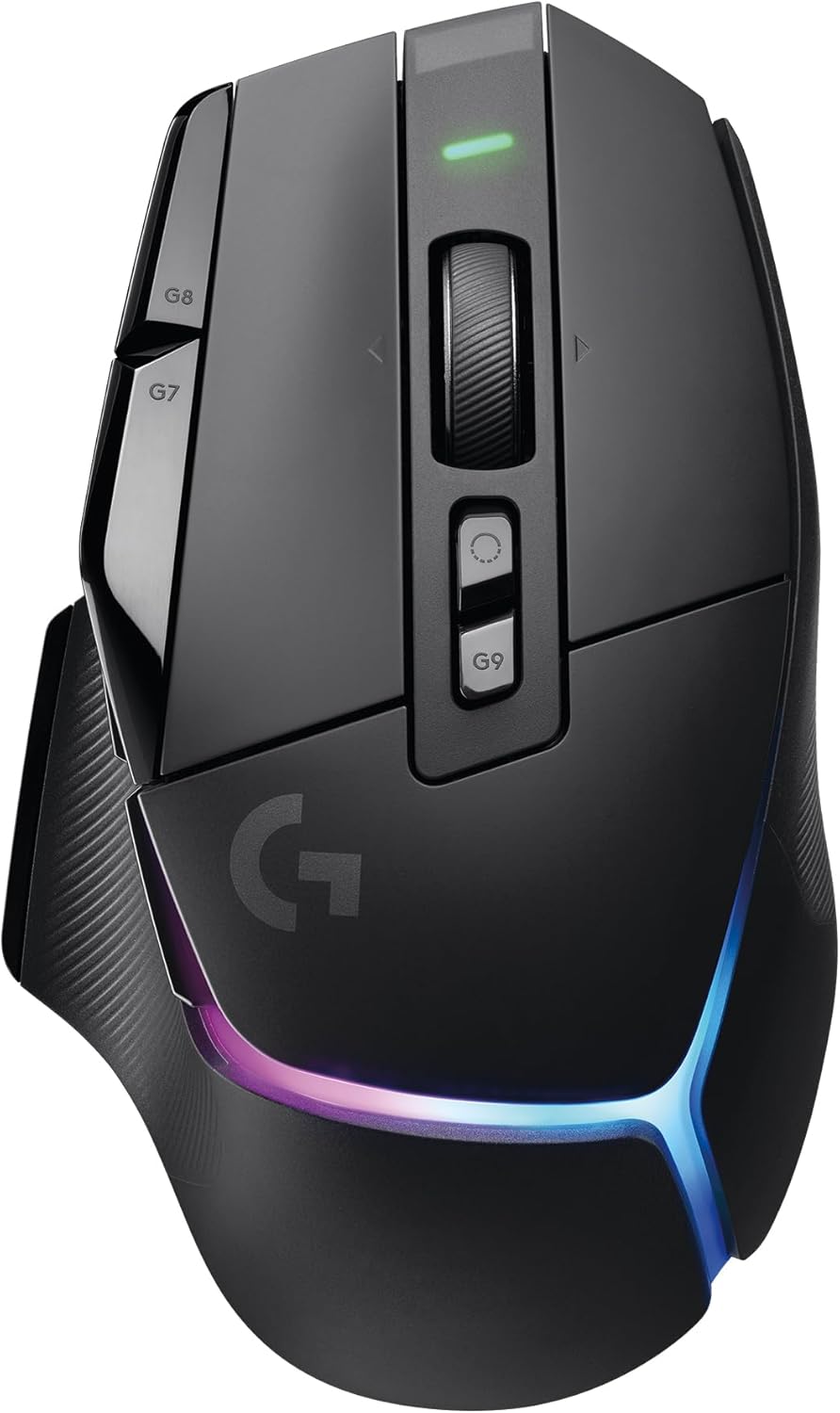
Logitech G502 X Plus Lightspeed Wireless RGB Gaming Mouse
Pros
- 13 programmable buttons including scroll wheel tilt
- LIGHTFORCE hybrid switches across all buttons
- DPI shift button for on-the-fly sensitivity changes
- LIGHTSYNC RGB with per-LED customization
- Lightspeed wireless with 120+ hour battery
Cons
- 106g is heavy compared to modern ultralight mice
- Scroll wheel lacks the G502's legendary infinite scroll
- Large footprint may not suit small hands
- G Hub software is bloated
- RGB drains battery faster
Price as of Feb 21, 2026 — see current price on Amazon.
The G502 is the best-selling gaming mouse in history for a reason, and the G502 X Plus is the wireless, modernized version that keeps everything people loved while upgrading the internals.
This is the mouse for gamers who want buttons. Thirteen programmable buttons give you enough macros, shortcuts, and bindings for any game genre. The DPI shift button below the scroll wheel lets you temporarily drop sensitivity for precision aiming, then release to return to your normal DPI. It's a feature that competitive players don't use, but RPG and strategy gamers swear by.
At 106 grams, the G502 X Plus is the heaviest mouse on this list by a wide margin. If you're coming from the ultralight camp, it will feel like a brick. If you're coming from older gaming mice that weighed 120-140 grams, the G502 X Plus feels perfectly normal. Weight preference is genuinely subjective, and many players perform better with a mouse that has some heft.
The HERO 25K sensor is Logitech's previous generation, a step below the HERO 2 in the Superlight 2. Again, the practical difference is negligible for gaming. The G502 X Plus tracks perfectly at any reasonable DPI.
Where the G502 X Plus excels is versatility. It works for FPS games (use the DPI shift for sniping), MMOs (13 buttons), strategy games (scroll wheel tilt for camera rotation), and productivity (all those buttons work in Photoshop and Premiere too). If you want one mouse for everything, this is it.
Battery life with RGB enabled sits around 60 hours. With RGB off, it stretches past 120 hours. Lightspeed wireless is the same low-latency connection as the Superlight 2.
Best MMO/MOBA mouse: Corsair Scimitar Elite Wireless SE

Corsair Scimitar Elite Wireless SE Gaming Mouse
Pros
- 12 side buttons with Stream Deck integration
- Adjustable side button panel slides forward/backward
- Marksman 26K optical sensor with reliable tracking
- Dual wireless: Slipstream 2.4GHz + Bluetooth
- Stream Deck integration adds macros beyond gaming
Cons
- 130g weight is the heaviest here
- Side button layout has a learning curve
- Not ideal for fast FPS flicking
- iCUE software is resource-heavy
- Bulky design limits grip options
Price as of Feb 21, 2026 — see current price on Amazon.
If you play Final Fantasy XIV, World of Warcraft, Guild Wars 2, or any game where you need instant access to 12+ abilities, the Scimitar Elite Wireless SE is the only serious option in 2026.
The 12-button side panel is the Scimitar's defining feature, and Corsair improved it significantly in the SE version. Those buttons have better tactile separation, making it easier to find the right key by touch without looking. The entire panel slides forward and backward on a rail, letting you position it exactly where your thumb naturally rests. This adjustability is unique to the Scimitar and makes a real difference for different hand sizes.
The Stream Deck integration is the surprise feature. Connect the Scimitar via iCUE and the 12 side buttons become Stream Deck buttons with programmable icons, multi-action macros, and plugin support. This means the mouse pulls double duty for streaming, productivity, and content creation.
At 130 grams, this is not a flick-aiming mouse. It's designed for games where precise ability targeting matters more than raw cursor speed. In WoW mythic raids and FFXIV savage content, having every ability within thumb reach eliminates the keyboard contortion that slower players never recover from.
The Marksman 26K sensor tracks reliably for MMO and MOBA use cases. You won't notice any tracking limitations in the games this mouse is designed for. Dual wireless connectivity (Slipstream 2.4GHz for gaming, Bluetooth for casual use) means you can switch between your gaming PC and laptop without swapping dongles.
Gaming mouse buying guide: what to look for in 2026
Weight: the lighter-is-better era
Sub-60g wireless mice are the new standard for competitive gaming. The physics are straightforward: lighter mice require less force to move, reducing fatigue and allowing faster direction changes. But lighter isn't universally better. Some players genuinely aim better with heavier mice that provide more resistance and stability. Try before you commit to the ultralight trend.
Polling rate: 1000 Hz vs 4K vs 8K
Standard 1000 Hz polling is fine for 99% of gamers. At 1000 Hz, the mouse reports position every 1ms, which introduces at most 1ms of input delay. At 8000 Hz, that drops to 0.125ms. The difference is measurable in controlled tests but perceptible only on very high refresh rate monitors (240Hz+) during fast cursor movements. If you game at 60-144Hz, save your money and stay at 1000 Hz.
Sensor: they're all good now
In 2026, every sensor from major brands (Razer Focus Pro, Logitech HERO 2, SteelSeries TrueMove, Corsair Marksman, PixArt PAW3950) tracks flawlessly at normal DPI ranges. The sensor wars are over. Don't choose a mouse based on sensor specs. Choose based on shape, weight, and features.
Wireless vs wired: wireless won
Modern 2.4GHz wireless gaming mice have equivalent or lower latency than wired mice when you account for cable drag. Lightspeed, HyperSpeed, and Slipstream wireless protocols all deliver sub-1ms wireless connections. There is no longer a performance reason to use a wired gaming mouse unless you want to save money (wired versions of these mice cost $20-40 less).
Shape and grip style: the most important factor
No spec matters more than whether the mouse fits your hand. Three grip styles dominate:
- Palm grip: Your entire hand rests on the mouse. Ergonomic shapes (DeathAdder V3 Pro) work best.
- Claw grip: Palm rests on the back, fingers arched over buttons. Symmetrical shapes (Viper V3 Pro, Superlight 2) work best.
- Fingertip grip: Only fingertips touch the mouse. Small, light mice (Viper V3 Pro) work best.
If possible, try mice in a store before buying. Amazon's return policy makes this easy: order two, keep the one that fits.
Frequently asked questions
- What is the best gaming mouse in 2026?
- The Razer Viper V3 Pro is the best overall gaming mouse for competitive play, with its 54g weight, 8K Hz polling, and Focus Pro 35K sensor. For most gamers who want a safer all-around pick, the Logitech G Pro X Superlight 2 is equally excellent with better click feel and slightly more comfortable shape for palm grip.
- Is wireless gaming mouse as good as wired?
- Yes. Modern wireless gaming mice from Razer, Logitech, and SteelSeries deliver equal or lower latency than wired alternatives. The wireless advantage (no cable drag affecting mouse movement) outweighs any theoretical latency difference, which is unmeasurable in practice.
- How heavy should a gaming mouse be?
- For competitive FPS gaming, 50-65g is the sweet spot in 2026. For general gaming and productivity, 80-110g provides more control and stability. For MMO gaming, 120-140g with extra buttons is standard. Weight preference is personal, and heavier doesn't mean worse.
- Is 8K Hz polling rate worth it?
- For most gamers, no. The difference between 1000 Hz and 8000 Hz is approximately 0.875ms of reduced input delay. This is measurable but only perceptible on 240Hz+ monitors at high framerates. If you game at 60-165Hz, 1000 Hz polling is more than sufficient.
- What DPI should I use for gaming?
- Most competitive FPS players use 400-1600 DPI (also called CPI). Higher DPI isn't more accurate. It moves the cursor faster per inch of mouse movement. Start at 800 DPI and adjust based on preference. The key metric is effective sensitivity (DPI multiplied by in-game sensitivity), which most pro players keep between 20-50 cm per 360-degree turn.
- Razer vs Logitech: which brand is better for gaming mice?
- Both brands produce excellent gaming mice in 2026. Razer leads in ultralight weight and polling rate technology. Logitech leads in switch feel and software reliability. The best approach is to choose based on shape preference rather than brand loyalty. The Viper V3 Pro and Superlight 2 are functionally equivalent in performance.
Our verdict
The Razer Viper V3 Pro takes the top spot for competitive gamers who want every possible advantage. Its 54g weight and 8K Hz polling rate represent the current state of the art.
The Logitech G Pro X Superlight 2 is the mouse I'd recommend to anyone who doesn't have a specific requirement. It does everything well, fits most hands comfortably, and matches the Viper V3 Pro in every metric that affects actual gameplay.
For value, the Razer DeathAdder V3 Pro at $90 is hard to beat. You're getting 90% of the performance of mice that cost $70 more, in the most comfortable shape money can buy.
And if you're on a tight budget, the SteelSeries Aerox 3 Wireless at $60 proves you don't need to spend $150 to get a legitimately excellent gaming mouse in 2026.
As an Amazon Associate, we earn from qualifying purchases. This doesn't affect our recommendations or editorial independence.
How We Pick
We pick products by combining spec-level research, price checks, trusted third-party benchmarks, and owner sentiment from high-signal sources.
- Performance and real-world value in the category this guide targets
- Price-to-performance and deal consistency over recent pricing windows
- Build quality, reliability patterns, and known long-term issues
- Recommendation refresh cadence to keep these picks current
Author
TheTechSearch Editorial Team
Independent product reviewers & PC builders
We compare real-world specs, reviews and owner reports, price trends, and user feedback to recommend gear that actually makes sense to buy.