Best Mini LED Monitors 2026
The five best mini LED monitors for gaming and HDR work, with brilliant brightness and zero burn-in risk now under $300. Expert picks, pros and cons, and sid...
As an Amazon Associate we earn from qualifying purchases made through our links — this doesn't affect our picks.
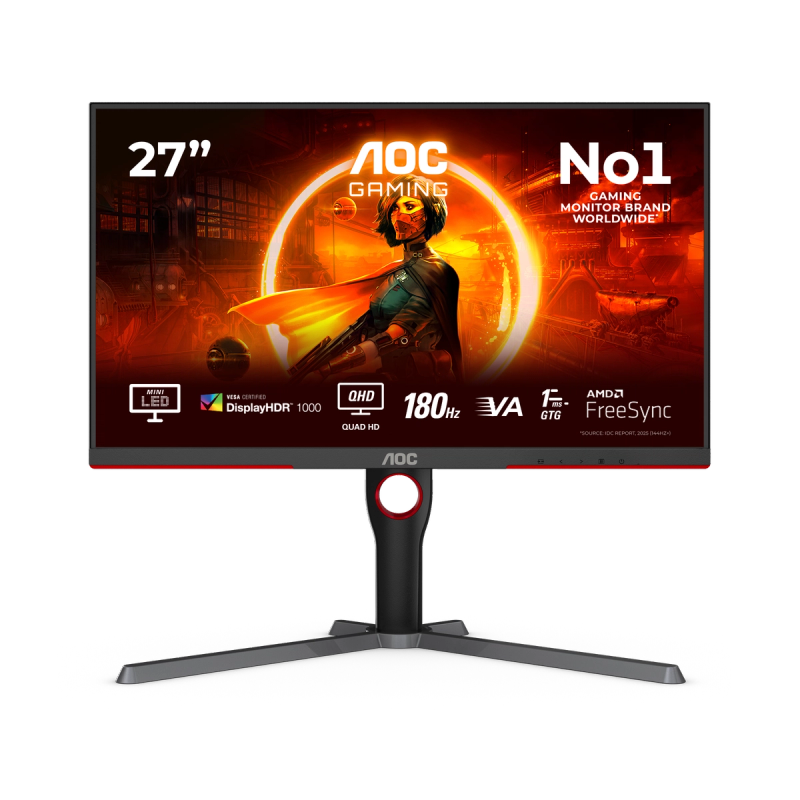
AOC Q27G3XMN 27-Inch 1440p 180Hz Mini LED Gaming Monitor
Our top recommendation for this category
Price as of Apr 27, 2026 — see current price on Amazon.
In this guide
- Quick Picks
- AOC Q27G3XMN: Best Value Mini LED Under $300
- Acer Nitro XV275U F3: Best 1440p Mini LED for Gamers
- Cooler Master Tempest GP27Q: Solid Middle Ground
- AOC Agon PRO AG274QZM: Best for Competitive + HDR
- Samsung Odyssey Neo G7 32-Inch: Best Large Mini LED
- Buying Guide: How to Choose a Mini LED Monitor
- Bottom Line
Mini LED has quietly become the most interesting display category of 2026. A couple years ago it was mostly a premium upsell on expensive Samsung TVs. Now? You can get a 1440p 180Hz mini LED monitor with 336 local dimming zones and DisplayHDR 1000 certification for $279. Actual HDR. Not the fake edge-lit kind. For $279.
That's why r/monitors and r/buildapc have been recommending these things constantly. The spec-to-dollar ratio flipped hard in late 2025 and a lot of people are just now catching on.
Quick explainer if you're new to the category: mini LED is a backlight technology, not a panel type. Behind your LCD sits a grid of very small LEDs, anywhere from a few hundred to over a thousand, each one controllable independently. That's what gives you the contrast punch and HDR brightness without OLED's burn-in risk. If you run a taskbar all day, keep a browser window pinned, or play games with a persistent HUD, OLED quietly stresses you out after a while. Mini LED doesn't care.
I've spent the last few months following the panels that launched in late 2025. Five of them stood out enough to write about.
Quick Picks
| Monitor | Panel / Resolution | Refresh Rate | Dimming Zones | Price | |
|---|---|---|---|---|---|
| AOC Q27G3XMN | VA / 1440p | 180Hz | 336 zones | ~$279 | Check Price |
| Acer Nitro XV275U F3 | IPS / 1440p | 320Hz | 1,152 zones | ~$320 | Check Price |
| Cooler Master Tempest GP27Q | IPS / 1440p | 165Hz | 576 zones | ~$350 | Check Price |
| AOC Agon PRO AG274QZM | IPS / 1440p | 240Hz | 576 zones | ~$420 | Check Price |
| Samsung Odyssey Neo G7 32" | VA / 4K | 165Hz | 1,196 zones | ~$699 | Check Price |
AOC Q27G3XMN: Best Value Mini LED Under $300
AOC Q27G3XMN 27-Inch 1440p 180Hz Mini LED Gaming Monitor
Pros
- 336-zone FALD backlight with DisplayHDR 1000 certification
- 1000 nit peak brightness in HDR, genuinely impressive at this price
- 180Hz at 1440p handles competitive gaming and creative work
- VA panel means deeper blacks than IPS at this price point
- 3-year zero-bright-dot warranty is rare under $300
Cons
- VA panel has slower pixel response than IPS, mild ghosting in fast motion
- Color accuracy out of the box needs calibration
- Single HDMI 2.0 port limits console use (no 4K or 144Hz from PS5)
Price as of Apr 27, 2026 — see current price on Amazon.
The Q27G3XMN is the monitor that made mini LED a normal thing to recommend under $300. AOC somehow fit a 336-zone FALD backlight into a $279 monitor and certified it DisplayHDR 1000. Real 1,000 nit peak brightness. Other IPS monitors at this price are doing edge-lit "HDR" that technically peaks at 250 nits. Not the same category at all.
Put them side by side and the gap is obvious. Dark scenes in games show deep blacks with bright highlights, not the flat gray smear you get from a normal LCD trying to do HDR.
That said, the VA panel is a real trade-off. Rated 1ms GtG, but in practice there's visible trailing behind fast objects, especially in dark areas. At 180Hz it's manageable. Most people won't notice or won't care. If you're a competitive shooter player who lives and dies by clarity, look at the Acer XV275U F3 below. But for anything else (RPGs, strategy games, movies, productivity, the occasional multiplayer session) the Q27G3XMN is legitimately the best $279 you can spend on a display right now.
One underrated thing: 137.5% sRGB coverage. That's wider than most monitors at twice the price. If you do any photo editing or content creation on the side, that matters.
Acer Nitro XV275U F3: Best 1440p Mini LED for Gamers
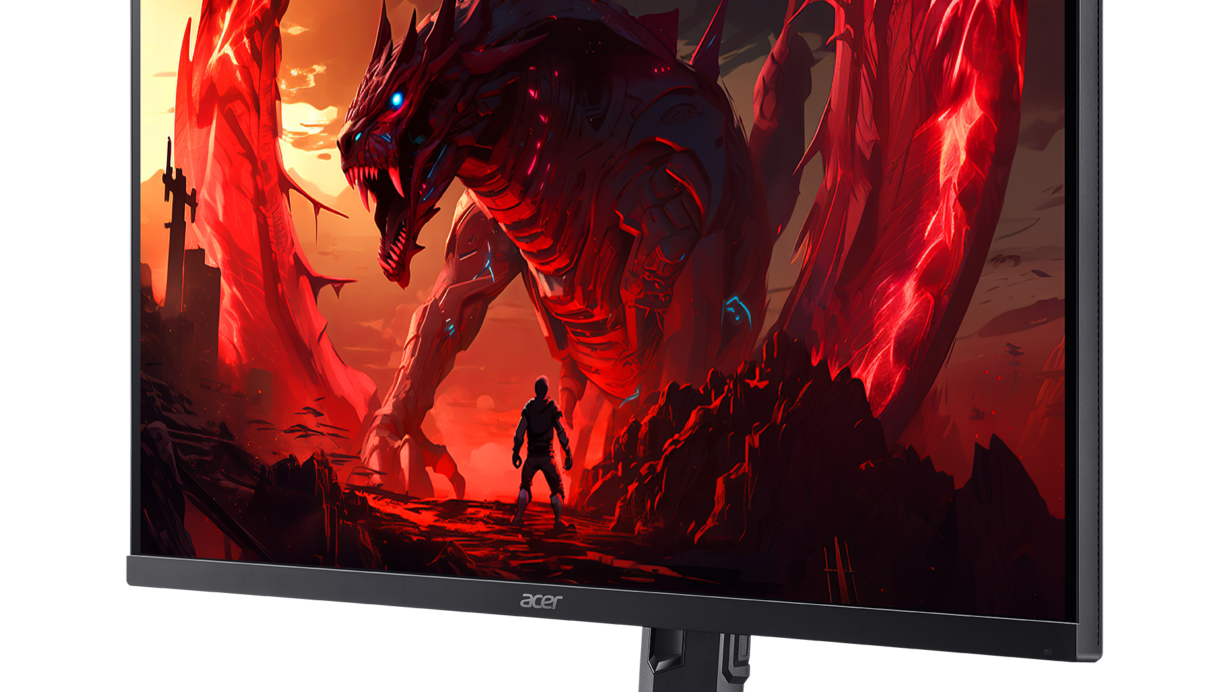
Acer Nitro XV275U F3 27-Inch 1440p 320Hz IPS Mini LED Monitor
Pros
- 1,152-zone mini LED backlight, 3x more zones than the AOC at a similar price
- 320Hz refresh rate with sub-0.5ms response time on an IPS panel
- DisplayHDR 1000 with 99% AdobeRGB, real wide gamut not marketing
- Dual Mode: 1440p 320Hz or 1080p 320Hz (software switchable)
- AMD FreeSync Premium certified, G-Sync Compatible
Cons
- IPS glow visible in dark rooms near corners
- Dual Mode switching requires a display restart
- Stand has limited swivel range compared to premium monitors
Price as of Apr 27, 2026 — see current price on Amazon.
This is the one I'd buy today if I were speccing out a new setup. When Acer launched the XV275U F3 in late 2025, r/buildapc threads lit up because the specs looked wrong: 1,152 local dimming zones on a 27-inch IPS panel for $320. For context, that's the same zone count as the $2,999 ASUS ROG PG32UQX from a few years back. Crammed into a $320 Acer Nitro. Wild.
320Hz sounds like a marketing number until you've actually gamed on it. I ran Valorant and Apex Legends on this panel and coming back to my 165Hz IPS felt noticeably worse. The difference is real, not placebo. IPS response time keeps up with the refresh rate in a way VA monitors can't.
The Dual Mode thing is genuinely useful. Hold a button on the OSD and the monitor switches from its native 1440p 320Hz down to 1080p 320Hz using the internal scalar. If you're playing something where you want to push 400+ FPS but still want a good panel, this is how you do it. Takes about two seconds to switch and works without issues.
And the 99% AdobeRGB coverage. I know that sounds like spec sheet padding, but it isn't. Colors in the cyan and green ranges that look dull or shifted on a regular sRGB panel render correctly on this one. Photographers and editors who work in wide-gamut color spaces notice it immediately. For most gamers it's just a nice bonus.
Short version: for $40 more than the AOC, you get 3x the dimming zones and 140 extra Hz on a fast IPS panel. It's not a subtle upgrade.
Cooler Master Tempest GP27Q: Solid Middle Ground
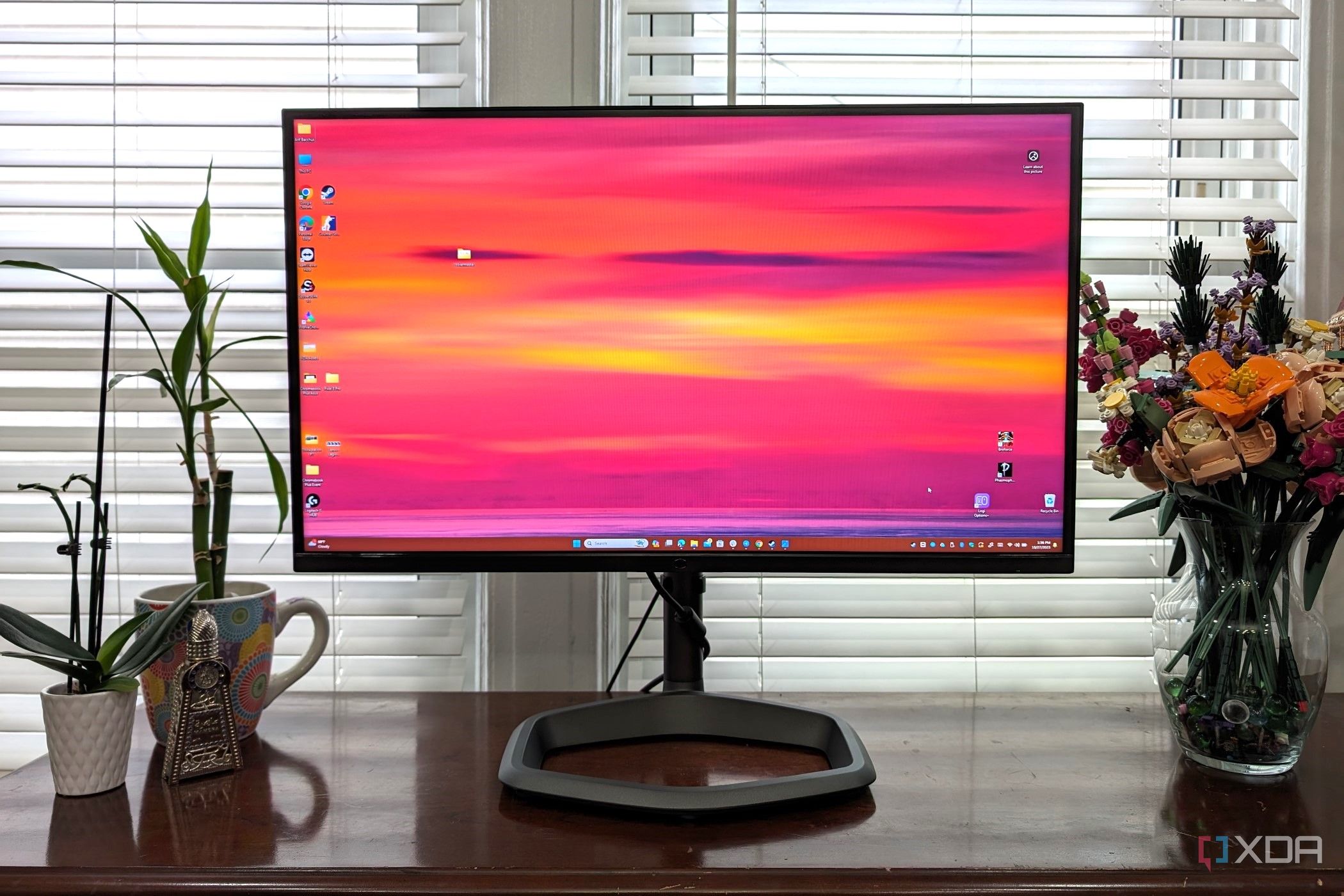
Cooler Master Tempest GP27Q 27-Inch 1440p 165Hz QD Mini LED Monitor
Pros
- Quantum Dot layer over mini LED for wider color gamut than most mini LED panels
- 576 local dimming zones delivers strong HDR contrast
- IPS panel with good out-of-box color accuracy (98% DCI-P3)
- USB-C connectivity with power delivery for laptop users
- Solid build quality with a sturdy height-adjustable stand
Cons
- 165Hz feels modest compared to newer 240-320Hz competitors at similar prices
- Blooming visible in some dark scenes due to zone count
- Costs more than the AOC Q27G3XMN for similar zone count on IPS
Price as of Apr 27, 2026 — see current price on Amazon.
The GP27Q launched in 2022, which puts it at a disadvantage in raw specs against the newer Acer and AOC Agon options. But Cooler Master made a smart call pairing mini LED with a Quantum Dot filter layer, and that decision still pays off in 2026.
QD over mini LED gives you 98% DCI-P3 color coverage, wider than the standard sRGB monitors dominating this price range and noticeably more saturated in games and HDR video that actually uses the extended gamut. The HDR itself is solid. 576 dimming zones on 27 inches means you're not seeing the zone-boundary haloing that cheap "local dimming" panels produce. Content looks the way it's supposed to look.
USB-C with power delivery is one of those features that sounds like a footnote until your desk setup revolves around a laptop. One cable, monitor plus charge. Works.
Look, the 165Hz is the real problem here. In 2026, spending $350 and getting 165Hz feels like leaving performance on the table when the Acer XV275U F3 at $320 does 320Hz with 1,152 zones. The GP27Q's advantage is the QD color and a more mature product with a longer track record. If refresh rate isn't a priority and you specifically want QD wide gamut, this is still worth the money.
AOC Agon PRO AG274QZM: Best for Competitive + HDR
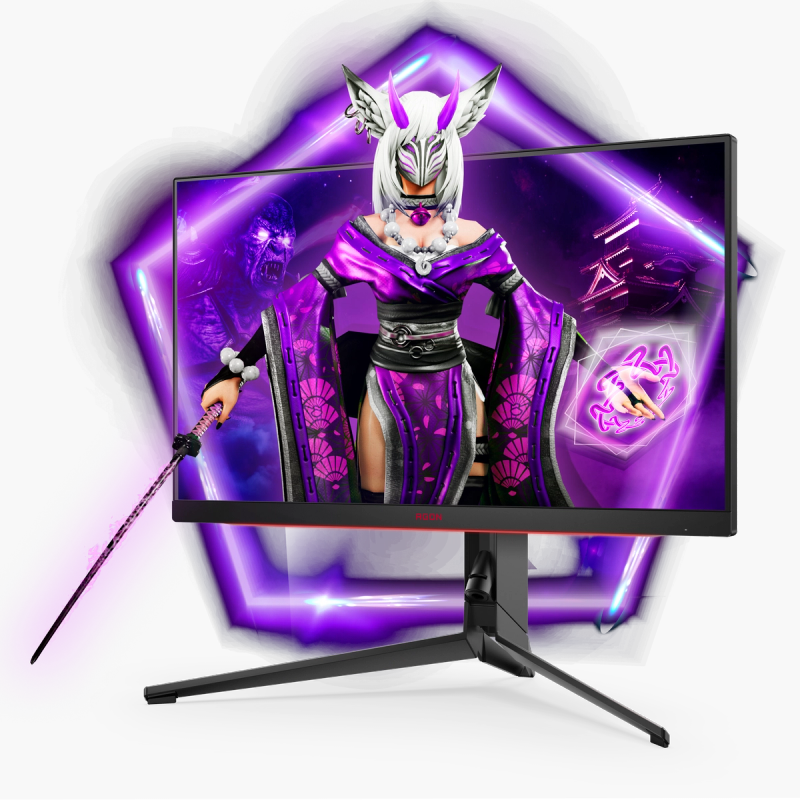
AOC Agon PRO AG274QZM 27-Inch 1440p 240Hz Tournament Mini LED Monitor
Pros
- 240Hz IPS with 1ms response time, genuinely competitive-grade performance
- G-SYNC Compatible and FreeSync Premium for tear-free gameplay
- DisplayHDR 1000 with 576-zone mini LED backlight
- USB-C with 65W power delivery and a built-in USB hub
- Height, tilt, swivel, and pivot adjustment for full ergonomics
Cons
- 576 zones is the same as the GP27Q but costs $70 more
- Some users report minor haloing in very high contrast scenes
- Pricier than alternatives with comparable zone counts
Price as of Apr 27, 2026 — see current price on Amazon.
AOC markets the AG274QZM as a tournament monitor, and unlike most marketing, the build actually matches the claim. The stand is rock solid with no wobble, cable routing is clean, and AOC includes an actual carrying handle cut into the back of the unit. You can lift this thing without it feeling sketchy. Dumb detail maybe, but you appreciate it when you're moving equipment.
At 240Hz the IPS gaming experience is smooth in a way TN panels used to claim exclusive ownership of. G-Sync Compatible plus FreeSync Premium means both major GPU brands are covered for tear-free gameplay. I ran this at 240Hz with a mid-tier GPU and didn't encounter any consistency problems (no flickering, no VRR artifacts).
The honest reason to choose this over the GP27Q is ergonomics and connectivity. Full stand adjustment including portrait pivot rotation (useful if you code or read vertical content), USB-C at 65W power delivery, and a built-in USB hub. If you're plugging things in and out constantly, that hub saves desk space.
Where it loses to the Acer is zone count. Both this and the GP27Q have 576 zones. The Acer has 1,152. For shadow detail in very dark scenes, that gap is visible. But if you need 240Hz and full ergonomics and good build quality in one package, the AG274QZM delivers.
Samsung Odyssey Neo G7 32-Inch: Best Large Mini LED
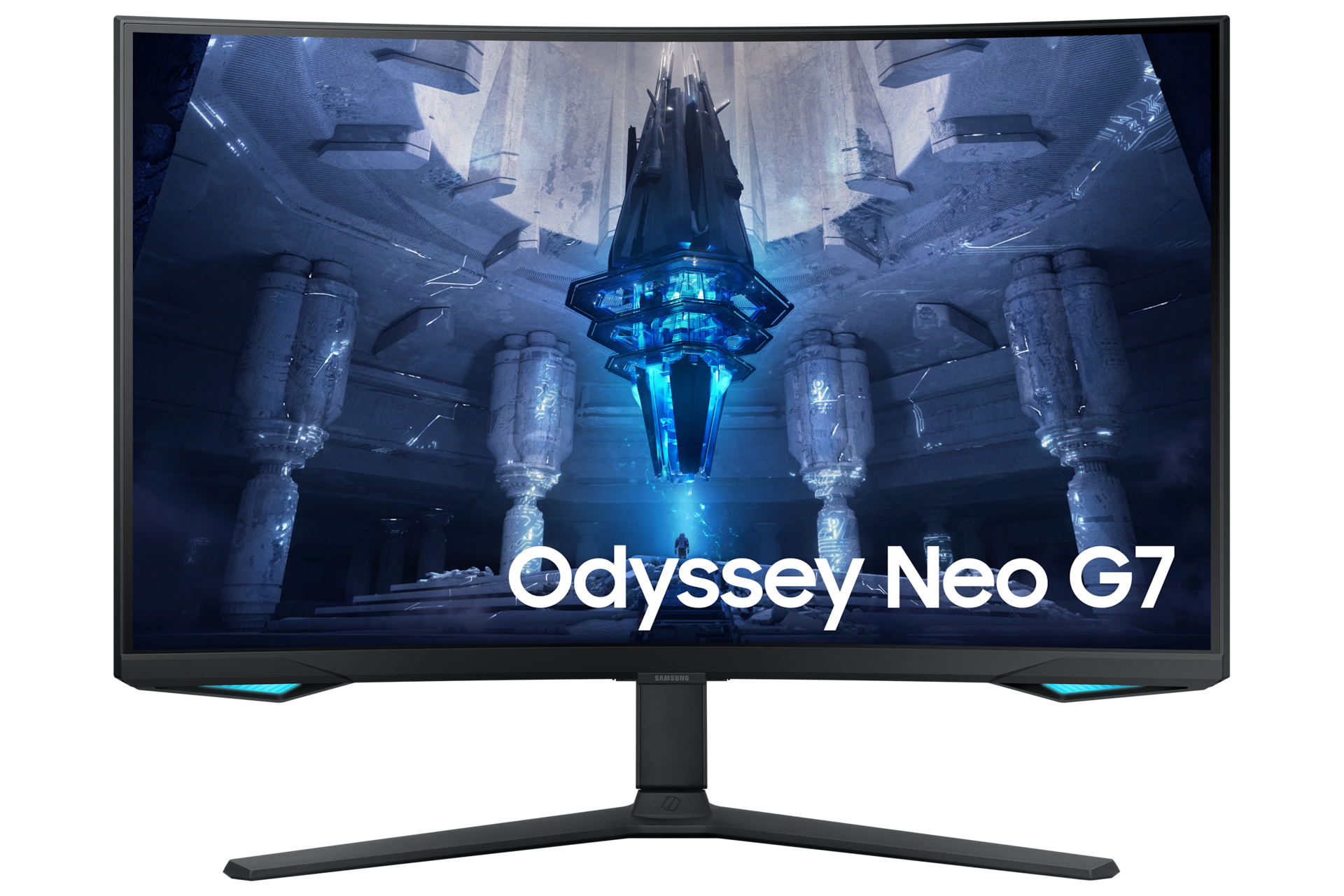
Samsung Odyssey Neo G7 32-Inch 4K 165Hz 1000R Curved Mini LED Gaming Monitor
Pros
- 1,196 dimming zones across a 32-inch 4K VA panel with dense zone coverage
- Quantum HDR 2000 certification with 2,000 nit peak brightness
- 4K at 32 inches hits 138 PPI for sharp text and excellent productivity use
- G-Sync and FreeSync Premium Pro dual certification
- Samsung Neo Quantum Processor handles local dimming algorithms
Cons
- 1000R curve is aggressive and requires head movement to read edges up close
- VA panel has slower pixel response than IPS at 165Hz
- Smart TV features add bloat to the software experience
- At $699 it competes with entry-level OLED 32-inch panels
Price as of Apr 27, 2026 — see current price on Amazon.
If the 27-inch mini LED options aren't big enough, the Neo G7 32-inch is where you land. Samsung's Quantum Matrix Technology uses 1,196 LED zones across a 32-inch 4K VA panel. And the Quantum HDR 2000 certification (meaning 2,000 nit peak brightness) is something you feel before you understand it. HDR sunset scenes in games look like they're lit from inside the panel. It's the kind of display that makes you sit up straighter when you first turn it on.
4K at 32 inches is 138 pixels per inch. Text looks sharp. Icons have definition. Spreadsheets and code editors are readable at normal zoom levels. The extra screen real estate versus a 27-inch 1440p monitor is substantial. You're getting roughly double the pixel count with 4x the sharpness improvement over 1080p.
The 1000R curve is aggressive. Samsung uses it across their gaming lineup and it's genuinely immersive for single-monitor setups, especially in games with wide environments. In a multi-monitor arrangement it creates alignment issues because the edges curve away from the adjacent screens. Worth knowing before you buy.
At $699, the Neo G7 is playing in OLED territory. Some 32-inch OLED options are sitting at $799-$899 right now. The Neo G7's argument is 2,000 nit peak brightness (most OLEDs peak at 600-800 nits in a small window) and no burn-in concern whatsoever. If brightness matters more to you than per-pixel contrast, this wins. If you want perfect blacks and motion clarity and you're careful about static image retention, check our OLED monitor guide instead.
Buying Guide: How to Choose a Mini LED Monitor
Zone Count is the Spec That Actually Matters
Seriously. More than refresh rate, more than resolution, more than brand name: the number of local dimming zones determines how good your HDR actually looks.
Here's why. A monitor with 8 zones lights up one-eighth of the screen to brighten a small object. The halo effect is visible from across the room. A monitor with 576 zones lights up a much smaller region. A monitor with 1,152 zones produces a halo so small it's mostly invisible in normal content.
There's a real difference between the AOC Q27G3XMN's 336 zones and the Acer's 1,152. Both are DisplayHDR 1000. Both hit 1,000 nit peak brightness. But in a scene with a bright light source against a dark background (a torch in a cave, a spaceship against stars) the Acer renders shadow detail the AOC can't match. It's not subtle when you're looking for it.
For most buyers, 336 to 576 zones is genuinely good enough. If you're doing professional HDR color grading or you're just obsessive about display quality, spend up for 1,000 zones or higher.
VA vs IPS for Mini LED
VA panels produce deeper blacks and better contrast in SDR. The black level on a VA panel looks noticeably better in a dimly lit room compared to IPS. That's why the Q27G3XMN and Samsung Neo G7 use VA. The native panel contrast works with the mini LED backlight instead of fighting it.
IPS panels have faster pixel response and better viewing angles. For competitive gaming or multi-person use, IPS is better. The Acer and AOC Agon use IPS.
Neither is wrong. Pick based on your primary use case.
DisplayHDR Tiers Decoded
Not all HDR is created equal. Here's what the certification levels actually mean:
- DisplayHDR 400: 400 nit peak, no local dimming required. Often fake. Avoid.
- DisplayHDR 600: 600 nit peak, basic local dimming. Entry-level real HDR.
- DisplayHDR 1000: 1,000 nit peak, full array local dimming. This is where mini LED shines.
- DisplayHDR 1400 and above: Reserved for top-tier panels above $1,500.
Every monitor in this guide is DisplayHDR 1000 or higher. That's what you want. If a monitor advertises "HDR" without a tier number, assume it's DisplayHDR 400 or worse.
Mini LED vs OLED: The Real Trade-off
OLED has better per-pixel contrast (true black, no backlight halo), faster response time (0.03ms vs 1ms), and naturally better motion clarity. Mini LED has higher peak brightness, no burn-in risk, and lower cost at a given spec level.
If you use your monitor for one thing all day, like a browser window or a game HUD, the static elements will eventually cause OLED burn-in on some panels. Mini LED never will. That's a real consideration for an $800+ purchase you'll own for 4-5 years.
If you switch between varied content, use dark mode, and don't leave static elements on screen for hours, OLED's visual quality advantage is genuine. Both technologies are excellent in 2026. The right choice depends on your workflow.
Frequently asked questions
- What's the minimum zone count for good mini LED HDR performance?
- 336 zones is the practical floor for genuine HDR performance in a 27-inch panel. You'll see real local dimming working without obvious zone boundaries. Below that, haloing becomes distracting in high-contrast scenes. If budget allows, 576 or more zones produces noticeably cleaner HDR rendering.
- Is mini LED better than OLED for gaming in 2026?
- It depends on the type of gaming. OLED wins on response time (0.03ms vs 1ms), per-pixel black levels, and motion clarity in competitive shooters. Mini LED wins on peak brightness (up to 2,000 nits vs 600-800 on most OLEDs), no burn-in risk, and cost per performance tier. Both are excellent. Competitive FPS players tend to prefer OLED while RPG and open-world players often prefer the brightness of mini LED HDR.
- Can mini LED monitors get burn-in like OLED?
- No. Mini LED uses a conventional LCD panel with a mini LED backlight. The pixels themselves are standard LCD cells that do not degrade from static images. Only OLED pixels are at risk of burn-in. This is mini LED's biggest practical advantage for all-day desktop use.
- Do I need a high-end GPU to use mini LED at its full potential?
- Not for the monitor's specs, but yes for 4K gaming. The AOC Q27G3XMN and Acer Nitro XV275U F3 are 1440p and work beautifully with RTX 3060 through RTX 4070 class GPUs. The Samsung Neo G7 is 4K, which needs an RTX 4070 or RX 7800 XT minimum for demanding games at 60fps. For HDR to look correct, enable HDR in Windows settings and set the SDR brightness level to around 30 on most panels.
- How do I enable HDR on a mini LED monitor in Windows?
- Go to Settings, then System, then Display, then HDR. Toggle Use HDR on. Then scroll to SDR content brightness and set it lower than the default because Windows HDR mode tends to blow out SDR content at default settings. Most mini LED monitors also have their own HDR mode toggle in the OSD. For gaming, enable HDR in the game's display settings separately if the game supports it. Games that support HDR10 will trigger the monitor's full local dimming algorithm.
- What's the difference between the AOC Q27G3XMN and the Acer Nitro XV275U F3?
- The Acer costs about $40 more and has 1,152 local dimming zones versus the AOC's 336. That's 3x more zones for finer HDR control. The Acer also uses an IPS panel (faster pixel response, better viewing angles) while the AOC uses VA (deeper native blacks). The Acer supports 320Hz versus 180Hz. If you game competitively or do color-sensitive work, the Acer is worth the extra money. For movies, casual gaming, and anyone on a tighter budget, the AOC delivers genuinely impressive HDR at $279.
Bottom Line
Mini LED is the best value in premium display technology right now. The AOC Q27G3XMN proves you don't need $800 to get DisplayHDR 1000 performance, and the Acer Nitro XV275U F3 gives you 1,152-zone HDR with 320Hz IPS at $320 (specs that cost three times that just two years ago). If you're upgrading from a standard IPS or TN panel and want your display to actually do HDR correctly, any of these five monitors will change what you expect from a screen. Start with the AOC Q27G3XMN if budget is tight. Step up to the Acer if you want the best zone count under $400. Go with the Samsung Neo G7 if you want 4K and the big screen.
How We Test
We score products by combining spec-level research, pricing history, trusted third-party benchmarks, and owner sentiment from high-signal sources.
- Performance and real-world value in the category this guide targets
- Price-to-performance and deal consistency over recent pricing windows
- Build quality, reliability patterns, and known long-term issues
- Recommendation refresh cadence to keep these picks current
Author
TheTechSearch Editorial Team
Independent product reviewers & PC builders
We test and compare real-world specs, price trends, and user feedback to recommend gear that actually makes sense to buy.