Best Monitor Arms 2026
The five best monitor arms for every budget, from a $35 solid-steel entry pick to the Ergotron HX for 49-inch ultrawides. Expert picks, pros and cons, and si...
As an Amazon Associate we earn from qualifying purchases made through our links — this doesn't affect our picks.
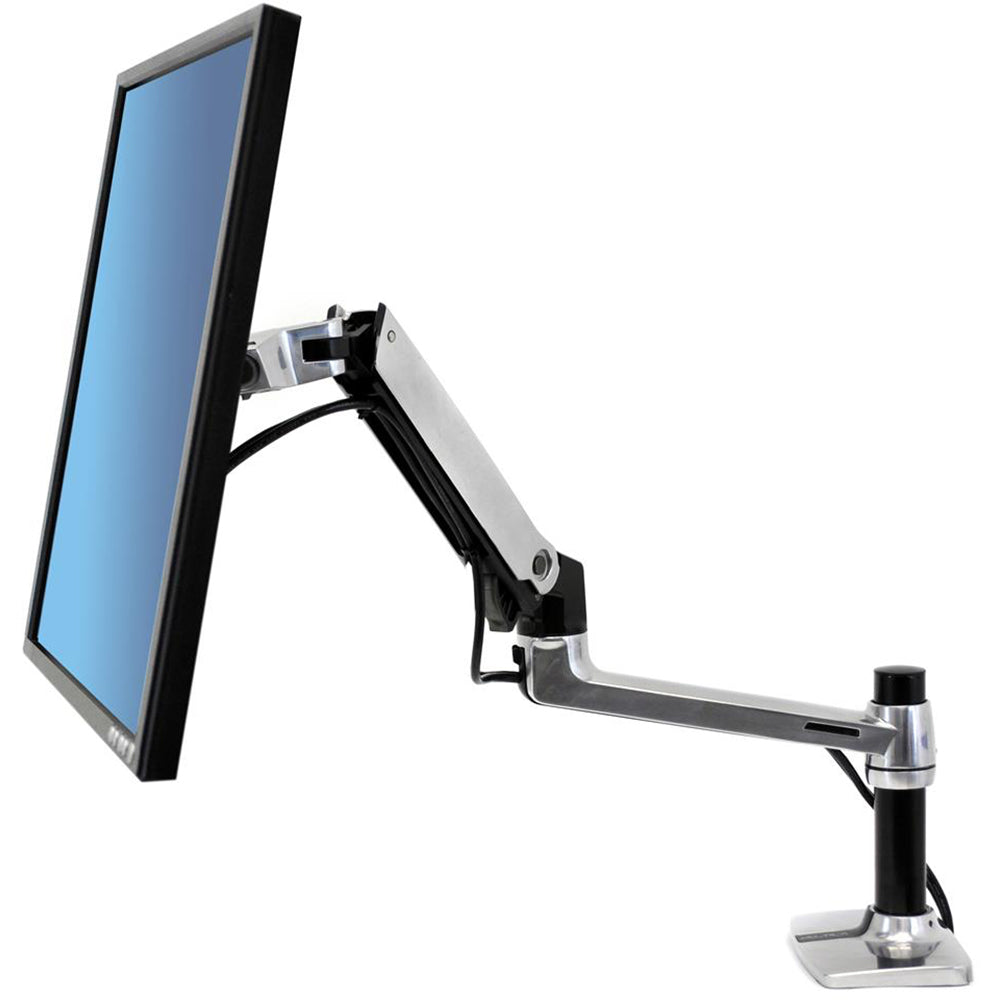
Ergotron LX Desk Monitor Arm
Our top recommendation for this category
Price as of Apr 29, 2026 — see current price on Amazon.
A monitor arm is one of those upgrades that sounds minor until the day you actually install one. Suddenly your desk has two extra feet of usable surface. Your neck stops hurting. You can tilt the screen toward a colleague without standing up. I get why people put it off (it feels like a peripheral accessory), but honestly, it changes how a desk feels more than almost any other single purchase.
The category has also gotten a lot better at the budget end. You used to have to spend $150+ to get something that didn't sag over time. Now there are solid arms under $40 with tens of thousands of verified reviews. And at the top, Ergotron just updated their LX line with the LX Pro, and MSI launched the MAG MT201 in 2024 specifically targeting gaming desk setups and ultrawide support. There's real movement here.
Here are the five I'd actually recommend in 2026.
Quick Picks
| Arm | Best For | Max Size | Max Weight | Price | |
|---|---|---|---|---|---|
| Ergotron LX | Most setups, best overall | 34" | 25 lbs | ~$195 | Check Price |
| Huanuo HNSS6 | Budget buyers, first arm | 32" | 19.8 lbs | ~$40 | Check Price |
| VIVO STAND-V001 | Budget ultrawide support | 38" ultrawide | 22 lbs | ~$35 | Check Price |
| MSI MAG MT201 | Gaming / ultrawide 2026 | 49" | 44 lbs | ~$80 | Check Price |
| Ergotron HX | Heavy monitors, 34-49" setups | 49" | 42 lbs | ~$345 | Check Price |
Ergotron LX Desk Monitor Arm
Ergotron LX Desk Monitor Arm
Pros
- Buttery smooth spring tension that holds position perfectly
- 10-year warranty (this is a buy-it-once arm)
- Handles up to 34 inches and 25 lbs, covers most single monitors
- 13 inches of height travel, 360-degree rotation
Cons
- $195 is real money for a monitor arm
- Cable routing uses zip ties inside the upper arm, not the cleanest
Price as of Apr 29, 2026 — see current price on Amazon.
The LX is where I'd send most people. It's been the reference standard on r/buildapc and r/homelab for years, and the reason it stays there is that the spring tension just works. You set it once with a hex key, and it holds. No drift, no wobble, no readjusting a week later.
At $195 it's not cheap, but you're also buying a 10-year warranty and a product that was originally designed for enterprise deployments. The build quality is obvious the second you pull it out of the box. Its desk clamp is thick aluminum. The arm joints move with resistance that feels mechanical, not plastic-springy.
It tops out at 34 inches and 25 lbs, which covers the vast majority of monitors people actually buy. If you've got a 27-inch 1440p or a 32-inch 4K, this fits. The one thing it doesn't do well is really heavy curved ultrawides, so for those, scroll down to the HX.
The cable management is fine but not elegant. There's a channel through the arm, but the upper segment uses velcro straps or zip ties depending on the variant you get. It works, it's just not the invisible routing you see in product photos.
Huanuo HNSS6 Single Monitor Arm
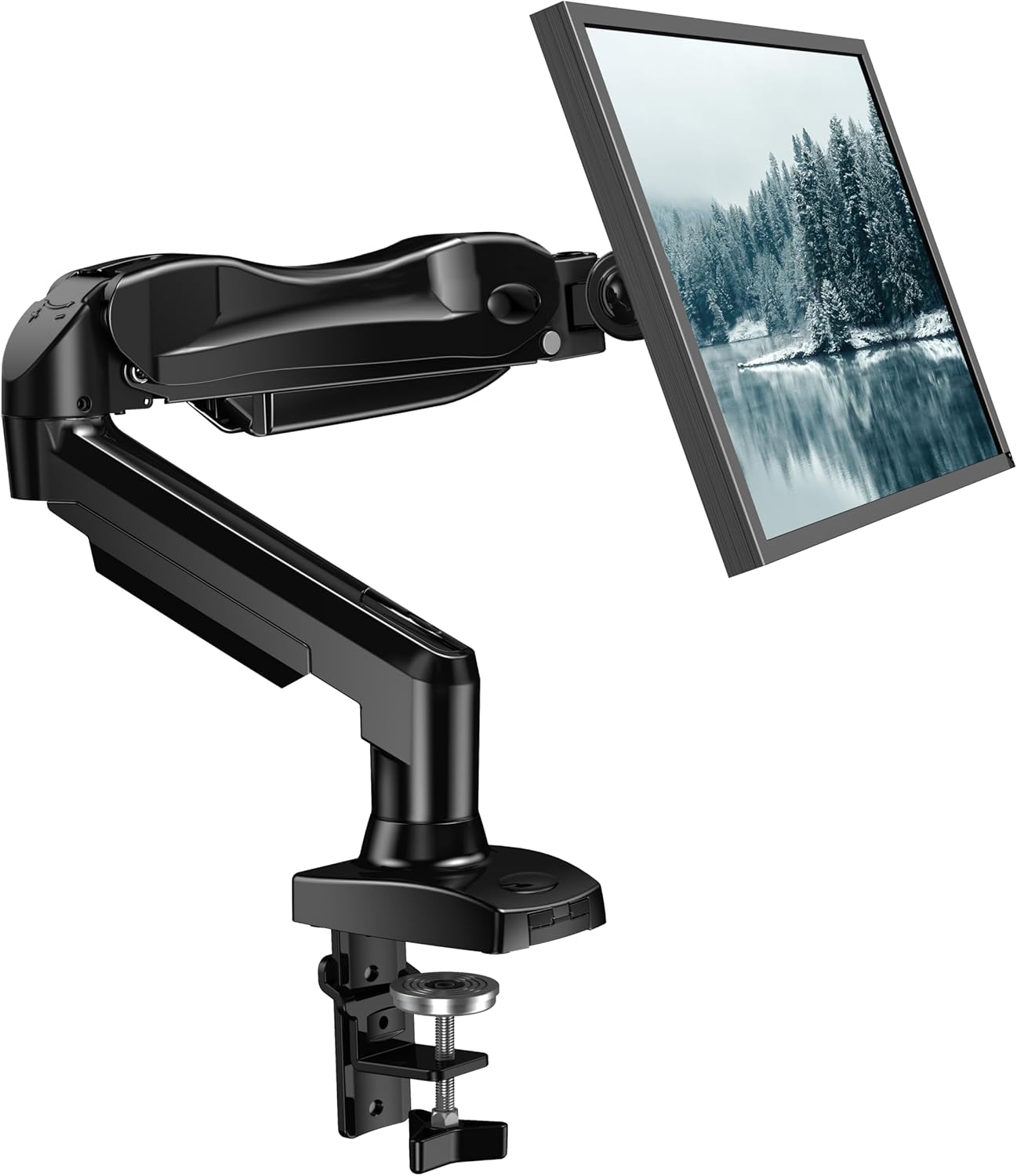
Huanuo HNSS6 Single Monitor Arm
Pros
- Under $40 and genuinely well built for the price
- Gas spring design, not cheap friction knobs
- Simple 3-screw installation, clamp fits most desks
- Solid 15-inch height range
Cons
- Limited to 32-inch monitors and 19.8 lbs max
- Cable management is minimal (basically a clip and a prayer)
- Doesn't match Ergotron's long-term stability under daily adjustment
Price as of Apr 29, 2026 — see current price on Amazon.
If you want to know what the Huanuo HNSS6 is, it's what happens when a Chinese manufacturer makes 5 million units of the same monitor arm and gets really good at it. The HNSS6 has over 40,000 Amazon reviews at a 4.4 rating. That's not an accident.
For $40 you get a gas spring arm that holds position reasonably well, a desk clamp that actually tightens properly, and a range of motion that covers 360-degree rotation, plus and minus 50 degrees of tilt, and 15 inches of height. It sets up in maybe ten minutes.
The weight limit of 19.8 lbs is the real constraint. Most 27-inch monitors are under that. A 32-inch 4K VA? Probably fine. A 32-inch OLED or anything heavy curved? Check the specs before ordering. The cable routing is basically one cable clip per arm segment, which is functional but will never look clean.
This is the right pick for a first monitor arm, a secondary display, or anyone who wants to try the format without committing $200.
VIVO STAND-V001 Single Monitor Arm
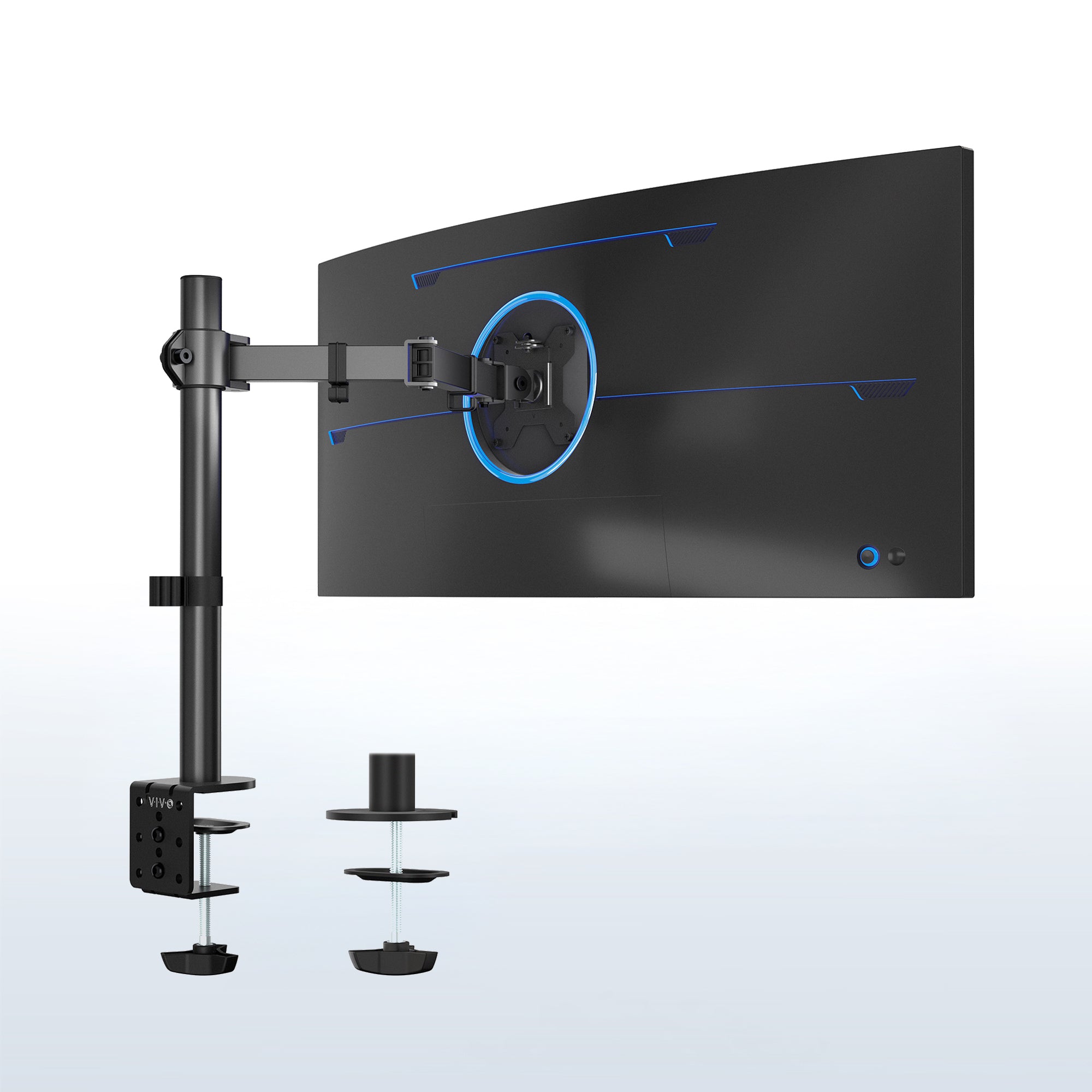
VIVO STAND-V001 Single Monitor Arm
Pros
- Supports ultrawide screens up to 38 inches at this price point
- All-steel and aluminum construction, heavier than it looks
- Both C-clamp and grommet mount included in box
- 15,000-plus Amazon reviews over many years of production
Cons
- Friction-based articulation, not gas spring (requires wrench adjustments)
- Setup takes longer than competing arms in this price range
- Doesn't handle frequent repositioning as well as gas spring designs
Price as of Apr 29, 2026 — see current price on Amazon.
The VIVO STAND-V001 is the veteran of this list. It's been on Amazon since around 2013, has over 15,000 reviews, and is still one of the top sellers in the category. That longevity tells you something.
What separates it from the Huanuo at a similar price is the 38-inch ultrawide support. If you've got a 34-inch ultrawide at 22 lbs or under, this arm will hold it. The VIVO also ships with both a C-clamp and a grommet mount in the box, so you don't have to buy an adapter if your desk has a cable management grommet hole.
The downside is the articulation system. This is a friction-based arm, not gas spring. That means every time you want to change height or angle, you loosen a knob, reposition, then re-tighten. If you set your monitor once and leave it, no problem. If you regularly move it for different tasks, it gets annoying fast.
For a first ultrawide setup or a secondary display where you set it and forget it, hard to argue with $35 for all-steel construction and a grommet mount included.
MSI MAG MT201 Heavy Duty Monitor Arm
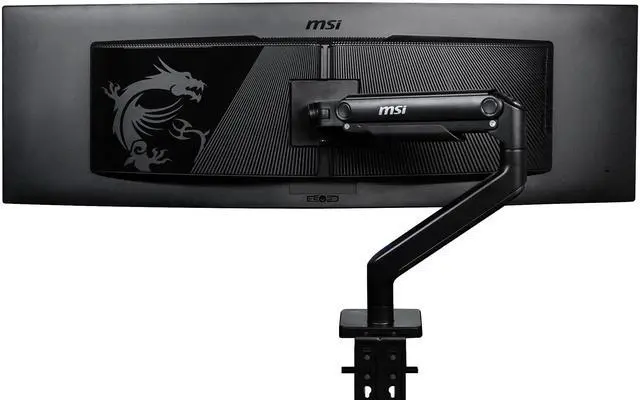
MSI MAG MT201 Monitor Arm
Pros
- Handles up to 49-inch monitors and 44 lbs (widest range in this price tier)
- Quick-release VESA plate for easy screen swaps
- Spring-assisted design with tool-free tension adjustment
- Both C-clamp and grommet mount included
Cons
- Newer product with fewer long-term reviews than Ergotron or VIVO
- At 44 lbs capacity, feels over-engineered for standard monitors
- Arm articulation requires Allen wrench for major adjustments
Price as of Apr 29, 2026 — see current price on Amazon.
MSI launched the MAG MT201 in 2024, and it's an interesting product. At $80, it sits between the budget arms and the Ergotron, but it offers 49-inch and 44-lb support that you'd normally pay $200+ for. That's a meaningful spec difference.
The quick-release VESA plate is a genuinely useful feature. If you rotate between two monitors (a common gaming setup move), you can swap screens in about 30 seconds instead of unbolting the arm from the back of the monitor every time. That alone justifies the price over a $40 arm for certain setups.
The spring-assisted mechanism is smoother than VIVO's friction system but not quite as refined as the Ergotron. You can adjust tension without tools on the main spring, which is a plus. Where it's a bit rougher is the upper arm section. Some users report it needs a wrench to fine-tune tilt angle once set.
This is my pick for anyone running a 34-inch or larger ultrawide who doesn't want to pay $345 for the Ergotron HX.
Ergotron HX Heavy Duty Monitor Arm
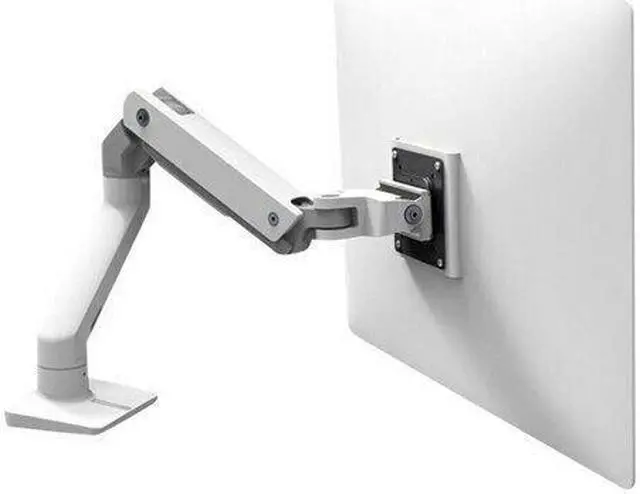
Ergotron HX Heavy Duty Monitor Arm
Pros
- Handles up to 49 inches and 42 lbs without breaking a sweat
- Industrial-grade desk clamp that doesn't flex under load
- Minimal plastic, mostly aluminum; matches the finish quality of high-end desks
- 10-year warranty, same as the LX
Cons
- $345 is a lot for a monitor arm, hard to justify unless you have a heavy or large screen
- Heavier spring mechanism can over-tension lighter monitors under 20 lbs
- Limited color options
Price as of Apr 29, 2026 — see current price on Amazon.
The Ergotron HX exists for one purpose: supporting large, heavy monitors that other arms can't handle. Samsung's Odyssey Neo G9 57-inch ultrawide weighs 27.6 lbs. The 49-inch ASUS ROG Swift PG49WCD is 26.5 lbs. LG's 45GR95QE ultrawide is over 22 lbs. None of those should be on a $40 arm.
The HX handles up to 42 lbs on a single arm and up to 49 inches. The spring mechanism is substantially heavier-duty than the LX, and you can feel it when you move the arm. It takes more force to reposition, which is a tradeoff for rock-solid hold once it's where you want it.
Build quality is on another level. The desk clamp alone is almost entirely aluminum, no plastic wobble anywhere. The arm pivots move with the kind of deliberate friction that makes you feel like nothing is going to fall on your keyboard at 2am. For monitors over $800, that peace of mind is worth something.
At $345, this isn't an impulse buy. But if you've got a 34-inch-plus ultrawide or a large curved gaming monitor, it's the right tool.
What to Look for in a Monitor Arm
Gas Spring vs. Friction
Gas spring arms use a pressurized cylinder to counterbalance the monitor's weight. You can reposition them with one hand, and they float in place when you let go. Friction arms use knobs or bolts you tighten manually. Both work, but gas spring is significantly more convenient if you ever adjust your monitor angle during the day.
The Ergotron LX, Huanuo HNSS6, and MSI MAG MT201 all use gas spring. The VIVO STAND-V001 uses friction. That's why the VIVO is better suited to set-it-and-forget-it installations.
Weight Capacity Matters More Than You Think
Monitor specs list display weight, but that's usually without the stand. Check the spec sheet for "weight with stand" or "weight without stand" and use the "without stand" number since you're removing it. Most 27-inch monitors land between 8 and 14 lbs without stand. Curved 32-inch and 34-inch models often run 15 to 22 lbs. If you're near the limit of a budget arm's capacity, go up a tier.
VESA Pattern
Every arm on this list supports the two standard VESA patterns: 75x75mm and 100x100mm. Check your monitor's spec sheet to confirm which it uses. Some budget monitors use 75x75; most mainstream monitors use 100x100. If you have a non-standard VESA pattern (rare but it happens on some Dell ultrasharps and HP monitors), you'll need an adapter.
Desk Thickness and Grommet
C-clamp mounts attach to the edge of your desk and fit most desks between 0.4 and 4 inches thick. Grommet mounts go through a pre-existing hole in your desk and are more stable for heavy setups. Several arms on this list include both options in the box (VIVO STAND-V001, MSI MAG MT201). The Ergotron LX comes with C-clamp by default; a grommet version is available separately.
Single vs. Dual Monitor
All five picks here are single-arm models. If you're running two monitors, Ergotron sells an LX Dual version around $409. Huanuo has a dual arm model under $70. For most dual setups, two separate single arms give you more positioning flexibility than a dual arm, but the dual arm keeps cable management cleaner.
Frequently asked questions
- Is a monitor arm worth it?
- Yes, if you actually use your monitor for more than 4 hours a day. The main gains are desk space (you get back the monitor stand footprint, usually 6-10 inches deep), posture (you can set the exact eye height without stacking things under the stand), and flexibility (easy to share the screen with someone or switch between sitting and standing desk positions). The Huanuo HNSS6 at $40 is a low-risk way to test it.
- What's the difference between the Ergotron LX and LX Pro?
- The LX Pro (B0DSJNJ348) is the updated 2024 version with a lower minimum weight of 4 lbs vs 7 lbs for the original LX, and a slightly redesigned pivot head. The original LX (B07Q8TJ2KL) is still sold at the same price and is just as good for monitors in the 10-25 lb range. If you have a very light monitor under 7 lbs, the Pro is worth it. Otherwise, the original is fine.
- Will a monitor arm work on a glass or thin desk?
- C-clamp arms need a solid edge to grip. Glass desks can crack under clamp pressure, so use grommet mount only if your glass desk has a pre-drilled hole. Very thin desks (under 0.5 inches) may flex under a heavy arm. The Ergotron HX's industrial clamp is designed for thicker desks and can cause issues on thin surfaces. For glass or thin desks, look for arms that specify grommet-only installation or use a through-desk adapter.
- Can I use a monitor arm with a monitor that doesn't have VESA holes?
- Some monitors, particularly entry-level models and certain LG ultrawides, don't expose their VESA holes. They're hidden behind the stand attachment plate. You can usually remove the stand and find the VESA holes underneath. A small number of monitors genuinely have no VESA support (some older iMacs, some all-in-ones). Check your monitor's spec sheet for VESA compatibility before buying an arm.
- My monitor keeps drifting down. How do I fix it?
- On gas spring arms, drift means the spring tension is set too low for your monitor's weight. The Ergotron LX has a hex-key adjustment port at the back of the arm near the desk clamp. Turn clockwise to increase tension. The Huanuo HNSS6 has a similar adjustment. The fix takes about 30 seconds. If you've maxed out the tension and it still drifts, your monitor may be at or past the arm's weight limit.
- Can I use a monitor arm for an ultrawide monitor?
- Yes, but check weight and width specs carefully. Most 34-inch ultrawides (like the LG 34WP65C or Samsung Odyssey G34) weigh between 14 and 19 lbs without stand, which is within the VIVO STAND-V001's range. The 49-inch super-ultrawides like the Samsung Odyssey Neo G9 run 24-28 lbs and need the MSI MAG MT201 or Ergotron HX at minimum. Also check the maximum arm extension, since some shorter arms won't center a 49-inch monitor properly above the desk clamp point.
The Bottom Line
For most people with a standard single monitor, the Ergotron LX at $195 is the right answer. It'll outlast your monitor, and the spring tension stays consistent for years. If you're on a tight budget, the Huanuo HNSS6 delivers 80% of the experience for 20% of the price. The VIVO STAND-V001 wins if you need ultrawide support under $40. Running a 34-to-49-inch ultrawide on a mid budget? The MSI MAG MT201 at $80 is the value pick of the list. And if you've got a genuinely heavy or large display and you want to buy once and forget it, the Ergotron HX justifies every dollar.
How We Test
We score products by combining spec-level research, pricing history, trusted third-party benchmarks, and owner sentiment from high-signal sources.
- Performance and real-world value in the category this guide targets
- Price-to-performance and deal consistency over recent pricing windows
- Build quality, reliability patterns, and known long-term issues
- Recommendation refresh cadence to keep these picks current
Author
TheTechSearch Editorial Team
Independent product reviewers & PC builders
We test and compare real-world specs, price trends, and user feedback to recommend gear that actually makes sense to buy.