Best Thunderbolt Docking Stations 2026
The best Thunderbolt docking stations in 2026: TB4 and TB5 picks for Mac, PC, and anyone tired of juggling cables every time they sit down. Expert picks, pro...
As an Amazon Associate we earn from qualifying purchases made through our links — this doesn't affect our picks.
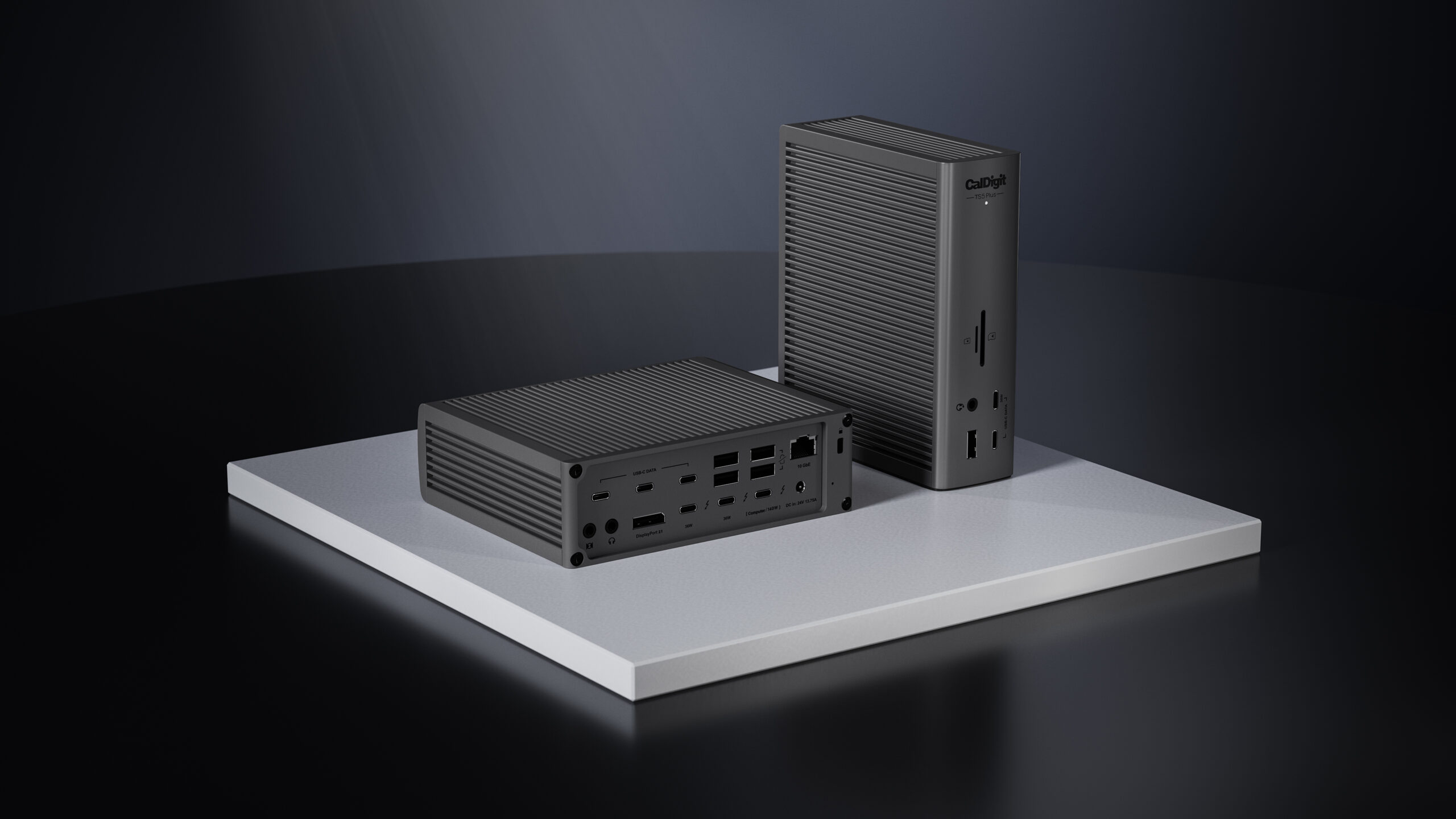
CalDigit TS5 Plus Thunderbolt 5 Dock
Our top recommendation for this category
Price as of Apr 23, 2026 — see current price on Amazon.
Thunderbolt 5 laptops are no longer a niche thing. The MacBook Pro M4 Pro and M4 Max ship with TB5. The M5 Pro and M5 Max just followed. Dell, HP, and Lenovo all have TB5 machines out now. And suddenly the question everyone's asking on Reddit is: do I need a TB5 dock, or will my TB4 dock still cut it?
The short answer: if you're buying new today and have any TB5 laptop (or plan to within 18 months), go TB5. The price gap between TB4 and TB5 docks has nearly closed. But if you're on a TB4 machine and don't do heavy external GPU work or multi-display 8K setups, a good TB4 dock still makes plenty of sense and saves you $100-$150.
Here's what I'd actually buy depending on your situation.
Quick comparison
| Dock | Standard | Ports | Max Charging | Best For | Price | |
|---|---|---|---|---|---|---|
| CalDigit TS5 Plus | Thunderbolt 5 | 20 | 140W | Power users, Mac pros | $499 | Check Price |
| CalDigit TS4 | Thunderbolt 4 | 18 | 98W | Most people, best TB4 value | $380 | Check Price |
| Kensington SD5780T | Thunderbolt 4 | 12 | 96W | Windows users, budget TB4 | $246 | Check Price |
| Anker Prime Thunderbolt 5 | Thunderbolt 5 | 14 | 140W | TB5 at a lower price | $399 | Check Price |
| Razer USB4 Dock | USB4 40Gbps | 14 | 100W | Non-Intel laptops, value | $230 | Check Price |
Best overall: CalDigit TS5 Plus
CalDigit TS5 Plus Thunderbolt 5 Dock
Pros
- 20 ports including 3x Thunderbolt 5 downstream at 80Gb/s each
- 10GbE networking (4x faster than the 2.5GbE on most other docks)
- Dual USB controllers prevent bandwidth bottlenecks when all ports loaded
- 140W laptop charging handles M4 Max and other demanding machines
- Dual 8K 60Hz display support
Cons
- $499 is genuinely expensive
- Overkill for anyone not running bandwidth-intensive workflows
- Large footprint, designed to sit horizontally on a desk
Price as of Apr 23, 2026 — see current price on Amazon.
CalDigit has been making the best Thunderbolt docks on the market for years, and the TS5 Plus is them doing it again. This is what you buy when you're tired of wondering whether your dock is the bottleneck.
The 10GbE port is the thing that separates it from everything else at this price. Most docks ship with 2.5GbE and charge a premium for it. CalDigit put 10GbE in the TS5 Plus and called it standard. If you're pulling large files from a NAS or running any kind of video production workflow, that's a meaningful real-world difference. Even in 2026, 2.5GbE can become a bottleneck faster than people expect.
The dual USB controllers deserve a mention. Most docks share USB bandwidth across all ports through a single controller, which means plugging in a fast SSD, a webcam, and two audio interfaces simultaneously can create slowdowns. The TS5 Plus has two dedicated controllers to split that load. In practice, this matters more if you're running a busy desk with lots of peripherals -- less so if it's just a keyboard, mouse, and external display.
Three downstream Thunderbolt 5 ports is unusual. Most docks give you one or two. Having three means you can daisy-chain TB5 devices or run multiple TB5 SSDs without having to give anything up.
At $499, this isn't for everyone. But if you're building a permanent workstation around a high-end laptop, this is the dock that doesn't leave you wanting more.
Best Thunderbolt 4 dock: CalDigit TS4
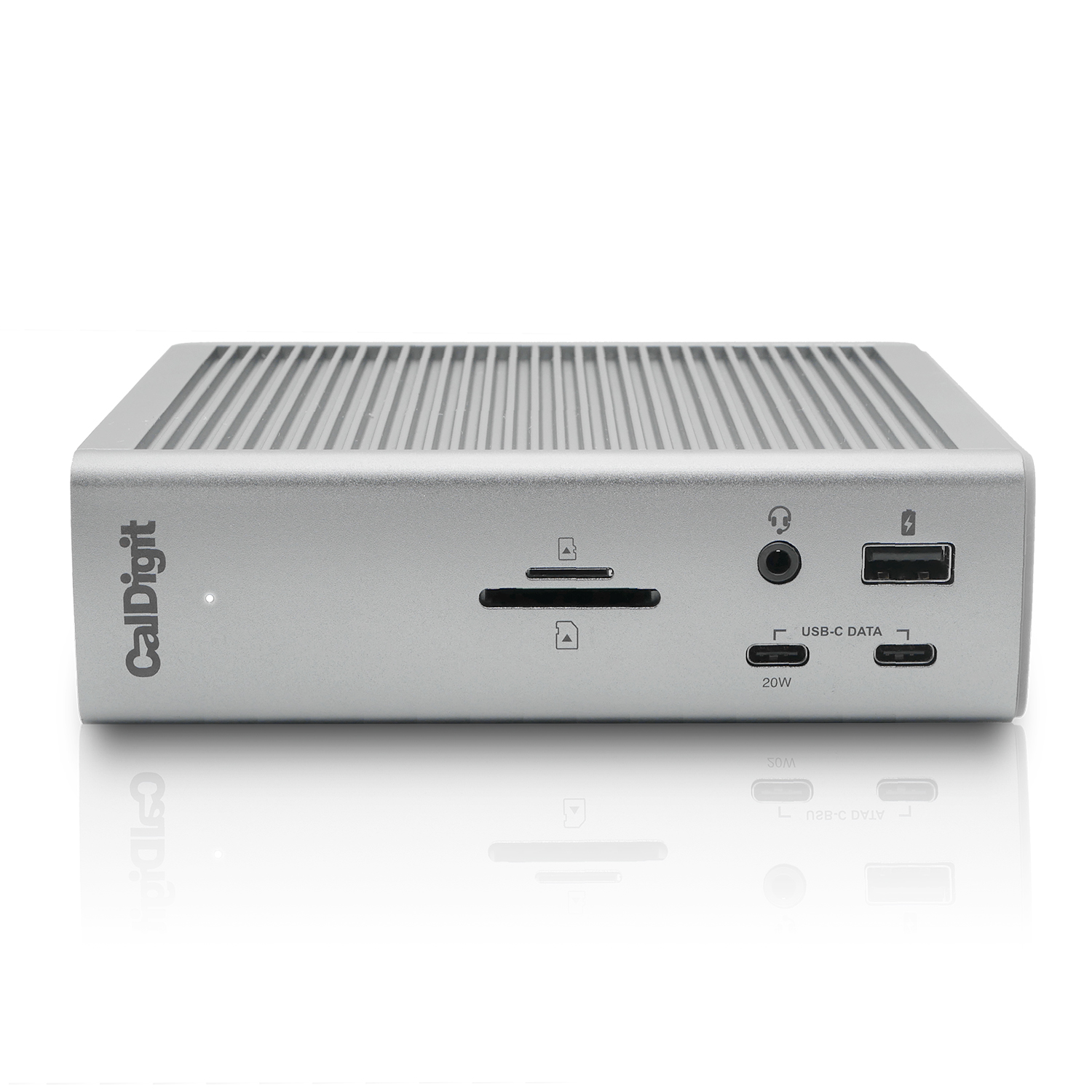
CalDigit TS4 Thunderbolt 4 Dock
Pros
- 18 ports, most of any TB4 dock on the market
- 3x Thunderbolt 4 downstream for daisy chaining
- 2.5GbE standard (not gigabit)
- 98W host charging handles most laptops including M-chip MacBooks
- SD 4.0 and microSD UHS-II card readers
Cons
- Still $380, premium TB4 pricing
- No TB5 (if you're buying a TB5 laptop soon, consider the TS5 Plus instead)
- Gets warm during heavy use
Price as of Apr 23, 2026 — see current price on Amazon.
The TS4 came out in 2022 and people are still recommending it in 2026. That's not nostalgia -- it's because 18 ports is a lot of ports, and CalDigit's build quality is genuinely better than most of the competition.
Where TB4 docks max out is bandwidth. Thunderbolt 4 runs at 40Gb/s total -- shared between your displays, SSDs, USB devices, and everything else. For a single 4K display, a couple of peripherals, and some file transfers, you'll never notice. But if you're running two 4K displays plus an external GPU plus fast storage, you can hit the ceiling. The TS5 Plus at 80Gb/s per port solves this; the TS4 doesn't.
That said, most people who think they need TB5 actually don't. If you're a developer, writer, or knowledge worker who wants a clean desk and one cable, the TS4 handles that exactly. It's when you're color grading 8K footage or building GPU-intensive workflows that the math changes.
The SD 4.0 card reader reads at up to 312MB/s -- important for photographers who are regularly dumping cards from Sony or Canon cameras using the faster V60 and V90 cards. Most docks still ship with SD 3.0 (104MB/s). That's a real-world difference on anything over 64GB.
If you have a TB4 or TB3 laptop and you're not planning to upgrade soon, the TS4 is the safe, no-regrets pick.
Best budget TB4 dock: Kensington SD5780T
Kensington SD5780T Thunderbolt 4 Docking Station
Pros
- HDMI 2.1 included, can drive 4K 144Hz displays directly
- 96W laptop charging covers most Windows laptops
- Solid Windows laptop compatibility, TAA compliant for enterprise
- More compact than the CalDigit TS4
- Frequently drops to under $200 during sales
Cons
- Only 12 ports vs 18 on the TS4
- Single 2.5GbE (vs 10GbE on TS5 Plus)
- Less port variety than CalDigit -- no SD UHS-II reader
Price as of Apr 23, 2026 — see current price on Amazon.
The SD5780T launched around $400 and has steadily dropped. At $246 (and often lower on sale), it's become the TB4 dock I'd recommend to someone who wants the premium TB4 experience without paying CalDigit prices.
The HDMI 2.1 port is the headline feature. Most TB4 docks ship with HDMI 2.0, which caps out at 4K 60Hz. If you have a 4K 144Hz monitor -- or you're planning to get one -- HDMI 2.1 means you can drive it at full refresh rate without any adapter chain. That matters more than it sounds if you're doing any gaming on a laptop.
Kensington's enterprise DNA shows in the build quality. The SD5780T has a feel that's harder to quantify but noticeable when you handle it next to cheaper docks. No flex, no creaking, heavy solid construction. The TAA compliance designation means it meets government procurement requirements, which as a consumer signals that someone took the build quality seriously.
Where it falls short is port count. 12 ports versus the TS4's 18 means you'll run out of USB-A slots faster if you have a busy desk setup. For a home office with a keyboard, mouse, webcam, and a couple drives, 12 is fine. For a production workstation, it can feel tight.
Best TB5 dock at lower price: Anker Prime TB5
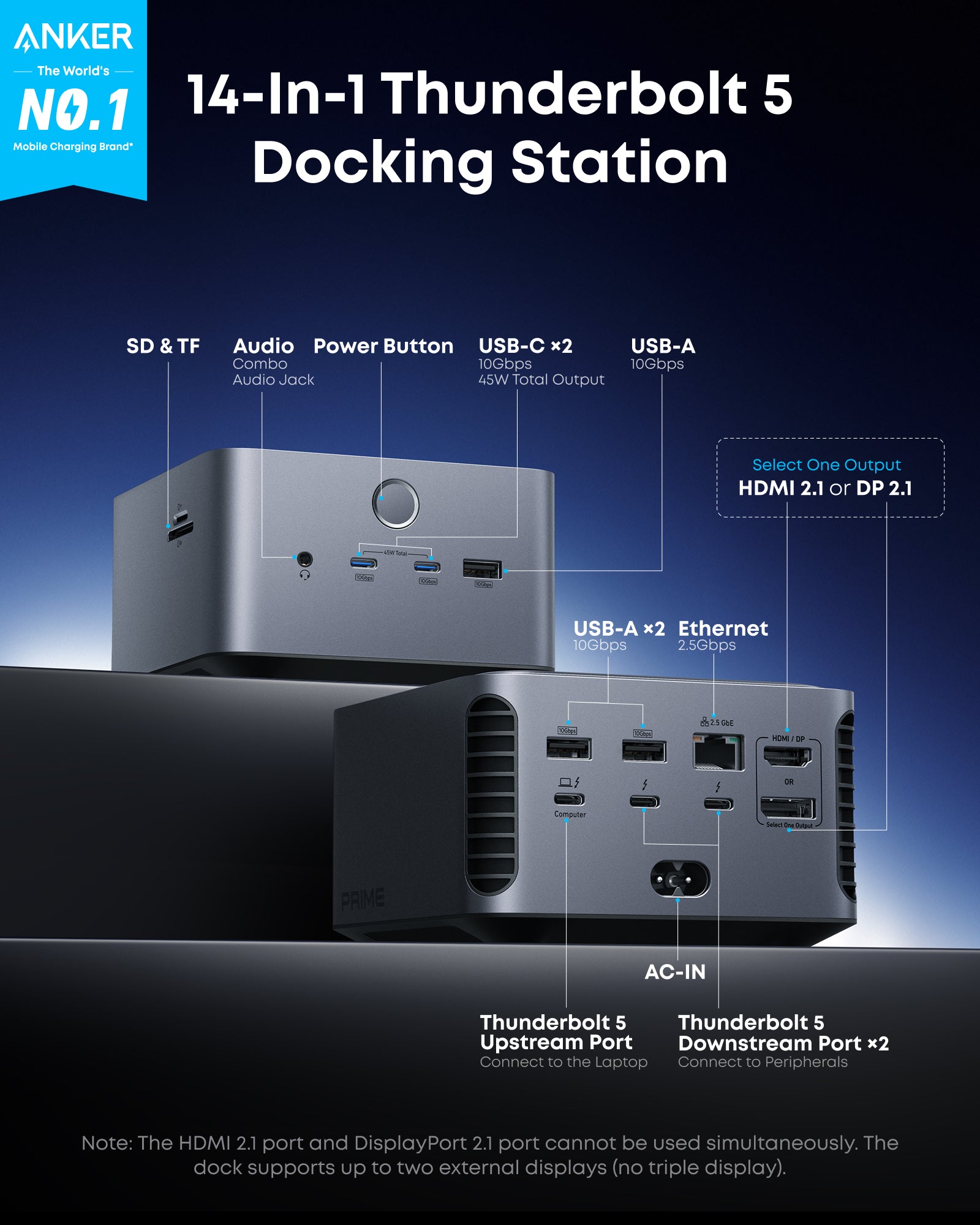
Anker Prime Thunderbolt 5 Docking Station
Pros
- Thunderbolt 5 at $100 less than the CalDigit TS5 Plus
- 140W host charging
- Up to 8K display support
- Active cooling fan keeps thermals managed under load
- USB4 and TB4 backward compatible
Cons
- 14 ports vs 20 on the TS5 Plus
- 2.5GbE, not 10GbE
- Fan noise is audible in a quiet room
- Newer to market than CalDigit -- less long-term reliability data
Price as of Apr 23, 2026 — see current price on Amazon.
Anker's Prime line has been quietly getting better. The Prime TB5 is a real TB5 dock at $399 -- $100 less than the CalDigit TS5 Plus. And for most people, the spec delta doesn't matter.
What Anker gives up is the 10GbE networking and four of those 20 ports. The 2.5GbE is fine for most home office setups. If you're not running a NAS or a server that you're regularly transferring hundreds of gigabytes from, 2.5GbE (and even standard gigabit) is fine. It's only when you're pulling 4K RAW footage off storage, or working with databases that live on network storage, that 10GbE becomes a genuine workflow need.
The active cooling fan is worth noting. By comparison, the CalDigit TS5 Plus is passively cooled and can run warm under load. The Anker manages thermals with a small fan. In practice this means more consistent performance under sustained load, but the fan is audible. On a quiet desk it's noticeable; in a noisy office environment you won't hear it.
14 ports covers: Thunderbolt 5 host, 2-3 downstream TB5/USB-C, a few USB-A ports, display output, Ethernet, card reader, audio. Plenty for most setups. Where the CalDigit wins with 20 ports is if you have a genuinely complex desk -- multiple SSDs, audio interfaces, multiple video devices all connected simultaneously.
If you have a TB5 laptop and $399 feels like the right number, this is the dock to buy.
Best for non-Intel laptops: Razer USB4 Dock
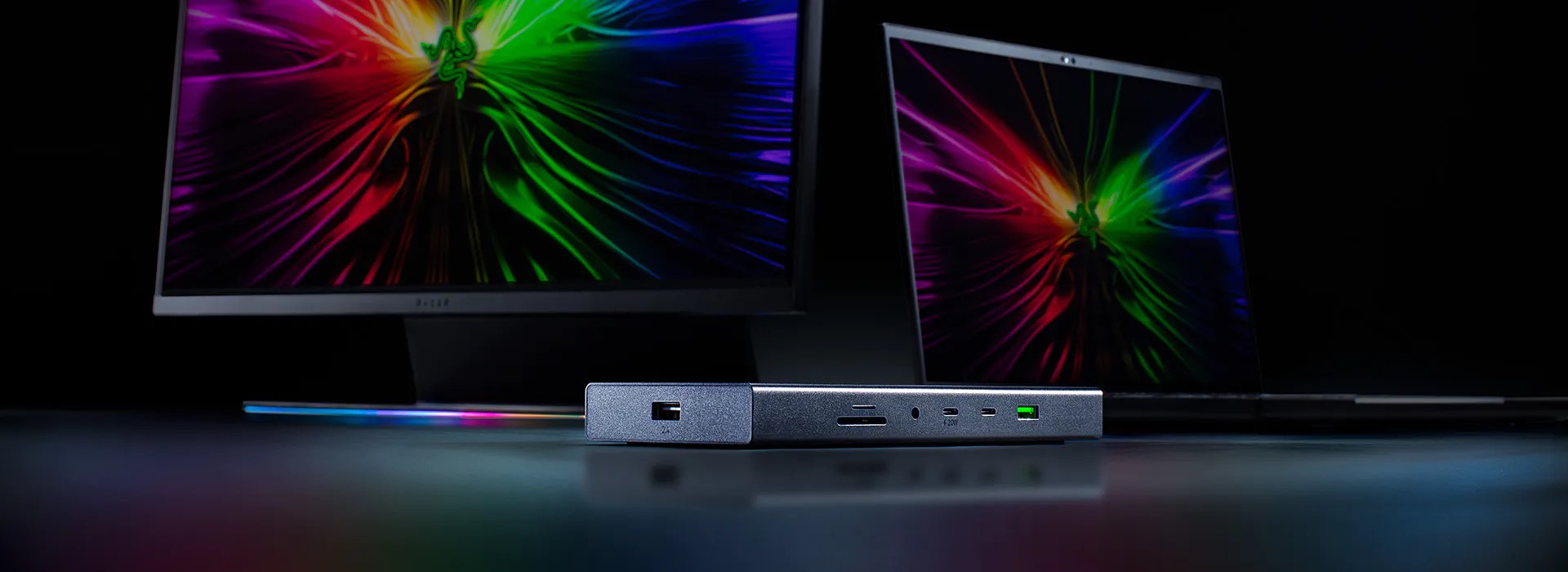
Razer USB4 Dock
Pros
- USB4 40Gbps works with AMD Ryzen laptops that lack TB4
- 14 ports including HDMI 2.1 and DisplayPort 1.4
- 100W laptop charging
- Dual 4K 60Hz or single 4K 120Hz display support
- Works with Windows, Mac, and Chromebook
Cons
- USB4 bandwidth is technically same as TB4 but lacks some TB-specific features
- No downstream Thunderbolt ports for daisy chaining
- Slightly lower sustained throughput vs TB4 in real benchmarks
Price as of Apr 23, 2026 — see current price on Amazon.
Here's the thing about Thunderbolt: it only works on Intel-licensed hardware. AMD laptops don't have it. Some gaming laptops and budget machines skip it to cut costs. If you've got an AMD Ryzen laptop or any non-Intel machine, you can't use a Thunderbolt dock -- you need a USB4 dock.
USB4 runs at the same 40Gb/s as Thunderbolt 4 and is fully backward compatible with USB3 devices. What it lacks is the Intel certification that guarantees certain behaviors (like reliable daisy chaining and external GPU support). For a regular desk setup -- monitors, keyboard, mouse, drives -- you won't notice the difference.
The Razer USB4 Dock makes the strongest case for USB4 in this guide. HDMI 2.1 means you can drive a 4K 144Hz display directly. The 100W PD covers most gaming laptops. And 14 ports including dual USB-A 3.2 Gen 2 handles a busy desk without issue.
At $229, it's also $17 cheaper than the cheapest TB4 dock in this guide. If Thunderbolt compatibility isn't something you need, you're getting the same real-world bandwidth for less money. Worth considering even if you have a TB4 machine and want to save the cash.
What to look for when buying a Thunderbolt dock
Thunderbolt 4 vs Thunderbolt 5: do you actually need TB5?
TB5 doubles the per-port bandwidth from 40Gb/s to 80Gb/s (and can burst to 120Gb/s for displays). That matters when you're running dual 8K displays, using an external TB5 SSD that can saturate 40Gb/s, or working with external GPUs.
If you're running one or two 4K displays plus normal peripherals, you'll never saturate a TB4 connection. TB5 is future-proofing more than present-day necessity for most users. That said, the price gap has narrowed. If you're buying fresh and have a TB5 laptop, it's hard to argue against going TB5.
One thing worth knowing: TB5 docks work with TB4 and TB3 laptops. They just run at those slower speeds. Buying a TB5 dock today doesn't require a TB5 laptop.
Port count: more is not always better
20 ports sounds great until you realize you've got 3 devices total on your desk. Focus on the specific ports you need. For most home office setups, the must-haves are: Thunderbolt host, 2+ USB-A, 1+ USB-C, Gigabit or faster Ethernet, display output, and a 3.5mm audio jack. Everything else is nice to have.
SD card readers vary more than you'd expect. SD 4.0 (up to 312MB/s) matters for photographers. SD 3.0 (104MB/s) is fine for casual use. Check this if you're regularly offloading camera cards.
Power delivery: know your laptop's wattage
MacBook Pro M4 Pro needs around 70W for sustained performance, M4 Max needs up to 140W under heavy load. Most high-end Windows gaming laptops need 90-140W for peak performance. Docks with under 80W PD can charge your laptop but may not supply enough power during intensive tasks -- meaning the battery drains even while plugged in.
The CalDigit TS4 does 98W, while the TS5 Plus, Anker Prime, and Razer USB4 all do 140W. The Kensington SD5780T does 96W. For an M4 Max or an Nvidia RTX 4090 laptop, 96W might not keep up during a render.
Networking: 2.5GbE vs 10GbE
Nearly every dock in 2026 ships with at least 2.5GbE, which is fast enough for most uses. 10GbE (only on the CalDigit TS5 Plus in this guide) matters when your router or NAS supports it and you're doing sustained large file transfers. Home users: 2.5GbE is fine. NAS-heavy workflows or video production from network storage: 10GbE is genuinely worth the premium.
Display compatibility: check your monitor's inputs
Thunderbolt docks typically output via DisplayPort (Alt Mode or native) and sometimes HDMI. The output type matters for how many monitors you can drive and at what resolution. A dock with HDMI 2.1 can do 4K 144Hz -- a dock with HDMI 2.0 caps at 4K 60Hz. If you have a high-refresh monitor, check the dock's HDMI version before buying.
Frequently asked questions
- Can I use a Thunderbolt 5 dock with a Thunderbolt 4 laptop?
- Yes. TB5 docks are fully backward compatible with TB4, TB3, and USB4 laptops. They'll operate at the laptop's native bandwidth speed rather than full TB5 speeds. A TB5 dock on a TB4 MacBook Pro runs at 40Gb/s -- you get no performance downgrade compared to a TB4 dock, and you're set up for your next laptop upgrade.
- What's the difference between Thunderbolt 4 and USB4?
- Both run at 40Gb/s, but TB4 has stricter certification requirements from Intel -- guaranteed PCIe tunneling, mandatory daisy chaining support, and specific minimum performance for displays and storage. USB4 meets the same bandwidth spec but allows more flexibility in what's implemented. For most peripherals, you won't notice a difference. External GPU support and guaranteed daisy chaining are the main practical gaps.
- Do these docks work with AMD Ryzen laptops?
- Only the Razer USB4 Dock reliably works across all AMD Ryzen machines. Thunderbolt is an Intel-licensed technology -- AMD laptops (with some exceptions on newer Ryzen AI models) don't support it. If you're not sure whether your laptop has Thunderbolt, check Device Manager on Windows (look for a Thunderbolt controller under System Devices) or System Information on Mac.
- How many monitors can I connect to a Thunderbolt dock?
- TB4 docks support up to 2 external displays at 4K 60Hz. TB5 docks can drive up to 2 displays at 8K 60Hz or 4 displays at 4K. Mac adds a wrinkle: Intel Macs can run multiple displays through a dock, but M-chip Macs with a single Thunderbolt port are limited by Apple to 1 external display (M1/M2/M3 without Pro/Max/Ultra). M4 Pro and higher support 2+ external displays depending on the chip tier. Check your specific chip's display limit before buying.
- Is the CalDigit TS5 Plus worth $499 over the TS4 at $380?
- For most users, no. The TS4 handles TB4 speeds, 18 ports, and 98W charging perfectly well, and the $119 difference is real money. The TS5 Plus earns its price if you have a TB5 laptop and regularly hit TB4 bandwidth limits -- specifically dual 8K displays, TB5 SSDs exceeding 40Gb/s read speeds, or 10GbE networking. If none of those apply, get the TS4.
- Will a docking station charge my laptop while using all the ports?
- Yes, that's the main point of a dock's power delivery spec. The key is making sure the dock's PD wattage meets or exceeds your laptop's draw under load. A 96W dock might charge a MacBook Pro M4 Max slowly under heavy compute load, since it can draw up to 140W at peak. Most laptops charge fine at lower wattage -- they just won't charge quickly or the battery may drain slightly during intensive tasks. Check your laptop's max charging wattage and match accordingly.
Bottom line
The CalDigit TS5 Plus is the best dock you can buy right now if money isn't the constraint -- 20 ports, 10GbE, and true TB5 performance. Most people should probably buy the CalDigit TS4 instead: 18 ports, solid reliability, four years of proven track record, and $120 cheaper. If you have an AMD laptop or a budget-constrained setup, the Razer USB4 Dock at $229 delivers the same real-world bandwidth as TB4 without requiring Thunderbolt hardware. And if TB5 matters but $499 doesn't, the Anker Prime at $399 is the shortcut.
The one thing to avoid is buying a cheap generic USB-C hub and calling it a dock. Brand-name Thunderbolt certified docks cost more for a reason -- consistent bandwidth, proper power delivery, and firmware support when things break.
How We Pick
We pick products by combining spec-level research, price checks, trusted third-party benchmarks, and owner sentiment from high-signal sources.
- Performance and real-world value in the category this guide targets
- Price-to-performance and deal consistency over recent pricing windows
- Build quality, reliability patterns, and known long-term issues
- Recommendation refresh cadence to keep these picks current
Author
TheTechSearch Editorial Team
Independent product reviewers & PC builders
We compare real-world specs, reviews and owner reports, price trends, and user feedback to recommend gear that actually makes sense to buy.