Best Mechanical Keyboards 2026
The five best mechanical keyboards for gaming, typing, and productivity — ranked for 2026. Expert picks, pros and cons, and side-by-side comparisons to help...
As an Amazon Associate we earn from qualifying purchases made through our links — this doesn't affect our picks.
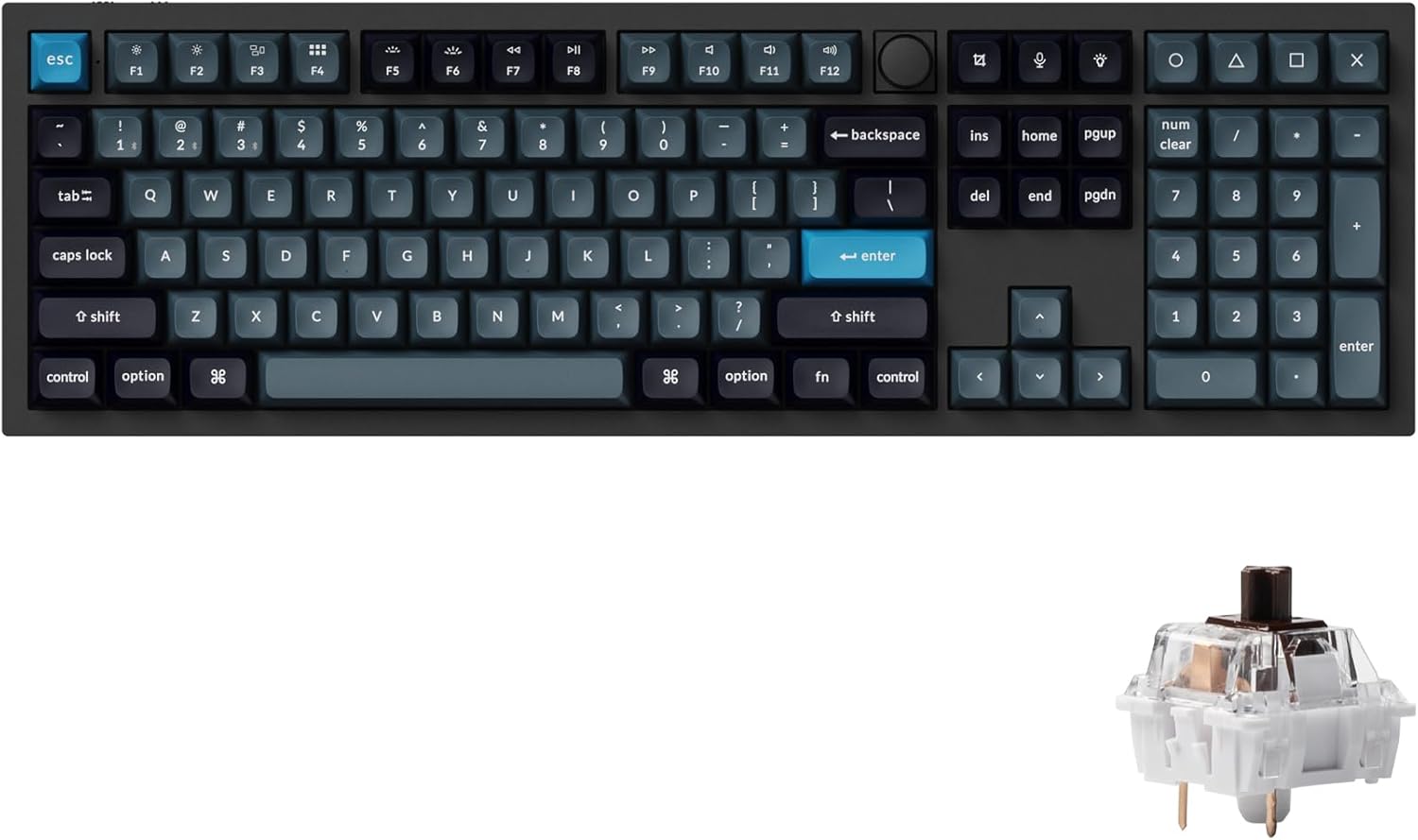
Keychron Q6 Pro QMK/VIA Wireless Custom Mechanical Keyboard
Our top recommendation for this category
Price as of Apr 16, 2026 — see current price on Amazon.
The mechanical keyboard market in 2026 has settled into a sweet spot where you don't need to choose between wireless reliability, hot-swap modularity, and premium build quality anymore. Full aluminum builds now start at $119. Low-latency 2.4GHz wireless is standard across most boards over $99. And hot-swappable switches, once a DIY-only feature, are now the default even on budget options.
This guide covers five keyboards across the $57-$230 range. The picks focus on boards that offer genuine typing improvements for writers and developers, low-latency performance for competitive gaming, and build quality that won't rattle or flex after six months of heavy use.
Quick Picks
| Keyboard | Switches | Connectivity | Battery Life | Price | |
|---|---|---|---|---|---|
| Keychron Q6 Pro | Hot-swap (K Pro) | Wired / 2.4GHz / BT | 100hrs | ~$176 | Check Price |
| Corsair K70 CORE RGB | Corsair MLX Red | Wired | N/A | ~$108 | Check Price |
| Logitech G915 TKL | GL Tactile | 2.4GHz / BT | 40hrs | ~$149 | Check Price |
| Royal Kludge RK84 | Hot-swap (RK) | Wired / 2.4GHz / BT | 80hrs | ~$57 | Check Price |
| Razer BlackWidow V4 Pro | Razer Orange (tactile) | Wired USB-C | N/A | ~$230 | Check Price |
Keychron Q6 Pro: Best Overall
Keychron Q6 Pro QMK/VIA Wireless Custom Mechanical Keyboard
Pros
- Full aluminum CNC body weighs 2.3kg: zero flex, premium desk presence
- Hot-swappable PCB with QMK/VIA support for complete layout customization
- Tri-mode: wired USB-C, 2.4GHz wireless dongle, Bluetooth 5.1
- 100-hour battery in wireless mode, gasket mount for excellent acoustics
- Ships with double-shot PBT keycaps and a machined volume knob
Cons
- Heavy weight makes it a permanent desk setup, not travel-friendly
- No dedicated software beyond QMK/VIA, which has a learning curve
Price as of Apr 16, 2026 — see current price on Amazon.
The Keychron Q6 Pro is what happens when a premium custom keyboard brand builds a wireless version of their flagship board. A full aluminum body eliminates every trace of the hollow ping and flex you get from plastic cases. The gasket-mounted plate isolates key presses in a way that makes even budget switches sound and feel $30 more expensive than they are.
It ships with Keychron K Pro switches (Red, Brown, or Banana), but the hot-swap PCB lets you pull them and drop in any 3-pin or 5-pin MX-style switch without soldering. If you want Boba U4T tactiles or Gateron Oil Kings, you swap them in 10 minutes. QMK and VIA support means every key is remappable through software, no proprietary driver bloat.
The 2.4GHz mode runs at 1000Hz polling with no perceptible latency, and the 100-hour battery life means you charge it once every three weeks. Bluetooth works across three devices, useful for switching between a desktop and a laptop.
The main trade-off: this board weighs 5 pounds. It's a tank. If you need portability, look elsewhere. The keycaps are not a weak point, though: the version we link ships double-shot KSA PBT, so there is no shine to design around and no upgrade to budget for. At $175.99 it is also cheaper than it has been, which is worth knowing before you talk yourself into something plastic.
Best for: Enthusiasts who want wireless convenience without sacrificing premium build quality and full customization.
Corsair K70 CORE RGB: Best for Gaming
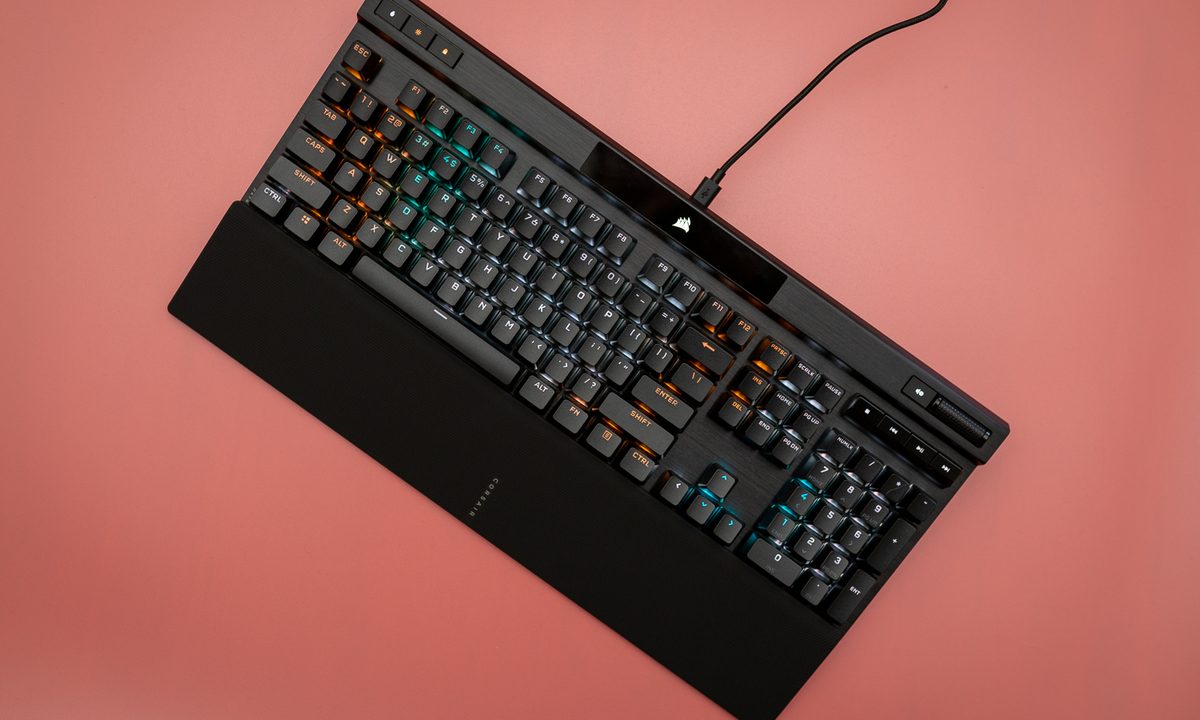
Corsair K70 CORE RGB Mechanical Gaming Keyboard
Pros
- Pre-lubed Corsair MLX Red linears feel smooth out of the box, no tuning
- Sound dampening foam already fitted, so it thocks instead of pinging
- Media control dial plus a magnetic palmrest included in the box
- SOCD handling for the movement inputs competitive shooters care about
Cons
- Wired only, and not hot-swappable: the switch choice is permanent
- ABS double-shot keycaps will shine before PBT would
- iCUE software is feature-rich but RAM-heavy on Windows
Price as of Apr 16, 2026 — see current price on Amazon.
The K70 CORE is the K70 stripped back to the parts that decide a match. Corsair's own MLX Red linears come pre-lubed, which is the difference between a board you enjoy on day one and a board you promise yourself you will lube one weekend and never do. There is sound dampening foam fitted from the factory, so it lands with a low thock rather than the hollow ping most gaming boards make.
The competitive feature here is SOCD, the handling that decides what happens when you press left and right at the same time. That is the input that separates a clean counter-strafe from a fumbled one, and it is why this board earns the gaming slot rather than the K70's older, pricier siblings.
What you give up against the old K70 RGB PRO is real and worth naming. There are no Cherry MX switches and no hot-swap sockets, so what you buy is what you keep. The keycaps are double-shot ABS rather than PBT, which means they will develop shine in a way PBT would not. There is no wireless mode at all.
What you get back is the price. At $108.33 with the palmrest in the box, this is a hundred-dollar board doing most of what a hundred-and-sixty-dollar board did, and the parts it drops are the ones a competitive player is least likely to miss.
Best for: Competitive gamers who want a pre-lubed, well-damped wired board around $100 and do not need to swap switches later.
Logitech G915 TKL: Best Low-Profile
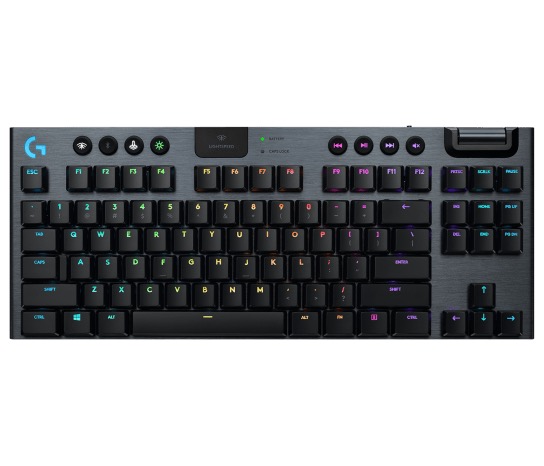
Logitech G915 TKL Tenkeyless Lightspeed Wireless RGB Mechanical Gaming Keyboard
Pros
- Low-profile GL switches reduce total height to 22mm: sleek, modern desk aesthetic
- Lightspeed wireless runs at 1ms latency with 40-hour battery life
- Aircraft-grade aluminum top case feels premium, no flex under hard typing
- TKL layout saves 5 inches of desk space compared to full-size boards
Cons
- GL switches are proprietary: no hot-swap, no third-party switch options
- Price premium over standard-height boards with similar features
Price as of Apr 16, 2026 — see current price on Amazon.
The G915 TKL is for people who want a mechanical keyboard but hate the chunky, retro-tech look of standard boards. The low-profile GL switches cut the total board height nearly in half compared to traditional MX-style designs. It sits 22mm tall, roughly the height of a MacBook keyboard but with full mechanical travel and tactile feedback.
Logitech's GL Tactile switches hit a middle ground between linear and clicky: you get a subtle bump at actuation without the loud click that annoys coworkers or housemates. Travel distance is 2.7mm (compared to 4mm on Cherry MX), which makes the typing feel faster and more responsive, though it takes a day or two to adjust if you're coming from a standard board.
Wireless performance is excellent. Lightspeed runs at 1ms polling, and the 40-hour battery life is realistic with RGB set to medium brightness. You can stretch it to 60+ hours if you turn lighting off entirely. The USB receiver is tiny and stays plugged into a PC permanently.
The aluminum top plate gives this board a premium feel that's rare at this price. There's zero deck flex even when you bottom out keys hard. RGB is bright and even, though Logitech's G Hub software is clunky and occasionally buggy on macOS.
Best for: Minimalist setups where desk space and clean aesthetics matter as much as typing performance.
Royal Kludge RK84: Best Budget
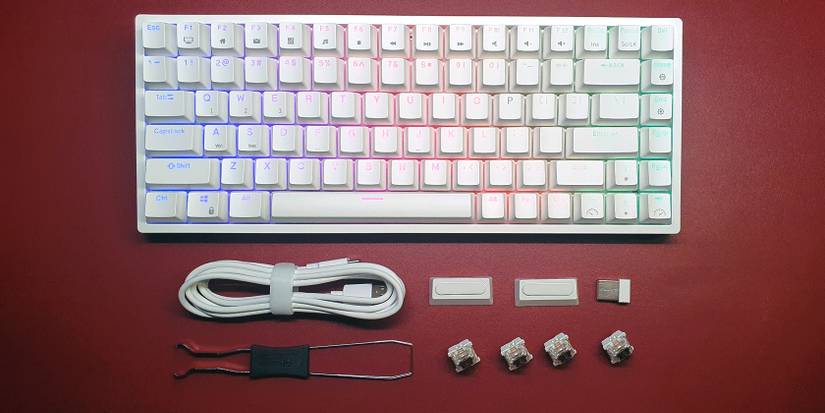
Royal Kludge RK84 Wireless 75% Mechanical Keyboard
Pros
- Tri-mode connectivity: USB-C wired, 2.4GHz wireless, Bluetooth 5.0
- Hot-swappable PCB lets you change switches without tools or soldering
- 75% layout includes arrow keys and function row in compact footprint
- 80-hour battery life in wireless mode, charges over USB-C
Cons
- Plastic case feels hollow compared to aluminum boards
- Stock stabilizers rattle on spacebar and shift keys, lube recommended
Price as of Apr 16, 2026 — see current price on Amazon.
The RK84 delivers 90% of what you'd get from a $150 board for about a third of the price. It's a 75% layout, which means it keeps the function row and arrow keys but drops the numpad and navigation cluster to save desk space. The result is a board that's only slightly wider than a 60% but keeps the keys most people actually use.
Hot-swap sockets are the standout feature here. Royal Kludge ships this board with their own RK Brown, Red, or Blue switches, but the PCB accepts any MX-compatible switch. If you want to try Gateron Yellows, Akko Lavenders, or Cherry Silent Reds, you pull the old switches and drop in the new ones. No soldering iron required.
Tri-mode wireless works well. The 2.4GHz dongle is low-latency and stable, Bluetooth connects to three devices at once, and USB-C wired mode bypasses any wireless concerns entirely. Battery lasts 80+ hours in 2.4GHz mode with RGB off, closer to 40 hours with moderate lighting.
The weak points are the plastic case (which sounds hollow until you add foam dampening) and the stabilizers, which rattle noticeably on the spacebar and larger keys. Both are fixable with $15 in mods, foam padding and stabilizer lube, but out of the box, it feels and sounds like a budget board.
Best for: First-time mechanical keyboard buyers who want hot-swap modularity and wireless flexibility. At $56.99 it is the cheapest way into a board you can actually keep modifying.
Razer BlackWidow V4 Pro: Best Feature Set
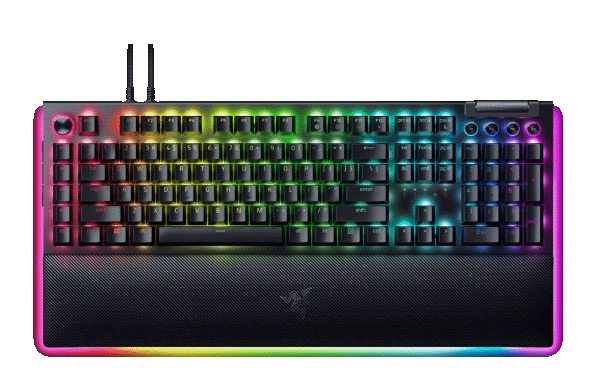
Razer BlackWidow V4 Pro Mechanical Gaming Keyboard
Pros
- Command Dial plus a media roller and dedicated transport keys
- 8 programmable macro keys in a dedicated left-hand column
- Razer Orange tactile switches are quiet enough for a shared room
- Per-key RGB with Chroma integration and an underglow strip
Cons
- Wired only: the wireless BlackWidow V4 Pro is the 75% model, not this one
- Not hot-swappable, so the switch choice is permanent
- Synapse software requires account login and cloud sync for profiles
Price as of Apr 16, 2026 — see current price on Amazon.
The BlackWidow V4 Pro is Razer's flagship productivity and gaming board. It's a full-size layout with a dedicated macro column on the left, eight programmable keys you can bind to complex shortcuts or multi-key combos. The top-right corner has the Command Dial, a roller wheel and dedicated media keys, volume, play/pause, skip, which feel more premium than Fn-layer shortcuts.
One correction to make, because Razer's naming invites the mistake: the full-size BlackWidow V4 Pro is a wired keyboard. The wireless, 200-hour-battery BlackWidow V4 Pro is the 75% model, a different board with a different layout and no macro column. If you came here for the macro column and the Command Dial, this is the one you want, and it lives on the end of a USB-C cable.
The version we link runs Razer Orange: tactile, with the click bar removed, so you get the bump without the noise. That is the right pick for a board this loaded with productivity features, since most people running eight macro keys are doing it somewhere other people can hear them. There is no hot-swap, so the switch choice is permanent.
Chroma RGB is Razer's strength. If you play supported games, lighting syncs to in-game events: health bars, cooldowns, ammo counts. It's a gimmick, but it's a well-executed one. The Underglow lighting strip around the base adds ambient lighting to your desk setup.
Best for: Users who want a feature-loaded full-size board with a macro column and a Command Dial, and who are happy to stay wired.
How to Choose
If you want the best overall experience: Keychron Q6 Pro gives you premium build quality, full customization, and reliable wireless in one package.
For competitive play: Corsair K70 RGB Pro delivers 8000Hz polling, Cherry MX switches, and hot-swap flexibility.
If desk space or aesthetics matter: Logitech G915 TKL is the sleekest mechanical board you can buy without sacrificing performance.
New to mechanical keyboards: Royal Kludge RK84 offers hot-swap modularity and tri-mode wireless at an entry-level price.
If you need macro keys and maximum battery: Razer BlackWidow V4 Pro gives you programmable macros, 200-hour runtime, and deep RGB integration.
Every board here is a legitimate upgrade over membrane or scissor-switch keyboards. The right choice depends on whether you prioritize customization, gaming performance, portability, or budget, but you won't regret any of them.
If you specifically want a 100% layout with a real numpad, our best full-size mechanical keyboards guide covers that layout on its own.
How We Pick
We pick products by combining spec-level research, price checks, trusted third-party benchmarks, and owner sentiment from high-signal sources.
- Performance and real-world value in the category this guide targets
- Price-to-performance and deal consistency over recent pricing windows
- Build quality, reliability patterns, and known long-term issues
- Recommendation refresh cadence to keep these picks current
Author
TheTechSearch Editorial Team
Independent product reviewers & PC builders
We compare real-world specs, reviews and owner reports, price trends, and user feedback to recommend gear that actually makes sense to buy.