Best RTX 5060 Prebuilt Gaming PCs 2026
The five best RTX 5060 prebuilt gaming desktops right now, from $849 budget builds to $1,499 premium AIO rigs. Expert picks, pros and cons, and side-by-side...
As an Amazon Associate we earn from qualifying purchases made through our links — this doesn't affect our picks.
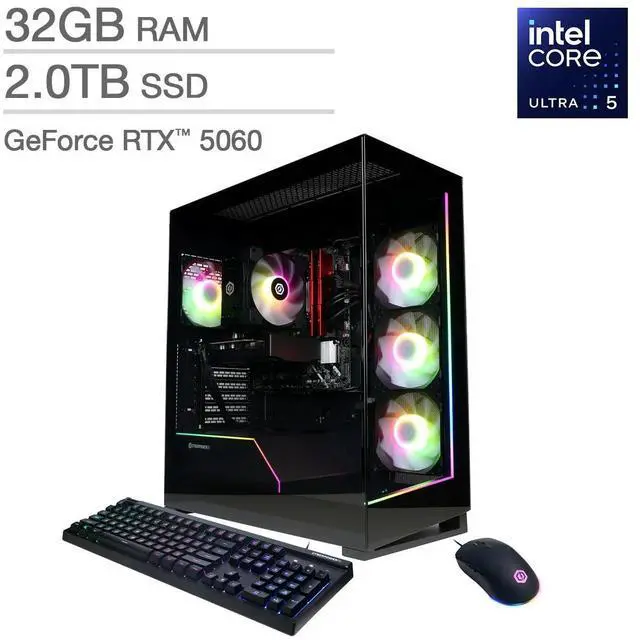
CyberPowerPC Gamer Xtreme VR Gaming PC (i5-13400F, RTX 5060 8GB)
Our top recommendation for this category
Price as of Jul 22, 2026 — see current price on Amazon.
The "should I build or buy" argument used to have a clear winner. Build. Always build. That stopped being true sometime in the last year. RTX 5060 prebuilts are weirdly competitive right now: I found a complete i5-13400F system with 16GB DDR5, a 1TB PCIe 4.0 SSD, and an RTX 5060 for $849 shipped. You're not paying a $200 penalty for convenience anymore. It's closer to a $75 warranty-and-Windows tax, which honestly isn't unreasonable.
But not all prebuilts earn that forgiveness. Some stuff DDR4 into boxes at prices where DDR5 is barely more expensive. Others pair a good GPU with a CPU that was already being replaced when the system shipped. I went through what's actually available on Amazon right now and put together five that don't make me cringe.
| PC | CPU | GPU | RAM | Storage | Price | |
|---|---|---|---|---|---|---|
| CyberPowerPC Gamer Xtreme | i5-13400F | RTX 5060 8GB | 16GB DDR5 | 1TB PCIe 4.0 | $849 | Check Price |
| CyberpowerPC Gamer Master | Ryzen 5 8400F | RTX 5060 8GB | 16GB DDR5 | 1TB PCIe 4.0 | $879 | Check Price |
| iBUYPOWER Element SE | Ryzen 7 5700 | RTX 5060 8GB | 16GB DDR4 | 1TB NVMe | $1,079 | Check Price |
| CyberPowerPC Gamer Xtreme (Ultra 7) | Core Ultra 7 265F | RTX 5060 Ti 8GB | 32GB DDR5 | 2TB PCIe 4.0 | $1,199 | Check Price |
| Skytech Rampage | Ultra 7 265F | RTX 5060 Ti 8GB | 32GB DDR5 6000 + 360mm AIO | 1TB Gen4 | $1,499 | Check Price |
CyberPowerPC Gamer Xtreme VR
CyberPowerPC Gamer Xtreme VR Gaming PC (i5-13400F, RTX 5060 8GB)
Pros
- Lowest price I found for a real RTX 5060 system on Amazon
- DDR5 at this price is rare; most competitors still run DDR4
- i5-13400F handles 1080p and light 1440p without CPU bottlenecking
Cons
- 16GB ceiling becomes noticeable if you stream and game simultaneously
- i5-13400F is 13th-gen: fine now, but not the chip you'd choose if you were buying the parts yourself
Price as of Jul 22, 2026 — see current price on Amazon.
This is what I'd tell most people to buy. The i5-13400F isn't the newest thing out there, but it's got 10 cores and 16 threads, and it doesn't create a CPU bottleneck with the RTX 5060 in any current game I know of. You're looking at 165+ fps in CS2, easy 144Hz in Apex, and solid 1440p gaming at High settings in most AAA titles.
The DDR5 matters more than some reviewers give it credit for at this price. Competing $849 builds from brands like NIMO and Panorama ship with DDR4 3200MHz, which creates a bandwidth ceiling that shows up at high framerates. CyberPowerPC went with a proper PCIe 4.0 SSD too, so load times feel current-gen.
It's not fancy. Tempered glass side panel, some RGB fans, standard ATX mid-tower. But that's fine. You're paying for the parts, not a chassis with a four-page spec sheet for the lighting controller.
CyberpowerPC Gamer Master
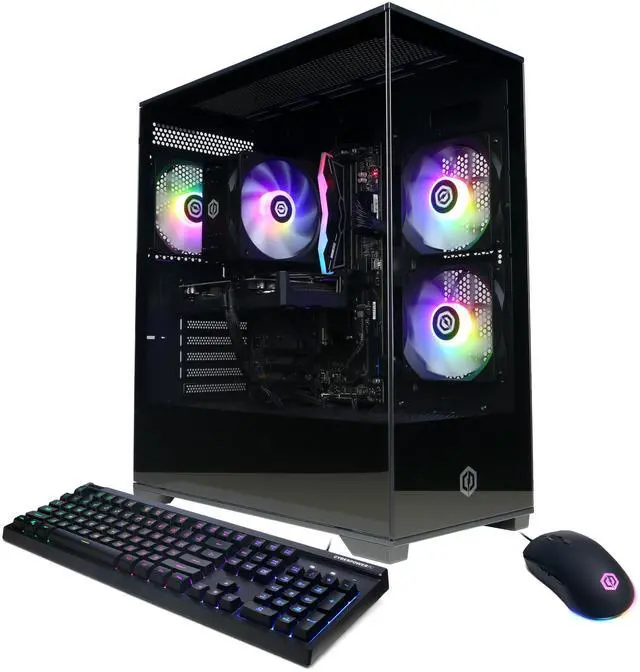
CyberpowerPC Gamer Master (Ryzen 5 8400F, RTX 5060 8GB)
Pros
- Ryzen 5 8400F outperforms the Intel at rendering and encoding workloads
- 16GB DDR5 matched with PCIe 4.0 storage
- Good 1440p platform for the price
Cons
- $30 more than the Intel option for gaming performance that's basically identical in games
- Same 16GB ceiling applies
Price as of Jul 22, 2026 — see current price on Amazon.
The Ryzen 5 8400F is a bit unusual. It's a "F" suffix chip, meaning no integrated graphics, but for a dedicated gaming rig that's irrelevant. What you get is a 6-core/12-thread processor that beats the i5-13400F in render-heavy tasks by a noticeable margin while staying within 3-5% of it in pure gaming. If you encode streams, cut footage, or do anything creative alongside gaming, this is the smarter buy for $30 more.
Look, in CS2 and Valorant you won't see a meaningful difference between these first two systems. The RTX 5060 is the same card. The frametimes will be nearly identical. Pick this one if you're team AMD or you actually use the CPU for something other than gaming. Pick the Intel if you just want the lowest price on a DDR5 RTX 5060 build.
iBUYPOWER Element SE
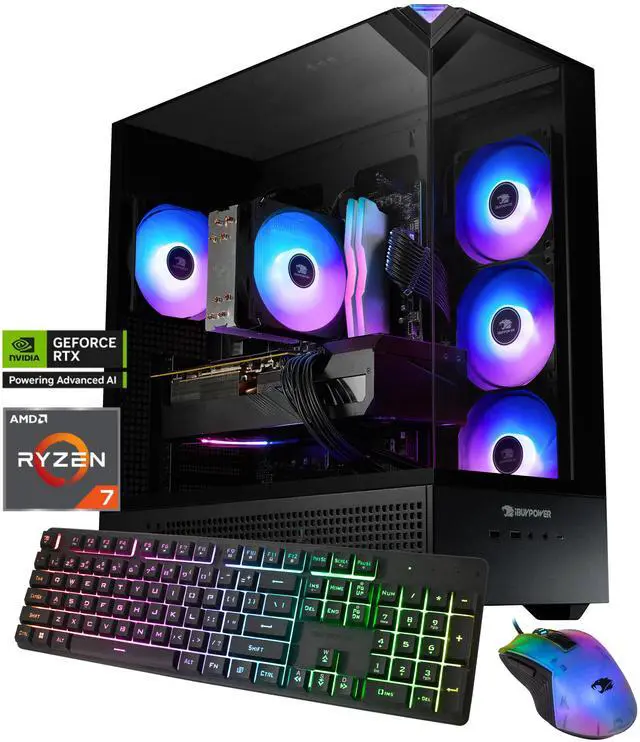
iBUYPOWER Element SE (Ryzen 7 5700, RTX 5060 8GB)
Pros
- Ryzen 7 5700 gives you 8 cores, which actually matters for multitasking and game streaming
- iBUYPOWER build quality is a genuine step up from the budget brands
- Includes keyboard and mouse (worth about $35-40 separately)
Cons
- DDR4 3200MHz at $1,079 is a corner cut I didn't love seeing
- Zen 3 chip in mid-2026 means the CPU is already two generations old
Price as of Jul 22, 2026 — see current price on Amazon.
This is where things get complicated, honestly. The Ryzen 7 5700 is Zen 3, which launched in 2020. You're getting a six-year-old architecture at $1,079. iBUYPOWER justifies it with the 8-core count (genuinely useful for streaming), better build quality than the budget CyberPowerPC options, a bundled keyboard and mouse, and their customer service, which r/buildapc users consistently rate above average for a prebuilt brand.
The DDR4 is a real limitation, though. It's not that DDR4 kills gaming performance, it doesn't, you lose maybe 3-5 fps in GPU-bound scenarios. But at over a grand I expect DDR5. The reason it's here is architectural: the Ryzen 5700 is an AM4 chip and AM4 doesn't support DDR5. iBUYPOWER isn't being lazy, they're just constrained by the platform. Worth knowing.
Same RTX 5060 as the two options above. This is really a question of whether 8 cores and the iBUYPOWER brand feel like $200 worth of upgrade to you.
CyberPowerPC Gamer Xtreme (Core Ultra 7 265F)
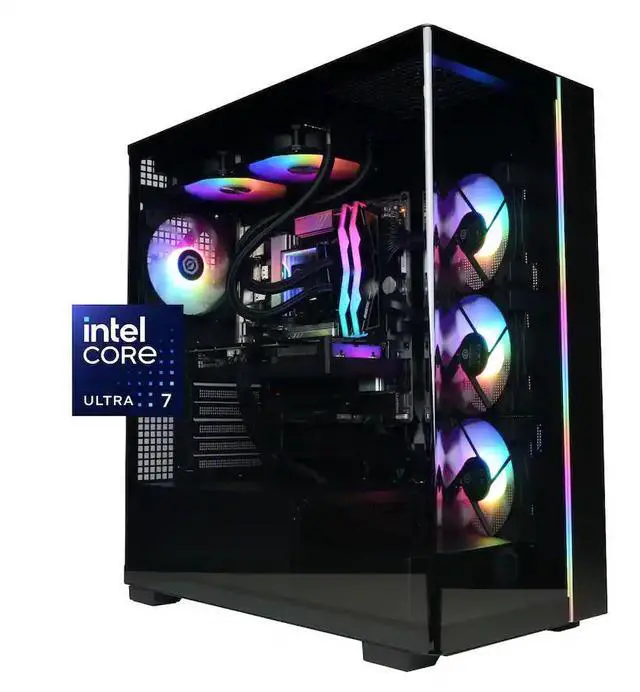
CyberPowerPC Gamer Xtreme (Core Ultra 7 265F, RTX 5060 Ti 8GB, 32GB DDR5, 2TB)
Pros
- RTX 5060 Ti is roughly 15-20% faster than the standard 5060 in most benchmarks
- 32GB DDR5 eliminates memory pressure for gaming plus browser plus Discord
- 2TB SSD means you stop managing your installed games library
- Core Ultra 7 265F is current-gen Arrow Lake
Cons
- $350 more than the budget pick for a GPU jump that won't feel dramatic at 1080p
- Still 8GB VRAM on the Ti, which 4K at Ultra settings can saturate
Price as of Jul 22, 2026 — see current price on Amazon.
This is where the math gets interesting. The RTX 5060 Ti uses a wider memory bus than the base 5060 and has about 15-20% more shader performance. Digital Foundry's testing showed the Ti managing 1440p High at 95-105 fps in Cyberpunk 2077, compared to the 5060's 72-78 fps in the same scenario. That's not a subtle difference.
But the real upgrade at $1,199 is everything around the GPU. 32GB of DDR5 means you're not thinking about RAM usage ever. 2TB of storage at PCIe 4.0 speeds means no juggling installed games. And the Core Ultra 7 265F is Intel's current Arrow Lake chip, which handles multitasking and streaming better than the older 13th-gen parts in the budget options.
If you're planning to keep this machine for three or four years, this is the smarter buy. The 5060 Ti's performance headroom will matter more as games get heavier.
Skytech Rampage
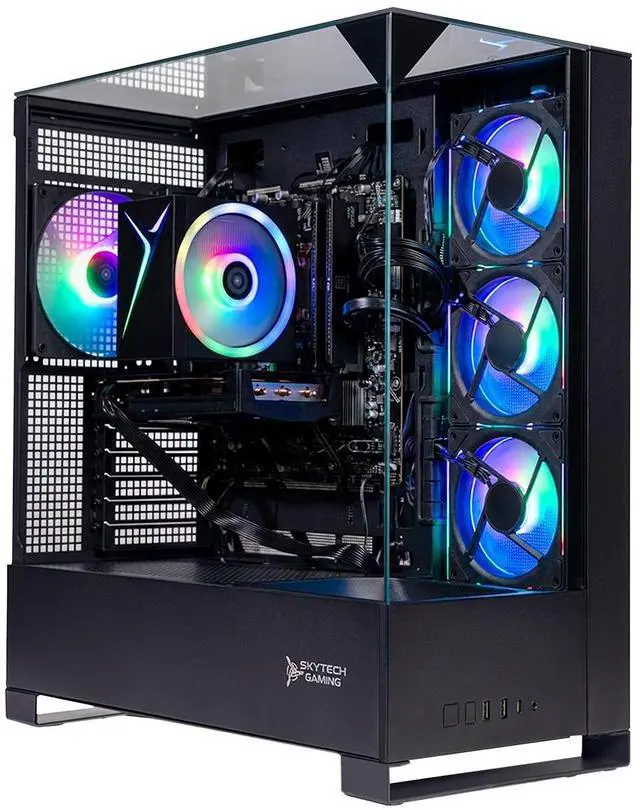
Skytech Rampage Gaming PC (Core Ultra 7 265F, RTX 5060 Ti, 32GB DDR5 6000, 360mm AIO)
Pros
- 360mm ARGB AIO keeps the Core Ultra 7 265F running at 5.2GHz under sustained load
- 850W Gold ATX 3.0 PSU has headroom for a 5080 if you upgrade later
- DDR5 at 6000MHz is meaningfully faster than the 4800MHz most prebuilts settle for
- Assembled in the USA with a 1-year warranty and free keyboard and mouse
Cons
- $1,499 for an RTX 5060 Ti puts you within reach of a self-built 5070 system
- 1TB storage at this price should really be 2TB
Price as of Jul 22, 2026 — see current price on Amazon.
Skytech's Rampage is what a prebuilt looks like when the brand stops apologizing for its pricing. The 360mm ARGB AIO isn't a cosmetic add-on here: the Core Ultra 7 265F has a 65W base power draw that spikes to over 100W under gaming load, and a proper 360mm cooler keeps it sustained at 5.2GHz instead of throttling to keep temps manageable. That matters for streaming, content creation, and any workload that runs the CPU hard while you're gaming.
The DDR5 at 6000MHz is another real spec, not a marketing flourish. Most prebuilts run DDR5 at 4800MHz or 5200MHz. Going to 6000MHz gives the RTX 5060 Ti about 8-12% more memory bandwidth in bandwidth-constrained scenarios. It's not a game-changing improvement but it's not nothing either.
And that 850W Gold PSU is genuinely future-proof. RTX 5080 requires up to 320W under load; this system handles that without touching the power supply.
One honest pushback: at $1,499, you're within $100-150 of a self-built system with an RTX 5070. If you're comfortable with a screwdriver and spending an afternoon on PCPartPicker, that's worth considering. The Skytech earns its price specifically for buyers who want zero assembly, a real warranty, and a machine that's ready to run out of the box.
Buying Guide
What Does the RTX 5060 Actually Handle?
The RTX 5060 8GB is comfortable at 1080p and capable at 1440p with settings adjustments. Practical numbers from review benchmarks: in Cyberpunk 2077 at 1440p High (ray tracing off), the RTX 5060 averages around 73 fps. Hogwarts Legacy at 1440p High lands around 85 fps. At 1080p you're consistently above 100 fps in both, and esports titles like Apex Legends push 200+ fps without effort.
It's not a 4K card. If 4K gaming is your primary goal, you need to look at the 5070 or 5080.
RTX 5060 vs RTX 5060 Ti: Worth the Upgrade?
In this guide, the two budget picks run the standard RTX 5060 and the two premium picks run the Ti. The Ti is about 15-20% faster in rasterization, uses the same 8GB GDDR7, but has a wider memory bus that shows up in demanding 1440p and 4K scenarios. If 1080p at 144Hz is your target, the standard 5060 is plenty. If you want comfortable 1440p in demanding games three years from now, the Ti is a safer bet.
What About RAM?
The CyberPowerPC Gamer Xtreme options (all three) run DDR5. iBUYPOWER's Element SE runs DDR4 because the Ryzen 7 5700 platform doesn't support DDR5. The Skytech Rampage runs DDR5 6000. For pure gaming, 16GB DDR5 is fine in 2026. But 32GB is becoming the comfortable minimum for streaming while gaming, and the $1,199 and $1,499 options include it.
Storage Reality Check
All three budget-to-mid-range options ship with 1TB. Modern game installs are 60-120GB, so you'll fill that in a few months. Budget an extra $55-65 for a 2TB SSD upgrade if you go with one of the 1TB options. The $1,199 CyberPowerPC includes 2TB from the factory, which is one of the concrete reasons it's worth the jump from the $849 build.
PSU and Future Upgrade Path
The $849 and $879 CyberPowerPC builds ship with 650W supplies. Fine for the RTX 5060, but limits future GPU upgrades. The iBUYPOWER Element SE runs 600W, same story. The Skytech Rampage's 850W Gold ATX 3.0 PSU is the only one in this list that can accommodate an RTX 5080 or 5090 without replacement.
Frequently asked questions
- Is RTX 5060 good enough for 1440p gaming in 2026?
- For most titles at High settings, yes. The RTX 5060 hits around 73 fps in Cyberpunk 2077 at 1440p High and around 85 fps in Hogwarts Legacy at the same settings. With DLSS 4 Quality mode enabled, those numbers climb to 100+ fps in supported games. It's not the card for 4K, but 1440p is solidly in its range.
- How does the RTX 5060 compare to the RTX 4060 Ti?
- The RTX 5060 trades blows with the 4060 Ti in rasterization, with DLSS 4 and Frame Generation giving it a clear advantage in supported titles. The 5060's 8GB GDDR7 has higher bandwidth than the 4060 Ti's 8GB GDDR6, which helps in texture-heavy scenarios. For anyone buying new in 2026, the RTX 5060 is the right call.
- Can I upgrade the GPU in these prebuilt systems later?
- Generally yes. The Skytech Rampage with its 850W PSU has headroom for cards up to the RTX 5080. The 650W CyberPowerPC builds and the 600W iBUYPOWER can handle mid-range upgrades like a future 5060 Ti, but you'd need to swap the PSU before going to an RTX 5070 or higher.
- Which of these is best for streaming and gaming at the same time?
- The $1,199 CyberPowerPC with the Core Ultra 7 265F handles this best in the sub-$1,200 range. Arrow Lake has dedicated efficiency cores that help shoulder NVENC encoding load, so 1080p60 streaming barely impacts gaming framerate. The Ryzen 5 8400F and Ryzen 7 5700 options also stream fine, but with a bit less headroom when a game gets CPU-hungry.
- Are any of these available with 32GB of RAM at under $1,200?
- The CyberPowerPC Gamer Xtreme with Core Ultra 7 265F comes in at $1,199 with 32GB DDR5 and 2TB storage, which is the best 32GB option at that price. iBUYPOWER occasionally runs sales on their Slate Black (Ryzen 7 7700, 32GB DDR5, RTX 5060) that bring it close to $1,000, but stock fluctuates.
- Is it worth building my own RTX 5060 system instead?
- At the $849-$879 price point, prebuilts are competitive enough that DIY savings are maybe $50-75 after accounting for a Windows license and the time you spend assembling. At $1,199 and up, building your own starts making more financial sense, especially if you're watching for GPU deals. But if you've never built a PC, that first-party warranty is worth something real, and prebuilts have gotten good enough to recommend without apology.
Bottom Line
The RTX 5060 prebuilt market is legitimately good right now. At $849, the CyberPowerPC Gamer Xtreme is the obvious value pick: DDR5, PCIe 4.0 SSD, real RTX 5060, under $900. The AMD version at $879 makes sense if you do anything creative alongside gaming. Step up to the $1,199 CyberPowerPC or $1,499 Skytech Rampage when you want the Ti, 32GB RAM, and a machine that can grow with you through the next GPU generation.
How We Pick
We pick products by combining spec-level research, price checks, trusted third-party benchmarks, and owner sentiment from high-signal sources.
- Performance and real-world value in the category this guide targets
- Price-to-performance and deal consistency over recent pricing windows
- Build quality, reliability patterns, and known long-term issues
- Recommendation refresh cadence to keep these picks current
Author
TheTechSearch Editorial Team
Independent product reviewers & PC builders
We compare real-world specs, reviews and owner reports, price trends, and user feedback to recommend gear that actually makes sense to buy.