Best USB Microphones for Gaming and Streaming 2026
Top USB microphones for gamers and streamers: plug-and-play picks from $99 to $250 with real sound quality, tested and ranked. Expert picks, pros and cons, a...
As an Amazon Associate we earn from qualifying purchases made through our links — this doesn't affect our picks.
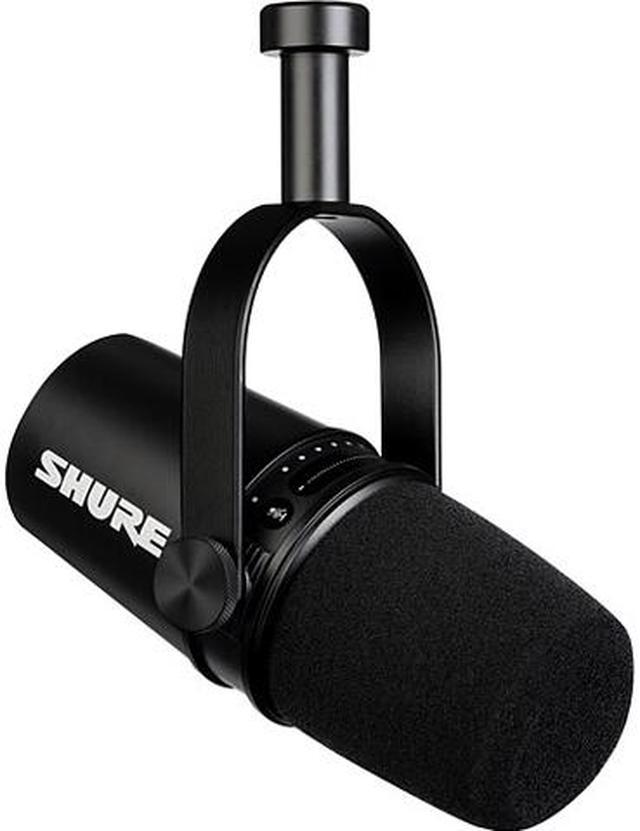
Shure MV7 USB Podcast Microphone
Our top recommendation for this category
Price as of May 15, 2026 — see current price on Amazon.
In this guide
Your headset mic was fine for casual gaming. But the second you go live (or record anything you actually want people to hear), that built-in element makes you sound like you're calling from 2009. USB microphones fixed this problem without requiring an audio interface, mixer, or phantom power supply. You just plug in and sound like you know what you're doing.
The market in 2026 is genuinely good. Prices have dropped on heavy hitters like the Shure MV7 and Elgato Wave:3, and newer options from HyperX and Rode have raised the floor for what "budget" means. I've narrowed it down to five that actually hold up across real streaming sessions.
Quick Picks
| Microphone | Price | Type | Polar Pattern | Best For | |
|---|---|---|---|---|---|
| Shure MV7 | $249 | Dynamic | Cardioid | Voice quality, forgiving rooms | Check Price |
| Elgato Wave:3 | $150 | Condenser | Cardioid | Streamers, Wave Link software | Check Price |
| HyperX QuadCast S | $140 | Condenser | 4 patterns | Gaming setups, RGB | Check Price |
| Rode NT-USB Mini | $99 | Condenser | Cardioid | Clean, compact, easy | Check Price |
| Blue Yeti X | $130 | Condenser | 4 patterns | Podcasters, power users | Check Price |
Shure MV7: Best Overall for Sound Quality
Shure MV7 USB Podcast Microphone
Pros
- Dynamic capsule rejects background noise better than most condensers
- USB and XLR outputs on the same mic
- Works great even without acoustic treatment
- Built like it will outlast your PC build
Cons
- $249 is real money compared to the competition
- Cardioid only, no polar pattern switching
Price as of May 15, 2026 — see current price on Amazon.
Shure built its reputation on the SM7B, the microphone behind basically every major podcast and radio studio. The MV7 takes that same design philosophy and packages it into a USB mic that doesn't require a $150 audio interface to use.
The big difference between the MV7 and most competitors is that it's a dynamic microphone, not a condenser. Dynamic mics are far less sensitive to room noise: AC hum, keyboard clicks, the truck outside. If you're gaming in an untreated room (which is most of us), the MV7 handles it without you needing to foam-pad your walls or buy a reflection filter.
Sound quality is genuinely excellent. Voice is warm, clear, and sits well in a mix without heavy EQ. I've heard a lot of streamers describe it as "pro without trying," which is accurate. The USB-C connection is cleaner than the old micro-USB era gear, and the companion ShurePlus MOTIV app gives you real control over EQ and auto-level mode without being overwhelming.
The trade-off is price. At $249, this is the most expensive pick on this list. But if you're going to be streaming regularly, it's the kind of purchase you make once.
Elgato Wave:3: Best for Streamers
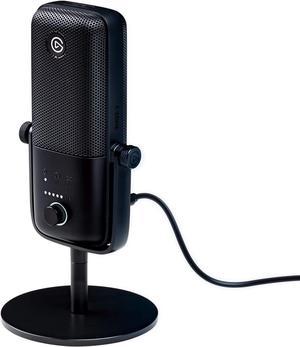
Elgato Wave:3 USB Condenser Microphone
Pros
- Wave Link software is genuinely excellent for mixing game audio and voice
- Clipguard technology prevents distortion peaks during loud moments
- 24-bit/96kHz audio quality
- Solid desktop stand included
Cons
- Condenser capsule picks up more room noise than a dynamic mic
- Software is Elgato-ecosystem locked
Price as of May 15, 2026 — see current price on Amazon.
Elgato designed the Wave:3 specifically for the streaming workflow, and it shows. The included Wave Link software functions as a virtual audio mixer. You route your game audio, Discord, music, and microphone through separate channels, then control the blend on a dedicated interface. OBS users especially love this because it removes the need for VoiceAttack or complicated routing hacks.
The Clipguard feature is what sets it apart technically. The Wave:3 has a second analog-to-digital converter running in parallel at a lower level. When your main signal clips, it switches to the backup signal automatically. It's genuinely clever, and it means a surprise loud reaction won't destroy a VOD with a distorted spike.
At 24-bit/96kHz, the audio quality is genuinely broadcast-grade. A condenser capsule will pick up your room more than the Shure MV7, so if your gaming space isn't treated at all, the MV7 is probably the safer bet. But most people with decent enough rooms will find the Wave:3 sounds better out of the box.
The price has dropped significantly over time. A few years ago this was a $150 mic at full price; now it regularly hits $100-$110 on sale. At $100, it's one of the best values in USB audio for streaming specifically.
HyperX QuadCast S: Best RGB Gaming Aesthetic
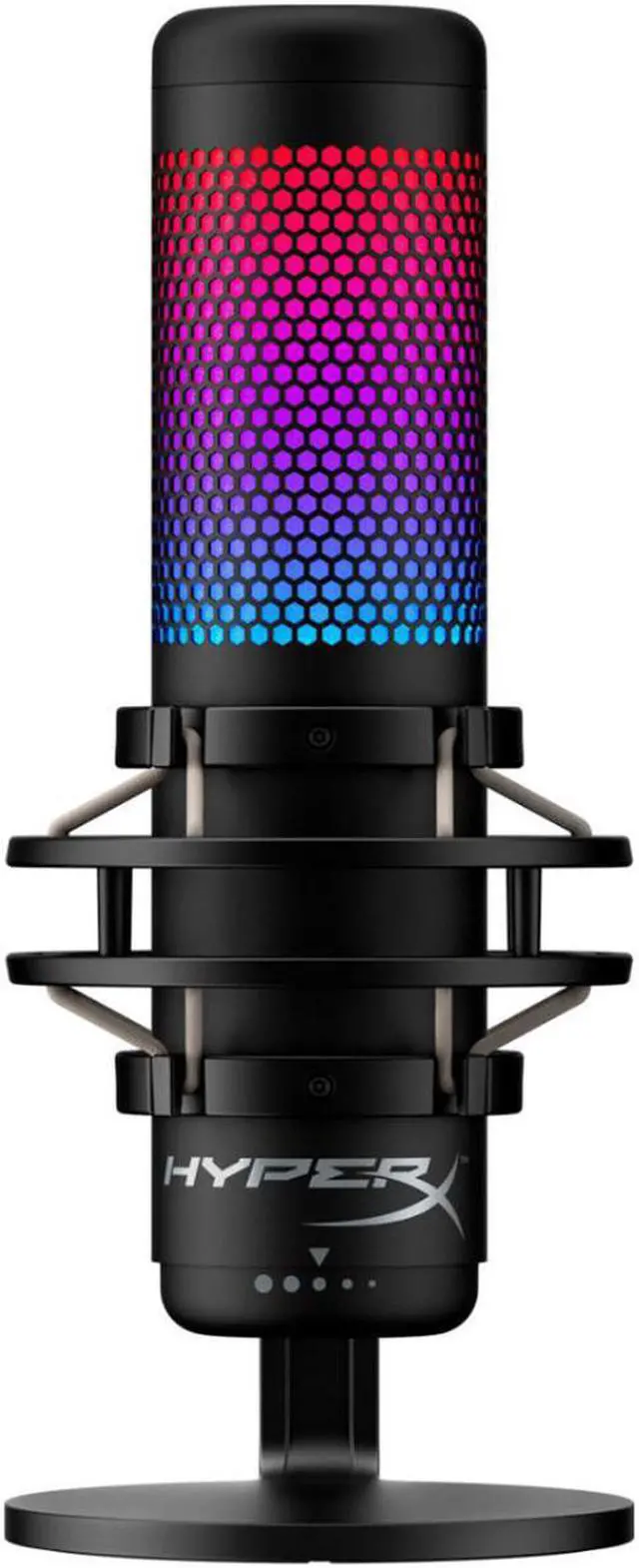
HyperX QuadCast S RGB USB Condenser Microphone
Pros
- Four polar patterns: cardioid, bidirectional, omnidirectional, stereo
- Built-in anti-vibration shock mount
- Tap-to-mute LED indicator
- RGB lighting integrates with HyperX Ngenuity
Cons
- Software is less capable than Elgato's Wave Link
- Bulkier stand takes up more desk real estate
Price as of May 15, 2026 — see current price on Amazon.
Let's be real: most gamers who buy the QuadCast S buy it partially because it looks fantastic on camera. The RGB lighting effect, the floating design, the red indicator light when muted. It's a whole vibe. And that's fine. Aesthetic matters on stream.
But the specs back it up. Four polar patterns is unusual at this price point. Cardioid for standard streaming, bidirectional for a two-person setup where you're across from a guest, omnidirectional for picking up a room, and stereo for recording instruments or ambient sound. You switch between them with a dial on the bottom of the mic, no software required.
The built-in shock mount absorbs desk vibrations better than most mics at this price. If you're a keyboard enthusiast hammering on a mechanical board at 300 WPM, that shock mount actually earns its keep.
The QuadCast S is Discord and TeamSpeak certified, which is a legitimately useful endorsement for gaming. It means the mic has been tested for consistent performance in voice chat applications specifically, not just in controlled recording environments.
At around $140, it sits between the Rode and the Elgato, but with polar pattern flexibility that neither of those offer. If your setup leans into the RGB gaming look, it's an easy recommendation.
Rode NT-USB Mini: Best Compact Option
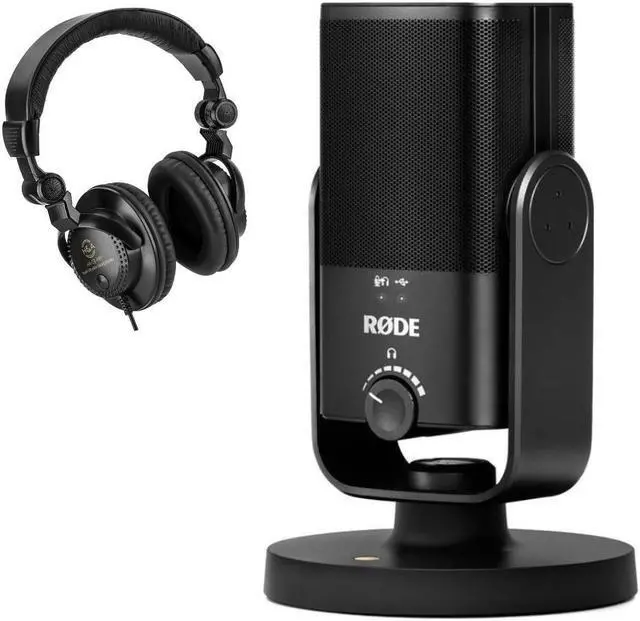
Rode NT-USB Mini USB Microphone
Pros
- Smallest footprint on this list, barely takes up desk space
- Magnetic detachable stand is genuinely clever
- High-quality condenser capsule from an audio brand that actually knows microphones
- Zero-latency headphone monitoring built in
Cons
- No polar pattern options, cardioid only
- No software mixer like the Wave Link
Price as of May 15, 2026 — see current price on Amazon.
Rode is an Australian audio company with a reputation for professional studio gear. The NT-USB Mini is their entry into the USB gaming/streaming space, and they brought real acoustic engineering to it rather than just slapping a condenser capsule in a gaming-branded shell.
What makes it stand out physically is the magnetic detachable stand. The mic base is a flat disc with a strong magnetic connection. You can pop it off your desk stand in half a second and mount it to a boom arm, which is a workflow thing that sounds minor until you're trying to juggle positioning during a stream. The footprint is genuinely tiny, smaller than any other mic on this list.
Sound-wise, Rode tuned this for voice. The frequency response is smooth, with a slight upper-mid presence boost that helps vocals cut through a mix without sounding harsh. It's not quite in the same tier as the MV7 for rejecting background noise (it's a condenser, so it captures more room ambience), but it sounds notably cleaner than you'd expect at $99.
Zero-latency headphone monitoring is included via the 3.5mm output on the mic itself, which matters more than people realize. Monitoring your voice in real time while gaming helps you calibrate your volume and distance without needing to look at software meters.
Blue Yeti X: Best for Multi-Use and Four Polar Patterns
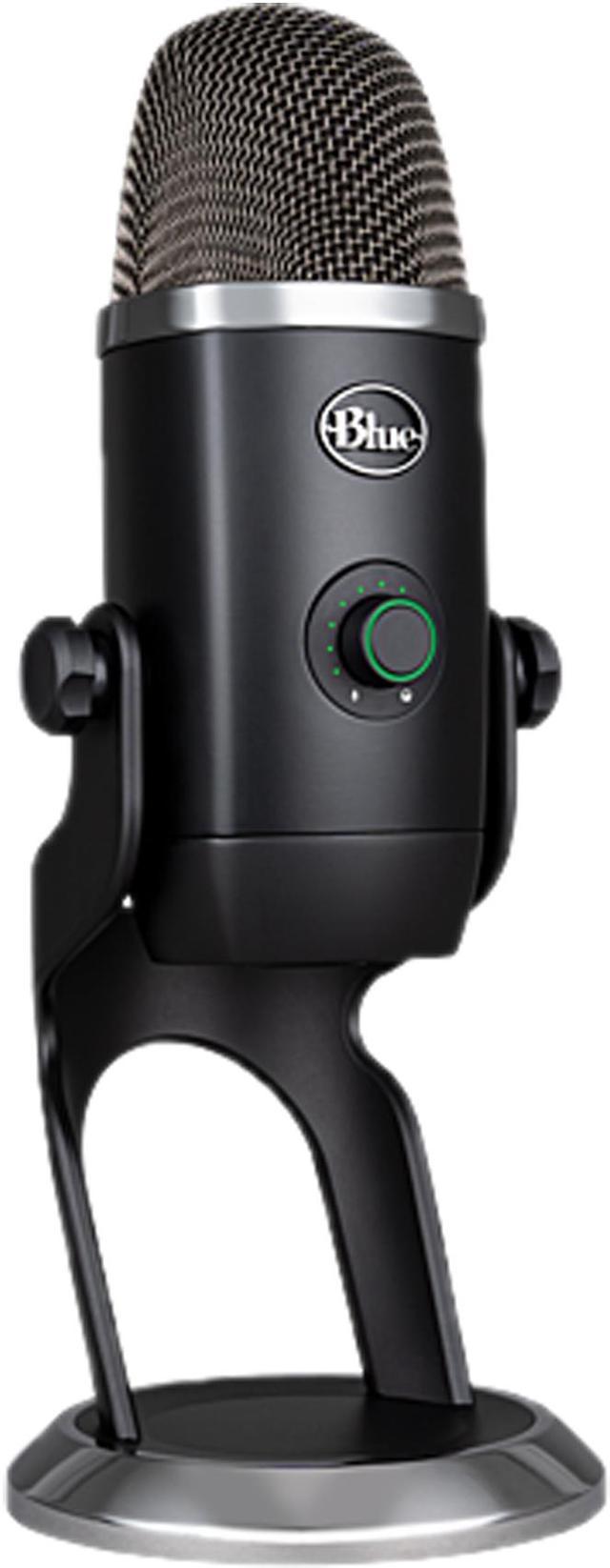
Logitech Blue Yeti X USB Condenser Microphone
Pros
- Four polar patterns with premium build quality
- High-res 11-segment LED metering is actually useful
- Blue VO!CE software has broadcast-quality effects presets
- Four condenser capsules inside for genuinely better stereo capture
Cons
- Heavier and larger than the competition
- Blue VO!CE requires Logitech G Hub which is resource-heavy
Price as of May 15, 2026 — see current price on Amazon.
The Blue Yeti is probably the most recognizable USB microphone brand in the streaming space, and the Yeti X is the professional tier of that lineup. Where the standard Yeti has been around for years with incremental updates, the Yeti X added a four-capsule array, real-time LED metering on the front of the mic, and a smarter multi-function knob.
The LED meter on the front face is something I didn't expect to care about, but it's genuinely useful during stream. You can see your input level at a glance without alt-tabbing to check your software. It's the kind of QoL addition that makes sense once you've experienced it.
Blue VO!CE software (accessed through Logitech G Hub) includes broadcast-quality effects: noise reduction, de-esser, compression, and pre-built presets designed for different use cases. The presets are usable out of the box without needing to understand audio engineering, which is the right call for a gaming audience.
The four polar patterns work the same as the QuadCast S: cardioid, bidirectional, omnidirectional, stereo. At $130 vs the QuadCast S at $140, it's genuinely close, and the choice comes down to whether you prefer the Elgato/HyperX ecosystem or the Logitech G Hub world.
One real knock: G Hub itself is heavier on system resources than it should be for a software mixer. If you're gaming on a system where you're already watching background processes, that's worth knowing.
Buying Guide: What to Look for in a USB Gaming Microphone
Dynamic vs Condenser: The Most Important Decision
This is the choice that matters most, and most people don't know about it until after they've bought something wrong for their situation.
Condenser microphones capture more detail, have a flatter frequency response, and sound more natural. Four of the five picks on this list are condensers. The trade-off is sensitivity: condensers pick up more room noise, keyboard clicks, fan hum, and ambient sound. If your room has any acoustic issues (most do), you'll hear them.
Dynamic microphones are far less sensitive to ambient noise. The Shure MV7 is the only dynamic on this list. Dynamic mics are forgiving of bad rooms and make voice sound thick and present. The downside is they typically cost more for the same voice quality, and you need to speak relatively close to them.
Rule of thumb: if you're in a treated room or are very disciplined about mic positioning, condenser is fine. If your fans are loud, you type aggressively, and your streaming space doubles as your living room, dynamic is the safer bet.
Polar Patterns: Do You Actually Need More Than Cardioid?
Cardioid picks up what's in front of the mic and rejects the sides and back. For solo gaming and streaming, that's all you need. Full stop.
The four-polar-pattern mics (QuadCast S and Yeti X) give you flexibility for interviews, podcast recording with a guest present, or capturing room ambience for a content video. If you do any of that, it's worth the small premium. If you're 100% solo streaming, save the money.
Software Ecosystem
The Elgato Wave:3's Wave Link software is, honestly, the best in class here. If you stream to Twitch or YouTube and use OBS or Streamlabs, Wave Link integrates cleanly and gives you a dedicated hardware channel per source.
The Logitech G Hub is heavier and has historically had stability complaints, but Blue VO!CE effects are genuinely better at audio shaping than anything Elgato ships.
Shure's ShurePlus MOTIV app is clean and simple. Good for what it does, no frills.
Room Acoustics: The Invisible Variable
None of these microphones will fix a bad-sounding room. Hard surfaces reflect sound. An untreated gaming room (drywall, wood desk, no soft furnishings) will sound reverby and echoey regardless of what mic you use.
Basic fixes: place a blanket or jacket behind your monitor while streaming, position the mic as close to your mouth as practical (6-8 inches is a good starting point), and enable noise suppression in OBS or your streaming software. The free NVIDIA RTX Voice/RTX Broadcast plugin is excellent at cleaning up residual room noise if you have an RTX GPU.
USB-A vs USB-C
Most of these mics now ship with USB-C on the microphone end, which is the right call. If your PC only has USB-A ports, you'll get an adapter or cable in the box. Not a dealbreaker, just worth checking what ports your desk setup has before ordering.
Frequently asked questions
- Do I need an audio interface with a USB microphone?
- No. That's the whole point of USB mics: they have the interface built in. You plug directly into a USB port on your PC and it shows up as an audio device. If you want to upgrade to an XLR mic later, that's when you'd need a separate audio interface.
- What's the difference between the Shure MV7 and MV7+?
- The MV7+ added a color LED touch panel, USB-C connectivity (vs micro-USB on the original MV7), a real-time denoiser, and reverb effects. It runs about $80-$100 more than the MV7. For streaming, the original MV7's sound quality is still excellent and the savings are meaningful. The MV7+ makes more sense if you're doing music recording or want the denoiser built into hardware rather than software.
- Is the HyperX QuadCast S better than the Elgato Wave:3?
- Depends on your priorities. The QuadCast S has more polar patterns and better RGB aesthetics. The Wave:3 has Clipguard (prevents distortion peaks) and the Wave Link software, which is better for streaming specifically. For pure streaming with OBS, Wave:3 edges it out. For a gaming setup where you want flexibility and good looks, QuadCast S is the pick.
- How close should I be to my USB microphone while gaming?
- 6 to 10 inches is the sweet spot for most condenser mics. Any closer and you risk plosive sounds (P and B sounds) hitting the capsule hard. Any further and you lose presence and your room starts bleeding in more. The Shure MV7 can work at 2-3 inches for a more radio-style sound, but 4-6 inches works well for gaming where you're not constantly leaning in.
- Will a USB microphone work on PS5 or Xbox?
- The HyperX QuadCast S explicitly lists PS4 and PS5 compatibility. The Rode NT-USB Mini also works on PS4/PS5 via USB. For Xbox, USB audio devices have limited compatibility and most USB mics don't work on Xbox Series X/S without a headphone jack adapter workaround. If you primarily game on console, check your specific console's USB audio support before buying.
- Is the Blue Yeti still worth buying in 2026?
- The standard Blue Yeti (not the Yeti X) has aged. You can find it for around $100, but at that price, the Rode NT-USB Mini is a better buy in 2026: cleaner sound, smaller footprint, better build quality. The Yeti X at $130 is still competitive because of the four-capsule design and LED metering. But the original Yeti's time as the default recommendation has largely passed.
Bottom Line
If you want the best-sounding USB mic for streaming and aren't afraid of the price, the Shure MV7 is the pick: dynamic capsule, forgiving of room noise, sounds professional without fuss. For dedicated streamers who live in OBS and want software control, the Elgato Wave:3 is the smartest choice. Gaming setups where RGB matters and you want polar pattern flexibility should look at the HyperX QuadCast S. Tight budget with no compromises on audio quality? The Rode NT-USB Mini at $99 is genuinely impressive. And if you want four polar patterns plus Logitech's ecosystem, the Blue Yeti X delivers at $130. All five are plug-and-play USB with no drivers, no interfaces, and no excuses for sounding bad on stream anymore.
How We Test
We score products by combining spec-level research, pricing history, trusted third-party benchmarks, and owner sentiment from high-signal sources.
- Performance and real-world value in the category this guide targets
- Price-to-performance and deal consistency over recent pricing windows
- Build quality, reliability patterns, and known long-term issues
- Recommendation refresh cadence to keep these picks current
Author
TheTechSearch Editorial Team
Independent product reviewers & PC builders
We test and compare real-world specs, price trends, and user feedback to recommend gear that actually makes sense to buy.