Best Gaming Headsets Under $100 in 2026
Four genuinely good gaming headsets under $100, including the HyperX Cloud III at $58, which is one of the best value headsets at any price right now.
As an Amazon Associate we earn from qualifying purchases made through our links — this doesn't affect our picks.
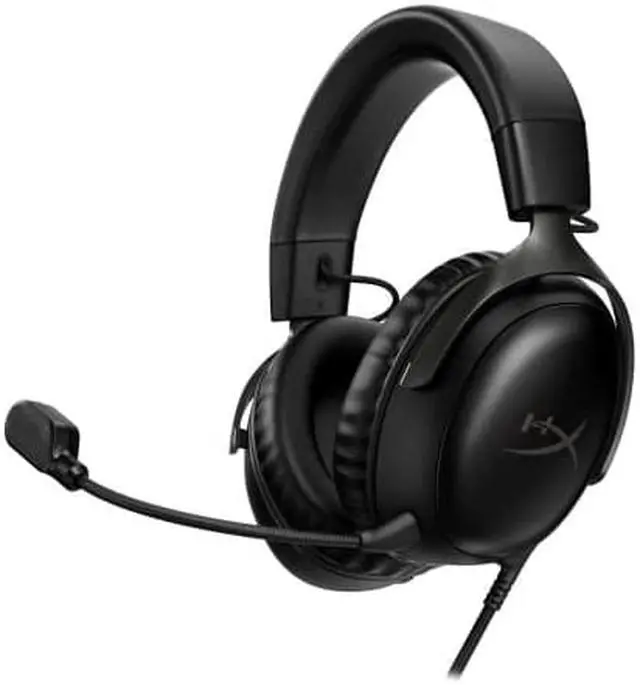
HyperX Cloud III Wired Gaming Headset
Our top recommendation for this category
Price as of Aug 23, 2026 — see current price on Amazon.
The gaming headset under $100 category used to be full of compromises. Tinny audio, flimsy plastic, a mic that made you sound like you were calling from 2003. That changed around 2022 and the shift has continued. The HyperX Cloud III now sells for about $58 and sounds better than headsets that cost twice as much three years ago.
Here's what's actually worth your money in 2026.
| Headset | Price | Type | Best For | |
|---|---|---|---|---|
| HyperX Cloud III | ~$58 | Wired | Best overall; clear upgrade from any budget headset | Check Price |
| Corsair HS65 Surround | ~$69.99 | Wired | Virtual 7.1 surround sound on a budget | Check Price |
| Razer BlackShark V2 X | ~$40 | Wired | Competitive FPS; focused directional audio | Check Price |
| Logitech G335 | ~$39.99 | Wired | First headset, casual gaming, tight budget | Check Price |
HyperX Cloud III: The Obvious Top Pick
HyperX Cloud III Wired Gaming Headset
Pros
- 53mm drivers with noticeably better bass and detail than competitors at this price
- Memory foam ear cushions that don't get uncomfortable over long sessions
- USB-C and 3.5mm connections work with PC, PS5, Switch, and Xbox
- Solid build quality; the headband doesn't creak or feel cheap
Cons
- Wired only (no wireless option in this model)
- Mic is decent but not exceptional compared to a dedicated USB mic
Price as of Aug 23, 2026 — see current price on Amazon.
The HyperX Cloud III is genuinely hard to beat at $58. The 53mm drivers deliver audio quality well above the price: real bass presence, clear mids, and highs that don't fatigue you after an hour. Plenty of $150 gaming headsets sound worse.
The memory foam cushions are the other standout detail. Most budget headsets cut costs on padding, which means you feel the plastic frame through the cushioning after about an hour. The Cloud III doesn't have that problem. And the hybrid mesh fabric over the foam stays cooler than pure leather substitutes, which matters for summer gaming sessions.
It connects via USB-C (USB-C to USB-A adapter included) or a 3.5mm jack, so it works everywhere. PC, PS5, Xbox, Switch, phone. No exclusions. That flexibility at this price is legitimately impressive.
Corsair HS65 Surround: Best for Positional Audio

Corsair HS65 Surround Wired Gaming Headset
Pros
- Dolby Atmos support on PC via USB gives genuine positional audio
- Comfortable fit with leatherette ear cushions
- 50mm custom tuned drivers at this price are solid
- Works with iCUE software for EQ customization
Cons
- Surround sound only works via USB on PC; 3.5mm is stereo only
- Corsair iCUE software can be bloated on older PCs
Price as of Aug 23, 2026 — see current price on Amazon.
The Corsair HS65 Surround is interesting because the virtual 7.1 actually works. Most budget headsets claim surround sound and deliver something barely distinguishable from stereo. The HS65 Surround with Dolby Atmos enabled gives you real positional awareness. Hearing footsteps at 10 o'clock versus 2 o'clock in games like Warzone or Hunt: Showdown makes a genuine difference.
The catch: the surround processing only functions via USB on PC. Plug into a PS5 or Xbox via the 3.5mm jack and you get regular stereo. If you primarily play on PC and care about positional audio for shooters, this is worth the $69.99. For cross-platform gaming, the HyperX makes more sense.
Razer BlackShark V2 X: Best for Competitive Play
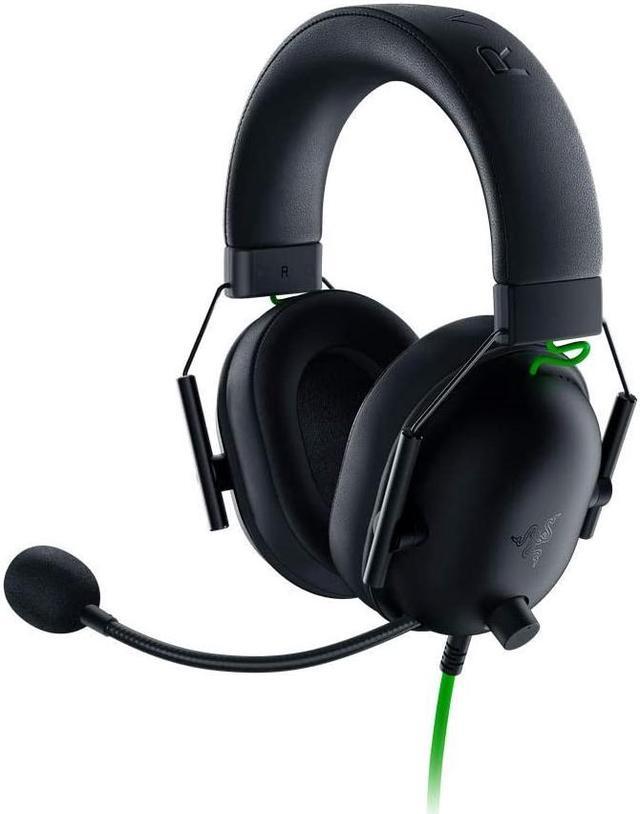
Razer BlackShark V2 X Gaming Headset
Pros
- Tight, focused soundstage tuned for directional audio in competitive FPS
- TriForce 50mm drivers isolate frequencies better than most at this price
- Cardioid mic filters out background noise well
- Very light at 240 grams
Cons
- Razer's sound signature is V-shaped (more bass and treble, recessed mids)
- Build quality is fine but not premium for $40
Price as of Aug 23, 2026 — see current price on Amazon.
The BlackShark V2 X is Razer's entry-level competitive headset and it's tuned accordingly. The TriForce drivers isolate high frequencies specifically to help you hear enemy footsteps and gunfire. If you play CS2, Valorant, or any game where positional audio matters for winning, this $40 headset does a better job at that specific task than some $80 alternatives.
The tradeoff is that the V-shaped sound signature (boosted bass and treble, pulled-back mids) makes music and movies sound energetic but not accurate. It's optimized for games, not everyday listening. If you're also using your headset for music production or watching films where audio fidelity matters, look at the HyperX instead.
Logitech G335: Best Budget Option
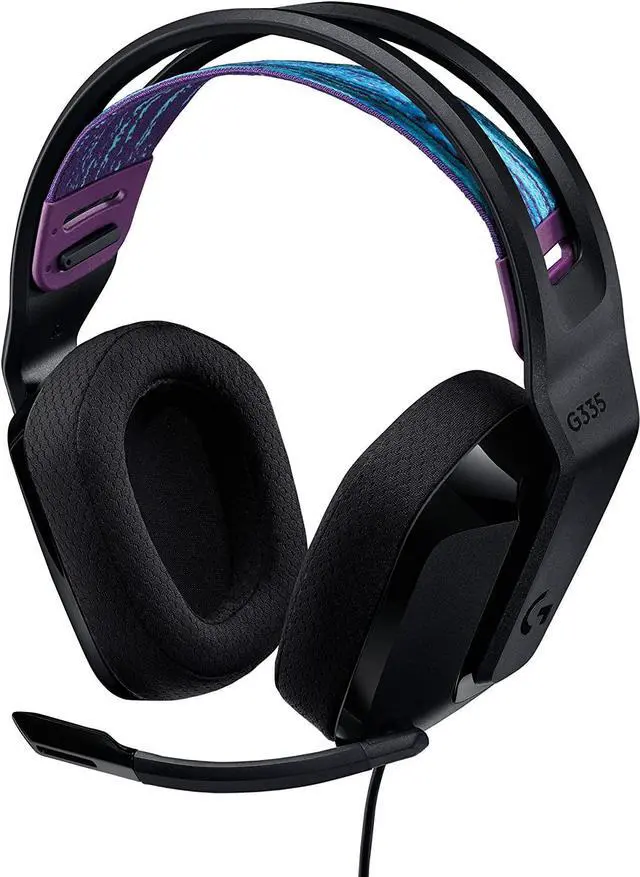
Logitech G335 Wired Gaming Headset
Pros
- $39.99 is still cheap for a headset this functional
- Flip-to-mute mic is convenient and clearly indicates when you're muted
- Works on PC, PS5, Xbox, Switch via 3.5mm
- Surprisingly comfortable for a budget build
Cons
- 40mm drivers are smaller than the competition; audio detail suffers at higher volumes
- Purely plastic construction doesn't inspire confidence in durability
Price as of Aug 23, 2026 — see current price on Amazon.
The Logitech G335 is the answer to "I just need a headset that works and I don't want to spend much." At $39.99, it's a first gaming headset for someone upgrading from laptop speakers, or a spare headset for a second PC setup. The flip-to-mute microphone is one of those small quality-of-life features that budget headsets often skip. Being able to physically mute by flipping the mic up is cleaner than hunting for a mute button mid-game.
Honestly, though: if you can spend $58 on the HyperX Cloud III instead, do that. The jump in audio quality between the G335 and the Cloud III is substantial. The G335 is for the buyer who genuinely cannot stretch the budget further.
What to Look for in a Gaming Headset Under $100
Driver size matters less than driver quality. You'll see headsets advertising 50mm, 53mm, or even 60mm drivers like bigger is automatically better. It isn't. The HyperX Cloud III's 53mm drivers outperform plenty of 60mm drivers from lesser-known brands because HyperX tuned them properly. Focus on the brand's reputation for sound quality rather than the raw driver size.
Wired vs. wireless under $100. There are wireless gaming headsets available under $100, but they're generally not worth it. The wireless radio component adds cost that comes out of the audio hardware budget. At $100 and below, you get better audio from a well-made wired headset than a wireless one. Wireless makes sense at $100-$150 and above, where the overall hardware budget accommodates a good radio without sacrificing driver quality.
PC-only features vs. cross-platform. Headsets with virtual surround, RGB, and companion app support tend to be optimized for Windows PC. If you also game on PS5, Switch, or Xbox, verify that the features you're paying for actually work on those platforms. The Corsair HS65 Surround is a good example: excellent surround on PC, stereo only on consoles. Know what you're paying for.
Microphone style. Boom mics (the arm that extends from the headset) generally outperform in-line mics (built into the cable) for voice clarity. All four picks above use boom mics. For under $100, avoid headsets with in-line microphones. The audio pickup is almost always worse.
Frequently asked questions
- Is the HyperX Cloud III actually worth $58?
- Yes, without hesitation. The Cloud III consistently ranks as one of the best values in gaming audio regardless of price bracket. The 53mm drivers, memory foam cushions, and cross-platform compatibility make it a legitimate step up from budget options, and it competes with headsets twice the price on audio quality alone.
- Should I buy a wireless gaming headset under $100?
- Generally no. Below $100, the added cost of wireless hardware comes directly out of the audio component budget. Wired headsets in this price range consistently outperform wireless alternatives at the same price on audio quality. If wireless is important to you, save up to the $100-$150 range where wireless gaming headsets become genuinely competitive.
- Do gaming headsets under $100 work on PS5 and Xbox?
- Most of them do, via the 3.5mm headphone jack on the controller. The HyperX Cloud III is explicitly cross-platform. The Corsair HS65 Surround works on consoles but the surround sound feature only activates on PC via USB; you get regular stereo on consoles.
- What's the difference between virtual 7.1 surround and stereo in gaming?
- Virtual 7.1 surround uses DSP processing to simulate directional audio from a stereo headset, making footsteps sound like they're coming from specific directions rather than just left or right. When done well (like Dolby Atmos via the HS65 Surround), it genuinely helps in games where positional audio matters. Stereo headsets can still have good positional audio through well-tuned drivers; it's just less processed. Some competitive players prefer stereo for a cleaner sound.
- Can I use a gaming headset for music and calls as well?
- Yes, but results vary. The HyperX Cloud III has balanced sound that translates reasonably well to music. The Razer BlackShark V2 X is optimized for games with a V-shaped frequency curve that's energetic but not accurate; it's less suitable for critical music listening. All four picks work for phone or Discord calls via their microphones.
- Are gaming headsets as good as audiophile headphones at the same price?
- No. A $60 pair of audiophile headphones (Sennheiser HD 400S, for instance) will sound better for music than any $60 gaming headset. But gaming headsets include a built-in microphone, often a boom mic with background noise rejection, and console compatibility out of the box. It's the right tool for the right job. If you already own good headphones, a separate USB mic plus your headphones will beat any gaming headset on audio quality. But the gaming headset is the more practical all-in-one solution.
Bottom Line
The HyperX Cloud III at $58 is the clear pick for most buyers. It combines audio quality that punches above its price, genuine cross-platform support, and cushioning comfort that holds up in long gaming sessions. If budget is tight, the Razer BlackShark V2 X at $40 is a solid runner-up with competitive-tuned audio. And if you're on a strict $40 budget, the Logitech G335 does the job without pretending to be something it isn't.
The only situation where I'd look past the Cloud III is if you specifically want surround sound processing on PC. In that case, the Corsair HS65 Surround with Dolby Atmos is worth the slight downgrade in build quality.
How We Pick
We pick products by combining spec-level research, price checks, trusted third-party benchmarks, and owner sentiment from high-signal sources.
- Performance and real-world value in the category this guide targets
- Price-to-performance and deal consistency over recent pricing windows
- Build quality, reliability patterns, and known long-term issues
- Recommendation refresh cadence to keep these picks current
Author
TheTechSearch Editorial Team
Independent product reviewers & PC builders
We compare real-world specs, reviews and owner reports, price trends, and user feedback to recommend gear that actually makes sense to buy.