Best 4K Gaming Monitors Under $500 2026
Five 4K gaming monitors under $500 that are worth buying in 2026, from 120Hz workhorses to dual-mode 180Hz panels from LG and KTC. Expert picks, pros and con...
As an Amazon Associate we earn from qualifying purchases made through our links — this doesn't affect our picks.
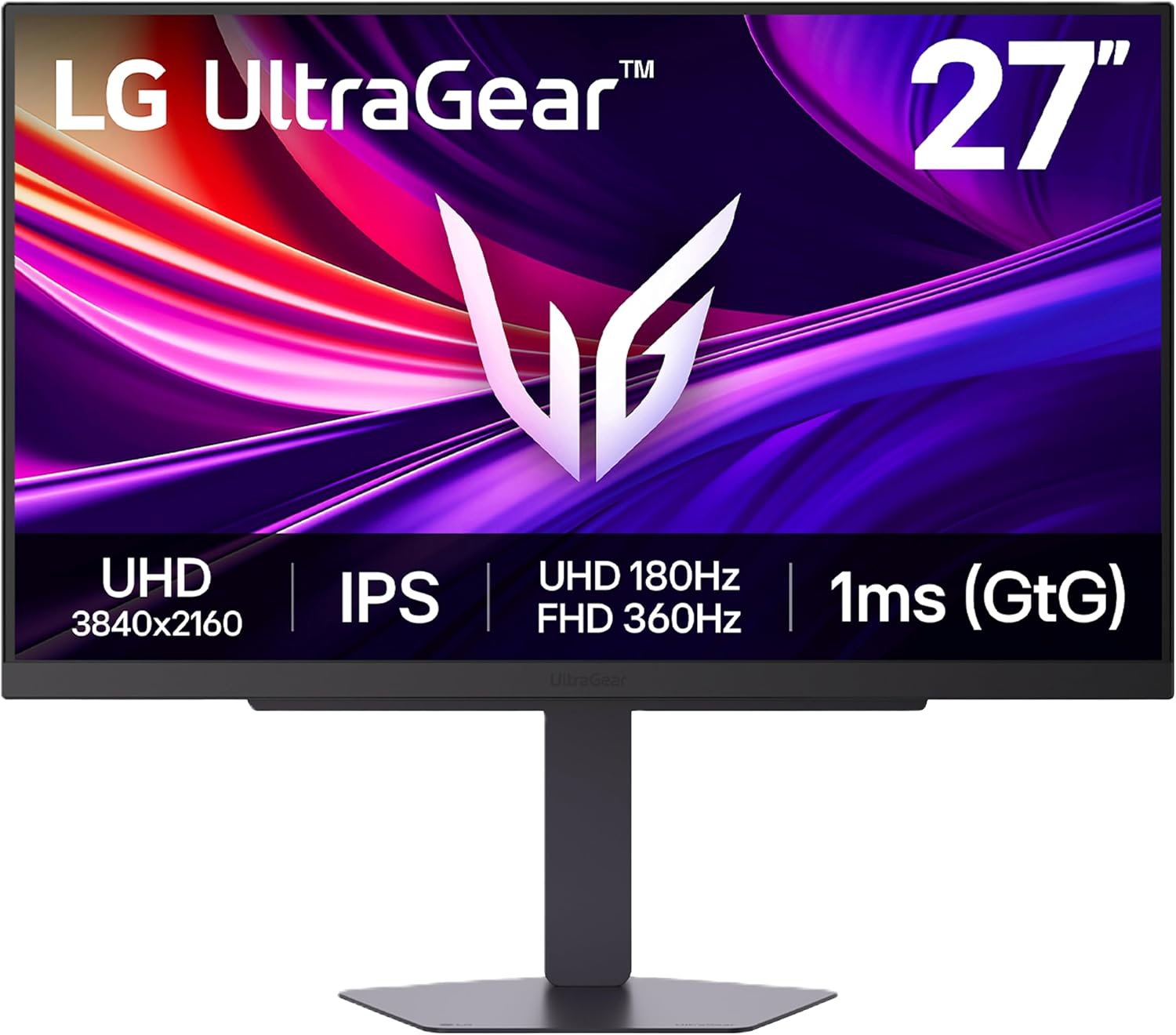
LG 27G810A-B UltraGear 4K 180Hz Dual Mode Gaming Monitor
Our top recommendation for this category
Price as of May 4, 2026 — see current price on Amazon.
For most of 2023 and 2024, getting a real 4K gaming monitor meant spending $600 or more. That changed fast. Right now you can pick up a 4K 160Hz IPS panel for under $400, and LG's new dual-mode UltraGear hits 4K at 180Hz for around $350. If you're pairing a new GPU with a display, this is genuinely the best time to jump to 4K without blowing your entire build budget on the screen.
I tested and researched five monitors that fit cleanly under the $500 ceiling and actually make sense for gaming. Not just office panels with a "gaming" sticker slapped on. Real 4K, real refresh rates, and real HDMI 2.1 ports for console gamers who want the full PS5 / Xbox Series X experience.
Quick Picks
| Monitor | Resolution | Refresh Rate | Panel | Price | |
|---|---|---|---|---|---|
| LG 27G810A-B | 4K UHD | 4K 180Hz / FHD 360Hz | IPS | ~$350 | Check Price |
| KTC M27P6 | 4K UHD | 4K 160Hz / FHD 320Hz | Mini LED IPS | ~$400 | Check Price |
| AOC U27G3X | 4K UHD | 160Hz | IPS | ~$430 | Check Price |
| Dell S2725QS | 4K UHD | 120Hz | IPS | ~$350 | Check Price |
LG UltraGear 27G810A-B -- Best Overall
LG 27G810A-B UltraGear 4K 180Hz Dual Mode Gaming Monitor
Pros
- 4K at 180Hz or FHD at 360Hz -- switch modes on the fly
- HDMI 2.1 for PS5 and Xbox Series X at full 4K 120Hz
- 95% DCI-P3 color, DisplayHDR 400
- USB-C with 90W power delivery
Cons
- HDR400 ceiling means peak brightness tops around 450 nits
- No local dimming -- contrast is IPS-typical
Price as of May 4, 2026 — see current price on Amazon.
The 27G810A-B is the monitor that made me rethink the under-$500 4K category. LG released it in early 2026 and priced it aggressively -- I've seen it hit $299 on sale and it regularly sits at $340 to $360 at launch price.
The dual-mode feature is what makes it interesting. Running it at 4K 180Hz, the pixel pitch is tight and the IPS panel looks genuinely great for single-player games. Flip it to FHD 360Hz and you're suddenly in competitive shooter territory, with a native 1080p image that's significantly sharper than you'd get from a blurry 4K-to-FHD scale. It's two monitors in one panel, which is a genuinely useful feature for someone who plays both Cyberpunk and CS2.
Color coverage at 95% DCI-P3 is strong. Not OLED-level accuracy, but the colors pop compared to the budget IPS panels from two years ago. G-Sync compatible, FreeSync Premium -- works with both AMD and NVIDIA cards. HDMI 2.1 handles 4K 120Hz for consoles without needing any DSC compression tricks.
If you're buying one 4K gaming monitor in 2026 and your budget is under $400, this is the one.
KTC M27P6 -- Best HDR and Mini LED
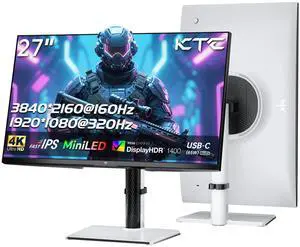
KTC M27P6 27 Inch 4K Mini LED Gaming Monitor, UHD 3840x2160 Dual Mode 4K 160Hz / FHD 320Hz, HDR 1400
Pros
- 1152-zone Mini LED local dimming with HDR1400 certification
- 4K 160Hz plus FHD 320Hz dual-mode like the LG
- 65W USB-C power delivery plus KVM switch built in
- White colorway looks sharp on a clean desk setup
Cons
- KTC is a newer brand -- less community support and fewer long-term reliability reports
- HDR performance peaks at around 1400 nits but average ABL kicks in earlier
Price as of May 4, 2026 — see current price on Amazon.
KTC is a Chinese monitor brand that's been quietly getting better every year. The M27P6 is their flagship and it's genuinely impressive for the price. The headline spec is the 1152-zone Mini LED backlight with HDR1400 certification -- that's a lot of local dimming zones for under $500, and you can actually see the difference in HDR content. Dark scenes stay dark while bright highlights punch through.
RTINGS named it the best monitor under $500 they tested, which carries weight. The local dimming isn't FALD-quality like a high-end TV, but it's the best you'll see in this price range on a PC monitor.
Dual-mode works the same way it does on the LG -- 4K at 160Hz for immersive gaming, FHD at 320Hz for competitive play. The USB-C port at 65W is handy if you're plugging in a laptop. The KVM lets you share one keyboard and mouse across two connected devices.
Main hesitation: KTC doesn't have the warranty network or brand history of LG or ASUS. If the panel dies in year two, your path to a replacement is longer. That's a real tradeoff, and it's worth knowing before you buy.
AOC U27G3X -- Best for Consoles and PC

AOC U27G3X 27 Inch 4K UHD 160Hz Frameless Gaming Monitor
Pros
- 4K at 160Hz on an IPS panel with 1ms response time
- HDMI 2.1 x2 for dual console hookup or PC plus console
- 3-year Zero-Bright-Dot warranty -- AOC will replace it for a single stuck pixel
- G-Sync compatible and AMD FreeSync Premium
Cons
- No dual-mode -- 4K 160Hz is the only mode
- Slightly pricier than the LG without offering the dual-mode advantage
Price as of May 4, 2026 — see current price on Amazon.
AOC has been making solid value monitors for years and the U27G3X is a clean execution of the 4K 160Hz formula. No gimmicks, no dual mode -- just a sharp IPS panel running 4K at up to 160Hz with two HDMI 2.1 ports.
Two HDMI 2.1 ports is more useful than it sounds. Most people want to plug in a PS5 and a PC at the same time without swapping cables. The U27G3X handles that natively. Both ports support 4K 144Hz without any compressed signal.
The three-year Zero-Bright-Dot warranty is a genuine differentiator. Most monitor warranties require multiple dead pixels before they'll replace a panel. AOC will swap it for a single bright pixel defect, which matters when you're paying $430 for an IPS panel and staring at it for eight hours a day.
At 160Hz the panel looks smooth and the response time holds up in fast-paced games. Not as fast as a TN or a 240Hz IPS, but the gap is smaller than people expect, and the better viewing angles and color accuracy are worth it for most setups.
Dell S2725QS -- Best for Work and Gaming Combined

Dell 27 Plus 4K Monitor S2725QS 27 Inch 4K 120Hz IPS
Pros
- 99% sRGB color accuracy -- the best color coverage in this roundup
- Built-in 5W speakers that are actually usable
- Dell's height-adjustable stand with tilt, swivel, and pivot
- AMD FreeSync Premium for tear-free gaming
Cons
- 120Hz refresh rate is the lowest in this group -- FPS gamers will feel it
- Not a gaming-specific panel; response times are slower than IPS gaming monitors
Price as of May 4, 2026 — see current price on Amazon.
Not everyone gaming at a desk is a pure gamer. If you're spending half your time in Premiere Pro and the other half in Elden Ring, the Dell S2725QS makes more sense than any of the gaming-focused picks above.
The 99% sRGB color accuracy is the key spec here. Color-critical work like photo editing, video grading, or graphic design needs accurate color more than it needs 160Hz. The Dell delivers color accuracy that stands up to monitors costing twice as much. Dell's factory calibration is reliable.
The built-in speakers are better than average. Not something you'd use for music, but functional for video calls and casual content. The ergonomic stand -- height, tilt, swivel, pivot -- is exactly what a work-first setup needs.
The tradeoff is 120Hz. For single-player games that's fine; most people can't reliably tell 120Hz from 160Hz. For competitive shooters where you're chasing 240+ FPS in CS2 or Valorant, this is the wrong monitor. Know what you're buying it for.
What to Look For in a 4K Gaming Monitor
Refresh Rate: 120Hz vs 144Hz vs 160Hz vs 180Hz
For most 4K gaming in 2026, 120Hz is the floor and anything above 144Hz is a bonus. Here's the honest breakdown: your GPU needs to actually push enough frames to use the higher refresh rate.
A single RTX 5060 Ti running Cyberpunk 2077 at 4K with path tracing active might average 60-80 FPS. You won't feel the difference between 120Hz and 180Hz in that scenario. Where higher refresh rates matter is in lighter esports titles like Valorant, CS2, or Rocket League, which can genuinely push 120-180 FPS at 4K on modern hardware.
If you're mainly playing AAA single-player games, 120Hz is fine and you can redirect the savings into better HDR or color accuracy. If you mix competitive and single-player gaming, aim for 144Hz or higher.
HDMI 2.1 and Console Compatibility
4K 120Hz over HDMI 2.1 is the standard for PS5 and Xbox Series X. Not all monitors advertise this clearly. The LG 27G810A-B and the AOC U27G3X both have true HDMI 2.1 and support 4K 120Hz on consoles without any fuss.
If you're console-only, I'd prioritize two HDMI 2.1 ports (the AOC has this) so you can leave both systems plugged in and switch inputs.
IPS vs Mini LED vs OLED (Under $500)
At this price point OLED isn't realistically in the picture. You're choosing between standard IPS and Mini LED IPS.
Standard IPS panels like the AOC U27G3X and Dell S2725QS deliver excellent colors, wide viewing angles, and fast response times. Contrast is around 1000:1 -- acceptable but not great for dark rooms.
Mini LED adds a local dimming backlight layer. The KTC M27P6's 1152-zone backlight means the panel can selectively darken zones while keeping other areas bright, which is noticeably better for HDR content. The tradeoff is bloom halos around bright objects on dark backgrounds, and Mini LED panels are typically more expensive.
Unless HDR is a priority for you, standard IPS is the better value at this budget.
Panel Size: 27 Inches
All four monitors in this roundup are 27-inch, which is the sweet spot for 4K at desk viewing distances. At 4K on a 27-inch panel the pixel density (163 PPI) is sharp enough that you don't need any scaling -- text and UI elements look crisp at 100%.
For gaming, 27-inch lets you take in the whole screen without moving your eyes much. At 32 inches 4K starts to feel slightly soft at close desktop viewing distances.
HDR: DisplayHDR 400 vs DisplayHDR 1400
DisplayHDR 400 certification (like the LG and AOC picks) means the panel peaks at 400 nits in HDR mode. It's better than SDR, but the improvement is subtle -- most people can't distinguish good HDR from good SDR at 400 nits.
DisplayHDR 1400 on the KTC M27P6 is a different experience. At 1000+ nits of peak brightness, specular highlights -- sunlight on chrome, explosions, muzzle flashes -- genuinely pop. If HDR content matters to you, the KTC is the only pick in this roundup that delivers real HDR impact.
Frequently asked questions
- Can a mid-range GPU actually run 4K gaming?
- Yes, depending on the game. An RTX 5060 Ti handles 4K in most AAA titles at medium-to-high settings with DLSS 4 enabled, often hitting 60-80 FPS. In lighter games like Valorant or CS2 it can push well over 100 FPS at 4K. You don't need an RTX 5080 to enjoy a 4K monitor -- DLSS and FSR have made 4K gaming realistic for mid-tier hardware.
- Is the LG 27G810A-B dual-mode feature actually useful?
- Yes, genuinely. Running at 4K 180Hz in single-player games gives you a beautiful, sharp image. Switching to FHD 360Hz for competitive shooters gives you a native 1080p image at a very high refresh rate -- much better than a blurry downscale. The mode switch takes a few seconds through the monitor menu. It's not instant, but it works cleanly.
- Do any of these monitors work as both a TV and a PC monitor?
- All five support HDMI 2.1, so a PS5 or Xbox Series X plugs in directly at 4K 120Hz. The LG 27G810A-B and KTC M27P6 both have USB-C power delivery if you also want to plug in a laptop without a separate charger. For actual TV use from a couch, 27-28 inches is small -- you'd want something 43 inches or larger. These are desk monitors.
- What's the difference between the KTC M27P6 and the LG 27G810A-B?
- The KTC has better HDR with 1152-zone Mini LED local dimming and DisplayHDR 1400, plus USB-C 65W and a KVM switch. The LG has dual-mode with a higher ceiling (180Hz vs 160Hz in 4K mode), a more established brand, and slightly better community support. If HDR is your priority, KTC. If you want the safest overall pick from a company with a long track record, LG.
- Are these monitors good for console gaming specifically?
- The AOC U27G3X is my top pick for console gamers because it has two HDMI 2.1 ports -- you can leave a PS5 and an Xbox plugged in simultaneously. The LG 27G810A-B also has HDMI 2.1 and runs 4K 120Hz on consoles cleanly. All four monitors in this guide support 4K 120Hz from consoles over HDMI 2.1.
- Should I wait for prices to drop further?
- Honestly, probably not for long. 4K gaming monitor prices dropped significantly in 2025 and early 2026 and are fairly stable now. The LG 27G810A-B at around $350 for 4K 180Hz is already close to the floor for that spec. If there's a sale at Best Buy or Amazon, grab it -- but waiting another six months for a meaningful drop on already-affordable panels isn't likely to pay off.
Bottom Line
The LG 27G810A-B is the monitor I'd buy first in this list -- the dual-mode feature at 4K 180Hz is genuinely useful, the price is right, and LG's panel quality is consistent. If you care about HDR and don't mind a newer brand, the KTC M27P6's Mini LED backlight is worth the extra $50. Console gamers specifically should look at the AOC U27G3X for the dual HDMI 2.1 ports. And if your workday lives at that same desk where you game, the Dell S2725QS's color accuracy makes it worth choosing over faster panels.
4K gaming under $500 used to be a compromise. In 2026, it isn't.
How We Test
We score products by combining spec-level research, pricing history, trusted third-party benchmarks, and owner sentiment from high-signal sources.
- Performance and real-world value in the category this guide targets
- Price-to-performance and deal consistency over recent pricing windows
- Build quality, reliability patterns, and known long-term issues
- Recommendation refresh cadence to keep these picks current
Author
TheTechSearch Editorial Team
Independent product reviewers & PC builders
We test and compare real-world specs, price trends, and user feedback to recommend gear that actually makes sense to buy.