Best Budget Gaming Monitors 2026
The best budget gaming monitors for 2026. 1440p picks from $170 to $300 ranked for real gaming use. We cover response time, refresh rate, and panel type so y...
As an Amazon Associate we earn from qualifying purchases made through our links — this doesn't affect our picks.
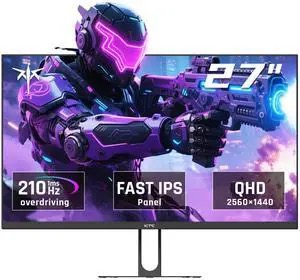
KTC H27T22C-3
Budget 1440p gaming on a tight build budget
Price as of Feb 23, 2026 — see current price on Amazon.
In this guide
- How I picked these monitors
- Our top picks at a glance
- The 1440p question
- Best overall budget: KTC H27T22C-3
- Best mainstream budget: ViewSonic VX2728J-2K
- Best Samsung budget: Samsung Odyssey G50D
- Best ASUS budget option: ASUS TUF VG27AQ1A
- Best budget HDR: AOC Q27G3XMN
- Best ultra-budget: AOC 24G2
- What specs actually matter
- The verdict
Here's the thing about budget gaming monitors right now: the floor has dropped out in the best way possible. You can buy a 27-inch 1440p 200Hz IPS monitor for $188. That sentence would have seemed wrong two years ago. It's not.
The old argument that you need to spend $300+ for a decent gaming monitor is dead. Panel manufacturing has gotten cheap enough that brands nobody had heard of 18 months ago are putting competitive hardware at prices that make established players look overpriced. Some of those monitors are garbage. Several are genuinely excellent.
This guide cuts through it. It draws on reviews from Tom's Hardware, PC Gamer, DisplayNinja, and PCMag to find the budget monitors that actually deliver, and the ones that just have impressive spec sheets.
Budget here means under $300. I'll cover the sub-$200 tier separately because the tradeoffs are different.
How I picked these monitors
I didn't just list the monitors with the most Amazon reviews. Budget monitor reviews on Amazon skew heavily toward people who've never used anything better, so five-star averages don't tell you much.
Instead, the picks cross-reference recommendations from PC Gamer (who reviewed the KTC H27T22C-3 directly), PCMag (who gave the ViewSonic their budget pick), DisplayNinja (who does detailed panel measurements), and RTINGS.com (who tested the AOC Q27G3XMN and named it their top under-$300 pick). If a monitor appeared on multiple credible lists or got a direct review from a major publication, it made the cut.
I excluded monitors with less than 1440p at 27 inches (except the 24-inch budget pick), monitors with TN panels, and anything without FreeSync or G-Sync compatibility. TN panels in 2026 are not worth buying unless you're a professional esports player who needs maximum pixel response and doesn't care about colors. Nobody reading this guide is in that category.
Our top picks at a glance
| Monitor | Size | Resolution | Refresh Rate | Panel | Price | |
|---|---|---|---|---|---|---|
| KTC H27T22C-3 | 27" | 1440p | 200Hz | IPS | $188 | Check Price |
| ViewSonic VX2728J-2K | 27" | 1440p | 180Hz | IPS | $169.99 | Check Price |
| Samsung Odyssey G50D | 27" | 1440p | 180Hz | Fast IPS | $229 | Check Price |
| ASUS TUF Gaming VG27AQ1A | 27" | 1440p | 170Hz | IPS | $229 | Check Price |
| AOC Q27G3XMN | 27" | 1440p | 180Hz | VA Mini LED | $270 | Check Price |
| AOC 24G2 | 24" | 1080p | 144Hz | IPS | $130 | Check Price |
The 1440p question
If your GPU can run games above 60fps at 1440p (roughly anything from an RTX 3060 or RX 6700 XT and newer), you should be buying 1440p. Check our best GPUs for gaming guide if you're unsure whether your card can handle 1440p. At 27 inches, 1080p looks noticeably soft compared to 1440p. Text, UI elements, game textures at mid-distance. All sharper at 2560x1440.
If you're running an older GPU or playing mostly esports titles at high framerates, 1080p at 24 inches is still a sensible pick. At 24 inches, the pixel density gap between 1080p and 1440p is smaller and more forgiving.
The price difference has also compressed. A 27-inch 1440p monitor now costs about $40-60 more than a comparable 1080p model. That premium is worth it for most people.
Best overall budget: KTC H27T22C-3
KTC H27T22C-3
Best for: Budget 1440p gaming on a tight build budgetPros
- 27" 1440p IPS at $188 is genuinely shocking value
- 200Hz native, 220Hz overclocked, at this price is unheard of
- Good color accuracy for an IPS this cheap
- PC Gamer approved, not just some random Chinese spec sheet
- Works with both AMD FreeSync and Nvidia G-Sync
Cons
- KTC is an unknown brand, long-term reliability is unproven
- Stand offers tilt only, no height adjustment
- HDR400 certification caps peak brightness near 400 nits, which is not real HDR
- The built-in speakers are thin enough that you will still want desk speakers
- Warranty and support may be harder to deal with
Price as of Feb 23, 2026 — see current price on Amazon.
PC Gamer called it their budget pick. I get why. A 27-inch 1440p IPS panel at 200Hz for $188 makes the pricing of established monitor brands look absurd in comparison.
The KTC H27T22C-3 is what happens when Chinese panel manufacturing maturity meets aggressive pricing. The IPS panel delivers good colors, better than you'd expect at this price tier. 200Hz is more refresh rate than most budget GPUs can take full advantage of at 1440p, which means this monitor will stay competitive even after you upgrade your graphics card.
The caveats are real. KTC isn't a known brand, which means you're taking a reliability risk that you wouldn't face with Samsung or ASUS. The stand only tilts, so if you want height adjustment, you'll need a VESA mount.
But at $188 it isn't the cheapest 1440p pick here: the ViewSonic below is $18 less, so what you're paying for with the KTC is the extra 20Hz. For budget-conscious builders who don't mind an unknown brand, this is the pick.
One more thing about the 200Hz at 1440p: almost no mid-range GPU can consistently hit 200fps at 1440p in graphically demanding titles. An RTX 4070 will get there in CS2 and Valorant. It won't in Cyberpunk 2077. That's actually fine. When you upgrade your GPU in two or three years, you'll have headroom left in the monitor. Buying ahead on refresh rate is smart at $188 where you're not overpaying for it.
Best mainstream budget: ViewSonic VX2728J-2K
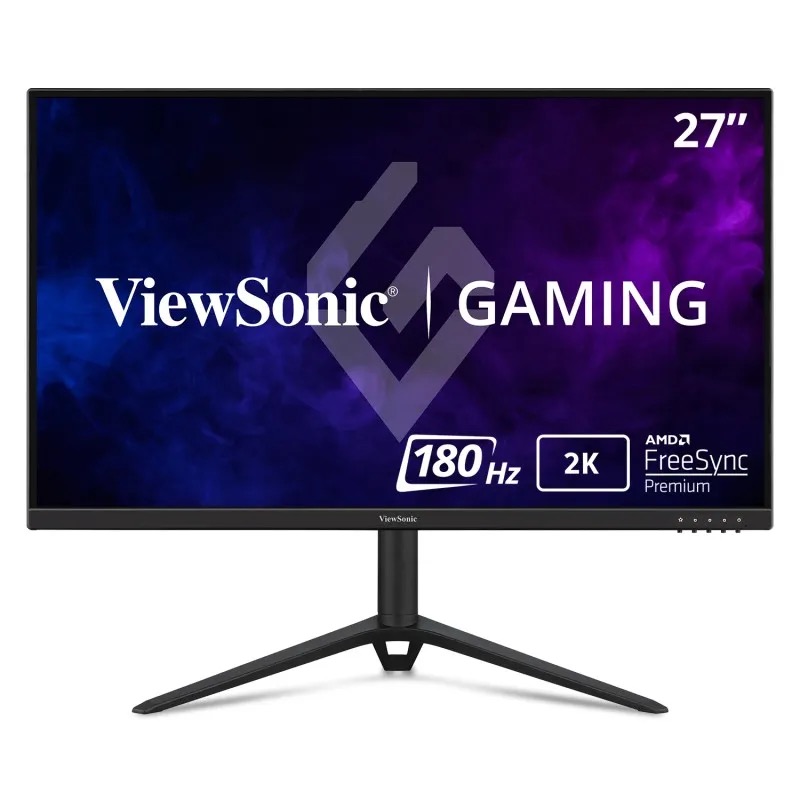
ViewSonic VX2728J-2K
Pros
- $169.99 for 27" 1440p 180Hz IPS is excellent value from a known brand
- 0.5ms MPRT response time, fast even by premium monitor standards
- FreeSync Premium and G-Sync Compatible, works with both GPU brands
- Ergonomic stand with height, tilt, and swivel adjustments
- PCMag recommended, solid independent review coverage
Cons
- HDR10 support is nominal, not a real HDR experience
- Color accuracy out of box needs minor calibration
- Thin bezels but the stand looks a bit plasticky
- No USB hub on the monitor
Price as of Feb 23, 2026 — see current price on Amazon.
PCMag called it "a breath of fresh air" when reviewing the QHD gaming monitor space. I'd agree. ViewSonic has been making monitors for decades, which means you're getting brand-backed quality assurance and actual customer support at a price that's harder to justify ignoring.
The 0.5ms MPRT response time is the headline spec. MPRT (Moving Picture Response Time) measures how long a pixel appears to show a specific value during motion, which is different from GtG (gray-to-gray) response. In practice, 0.5ms MPRT means fast-paced shooters and racing games look sharp without the ghosting you see on slower budget panels.
The ergonomic stand is the other thing worth mentioning. You get height, tilt, and swivel adjustment, which means you can actually set this up comfortably without buying a separate arm. A lot of budget monitors cheap out on the stand. This one doesn't.
At $169.99, the VX2728J-2K undercuts the KTC by $18, which makes the known-brand-versus-unknown-brand question easy: buy the ViewSonic.
Best Samsung budget: Samsung Odyssey G50D
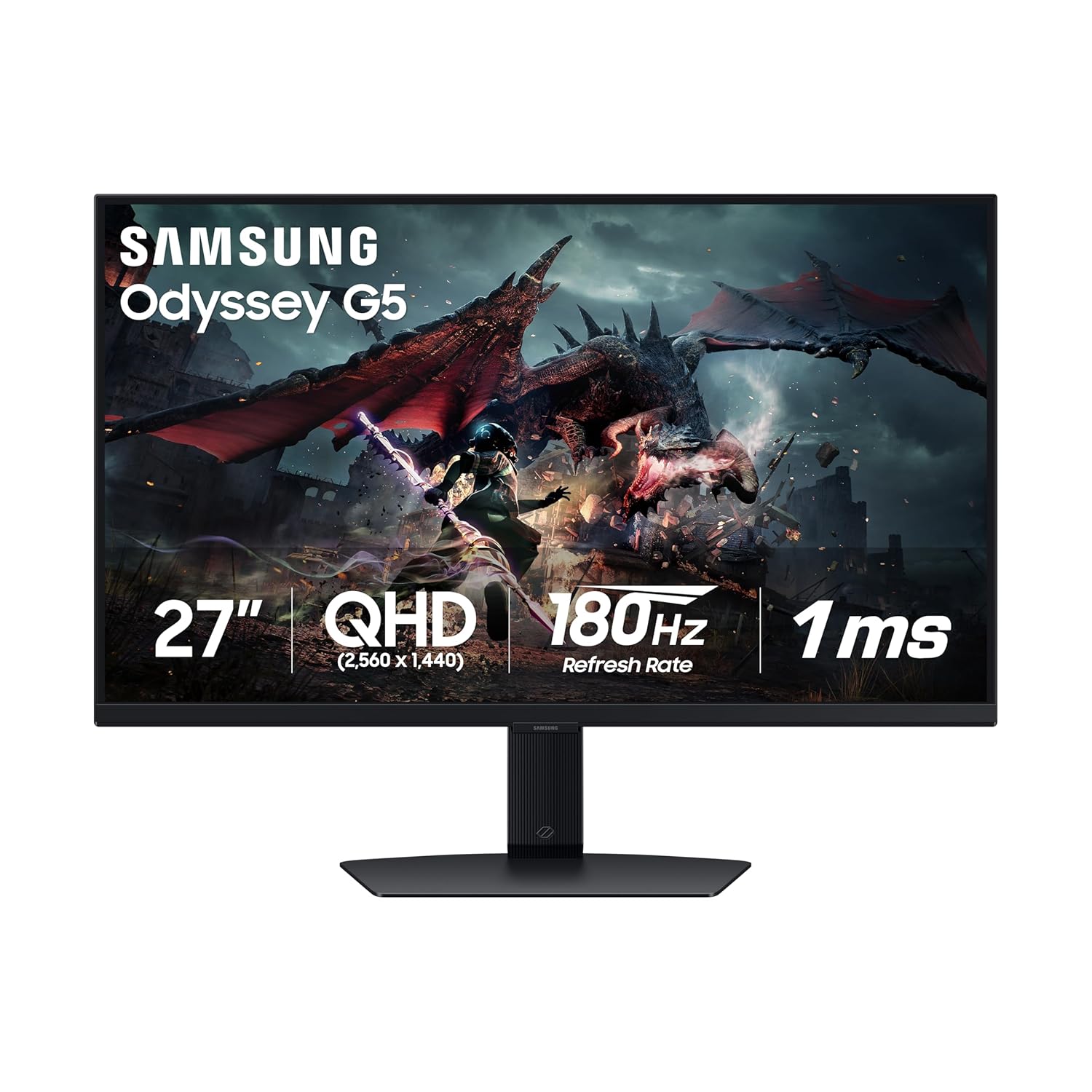
Samsung Odyssey G50D (LS27DG500)
Pros
- Fast IPS panel with tight pixel response
- G-Sync Compatible plus AMD FreeSync Premium Pro
- DisplayHDR 400 certification, better than nothing for HDR content
- Samsung's Odyssey ergonomic stand with full adjustment range
- 1ms GtG alongside 180Hz, sharp motion clarity for competitive gaming
Cons
- DisplayHDR 400 isn't real HDR, it's marketing-adjacent at best
- Color gamut coverage is narrower than premium IPS panels
- Costs $40-60 more than competitors with similar specs
- No USB hub
Price as of Feb 23, 2026 — see current price on Amazon.
Samsung charges a Samsung premium. That's just what happens when a brand name has that kind of retail presence. The Odyssey G50D is a solid 27-inch 1440p 180Hz Fast IPS monitor that costs about $60 more than a ViewSonic with comparable specs.
What you get for that premium is Samsung's ecosystem integration, excellent build quality, and the confidence that comes with a major brand's warranty and support infrastructure. The Fast IPS panel produces accurate colors with snappy pixel response. The stand is properly adjustable. Build quality feels premium enough to last through multiple GPU upgrades.
If the Samsung brand matters to you (matching ecosystems, confidence in warranty, resale value), the G50D is a reasonable pick. If you just want the best specs per dollar, the ViewSonic or KTC beats it on value.
Best ASUS budget option: ASUS TUF VG27AQ1A
ASUS TUF Gaming VG27AQ1A
Pros
- 27" 1440p IPS with 170Hz from ASUS, reliable known brand
- 130% sRGB and 96% DCI-P3 color coverage, genuinely good colors
- G-Sync Compatible and FreeSync Premium
- 1ms MPRT with Extreme Low Motion Blur tech
- ASUS TUF build quality is solid across the line
- HDR10 support
Cons
- 170Hz is lower than competing monitors at the same price (ViewSonic is 180Hz)
- Brightness at 250 nits is on the low side for a bright room
- Not meaningfully different from the ViewSonic at the same price point
- No speakers
Price as of Feb 23, 2026 — see current price on Amazon.
The VG27AQ1A sits in a weird spot. It's a genuinely good monitor with excellent color coverage (96% DCI-P3 is better than most monitors at this price) from a brand with a strong track record. But at $229, it's the same price as the Samsung Odyssey G50D while offering 10Hz less refresh rate.
Where it wins is color accuracy. If you do any content creation alongside gaming, the 96% DCI-P3 coverage matters more than a 10Hz refresh rate difference that's barely perceptible. Game colors look genuinely rich on this panel.
For pure gaming, the ViewSonic edges it on value. For gaming plus occasional creative work, the ASUS color performance is the better trade.
Best budget HDR: AOC Q27G3XMN
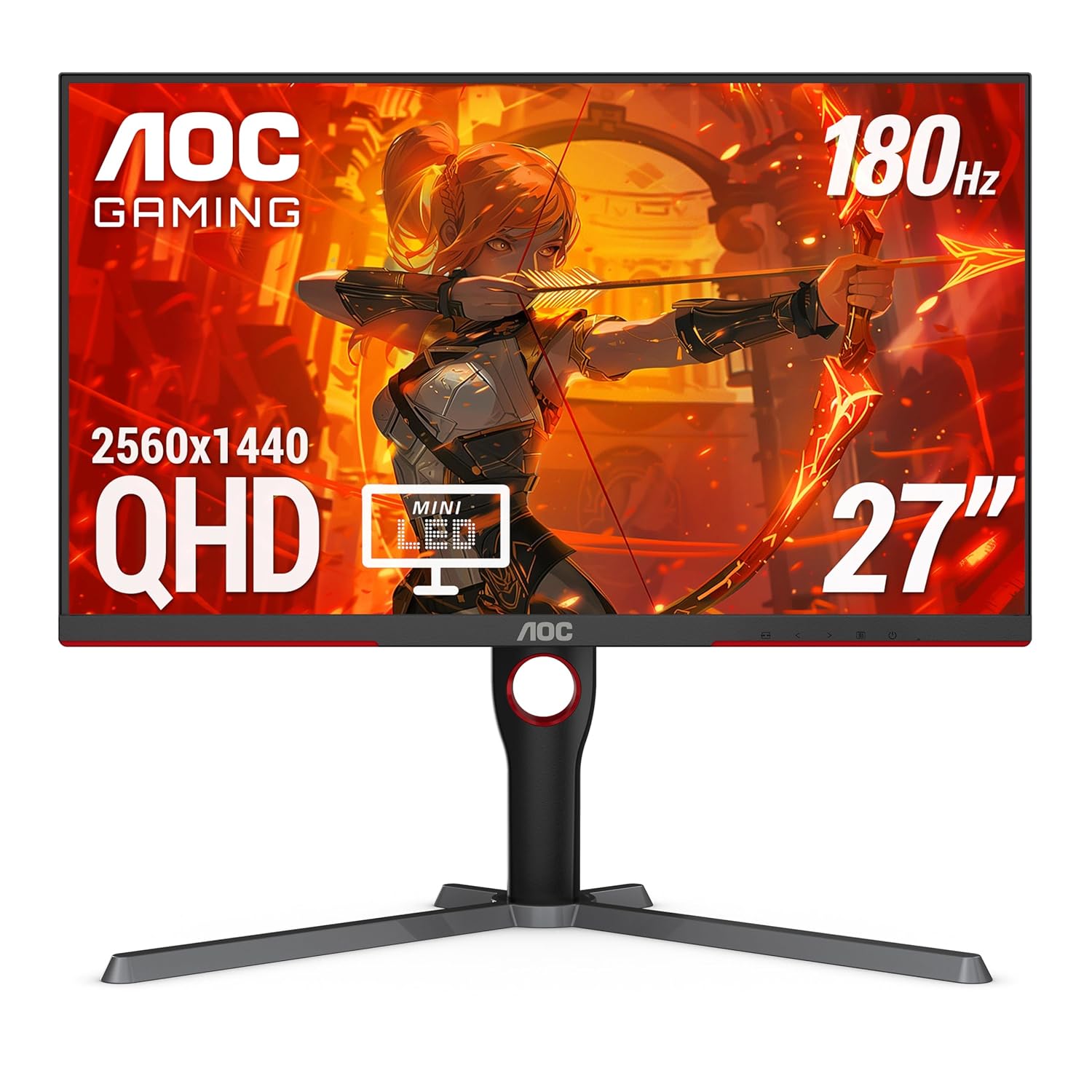
AOC Q27G3XMN
Pros
- Mini LED backlighting with 336 local dimming zones, real HDR
- DisplayHDR 1000 certification, the only monitor here with actual HDR performance
- 137.5% sRGB and 95% DCI-P3 wide color gamut
- 180Hz 1ms VA panel with deep native contrast
- RTINGS recommends it as their top pick under $300
Cons
- VA panel has slower pixel response than IPS, noticeable in dark fast-motion scenes
- Mini LED blooming in high-contrast scenes (visible halos around bright objects)
- More expensive than IPS alternatives with similar refresh rates
- Heavier at the wallet at $270
Price as of Feb 23, 2026 — see current price on Amazon.
RTINGS calls the Q27G3XMN their top recommendation under $300, and the reason is simple: it's the only monitor in this price range with Mini LED backlighting and a real HDR1000 implementation.
The difference between DisplayHDR 400 (Samsung, ASUS) and DisplayHDR 1000 (this AOC) is not subtle. DisplayHDR 400 means backlight zones that don't meaningfully pop highlights. DisplayHDR 1000 with 336 local dimming zones means specular highlights in games actually look bright, dark scenes look genuinely dark, and HDR content from streaming services (the few that deliver real HDR) looks like a different category of image.
The VA panel is the tradeoff. VA panels have slower pixel response than IPS, particularly in dark areas. You'll see more smearing in fast-paced shooters compared to the IPS options above. If you play mostly single-player games, RPGs, or anything where image quality matters more than maximum competitive sharpness, the HDR performance of this panel is worth it.
For pure esports and competitive play, pick the IPS panels above. For someone who also watches movies and plays visually immersive games, the Q27G3XMN is the better choice.
Best ultra-budget: AOC 24G2
AOC 24G2
Pros
- $130 for a 24" 1080p IPS 144Hz monitor from a known brand
- IPS panel at this price is rare, most sub-$150 monitors use TN
- Full ergonomic stand with height, tilt, pivot, and swivel
- AMD FreeSync with G-Sync compatibility
- 3-year zero dead pixel guarantee from AOC
Cons
- 1080p at 27" would look soft; fine at 24"
- 144Hz is the floor for gaming in 2026, not impressive anymore
- Color accuracy is decent but not wide gamut
- No longer the newest model in AOC's lineup
Price as of Feb 23, 2026 — see current price on Amazon.
For anyone working with a tight budget or building their first PC, the AOC 24G2 is the correct answer. At $130, you get IPS colors (which most competitors at this price skip in favor of cheaper TN panels), 144Hz, and a proper ergonomic stand with height adjustment.
It's not exciting. 1080p 144Hz was impressive in 2020. It's baseline in 2026. But if you're running an older GPU like an RTX 2060 or RX 5700 that's more comfortable at 1080p anyway, buying a $200 1440p monitor doesn't make sense. Match your monitor to your GPU's capabilities.
The three-year zero dead pixel guarantee matters here. Most budget monitor warranties are limited. AOC backing the panel against dead pixels at this price is better than you'd expect.
What specs actually matter
Refresh rate: Higher is better for competitive gaming, but the gains get smaller. 60Hz to 144Hz is a massive, obvious difference. 144Hz to 180Hz is noticeable. 180Hz to 200Hz is minor. Don't pay a big premium for 200Hz over 180Hz unless you're a serious competitive player.
Response time: Ads say "1ms" on everything. The measurement method matters: GtG (gray-to-gray) and MPRT (moving picture response time) are different things. MPRT is usually lower because it uses backlight strobing. Look at independent reviews (RTINGS, DisplayNinja) for actual pixel response measurements, not the spec sheet number.
Panel type:
- IPS: Best colors, best viewing angles, decent response times. Right choice for most people.
- VA: Higher contrast, deeper blacks, slower response times. Good for single-player games and movies. Not ideal for fast-paced shooters.
- TN: Fastest response times, worst colors, narrow viewing angles. Mostly found in ultra-high-end esports monitors. Not common in budget panels anymore.
Resolution: 1440p at 27 inches is the sweet spot. 1080p works at 24 inches. Above 27 inches, 1080p looks noticeably soft.
HDR: Most "HDR" certifications on monitors under $300 are marketing. DisplayHDR 400 means a moderately bright backlight with no local dimming. At 600 and above the certification starts to mean something. Pair the 1000 tier with Mini LED and you finally get real HDR. The AOC Q27G3XMN is the only monitor on this list with a HDR implementation worth caring about.
Frequently asked questions
- What's a good budget gaming monitor refresh rate in 2026?
- 144Hz is the minimum you should buy for gaming. 165Hz or 180Hz is better and available at the same price. There's no reason to buy a 60Hz monitor for gaming in 2026 unless you're running on an extremely old GPU.
- Is 1440p worth it on a budget monitor?
- Yes, if your GPU can handle it. At 27 inches, 1440p is noticeably sharper than 1080p. The price difference is $40-60 now, which is worth it. At 24 inches, 1080p is acceptable.
- IPS vs VA for budget gaming?
- IPS for competitive and fast-paced games. VA for single-player, RPGs, and if you watch movies on your monitor. VA's deeper blacks are nice; its slower response time causes smearing in dark scenes.
- Should I buy a known brand or a cheaper unknown brand?
- If you can afford the name brand (ViewSonic, ASUS, Samsung, AOC), buy it. The warranty support and long-term reliability are worth a $40-60 premium. If you genuinely can't, the KTC H27T22C-3 has enough positive reviews from credible sources that it's not a blind gamble.
- Do I need G-Sync or FreeSync?
- Any monitor with "G-Sync Compatible" certification works with both Nvidia and AMD GPUs for variable refresh rate. You don't need to pay for true G-Sync modules. Every monitor on this list supports VRR on both GPU brands.
- What size should I buy?
- 27 inches for 1440p. 24 inches for 1080p. Going 27 inches at 1080p leaves you with a pixel density that looks soft in desktop use.
The verdict
For most people building a gaming PC in 2026: ViewSonic VX2728J-2K at $169.99. A known brand, 1440p, 180Hz, IPS, proper stand, independent reviews that back it up. Hard to argue with.
If you want the 200Hz panel: KTC H27T22C-3 at $188. PC Gamer reviewed it and called it their budget pick. That's not nothing, but with the ViewSonic now cheaper, the calculated risk on an unknown brand no longer buys you savings.
If HDR matters to you: AOC Q27G3XMN at $270. The only budget monitor with Mini LED and DisplayHDR 1000 that actually delivers on the HDR promise.
For first-time builders watching every dollar: AOC 24G2 at $130. Gets the job done with an IPS panel and proper stand at a price that leaves budget for more GPU.
The $300 gaming monitor ceiling has genuinely fallen apart. Pick the monitor that matches your GPU, your use case, and what you can actually afford. For the rest of your setup, see our best gaming headsets and best gaming chairs guides.
How We Pick
We pick products by combining spec-level research, price checks, trusted third-party benchmarks, and owner sentiment from high-signal sources.
- Performance and real-world value in the category this guide targets
- Price-to-performance and deal consistency over recent pricing windows
- Build quality, reliability patterns, and known long-term issues
- Recommendation refresh cadence to keep these picks current
Author
TheTechSearch Editorial Team
Independent product reviewers & PC builders
We compare real-world specs, reviews and owner reports, price trends, and user feedback to recommend gear that actually makes sense to buy.