Best 2.5G Network Switches 2026
The best 2.5GbE switches for homelab, NAS, and gaming in 2026 — tested picks from $54 unmanaged to full managed rackmount. Expert picks, pros and cons, and s...
As an Amazon Associate we earn from qualifying purchases made through our links — this doesn't affect our picks.
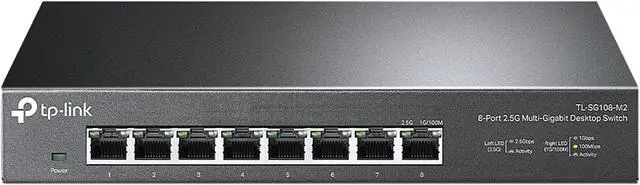
TP-Link TL-SG108-M2 8-Port 2.5G Multi-Gigabit Unmanaged Switch
Our top recommendation for this category
Price as of May 8, 2026 — see current price on Amazon.
In this guide
Gigabit is the new bottleneck. WiFi 6E and WiFi 7 routers are shipping with 2.5G WAN ports. Synology and QNAP NAS units ship with 2.5G NICs as standard. Newer Intel and Realtek 2.5G NICs are on most mid-range and high-end motherboards. But if your switch is still running at 1Gbps, every one of those upgrades is a waste.
I went through a bunch of options to land on five switches that are actually worth buying right now: from a dead-simple 8-port unmanaged box that plugs in and disappears, all the way up to a half-rack managed unit with 10G uplinks. These aren't hypothetical picks. They all have real Amazon ASINs, real reviews, and real 2.5G performance.
| Switch | Ports | 10G Uplink | Managed | Price | |
|---|---|---|---|---|---|
| TP-Link TL-SG108-M2 | 8x 2.5G | No | No | ~$89 | Check Price |
| MokerLink 8P 2.5G + 10G SFP | 8x 2.5G | Yes (1x SFP+) | No | ~$53.99 | Check Price |
| TRENDnet TEG-S380 | 8x 2.5G | No | No | ~$97 | Check Price |
| NETGEAR MS308 | 8x 2.5G | No | No | ~$129.99 | Check Price |
| QNAP QSW-M2108R-2C | 8x 2.5G + 2x 10G | Yes (2x SFP+) | Yes | ~$299 | Check Price |
TP-Link TL-SG108-M2: Best Buy Right Now
TP-Link TL-SG108-M2 8-Port 2.5G Multi-Gigabit Unmanaged Switch
Pros
- Eight full 2.5G ports with 40Gbps switching fabric
- Completely fanless and silent
- Backward compatible with 1G and 100M devices
- Metal build, not a plastic toy
Cons
- No 10G uplink to connect to a router or NAS at full speed
- No management features: no VLANs, no port mirroring
Price as of May 8, 2026 — see current price on Amazon.
This is the switch I'd recommend to 80% of people asking about 2.5G upgrades. Eight ports, all 2.5G, totally fanless, $89. Plug it in. It works.
TP-Link has been iterating on this design for a couple years now, and the build quality on the current version is solid: proper metal chassis, tight port connectors, and no fan noise that would drive you crazy in a home office or bedroom server setup. It auto-negotiates down to 1G and 100M, so you don't need to replace every device on your network to get the benefit of 2.5G where it matters.
The obvious limitation: no 10G uplink. If your router has a 10G WAN port or you want your NAS to push its 10G port through the switch, this isn't the right box. But if you're connecting a 2.5G router to a NAS with a 2.5G port and two or three desktop PCs with 2.5G NICs, this handles it without any configuration, without any noise, and without spending a hundred bucks more than you need to.
For reference, ServeTheHome reviewed the very similar TL-SG108S-M2 variant and confirmed the fanless design is genuinely quiet at load: not just "quiet compared to enterprise gear" quiet, but actually inaudible in a normal room.
MokerLink 8-Port 2.5G + 10G SFP: Best Value with Uplink
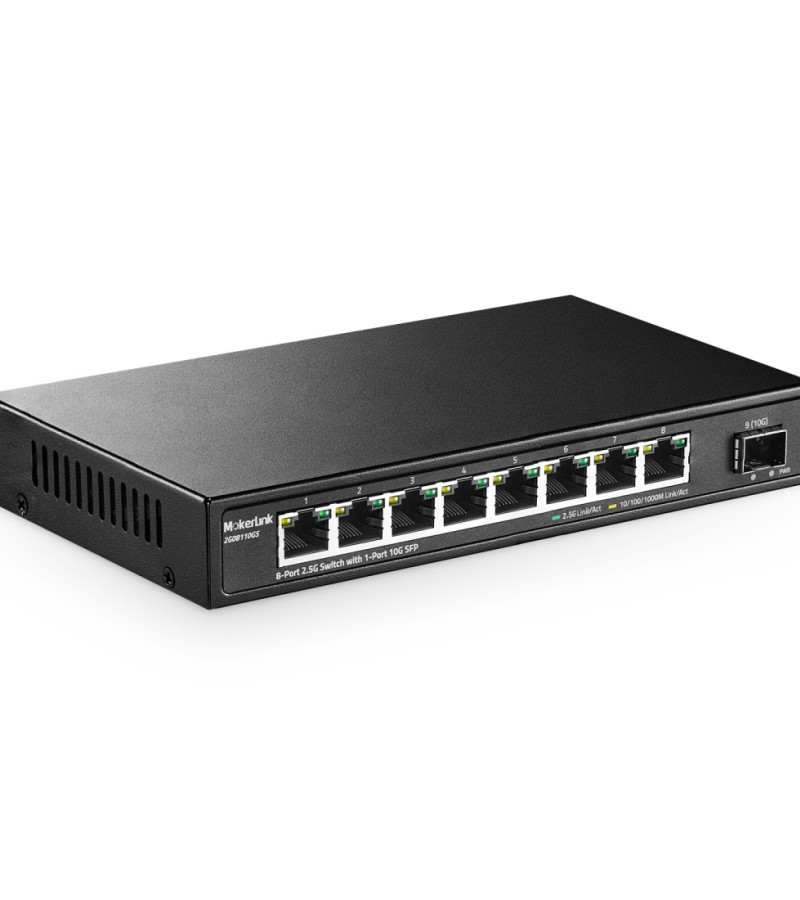
MokerLink 8 Port 2.5G Ethernet Switch with 10G SFP+
Pros
- Includes one 10G SFP+ uplink and still costs less than the TP-Link
- Fanless metal design
- ServeTheHome reviewed this as the 'holy grail' budget 2.5G switch
- Wall-mountable
Cons
- Only one 10G uplink, not two
- MokerLink is a newer brand with less support history than TP-Link or NETGEAR
- SFP+ module not included
Price as of May 8, 2026 — see current price on Amazon.
Cheaper than the TP-Link, and this one adds a 10G SFP+ uplink. That changes the use case significantly. You can connect your router's 10G port directly to the MokerLink's SFP+ slot and get full 10G throughput between your router and the switch fabric, then distribute at 2.5G to individual devices.
ServeTheHome called this switch "the holy grail": quiet, cheap, 2.5G on all eight ports, and a 10G uplink that lets you max out a QNAP or Synology NAS's faster port. Their review is worth reading if you're skeptical about the brand. The hardware inside checks out.
The tradeoff is trust. MokerLink makes solid hardware, but they're not NETGEAR or TP-Link. Firmware updates are less frequent. If something goes wrong after warranty, you're probably replacing the unit rather than getting support. For a home lab where you're comfortable with a bit of risk, the value proposition is real. For a small business or a setup where uptime is actually critical, I'd pay more for a known brand.
Worth noting: you'll need to buy an SFP+ module separately. A 10G DAC cable or SFP+ transceiver runs $15-25 on Amazon. Budget for it.
TRENDnet TEG-S380: Best Warranty and Compliance
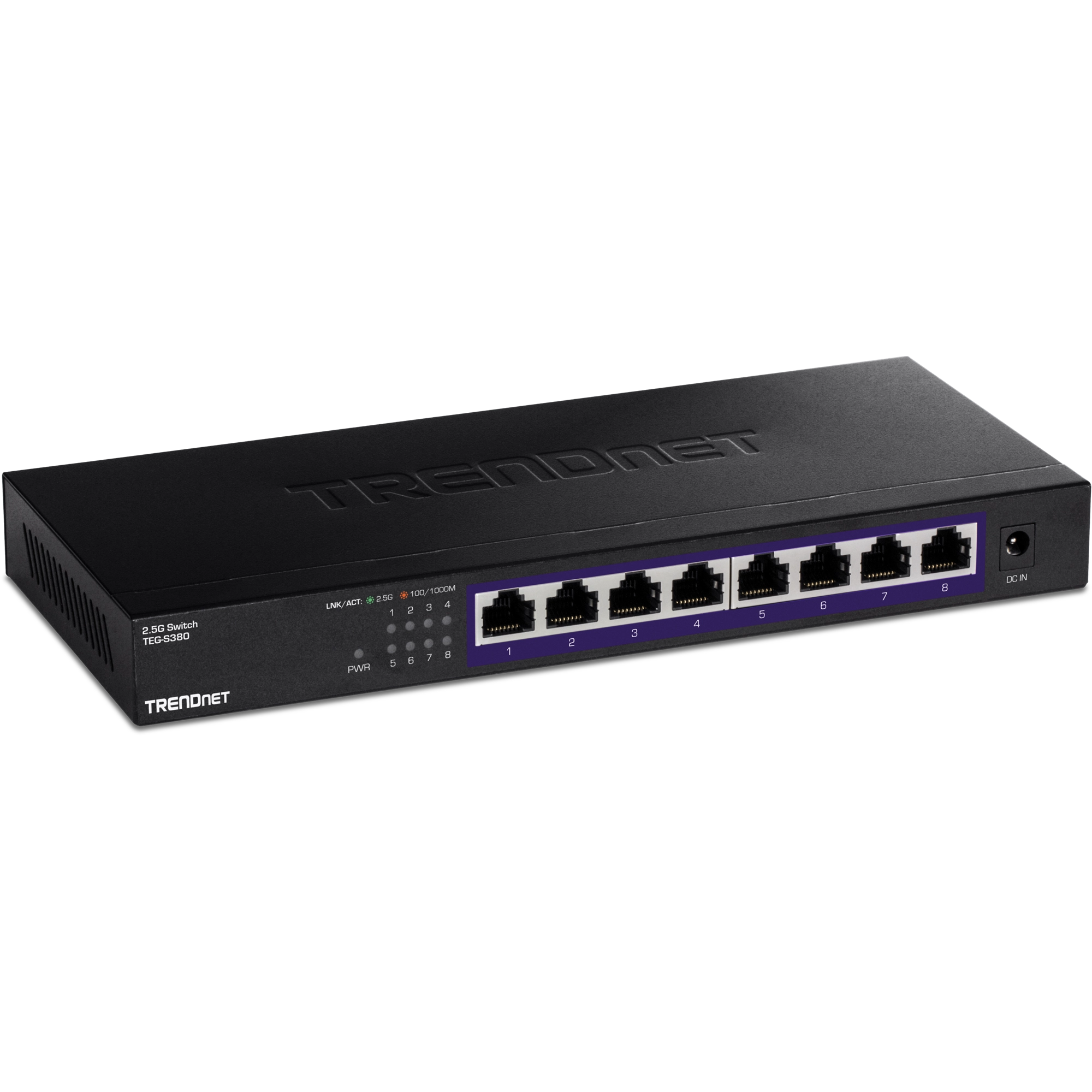
TRENDnet 8-Port 2.5G Multi-Gigabit Unmanaged Gaming Switch TEG-S380
Pros
- Lifetime manufacturer protection, not a 1-year or 3-year warranty
- NDAA and TAA compliant for government and enterprise purchasing
- Eight full 2.5G ports, fanless
Cons
- No 10G uplink like the MokerLink
- Slightly more expensive than TP-Link without meaningful feature advantage for home users
- Older design, newer competitors edge it on value
Price as of May 8, 2026 — see current price on Amazon.
TRENDnet's pitch is straightforward: same eight 2.5G ports as the TP-Link, but with a lifetime warranty and NDAA/TAA compliance that matters if you're in government, education, or any environment where those certifications are required.
For pure home lab use, the lifetime warranty is genuinely appealing. This thing could sit in a rack for ten years, and if it dies from a component failure, TRENDnet has to deal with it. No three-year cliff where you're on your own. The certification compliance is irrelevant to most home users, but it's a non-zero consideration if you're buying for a small business or a nonprofit that has procurement rules.
The downside is that TRENDnet isn't doing anything here the TP-Link doesn't do for $8 less. Same eight ports, same fanless design, same plug-and-play experience. The extra cost is entirely for the warranty and compliance badges. If those matter to you, pay it. If they don't, the TP-Link is the smarter buy.
NETGEAR MS308: Premium Unmanaged Option
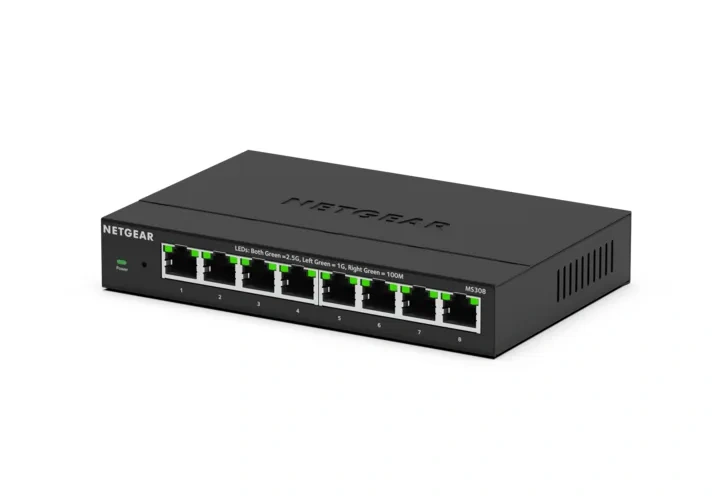
NETGEAR 8-Port 2.5G Multi-Gigabit Ethernet Unmanaged Network Switch (MS308)
Pros
- NETGEAR brand reliability with established support channels
- Eight 2.5G ports with 40Gbps non-blocking fabric
- Fanless, desktop or wall-mount, metal case
- Three-year limited warranty
Cons
- Most expensive unmanaged option in this roundup
- No 10G uplink
- Pays a premium for the NETGEAR name over functionally identical cheaper options
Price as of May 8, 2026 — see current price on Amazon.
NETGEAR is the name people trust when they want a switch that just works and they're not interested in experimenting with newer brands. The MS308 delivers exactly that. Eight 2.5G ports, 40Gbps switching capacity, fanless, metal build. Same spec sheet as the other unmanaged options, but with NETGEAR's brand weight behind it.
At $130, you're paying roughly $40 more than the TP-Link for the same basic capability. What you get for that premium is NETGEAR's support infrastructure, a well-established community of users who have been running this hardware for a couple years now, and firmware that's been updated consistently. The MS308 launched with a few early driver quirks on some Windows setups, and those have been addressed in subsequent updates. Running the latest firmware (v1.0.4+ as of early 2026) resolves the early compatibility complaints.
For a home lab, it's hard to justify the $40 premium if you're comfortable with TP-Link or even MokerLink. For a small office where someone else's IT department needs to troubleshoot it, NETGEAR's name carries enough weight to reduce friction.
QNAP QSW-M2108R-2C: Best for Serious Homelabs
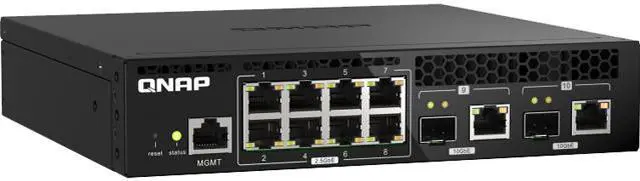
QNAP QSW-M2108R-2C 10-Port Layer 2 Web Managed Half-Width Rackmount Switch
Pros
- Eight 2.5G ports plus two 10GbE SFP+/RJ45 combo uplinks
- Web-managed with VLAN, QoS, port mirroring, and IGMP snooping
- Half-width design means two fit in a 1U rack space
- QNAP ecosystem integration for those already running QNAP NAS
Cons
- $299 is a significant step up from the unmanaged options
- Web interface is functional but not NETGEAR's best-in-class
- Overkill for most home setups: you won't use 80% of the features
Price as of May 8, 2026 — see current price on Amazon.
This one's for the people who know what VLANs are and have used them. The QSW-M2108R-2C is a half-rack managed switch with eight 2.5G ports and two 10GbE combo ports that accept either SFP+ fiber modules or 10G RJ45 connectors. That gives you 2.5G distribution to workstations and servers with 10G uplinks to your router or core switch.
The web management interface supports proper L2 features: 802.1Q VLANs, LACP (link aggregation for bonding two 2.5G ports into effective 5G), port mirroring for network analysis, IGMP snooping for efficient multicast handling, and QoS for traffic prioritization. If you're running Proxmox with separate VLANs for management, storage, and VMs, this switch handles that properly without enterprise-class pricing.
The half-width rackmount form factor is unique. Two units sit side by side in a single 1U space, which is a genuinely clever design for densely packed homelab racks where a full-width 2.5G switch would waste half a rack unit. The ears for side-by-side mounting are included in the box.
Honestly, most home users asking about 2.5G switches don't need this. If your main goals are faster NAS transfers and taking advantage of your WiFi 6E router's 2.5G port, get the TP-Link or MokerLink. But if you're already running a proper homelab with segmented networks, this is the switch that grows with you.
Buying Guide: What to Know Before You Buy a 2.5G Switch
Do You Actually Need 2.5G?
Before buying anything, check your existing gear. Open your router's admin interface and look at the WAN port speed: if you have a WiFi 6E or WiFi 7 router, it likely has at least one 2.5G port. Check your NAS specs: Synology DS1522+ and DS923+, QNAP TS-464, and most new 2024-2026 NAS units ship with 2.5G ports. Check your motherboard: Intel I226-V and Realtek RTL8125 are on basically every B650, Z790, B850, and Z890 board from the past two years.
If at least two devices you own have 2.5G ports, a 2.5G switch pays off immediately. You'll see real-world transfer speeds jump from 110-115 MB/s on gigabit to 280-290 MB/s on 2.5G for large file moves to NAS.
Managed vs. Unmanaged
Unmanaged switches are plug-and-play. You connect cables, they route traffic. Zero configuration. They're the right choice if you don't need VLANs, port mirroring, or QoS.
Managed switches let you segment traffic into VLANs, bond ports for higher throughput, mirror traffic to a monitoring device, and control multicast. For most home users, this is overkill. For homelabs running Proxmox, TrueNAS, or pfSense with segmented networks, it's essential.
The 10G Uplink Question
An 8-port 2.5G switch with no 10G uplink gives you 40Gbps of total switching capacity. If you connect a router at 2.5G and fill the other seven ports with 2.5G devices, you can theoretically saturate the uplink. In practice, this doesn't matter for typical home use.
But if your router has a 10G port, or your NAS has a 10G port (or 10G through LACP bonding), a 10G uplink on the switch lets you take full advantage of that. The MokerLink at $54 is the obvious pick here, cheaper than the TP-Link and with the 10G SFP+ slot.
Cat 5e vs. Cat 6 vs. Cat 6a Cabling
Here's something that trips people up: existing Cat 5e works fine for 2.5G up to 100 meters. You don't need to re-run cable to upgrade to 2.5G. Cat 6 and Cat 6a support 10G at shorter distances. If you have Cat 5e already in your walls, 2.5G works perfectly on it. Only 10G NICs and switches need Cat 6 or better.
Power Consumption
All five switches in this guide use passive (fanless) cooling and consume between 7 and 14 watts at full load. The difference in your electricity bill between a fanless 2.5G switch and a fanless gigabit switch is about $1-2 per year. Not a decision factor.
Frequently asked questions
- Is 2.5G actually faster than gigabit in real use?
- Yes, noticeably. Large file copies to a NAS jump from around 110 MB/s on gigabit to 280-290 MB/s on 2.5G. Backup jobs, Plex libraries, and VM storage transfers are the biggest beneficiaries. Casual web browsing sees zero difference.
- Do I need to replace my existing cables to use 2.5G?
- No. Cat 5e cable supports 2.5G up to 100 meters, which covers basically any home run. Cat 6 and Cat 6a are needed for 10G, but for 2.5G you can reuse every cable already in your walls.
- Can I mix 2.5G and 1G devices on the same switch?
- Yes. Every switch in this guide auto-negotiates down to 1G or 100M. Connect a 1G NIC and it runs at 1G. Connect a 2.5G NIC and it runs at 2.5G. No configuration needed.
- Is MokerLink a trustworthy brand?
- They make solid hardware and the internals are quality components. ServeTheHome reviewed their switches and confirmed genuine 2.5G performance and proper 10G SFP+ functionality. The main risk is longevity of support and firmware updates compared to established brands like TP-Link or NETGEAR. For a home lab, that's an acceptable tradeoff given the price advantage.
- What's the difference between managed and unmanaged for home use?
- For most home networks, unmanaged is all you need. You plug in your router, your NAS, your PCs, and traffic flows. If you're running a homelab with Proxmox, VMs, pfSense VLANs, or separate storage/management networks, a managed switch like the QNAP lets you segment that traffic properly.
- Do any of these switches support link aggregation (LACP)?
- The QNAP QSW-M2108R-2C supports 802.3ad LACP, which lets you bond two 2.5G ports into effective 5G. The unmanaged switches (TP-Link, MokerLink, TRENDnet, NETGEAR) don't support LACP: that's a managed-switch feature.
Bottom Line
For most people upgrading from gigabit, the TP-Link TL-SG108-M2 is the right call. Eight ports, $89, silent, done. If your router or NAS has a 10G port you want to take advantage of, spend $54 on the MokerLink and get that SFP+ slot. If you're running a serious homelab with VLANs and segmented networks, budget for the QNAP. Everything else in between depends on your specific tolerance for brand risk vs. warranty vs. features.
2.5G switches have dropped enough in price that there's no reason to stay on gigabit if your devices can take advantage of faster speeds. The performance gain is real and the setup is genuinely plug-and-play. This is one of those upgrades that pays off the first week you use it.
How We Test
We score products by combining spec-level research, pricing history, trusted third-party benchmarks, and owner sentiment from high-signal sources.
- Performance and real-world value in the category this guide targets
- Price-to-performance and deal consistency over recent pricing windows
- Build quality, reliability patterns, and known long-term issues
- Recommendation refresh cadence to keep these picks current
Author
TheTechSearch Editorial Team
Independent product reviewers & PC builders
We test and compare real-world specs, price trends, and user feedback to recommend gear that actually makes sense to buy.