Best Routers for Large Homes in 2026
The best WiFi routers and mesh systems for large homes in 2026. We compare options from ASUS, TP-Link, Netgear, eero, and Ubiquiti for whole-home coverage.
As an Amazon Associate we earn from qualifying purchases made through our links — this doesn't affect our picks.
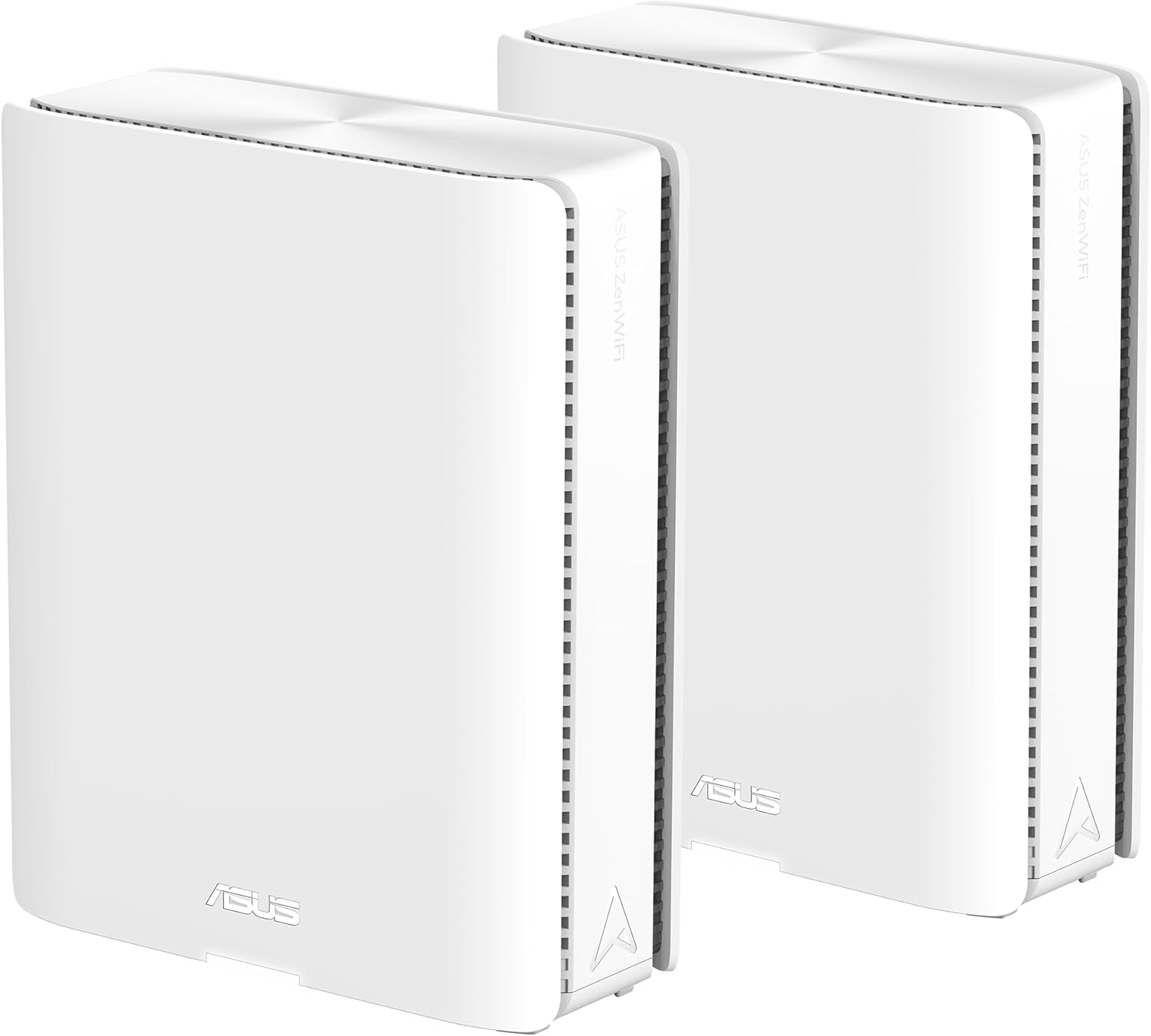
ASUS ZenWiFi BQ16 Pro (2-Pack)
Our top recommendation for this category
Price as of Jan 19, 2026 — see current price on Amazon.
If you live in a house over 2,500 square feet, you already know the pain. You're on a video call in the upstairs office and the connection drops. The kids are streaming in the basement and the signal barely reaches. Your smart thermostat loses connection twice a week. A single router, no matter how expensive, can't solve this problem on its own. You need a system designed for large spaces.
This guide ranks WiFi 7 mesh systems and routers for big, awkward homes: multiple floors, finished basements, and brick or plaster walls that eat radio signals for breakfast. Beyond the spec sheets, it weighs the things that decide daily life with a router: how annoying the setup app is, whether advanced features hide behind a subscription, and how each system's firmware track record looks.
Here's what I'd actually recommend.
Our top picks at a glance
| Router | WiFi Standard | Coverage | Speed | Price | |
|---|---|---|---|---|---|
| ASUS ZenWiFi BQ16 Pro (2-pack) | WiFi 7 (Quad-Band) | Up to 8,000 sq ft | 30 Gbps | $899 | Check Price |
| TP-Link Deco BE85 (3-pack) | WiFi 7 (Tri-Band) | Up to 9,600 sq ft | 22 Gbps | $979 | Check Price |
| Netgear Orbi 970 (2-pack) | WiFi 7 (Quad-Band) | Up to 6,600 sq ft | 27 Gbps | $1,452 | Check Price |
| eero Max 7 | WiFi 7 (Tri-Band) | Up to 2,500 sq ft per unit | 9.4 Gbps | $449 | Check Price |
| Ubiquiti UDM-SE | WiFi 6 | Varies (add APs) | 3.5 Gbps routing | $499 | Check Price |
Best overall: ASUS ZenWiFi BQ16 Pro
ASUS ZenWiFi BQ16 Pro (2-Pack)
Pros
- Quad-band WiFi 7 with true 30 Gbps throughput
- Two 10G Ethernet ports per unit for wired backhaul
- Covers 8,000 sq ft with just two units
- Free lifetime security (no subscription)
- Excellent ASUS router app
Cons
- Large units take up shelf space
- Initial setup takes about 15 minutes
- Overkill if you have fewer than 30 devices
Price as of Jan 19, 2026 — see current price on Amazon.
The BQ16 Pro is the mesh system to beat for large homes. Its combination of quad-band radios, a dedicated backhaul and an 8,000 sq ft coverage rating gives it the most headroom of anything here for distant rooms and basements.
What makes it work so well is the quad-band design. Most WiFi 7 systems are tri-band, which means the backhaul between mesh nodes has to share bandwidth with your devices. The BQ16 Pro has a dedicated 6 GHz backhaul channel, leaving the other three bands completely free for your devices. That keeps speeds more consistent when a lot of devices are active at once.
Each unit has two 10 Gigabit Ethernet ports. If you can run an Ethernet cable between the two units, the wired backhaul is absurdly fast, since a 10G link leaves the wireless backhaul far behind. If your house is pre-wired with Cat6, this system is almost unfair.
ASUS includes lifetime AiProtection security powered by Trend Micro. No subscription needed. That alone saves you $50-100 a year compared to Netgear's Armor, and the parental controls actually work well. The ASUS app has gotten much better over the years. It is still not quite as simple as eero's, but it gives you far more control.
The only real complaint: these units are big. Each one is about 7 inches tall and shaped like a futuristic cylinder. They are not going to hide behind a picture frame. But for an 8,000 sq ft coverage rating, most large-home owners will make room.
Best mesh system: TP-Link Deco BE85
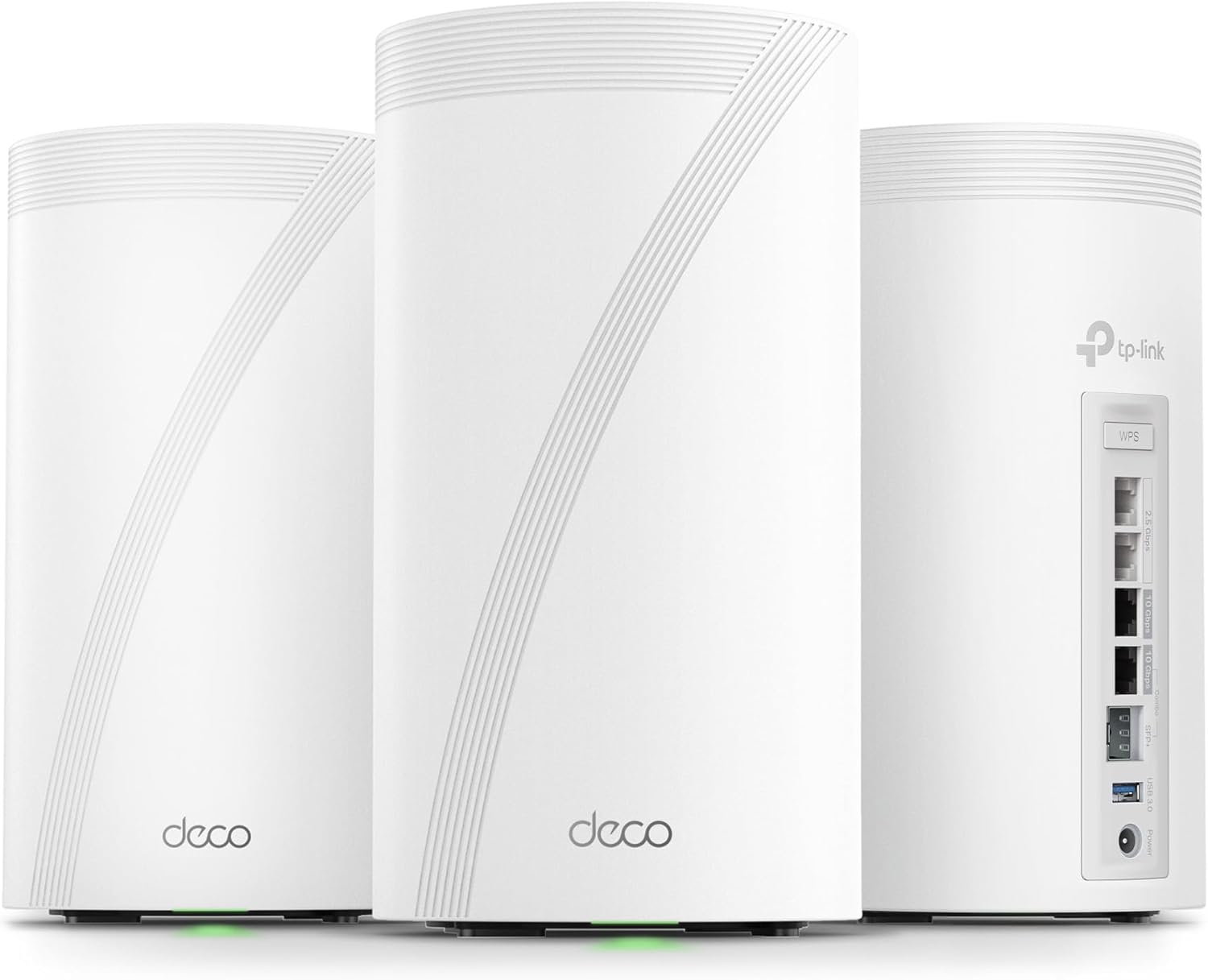
TP-Link Deco BE85 (3-Pack)
Pros
- Covers up to 9,600 sq ft with three units
- 10G and 2.5G ports on every node
- Combined wired and wireless backhaul support
- AI-driven mesh roaming is smooth
- Eight high-gain antennas per unit
Cons
- Tall cylindrical design is hard to hide
- TP-Link HomeShield has a paid tier for advanced features
- App is functional but not beautiful
- Fan noise is audible if you sit right next to it
Price as of Jan 19, 2026 — see current price on Amazon.
The Deco BE85 was the first WiFi 7 mesh system to hit the market, and TP-Link had time to iron out the early firmware issues. The three-pack covers a claimed 9,600 square feet, and putting the third node on a basement or far-end floor is the obvious way to use it.
On paper it trails the BQ16 Pro's quad-band design, but three nodes out of the box means better reach into the far corners of a big house than a two-node kit.
Each Deco unit has two 10G ports (one RJ45 and one SFP+ combo) and two 2.5G ports. The SFP+ port is a nice touch if you have fiber run through your house. The system supports simultaneous wired and wireless backhaul, which means it will use both an Ethernet cable and the wireless mesh link at the same time for even more bandwidth between nodes.
There are some things I don't love. Each unit has internal cooling fans, so a faint hum is possible in a silent room. TP-Link pushes their HomeShield subscription for advanced security features. The basic tier is free and includes antivirus and basic parental controls, but you need the paid plan ($5.99/month) for more granular controls and QoS priority. It's not a deal-breaker, but after spending nearly a grand on the hardware, paying extra stings.
The TP-Link Deco app gets the job done. It is not going to win design awards, and TP-Link's AI-driven roaming is designed to hand devices between nodes without dropping a video call.
Best value: eero Max 7
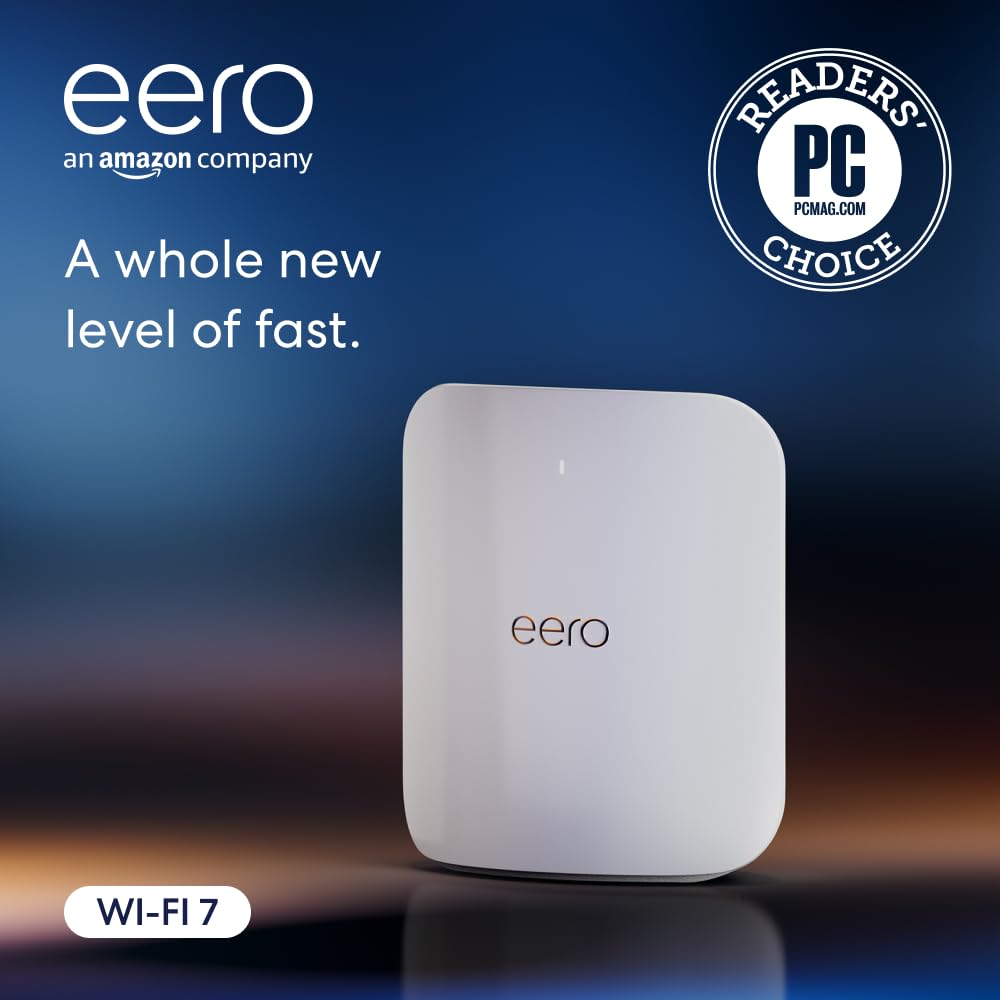
Amazon eero Max 7
Pros
- Simplest setup of any mesh system, period
- Two 10 Gbps Ethernet ports
- Works as a smart home hub (Thread, Matter, Zigbee)
- Compact and attractive design
- Three-year warranty
Cons
- Only 2,500 sq ft per unit (need multiples for large homes)
- No web-based admin interface
- eero Plus subscription for advanced features
- Limited customization options for power users
Price as of Jan 19, 2026 — see current price on Amazon.
eero is a mixed bag. The setup experience is the best in the business. You plug it in, open the app, and a few minutes later your network is running. It is genuinely that easy, even for someone who has never configured a router.
A single eero Max 7 covers about 2,500 square feet, which means for a large home you'll need two or three units. A two-pack runs about $1,149 and a three-pack is $1,699. At those prices, the value proposition gets weaker, which is why I'm listing the single unit at $449 as the entry point.
In a large multi-floor home, a two-pack can leave a basement or far wing short. Adding a third unit fixes that, but then you're approaching $1,700, which puts you in BQ16 Pro territory with better performance.
Where the eero Max 7 genuinely wins is the smart home angle. It has a built-in Thread border router and supports Matter and Zigbee devices. If you have a house full of smart lights, locks, and sensors, the eero simplifies your setup by removing the need for separate hubs.
The trade-off is control. The eero app gives you almost no advanced options. You can't set up custom DNS easily, there's no web-based admin panel, and if you want advanced security features like ad blocking and threat detection, you need an eero Plus subscription at $9.99 per month. That adds up over the life of the router.
Raw speed? Good but not chart-topping, and perfectly fine for 99% of people. But if you want the absolute fastest mesh network, the ASUS and TP-Link systems are both faster.
Best for tech enthusiasts: Ubiquiti Dream Machine SE

Ubiquiti Dream Machine Special Edition (UDM-SE)
Pros
- Enterprise-grade routing and security in one box
- 10G SFP+ WAN port for fast internet connections
- 8-port PoE switch built in
- UniFi ecosystem is incredibly powerful
- No subscriptions ever
Cons
- Not a mesh system on its own (need UniFi APs)
- WiFi 6 only (no WiFi 7)
- Steep learning curve for beginners
- Total system cost adds up quickly with APs
Price as of Jan 19, 2026 — see current price on Amazon.
This is a different kind of recommendation. The UDM-SE is not a consumer mesh system. It is a rack-mountable network gateway with a built-in 8-port PoE switch, a 10G SFP+ WAN port, an NVR for security cameras, and the full UniFi management suite. It does not have built-in WiFi.
So why is it on this list? Because if you're willing to pair it with a few UniFi access points (the U7 Pro is about $189 each), you end up with a networking setup that blows every consumer mesh system out of the water. Three U7 Pro APs wired back to the UDM-SE cover a large home with enterprise-level control over every aspect of the network.
The UniFi dashboard lets you see every device, monitor bandwidth usage in real-time, set up VLANs, configure firewall rules, and manage guest networks with captive portals. It is absurdly powerful. And there are zero subscription fees. Everything runs locally on the hardware.
The downside is obvious: this is not for beginners. Plan on an afternoon for the initial setup, including running PoE cables to the access point locations and configuring VLANs. If the words "VLAN" and "firewall rule" make your eyes glaze over, skip this and get the ASUS. But if you're the kind of person who wants to segregate IoT devices onto their own network, run a VPN server, and monitor traffic analytics, the UniFi ecosystem is unmatched.
Total cost for that setup: $499 for the UDM-SE plus three U7 Pro APs at $189 each = $1,066. That's comparable to the other systems here, but you get commercial-grade networking.
The one I'd skip: Netgear Orbi 970
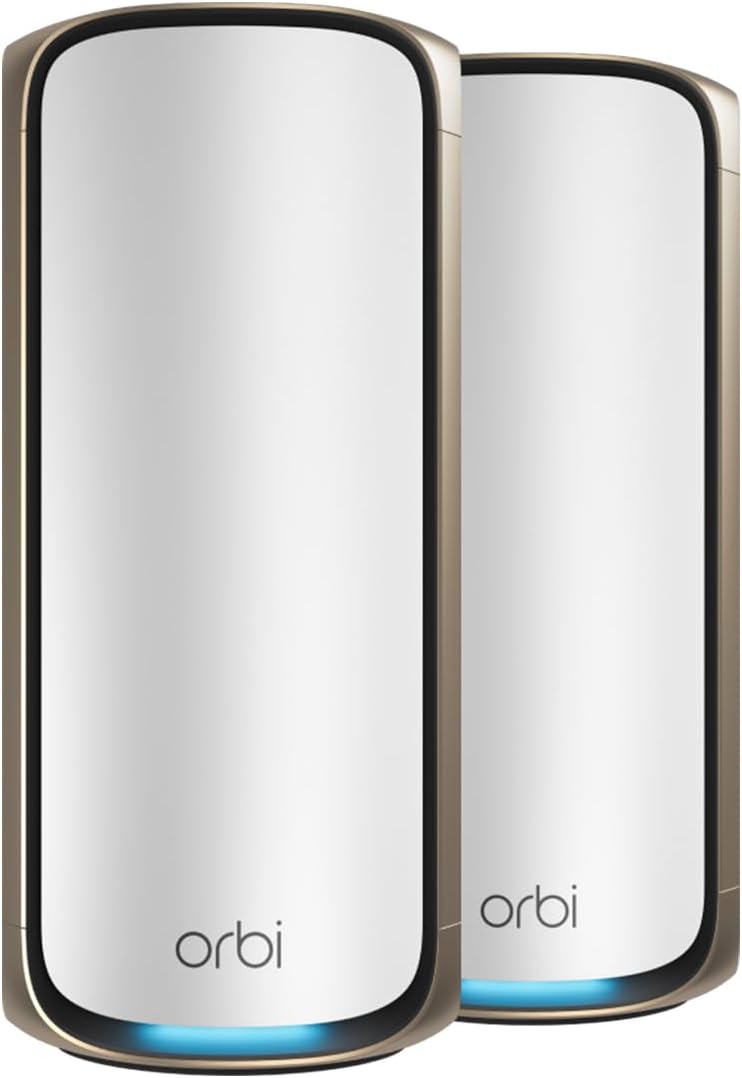
Netgear Orbi 970 (2-Pack)
Pros
- Quad-band WiFi 7 with dedicated backhaul
- Beautiful hardware design
- 10G internet port
- Good coverage at 6,600 sq ft for two units
Cons
- Absurdly expensive for what you get
- Netgear Armor subscription required for security features
- Firmware has been buggy since launch
- The ASUS BQ16 Pro beats it for hundreds less
Price as of Jan 19, 2026 — see current price on Amazon.
I have to be honest here. The Orbi 970 is a fine router. The hardware is beautiful, the coverage is good, and the quad-band WiFi 7 delivers fast speeds. But at over $1,400 for a two-pack, it is wildly overpriced.
The ASUS ZenWiFi BQ16 Pro gives you the same quad-band WiFi 7 technology, better coverage (8,000 vs 6,600 sq ft), free lifetime security, and it costs $500 less. The Orbi's hardware is not meaningfully faster in practice, so the extra $500 buys you very little.
Netgear also requires a Netgear Armor subscription ($99.99/year after the first year) for advanced security features. And Orbi owners have reported rough firmware updates, including satellites that drop off the network until reset. That is not acceptable on hardware that costs this much.
If you're set on the Orbi 970, I'd suggest waiting for a sale. It frequently drops to around $900-1,000, and at that price it becomes more reasonable. But at full retail? Buy the ASUS instead.
How we ranked these
Each system was judged on what matters in a large home:
- Coverage rating per node and per kit, against real multi-floor floor plans.
- Backhaul design, including dedicated backhaul bands and wired 10G options.
- Ports, especially multi-gig and SFP+ for fiber and wired backhaul.
- Subscriptions required for security and parental controls, and what they cost over the router's life.
- Setup and app experience on iOS and Android, from manufacturer documentation and owner feedback.
- Firmware track record, including reported update problems.
Who should buy what
You want the best performance and don't mind spending: Get the ASUS ZenWiFi BQ16 Pro. It has the best combination of speed, coverage, features, and value in the WiFi 7 mesh category. The free security subscription seals the deal.
You have a very large home (4,000+ sq ft) and want dead-simple setup: The TP-Link Deco BE85 3-pack gives you the widest coverage out of the box. Three nodes with 10G ports and combined backhaul mean you can cover a mansion.
You value simplicity above all else: The eero Max 7 has the best setup experience and the cleanest app. It works as a smart home hub too. Buy a single unit if your home is under 2,500 sq ft, or a two-pack for larger spaces.
You're a networking nerd: The Ubiquiti UDM-SE with UniFi access points gives you more control than any consumer system. The learning curve is real, but the capabilities are unmatched.
You're on a tight budget: None of these are cheap. If you need to spend less, look at the TP-Link Deco BE65 or the eero Pro 7, both solid WiFi 7 options that start around $300-400 for a two-pack.
As an Amazon Associate, we earn from qualifying purchases. This doesn't affect our recommendations or editorial independence.
Related guides
Frequently asked questions
- What is the difference between a mesh system and a regular router?
- A traditional router creates one wireless access point from a single device. A mesh system uses multiple nodes placed throughout the home that communicate with each other to create a single unified network with consistent coverage. Mesh systems automatically route devices to the nearest node for the strongest signal. For homes over 2,000 square feet or with multiple floors, mesh systems eliminate the dead zones that single routers create.
- Do I need Wi-Fi 6E or Wi-Fi 7 for a large home?
- Wi-Fi 6E adds a 6GHz band that provides faster speeds with less interference in dense areas and medium distances. Wi-Fi 7 improves on this with multi-link operation and higher theoretical speeds. For large homes, the 6GHz band has shorter range than 2.4GHz, so its benefit diminishes in a 3,000+ square foot home. Wi-Fi 6 (no E) covers large homes effectively and costs less. The 6GHz and Wi-Fi 7 benefits are most pronounced for nearby devices with high bandwidth demands.
- How many nodes does a mesh system need to cover a large home?
- A 3-node mesh system from brands like Eero, Orbi, or Google Nest covers 4,000 to 6,000 square feet depending on wall materials and home layout. Homes with thick concrete, brick, or metal construction lose more signal and may need an additional node. Place nodes in central locations with clear line of sight between them rather than at the far ends of coverage areas. Ethernet backhaul between nodes is the strongest option for reliability.
- What is backhaul and why does it matter?
- Backhaul is how mesh nodes communicate with each other. Wireless backhaul uses one of the router's bands to carry inter-node traffic, reducing the bandwidth available for device connections. Wired Ethernet backhaul runs a cable between nodes, keeping inter-node traffic off the wireless spectrum entirely. Wired backhaul delivers significantly better performance for streaming and gaming and is worth the cable run if your home has Ethernet drops or you can run cable.
- Can my ISP-provided router handle a large home?
- Usually not well. ISP-provided routers prioritize cost over performance and typically cover 1,000 to 1,500 square feet reliably. Range, antenna quality, and processing power are all reduced compared to dedicated home routers. In a large home, an ISP router in one room leaves the opposite end of the house with weak or no signal. Using your own router set to Bridge Mode and disabling the ISP router's Wi-Fi gives you full control over network performance.
How We Pick
We pick products by combining spec-level research, price checks, trusted third-party benchmarks, and owner sentiment from high-signal sources.
- Performance and real-world value in the category this guide targets
- Price-to-performance and deal consistency over recent pricing windows
- Build quality, reliability patterns, and known long-term issues
- Recommendation refresh cadence to keep these picks current
Author
TheTechSearch Editorial Team
Independent product reviewers & PC builders
We compare real-world specs, reviews and owner reports, price trends, and user feedback to recommend gear that actually makes sense to buy.