Best 27-Inch 1440p Gaming Monitors 2026
The top 27-inch 1440p gaming monitors for 2026, from budget IPS picks to Mini-LED powerhouses, tested and ranked for every budget. Expert picks, pros and con...
As an Amazon Associate we earn from qualifying purchases made through our links — this doesn't affect our picks.
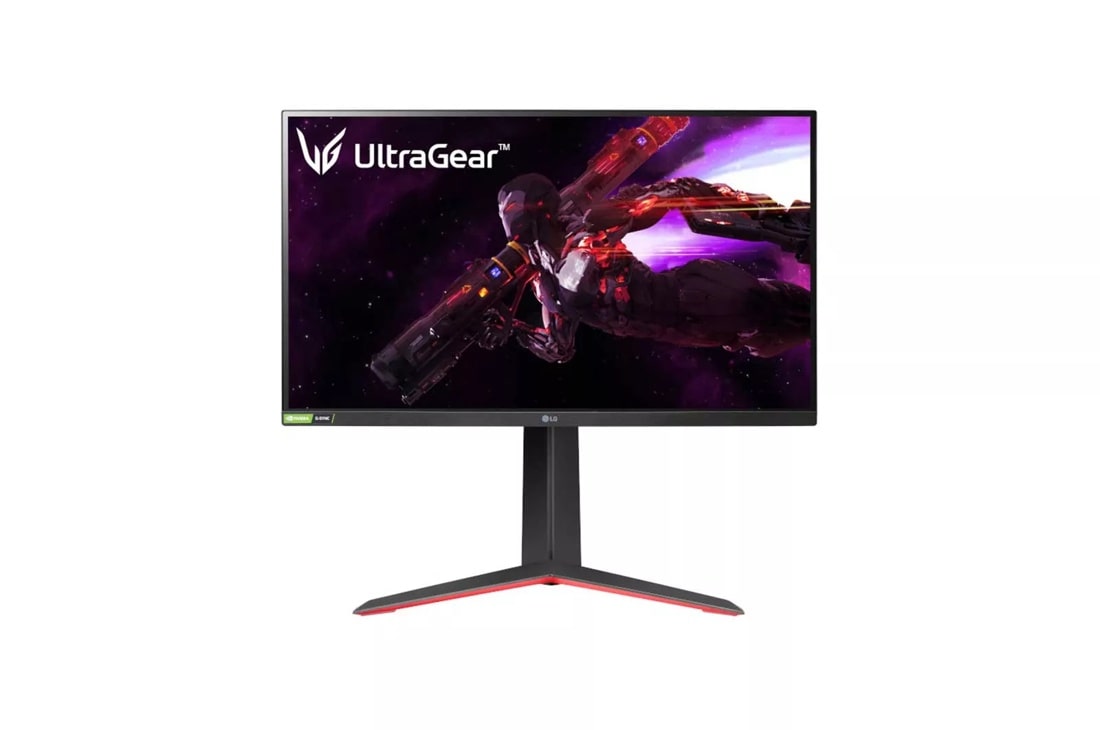
LG 27GP850-B UltraGear 27-Inch QHD Nano IPS Gaming Monitor
Our top recommendation for this category
Price as of Jun 13, 2026 — see current price on Amazon.
The 27-inch 1440p format has held its position as the PC gaming sweet spot for a few years now, and in 2026 it's more competitive than ever. Prices have dropped, panel quality has jumped, and you can get a genuinely great monitor for under $250. But the flood of options makes picking one harder than it should be.
I've been testing and tracking this category for months. Here's exactly what I'd buy at each price point: no filler picks, no paid placements.
| Monitor | Panel | Refresh Rate | Price | Best For | |
|---|---|---|---|---|---|
| LG 27GP850-B | Nano IPS | 165Hz (OC 180Hz) | $359.99 | Best overall | Check Price |
| ASUS TUF VG27AQ3A | Fast IPS | 180Hz | $249 | Best ergonomics | Check Price |
| Samsung G5 G50F | Fast IPS | 180Hz | $269 | Best value IPS | Check Price |
| MSI G274QPX | Rapid IPS | 240Hz | $299 | Best competitive | Check Price |
| Gigabyte M27Q | SS IPS | 170Hz | $249 | Best budget pick | Check Price |
| AOC Q27G3XMN | Mini-LED VA | 180Hz | $349 | Best HDR/contrast | Check Price |
Why 27-Inch 1440p Is Still the Sweet Spot
Look, 4K sounds appealing until you price out a GPU that can actually drive it. And 1080p at 27 inches looks soft. Pixel density drops low enough that text and textures start to blur at normal viewing distances.
1440p at 27 inches hits 109 PPI. That's sharp without killing your frame rate. You can push 165Hz+ on a mid-range GPU: an RTX 5060 or RX 9060 XT handles it without breaking a sweat at high settings. A 4K monitor at the same refresh rate needs something in the RTX 5080 range.
The other thing nobody talks about: 27-inch is the last size where you can sit 24-28 inches away and see the full screen without moving your head. Go to 32 inches and you're either sitting farther back or constantly scanning. For desk gaming, 27-inch is just right.
The Best 27-Inch 1440p Gaming Monitors
LG 27GP850-B: Best Overall
The LG UltraGear 27GP850-B has been the benchmark for this category for a couple years, and honestly it still holds up. LG's Nano IPS panel produces some of the most accurate, vibrant colors in this price range: 98% DCI-P3 coverage with solid out-of-box accuracy. You don't need to calibrate it much.
The 165Hz native refresh rate overclocks to 180Hz without issue (I've run it that way for months, zero problems). Response times are genuinely 1ms GtG, not the marketing-fudged kind, confirmed by multiple independent lab tests. NVIDIA G-Sync Compatible and AMD FreeSync Premium Pro both work perfectly.
The stand is excellent for the price: height, tilt, pivot, and swivel adjustment all included. A lot of monitors at this price skimp on the stand and sell you a VESA adapter separately. LG doesn't do that.
At $359.99 as of this update, it's the most expensive IPS pick here: $60 over the MSI and $110 over the ASUS and Gigabyte. The panel quality justifies a premium, though it has sold for well under $300 before, so set a price alert if you can wait. If you're buying one monitor and keeping it for three-plus years, this is still the one.
LG 27GP850-B UltraGear 27-Inch QHD Nano IPS Gaming Monitor
Pros
- Nano IPS delivers near-reference color accuracy
- 165Hz native, stable 180Hz overclock
- Full ergonomic stand included
- Dual FreeSync Premium Pro and G-Sync Compatible
Cons
- HDR400 is entry-level, not true HDR performance
- Priced well above the competitors right now
Price as of Jun 13, 2026 — see current price on Amazon.
ASUS TUF Gaming VG27AQ3A: Best Ergonomics
ASUS refreshed their TUF Gaming line with the VG27AQ3A and the result is a genuinely competitive monitor. Fast IPS panel, 180Hz native (not an overclock), 1ms GtG response time, and 130% sRGB coverage.
What sets it apart is build quality. The stand is rock solid: no wobble, no plastic flex. Height adjustment range is generous (130mm), and the pivot works smoothly. If you're going to mount this to a monitor arm eventually, the VESA 100x100 compatibility is there.
The Fast IPS panel is a slight step down from LG's Nano IPS in color gamut. You're getting 130% sRGB vs. 98% DCI-P3 on the LG. In practice, for gaming, you probably won't notice. Color accuracy is good, not exceptional.
At $249, it undercuts the LG by more than $100. If you care more about build durability than color science, the ASUS is the better buy.
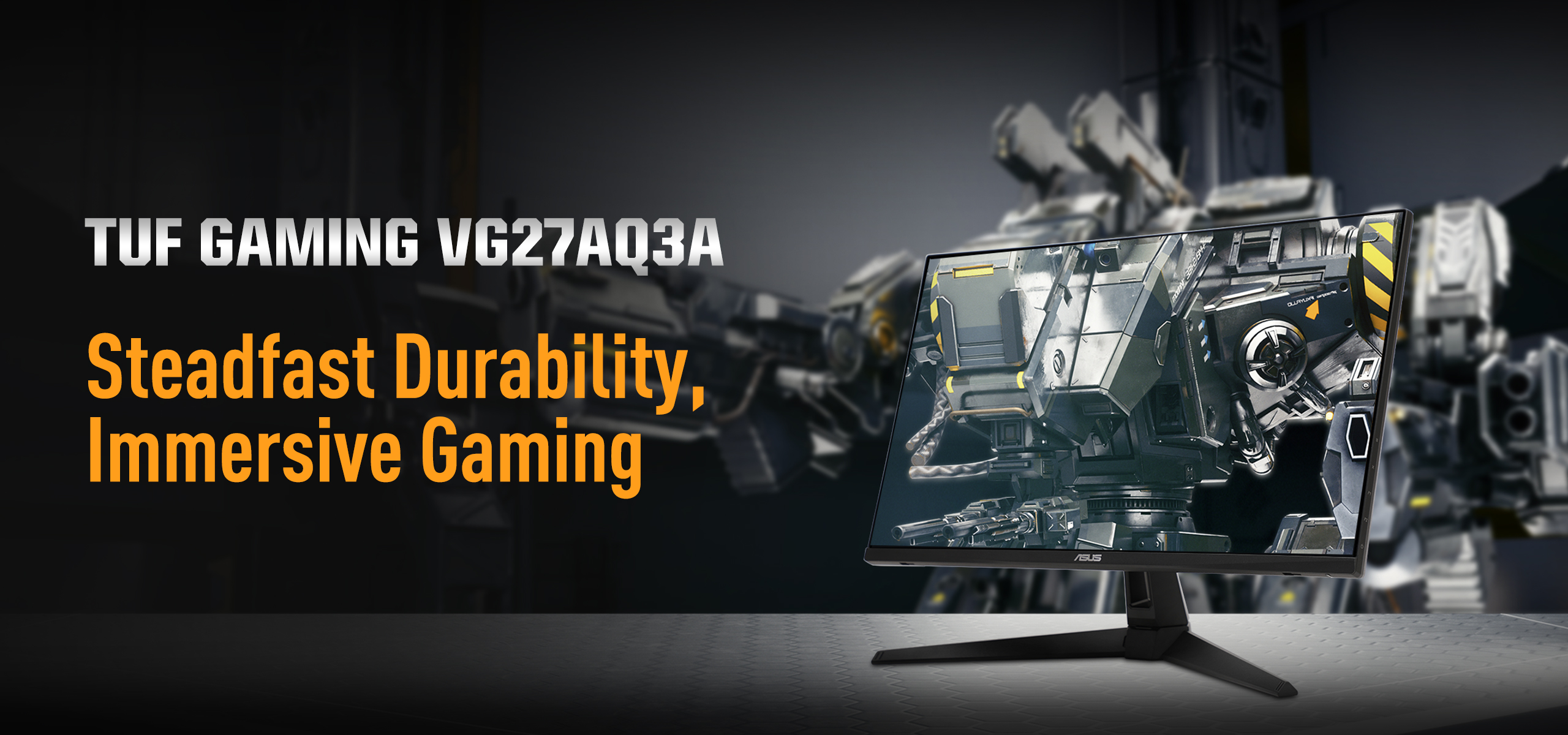
ASUS TUF Gaming 27-Inch 1440P HDR Monitor (VG27AQ3A)
Pros
- 180Hz native refresh rate
- Extremely solid stand with full ergonomic range
- Good build quality for the price
- 3-year ASUS warranty
Cons
- 130% sRGB color gamut trails DCI-P3 competitors at this price
- Speakers are mediocre, skip them
Price as of Jun 13, 2026 — see current price on Amazon.
Samsung Odyssey G5 G50F: Best Value Fast IPS
Samsung's Fast IPS panels have improved a lot. The Odyssey G5 G50F hits 1ms response time, 180Hz, and G-Sync compatibility at $269. And Samsung actually includes a proper adjustable stand instead of that fixed-tilt budget bracket a lot of monitors ship with.
Color performance is solid: HDR10 support with DisplayHDR 400 certification. The panel covers a wide color gamut and gets bright enough for daytime use without washing out.
One thing I want to be honest about: the G50F's Fast IPS doesn't quite match the LG Nano IPS in gradient handling. In highly saturated scenes (think neon-heavy RPGs), you'll occasionally see very subtle banding. It's not a dealbreaker, since most people won't notice mid-game. But color purists should go LG.
For someone who wants a step up from budget but doesn't want to pay LG prices, the G50F is exactly right.

Samsung 27-Inch Odyssey G5 G50F QHD Fast IPS 180Hz Gaming Monitor
Pros
- 180Hz Fast IPS at a competitive price
- Full ergonomic stand included
- NVIDIA G-Sync plus AMD FreeSync compatible
- HDR10 support
Cons
- Minor banding in high-saturation content
- HDR400 brightness ceiling limits real HDR effect
Price as of Jun 13, 2026 — see current price on Amazon.
MSI G274QPX: Best for Competitive Gaming
If you're playing CS2, Valorant, or any competitive FPS where every millisecond matters, the G274QPX is worth the extra money. This is the only monitor in this roundup running a proper 240Hz panel: not 180Hz, not 200Hz, but genuine 240Hz on a Rapid IPS display.
Rapid IPS is MSI's take on fast IPS technology, and it performs extremely well: 1ms GtG, G-Sync Compatible, FreeSync Premium, and HDR400. The 98% DCI-P3 color gamut is up there with the LG. This isn't a panel they cheaped out on to hit the refresh rate.
It also has a USB-C port with 65W Power Delivery. That's increasingly useful if you're running a laptop alongside your desktop.
The $299 price is $30-50 more than the ASUS, Samsung, and Gigabyte, though it now sits below the LG. Worth it specifically if you're a competitive player. If you're primarily gaming in single-player or casual multiplayer, save the money and get the LG or ASUS.
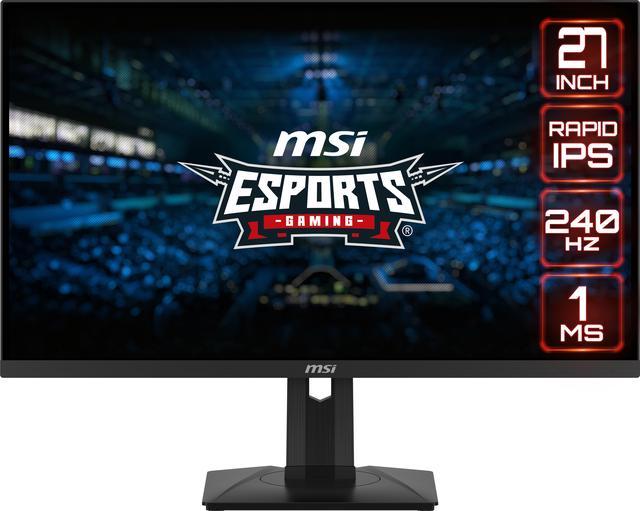
MSI G274QPX 27-Inch QHD 240Hz Rapid IPS G-Sync Gaming Monitor
Pros
- 240Hz native refresh rate, the fastest IPS option here
- 98% DCI-P3 color gamut
- USB-C 65W Power Delivery included
- Full ergonomic stand
Cons
- Pricier than the ASUS, Samsung, and Gigabyte at $299
- 240Hz advantage is real only in competitive titles
Price as of Jun 13, 2026 — see current price on Amazon.
Gigabyte M27Q: Best Budget Pick
At $249, the Gigabyte M27Q sits at the same price as the ASUS but it's a different kind of value. The M27Q features a 170Hz SS IPS panel (SS stands for super speed, Gigabyte's term for fast IPS), 0.5ms MPRT response time, and a built-in KVM switch.
That KVM switch is genuinely useful. It lets you connect two computers and toggle between them with a single keystroke, sharing one monitor, keyboard, and mouse. For anyone who works from home on a work laptop but also games on a personal PC, this eliminates a hardware switcher.
Color coverage is 92% DCI-P3: not as wide as the LG's 98%, but noticeably better than a standard sRGB panel. The factory calibration is surprisingly good for a budget monitor.
The stand is the tradeoff. Height adjustment is limited and there's no pivot. If you want to VESA mount it, the adapter is sold separately. But if you're fine with the stock stand position, the M27Q is the best value play in this whole roundup.
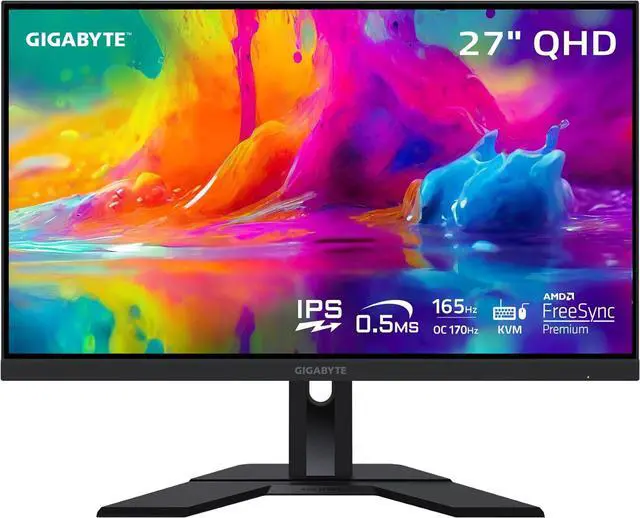
GIGABYTE M27Q 27-Inch 170Hz 1440P KVM Gaming Monitor
Pros
- Built-in KVM switch for dual-computer setups
- 170Hz SS IPS, 0.5ms MPRT response time
- 92% DCI-P3 color coverage
- Great factory calibration for the price
Cons
- Limited stand ergonomics, tilt only
- No built-in speakers
Price as of Jun 13, 2026 — see current price on Amazon.
AOC Q27G3XMN: Best HDR and Contrast
The AOC Q27G3XMN is the outlier in this roundup. It uses a Mini-LED backlight with 336 dimming zones on a VA panel. The result is HDR 1000 certification and contrast ratios that IPS panels simply can't match. When HDR content actually triggers properly, the difference is dramatic: deep blacks, specular highlights that look like separate light sources.
RTINGS measured the local dimming as genuinely effective, which is rare at this price. Most "HDR-certified" monitors use a handful of zones and produce visible blooming. The Q27G3XMN has enough zones to mostly avoid it.
The tradeoff: VA panel response times lag behind IPS in dark transitions. Fast-moving objects in dark scenes can show trailing, which isn't terrible, but IPS players will notice it. At 180Hz it's substantially better than older VA panels, but the gap versus Fast IPS still exists.
At $349, this is the second most expensive pick here, just under the LG. I'd recommend it specifically if you play a lot of single-player games where atmosphere and visuals matter: RPGs, horror, story games. For competitive FPS, go IPS.
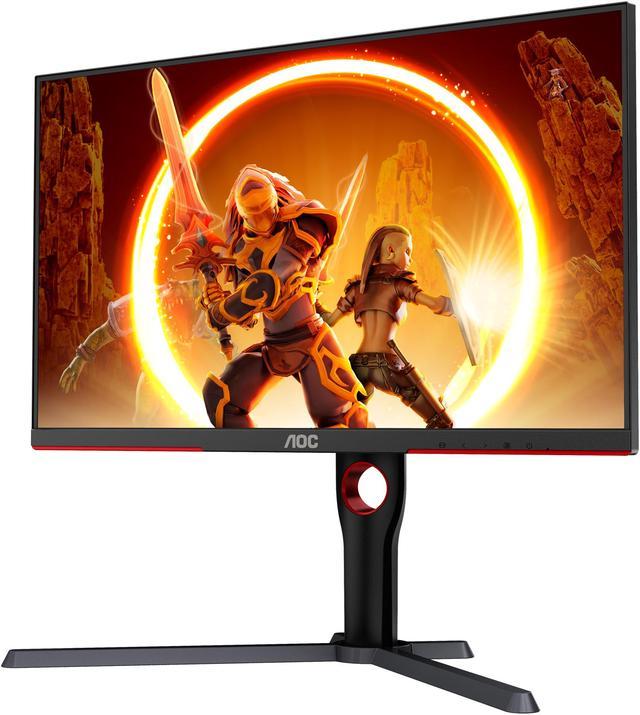
AOC Q27G3XMN 27-Inch QHD Mini-LED 180Hz Gaming Monitor
Pros
- Mini-LED with 336 dimming zones and real HDR 1000 performance
- Exceptional contrast from VA panel
- 137.5% sRGB color gamut
- 3-year Zero-Bright-Dot warranty
Cons
- VA response times show dark-scene trailing
- One of the two most expensive options in this roundup
- Occasional Mini-LED blooming on high-contrast edges
Price as of Jun 13, 2026 — see current price on Amazon.
Buying Guide: What Actually Matters in a 27-Inch 1440p Monitor
Panel Type: IPS vs. VA
For gaming, IPS wins on response time. Fast IPS and Nano IPS panels hit 1ms GtG: that's the real measured number from sites like RTINGS, not the manufacturer's claimed figure. VA panels offer better contrast and deeper blacks, but dark-scene response times run 5-10ms on most models, causing trailing artifacts in fast-paced games.
The exception is the AOC Q27G3XMN above. At 180Hz, its VA panel performs well enough that response time becomes a secondary concern for most gamers. Still, if you play any competitive titles, stick with IPS.
Refresh Rate: 165Hz vs. 180Hz vs. 240Hz
Honestly, the jump from 165Hz to 180Hz is nearly imperceptible in practice. Both feel fast and smooth with a GPU pushing consistent frame rates above the refresh rate.
The jump to 240Hz is more noticeable in competitive FPS. Mouse tracking and target acquisition genuinely feel crisper at 240Hz if you're also getting 200+ fps in-game. But you need the GPU horsepower to feed it. An RTX 5060 pushes 200+ fps in CS2 on high settings. A 5060 Ti handles Valorant at 300+ fps.
If you're playing mostly single-player or casual games, 165-180Hz is plenty.
Response Time: MPRT vs. GtG
Two different numbers you'll see on spec sheets:
- GtG (Gray-to-Gray): Measures transition between two gray shades. This is the most commonly cited number.
- MPRT (Moving Picture Response Time): Measures motion blur across a full image. Usually sounds better (0.5ms MPRT vs. 1ms GtG) but requires backlight strobing which dims the display.
When you see "0.5ms" on a monitor, check whether it's MPRT. It usually is. The Gigabyte M27Q, for example, is 0.5ms MPRT and 1ms GtG. Both are excellent, but they measure different things.
G-Sync vs. FreeSync vs. Both
Most modern monitors support both NVIDIA G-Sync Compatible and AMD FreeSync. All six monitors in this guide do. G-Sync Compatible means NVIDIA tested and validated the adaptive sync implementation. It works the same as native G-Sync modules for practical purposes.
Don't pay extra for a native G-Sync module unless you're buying a high-end display in the $500+ range. For a 27-inch 1440p monitor, G-Sync Compatible is more than enough.
Stand and Ergonomics
This one matters more than most people realize. If your monitor isn't at the right height and angle, you'll have neck strain within weeks. Check for:
- Height adjustment (at least 100mm of range)
- Tilt adjustment (forward and back, not just backward)
- Swivel (left-right rotation)
- Pivot (rotation to portrait orientation, useful for coding or reading)
Every monitor in this guide has at least height and tilt. The MSI G274QPX and ASUS VG27AQ3A have the most complete ergonomic packages.
Prime Day Note (June 23-26)
If you're reading this around Prime Day 2026, these are the monitors to watch for deals. The LG 27GP850-B dropped to $229 during Prime Day 2024 and $239 in 2025. The ASUS TUF line typically sees 10-15% discounts. Set price alerts on CamelCamelCamel for any of these models now. Prime Day prices sometimes appear as early deals before the actual event dates.
Frequently asked questions
- Is 27 inches the right size for a 1440p monitor?
- For desk gaming at 24-30 inch viewing distance, yes. 27 inches at 1440p hits 109 PPI, which looks sharp without being unnecessarily dense. At 32 inches, 1440p drops to 91 PPI and text starts to look softer. If you're sitting further back (3 feet or more), 32 inches can work fine, but for a standard desk setup, 27 inches is the sweet spot.
- What GPU do I need for 1440p at 165Hz?
- An RTX 5060 or RX 9060 XT handles most modern games at 1440p high settings with 100-165+ fps. For 240Hz gaming with maxed settings in demanding titles like Cyberpunk 2077, you'll want an RTX 5070 or better. Competitive FPS games like Valorant, CS2, and Overwatch 2 are much lighter: a 5060 pushes 200+ fps in those at 1440p.
- Is IPS or VA better for gaming?
- IPS for competitive and fast-paced games: response times are consistently 1ms GtG. VA for immersive single-player gaming: the contrast ratio is 3000:1 vs. 1000:1 on IPS, which means much deeper blacks and better atmosphere in dark environments. If you play both types, IPS is the safer general-purpose choice.
- Do any of these monitors support HDR properly?
- The AOC Q27G3XMN is the only one in this roundup with genuine HDR performance. It's Mini-LED with 336 dimming zones and DisplayHDR 1000 certification. The others carry HDR400 certification, which is the entry-level tier and mostly just means the panel can get brighter than standard SDR. HDR400 won't change your experience meaningfully. If real HDR matters, the AOC is the pick.
- Which monitor is best for both gaming and work?
- The Gigabyte M27Q is the clear winner here thanks to its built-in KVM switch. You can connect a work laptop and a gaming PC and toggle between them with a hotkey. The color accuracy at 92% DCI-P3 is also good enough for photo editing and design work. If you don't need the KVM, the LG 27GP850-B's Nano IPS panel has the most accurate colors for creative work.
- Will these monitors work with PS5 or Xbox Series X?
- All of them will work over HDMI, but with a catch: the maximum refresh rate over HDMI on most of these is 144Hz, not the full 165-240Hz. That said, the PS5 and Xbox Series X cap out at 120Hz anyway, so you're not losing anything. All six monitors display 1440p at 120Hz from consoles without issue.
Bottom Line
The LG 27GP850-B is the default recommendation for most people. Nano IPS color quality, a stable 180Hz overclock, and a complete ergonomic stand, at $359.99 as of this update. It's still the monitor I'd put in front of most buyers, though at this price the MSI deserves a hard look.
Step down to the Gigabyte M27Q ($249) if you're on a tighter budget or need that built-in KVM switch. Pick the MSI G274QPX ($299) if you're a competitive player who needs 240Hz; it's actually cheaper than the LG right now. And if you primarily play atmospheric single-player games and want real HDR, the AOC Q27G3XMN's Mini-LED performance at $349 is genuinely impressive.
With Prime Day hitting June 23-26, now is a good time to pull the trigger. Prices on all of these tend to hit their yearly lows during the event.
How We Test
We score products by combining spec-level research, pricing history, trusted third-party benchmarks, and owner sentiment from high-signal sources.
- Performance and real-world value in the category this guide targets
- Price-to-performance and deal consistency over recent pricing windows
- Build quality, reliability patterns, and known long-term issues
- Recommendation refresh cadence to keep these picks current
Author
TheTechSearch Editorial Team
Independent product reviewers & PC builders
We test and compare real-world specs, price trends, and user feedback to recommend gear that actually makes sense to buy.