Best Gaming Monitors for PS5 and Xbox Series X 2026
The best monitors for PS5 and Xbox Series X with HDMI 2.1, 4K 120Hz, and VRR picks from budget to premium, ranked. Expert picks, pros and cons, and side-by-s...
As an Amazon Associate we earn from qualifying purchases made through our links — this doesn't affect our picks.

ASUS ROG XG27UCSR 27-Inch 4K 162Hz Gaming Monitor
Our top recommendation for this category
Price as of May 28, 2026 — see current price on Amazon.
In this guide
- What You Actually Need for PS5 and Xbox Series X
- ASUS ROG XG27UCSR - Best for PS5 and Xbox
- Gigabyte M27U - Best Value
- Samsung Odyssey G70A - Best Samsung Option
- MSI MAG274UPF E2 - Best Under $400
- ASUS TUF Gaming VG27UQ1A - Most Versatile
- ASUS ROG Swift OLED PG27UCDM - Premium Pick
- Buying Guide: What Matters for Console Gaming
- Bottom Line
Your PS5 or Xbox Series X can output 4K at 120 frames per second. But plug it into the wrong monitor and you're leaving most of that performance on the table. The catch: you need HDMI 2.1, VRR support, and a panel that can actually handle what these consoles push out. Most monitors still sold today don't check all three boxes.
Each monitor below is matched against what the PS5, PS5 Pro, and Xbox Series X actually output. Here's what I'd buy.
| Monitor | Size | Resolution | Refresh Rate | HDMI 2.1 | Price | |
|---|---|---|---|---|---|---|
| ASUS ROG XG27UCSR | 27" | 4K | 162Hz | Yes | $400 | Check Price |
| Gigabyte M27U | 27" | 4K | 160Hz | Yes | $330 | Check Price |
| Samsung Odyssey G70A | 28" | 4K | 144Hz | Yes | $450 | Check Price |
| MSI MAG274UPF E2 | 27" | 4K | 160Hz | Yes | $350 | Check Price |
| ASUS TUF VG27UQ1A | 27" | 4K | 160Hz | Yes | $420 | Check Price |
| ASUS ROG Swift OLED PG27UCDM | 27" | 4K | 240Hz | Yes | $1,200 | Check Price |
What You Actually Need for PS5 and Xbox Series X
Before the picks, a quick reality check on the specs that matter.
HDMI 2.1 is non-negotiable. The PS5 and Xbox Series X output 4K at up to 120Hz over HDMI 2.1. Run them on a monitor with HDMI 2.0 and you're stuck at 4K 60Hz or 1080p 120Hz. Neither option is what you paid $500 for a console to do.
VRR matters more than people realize. Both consoles support Variable Refresh Rate, which eliminates screen tearing and smooths out frame rate dips. On PS5, this works through HDMI-VRR. On Xbox, it uses FreeSync. Look for a monitor that covers both.
HDR support rounds out the requirements. The consoles push HDR content natively, so DisplayHDR 400 is the minimum worth considering. Anything below and HDR mode often looks worse than SDR. DisplayHDR 600 or 1000 is where it actually looks good.
ASUS ROG XG27UCSR - Best for PS5 and Xbox
ASUS ROG XG27UCSR 27-Inch 4K 162Hz Gaming Monitor
Pros
- Genuine HDMI 2.1 for 4K 120Hz from PS5 and Series X
- Dual mode: 4K at 162Hz, or FHD at 324Hz for competitive play
- USB-C input, so it doubles as a laptop dock
- 0.03ms response and ELMB Sync for motion clarity
- Half the price the Sony it replaces was asking
Cons
- No full-array local dimming, so HDR is good rather than great
- Dual-mode switching is a menu dive, not a button
Price as of May 28, 2026 — see current price on Amazon.
The ASUS ROG XG27UCSR is the second-generation XG27UCS, and it does the thing this guide actually exists to check: full-fat HDMI 2.1, so a PS5 or Series X gets 4K at 120Hz instead of quietly falling back to 60. VRR is covered on both sides, HDMI-VRR for the PlayStation and FreeSync for the Xbox, which is the pairing you want if both consoles live under the same desk.
The dual-mode panel is the feature worth understanding. Natively it is a 27-inch 4K running at 162Hz. Switch modes and it drives 1080p at 324Hz instead, by driving the panel differently rather than by scaling an image. Consoles will never use the 324Hz mode, but if the same screen doubles as your PC monitor for competitive shooters, you effectively own two monitors.
USB-C input is the quiet convenience. One cable takes video and power from a work laptop, so the same panel serves the console in the evening and the day job in the morning without a dock.
What you give up against the Sony is HDR ceiling. The M9 II had full-array local dimming and DisplayHDR 600, and this does not, so HDR here is respectable rather than reference. The other side of that trade is $400 instead of $800, on a listing that exists.
Gigabyte M27U - Best Value

Gigabyte M27U 27-Inch 4K 160Hz Gaming Monitor
Pros
- Ridiculous value at around $330
- Two HDMI 2.1 ports for PS5 and Xbox simultaneously
- USB-C KVM switch is genuinely useful
- FreeSync Premium Pro covers Xbox VRR
Cons
- IPS glow is noticeable in dark scenes
- HDR performance is average at best
- No full-array local dimming
Price as of May 28, 2026 — see current price on Amazon.
The Gigabyte M27U is the answer when the budget won't stretch to $800. For around $330, you get a 27-inch 4K panel running at 160Hz with two HDMI 2.1 ports. That means you can plug both your PS5 and Xbox Series X in at the same time and switch between them. That's a genuinely useful setup for a multi-console household.
The IPS panel covers 90% DCI-P3, which means color accuracy is solid for both gaming and content creation. FreeSync Premium Pro covers Xbox Series X VRR, and the monitor also supports HDMI-VRR for the PS5.
Where it falls short is HDR. Without local dimming, the HDR implementation is mediocre. Dark scenes in HDR mode often look better in SDR with brightness cranked. If you watch a lot of movies or play narrative games where black levels matter, that's a real limitation.
But for competitive gaming or if you're mostly playing fast-paced titles in bright environments, the M27U is hard to beat at this price. The USB-C KVM switch lets you run a laptop through the same monitor without touching inputs, which is useful if you have a work machine on the same desk.
Samsung Odyssey G70A - Best Samsung Option
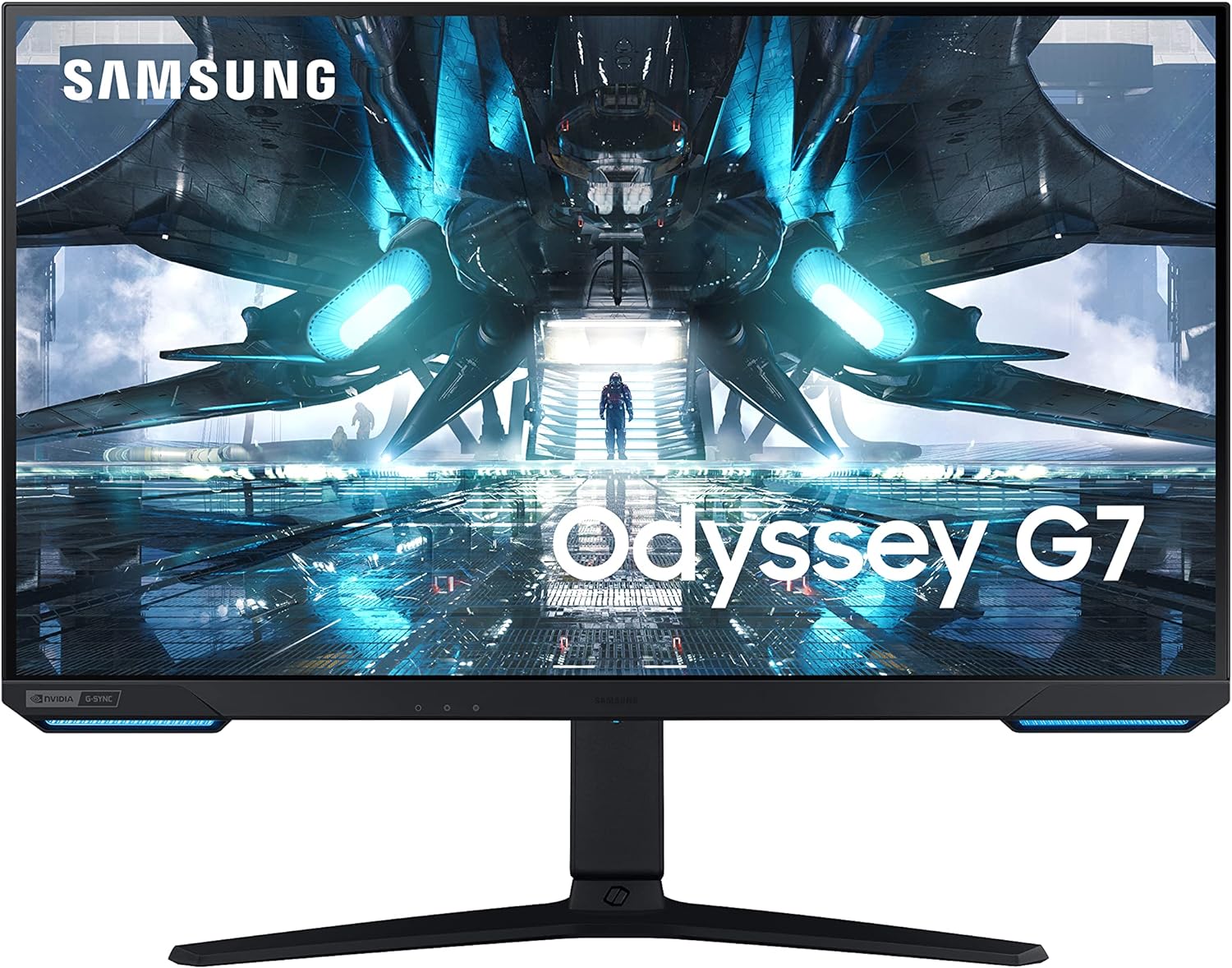
Samsung Odyssey G70A 28-Inch 4K 144Hz Gaming Monitor
Pros
- Smart TV features built in with Netflix and Disney+
- Samsung's excellent IPS color science
- Front ambient lighting strip looks great
- FreeSync Premium Pro plus G-Sync Compatible
Cons
- Smart TV features can feel laggy compared to a streaming stick
- 144Hz is one step behind the 160Hz competition
Price as of May 28, 2026 — see current price on Amazon.
The Samsung Odyssey G70A does something none of the other monitors on this list do: it runs a full smart TV operating system. You can stream Netflix, Disney+, Apple TV+, and other services directly from the monitor without a console plugged in. For a bedroom gaming setup where the monitor doubles as your entertainment screen, that's legitimately useful.
The 28-inch IPS panel has Samsung's characteristic punchy color reproduction, and the front ambient lighting strip adds a nice ambient glow effect. At 144Hz with HDMI 2.1, it's console-ready and handles 4K 120Hz from the PS5 without issues.
The smart features can be sluggish compared to dedicated streaming sticks. Navigation sometimes lags a beat or two. And the 144Hz cap means you're slightly behind the 160Hz monitors in this guide if you're sensitive to that difference. In console use specifically, you won't notice it at all.
MSI MAG274UPF E2 - Best Under $400

MSI MAG274UPF E2 27-Inch 4K 160Hz Gaming Monitor
Pros
- 160Hz at 4K with HDMI 2.1
- Rapid IPS panel with 0.5ms response time
- Solid color accuracy straight out of the box
- Full height, tilt, swivel, and pivot stand
Cons
- DisplayHDR 400 is entry-level HDR at best
- Backlight bleed can be an issue unit-to-unit
Price as of May 28, 2026 — see current price on Amazon.
The MSI MAG274UPF E2 is the updated version of a panel that reviewers at Notebookcheck called one of the best 4K 160Hz monitors for the money. The E2 revision bumped the refresh rate slightly and improved color calibration out of the box.
Its ergonomic stand deserves a mention. It's height adjustable with full tilt, swivel, and pivot, which is more flexibility than monitors costing twice as much. If you care about getting the screen at exactly the right angle without buying a separate arm, this stand covers it.
The Rapid IPS panel hits 0.5ms response time and tracks fast motion well. Competitive gaming on Xbox Series X looks clean and responsive. The 4K 120Hz signal from either console passes through without any issues.
DisplayHDR 400 is the weak point. It's certified, but the panel has no local dimming, so HDR mostly just bumps brightness. Playable, but not impressive compared to the Sony.
ASUS TUF Gaming VG27UQ1A - Most Versatile

ASUS TUF Gaming VG27UQ1A 27-Inch 4K 160Hz Monitor
Pros
- 95% DCI-P3 coverage is the best color in this group
- ELMB Sync works alongside VRR simultaneously
- 160Hz from both HDMI 2.1 and DisplayPort
- Excellent out-of-box color accuracy
Cons
- ASUS DisplayWidget software is buggy on some firmware versions
- Slightly higher price than the MSI for similar core specs
Price as of May 28, 2026 — see current price on Amazon.
The ASUS TUF VG27UQ1A hits 95% DCI-P3 color coverage, which is the best on this list outside of the premium OLED pick. If you do any content creation between gaming sessions, that color accuracy genuinely matters.
ELMB Sync is ASUS's motion blur reduction tech, and unlike some implementations it works alongside VRR rather than being mutually exclusive. You get both smooth adaptive sync and reduced motion blur at the same time. In fast-paced games on Xbox Series X, movement looks cleaner than on most 160Hz monitors.
The DisplayWidget software ASUS bundles is where things get frustrating. It's supposed to make it easy to switch between picture profiles and adjust settings, but it's buggy on some firmware versions. Skip it and just use the on-screen menu. It's fine.
ASUS ROG Swift OLED PG27UCDM - Premium Pick

ASUS ROG Swift OLED PG27UCDM 27-Inch 4K 240Hz Monitor
Pros
- Fourth-gen QD-OLED with infinite contrast and true black levels
- 240Hz with 0.03ms response time
- DisplayPort 2.1 with full 80Gbps bandwidth
- Proximity sensor dims screen automatically to reduce burn-in risk
Cons
- $1,200 is serious money
- OLED requires care to avoid burn-in from static images
- PS5 caps at 120Hz so 240Hz only matters if you also game on PC
Price as of May 28, 2026 — see current price on Amazon.
The ROG Swift OLED PG27UCDM uses a fourth-generation QD-OLED panel. This is genuinely the best display technology available in a gaming monitor right now. Infinite contrast from OLED means blacks are actually black, not dark gray. The color volume on QD-OLED makes everything look more vivid without looking oversaturated.
For PS5 and Xbox use, the monitor maxes out at 120Hz from the consoles. You won't use the full 240Hz unless you have a gaming PC as a second input. So you're paying a $400 premium over the Sony M9 II partly for PC performance you may or may not need.
That said, the OLED HDR experience is genuinely incomparable. If you play story-driven games with cinematic lighting like Stellar Blade, Alan Wake 2, or Black Myth: Wukong on PS5, the difference is immediately visible. Dark scenes with volumetric lighting look stunning in a way IPS monitors simply can't replicate.
Burn-in is a real concern with OLED. Don't leave static images on screen for extended periods. ASUS includes a proximity sensor that dims and blanks the screen when you step away, which helps protect the panel.
Buying Guide: What Matters for Console Gaming
HDMI 2.1 Is Non-Negotiable
The PS5 and Xbox Series X push 4K at 120fps through their HDMI ports. That requires HDMI 2.1's 48Gbps bandwidth. HDMI 2.0 tops out at 18Gbps, which handles 4K at 60fps or 1080p at 120fps but not 4K at 120fps. Every monitor on this list has HDMI 2.1.
Size: 27 vs 32 Inch
At 4K on a 27-inch monitor, individual pixels are nearly invisible at normal viewing distances. The sharpness is excellent. At 32 inches, 4K still looks great but you get more screen real estate, which is useful if you also use the monitor for work. All picks here are 27 to 28 inches, the sweet spot for desk setups where the screen sits 18 to 24 inches from your face.
VRR Compatibility
PS5 uses HDMI-VRR. Xbox Series X uses FreeSync. Most monitors support both, but double-check. Some FreeSync implementations don't support HDMI-VRR and vice versa. Every monitor above handles both.
HDR Tiers
DisplayHDR 400 is the baseline. Certified but without local dimming, the practical difference over SDR is minimal in real use.
DisplayHDR 600 is noticeably better. This is where HDR starts to actually look like HDR, with visible highlights in bright scenes and improved shadow detail.
DisplayHDR 1000 and above delivers serious local dimming with real highlight punch. Only achievable on mini-LED or OLED panels. The Sony M9 II at DisplayHDR 600 and the ROG Swift OLED are the only monitors here that deliver genuine HDR impact.
One Port vs Two Ports
If you own both a PS5 and an Xbox Series X, you want two HDMI 2.1 ports. The Gigabyte M27U has two. You can leave both consoles plugged in and switch inputs without swapping cables.
Frequently asked questions
- Does the PS5 support 4K 120Hz on a monitor?
- Yes. The PS5 outputs 4K at up to 120Hz over HDMI 2.1. You need a monitor with an HDMI 2.1 port and a panel that can refresh at 120Hz or higher at 4K. All six monitors in this guide support this.
- Can I use a gaming monitor with an Xbox Series X?
- Absolutely. The Xbox Series X works great with any HDMI 2.1 monitor. Xbox also supports FreeSync via HDMI, which reduces tearing. Most monitors here support FreeSync Premium Pro, which covers Xbox VRR.
- Is 4K 120Hz better than 1080p 120Hz on consoles?
- For most games, yes. The PS5 and Xbox Series X are powerful enough to run many titles at 4K using reconstruction techniques. Some competitive games may run capped at 60Hz at 4K in quality mode, so check your specific game's performance options.
- Do I need a TV or can I use a monitor for PS5?
- A monitor works perfectly for PS5. Monitors generally have lower input lag than TVs, which matters for responsiveness. The tradeoff is you lose large screen size. If your setup is at a desk, a 27 to 32-inch monitor at 18 to 24 inches viewing distance is actually a better experience than a TV at the same distance.
- What is VRR and do I need it for console gaming?
- VRR stands for Variable Refresh Rate. It synchronizes the monitor's refresh rate to the console's output frame rate in real time, eliminating screen tearing and reducing stutter. Both the PS5 via HDMI-VRR and Xbox Series X via FreeSync support it. It's a noticeable improvement in games that don't hit a locked 60fps or 120fps.
- Is OLED worth it for PS5 gaming?
- The image quality on OLED is genuinely better with infinite contrast, no backlight bleed, and true black levels. The ROG Swift OLED PG27UCDM here is the best-looking option. But the PS5 caps at 120Hz, so the 240Hz panel is partly wasted unless you also game on PC. If it's purely for consoles, the Sony InZone M9 II gets you much closer in image quality at $400 less.
Bottom Line
For most PS5 and Xbox Series X owners, the ASUS ROG XG27UCSR at $399.99 is the practical pick. Genuine HDMI 2.1, 4K at 162Hz, USB-C, and a dual-mode panel that doubles as a 324Hz screen if a gaming PC shares the desk. It checks every box without costing more than the console itself.
One caveat on the rest of this page: new stock of the Gigabyte M27U, the Samsung Odyssey G70A and the MSI MAG274UPF E2 is hard to find on Amazon. They are good monitors, so if one is out of stock when you click, the XG27UCSR and the ASUS TUF VG27UQ1A are the easier buys.
If you're serious about the best possible image quality and also use a gaming PC, the ASUS ROG Swift OLED is in a different league entirely. Just budget accordingly.
How We Test
We score products by combining spec-level research, pricing history, trusted third-party benchmarks, and owner sentiment from high-signal sources.
- Performance and real-world value in the category this guide targets
- Price-to-performance and deal consistency over recent pricing windows
- Build quality, reliability patterns, and known long-term issues
- Recommendation refresh cadence to keep these picks current
Author
TheTechSearch Editorial Team
Independent product reviewers & PC builders
We test and compare real-world specs, price trends, and user feedback to recommend gear that actually makes sense to buy.