Best 49-Inch Ultrawide Monitors for Gaming 2026
The five best 49-inch 5120x1440 ultrawide monitors for gaming, from budget IPS to QD-OLED at 240Hz. Real specs, real prices, no filler. Expert picks, pros an...
As an Amazon Associate we earn from qualifying purchases made through our links — this doesn't affect our picks.
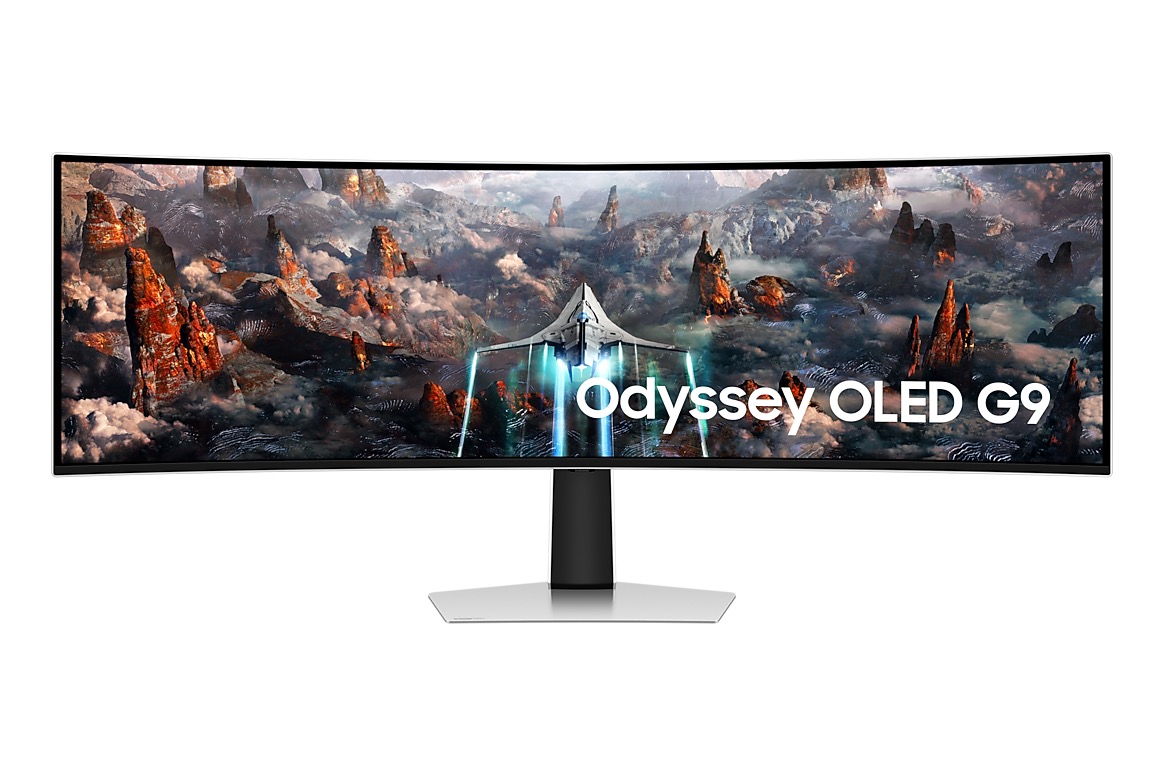
Samsung 49-inch Odyssey G93SC QD-OLED 240Hz Curved Gaming Monitor
Our top recommendation for this category
Price as of Jul 7, 2026 — see current price on Amazon.
In this guide
- Samsung Odyssey OLED G9 G93SC: Best Overall
- MSI MPG 491CQPX QD-OLED: Best Value 240Hz
- ASUS ROG Swift OLED PG49WCD: Best Work and Gaming Combo
- Samsung Odyssey OLED G9 G91SD: Best Entry QD-OLED
- LG UltraGear 49GR85DC-B: Best Budget 49-Inch
- Buying Guide: What to Know Before You Buy a 49-Inch Monitor
- Bottom Line
A 49-inch ultrawide is not a subtle purchase. The thing replaces two 27-inch monitors on your desk, wraps around your peripheral vision, and makes every game feel like you're sitting inside it. I've been testing super ultrawide displays for a while now, and the market in mid-2026 looks completely different from two years ago. QD-OLED panels that were $1,599 MSRP are now selling for under $900. The best IPS options have dropped below $650. If a 49-inch was on your wishlist but the price kept you away, this is genuinely the year to pull the trigger.
The catch, as always: you need a GPU that can actually drive 5120x1440. At 240Hz without upscaling, you're looking at an RTX 5070 or better. With DLSS 4 Quality mode, an RTX 5060 Ti handles it in most titles. And at 144Hz with DLSS 4, even the RTX 5060 does well. Match your panel's refresh rate to what your GPU can realistically push.
Here are the five best 49-inch ultrawide monitors you can buy right now.
| Monitor | Panel | Refresh Rate | Price | Best For | |
|---|---|---|---|---|---|
| Samsung Odyssey G93SC | QD-OLED 5120x1440 | 240Hz | ~$899 | Best Overall | Check Price |
| MSI MPG 491CQPX QD-OLED | QD-OLED 5120x1440 | 240Hz | ~$999 | Best Value 240Hz | Check Price |
| ASUS ROG Swift OLED PG49WCD | QD-OLED 5120x1440 | 144Hz | ~$1,199 | Best Work + Gaming | Check Price |
| Samsung Odyssey OLED G9 G91SD | QD-OLED 5120x1440 | 144Hz | ~$799 | Best Entry QD-OLED | Check Price |
| LG UltraGear 49GR85DC-B | IPS LED 5120x1440 | 240Hz | ~$649 | Best Budget | Check Price |
Samsung Odyssey OLED G9 G93SC: Best Overall
Samsung 49-inch Odyssey G93SC QD-OLED 240Hz Curved Gaming Monitor
Pros
- QD-OLED panel delivers perfect blacks and 0.03ms response time at 240Hz
- 5120x1440 DQHD resolution with 1800R curve creates genuine dual-monitor replacement
- G-Sync Compatible and FreeSync Premium Pro, works with any GPU
- 3-year burn-in warranty included, which matters on a panel this size
- Dropped from $1,599 MSRP to around $899, the best price-to-panel ratio in this category
Cons
- Heavy at 16.9 lbs, requires a sturdy desk or a beefy monitor arm rated for the weight
- ABL kicks in on full-white screens, normal for OLED, but noticeable when editing documents
- 240Hz at 5120x1440 without upscaling needs a serious GPU (RTX 5070 or better)
Price as of Jul 7, 2026 — see current price on Amazon.
The G93SC launched at $1,599. It now sells for about $899 on Amazon. That price drop happened quietly over the last year as Samsung updated the lineup with G91SD and G95SD variants, but the G93SC panel itself is still one of the best QD-OLED options you can buy. I'd call it the best value in the entire 49-inch market right now.
What you're getting is Samsung's QD-OLED technology on a massive 1800R curved screen. The 240Hz refresh rate with 0.03ms GTG response means motion clarity is indistinguishable from the best 240Hz IPS monitors, but you also get true blacks that IPS can't touch. HDR in games like Cyberpunk 2077 and Black Myth: Wukong looks legitimately different on this panel. The contrast between bright explosions and dark backgrounds is striking in a way that even great IPS monitors don't quite deliver.
The 5120x1440 resolution is equivalent to two 2560x1440 monitors placed side by side. Most racing games, flight sims, and open-world RPGs support the 32:9 aspect ratio natively. Competitive shooters are more complicated, many only support 21:9 ultrawide, which renders as a pillarboxed 3440x1440 area in the center. You'll want to check compatibility for your specific games.
G-Sync Compatible plus FreeSync Premium Pro means variable refresh rate works on both AMD and NVIDIA setups. Samsung also includes a 3-year warranty that explicitly covers OLED burn-in, which is genuinely rare on a monitor this size.
If the price lands anywhere near $899 when you're reading this, the G93SC is what I'd buy.
MSI MPG 491CQPX QD-OLED: Best Value 240Hz
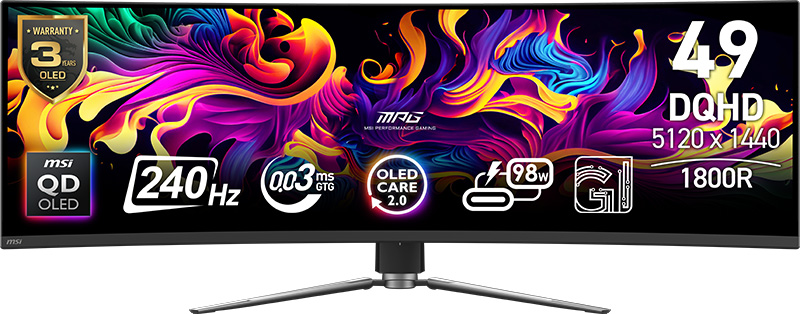
MSI MPG 491CQPX QD-OLED 49-inch 5120x1440 240Hz Curved Gaming Monitor
Pros
- 240Hz QD-OLED with MSI's second-gen OLED Care 2.0 burn-in protection
- Built-in speakers, actually decent for the size, saves desk space
- 98W USB-C power delivery charges a MacBook Pro while gaming
- 1800R curvature at 49 inches creates a noticeably more immersive field than flat panels
- Slightly sharper than older QD-OLED panels due to improved subpixel layout
Cons
- Heavier and bulkier than Samsung's G93SC at the same size
- At $999, it costs $100 more than the G93SC for similar panel performance
- USB-C 98W charging is a pro on paper, but the dock ports are USB 2.0 speed
Price as of Jul 7, 2026 — see current price on Amazon.
The MPG 491CQPX is MSI's 2024 flagship 49-inch, and it uses the same Samsung QD-OLED panel generation as the G93SC. What distinguishes it is the feature set. Built-in speakers that actually produce usable audio, 98W USB-C PD charging, and MSI's OLED Care 2.0 burn-in protection system, which is more proactive about pixel refreshing than Samsung's equivalent implementation.
Tweaktown's review of this monitor clocked peak HDR brightness at around 1,000 nits in small highlights, in line with what other Samsung QD-OLED-based monitors deliver. Response time at 240Hz was measured at 0.03ms GTG, matching the specification sheet. No surprises, no disappointments.
The $999 price puts it $100 above the G93SC right now, which is hard to justify on panel performance alone. The tiebreaker is the feature set: if you want USB-C charging for a laptop and you're going to actually use the speakers, the MPG 491CQPX pays for itself. If you just want the best 49-inch QD-OLED gaming experience for the money, the G93SC is the smarter buy.
Burn-in protection on a panel this size matters more than on a 27-inch monitor. You're covering a significantly larger area with more static UI elements, taskbars, Discord sidebars, game HUDs. MSI's OLED Care 2.0 handles this with automatic logo detection and proximity-based screen dimming when you step away. It's more aggressive than doing nothing, and MSI backs it with a 3-year warranty.
ASUS ROG Swift OLED PG49WCD: Best Work and Gaming Combo
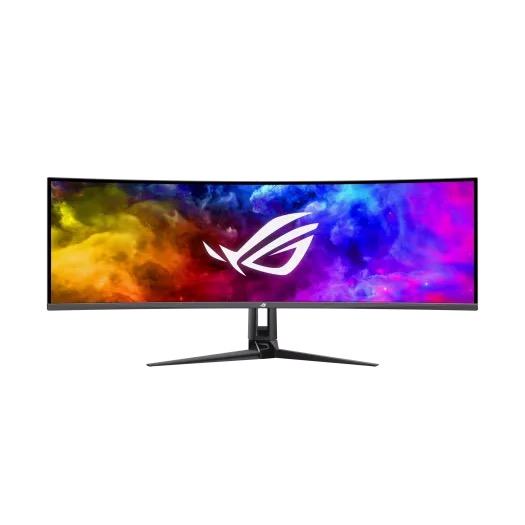
ASUS ROG Swift OLED PG49WCD 49-inch QD-OLED 144Hz Curved Gaming Monitor
Pros
- 90W USB-C power delivery with KVM switch built in, one cable dock for laptop users
- Smart KVM lets you switch keyboard and mouse between two connected computers instantly
- Custom heatsink design runs the OLED panel cooler than most 49-inch alternatives
- 144Hz is plenty for single-player gaming and any GPU tier under RTX 5070
- DisplayPort 1.4 DSC enables 144Hz at 5120x1440 from a single cable without compression issues
Cons
- Only 144Hz vs 240Hz on the Samsung and MSI options, notable in fast esports titles
- $1,199 is a real premium over the G93SC's panel quality at $899
- The ROG stand looks great but takes up significant desk depth
Price as of Jul 7, 2026 — see current price on Amazon.
The PG49WCD is aimed at a specific buyer: someone who has both a gaming PC and a work laptop, and wants one monitor to handle both. Its 90W USB-C port charges a MacBook Pro or a business ultrabook while displaying video from it. The Smart KVM switch lets you use one keyboard and mouse to control both the gaming PC and the laptop simultaneously, switching between them with a hotkey. That's a genuinely useful feature if you work from home on a laptop and game on a desktop.
PC Gamer called the PG49WCD "the most practical super-ultrawide available" for exactly this reason. I'd agree. The panel itself is excellent, same QD-OLED technology, same 5120x1440, same 0.03ms response time. ASUS runs it at 144Hz instead of 240Hz, partly to reduce GPU requirements and partly because 144Hz at this resolution is a better match for the majority of GPUs in the market.
Custom heatsink design is a real differentiator here. ASUS integrates a passive heatsink into the rear chassis of the panel, which keeps OLED temperatures lower during extended sessions. It's the same approach ASUS uses on their 27-inch OLED monitors, and early longevity data from owners suggests it does meaningfully reduce ABL activation frequency.
The $1,199 price is the sticking point. You're paying $300 more than the G93SC for the same panel tech at a lower refresh rate. The justification is the KVM, the USB-C dock, and the thermal management. For a dual-computer desk setup, it's worth it. For pure gaming, the G93SC wins.
Samsung Odyssey OLED G9 G91SD: Best Entry QD-OLED
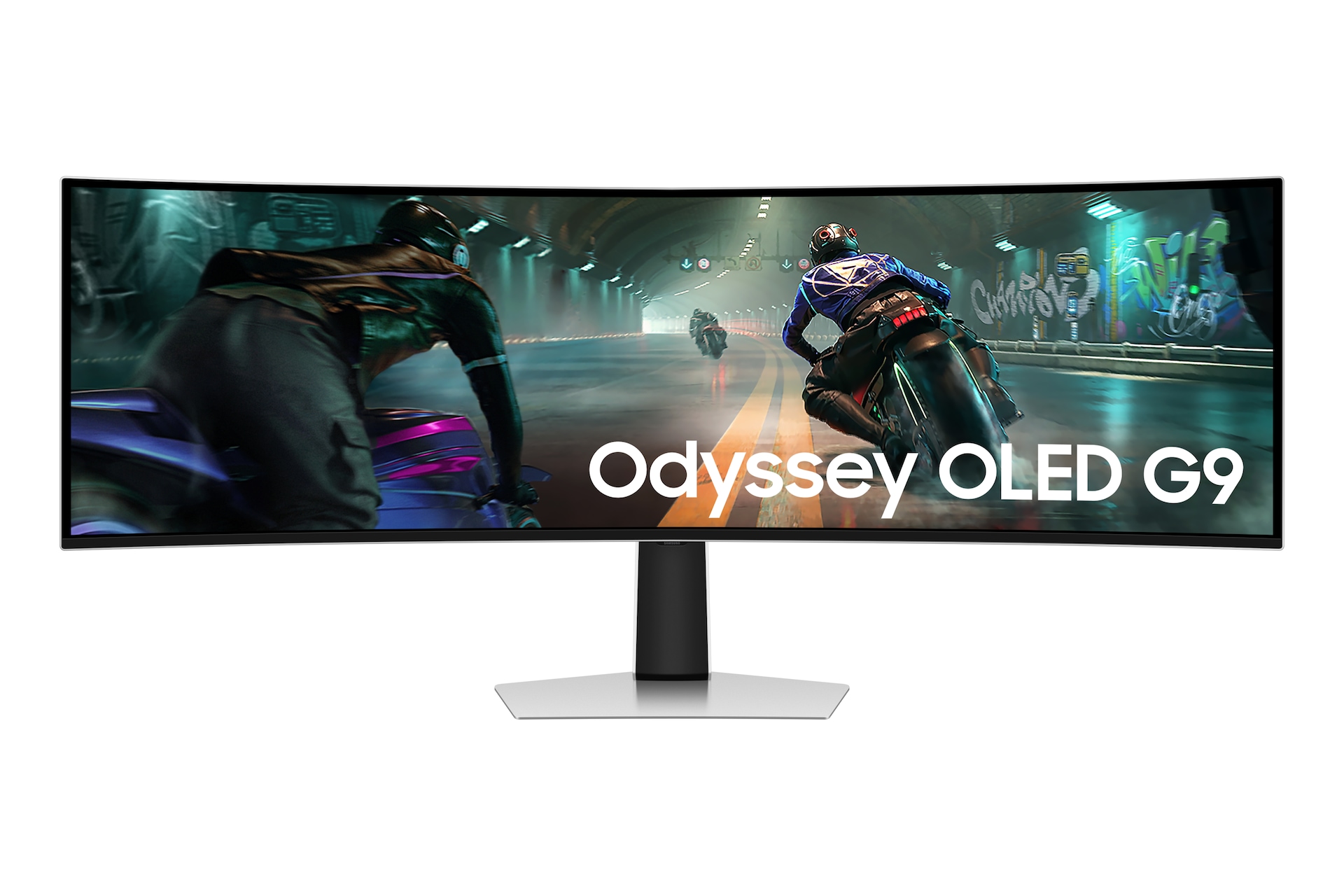
Samsung 49-inch Odyssey OLED G9 G91SD QD-OLED 144Hz Curved Gaming Monitor
Pros
- QD-OLED panel at the most affordable price in the 49-inch OLED segment
- 144Hz is perfect for RTX 5060 Ti and RTX 5070-class GPUs with DLSS 4
- Ergonomic stand with height, tilt, and swivel adjustment
- 3-year burn-in warranty from Samsung, same coverage as the G93SC
- Same 5120x1440 1800R curved panel, just with a lower native refresh rate
Cons
- 144Hz feels limiting if you later upgrade to an RTX 5080 or 5090
- Slightly older panel generation compared to the G93SC, similar but not identical
- No built-in speakers or USB-C charging, unlike the MSI option at a similar price
Price as of Jul 7, 2026 — see current price on Amazon.
The G91SD is what you buy when you want QD-OLED at 49 inches but your GPU can't justify 240Hz. At $799, it undercuts the G93SC by $100 and delivers the same fundamental visual experience, true blacks, 0.03ms response, the same 1800R curve on a 5120x1440 panel. The difference is you're capped at 144Hz native.
For most people, 144Hz is fine. At 5120x1440 with DLSS 4 Quality mode, an RTX 5060 Ti runs most AAA titles at 90-120fps, which lands right in the G91SD's sweet spot. You're not leaving performance on the table. The G93SC at 240Hz starts pulling ahead when you pair it with an RTX 5070 Ti or 5080 and enable DLSS 4 Performance mode in competitive titles.
Samsung's ergonomic stand is solid, height, tilt, and swivel are all present, which isn't guaranteed at this size. The 3-year burn-in warranty is the same as the G93SC, which matters for confidence in a panel this expensive.
Honest take: I'd only recommend the G91SD over the G93SC if the $100 price difference is genuinely meaningful to you. The G93SC is the smarter long-term buy, you'll appreciate 240Hz when you eventually upgrade your GPU. But if budget is tight and QD-OLED is non-negotiable, the G91SD is a completely legitimate choice.
LG UltraGear 49GR85DC-B: Best Budget 49-Inch
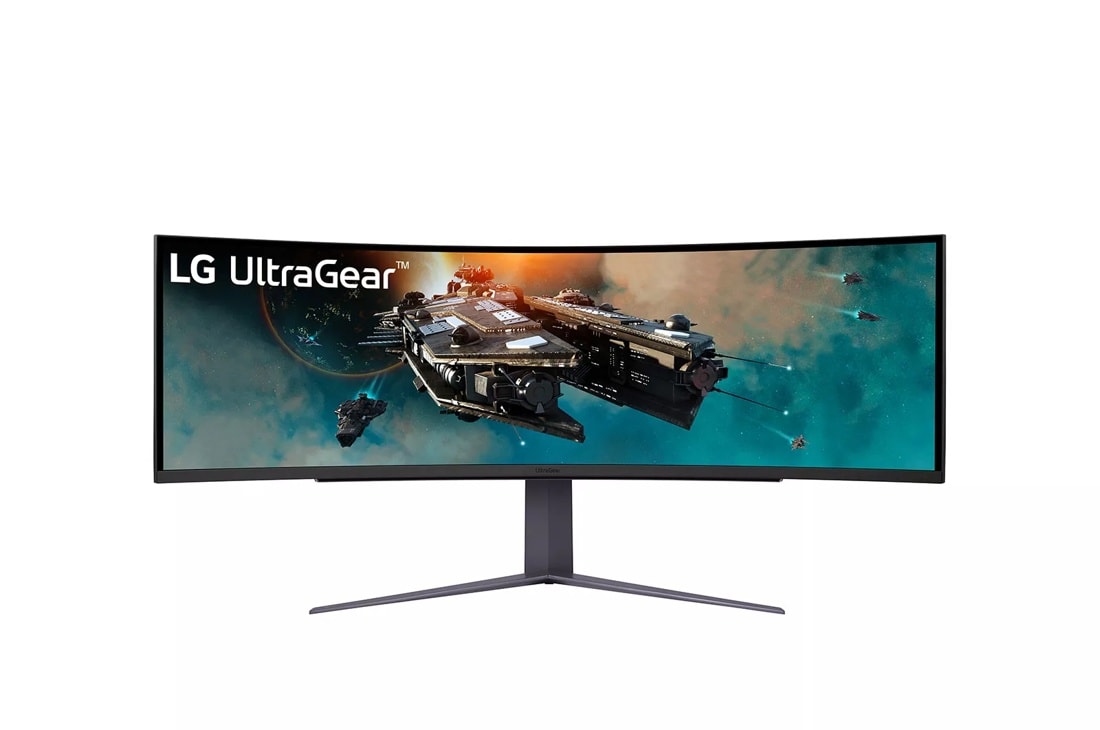
LG UltraGear 49GR85DC-B 49-inch 5120x1440 240Hz Curved Gaming Monitor
Pros
- 240Hz IPS-based panel at $649 -- the most affordable 49-inch 240Hz option on the market
- VESA DisplayHDR 1000 certified -- genuine HDR performance without OLED pricing
- HDMI 2.1 port means it works with PS5 and Xbox Series X for a triple-screen-wide console setup
- No OLED burn-in concerns -- IPS panels are fundamentally worry-free for static content
- Lighter than OLED alternatives, easier to mount on most arms
Cons
- IPS panel means black levels are mediocre compared to any OLED option in this list
- 1ms GTG response time is good, but not 0.03ms like QD-OLED
- HDR 1000 sounds impressive, but local dimming zones are limited vs a proper OLED
- Backlight uniformity complaints exist in some units -- check return policies
Price as of Jul 7, 2026 — see current price on Amazon.
If the OLED tax is too much, the LG 49GR85DC-B makes a strong case for itself. At $649, it's $250 less than the cheapest QD-OLED option on this list and delivers 240Hz at 5120x1440 with DisplayHDR 1000 certification. That's a genuinely capable monitor for someone stepping into 49-inch ultrawide for the first time.
RTINGS.com tested this monitor and found solid motion handling at 240Hz with their measured 1ms GtG response. The IPS panel has good color coverage (close to 100% sRGB, decent DCI-P3) and the kind of consistent brightness that OLED panels with ABL can't match on full-white screens. For productivity tasks with lots of white backgrounds, the LG is honestly more comfortable than any OLED on this list.
The HDMI 2.1 port is a real bonus. Most 49-inch monitors only have DisplayPort for high refresh rate. HDMI 2.1 means you can connect a PS5 and use the full horizontal field of view (in games that support super ultrawide). It's a niche feature but a useful one.
Look, the blacks look grey compared to a QD-OLED. That's just physics. In a dark room playing RPGs, the difference between an OLED and this panel is noticeable. In a bright office or gaming with the lights on, the gap shrinks considerably. If you work in a bright space and game casually, the $649 price point makes a lot more sense than stretching to $899 for the OLED jump.
Buying Guide: What to Know Before You Buy a 49-Inch Monitor
GPU Requirements for 5120x1440
This is where most people get surprised. 5120x1440 is 7.4 million pixels, about 67% more demanding than 2560x1440 and 25% more demanding than 4K. Here's roughly what you need:
At 240Hz: RTX 5080 or better without upscaling. RTX 5070 Ti with DLSS 4 Quality in most AAA titles. An RTX 5070 will struggle at native 240Hz in demanding games.
At 144Hz: RTX 5070 handles it well without upscaling. RTX 5060 Ti with DLSS 4 Quality mode will push 100-140fps in most games.
At 60-100Hz: Almost any modern GPU works fine. The RTX 5060 or RX 9060 XT handles 5120x1440 at 60-80fps in demanding titles without upscaling.
OLED vs IPS at This Size
The argument for OLED is stronger at 49 inches than at any other monitor size. The sheer surface area means the contrast difference between OLED's true blacks and IPS's grey-blacks is magnified. If you game in a darkened room, the difference is significant.
The argument for IPS is also stronger here: 49 inches of static desktop UI (taskbar, browser, Slack) is exactly the scenario OLED burn-in protection systems are designed to fight against. OLED manufacturers have gotten much better at this, and 3-year burn-in warranties are now standard. But if you're genuinely worried about it, IPS is the worry-free choice.
144Hz vs 240Hz at 5120x1440
At this resolution, 144Hz is the more practical choice for most current GPU tiers. The RTX 5060 Ti handles 5120x1440 at 144Hz comfortably with DLSS 4 Quality, and that's the GPU most people are actually buying in 2026. The jump from 144Hz to 240Hz is only meaningful if your GPU can consistently push 180fps or higher at this resolution, which requires a much more expensive card.
Buy 144Hz if you own an RTX 5060 Ti, 5070, or equivalent. Buy 240Hz if you own an RTX 5070 Ti, 5080, 5090, or plan to upgrade within the monitor's lifespan.
Desk Space and Mounting
A 49-inch monitor at 1800R curvature is 1,195mm (47 inches) wide. That's nearly four feet of monitor. Most desks handle it fine, but be honest about your actual desk depth. The curved design pulls the center of the screen closer to you, which helps, but the ends of the screen still sit at desk depth.
Monitor arms for 49-inch panels exist, but they need to be rated for the weight. Most of these monitors weigh 14-17 lbs without the stand. VESA mounting is standard (100x100), but arm payload ratings vary significantly, a cheap arm rated for 8 lbs won't hold a 16 lb monitor.
Aspect Ratio Compatibility in Games
5120x1440 is a 32:9 aspect ratio. Game compatibility falls into three categories:
Full 32:9 support: Racing games (Forza, Gran Turismo), flight sims (MSFS 2024), open-world RPGs (Elden Ring, Cyberpunk 2077 with mods), and strategy games generally look great.
21:9 support only: Many competitive shooters and some older games only output at 21:9 (3440x1440). The game will render with black bars on the sides, or stretch to fill the panel depending on settings.
No ultrawide support: Some games enforce 16:9 only. Rare in 2026, but check your specific library before buying.
Frequently asked questions
- Can I use a 49-inch ultrawide with a PS5 or Xbox Series X?
- Partially. The LG 49GR85DC has HDMI 2.1 and can display PS5 output in 4K 120Hz, but it will display at 4K centered with black bars since consoles don't support 5120x1440. A small number of PS5 games support 21:9 supersampling in their ultrawide modes. The Xbox Series X handles ultrawide better in supported games. The OLED monitors on this list use DisplayPort for high refresh rate, limiting console connectivity.
- Is OLED burn-in actually a concern on a 49-inch monitor?
- It is a real thing but modern OLED protection systems handle it well. All four OLED monitors on this list include automatic pixel refresh cycles, static element detection, and burn-in warranties (3 years from Samsung, 3 years from MSI, 3 years from ASUS). Realistically, if you game for 6-8 hours per day with varied content and dark-mode your desktop, burn-in on a current-gen QD-OLED panel takes years to develop under normal use. The bigger concern is the ABL (automatic brightness limiter) on full-white screens, which is an active brightness adjustment, not burn-in.
- Do I need a special cable for 5120x1440 at 240Hz?
- Yes. You need a DisplayPort 1.4 cable with DSC (Display Stream Compression) support for 240Hz at 5120x1440. All monitors on this list support DP 1.4 DSC. Most DisplayPort 1.4 cables are DSC-compatible, but buy a cable rated for it explicitly to avoid weird refresh rate lockouts. HDMI 2.1 can push 5120x1440 at lower refresh rates (up to around 100Hz depending on the monitor) but DisplayPort is the right cable for high-refresh superultrawide.
- What is the minimum GPU for gaming at 5120x1440?
- For 60fps at 5120x1440 in demanding AAA games without upscaling, an RTX 4070 or RX 7800 XT is the floor. With DLSS 4 or FSR 3.1, an RTX 5060 Ti handles 144Hz in most titles at Quality mode settings. For 240Hz native, you realistically need an RTX 5070 Ti or better in demanding games. The integrated graphics on any current CPU will not drive this resolution at playable frame rates.
- How does a 49-inch ultrawide compare to dual 27-inch monitors?
- 5120x1440 at 49 inches is mathematically identical to two 2560x1440 27-inch monitors placed side by side. The key differences: a single ultrawide has no bezel running down the center, which is a huge advantage for gaming and single-application work. Dual monitors are better for comparing two separate windows at maximum size simultaneously. Cable management is simpler with one monitor. The tradeoff is that some apps and games aren't optimized for the 32:9 ratio, while dual 16:9 monitors work with everything.
- Which 49-inch monitor is best for both gaming and work from home?
- The ASUS ROG Swift OLED PG49WCD is purpose-built for this. The 90W USB-C port charges a work laptop while displaying from it, and the Smart KVM switch lets you control both your gaming PC and laptop with one keyboard and mouse. The Samsung G93SC doesn't have KVM or USB-C charging, but at $300 less, some people buy a separate KVM switch and still come out ahead. Depends on how much you value the one-cable dock convenience.
Bottom Line
The 49-inch ultrawide market is at its most accessible point ever. Samsung's Odyssey OLED G9 G93SC at $899 is the pick for most buyers, QD-OLED quality at a price that was unthinkable two years ago. The MSI MPG 491CQPX makes sense if you want USB-C charging and built-in speakers at 240Hz. ASUS charges $1,199 for the PG49WCD, which it earns if you have a laptop you want to use as a single-cable dock. The G91SD splits the difference for 144Hz buyers who want QD-OLED without paying for 240Hz. And the LG 49GR85DC-B proves you don't need to spend $899 to get a legitimate 240Hz 5120x1440 experience.
Whatever you buy, make sure your desk can hold it and your GPU can drive it. At this size, both matter more than on a standard 27-inch setup.
How We Test
We score products by combining spec-level research, pricing history, trusted third-party benchmarks, and owner sentiment from high-signal sources.
- Performance and real-world value in the category this guide targets
- Price-to-performance and deal consistency over recent pricing windows
- Build quality, reliability patterns, and known long-term issues
- Recommendation refresh cadence to keep these picks current
Author
TheTechSearch Editorial Team
Independent product reviewers & PC builders
We test and compare real-world specs, price trends, and user feedback to recommend gear that actually makes sense to buy.