Best 34-Inch Ultrawide Gaming Monitors 2026
Five of the best 34-inch 3440x1440 ultrawide gaming monitors in 2026, from a $299 VA budget pick to a $1,099 360Hz QD-OLED flagship. Real specs, real verdicts.
As an Amazon Associate we earn from qualifying purchases made through our links — this doesn't affect our picks.

Alienware AW3423DWF 34-Inch QD-OLED Curved Gaming Monitor
Our top recommendation for this category
Price as of Jul 10, 2026 — see current price on Amazon.
In this guide
- Alienware AW3423DWF: Best Overall 34-Inch Ultrawide
- Samsung Odyssey G5 34-Inch: Best Budget Ultrawide
- LG UltraGear 34GS95QE-B: Best OLED at 240Hz
- ASUS ROG Swift OLED PG34WCDM: Best for Work and Gaming
- MSI MPG 341CQR QD-OLED X36: Best 360Hz Flagship
- Buying Guide: Picking the Right 34-Inch Ultrawide
- Bottom Line
If you've been putting off the jump to ultrawide, 2026 is a genuinely good time to reconsider. The Alienware AW3423DWF -- the QD-OLED monitor that used to cost over $1,000 -- has settled into the $500-600 range. LG's 240Hz OLED hit an all-time low of $658 in May. And the MSI MPG 341CQR X36 just brought 5th-generation QD-OLED with a 360Hz panel to the 34-inch class, which was unthinkable even eighteen months ago.
The 34-inch 3440x1440 format is the practical sweet spot of the ultrawide market. It runs on current mid-range GPUs without drama -- the RTX 5060 Ti handles 3440x1440 at 165Hz comfortably with DLSS 4 Quality mode in demanding titles, and the RTX 5070 pushes it at 240Hz without needing upscaling at all. Compare that to our 49-inch ultrawide guide, where 240Hz at native resolution genuinely needs an RTX 5070 Ti or better. The 34-inch format is where most people should start.
Below are five monitors covering $299 to $1,099. Every one of them is worth the money at its price point. Here's which one is right for you.
| Monitor | Panel | Refresh Rate | Price | Best For | |
|---|---|---|---|---|---|
| Alienware AW3423DWF | QD-OLED 3440x1440 | 165Hz | ~$600 | Editor's Choice | Check Price |
| Samsung Odyssey G5 34" | VA 3440x1440 | 165Hz | ~$299 | Best Budget | Check Price |
| LG UltraGear 34GS95QE-B | OLED 3440x1440 | 240Hz | ~$799 | Best OLED 240Hz | Check Price |
| ASUS ROG Swift OLED PG34WCDM | OLED 3440x1440 | 240Hz | ~$899 | Best Work+Gaming | Check Price |
| MSI MPG 341CQR QD-OLED X36 | QD-OLED 3440x1440 | 360Hz | ~$1,099 | Best 360Hz Flagship | Check Price |
Alienware AW3423DWF: Best Overall 34-Inch Ultrawide
Alienware AW3423DWF 34-Inch QD-OLED Curved Gaming Monitor
Pros
- QD-OLED quality at a price that used to cost twice as much -- the price drop has been substantial
- Factory-calibrated at Delta E under 2, 99.3% DCI-P3 coverage, looks excellent out of the box
- AMD FreeSync Premium Pro means VRR works smoothly on any GPU brand
- 3-year burn-in warranty from Dell, which is the right length for this panel type
- 165Hz is the perfect match for RTX 5060 Ti and RTX 5070-class GPUs at 3440x1440
Cons
- 165Hz feels conservative as 240Hz OLED options have come down in price
- No USB-C charging and no KVM switch at this price -- you'll need separate solutions for a dual-device desk
- The OLED burn-in risk is real for static-heavy desktop work, though the 3-year warranty covers it
Price as of Jul 10, 2026 — see current price on Amazon.
The AW3423DWF is the monitor that changed the trajectory of the ultrawide market. When it launched in 2022, a QD-OLED panel at any size was a $1,000+ proposition. Now it sits around $600, and nothing else at that price comes close to its visual performance.
What you get: Samsung's QD-OLED panel in a 34-inch 1800R curved form factor, with a rated 0.1ms GTG response time, 165Hz native, and factory calibration that RTINGS.com consistently measures at Delta E under 2. Colors are accurate. The 99.3% DCI-P3 coverage means content made for wide-gamut displays looks as intended. And the infinite contrast ratio is something you genuinely notice once you've lived with it -- dark scenes in games stop looking like dark-grey-on-black and start looking like, well, actual darkness.
Tom's Hardware reviewed the AW3423DWF when it launched and called it "the best gaming monitor available right now." That was before the price came down 40%. The assessment still holds.
For most people buying a 34-inch ultrawide in 2026, this is the right answer. The 165Hz ceiling is the main limitation -- if you're running a high-end GPU and playing competitive titles, you'll want to step up to the 240Hz or 360Hz options below. But for AAA single-player games, general gaming, and anything where visual quality matters more than maximum frame rate, the AW3423DWF delivers.
Samsung Odyssey G5 34-Inch: Best Budget Ultrawide
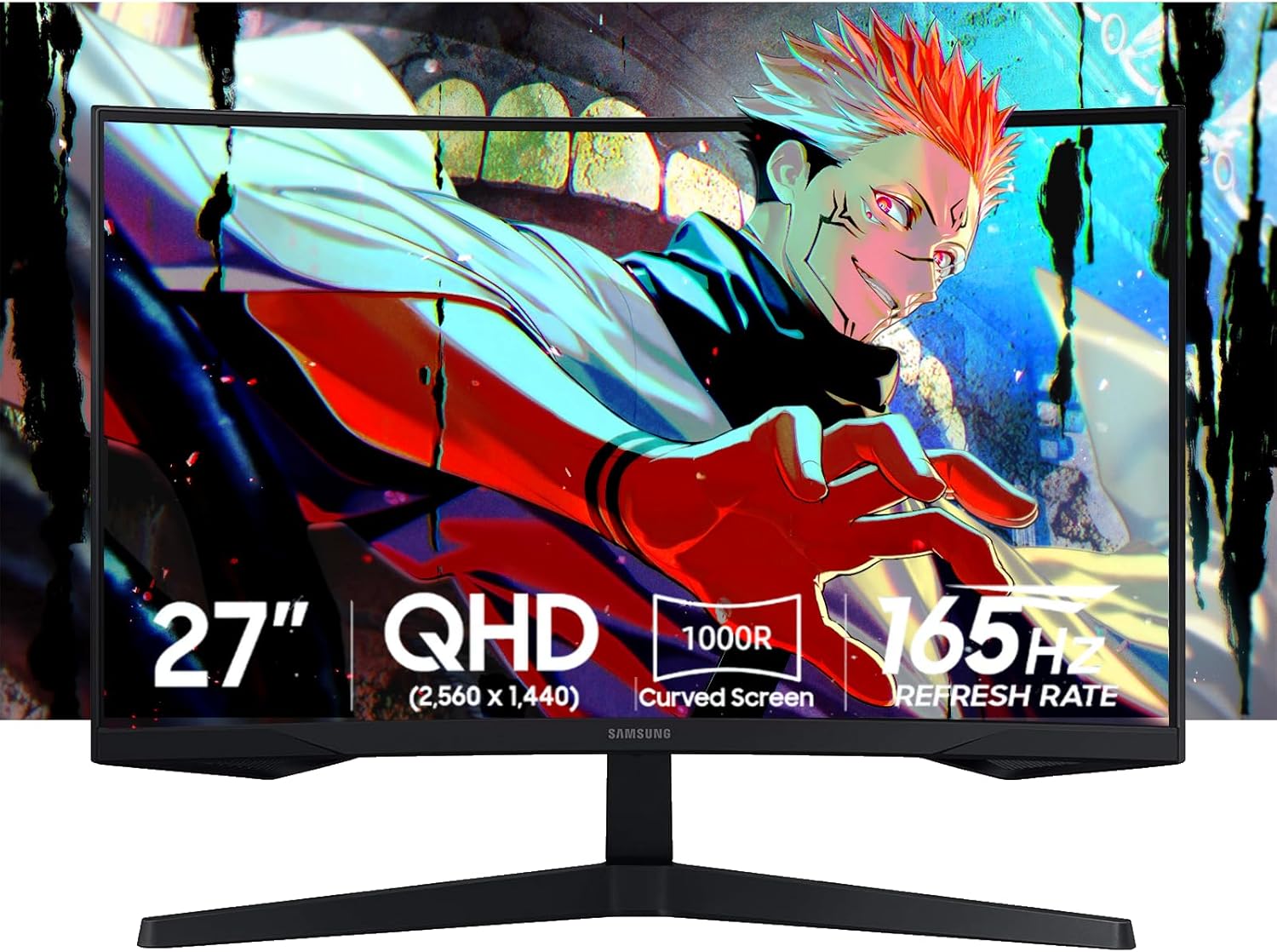
Samsung Odyssey G5 34-Inch Curved Gaming Monitor (LC34G55TWWNXZA)
Pros
- At $299, it's the most affordable path into 3440x1440 gaming from a major brand
- 4000:1 VA contrast ratio means dark scenes look substantially better than budget IPS alternatives
- 1000R curve is aggressive and genuinely immersive at 34 inches
- 165Hz and FreeSync Premium for smooth variable refresh at any GPU tier
- AMD and NVIDIA GPU compatible through FreeSync certification
Cons
- VA panel has pixel response ghosting in fast dark scenes -- competitive shooters will notice it
- 250 nits peak brightness is low; this monitor looks dull in a bright room
- 1ms MPRT response is different from GTG response -- actual measured GTG is closer to 5-8ms
Price as of Jul 10, 2026 — see current price on Amazon.
There's one reason to buy the Samsung Odyssey G5 at $299: you want to experience 3440x1440 ultrawide gaming without committing $600 to it. It does that job well enough that you probably won't regret the purchase.
The VA panel's 4000:1 contrast ratio is the standout spec here. At $299, most alternatives use IPS panels that top out around 1000:1 contrast -- the Samsung's VA panel looks noticeably richer in dark environments. Open-world games and atmospheric single-player titles where you're navigating shadow-heavy environments benefit meaningfully. The difference between a 1000:1 and 4000:1 contrast ratio in a dark room is not subtle.
The 1000R curve is the most aggressive curvature in this roundup. At 34 inches, it wraps your peripheral vision significantly more than the 1800R options from Alienware and LG. Some people love it. Others find it slightly disorienting for desktop work. Worth knowing before you buy.
Where it falls short: the VA pixel response. In fast, dark scenes -- think a competitive FPS where you're sprinting through shadowed corridors -- you'll see ghosting at 165Hz that you wouldn't see on an IPS or OLED panel. It's not unbearable, but it's there. If competitive gaming is your primary use case, the AW3423DWF's QD-OLED panel is worth the extra $300.
For everyone else: $299 for a 34-inch 3440x1440 165Hz curved monitor from Samsung is a legitimately good deal.
LG UltraGear 34GS95QE-B: Best OLED at 240Hz
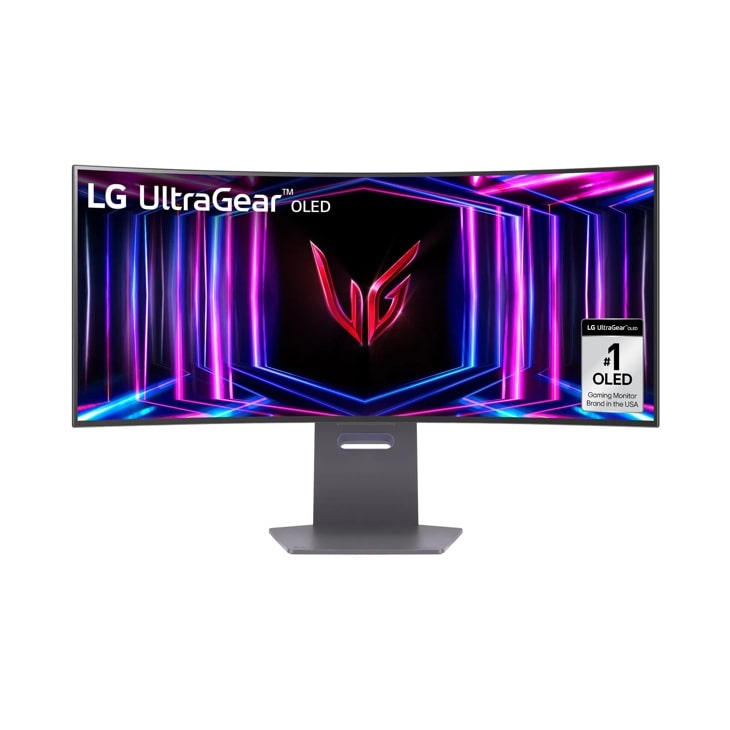
LG UltraGear 34GS95QE-B 34-Inch OLED Curved Gaming Monitor
Pros
- 240Hz OLED with 0.03ms GTG -- the fastest, clearest motion in this guide below 360Hz
- 800R curvature creates a deeply immersive viewing experience at 34 inches
- HDMI 2.1 means PS5 or Xbox Series X at 4K 120Hz on the same monitor
- G-Sync Compatible plus FreeSync Premium Pro, works with both GPU brands at VRR
- All-time low hit $658 in May 2026 -- a price this panel wouldn't have seen a year earlier
Cons
- 800R curve is even more aggressive than the 1000R Samsung -- not everyone's preference for desktop use
- OLED ABL (automatic brightness limiter) triggers on full-white screens, which matters for productivity
- At $799, it's a meaningful step up from the Alienware -- only justified if 240Hz actually benefits your setup
Price as of Jul 10, 2026 — see current price on Amazon.
The 34GS95QE-B is what happens when OLED panel costs finally come down to a level where 240Hz ultrawide isn't a luxury product. It was $1,100 at launch. RTINGS.com gave it a 9.0 in their monitor rankings and called it "one of the best overall gaming monitors currently available." The all-time low of $658 in May 2026 tells you the market is moving.
At 240Hz with LG's 0.03ms GTG OLED response, motion clarity is essentially the ceiling of what current panel technology can do without going above 240Hz. In games like CS2 or Valorant at 3440x1440, where the RTX 5070 can push frame rates well past 200fps at high settings, the visual difference between this and a 165Hz panel is concrete. Not "you kind of notice it" -- actually noticeable, particularly during fast tracking shots.
The 800R curvature deserves a real mention because it's polarizing. Tighter than both the Alienware (1800R) and the Samsung G5 (1000R), the 800R curve wraps hard at 34 inches. For gaming, it's immersive. For side-by-side desktop use or photo editing with straight-line reference, some people find it slightly distorting. If you've never used an 800R panel before, try to see one in person if you can.
For someone pairing this with an RTX 5070 or better and playing a mix of competitive and AAA titles, the 34GS95QE-B at $799 is the right OLED. It's where the performance ceiling starts to actually matter.
ASUS ROG Swift OLED PG34WCDM: Best for Work and Gaming
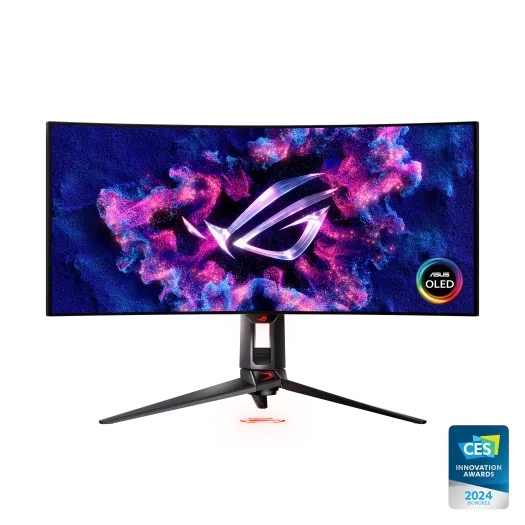
ASUS ROG Swift OLED PG34WCDM 34-Inch Curved Gaming Monitor
Pros
- 90W USB-C power delivery means a single cable connects and charges a laptop simultaneously
- Smart KVM built-in: one keyboard and mouse control both your gaming PC and laptop at once
- Custom ASUS heatsink design keeps OLED panel temperatures lower during long sessions
- Uniform brightness technology reduces ABL triggering compared to standard OLED designs
- 240Hz and G-Sync Compatible for full-performance gaming plus productivity on one screen
Cons
- At $899, you're paying $100 more than the LG 34GS95QE-B for a feature set that only matters if you use two devices
- 1800R curvature is more moderate than the LG's 800R -- less immersive for gaming, better for desktop work
- The ROG stand takes up significant desk depth, especially combined with the 34-inch footprint
Price as of Jul 10, 2026 — see current price on Amazon.
This monitor exists for one person: someone who games on a desktop PC and works on a laptop, and wants exactly one cable to handle both devices on one screen. If that's you, the PG34WCDM makes obvious sense. If it's not, you're paying a $100 premium over the LG 34GS95QE-B for features you'll never use.
The 90W USB-C port delivers enough power to charge a MacBook Pro M4 or most Windows ultrabooks while displaying video from them simultaneously. Plug in one cable, get display plus charging, no separate dock required. The Smart KVM switch then lets you use one physical keyboard and mouse to control both the gaming PC and the laptop -- switch between them with a hotkey. That's a genuinely complete single-cable workstation setup.
What ASUS also built into this panel is their custom heatsink design, running passive cooling through the rear of the monitor chassis. The same heatsink approach they use on their 27-inch OLED monitors. Anecdotally, owners report less frequent ABL triggering compared to other OLED panels, which makes sense if you're using this for office work where the screen has lots of white background.
The 240Hz and OLED quality is comparable to the LG at the same resolution. Where it differs: 1800R instead of 800R curvature, which reads as less immersive for gaming but more neutral for split-screen productivity. Depending on your use case, that's either a tradeoff or a feature.
MSI MPG 341CQR QD-OLED X36: Best 360Hz Flagship
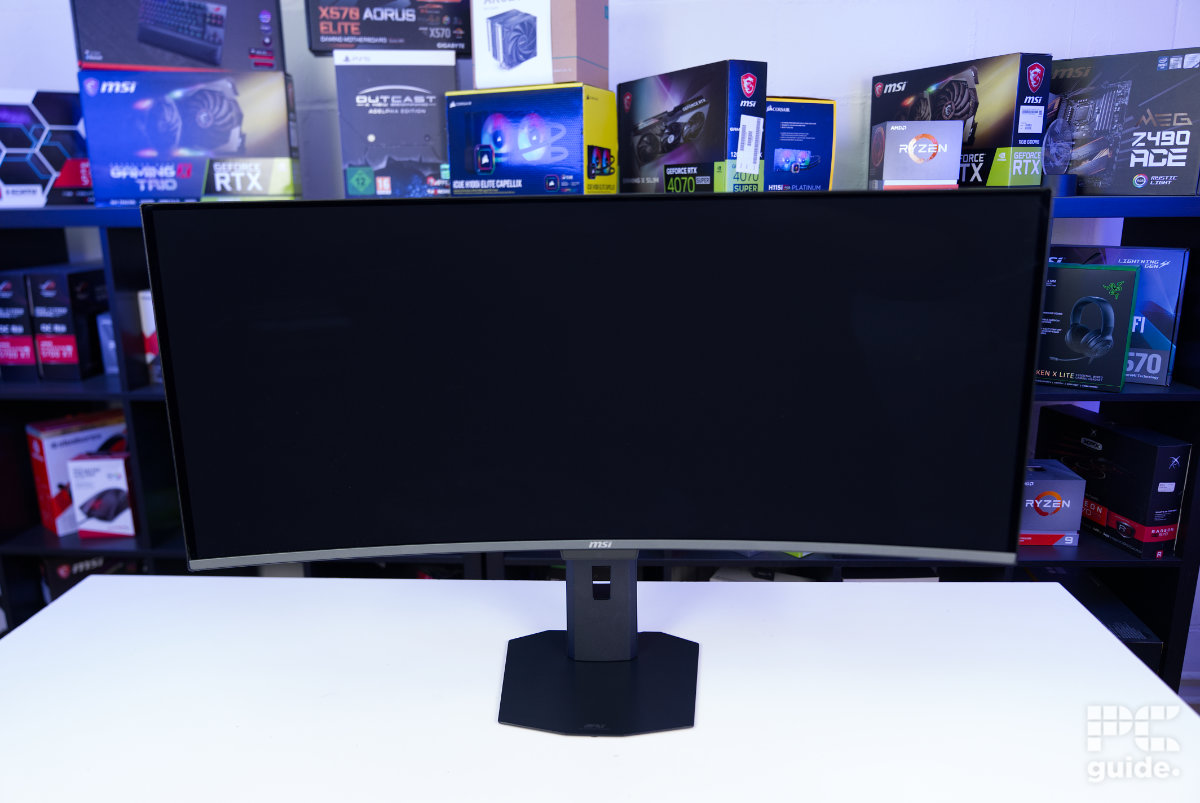
MSI MPG 341CQR QD-OLED X36 34-Inch Curved Gaming Monitor
Pros
- 5th-gen Tandem QD-OLED: RGB Stripe sub-pixel layout eliminates the color fringing of older QD-OLED panels
- 360Hz at 3440x1440 -- competitive gaming performance that 240Hz panels can't match at this resolution
- 1300 nit peak HDR brightness is the highest in this guide, VESA DisplayHDR True Black 500 certified
- 98W USB-C power delivery plus KVM switch built in -- full dock capability at the premium tier
- AI Care Sensor detects when you've stepped away and activates OLED protection automatically
Cons
- At $1,099, this costs as much as a mid-range GPU -- only justifiable if 360Hz at 3440x1440 is your actual target
- You need an RTX 5070 Ti or better to actually saturate 360Hz at this resolution without significant upscaling
- Tandem QD-OLED panels run slightly warmer than standard QD-OLED -- a tradeoff for the brightness gain
Price as of Jul 10, 2026 — see current price on Amazon.
The MSI MPG 341CQR QD-OLED X36 is the most technically advanced panel in this guide. 5th-generation Tandem QD-OLED is a real step up from the 2nd-gen Samsung panel inside the Alienware AW3423DWF -- not just in brightness (1300 nits peak vs around 1000) but in the fundamental sub-pixel layout.
Previous-generation QD-OLED panels used a WRGB sub-pixel layout that caused noticeable color fringing around fine text and thin lines. The 5th-gen RGB Stripe layout eliminates that. PCGuide tested this in their review and found "text clarity that rivals IPS panels while retaining all the OLED advantages in HDR and contrast." That's a real improvement if you use this monitor for any text-heavy work alongside gaming.
Three hundred and sixty Hz at 3440x1440 sounds excessive until you consider who this panel is for. With an RTX 5090 running CS2 at 3440x1440 with DLSS 4 Quality mode, you can hit 300-360 FPS consistently. On a 240Hz panel, those frames are capped. On the 341CQR, they display. The difference at 360Hz versus 240Hz in competitive play is smaller than the gap from 165Hz to 240Hz, but it exists and competitive players who play at that level will feel it.
KVM and 98W USB-C are both present, same as the ASUS PG34WCDM but with a $200 premium. You're paying that premium for the 5th-gen panel, 360Hz, and the extra 200 nits of peak brightness. If those specs align with your setup, the MSI earns it. If they don't, the Alienware at $600 looks a lot more rational.
Buying Guide: Picking the Right 34-Inch Ultrawide
Which GPU Do You Need for 3440x1440?
This matters more than people account for when they're shopping for the monitor. Here's the realistic breakdown:
At 165Hz: The RTX 5060 Ti handles most AAA games at 130-165 FPS with DLSS 4 Quality mode. Without upscaling, you're looking at 70-100 FPS in demanding titles. Perfectly usable for most gaming.
At 240Hz: The RTX 5070 handles 3440x1440 at 240Hz well with DLSS 4 Quality in demanding games. Without DLSS, you'll stay below 240Hz in heavy titles and hit it in lighter ones. The RTX 5070 Ti runs it consistently above 200 FPS in most games without upscaling.
At 360Hz: For consistent 300-360 FPS in competitive titles at 3440x1440, you realistically need an RTX 5080 or 5090 with DLSS 4. An RTX 5070 Ti can hit 250-280 FPS in lighter competitive games. The 360Hz ceiling is not useful for everyone.
OLED vs VA vs IPS for 34-Inch Ultrawides
VA panels like the Samsung Odyssey G5 have 4000:1 contrast ratios that beat IPS panels by 4x, but their pixel response at 165Hz produces visible ghosting in fast dark scenes. They're best for slow-paced games and atmospheric single-player titles.
IPS panels (not on this list, but common in the $400-600 range) offer better motion clarity than VA but significantly worse contrast than OLED. They're the default middle choice.
QD-OLED and OLED panels from the Alienware upward combine true-black contrast with 0.03-0.1ms GTG response times. You get the best of both IPS motion clarity and VA (or better) contrast. The tradeoffs are price and the OLED ABL behavior on full-white screens. For gaming, OLED wins on image quality at every spec level.
Does the 34-Inch Format Work With Your Games?
3440x1440 at 21:9 is broadly supported in 2026. Most AAA titles natively support 21:9 -- from Cyberpunk 2077 and Elden Ring to Forza Motorsport and most strategy games. Competitive shooters are more mixed: CS2 supports 21:9, Valorant renders correctly in 21:9, but a small number of older titles will pillarbox to 16:9.
Check your game library before buying. A quick web search for "[game name] ultrawide support" will tell you whether each title handles it correctly. The vast majority of titles released since 2020 do.
1800R vs 1000R vs 800R Curvature
The Samsung Odyssey G5 uses 1000R, which is more curved than the 1800R on the Alienware and ASUS PG34WCDM but less curved than the 800R on the LG 34GS95QE-B. At 34 inches:
1800R feels subtle -- you notice the curve in your peripheral vision but it's not dramatic. Good for people who also do a lot of desktop work.
1000R wraps noticeably. Immersive for gaming, slightly disorienting for split-screen productivity in some setups.
800R is aggressive. The panel curves hard enough that the left and right edges are meaningfully angled toward you. Most people who prefer gaming over productivity love it. People doing photo editing or data work with straight lines find it unsettling.
What About Burn-In?
All four OLED and QD-OLED monitors on this list include burn-in protection systems and burn-in warranties. The Alienware and ASUS cover burn-in in their 3-year warranty. MSI includes a 3-year warranty with OLED Care 3.0.
For a 34-inch ultrawide used primarily for gaming with a desktop UI in the background, burn-in risk is low with current panel generations. The protection systems handle typical use patterns well. The risk increases if you leave static content displayed for hours without any screen activity, but daily-use gaming scenarios don't typically trigger it.
Frequently asked questions
- Is 3440x1440 much harder to run than 2560x1440?
- Yes, meaningfully so. 3440x1440 is about 7.4 million pixels versus 3.7 million at 1440p -- roughly double the pixel count. An RTX 5060 Ti that hits 150 FPS at 1440p in a demanding game will typically hit 90-110 FPS at 3440x1440 without DLSS. With DLSS 4 Quality mode, that number comes back up to 130-160 FPS. The GPU requirement is real, but DLSS 4 closes the gap substantially.
- Which is better: 34-inch ultrawide or 49-inch ultrawide?
- Different use cases, not a simple upgrade path. A 49-inch ultrawide uses 5120x1440 (32:9) and needs a much more powerful GPU to drive at high refresh rates. A 34-inch ultrawide is 3440x1440 (21:9) and runs on mid-range GPUs comfortably. The 34-inch format also has better game compatibility -- the 32:9 format on 49-inch monitors is unsupported in more games. Start at 34-inch unless you specifically want the panoramic 32:9 experience and have the GPU to back it up.
- Can I use a 34-inch ultrawide with a PS5 or Xbox Series X?
- Yes, but with limitations. The LG 34GS95QE-B has HDMI 2.1 and can accept a PS5 or Xbox signal. The consoles output at 4K 120Hz or 1080p 120Hz -- they don't natively output 3440x1440. On most ultrawides, a console input displays with black bars on the sides or stretches to fill. A small number of PS5 games support 21:9 ultrawide through their display options. For console gaming primarily, a standard 16:9 4K monitor is typically more practical.
- What is the difference between the Alienware AW3423DWF and the newer AW3423DW?
- The AW3423DWF is the FreeSync version (no G-Sync hardware module, but G-Sync Compatible certified) at 165Hz and a lower price. The AW3423DW is the G-Sync Ultimate version with a higher native refresh rate and higher price. For 2026 buyers, the AW3423DWF is the better value since both NVIDIA and AMD GPUs support FreeSync Premium Pro through the G-Sync Compatible certification. The G-Sync hardware module adds cost without proportional benefit for most buyers.
- Will a 34-inch ultrawide replace two monitors?
- For gaming, yes -- and it's strictly better because there's no bezel bisecting your field of view. For productivity, it depends. 3440x1440 gives you about the same total pixel count as two 1920x1080 monitors side by side, but without the center gap. Snapping two full-size apps side by side at 3440x1440 gives each app 1720 pixels of horizontal space, which is workable but narrower than a full 1920-pixel-wide window. For most use cases the single ultrawide is cleaner. For comparing two items side by side at maximum resolution, dual monitors retain an advantage.
- Is 360Hz overkill for 3440x1440 gaming?
- For most people, yes. You need a GPU capable of delivering 300+ FPS at 3440x1440 in your target games to benefit from 360Hz over 240Hz. In demanding AAA titles, no current GPU delivers 360 FPS at native 3440x1440. In lighter competitive games like CS2, Valorant, or Apex with DLSS 4 on an RTX 5080 or 5090, 300-360 FPS is achievable. If you play primarily competitive titles at high settings and have a top-tier GPU, the MSI 341CQR X36 makes sense. For everyone else, 165Hz or 240Hz is where the money is better spent.
Bottom Line
For most people buying a 34-inch ultrawide in 2026, the Alienware AW3423DWF at around $600 is the clear answer. QD-OLED quality, 165Hz refresh, factory calibration that's accurate out of the box, and a 3-year burn-in warranty -- all at a price that would have been impossible two years ago.
Step down to the Samsung Odyssey G5 at $299 if you want to enter the 3440x1440 format without committing to an OLED. The VA contrast ratio is genuinely good for single-player gaming even if the motion clarity trails OLED.
Step up to the LG 34GS95QE-B at $799 if your GPU can actually saturate 240Hz at this resolution and you want the motion clarity advantage in competitive play. The ASUS ROG PG34WCDM at $899 earns its premium only if you need the USB-C dock and KVM for a dual-device setup. And the MSI MPG 341CQR X36 at $1,099 is the right answer for competitive players running a high-end GPU who want the fastest OLED panel available at 34 inches.
The format itself is worth the jump. Once you've gamed at 3440x1440, going back to 16:9 feels like looking through a slot.
How We Test
We score products by combining spec-level research, pricing history, trusted third-party benchmarks, and owner sentiment from high-signal sources.
- Performance and real-world value in the category this guide targets
- Price-to-performance and deal consistency over recent pricing windows
- Build quality, reliability patterns, and known long-term issues
- Recommendation refresh cadence to keep these picks current
Author
TheTechSearch Editorial Team
Independent product reviewers & PC builders
We test and compare real-world specs, price trends, and user feedback to recommend gear that actually makes sense to buy.