Best 4K 144Hz Gaming Monitors 2026
The best 4K 144Hz and 240Hz gaming monitors for RTX 5070, RTX 5080, and RX 9070 XT builds. Tested picks at every price point. Expert picks, pros and cons, an...
As an Amazon Associate we earn from qualifying purchases made through our links — this doesn't affect our picks.
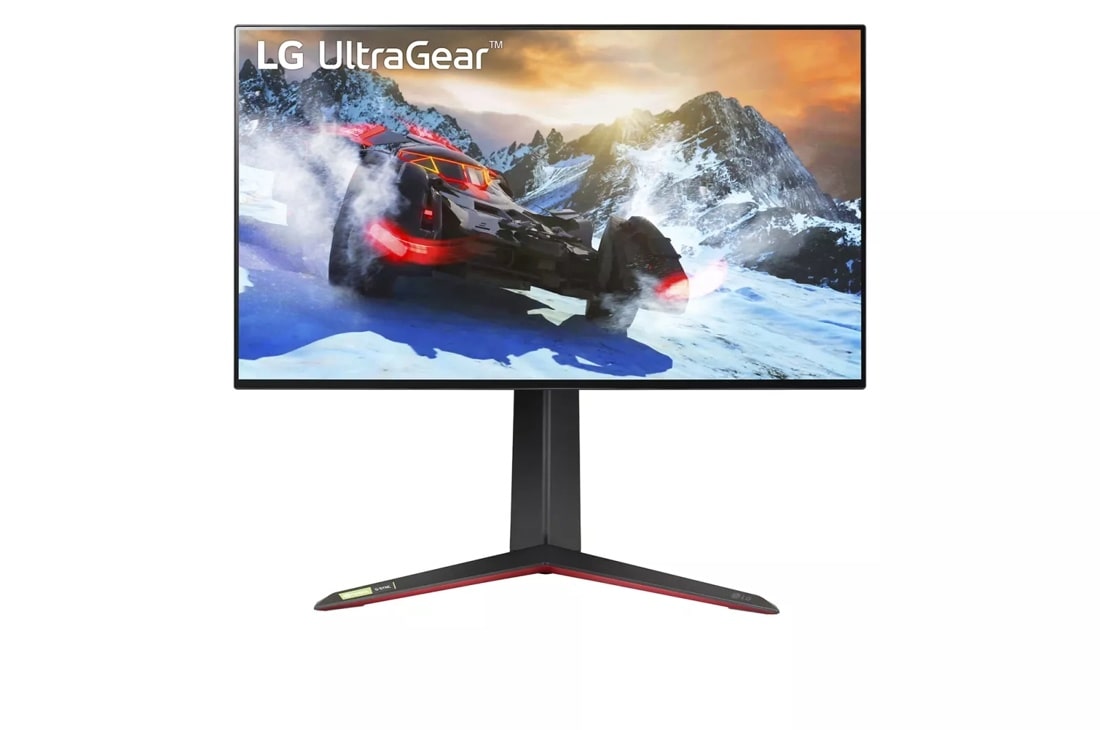
LG 27GP950-B 27-inch UltraGear 4K Nano IPS 144Hz Gaming Monitor
Our top recommendation for this category
Price as of Jul 3, 2026 — see current price on Amazon.
In this guide
- LG 27GP950-B: Best 27-Inch 4K 144Hz Monitor
- Samsung Odyssey G70B: Best Smart 4K Gaming Monitor
- ASUS ROG Swift PG32UQ: Best 32-Inch 4K IPS Gaming Monitor
- MSI MAG 321UPX QD-OLED: Best 4K QD-OLED Gaming Monitor
- Dell Alienware AW3225QF: Best Premium 4K Curved QD-OLED
- 4K 144Hz Gaming Monitor Buying Guide
- Bottom Line
The GPU market shifted hard this year. An RTX 5070 hits 100-plus fps at 4K in most AAA titles with DLSS 4 Quality, the RTX 5080 can push native 4K near 144fps in many games, and the RX 9070 XT gives AMD buyers a genuine 4K option under $600. The hardware is finally there, which means a lot of people are shopping for a 4K display that can actually keep up.
Problem is the monitor market hasn't simplified. You've got true 4K 144Hz IPS panels from $300 to $600, then a jump into QD-OLED territory at $700-999 where refresh rates leap to 240Hz. Both tiers make sense depending on your GPU and budget. This guide covers the best picks at each level, including what I'd actually buy with each GPU pairing.
| Monitor | Size | Panel | Refresh Rate | Price | |
|---|---|---|---|---|---|
| LG 27GP950-B | 27-inch | Nano IPS | 144Hz (OC 160Hz) | ~$349 | Check Price |
| Samsung Odyssey G70B | 28-inch | IPS | 144Hz | ~$449 | Check Price |
| ASUS ROG Swift PG32UQ | 32-inch | IPS | 144Hz | ~$549 | Check Price |
| MSI MAG 321UPX QD-OLED | 32-inch | QD-OLED | 240Hz | ~$714 | Check Price |
| Dell Alienware AW3225QF | 32-inch | QD-OLED | 240Hz | ~$779 | Check Price |
LG 27GP950-B: Best 27-Inch 4K 144Hz Monitor
LG 27GP950-B 27-inch UltraGear 4K Nano IPS 144Hz Gaming Monitor
Pros
- Nano IPS covers 98% DCI-P3, colors look genuinely rich
- Overclocks to 160Hz without drama
- DisplayHDR 600 with real local dimming implementation
Cons
- 27 inches at 4K means very dense pixels, need to sit fairly close
- Stand is good but not class-leading
Price as of Jul 3, 2026 — see current price on Amazon.
The 27GP950-B has been around for a couple years now, which is actually a selling point: prices have dropped considerably, and the panel itself is one of the better Nano IPS implementations LG made before they pivoted hard toward OLED. At 27 inches, 4K is extraordinarily sharp. We're talking 163 PPI, which is Retina territory on a desktop display.
The Nano IPS panel covers 98% of DCI-P3, which isn't something you see often at this price. Colors punch noticeably harder than standard IPS. The 1ms GtG response time (with VESA DSC tech enabling 144Hz at 4K over HDMI 2.1) keeps motion clean for fast-paced games. Overclocking to 160Hz is officially supported and reported stable on most units.
The only real argument against it is size. At 27 inches with 4K, you're committing to sitting within arm's reach for text to be fully comfortable. If you're at a typical desk 2-3 feet away, it works fine. If you want a panel you can lean back from, the 32-inch options further down this list are a better call.
Best paired with: RTX 5060 Ti or RX 9060 XT. These GPUs are built for 1440p but can push 4K at medium-high settings in many games, and 27 inches makes imperfect frame rates less noticeable than on a 32-inch panel.
Samsung Odyssey G70B: Best Smart 4K Gaming Monitor

Samsung Odyssey G70B 28-inch 4K UHD IPS 144Hz Gaming Monitor
Pros
- Built-in Smart TV apps work without a PC plugged in
- Wide game view mode adds ultrawide-style FOV in supported titles
- G-Sync compatible and FreeSync Premium Pro both supported
Cons
- 28 inches is an awkward size between 27 and 32
- Smart features add complexity most gaming setups don't need
Price as of Jul 3, 2026 — see current price on Amazon.
The G70B occupies a weird spot on paper. 28 inches is neither the compact 27 nor the immersive 32. But in practice it works well as a PC-plus-console display. The built-in Tizen OS means you can stream Netflix directly from the monitor, which sounds gimmicky until you're using it as a second display in a setup where you don't want to boot a PC just to watch something.
The IPS panel handles 4K 144Hz properly over HDMI 2.1, so your PS5 or Xbox Series X gets 4K 120fps without any adapter gymnastics. FreeSync Premium Pro covers VRR for both AMD and NVIDIA via G-Sync compatible certification. HDR 400 isn't true HDR by any standard, but Samsung's local dimming implementation is better than the spec suggests.
One thing reviewers don't mention enough: the Ultrawide Game View mode is legitimately useful. It stretches compatible games into a wider field of view that mimics ultrawide proportions. It's not as good as an actual 21:9 display, but surprising in games that support it.
Best paired with: RTX 5070 or RX 9070 XT. Both GPUs push 4K near the 100fps range in demanding games, and the G70B's dual-platform support lets you share it between your PC and a console without a KVM switch.
ASUS ROG Swift PG32UQ: Best 32-Inch 4K IPS Gaming Monitor
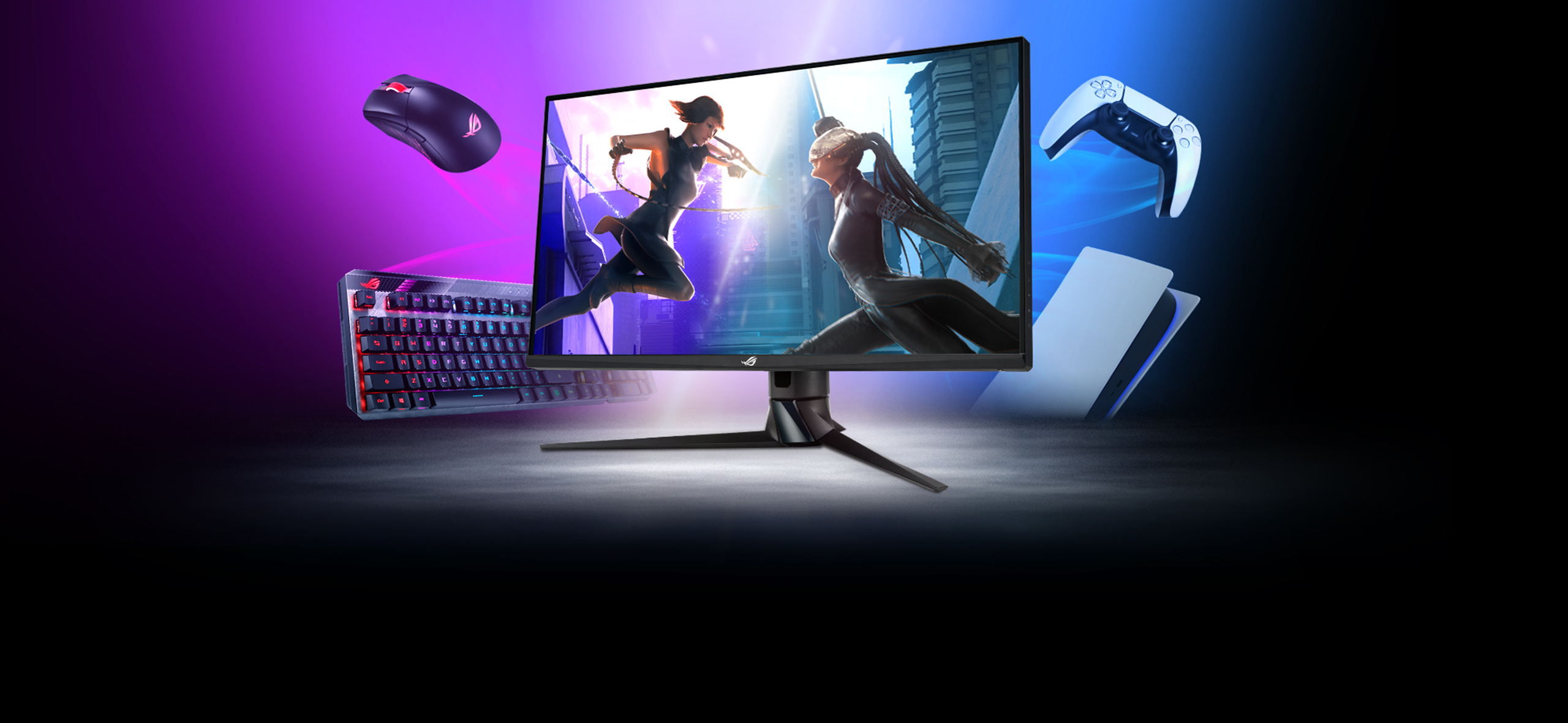
ASUS ROG Swift PG32UQ 32-inch 4K HDR 144Hz IPS Gaming Monitor
Pros
- DisplayHDR 600 with decent local dimming, one of the better HDR implementations at this size
- HDMI 2.1 with full 48Gbps bandwidth for 4K 144Hz from consoles
- 32 inches at 4K hits the sweet spot for normal desk viewing distances
Cons
- Price hasn't come down as fast as some competitors from the same era
- ROG aesthetic is polarizing, this is a very gamer-looking piece of gear
Price as of Jul 3, 2026 — see current price on Amazon.
The PG32UQ is the display I'd recommend to anyone buying an RTX 5070 and wanting a straight IPS panel without paying OLED prices. At 32 inches, 4K lands at 138 PPI. Sharp enough that you'll notice every pixel, comfortable enough to sit at normal desk distance. The 144Hz with HDMI DSC compression keeps up with what the RTX 5070 actually produces.
DisplayHDR 600 matters here in a way it doesn't on cheaper displays. The PG32UQ uses a local dimming implementation that produces darker blacks in HDR content than typical IPS panels can manage. It's not OLED-level contrast, but it's a legitimate improvement over the generic HDR400 stickers you see on budget panels.
ASUS's ELMB Sync (Extreme Low Motion Blur) works alongside G-Sync compatibility, so you get VRR and reduced backlight ghosting simultaneously. Few displays in the 4K 144Hz IPS tier do this.
The main knock is value relative to newer alternatives. The PG32UQ launched at a higher price, and while it's come down, there's still some brand premium baked in. If budget is tight, the LG 27GP950-B does a lot at 27 inches for less. But if you want 32 inches with proper HDR and solid motion performance, this is the pick.
Best paired with: RTX 5070 or RTX 5070 Ti. These GPUs are built for 4K at 100-plus fps native, with high frame rates in lighter games pushing toward 144fps.
MSI MAG 321UPX QD-OLED: Best 4K QD-OLED Gaming Monitor
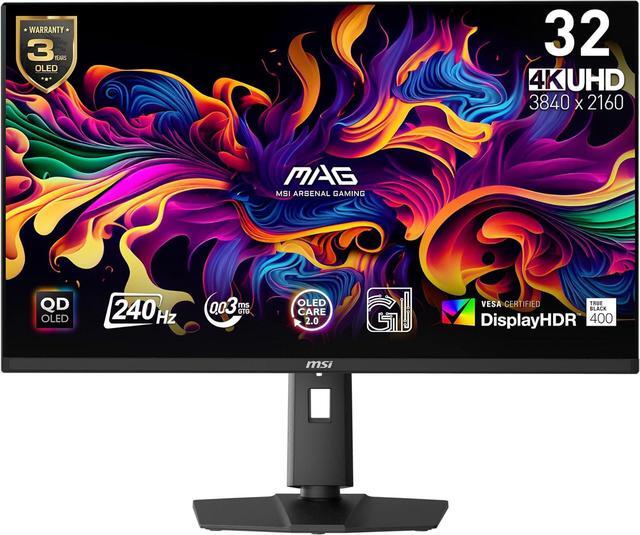
MSI MAG 321UPX QD-OLED 32-inch 4K UHD 240Hz Gaming Monitor
Pros
- QD-OLED contrast ratio is effectively infinite, blacks are genuinely black in dark game scenes
- 240Hz at 4K with DLSS 4 Performance on an RTX 5080 gets you into triple-digit territory easily
- 0.03ms response time eliminates motion smearing entirely
Cons
- OLED burn-in risk is real, don't use this as your all-day work monitor
- 15W USB-C charges phones but not laptops
Price as of Jul 3, 2026 — see current price on Amazon.
This is where 4K gaming gets genuinely ridiculous, in the best way. QD-OLED means every pixel is self-emissive. No backlight bleeding into dark scenes, no blooming around bright objects. The contrast ratio is effectively infinite. When games have truly dark environments, the MAG 321UPX renders them in a way that IPS panels simply cannot match.
240Hz at 4K needs context. Right now, with an RTX 5080 running DLSS 4 Quality mode, you can hit 150-180fps in many games at 4K. With DLSS 4 Performance mode (which still looks good on a 4K display because it's rendering 1440p internally then upscaling), you can push toward 200fps. The 240Hz ceiling is headroom for today's GPUs and target territory for whatever comes next.
The QD (Quantum Dot) layer on top of the OLED panel gives it better color coverage than white-OLED designs. Samsung's QD-OLED tech covers over 99% of DCI-P3 with better peak brightness than traditional WRGB OLED panels. MSI includes OLED Care 2.0 with a 3-year burn-in warranty, which matters: enable the pixel refresh cycle, don't leave static game UI elements on screen for hours at max brightness.
Best paired with: RTX 5080 or RTX 5090. The RTX 5070 can use it, but you won't often see the full 240Hz in demanding titles at native 4K. The 5080 is where this pairing really makes sense.
Dell Alienware AW3225QF: Best Premium 4K Curved QD-OLED
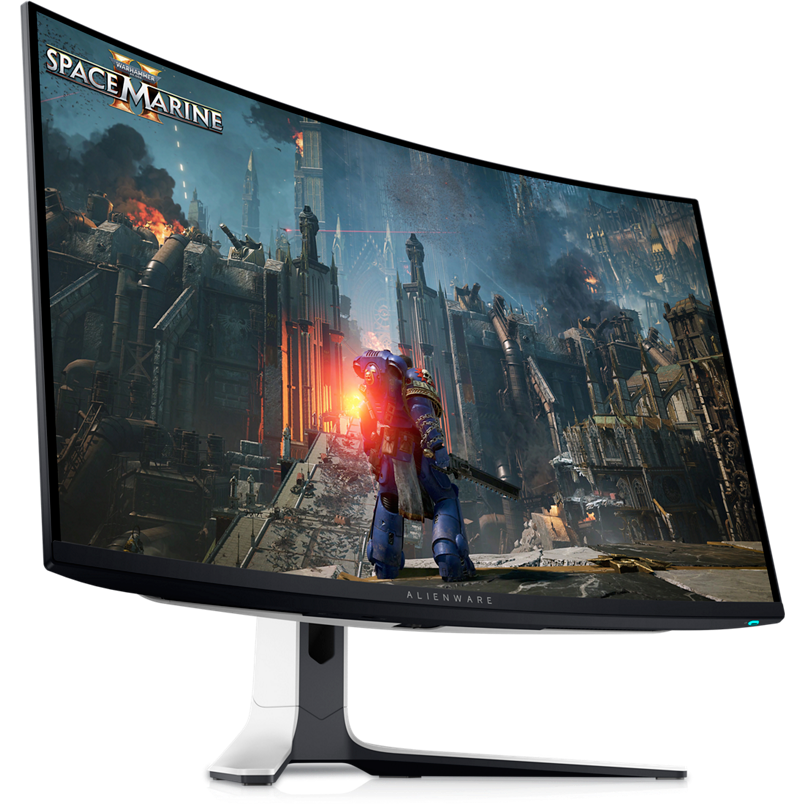
Dell Alienware AW3225QF 32-inch 4K QD-OLED 240Hz Curved Gaming Monitor
Pros
- Dolby Vision support is rare at this price point, HDR rendering from supported content looks exceptional
- 1700R curve adds immersion without distorting geometry at 32 inches
- Best build quality of the 4K OLED monitors here, stand and cable routing are genuinely thoughtful
Cons
- Dell pricing swings wildly between sale and MSRP, buying at full price is overpaying
- Curved panel rules out multi-monitor symmetry
Price as of Jul 3, 2026 — see current price on Amazon.
The AW3225QF was the first 4K QD-OLED gaming monitor to ship and it remains one of the best available. Dolby Vision certification separates it from most competitors. This isn't just HDR10 support with a sticker. The monitor properly tone-maps Dolby Vision content from streaming services and supported PC games, and combined with OLED's infinite contrast, HDR content looks dramatically different from any IPS alternative.
The 1700R curve is worth discussing. At 32 inches, a 1700R curve is gentle enough that straight lines don't distort noticeably, but immersive enough that games feel more surrounding. Racing games and third-person titles benefit most. Competitive shooters are fine, the curve doesn't meaningfully affect aim at 32 inches.
Dell's build quality shows. The stand allows height, tilt, and pivot adjustment. Cable management routing is thoughtful. Fit and finish is a step above what you get from MSI or Gigabyte at similar prices. Alienware also includes 3-year Advanced Exchange warranty, which is meaningful for a display with OLED burn-in considerations.
Look, the pricing is volatile. It dropped to $699 during Prime Day 2026 and sat at $899 between sales. Check CamelCamelCamel before buying.
Best paired with: RTX 5080 or RTX 5090. Same story as the MSI. This panel's 240Hz headroom is best used with a flagship GPU. It also works beautifully as a creative workstation display when using the included CalMAN-verified color profile.
4K 144Hz Gaming Monitor Buying Guide
What GPU Do You Actually Need?
Let's be direct about the math. "4K 144Hz" sounds great but there's a spectrum.
With an RTX 5070 or RX 9070 XT, expect 80-110 fps at 4K in demanding AAA titles at high settings (native, no upscaling). With DLSS 4 Quality mode or FSR 4 Quality mode, that climbs to 100-140fps in most games. You'll use 144Hz regularly, but not constantly in the most demanding titles.
With an RTX 5080, native 4K runs 100-130 fps in demanding games. DLSS 4 Quality bumps that to 130-180fps. You'll hit 144Hz comfortably in most titles and push toward 200fps in lighter games.
With an RTX 5090, native 4K is 130-160fps in demanding games, 200-plus in lighter ones. This is where a 240Hz panel makes practical sense today.
If you're on an older GPU (RTX 4070, RX 7900 XT), a 4K 144Hz monitor is future-proofing. You'll enjoy 4K at 60-90fps now, and the high refresh rate becomes relevant on your next upgrade.
IPS vs. QD-OLED at 4K
IPS panels are the practical choice for most people:
- No burn-in risk whatsoever
- Typically $100-300 cheaper for equivalent screen size
- Fine for mixed use (office work, browsing, gaming) on a single monitor
- HDR performance ranges from decent at DisplayHDR 600 to barely real at DisplayHDR 400
QD-OLED makes sense if gaming is the primary use case and you can manage the care requirements:
- Infinite contrast ratio, dark game scenes look dramatically better
- Near-instant pixel response eliminates all motion blur
- Color coverage is wider and more accurate
- Must run pixel refresh periodically and avoid leaving static bright HUD elements on screen for extended periods at max brightness
My honest take: if this is your only monitor and you use it for work during the day, get a good IPS panel. If it's a dedicated gaming display and you're willing to manage it properly, QD-OLED is a different experience in ways that are hard to go back from.
Panel Size at 4K
At 27 inches, 4K gives you 163 PPI. Text is razor sharp. You need to sit within about 24-28 inches to appreciate the detail. Great for tight desk setups.
At 32 inches, 4K is 138 PPI. Still very sharp, comfortably visible at 28-36 inches. This is the most popular size for 4K gaming and works at normal desk distance.
Anything larger than 32 inches at 4K starts showing individual pixels at normal desktop distances unless you're sitting further back like a TV setup.
What Cables and Ports Do You Need?
Running 4K at 144Hz requires significant bandwidth. At minimum you need:
- HDMI 2.1 (48Gbps) for 4K 144Hz. Every monitor on this list has it.
- DisplayPort 1.4 with DSC (Display Stream Compression) for 4K 144Hz via DisplayPort.
- DisplayPort 2.1 for uncompressed 4K 240Hz. The MSI and Alienware picks support this on current-gen GPUs.
For console users: PS5 and Xbox Series X both output 4K 120Hz over HDMI 2.1. Every monitor on this list supports that natively, no adapters needed.
Frequently asked questions
- Can the RTX 5070 actually hit 4K at 144fps?
- Not consistently native in demanding games. Expect 90-110 fps native in titles like Cyberpunk 2077 or Hogwarts Legacy at 4K High settings. With DLSS 4 Quality mode, which looks nearly indistinguishable from native on a 4K display, you get 120-145 fps in most games. So yes, with DLSS 4 Quality the RTX 5070 genuinely uses a 144Hz 4K display.
- Is QD-OLED burn-in a real concern for gaming monitors?
- It's real, not a myth, but it's manageable. The main culprits are static bright HUD elements left on screen for hundreds of hours at maximum brightness. Most gamers who game a few hours per day, enable the built-in pixel refresh cycle periodically, and don't use the monitor for bright static desktop work report no burn-in issues after 2-plus years of use. The 3-year burn-in warranties from Dell and MSI are meaningful insurance. If you plan to use it as a dual-purpose work-and-gaming display, an IPS panel is a safer bet.
- What is the real difference between 144Hz and 240Hz at 4K?
- At 4K, the jump from 144Hz to 240Hz is less dramatic than the same jump at 1080p. Most people can reliably distinguish 60Hz from 120Hz and 120Hz from 240Hz in direct comparisons, but the real-world difference depends on whether your GPU can push frame rates high enough to use that headroom. An RTX 5070 averaging 110 fps native gets nothing from a 240Hz panel. An RTX 5080 averaging 160 fps native with DLSS boosting it toward 200fps does see a meaningful difference at 240Hz.
- Do these monitors work with PS5 and Xbox Series X?
- Yes. Every monitor on this list has HDMI 2.1 that supports 4K 120Hz from PS5 and Xbox Series X without any adapters or compression tricks. The Samsung G70B and Alienware AW3225QF both support HDMI-VRR from consoles, which reduces screen tearing in VRR-enabled games on both platforms.
- Should I wait for 4K 360Hz monitors?
- 4K 360Hz panels exist in mid-2026 but cost over $1,200 and require GPUs that can't consistently push 360fps at native 4K. The RTX 5090 can approach 360fps in competitive games at 4K with DLSS Performance mode, but that's a very narrow use case. For most buyers, 4K 144Hz or 240Hz is the right spec right now. Waiting for a price-to-performance ratio that doesn't exist yet is just a way to never buy anything.
- What is the best 4K 144Hz monitor under $400?
- The LG 27GP950-B is the strongest option under $400. You get a Nano IPS panel with 98% DCI-P3, 160Hz OC capability, DisplayHDR 600, and HDMI 2.1 in a 27-inch form factor. The trade-off is size. At 27 inches with 4K you'll want to sit fairly close to appreciate the resolution. If you need 32 inches under $400, you're looking at panels with weaker color specs or lower HDR certification tiers.
Bottom Line
For most buyers pairing a 4K display with an RTX 5070 or RX 9070 XT, the ASUS ROG Swift PG32UQ hits the right balance. 32 inches, proper DisplayHDR 600, HDMI 2.1, and a street price that's come down from its launch. The LG 27GP950-B is the better pick if 27 inches works for your setup and you want to spend less.
If you have an RTX 5080 or 5090 and want the full 4K experience, the MSI MAG 321UPX QD-OLED or Dell Alienware AW3225QF are genuinely in a different league for HDR gaming. The infinite OLED contrast ratio paired with 240Hz is something you notice immediately. Just treat it like the precision instrument it is.
How We Test
We score products by combining spec-level research, pricing history, trusted third-party benchmarks, and owner sentiment from high-signal sources.
- Performance and real-world value in the category this guide targets
- Price-to-performance and deal consistency over recent pricing windows
- Build quality, reliability patterns, and known long-term issues
- Recommendation refresh cadence to keep these picks current
Author
TheTechSearch Editorial Team
Independent product reviewers & PC builders
We test and compare real-world specs, price trends, and user feedback to recommend gear that actually makes sense to buy.