Best 75% Keyboards 2026
The 75% layout hits the sweet spot between compact and practical. Here are the five best picks from $56 to $230 for gaming, typing, and wireless use. Expert...
As an Amazon Associate we earn from qualifying purchases made through our links — this doesn't affect our picks.
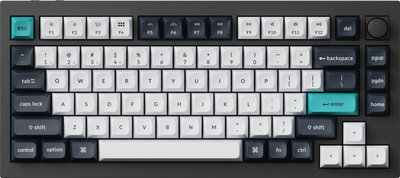
Keychron Q1 Max
Our top recommendation for this category
Price as of May 27, 2026 — see current price on Amazon.
Hall Effect switches finally went wireless. Keychron ran its biggest sale in years. And the 75% layout has become the default recommendation in virtually every mechanical keyboard community online. If you've landed on 75% and need to know which one to buy, this is the guide.
The 75% form factor holds the sweet spot between compact and practical: a full function row, dedicated arrow keys, and 80-84 keys crammed into roughly 75% of the horizontal footprint of a full-size keyboard. Fits on small desks, laptop trays, and dual-monitor setups without sacrificing the keys you actually use every day.
At a Glance
| Keyboard | Price | Switch Type | Wireless | Best For | |
|---|---|---|---|---|---|
| Keychron Q1 Max | $229.99 | Gateron Jupiter (mech) | 2.4GHz + BT 5.1 | Best Overall | Check Price |
| Keychron Q1 HE 8K | $230 | Keychron Lime (Hall Effect) | Wired only | Competitive Gaming | Check Price |
| Keychron K2 HE | $140 | Gateron Magnetic (Hall Effect) | 2.4GHz + BT 5.2 | Wireless Hall Effect | Check Price |
| NuPhy Air75 V2 | $69.00 | Gateron Low-Profile (mech) | 2.4GHz + BT 5.1 | Portability | Check Price |
| Akko 5075B Plus | $55.99 | V3 Creamy Yellow (mech) | 2.4GHz + BT 5.0 | Best Budget | Check Price |
Best Overall: Keychron Q1 Max
Keychron Q1 Max
Pros
- Double-gasket mount delivers noticeably softer typing feel
- True 1000Hz polling at 2.4GHz wireless
- Full QMK/VIA with onboard memory, no software required at runtime
- 200-hour battery on a 4000mAh cell
- Hot-swap with standard MX-footprint switches
Cons
- 1.7kg body is a desk fixture, not a travel board
- Barebone version adds $40 for switch kitting
- Gateron Jupiter switches limit your hot-swap options
Price as of May 27, 2026 — see current price on Amazon.
The Q1 Max costs $229.99 assembled and earns every dollar with a CNC-machined 6063 aluminum body that goes through 24 manufacturing stages. Pick it up and you immediately understand why it weighs 1.7kg. This is not a travel board. It's a desk fixture.
What makes the Q1 Max the best 75% keyboard for most buyers is that 2.4GHz wireless at 1000Hz polling. That combination used to be locked to gaming keyboards with questionable build quality or budget typing boards with no software support. Here you get it alongside a double-gasket mount, full QMK/VIA, screw-in stabilizers, and double-shot PBT keycaps. The typing experience is genuinely premium. Softer and bouncier than most keyboards at this price.
The head-to-head that trips most buyers is Q1 Max at $229.99 vs. Q1 HE 8K at $230. Same shell, same money now, very different brain. Short version: if you want wireless, mechanical switches, and a board you'll type on all day, pick the Q1 Max. If competitive gaming is your only use case and you'll never unplug a USB cable, the HE 8K wins on raw gaming specs. Both are excellent. The Q1 Max is just more versatile.
Best for Competitive Gaming: Keychron Q1 HE 8K
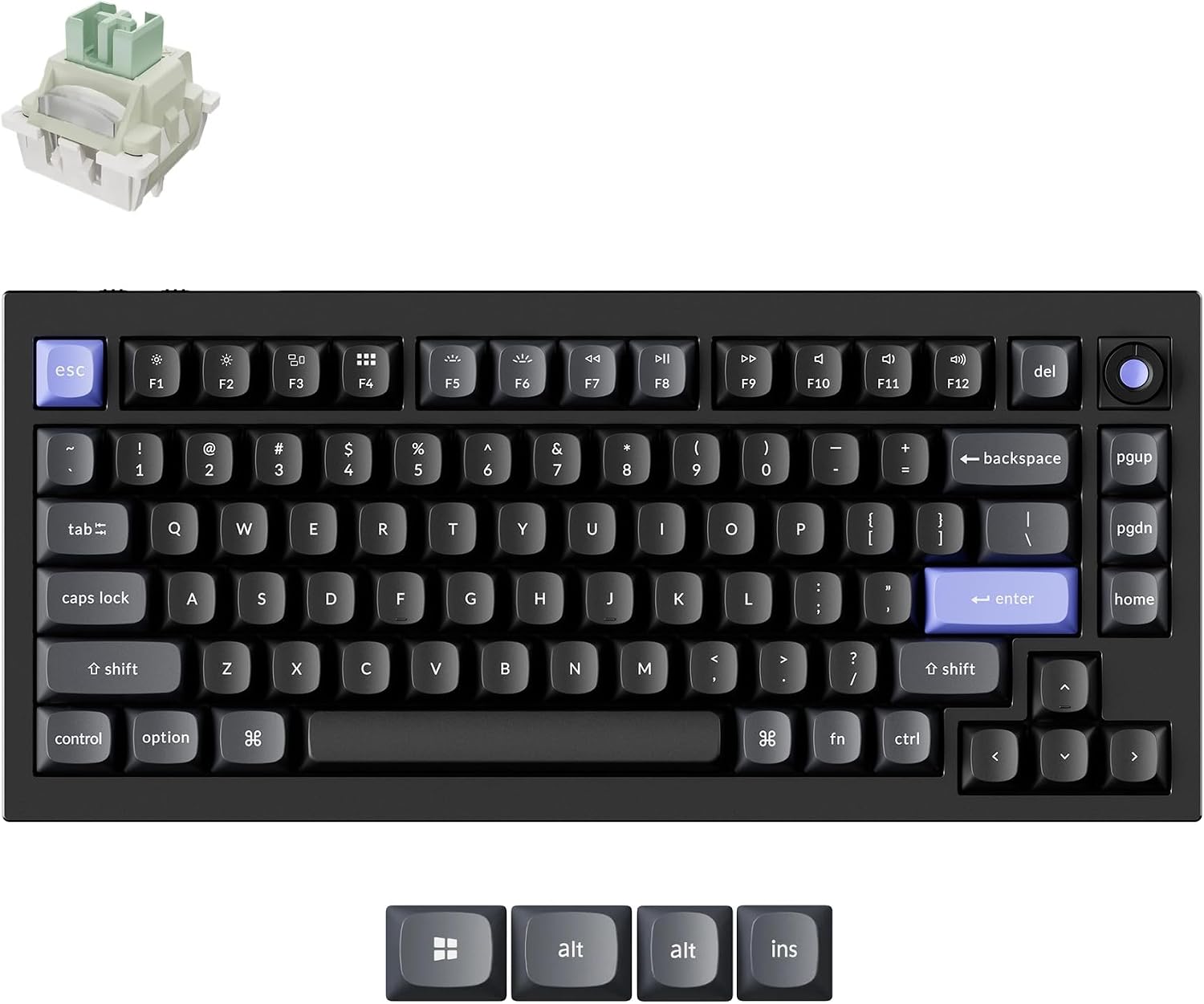
Keychron Q1 HE 8K
Pros
- 8000Hz polling in wired mode, with a physical switch for 1000/2000/8000Hz
- Dynamic Rapid Trigger at 0.01mm sensitivity
- Per-key actuation adjustable from 0.1mm to 3.35mm
- Last Key Priority and Snap Click for cleaner strafing in Valorant
- Full 6063 aluminum body on a double-gasket mount
Cons
- Wired only, there is no wireless mode at all
- $230 sits at the top of this guide's price range, level with the Q1 Max
- 1860g is the heaviest thing here by a wide margin
- Hot-swap accepts Keychron Lime and Gateron Jade magnetic switches only
Price as of May 27, 2026 — see current price on Amazon.
Keychron took the Q1 chassis and put a gaming brain in it. The Q1 HE 8K runs Keychron's Ultra-fast Lime magnetic switches at an 8000Hz polling rate, and there's a three-position switch on the board itself to drop to 2000Hz or 1000Hz if your CPU can't feed it. Keychron's own note: 8K polling wants an Intel i7 9th gen or Ryzen 7 2nd gen at minimum. For comparison, the Q1 Max and most gaming keyboards top out at 1kHz. Eight thousand reports a second means the board is telling your PC where the key is every 0.125ms, and in Counter-Strike or Valorant that timing is the whole argument.
Dynamic Rapid Trigger is where the magnetic switches earn their keep. Sensitivity is 0.01mm, so the key reactivates the instant you start moving up rather than waiting for a fixed reset point. Actuation is adjustable per key from 0.1mm all the way to 3.35mm, which means you can run a hair trigger on WASD and something deliberate on the modifiers you don't want to fat-finger. Last Key Priority and Snap Click cover the SOCD-style movement stacking that used to be a Wooting-only party trick.
Here's the honest part. This is the third Keychron on the list, and I went looking for a reason it shouldn't be. I didn't find one. Wooting's boards are the obvious rival and they've never sold reliably through Amazon, so for anyone buying with Prime this is the board. The gripes are real though: it's wired, full stop, and 1860g of 6063 aluminum is not moving off your desk. At $230 it's level with the Q1 Max at the top of the range here. You're paying for a full metal body, double-gasket mount, screw-in stabilizers, and OSA double-shot PBT caps on a board that happens to poll eight times faster than anything else in this guide.
Best Wireless Hall Effect: Keychron K2 HE
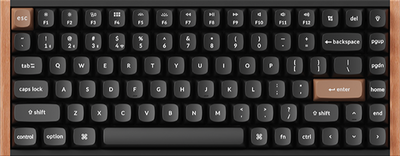
Keychron K2 HE
Pros
- Hall Effect switches plus wireless, which the Q1 HE 8K doesn't offer at any price
- 2.4GHz at 1000Hz plus Bluetooth 5.2
- Rapid Trigger and adjustable actuation from 0.2mm to 3.8mm
- QMK/VIA via Keychron Launcher web configurator
Cons
- 1000Hz polling cap versus the Q1 HE 8K's 8000Hz
- Wood and ABS frame lacks the Q1 Max's all-aluminum feel
- Web-based configurator requires an active browser session for remapping
Price as of May 27, 2026 — see current price on Amazon.
The K2 HE solves a problem the Q1 HE 8K completely ignores: what if you want Hall Effect switches and wireless connectivity at the same time? The 8K board is wired only. Full stop. The K2 HE gives you Gateron Double-Rail Magnetic switches with Rapid Trigger, adjustable actuation, 2.4GHz at 1000Hz, and Bluetooth 5.2. That exact combination at $139.99 doesn't exist anywhere else in the 75% category.
Hall Effect switches use magnetic sensors to measure actuation depth instead of physical contact. This eliminates the wear and inconsistency that affects traditional mechanical switches over years of typing. The Gateron Double-Rail version in the K2 HE is smooth, wobble-free, with no friction at any actuation depth. Battery life is strong too. Reviewers consistently note it outlasts expectations on a single charge.
At $140, the K2 HE sits between the budget Akko at $56 and the premium picks at $230. The wood-frame design is attractive but the ABS construction won't feel as solid as the Q1 Max's aluminum. If you prioritize Hall Effect performance and wireless above all else and don't want to spend $230 on a wired-only board, this is the obvious choice.
Best Low-Profile: NuPhy Air75 V2
NuPhy Air75 V2
Pros
- 16mm total height pairs naturally with a laptop wrist position
- 220-hour Bluetooth battery with backlight off
- 1000Hz polling at 2.4GHz, unusually fast for a low-profile board
- Magnetic USB dongle storage slot underneath the board
- QMK/VIA support via web configurator
Cons
- Low-profile switches feel fundamentally different from full-height MX
- Documented Bluetooth freeze bug on some macOS firmware versions
- Hot-swap is low-profile only, which limits switch selection significantly
Price as of May 27, 2026 — see current price on Amazon.
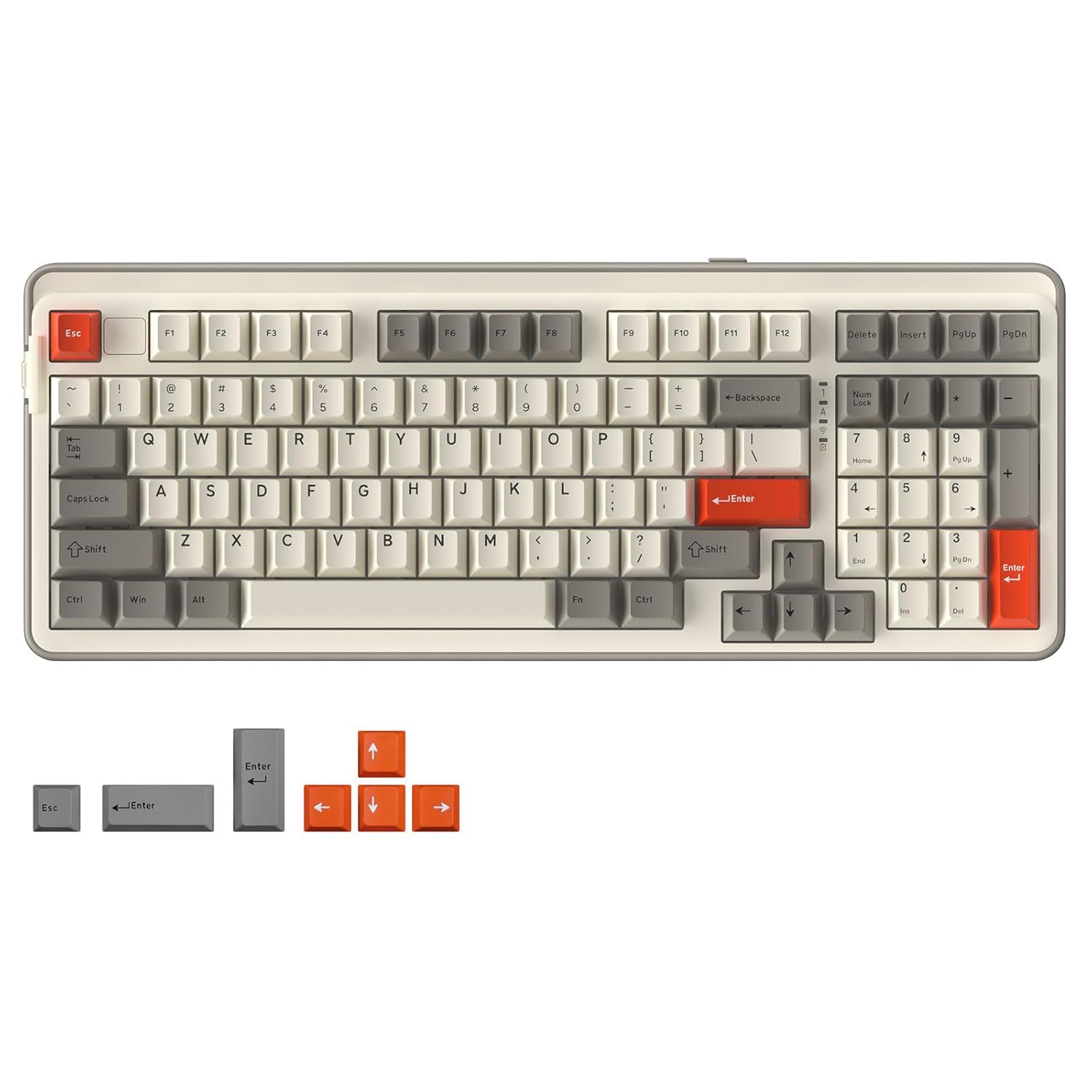
The Air75 V2 is built for the person who types on a laptop keyboard all day and wants something better without changing their ergonomic setup. At 16mm total height, it sits lower than any full-height mechanical keyboard in this comparison. The typing feel is closer to a premium laptop keyboard than a traditional mechanical board. For the right buyer, that's exactly the point.
NuPhy bumped the battery to 4000mAh in the V2, and the 220-hour rating with backlight off is realistic based on user reports. The 2.4GHz connection runs at 1000Hz. The magnetic USB dongle compartment underneath the keyboard is a detail that sounds minor until you've searched a whole bag for a tiny USB stick before a flight. It snaps right in, ready when you need it.
Honest tradeoff: if you're coming from a full-height mechanical keyboard, the Air75 V2 will feel fundamentally different. The sound profile is thinner, travel is shorter, and switch options are limited to low-profile compatible designs. At around $69 to $120 depending on the sale cycle, the price is right. But try low-profile switches before committing if you can.
Best Budget: Akko 5075B Plus
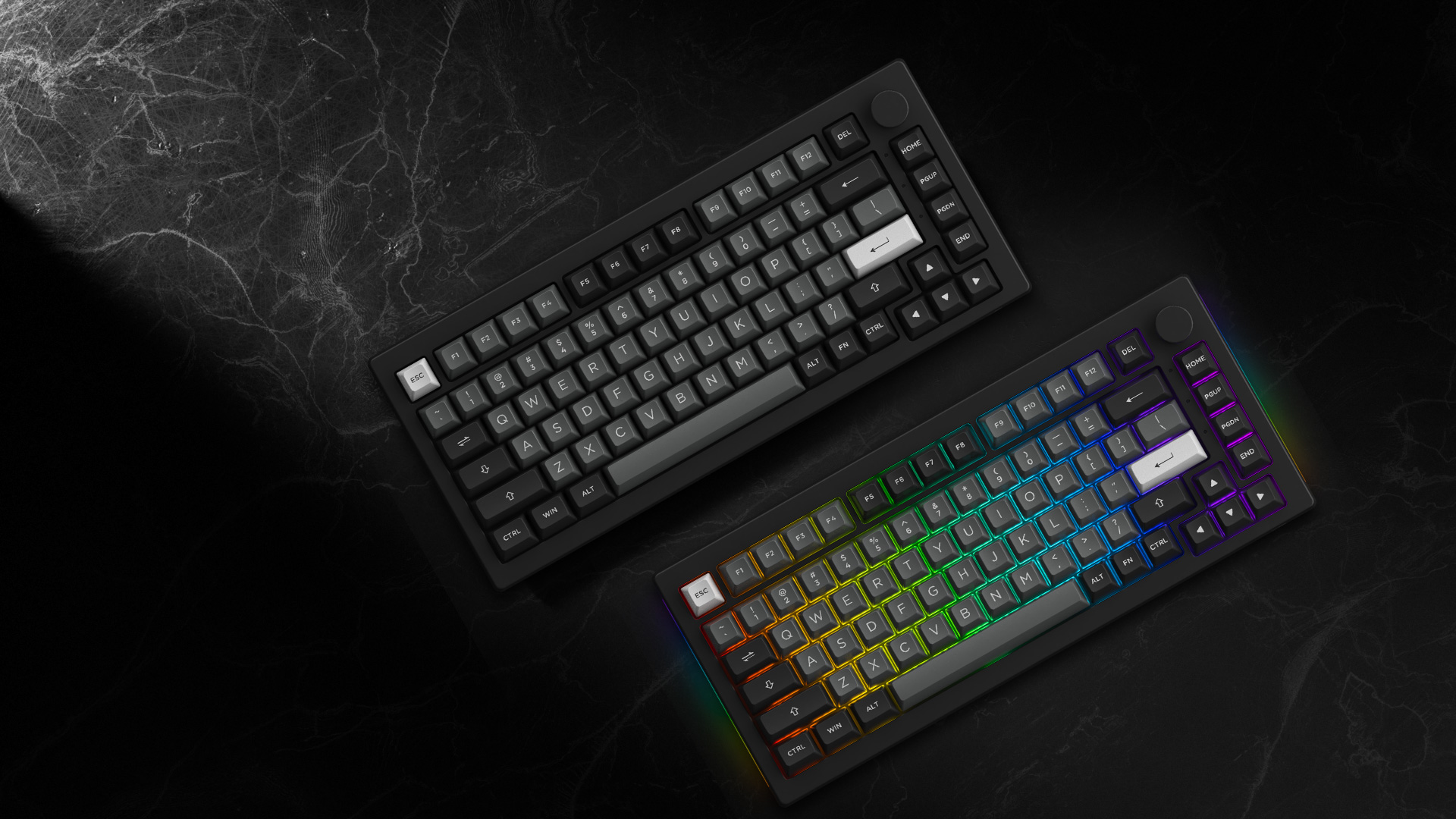
Akko 5075B Plus
Pros
- Gasket mount construction at $56 is exceptional value
- Tri-mode wireless: 2.4GHz, Bluetooth 5.0, and USB-C wired
- Factory-lubed switches with a good out-of-box sound profile
- PBT ASA keycaps, not cheap ABS like most budget boards
Cons
- Spacebar stabilizer needs additional lubrication out of box
- Polycarbonate case flexes noticeably under heavy typing pressure
- 3000mAh battery is adequate but smaller than the NuPhy's 4000mAh
Price as of May 27, 2026 — see current price on Amazon.
Gasket mount construction and tri-mode wireless for $56. That combination would have cost $150 two years ago. Akko's manufacturing efficiency is doing real work here, and the 5075B Plus is the clearest example of how much the budget keyboard market shifted through 2025 and 2026.
The V3 Creamy Yellow Pro switches come factory lubed, and the sound profile straight out of the box is noticeably better than most boards in this price range. Good texture on the ASA-profile PBT keycaps too. They'll hold up to years of use without developing shine. The build isn't pretending to be metal. The polycarbonate plate and ABS case do flex under heavy typing pressure, and the spacebar stabilizer needs a small amount of additional lubrication for most users. A five-minute fix, but it's a fix you'll need to make.
For someone buying their first mechanical keyboard, or testing the 75% layout before committing $230 to a Q1 Max, the 5075B Plus is the right starting point. The switch and keycap quality are good enough that you won't feel like you need an immediate upgrade. The gasket mount gives you a softer typing feel that the price doesn't usually include.
The Case for 75%: Layout vs. 65% and TKL
What You Give Up Going from TKL to 75%
A TKL (tenkeyless, roughly 80%) keyboard has a dedicated navigation cluster between the arrow keys and the main typing area: Insert, Delete, Home, End, Page Up, Page Down as standalone keys with no function layer. A 75% keyboard pushes those onto a compact column along the right side or onto a function layer. If you navigate spreadsheets, edit long documents, or use terminal shortcuts that rely on those keys constantly, TKL might serve you better. For most people who use arrows for gaming and only occasionally need Home/End for text, the 75% saves 15 to 20% of horizontal desk space at no practical cost.
What You Keep vs. a 65%
A 65% keyboard drops the function row entirely. F1 through F12 live on a second layer, accessed by holding Fn. For gaming, developer shortcuts, terminal commands, and nearly any professional software with keyboard shortcuts, that layer jump breaks muscle memory and adds real input time. The 75% keeps the function row as physical dedicated keys. That single row is the reason 75% has become the compact keyboard recommendation for most buyers who aren't optimizing for the absolute smallest possible footprint.
The Sweet Spot
At 81 to 84 keys, a 75% keyboard fits on airport trays, small studio desks, and alongside a large mouse without compromising the keys you actually use every day. It balances real-world usability with size reduction better than either 65% or TKL. That's why r/MechanicalKeyboards defaults to recommending it for anyone who asks what compact layout they should start with.
What to Look For
Gasket Mount vs. Top Mount
All five keyboards in this guide use gasket mounting, which suspends the PCB and plate in silicone or foam pads rather than screwing them directly to the case. The result is a softer flex and lower-pitched sound on each keystroke. In 2024, gasket mount was a premium feature that added $50 to $100 to a keyboard's price. In 2026, the Akko 5075B Plus has it at $56. If you're comparing keyboards outside this list, check the mount type. Top-mount boards at similar prices will feel noticeably stiffer under your fingers.
Wireless Polling Rate
1000Hz at 2.4GHz is the current baseline for gaming-capable wireless. All wireless boards in this guide hit it. Bluetooth adds latency (typically 7ms to 15ms depending on implementation), so if you're gaming wirelessly, always use the 2.4GHz dongle instead. For typing and general use, Bluetooth latency is imperceptible. Check the polling rate spec at 2.4GHz specifically, not just "wireless." Some budget boards advertise 1000Hz wired but run 125Hz over the dongle.
Hall Effect vs. Traditional Mechanical Switches
Traditional mechanical switches have fixed actuation and reset points set by the physical mechanism. Hall Effect switches measure magnetic field strength to detect position continuously, which enables adjustable actuation and Rapid Trigger. The gaming advantage is real in competitive FPS and rhythm games. The typing advantage is minimal. If you're not playing competitive shooters or rhythm games, traditional mechanical switches are fine and give you far more switch options to choose from.
QMK/VIA Support
QMK is the open-source keyboard firmware standard that lets you remap every key, create layers, set up macros, and configure per-key RGB without installing proprietary software. VIA is the real-time configurator that runs on top of QMK. All five keyboards here support QMK/VIA or Keychron Launcher, which offers equivalent functionality via a web browser. If a keyboard you're considering outside this list doesn't support QMK/VIA, check what software it uses and whether that software runs on your operating system.
Frequently asked questions
- What is the difference between the Keychron Q1 HE 8K and the regular Q1 HE?
- They share a name and a chassis but not a spec sheet. The Q1 HE 8K is wired only and polls at 8000Hz, with Dynamic Rapid Trigger at 0.01mm sensitivity, and it sells for about $230. The standard Q1 HE is the wireless version: 2.4GHz and Bluetooth, capped at 1000Hz polling, usually a little cheaper. Buy the 8K only if you game wired and want the polling rate. If you want to unplug it, you want the wireless one.
- Which 75% keyboard is best for gaming in 2026?
- The Keychron Q1 HE 8K wins on pure gaming performance with 8000Hz polling and Dynamic Rapid Trigger at 0.01mm sensitivity, at about $230. If you need wireless while gaming, the Keychron K2 HE is the only 75% Hall Effect wireless keyboard in this price range, running 1000Hz at 2.4GHz with rapid trigger at $139.99. The Q1 Max at $229.99 handles gaming well but caps out at 1000Hz.
- Can I use a 75% keyboard for programming?
- Yes, and it's one of the best layouts for it. The function row and dedicated arrow keys are the keys programmers most often miss on 65% and 60% boards, and the 75% keeps both. All keyboards in this guide support full QMK/VIA remapping, so any missing navigation keys can go on a function layer exactly where you want them.
- What is the difference between the Keychron Q1 Max and K2 HE?
- The Q1 Max ($229.99) uses a full CNC aluminum body with Gateron Jupiter mechanical switches and a double-gasket mount. The K2 HE ($140) uses an ABS and wood-frame body with Gateron Hall Effect magnetic switches. The K2 HE adds Hall Effect features like adjustable actuation and rapid trigger at a lower price. The Q1 Max wins on build quality and typing feel. Both are wireless with 1000Hz 2.4GHz polling.
- Is the Akko 5075B Plus actually wireless or just the name?
- The 5075B Plus is a true tri-mode wireless keyboard: 2.4GHz with a USB dongle, Bluetooth 5.0, and wired USB-C. The B in the model name stands for Bluetooth, which Akko uses consistently across their wireless lineup. It supports up to three Bluetooth devices simultaneously.
- Do any of these keyboards work well on Mac?
- All five work on Mac. Keychron ships Mac and Windows keycap sets with every keyboard and documents Mac function key behavior in the manual. The NuPhy Air75 V2 is particularly natural on Mac given its low-profile build and Bluetooth multi-device pairing. The Q1 HE 8K ships with a system toggle and a second set of keycaps covering macOS, Windows, and Linux, so you can keep one layout per system.
Bottom Line
For most buyers the Keychron Q1 Max at $229.99 is the right answer: aluminum build, gasket mount, full QMK/VIA, and 1000Hz wireless in one package. If competitive gaming is the primary use case and you're fine staying wired, the Keychron Q1 HE 8K at $230 buys you 8000Hz polling and Dynamic Rapid Trigger at 0.01mm sensitivity. The Keychron K2 HE at $140 is the only choice for players who want both Hall Effect switches and wireless together. The NuPhy Air75 V2 around $69 is the best 75% option for laptop desk setups and travel where low height matters most. And if you're testing the 75% layout before committing $230, the Akko 5075B Plus delivers gasket mount, wireless, and factory-lubed switches at $56 without embarrassing itself against the more expensive competition.
How We Test
We score products by combining spec-level research, pricing history, trusted third-party benchmarks, and owner sentiment from high-signal sources.
- Performance and real-world value in the category this guide targets
- Price-to-performance and deal consistency over recent pricing windows
- Build quality, reliability patterns, and known long-term issues
- Recommendation refresh cadence to keep these picks current
Author
TheTechSearch Editorial Team
Independent product reviewers & PC builders
We test and compare real-world specs, price trends, and user feedback to recommend gear that actually makes sense to buy.