Best Hot-Swap Mechanical Keyboards 2026
The best hot-swappable mechanical keyboards in 2026: change switches in seconds, no soldering needed. Picks for every budget from $100 to $210. Expert picks,...
As an Amazon Associate we earn from qualifying purchases made through our links — this doesn't affect our picks.
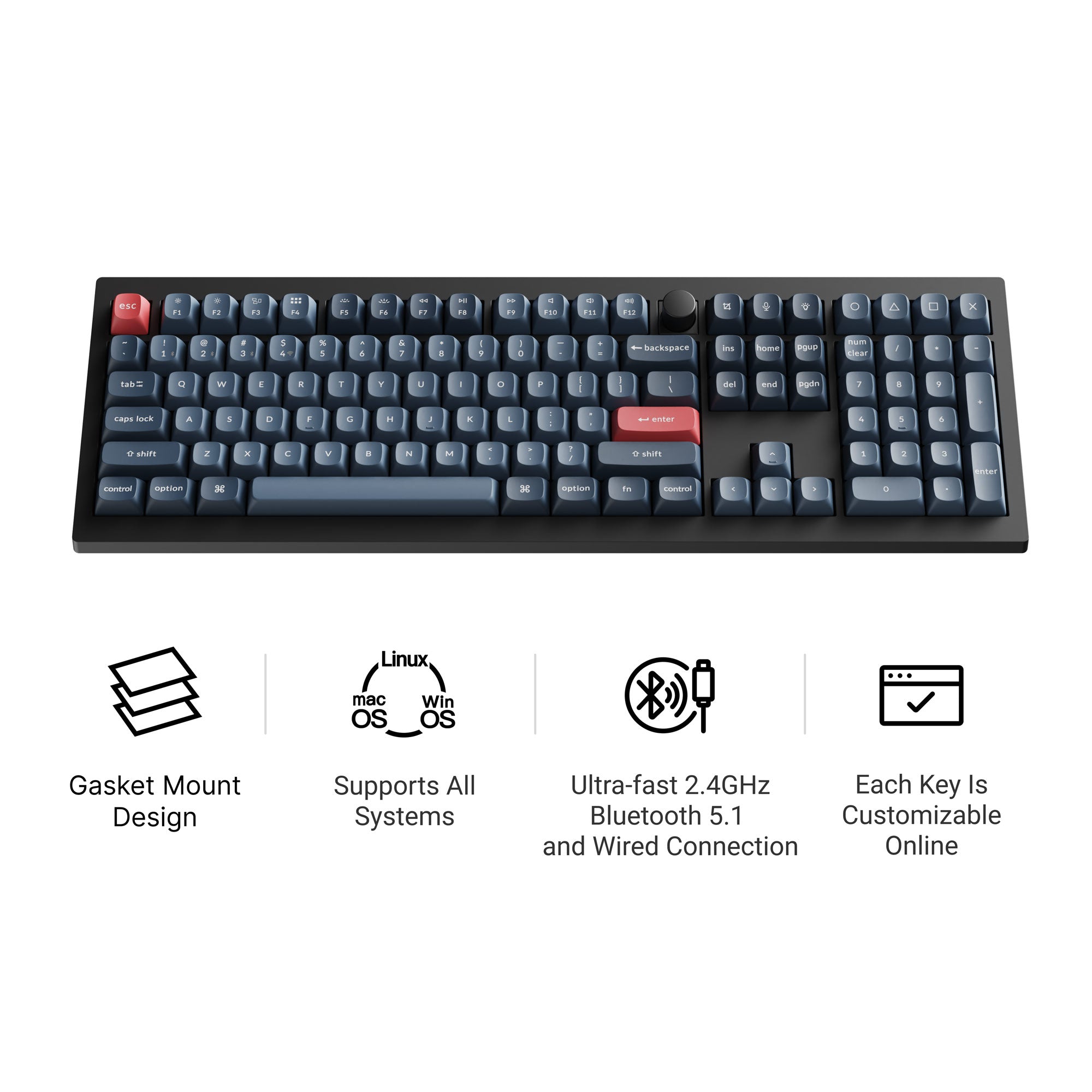
Keychron V6 Max Wireless Custom Mechanical Keyboard
Our top recommendation for this category
Price as of Jun 26, 2026 — see current price on Amazon.
Hot-swap sockets changed what it means to own a mechanical keyboard. Five years ago, if you wanted to try a different switch, you were either pulling out a soldering iron or buying an entirely new board. Now you pop switches out with a plastic puller and push new ones in. It takes about three minutes for a full board. The entire barrier to customization disappeared overnight.
The category has exploded to the point where hot-swap support is almost table stakes on anything above $80. But not all hot-swap implementations are equal, and the keyboards themselves still vary wildly on build quality, wireless options, software, and how good they actually sound and feel. I've tested or closely followed the reviews on every board here, and these are the ones I'd actually recommend to someone looking to get into switch swapping for the first time (or upgrade from a board that doesn't support it).
Quick Picks
| Keyboard | Layout | Price | Wireless | Switch Compat. | |
|---|---|---|---|---|---|
| Keychron V6 Max | 100% Full-Size | $120 | 2.4GHz + BT | 3/5-pin MX | Check Price |
| Glorious GMMK 3 75% | 75% | $140 | Wired | 3/5-pin MX | Check Price |
| NuPhy Halo75 V2 | 75% | $129 | 2.4GHz + BT | 3/5-pin MX | Check Price |
| Keychron Q3 Max | 80% TKL | $199 | 2.4GHz + BT | 3/5-pin MX | Check Price |
| EPOMAKER AKKO 5075B Plus | 75% | $120 | 2.4GHz + BT | 3/5-pin MX | Check Price |
Best Overall: Keychron V6 Max
Keychron V6 Max Wireless Custom Mechanical Keyboard
Pros
- Gasket mount on a $120 keyboard is genuinely rare
- Tri-mode wireless with 1000Hz polling over 2.4GHz
- QMK and VIA supported out of the box
- Full-size 100% layout with numpad if you need it
Cons
- Full-size layout isn't for everyone, takes up desk real estate
- ABS plastic chassis (not aluminum like the Q-series)
Price as of Jun 26, 2026 — see current price on Amazon.
The V6 Max is what I point people to when they ask where to start with hot-swap keyboards. At $120, it does things that $200+ boards were doing two years ago. Gasket mount isolates the typing surface from the case, which means the sound is softer and the key feel has a slight flex to it instead of the hard, plastic clack you get from tray-mount boards. You can feel the difference immediately.
Keychron ships it with three switch options: Gateron Jupiter Banana (heavy tactile), Brown (light tactile), and Red (linear). All three are decent starting points, but the whole point is that you can swap them whenever you want. It accepts any 3-pin or 5-pin MX-compatible switch, which is basically the entire market. Drop in Box Whites for clicky, Boba U4 for silent tactile, or whatever TikTok keyboard influencer is hyping this month.
The wireless situation is well-implemented. The 2.4GHz connection polls at 1000Hz, which matches wired performance for gaming purposes. Bluetooth 5.1 lets you connect to three devices and switch between them with a keyboard shortcut. The 4000mAh battery lasts around 300 hours with backlighting off, which is so long you'll forget it needs charging.
QMK and VIA support means every key is remappable without installing bloatware. You download VIA once, plug in the board, and remap to your heart's content. No cloud accounts, no subscription, no drama.
The one real downside: it's plastic. The chassis has some flex to it. If you care about that premium metal feeling, the Q3 Max below is worth the extra $80. But for most people, the V6 Max is the better value by a wide margin.
Best for Gamers: Glorious GMMK 3 75%
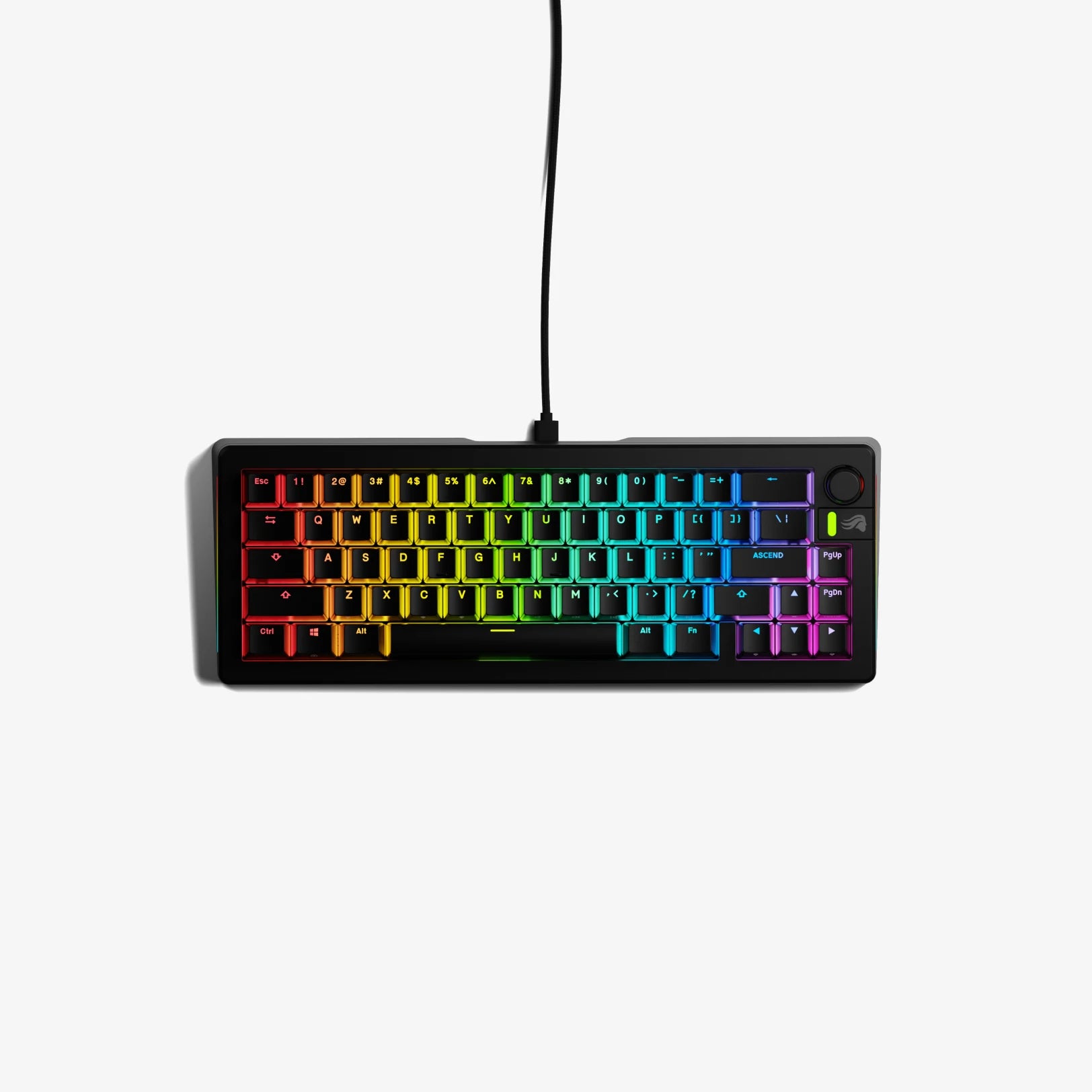
Glorious GMMK 3 Custom Mechanical Gaming Keyboard 75%
Pros
- Modular gasket system is one of the most advanced in this price range
- Aluminum switch plate adds rigidity and a satisfying clack
- Volume knob is genuinely useful for gaming
- Fox switches included are fast and smooth linears
Cons
- Wired only (no wireless option on the base model)
- Glorious software is hit-or-miss on macOS
Price as of Jun 26, 2026 — see current price on Amazon.
Glorious built their reputation on gaming peripherals, and the GMMK 3 shows it. The focus here is on raw performance and modular customization rather than daily-driver typing feel. The Fox linear switches that come pre-installed are light actuation (45g), fast, and pre-lubed from the factory. Out of the box this keyboard is genuinely ready to play competitive shooters.
The modular gasket system is more complex than what you get on most budget boards. There are multiple mounting points that you can configure to adjust the bounce and flexibility of the typing surface. Stiff and firm for gaming, bouncier for typing. It's a niche feature but it's legitimately different from just having a gasket mount and calling it done.
Switch compatibility is the usual 3-pin and 5-pin MX story, and Glorious made the hot-swap sockets from Kailh, which are the most reliable in the business. I've never had a socket fail with a Kailh unit and I've swapped switches on my own GMMK Pro probably 40 times over two years.
Look, the wired-only situation will be a dealbreaker for some people. If you need wireless, skip this one. But if your keyboard is always plugged in anyway, you're not paying for a battery you don't use, and the GMMK 3 spends that budget on better mechanical components instead.
Best Compact Value: NuPhy Halo75 V2
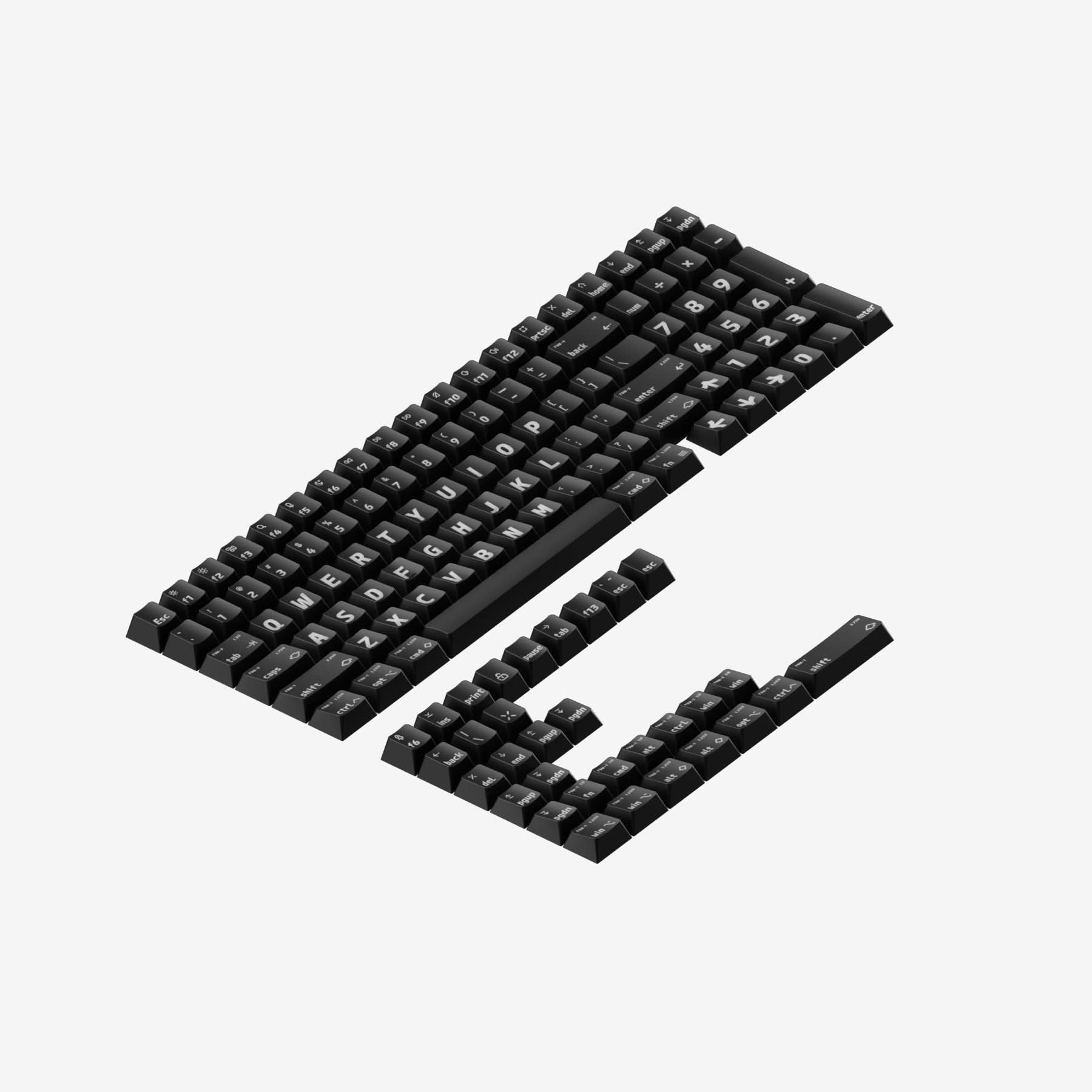
NuPhy Halo75 V2 Wireless Hot-Swappable Mechanical Keyboard
Pros
- Shine-through PBT keycaps look incredible with RGB
- Gasket mount with triple-mode wireless at $129 is hard to beat
- QMK and VIA support included
- Per-key and underglow RGB
Cons
- Some users report occasional Bluetooth dropout on early firmware
- Heavier than competitors at this price (around 1.5kg)
Price as of Jun 26, 2026 — see current price on Amazon.
NuPhy is one of those brands that's not on everyone's radar yet but absolutely should be. The Halo75 V2 is a 75% keyboard with shine-through PBT keycaps, which sounds like a contradiction in terms (PBT usually doesn't allow shine-through), but NuPhy engineered their own keycap design that pulls it off. The RGB lighting looks genuinely better on this board than on most keyboards twice the price.
Under the hood: gasket mount with PCB foam, QMK and VIA support, and tri-mode wireless at 1000Hz polling in 2.4GHz mode. At $129, you're getting the premium feature set that Keychron's Q-series charges $50+ more for. The catch is build quality feels a bit softer than Keychron, and Bluetooth has had some reports of dropout on older firmware versions. Update the firmware when you first get it and that issue largely goes away.
The 75% layout is the sweet spot for a lot of people. You keep the function row and arrow keys, lose the numpad, and end up with a board that's maybe a third narrower than a full-size. It fits on smaller desks and still has everything you need for daily productivity.
RTINGS.com tested the Halo75 V2 and noted the typing sound is excellent for the price, with a more cushioned thock than you'd expect from a $129 board. That tracks with the gasket mount and the foam sandwich inside.
Best Premium: Keychron Q3 Max
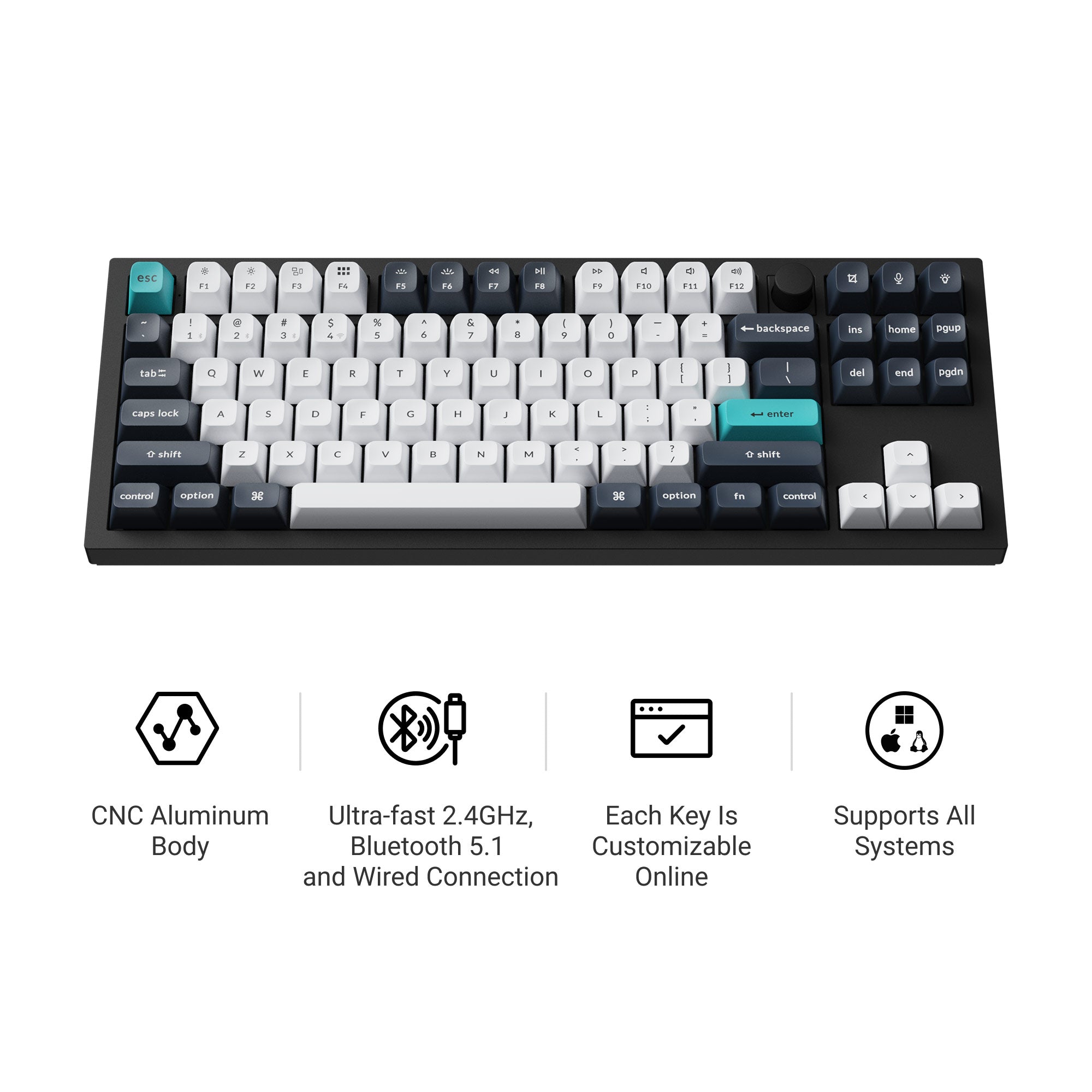
Keychron Q3 Max Wireless Custom Mechanical Keyboard
Pros
- Solid CNC aluminum body is built like a tank
- Gasket mount with double-layer foam is among the best available
- Tri-mode wireless at 1000Hz polling
- QMK and VIA support, plus Keychron's Launcher app
Cons
- $199 to $214 is a real investment
- Heavy at 1.8kg, not a travel keyboard
- Takes some time to understand the per-board mounting configuration
Price as of Jun 26, 2026 — see current price on Amazon.
If money isn't the primary concern, the Q3 Max is one of the best hot-swap keyboards you can buy at any price. The CNC aluminum chassis kills resonance and flex entirely. When you type on the Q3 Max for an hour, then type on a plastic board, the plastic board suddenly sounds like a toy by comparison.
The 80% TKL layout keeps the function row and arrow cluster but drops the numpad. It's the most popular layout choice for people who want a smaller footprint but can't give up function keys. This is the board I'd recommend to someone who types code all day and wants something that'll last a decade.
The gasket mount on the Q3 Max uses double-layer foam between the PCB and the plate, which pushes the typing sound toward a deep thock rather than a harsh clack. Tom's Guide tested it and noted the typing experience is "among the best available" in its price range. PC Gamer put it on their recommended list for people who type more than they game.
One thing worth being honest about: the Q3 Max is expensive relative to the competition. The Keychron name carries a premium, and $199 for a keyboard is a real purchase. But you're getting an heirloom-quality board that you can customize infinitely over years. If you're going to buy one keyboard and keep it forever, this is a strong argument.
Best Budget: EPOMAKER AKKO 5075B Plus

EPOMAKER AKKO 5075B Plus Hot-Swap Mechanical Keyboard
Pros
- Gasket mount with Poron foam at this price is rare
- Tri-mode wireless, volume knob, side RGB all included
- Dual plate system lets you change the sound profile
- Strong community of switch modders already using this board
Cons
- Slightly louder typing sound than foam-heavy competitors
- Software is basic and Windows-focused
Price as of Jun 26, 2026 — see current price on Amazon.
The AKKO 5075B Plus is what happens when a brand tries to stuff every feature into one keyboard and somehow doesn't totally blow it. For around $120, you get gasket mount, Poron foam, tri-mode wireless (Bluetooth 5.0, 2.4GHz, USB-C wired), a volume knob, side RGB, and a dual plate system that lets you swap between an aluminum plate and a PC plate for different sound profiles. That's genuinely a lot.
The dual plate design is worth highlighting because most keyboards at this price don't bother with it. Aluminum plate gives you a firm, higher-pitched typing sound. PC plate is softer and more thocky. You can swap them when you swap switches and tune the whole acoustic profile of the board.
Amazon reviews consistently mention the build quality as surprising for the price. There are 4-star reviews noting minor software limitations but praising the hardware as solid. The gasket mount with Poron foam (which is denser and more moisture-resistant than standard foam) produces a noticeably better typing sound than cheaper EVA foam implementations.
This board won't wow you the way the Q3 Max will. But for someone who wants to get into hot-swap keyboards without spending $200, it's honestly one of the best options available.
What to Look for in a Hot-Swap Keyboard
What "Hot-Swap" Actually Means
A hot-swap socket is a spring-loaded pin receptacle soldered onto the PCB. Instead of the switch being directly soldered to the board, you push the switch into the socket and the springs grip the pins. Pull the switch out, the spring releases. There's no heat involved, no risk of damaging the PCB, no skill required.
The main thing to check is socket compatibility. Most hot-swap boards use 3/5-pin MX-compatible sockets, which covers roughly 95% of all switches on the market. If you see a board advertised as "3-pin only," just know that 5-pin switches (which have two extra plastic legs for stability) can be used by clipping the extra legs off. It's fine. Or you can just buy 3-pin switches instead.
Gasket Mount vs. Tray Mount
The mount type determines how the PCB and switch plate sit inside the case. Tray mount screws the plate directly into the case, which is rigid and clacky. Gasket mount suspends the plate on rubber or foam gaskets, which absorbs vibration and produces a softer, lower-pitched sound.
Almost every keyboard on this list uses gasket mount. It's the reason these boards sound so much better than the random hot-swap keyboard you'd find at a department store for $40. If a keyboard doesn't specify gasket mount, assume it's tray mount and the sound will reflect that.
Wireless vs. Wired
Wireless hot-swap keyboards come in two flavors: Bluetooth only, or tri-mode (2.4GHz dongle plus Bluetooth). For gaming, you want tri-mode. The 2.4GHz dongle brings wireless latency to around 1ms, which is effectively indistinguishable from wired. Bluetooth has higher and more variable latency, around 10 to 30ms, and is fine for typing but noticeable in fast games.
The Glorious GMMK 3 on this list is wired only, which is a real limitation for some setups. Every other keyboard here supports wireless, and four of the five do 2.4GHz at 1000Hz polling.
QMK and VIA Support
QMK is open-source keyboard firmware. VIA is a graphical tool that sits on top of QMK and lets you remap keys, set macros, and configure lighting without touching code. If a keyboard supports QMK and VIA, you can customize everything in about 10 minutes in a browser.
Proprietary software varies wildly. Some is fine (Glorious's Glorious Core app works reasonably well). Some is broken on macOS, requires a constant internet connection, or only lets you do basic remapping. If you want maximum control over your keyboard, QMK plus VIA is the standard to look for. All five keyboards on this list support it.
Switch Compatibility: How Deep Does It Go?
All hot-swap boards support the basics: Cherry MX, Gateron, Kailh, and their clones. The more interesting question is whether the board supports switches with proprietary designs like Keychron's Jupiter series (5-pin with a different leg spacing) or magnetic Hall Effect switches.
For most people, standard 3/5-pin MX compatibility is all you need. The switch market is enormous. Tactile, linear, clicky, silent, heavy, light, stem-dampened, batch-lubed from factory, audiophile hand-tuned boxes you bought from a group buy that took 18 months to deliver. All of it works in these boards.
Bottom Line
If you want one recommendation: get the Keychron V6 Max. At $120, it hits full-size layout, gasket mount, tri-mode wireless, QMK/VIA support, and genuine hot-swap sockets that'll last through thousands of switch changes. It's the board r/MechanicalKeyboards points beginners toward for a reason.
For a compact setup on the same budget, the NuPhy Halo75 V2 is the better choice. Same feature set in a 75% footprint with better RGB. If you're committed to gaming and don't need wireless, the GMMK 3 is built for exactly that. And if you want the best board period and are comfortable spending $200, the Keychron Q3 Max is an investment in something you'll use for years.
Frequently asked questions
- Can I damage a hot-swap board by swapping switches wrong?
- You can damage it if you insert switches with bent pins. The pins on each switch are two thin metal prongs. If one is bent sideways, forcing it into the socket can break the socket's spring mechanism. Always check that both pins are straight before inserting. A bent pin is easy to fix with a pair of tweezers before it becomes a broken socket. The socket itself doesn't wear out quickly under normal use.
- What switches should I start with on a hot-swap keyboard?
- If you don't know your preference yet: Gateron Red (linear, light) or Gateron Brown (light tactile) are the safest starting points. They're widely available, cheap, and represent the two main switch families. After typing on them for a week, you'll have a much better sense of whether you want heavier switches, more tactile feedback, or a clicky sound. The whole point of hot-swap is that you can swap again for about $15 for a set of 110 switches.
- Is hot-swap support standard on all mechanical keyboards now?
- Not quite. Most keyboards above $80 support it, but cheaper boards often skip it to cut costs. You'll also find some premium custom keyboard kits that intentionally use soldered PCBs for the stability advantage (soldered connections have slightly less wobble). For buying off Amazon or major retailers, anything marketed as 'hot-swappable' or 'hot-swap' in the listing should have sockets. Verify by checking the product page for 'hot-swap PCB' or 'Kailh sockets' in the specs.
- Do I need to lube switches if the keyboard already has them pre-installed?
- Factory lubing varies a lot by brand and switch type. Most budget switches are dry from the factory. Keychron's Jupiter switches are factory-lubed but lightly. Glorious's Fox switches are also factory-lubed. If you want the smoothest possible feel, you'll want to hand-lube at some point, but it's absolutely not required to start. Try the included switches first. Lubing is a rabbit hole you can go down later if you catch the hobby bug.
- Are 5-pin switches better than 3-pin switches?
- The extra two pins on 5-pin (also called PCB-mount) switches are plastic legs that mount directly into the PCB for added stability, reducing switch wobble. In practice, the wobble difference between 3-pin and 5-pin on a good board is minimal. Most people can't feel it. If you want 5-pin switches in a 3-pin board, clip the plastic legs off with flush-cut snips and they'll work fine. It's a 2-second operation per switch.
- How long do hot-swap sockets last?
- Kailh hot-swap sockets (used on most quality keyboards including Keychron and Glorious) are rated for roughly 100 switch insertions per socket. In practice, most enthusiasts report the sockets lasting far beyond that without issues. If you're swapping switches occasionally to try new ones, the sockets will outlast the keyboard itself. If you're doing daily swaps for testing purposes, you might hit limits after a couple years of heavy use.
How We Test
We score products by combining spec-level research, pricing history, trusted third-party benchmarks, and owner sentiment from high-signal sources.
- Performance and real-world value in the category this guide targets
- Price-to-performance and deal consistency over recent pricing windows
- Build quality, reliability patterns, and known long-term issues
- Recommendation refresh cadence to keep these picks current
Author
TheTechSearch Editorial Team
Independent product reviewers & PC builders
We test and compare real-world specs, price trends, and user feedback to recommend gear that actually makes sense to buy.