Best Gaming Headsets 2026
The best gaming headsets of 2026: five wireless picks for everyday play, battery life, value, esports and open-back sound. Expert picks, pros and cons, and s...
As an Amazon Associate we earn from qualifying purchases made through our links — this doesn't affect our picks.

SteelSeries Arctis Nova 7 Wireless Gen 2
Our top recommendation for this category
Price as of Nov 14, 2026 — see current price on Amazon.
In this guide
- Our top picks at a glance
- Best overall: SteelSeries Arctis Nova 7 Wireless Gen 2
- Best battery life: HyperX Cloud Alpha 2 Wireless
- Best value: Razer BlackShark V2 Pro (2023)
- Best for esports: Logitech G Pro X 2 Lightspeed
- Best open-back: Turtle Beach Atlas Air
- What to look for in a gaming headset
- The verdict
Gaming headsets now differ most on battery life, connections, mic quality and sound style, and each of the five picks below leads on one of those. The HyperX Cloud Alpha 2 Wireless is rated for 250 hours per charge, while the Turtle Beach Atlas Air trades isolation for an open-back sound. Figuring out which tradeoffs matter to you is half the battle.
Here's what I'd grab.
Prices as of November 14, 2026.
Our top picks at a glance
| Headset | Type | Battery | Driver | Price | |
|---|---|---|---|---|---|
| SteelSeries Arctis Nova 7 Wireless Gen 2 | Closed-back wireless | 50h+ | Neodymium | $199.99 | Check Price |
| HyperX Cloud Alpha 2 Wireless | Closed-back wireless | 250h | Dual-chamber | $249.99 | Check Price |
| Razer BlackShark V2 Pro (2023) | Closed-back wireless | 70h | 50mm Triforce Titanium | $129.99 | Check Price |
| Logitech G Pro X 2 Lightspeed | Closed-back wireless | 50h | 50mm Graphene | $197.99 | Check Price |
| Turtle Beach Atlas Air | Open-back wireless | 50h | - | $179.99 | Check Price |
Best overall: SteelSeries Arctis Nova 7 Wireless Gen 2
SteelSeries Arctis Nova 7 Wireless Gen 2
Pros
- Simultaneous 2.4GHz and Bluetooth: game audio and phone calls at once
- 50+ hour battery, and 15 minutes of charging gives about 6 hours
- USB-C dongle works with PC, PlayStation, Switch and handhelds
- Companion app with 200+ EQ presets and separate game and mobile EQ
Cons
- No active noise cancellation
- No hot-swap battery or base station like SteelSeries' pricier flagship
Price as of Nov 14, 2026 — see current price on Amazon.
The Arctis Nova 7 Wireless Gen 2 is the headset most people should buy. It does the everyday things well: one USB-C dongle covers PC, PlayStation, Switch and handhelds, and Bluetooth runs at the same time, so a phone call or a playlist mixes in over your game audio without unplugging anything.
Battery life is rated at 50+ hours on the listing, and SteelSeries' Gen 2 announcement quotes 6 hours of play from a 15-minute charge. That's a week or more of evening sessions between charges for most players.
The software is where the Gen 2 earns the top spot. SteelSeries' companion app gives you 200+ EQ presets, lets you boost or cut specific sounds like footsteps, and keeps a separate EQ for game and mobile audio. On PC, Sonar adds per-app volume control and AI noise rejection for the mic.
What you give up is the premium tier: there's no active noise cancellation and no swappable battery. At $199.99 on Amazon, it's also cheaper than the HyperX Cloud Alpha 2 Wireless below.
Best battery life: HyperX Cloud Alpha 2 Wireless
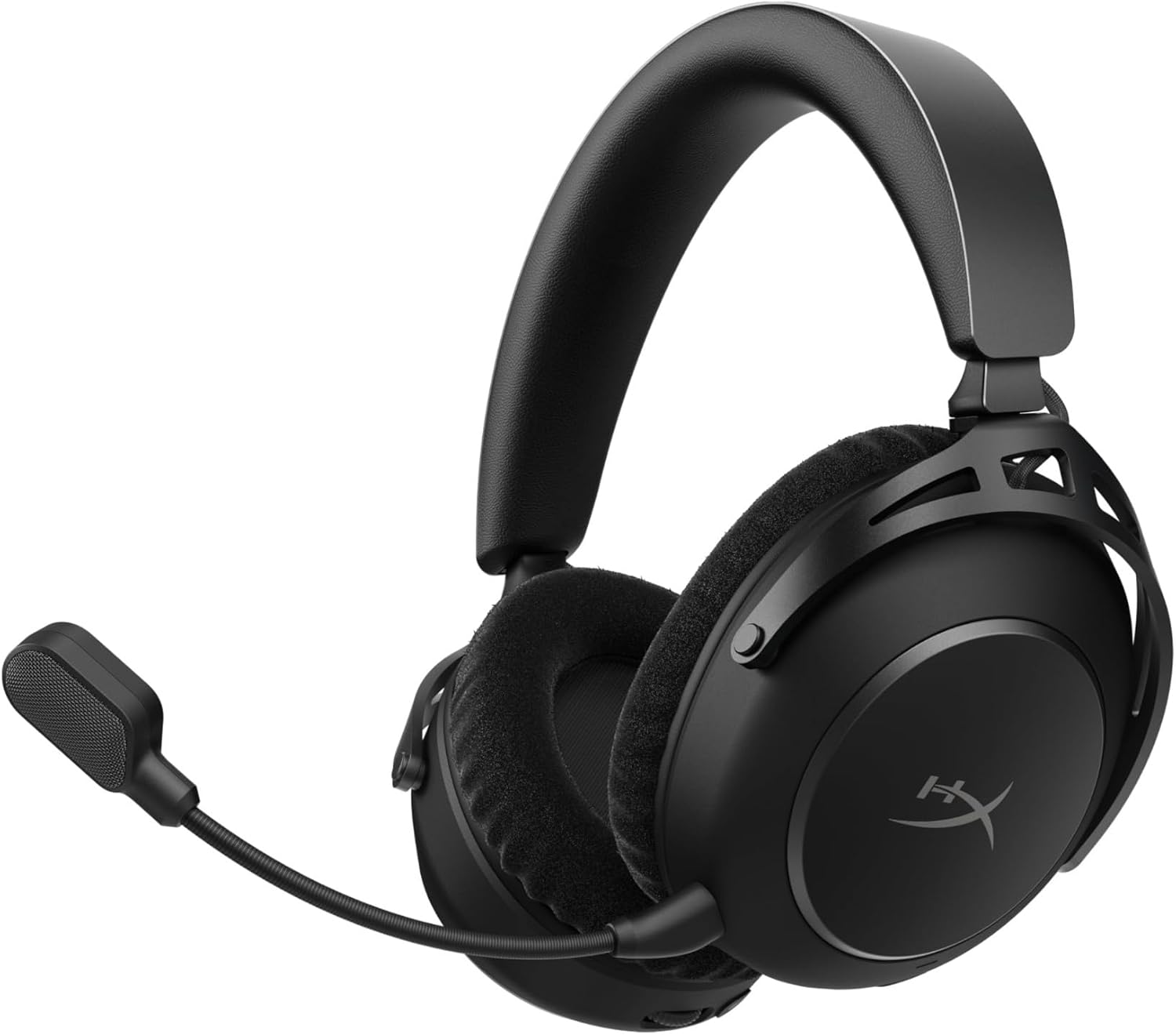
HyperX Cloud Alpha 2 Wireless
Pros
- 250 hours of battery life, not a typo
- Simultaneous 2.4GHz and Bluetooth connectivity
- RGB charging base station included
- Dual-chamber driver design reduces distortion
Cons
- Mic quality hasn't improved much from the original
- Heavier than the first Cloud Alpha Wireless
- Software EQ options are limited compared to SteelSeries
Price as of Nov 14, 2026 — see current price on Amazon.
The Cloud Alpha 2 Wireless listing rates the battery at 250 hours and names simultaneous 2.4GHz and Bluetooth, so you can be connected to your PC over 2.4GHz and your phone over Bluetooth at the same time. That's useful for anyone who takes Discord calls on their phone while gaming.
That rating is long. At 4 hours of play a day, 250 hours works out to about two months between charges. The included RGB base station handles charging and looks sharp on a desk, though the RGB is purely decorative.
The dual-chamber drivers sound good for gaming, with clear mids, punchy bass and enough detail to hear footsteps in competitive shooters. For most gamers, they sound more than adequate.
Where the Cloud Alpha 2 stumbles is the microphone. It's serviceable for team chat but picks up background noise more than competitors at this price, and the voice profile sounds slightly compressed. The NGENUITY software also lags behind SteelSeries Sonar and Razer Synapse in terms of EQ flexibility. But if your priority is "charge it and forget about it for weeks," nothing else comes close.
Best value: Razer BlackShark V2 Pro (2023)
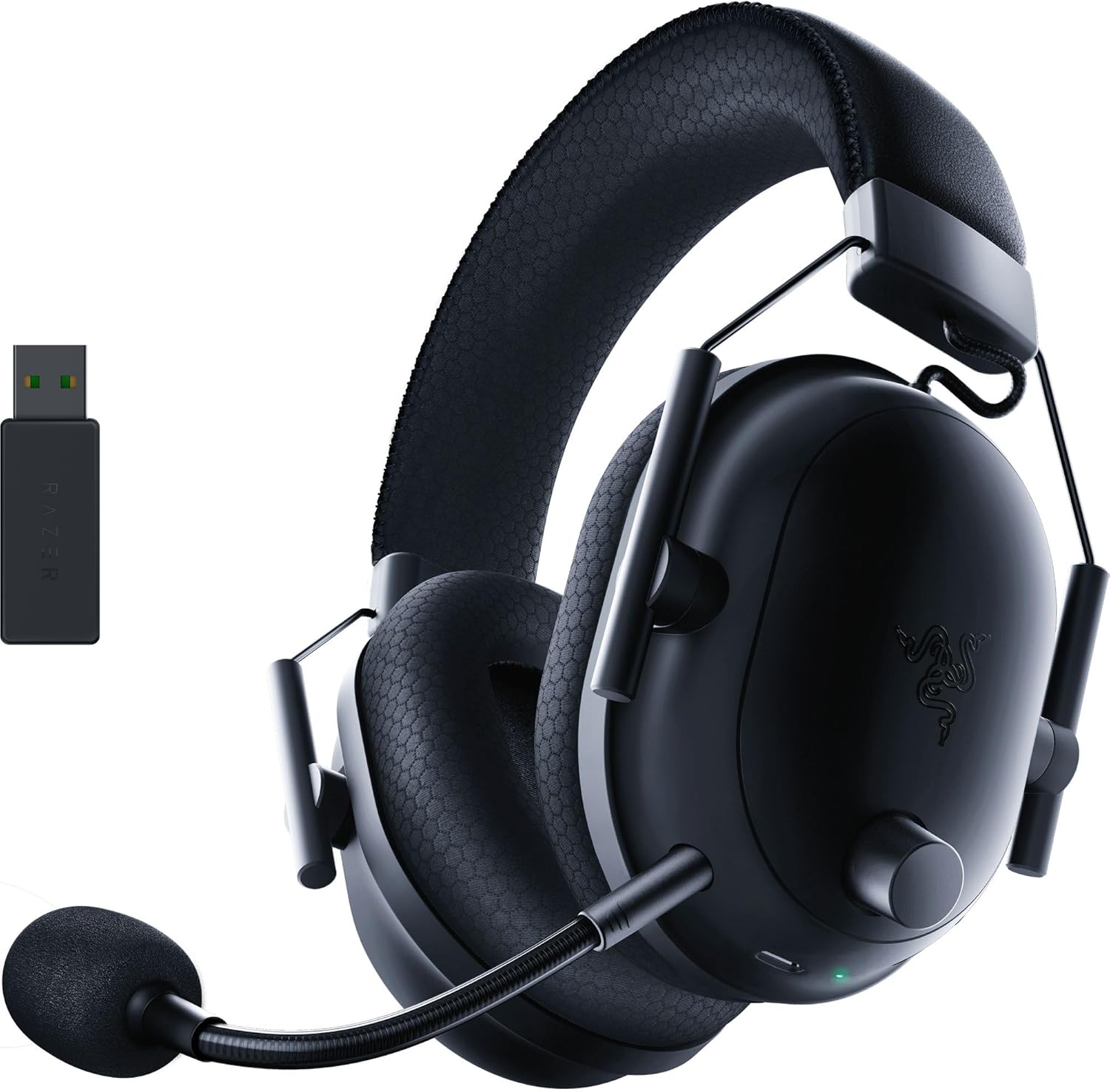
Razer BlackShark V2 Pro (2023)
Pros
- Strong value at $129.99
- 70-hour battery life
- Best-in-class microphone for a gaming headset
- Memory foam earcups
Cons
- No simultaneous Bluetooth + 2.4GHz mixing
- Sound signature is gaming-tuned, not ideal for music purists
Price as of Nov 14, 2026 — see current price on Amazon.
The BlackShark V2 Pro from 2023 is one of the best gaming headsets you can buy, and the reason is simple: Razer nailed the fundamentals. At $129.99 on Amazon, it is absurd value for what you get.
The microphone is the standout. Razer's HyperClear Super Wideband mic makes your voice sound clearer than most dedicated USB microphones, and the detachable boom design means you can remove it when you're just listening. It's the best mic on any gaming headset at this price.
Comfort is the other strong point. The listing names memory foam earcups, which help on long sessions. It also rates the battery at 70 hours, so most players charge it weekly at most.
Sound is tuned for gaming, elevated treble for footsteps, controlled bass for explosions, and it works well for that purpose. Razer Synapse 3 lets you customize the EQ and save profiles directly to the headset. The built-in THX Spatial Audio adds decent immersion for single-player games.
The main limitation is connectivity. You get 2.4GHz wireless OR Bluetooth, not both simultaneously. For the price, that is a minor quibble.
Best for esports: Logitech G Pro X 2 Lightspeed
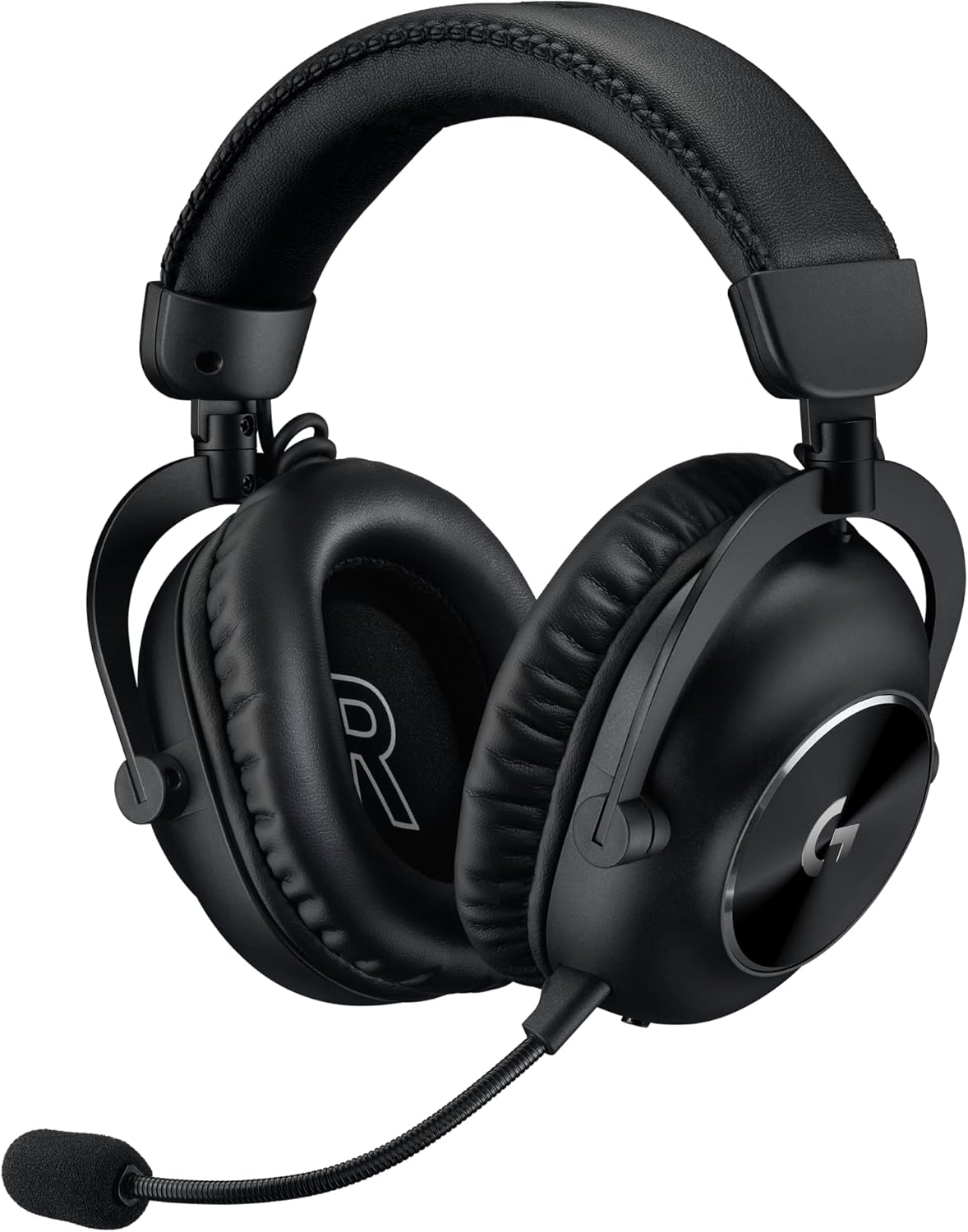
Logitech G Pro X 2 Lightspeed
Pros
- 50mm graphene drivers deliver accurate, detailed sound
- Triple connectivity: 2.4GHz, Bluetooth, and 3.5mm aux
- DTS:X 7.1 surround sound
- Compact, understated design that works outside of gaming
Cons
- 50-hour battery is good but not class-leading
- Earcups don't swivel flat for travel
- G HUB software can be finicky
Price as of Nov 14, 2026 — see current price on Amazon.
Logitech built the G Pro X 2 for competitive players who care about audio accuracy over flashy features. The 50mm graphene drivers produce a flatter, more neutral sound signature than most gaming headsets, which means audio cues land where they should, directional accuracy in FPS games is excellent.
The triple connectivity is a real advantage: Logitech's Australian product page lists LIGHTSPEED wireless, Bluetooth and a 3.5mm wired connection, 50mm graphene drivers and up to 50 hours per charge. 2.4GHz Lightspeed for low-latency gaming, Bluetooth for phone calls or music on the go, and a 3.5mm cable as backup.
Build quality is premium. The aluminum and steel construction feels durable without adding excessive weight. The design is restrained enough to wear on video calls without looking like you're about to frag someone, which matters if you work from home and game on the same headset.
DTS:X 7.1 virtual surround adds spatial depth, and Logitech's G HUB software offers decent EQ customization. The software itself can be temperamental (it's Logitech's weakest link), but once configured, settings save to the headset.
At $197.99, the G Pro X 2 sits in a tougher spot: it costs more than the BlackShark V2 Pro but is more versatile with its triple connectivity. If you want one headset for gaming, work calls, and commuting, this is the one.
Best open-back: Turtle Beach Atlas Air

Turtle Beach Atlas Air
Pros
- Open-back design creates a wide, natural soundstage
- 24-bit high-fidelity audio processing
- Floating earcup design is supremely comfortable
- Broadcast-grade flip-to-mute microphone
Cons
- Open-back leaks sound, not for shared spaces
- Bass is weaker than closed-back alternatives
- No ANC (expected for open-back, but worth noting)
Price as of Nov 14, 2026 — see current price on Amazon.
Open-back gaming headsets are a niche within a niche, but the Atlas Air makes a compelling case for trying one. The open-back design lets air and sound pass through the earcups, creating a wider, more natural soundstage than any closed-back headset can achieve. Games sound less like they're playing inside your head and more like speakers positioned around you.
The floating earcup suspension system is one of the most comfortable designs available. There's virtually no clamping force, the cups hover against your ears rather than pressing into them. Combined with the memory foam cushions, you genuinely forget you're wearing a headset.
The flip-to-mute microphone is broadcast-grade quality, and 50 hours of battery life via 2.4GHz wireless keeps gaming sessions uninterrupted. Bluetooth connectivity adds versatility for phone calls and music.
The obvious caveat: open-back headsets leak sound. Everyone around you will hear what you're listening to, and you'll hear everything around you. Bass response is also lighter than closed-back competitors; you won't get the same chest-thumping explosion impact from an open-back design.
For solo gamers in a quiet room who prioritize sound quality and comfort over isolation, the Atlas Air is a revelation.
What to look for in a gaming headset
Wireless technology matters
All the headsets on this list use 2.4GHz wireless for gaming, and for good reason, Bluetooth adds too much latency for competitive play. Look for headsets that offer both 2.4GHz and Bluetooth, ideally simultaneously. The 2.4GHz connection handles your game audio with low latency while Bluetooth lets you take phone calls or chat on Discord mobile.
Driver size isn't everything
Bigger drivers don't automatically mean better sound. What matters more is driver technology and tuning. Planar magnetic drivers tend to produce more detailed, accurate sound but cost more and weigh more. Dynamic drivers are lighter and cheaper but can sound congested in the mids at lower price points.
Battery life vs. features
There's a direct tradeoff between battery life and features like ANC or RGB lighting. The HyperX Cloud Alpha 2 hits 250 hours because it doesn't have noise cancellation. Headsets with ANC give up battery hours, because the noise cancelling draws power. Decide which matters more to you before shopping.
Comfort is personal
No review can tell you exactly how a headset will feel on your head. Clamping force, earcup size, headband padding, and weight all interact differently depending on your head shape and size. If possible, try before you buy, or order from a retailer with a good return policy. Lighter headsets (under 350g) are almost universally more comfortable for long sessions.
Frequently asked questions
- Are wireless gaming headsets as good as wired now?
- For gaming, yes. A good 2.4GHz wireless connection adds little enough latency that most players won't notice it next to wired. The only remaining advantage of wired is zero battery management and slightly lower cost.
- Do I need a headset with ANC for gaming?
- It depends on your environment. If you game in a quiet room, passive noise isolation from closed-back earcups is plenty. ANC helps in noisy environments, apartments with street noise, rooms near a busy household, but it adds cost and reduces battery life.
- Can I use these headsets for music and work calls too?
- The Logitech G Pro X 2 and Razer BlackShark V2 Pro both work well for work calls thanks to their good microphones and Bluetooth connectivity. The days of needing separate headphones for gaming and everything else are over.
- What's the difference between open-back and closed-back?
- Closed-back headsets seal around your ears, blocking outside noise and keeping your audio private. They tend to have stronger bass but a narrower soundstage. Open-back headsets let sound pass through, creating a wider, more natural soundstage at the cost of zero noise isolation and sound leakage. Most gamers want closed-back; audiophile-minded gamers in quiet rooms might prefer open-back.
The verdict
The SteelSeries Arctis Nova 7 Wireless Gen 2 is the gaming headset to buy for most people. Simultaneous 2.4GHz and Bluetooth, 50+ hours of battery, one dongle for PC, PlayStation and Switch, and the best app control here give it the widest reach of any pick.
If budget matters, the Razer BlackShark V2 Pro (2023) at $129.99 is the value pick here. And if you've never tried an open-back gaming headset, the Turtle Beach Atlas Air might change how you think about gaming audio entirely.
Pick the one that matches your priorities, and you won't be disappointed.
Looking for more peripheral recommendations? Check out our guides to the best mechanical keyboards under $100, best ergonomic mice, and best gaming monitors.
How We Pick
We pick products by combining spec-level research, price checks, trusted third-party benchmarks, and owner sentiment from high-signal sources.
- Performance and real-world value in the category this guide targets
- Price-to-performance and deal consistency over recent pricing windows
- Build quality, reliability patterns, and known long-term issues
- Recommendation refresh cadence to keep these picks current
Author
TheTechSearch Editorial Team
Independent product reviewers & PC builders
We compare real-world specs, reviews and owner reports, price trends, and user feedback to recommend gear that actually makes sense to buy.