Best Competitive Gaming Monitors 2026
The best monitors for CS2, VALORANT, and esports in 2026: the pro-lineage ZOWIE 400Hz TN to budget 165Hz picks under $130. Expert picks, pros and cons, and s...
As an Amazon Associate we earn from qualifying purchases made through our links — this doesn't affect our picks.
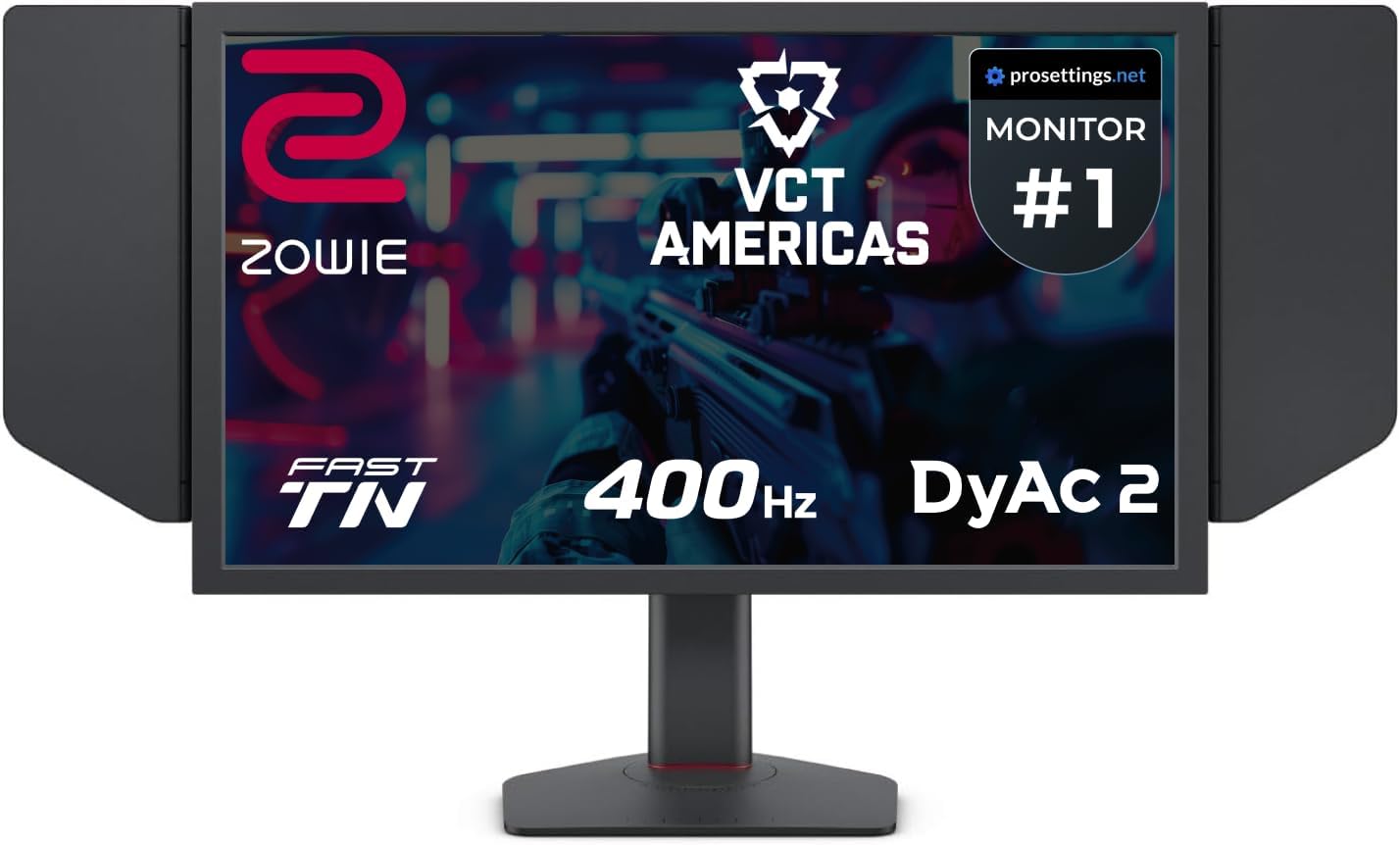
BenQ ZOWIE XL2566X+ 24.1-inch 400Hz Gaming Monitor
Our top recommendation for this category
Price as of May 22, 2026 — see current price on Amazon.
In this guide
According to ProSettings.net, 27% of the 897 tracked professional CS2 players are using the exact same monitor right now. That number tells you something useful: when money is on the line, the choices converge fast. This guide covers what those players are actually running, plus some more accessible options if you're not dropping $400+ on a display.
The short version: 1080p is still king for competitive play, 360Hz has become the sweet spot for serious ranked grinders, and OLED at high refresh rates is no longer out of reach. Let's break it down.
| Monitor | Panel | Refresh Rate | Resolution | Price | Best For | |
|---|---|---|---|---|---|---|
| BenQ ZOWIE XL2566X+ | Fast TN | 400Hz | 1080p | ~$649.99 | Pro-level CS2/VALORANT | Check Price |
| Alienware AW2524HF | IPS | 500Hz (OC) | 1080p | ~$399 | Speed freaks on a budget | Check Price |
| LG UltraGear 27GX790A-B | OLED | 480Hz | 1440p | ~$464.99 | Best of both worlds | Check Price |
| ViewSonic XG2431 | IPS | 240Hz | 1080p | ~$240 | Mid-range competitive | Check Price |
| AOC 24G2SP | IPS | 165Hz | 1080p | ~$120 | Budget entry point | Check Price |
BenQ ZOWIE XL2566X+: The Successor to What the Pros Use
BenQ ZOWIE XL2566X+ 24.1-inch 400Hz Gaming Monitor
Pros
- Direct successor to the XL2566K that 27% of pro CS2 players use, per May 2026 ProSettings data
- 400Hz Fast TN panel with DyAc 2 strobing, per the listing
- XL Setting to Share, Black eQualizer and Color Vibrance carry over
- S Switch and shielding hood included, per the listing
Cons
- TN panel, so colors are noticeably worse than IPS or OLED
- No HDR worth mentioning
- $649.99 is a big step up from what the XL2566K used to cost
Price as of May 22, 2026 — see current price on Amazon.
A note on the link before anything else: the XL2566K itself is no longer sold new on Amazon (both listings we tracked went unavailable), so the card above points to its direct successor, the XL2566X+. The specs there come from BenQ's Amazon listing, not from a bench session: a 24.1-inch Fast TN panel at 400Hz, DyAc 2 strobing, XL Setting to Share, Black eQualizer, Color Vibrance, the S Switch and a shielding hood in the box. It was $649.99 when I checked in September 2026. Everything below about why pros pick ZOWIE still applies, because the X+ is the same recipe with a faster panel.
The XL2566K has been the #1 monitor on the pro CS2 circuit for a while now. ZOWIE's hold on competitive play isn't accidental. The DyAc+ (Dynamic Accuracy Plus) backlight strobing technology reduces motion blur in a way that, combined with the 360Hz panel, makes fast movement genuinely cleaner than most IPS monitors can achieve at the same refresh rate. When you're tracking a player peeking an angle at 300+ FPS, that clarity matters.
The TN panel is the obvious weakness. Colors are washed out compared to IPS, viewing angles are narrow, and HDR is basically decorative. But here's the thing: competitive players don't care. They run CS2 with textures on low and shadows off. The display is a tool for seeing enemies quickly, not a cinematic experience.
What actually makes ZOWIE sticky in the pro scene is the ecosystem. XL Setting to Share means you can download the exact monitor profile from your favorite pro, load it on your ZOWIE, and have their brightness, black equalizer, and color vibrance settings instantly. The S Switch peripheral lets you cycle between three saved profiles with a button click. It's a small thing, but it's the kind of detail that makes tournament setups faster to configure.
At $649.99 for the X+, it's not cheap. But if your goal is to use what the best players in the world use, or the version of it you can still buy new, this is it.
Alienware AW2524HF: 500Hz for Under $400
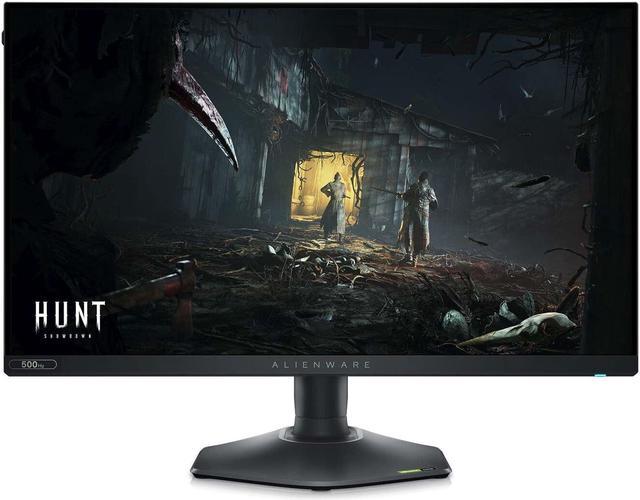
Alienware AW2524HF 24.5-inch 500Hz Gaming Monitor
Pros
- 500Hz overclock on a fast IPS panel
- Better color accuracy than TN at comparable speeds
- AMD FreeSync Premium and VESA AdaptiveSync certified
- 3-year Advanced Exchange warranty from Dell
Cons
- 500Hz requires specific GPU configurations to actually hit
- Less motion clarity than ZOWIE's DyAc+ strobing at equal refresh rates
- Runs warm under sustained load
Price as of May 22, 2026 — see current price on Amazon.
When the AW2524HF originally launched, it was priced at $650. As of early 2026 it's been sitting around $399 on Amazon, which makes it one of the better deals in high-refresh-rate competitive monitors right now.
The IPS panel is the key differentiator from the ZOWIE above. You get better colors, better viewing angles, and a more forgiving experience when you're using this for anything beyond ranked gaming. The 500Hz overclock (480Hz native) is legitimately the highest refresh rate on any IPS panel available at this price. Whether you can actually push 500 FPS in CS2 depends on your GPU, but if you've got an RTX 4080 or better, it's achievable.
The 0.5ms response time is one of the fastest available on an IPS, and Dell backs it with their 3-year Advanced Exchange warranty, which is better than what most monitor brands offer. Honestly, for a player who wants the competitive specs without the dull TN colors, this is probably the smarter buy than the ZOWIE. You give up the DyAc+ strobing and the XL ecosystem, but you gain a lot of everyday usability.
LG UltraGear 27GX790A-B: When You Want Both
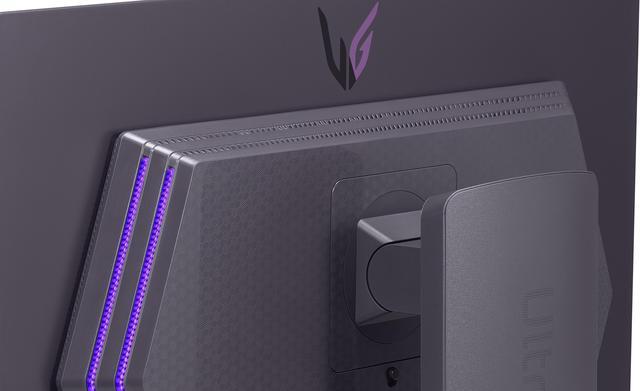
LG UltraGear 27GX790A-B 27-inch 480Hz OLED Gaming Monitor
Pros
- 480Hz on a QD-OLED panel is the fastest OLED available in 2026
- 0.03ms response time, nothing touches it
- 1440p gives you sharper image than 1080p TN panels while staying fast
- DisplayPort 2.1 for full bandwidth
Cons
- $464.99 is still a significant investment for a 24-inch-class competitive setup
- 1440p requires more GPU headroom to hit 480 FPS
- OLED burn-in remains a long-term concern for competitive players running static HUD elements
Price as of May 22, 2026 — see current price on Amazon.
The 27GX790A-B is what happens when LG decides to take competitive gaming seriously. At 480Hz on a QD-OLED panel with a 0.03ms response time, it's faster than most players can perceive, but that's kind of the point. You never want the display to be the bottleneck.
The 1440p resolution at 27 inches is a meaningful upgrade over 1080p at 24.5 inches. Enemies at range are easier to read. Text in the game UI is crisper. And the OLED contrast ratio means the visual separation between a player model and a dark background is just better. Not by a game-breaking amount, but it's there.
The practical concern is GPU requirements. To hit 480 FPS in CS2 at 1440p, you need something in the RTX 4080 or RX 7900 XTX range consistently. Most people who can afford this monitor can probably afford that GPU, but it's worth factoring in before you buy.
RTINGS rates the panel very highly for motion handling and input lag. The burn-in concern is real for competitive gaming specifically, because you're running the same HUD layout for thousands of hours. LG includes a pixel refresher that helps, and the technology has improved significantly since early OLED panels, but I'd consider an extended warranty if you're using this for 8+ hours a day.
At $464.99 when I checked in September 2026, well under its launch price, it's no longer even the most expensive monitor in this guide. It is still the best display, full stop.
ViewSonic XG2431: The Competitive Sweet Spot Around $240
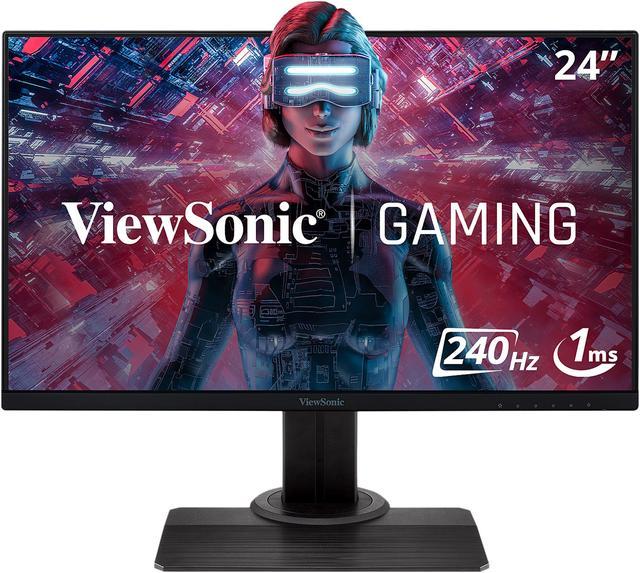
ViewSonic XG2431 24-inch 240Hz IPS Gaming Monitor
Pros
- Blur Busters 2.0 certification means the motion clarity is independently verified
- Fast IPS delivers 0.5ms response at 240Hz
- NVIDIA G-SYNC Compatible and AMD FreeSync Premium
- Certified motion clarity at a mid-range price
Cons
- 240Hz feels a bit limited after spending time on 360Hz+ panels
- No USB-C
- Stand design is functional but not flexible
Price as of May 22, 2026 — see current price on Amazon.
The XG2431 has a Blur Busters 2.0 certification, which is a more meaningful spec than most monitor badges. Blur Busters tests motion clarity independently and certifies that the strobing implementation on this monitor actually works as advertised. At 240Hz with 0.5ms Fast IPS response, the XG2431 genuinely competes above its price class.
ViewSonic also includes their Advanced Ergonomics stand with height adjustment, swivel, tilt, and pivot. You'd expect that at $300. At $239.99, it's still a good value. It spent most of 2026 under $200 on Amazon, and the price crept up to $239.99 as of September, so it's worth watching for a dip.
For a player who doesn't have the GPU to drive 360Hz+ consistently, or simply doesn't want to spend $450 on a display right now, this is the most sensible buy in the guide. The jump from 144Hz to 240Hz is noticeable. The jump from 240Hz to 360Hz is real but smaller. Start here, upgrade when you can feel the ceiling.
AOC 24G2SP: The Budget Entry Point That Actually Works
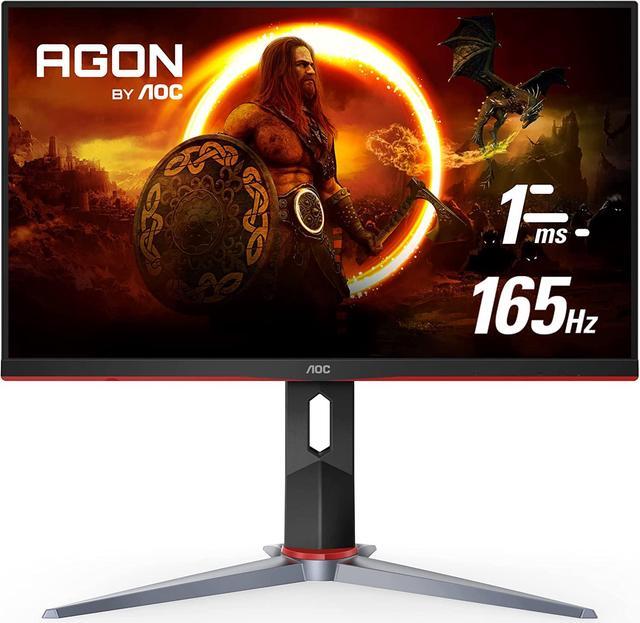
AOC 24G2SP 24-inch 165Hz IPS Gaming Monitor
Pros
- IPS panel with 1ms MPRT and 165Hz for under $130
- Frameless three-side design
- Height-adjustable stand at this price is rare
- Good starting point before upgrading
Cons
- 165Hz is the ceiling, so you'll feel it eventually
- No HDR
- Colors could be more vibrant
Price as of May 22, 2026 — see current price on Amazon.
The AOC 24G2SP is the cheapest monitor in this guide that I'd actually recommend for competitive gaming. At under $130, it delivers a 165Hz IPS panel with 1ms MPRT response, a frameless design, and a height-adjustable stand. That's a lot for the price.
165Hz is not 240Hz. You'll notice the difference after spending time on a faster panel, and once you feel it, it's hard to un-feel. But if you're just getting into competitive play, or you're upgrading from a 60Hz or 75Hz monitor, the jump here will feel massive. Most players in Gold and below on VALORANT aren't going to benefit from 360Hz anyway. The bottleneck is aim and game sense, not display refresh rate.
The IPS panel is the key reason to pick this over the old 144Hz TN monitors at a similar price. Colors are better, viewing angles are wider, and it doesn't feel like a compromise in the same way a cheap TN does. AOC's build quality has been solid in the $100-150 range for a few years. Buy this, improve your fundamentals, then upgrade when you can feel the limitation.
How to Pick Your Competitive Monitor
Resolution: Stick with 1080p for Pure Competitive Play
Every CS2 pro stat source says the same thing: 1080p is overwhelmingly dominant because it's easier to push high frame rates. At 1080p in CS2, a modern GPU can hit 400-600 FPS on an optimized config. That makes 360Hz and 480Hz panels feel fully utilized. At 1440p, you're typically at 200-350 FPS, which still saturates 240Hz comfortably but leaves headroom on 360Hz+ panels.
If you're buying primarily for CS2 or VALORANT and you don't care about image quality outside those games, stay at 1080p. If you also watch media, play story games, or have a powerful GPU, the LG OLED at 1440p makes sense.
Refresh Rate: Where the Diminishing Returns Start
The jump from 60Hz to 144Hz is the biggest you'll ever feel. 144Hz to 240Hz is clearly noticeable. 240Hz to 360Hz is real but smaller. 360Hz to 480Hz is measurable in input lag tests but most players can't consciously feel it in-game.
Practical recommendation: 240Hz if you're on a mid-range GPU, 360Hz if you're running an RTX 4070 or better and take ranked seriously. The 500Hz Alienware makes sense only if you're already at the ceiling of everything else in your setup.
Panel Type: TN vs IPS vs OLED
TN panels dominated competitive gaming for years because they had faster response times. Fast IPS has largely closed that gap. In 2026, the difference between a good IPS and a good TN in competitive gaming is smaller than the color quality difference in everyday use. OLED is the best panel technology available, but it costs more, and burn-in is a real consideration for competitive players who log long hours.
Screen Size: 24.5 Inches Is the Sweet Spot
Most esports pros use 24 to 24.5 inch monitors. At 1080p on a 24.5-inch screen, pixel density is around 90 PPI, which looks sharp enough without wasting GPU headroom on extra pixels. A 27-inch 1080p monitor has lower pixel density and can look slightly soft. If you're going to 27 inches, go 1440p like the LG UltraGear above.
Budget Guidance
Under $150: AOC 24G2SP. It'll get you into competitive gaming without compromises that hurt. Around $240: ViewSonic XG2431. Certified motion clarity, fast IPS, solid all-around. Around $400: Alienware AW2524HF for IPS. If you can stretch to $465, the LG UltraGear 27GX790A-B OLED gets you the best of everything. The BenQ ZOWIE XL2566X+ at $650 is for the player who wants the pro-lineage TN specifically.
Frequently asked questions
- What monitor do most CS2 pros use?
- As of May 2026, the BenQ ZOWIE XL2566K is used by about 27% of tracked CS2 professional players (246 out of 897), followed by the ZOWIE XL2546K at around 26%. ZOWIE in total accounts for about 88% of CS2 pro usage according to ProSettings.net data.
- Do I need a 360Hz monitor for VALORANT ranked play?
- No. 240Hz is more than enough for most ranked players, and even 165Hz is competitive. The pros run 360Hz+ because they genuinely play at 300-500 FPS with maxed-out hardware. If your GPU can't sustain 240 FPS consistently, a 240Hz or even 165Hz monitor will fully saturate your frame output.
- Is OLED worth it for competitive gaming?
- It depends on your budget and how much you value color quality outside of gaming. The LG UltraGear 27GX790A-B is objectively faster in response time than any IPS monitor, but it costs more and has burn-in risk. For a dedicated competitive gaming setup, most people are better served by a high-Hz IPS. If you use the monitor for everything, OLED is worth the premium.
- What's the difference between a 240Hz and 360Hz monitor in practice?
- At 240Hz, your screen refreshes 240 times per second. At 360Hz, it refreshes 360 times. The difference is real and measurable, especially in fast-paced games, but it's smaller than the jump from 60Hz to 144Hz. You'll notice smoother motion when panning quickly and slightly reduced input lag at 360Hz. Whether that translates to better performance depends on your baseline skill level.
- Does monitor choice actually affect your rank in competitive games?
- Yes, but less than you think and much less than aim, game sense, and hardware like your mouse and headset. A faster monitor reduces input lag and makes fast movements cleaner to track. But going from Silver to Gold in VALORANT comes from fundamentals, not hardware upgrades. Buy a good monitor, then stop worrying about it.
- What GPU do I need to run a 360Hz monitor at full speed?
- In CS2 with a competitive config (low settings, no extra effects), an RTX 4070 or RX 7800 XT can generally sustain 300-400 FPS at 1080p. For VALORANT, even an RTX 3060 can hit 300+ FPS on low settings. A 360Hz panel will feel meaningfully faster once you're pushing above 300 FPS consistently. Below that, a 240Hz monitor saves money and still keeps you competitive.
The Bottom Line
For most competitive players, the Alienware AW2524HF or the BenQ ZOWIE XL2566X+ is the right buy. The Alienware gives you better colors and IPS quality for around $399. The ZOWIE gives you the successor to the exact setup that dominates the CS2 pro circuit, at $649.99.
If you're on a tighter budget, the ViewSonic XG2431 at around $240 with its Blur Busters 2.0 certification is genuinely competitive without cutting corners that hurt. And the AOC 24G2SP is a real option if you're just getting started and want to stay under $130. The LG UltraGear OLED is for the player who wants the absolute best and can afford to pay for it.
The main thing to remember: the monitor affects your input lag and motion clarity. It won't teach you to counterstraft or find your crosshair placement. Get a display that removes the hardware bottleneck, then go practice.
How We Test
We score products by combining spec-level research, pricing history, trusted third-party benchmarks, and owner sentiment from high-signal sources.
- Performance and real-world value in the category this guide targets
- Price-to-performance and deal consistency over recent pricing windows
- Build quality, reliability patterns, and known long-term issues
- Recommendation refresh cadence to keep these picks current
Author
TheTechSearch Editorial Team
Independent product reviewers & PC builders
We test and compare real-world specs, price trends, and user feedback to recommend gear that actually makes sense to buy.