Best CPU Coolers 2026
The best CPU coolers for 2026. Air coolers and AIO liquid coolers ranked for thermals, noise, and value. Budget picks to premium 360mm AIOs. Expert picks, pr...
As an Amazon Associate we earn from qualifying purchases made through our links — this doesn't affect our picks.
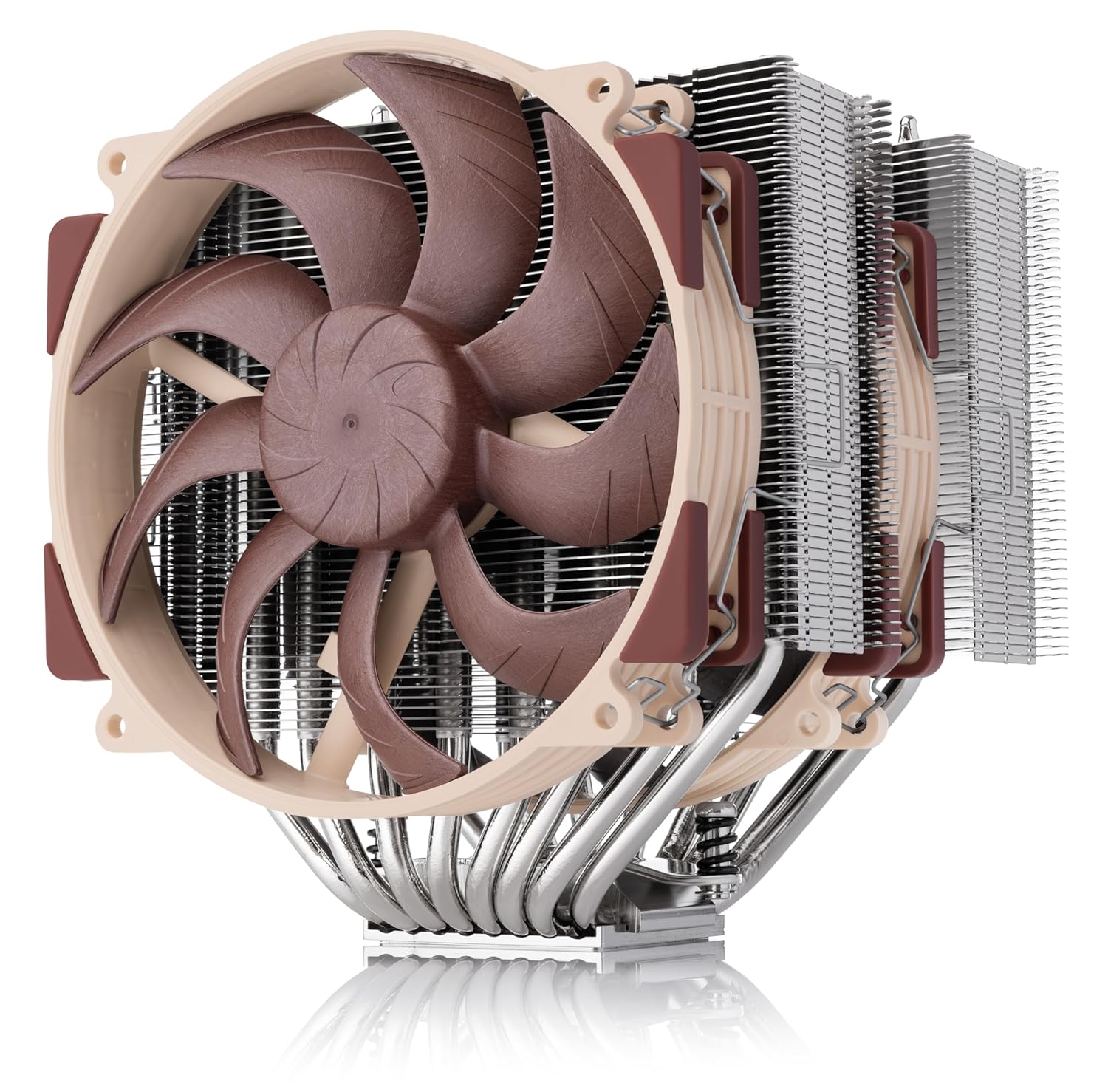
Noctua NH-D15 G2
Our top recommendation for this category
Price as of Feb 22, 2026 — see current price on Amazon.
Your CPU cooler choice comes down to one question: how much heat does your processor make? A Ryzen 5 7600 at 65W TDP doesn't need a $200 AIO. A Core i9-14900K at 253W absolutely does. Matching cooler to CPU saves you money and keeps your system quiet.
Air coolers have gotten remarkably good. The latest dual-tower designs compete with 240mm AIOs in cooling performance while being dead silent. AIOs still win for the highest TDP chips and for builds where a massive air cooler would block RAM or look ugly. Both types have their place, and the best choice depends on your specific build. If you're planning a new build, check out our best airflow PC cases to pair with whichever cooler you choose.
Picks draw on GamersNexus thermal benchmarks (26 coolers tested on AM5) plus data from Tom's Hardware, PC Gamer, and KitGuru, to find the coolers that actually deliver.
Our top picks at a glance
| CPU Cooler | Type | Fan Size | TDP Rating | Price | |
|---|---|---|---|---|---|
| Noctua NH-D15 G2 | Air (Dual Tower) | 2x 140mm | 250W+ | $159.95 | Check Price |
| Thermalright Peerless Assassin 120 SE | Air (Dual Tower) | 2x 120mm | 200W | $35 | Check Price |
| Sudokoo SK700 | Air (Single Tower) | 1x 120mm | 220W | $67.49 | Check Price |
| ID-Cooling FX 360 Pro | AIO (360mm) | 3x 120mm | 280W+ | $60 | Check Price |
Best air cooler: Noctua NH-D15 G2
Noctua NH-D15 G2
Pros
- Best noise-normalized air cooling performance per GamersNexus
- Virtually silent at normal loads, barely audible under stress
- NF-A15 G2 fans are among the quietest 140mm fans made
- Fits AM5, LGA 1700/1851, and most current sockets
- 6-year warranty from Noctua
- Will outlast multiple CPU upgrades
Cons
- $159.95 is expensive for an air cooler
- Massive, may block tall RAM in the front slot
- Brown color scheme isn't for everyone (chromax black available)
- 165mm tall, check case clearance
- Heavy at 1.5kg, be careful with motherboard flex
Price as of Feb 22, 2026 — see current price on Amazon.
The NH-D15 has been the king of air coolers for over a decade, and the G2 revision proves Noctua still knows what they're doing. GamersNexus gave it their Best Noise-Normalized Thermals (Air) award after testing 26 coolers on AM5, and PC Gamer calls it the best air cooler they've tested.
What makes the D15 G2 special isn't raw cooling power (several cheaper coolers match it at max fan speed). It's the noise profile, which is exactly what that GamersNexus noise-normalized award measures. The NF-A15 G2 fans spin slower than the competition while moving equivalent air, thanks to Noctua's obsessive engineering of blade geometry and motor bearings.
For CPUs up to about 200W sustained (Ryzen 9 9900X, Core i7-14700K), the D15 G2 keeps temperatures comfortably in check. Even a 253W i9-14900K stays manageable, though you'll hear the fans ramp up under all-core workloads.
The size is the real limitation. At 165mm tall and 150mm wide, this thing is enormous. It will block the first DIMM slot on many motherboards, which means you either use slots 2 and 4 for RAM or buy low-profile memory. Check your case's CPU cooler clearance (needs 165mm+) before buying.
If the brown color scheme bothers you, the chromax.black version is the same cooler in all black for about $10 more.
Best budget air cooler: Thermalright Peerless Assassin 120 SE
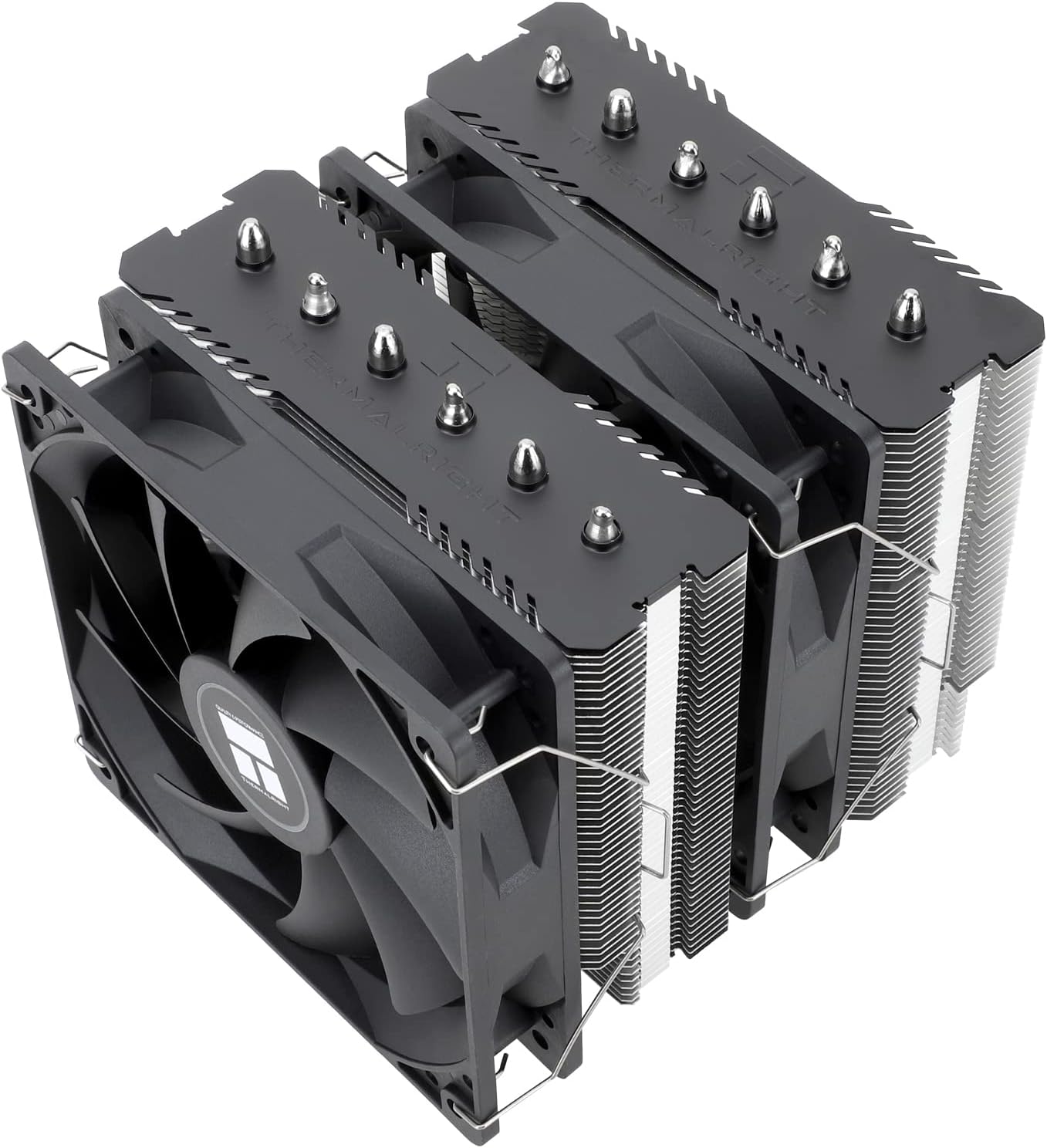
Thermalright Peerless Assassin 120 SE
Pros
- $35 for dual-tower performance that rivals $80+ coolers
- Six heatpipes and two 120mm fans included
- Excellent cooling for CPUs up to 200W
- Compact enough to avoid most RAM clearance issues
- AM5 and LGA 1700/1851 mounting included
- Quiet under normal gaming loads
Cons
- Build quality feels budget (because it is)
- Included thermal paste is mediocre (use your own)
- Fans are decent but not Noctua-quiet at full speed
- No RGB version available
- Instructions could be clearer
Price as of Feb 22, 2026 — see current price on Amazon.
Thermalright has been embarrassing expensive coolers for years, and the Peerless Assassin 120 SE is the prime example. At $35, you get a dual-tower design with six heatpipes and two 120mm fans that cools a Ryzen 7 9700X or i5-14600K without breaking a sweat. The thermal performance approaches coolers costing two to three times more.
The community loves this cooler for a reason. On r/buildapc, it's probably the single most recommended CPU cooler for mid-range builds. The value proposition is almost unfair: dual tower, six heatpipes, decent fans, and multi-socket compatibility for the price of a fast food meal for two.
Trade-offs are exactly where you'd expect at $35. The included thermal paste is fine but not great (swap in some Thermal Grizzly Kryonaut if you have it). The fans get audible at full tilt. Build quality is functional rather than premium. But the thing that matters, keeping your CPU cool, it does shockingly well.
For any gaming build where the CPU is 150W TDP or under, this is the correct cooler to buy unless you specifically want AIO aesthetics or Noctua-level silence.
Best overall (GN pick): Sudokoo SK700
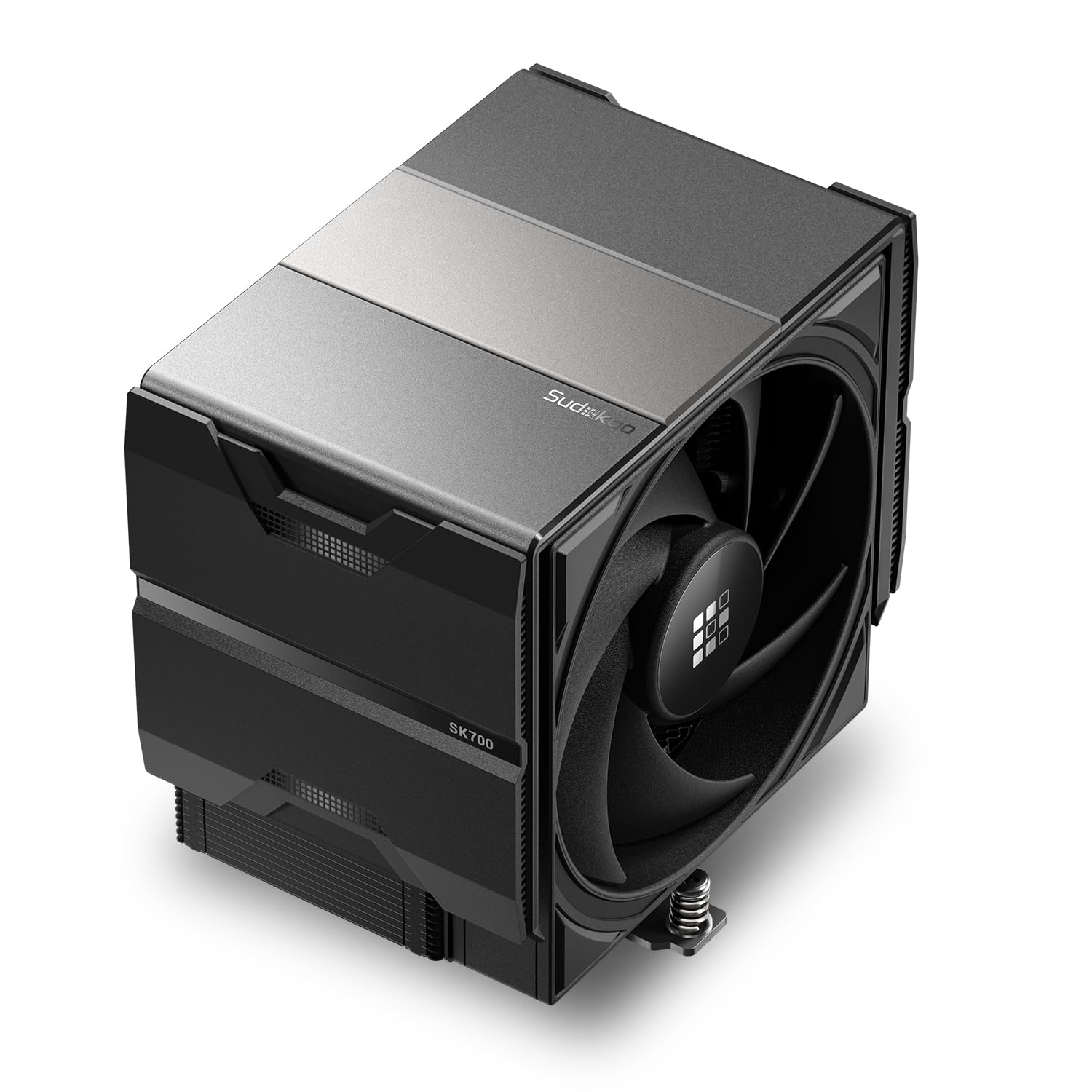
Sudokoo SK700
Pros
- GamersNexus Best Overall CPU Cooler of 2025
- Seven heatpipes in a single-tower design for maximum heat transfer
- 120mm FDB fan with excellent noise-to-performance ratio
- Full RAM clearance thanks to single-tower design
- AM5 exclusive with L-Rail Lock Mount for secure install
Cons
- AM5-only (no Intel LGA 1700/1851 support)
- $67.49 sits between the budget Thermalright and the premium Noctua
- Build quality is good but not Noctua-level
- Newer brand with less long-term track record
- Availability can be inconsistent
Price as of Feb 22, 2026 — see current price on Amazon.
Sudokoo came out of nowhere and earned GamersNexus' Best Overall CPU Cooler award, beating established brands in both raw thermals and noise-normalized performance. The SK700 is a single-tower design with seven heatpipes (more than most competing single-tower coolers) and an optimized fin stack that extracts more heat per decibel of noise than nearly anything else tested at this price.
At $67.49 (Amazon's price when I checked in September 2026), it delivers cooling performance competitive with dual-tower coolers at $100+. The single-tower design also means full RAM clearance, so tall RGB memory sticks won't be an issue.
One real limitation: the SK700 is AM5-only. It won't fit Intel LGA 1700 or LGA 1851. If you're on AMD Ryzen and want the best noise-normalized performance per dollar, this is the cooler to get. If you need Intel compatibility or want Noctua's 20-year reliability record, the NH-D15 G2 is the safer buy.
Best budget AIO: ID-Cooling FX 360 Pro
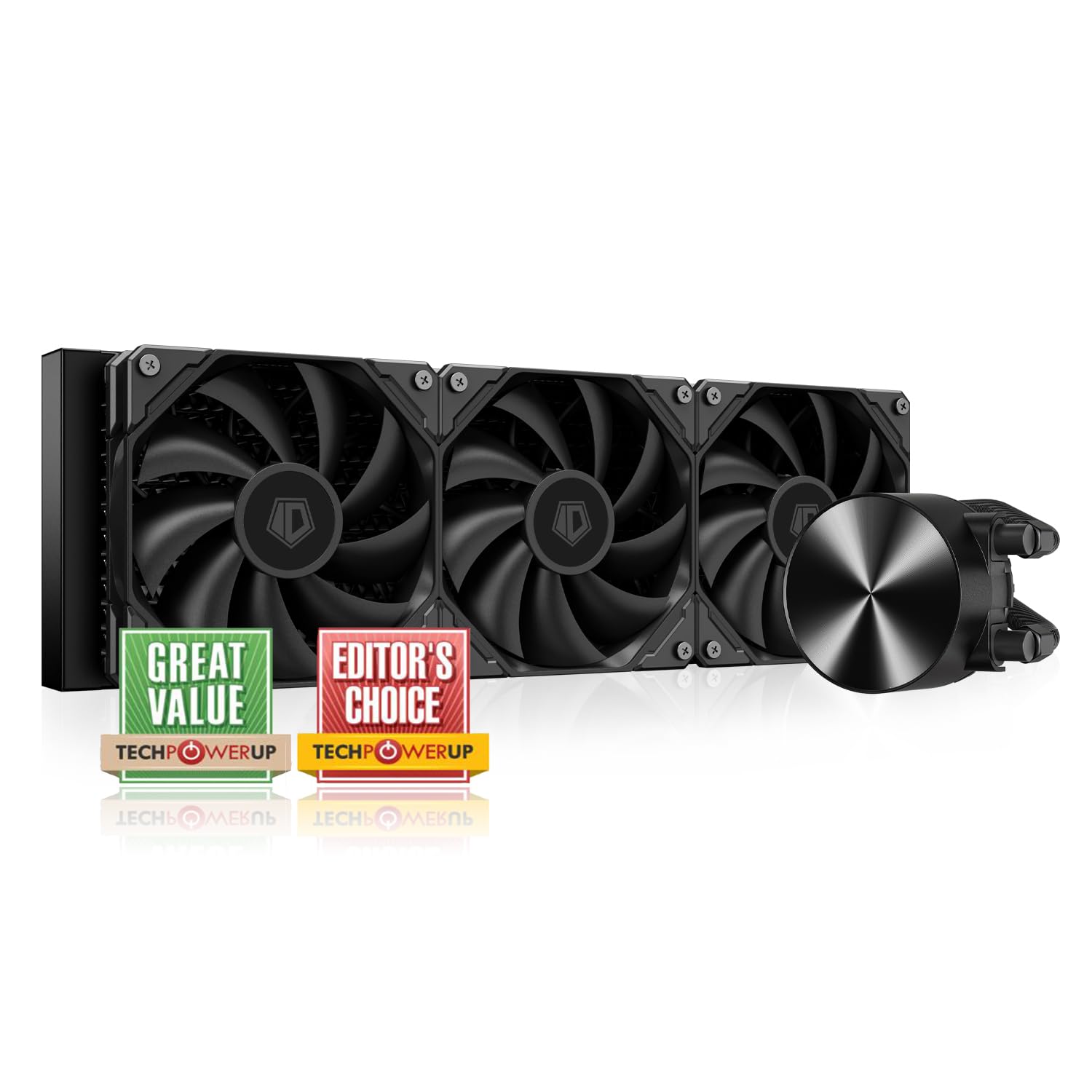
ID-Cooling FX 360 Pro
Pros
- $60 for a 360mm AIO is absurdly cheap
- GamersNexus Best Budget (Liquid) cooler
- Cools high-TDP CPUs adequately for the price
- Three 120mm fans included
- Simple black design works in any build
Cons
- Louder than pricier 360mm AIOs at equivalent loads
- Pump can be audible at high RPM
- No RGB in the base model
- Build quality is budget-tier
- Fans are the first thing you'll want to upgrade
Price as of Feb 22, 2026 — see current price on Amazon.
GamersNexus awarded the FX 360 Pro their Best Budget liquid cooler, and at $60 for a 360mm AIO, the price is almost hard to believe. ID-Cooling has been aggressively targeting the value segment, and this cooler delivers functional 360mm AIO performance for less than most 120mm AIOs.
The cooling performance is adequate rather than exceptional. It'll handle a Ryzen 7 or i7 without thermal issues, but high-TDP chips (250W+) will push it to its limits. The fans and pump are louder than pricier 360mm AIOs at equivalent temperatures, which is the primary trade-off for the low price.
For budget builds where you want AIO aesthetics and the thermal headroom of a 360mm radiator without spending $100+, the FX 360 Pro makes sense.
Buying guide: How to choose the right CPU cooler
Match cooler to CPU TDP
This is the most important decision. Your CPU is typically the biggest heat source. For GPU thermals, see our best GPU for gaming guide.
- 65-105W TDP (Ryzen 5, i5): Budget single or dual-tower air cooler (under $40)
- 105-150W TDP (Ryzen 7, i7): Mid-range dual-tower air cooler ($35-80)
- 150-200W TDP (Ryzen 9, i7-K): Premium air cooler or 240mm AIO ($80-110)
- 200-253W TDP (i9, overclocked): 360mm AIO ($60-200)
Air vs AIO: The real differences
Air coolers are simpler, have no pump to fail, last essentially forever, and are quieter at equivalent cooling. Premium air coolers (NH-D15 G2, Sudokoo SK700) match 240mm AIOs.
AIO liquid coolers handle the highest TDP chips better, look cleaner in builds, don't block RAM or PCIe slots, and can be top-mounted for exhaust. The trade-off is pump noise, potential (rare) leaks, and a 5-8 year lifespan before the coolant degrades.
For most builds, air cooling wins on value and longevity. AIOs win for aesthetics and extreme TDP.
Radiator size for AIOs
- 120mm: Don't bother. A good air cooler outperforms it and costs less.
- 240mm: Fine for CPUs up to 200W. Good balance of size and performance.
- 280mm: Slightly better than 240mm, but case support is less common.
- 360mm: The performance standard for high-TDP chips. Best noise-to-cooling ratio.
RAM clearance
Large air coolers can block the first DIMM slot. Before buying, check:
- Your cooler's RAM clearance spec
- Your RAM's height (standard is 33-42mm, tall RGB kits can hit 55mm+)
- Whether your motherboard places RAM to the left of the socket (most do)
If clearance is tight, use DIMM slots 2 and 4 instead of 1 and 3 (check your motherboard manual for optimal dual-channel configuration).
Case clearance
Check your case's maximum CPU cooler height spec. Common clearances:
- Compact ATX cases: 155-160mm
- Standard mid-tower: 165-170mm
- Full tower: 180mm+
- The Noctua NH-D15 G2 needs 165mm. The Thermalright PA120 SE needs 155mm.
Frequently asked questions
- Is the stock cooler good enough?
- For Ryzen 5 and i5 processors at stock settings, the AMD Wraith Stealth and Intel stock coolers work but run hot and loud. Even a $35 aftermarket cooler dramatically improves temperatures and noise. For any overclocked or high-TDP chip, the stock cooler is inadequate. If you're putting together a budget build, pair it with a fast NVMe SSD for a well-rounded system.
- How often should I replace thermal paste?
- Every 2-4 years, or whenever you remove the cooler for any reason. Thermal paste dries out over time and loses effectiveness. If your CPU temps have gradually increased by 5-10°C over a couple of years, dried paste is likely the cause.
- Can I use an old cooler on a new motherboard?
- Often yes, if the manufacturer sells a mounting kit for the new socket. Noctua is famous for providing free mounting kits for new sockets. Check the manufacturer's website for compatibility and adapters before buying a new cooler.
- Is custom water cooling worth it?
- For most people, no. A 360mm AIO provides 90-95% of the cooling performance of a custom loop at a fraction of the cost and complexity. Custom loops make sense for extreme overclocking, combined CPU+GPU loops, or if you enjoy the building process itself. Budget $300-500 minimum for a quality custom loop.
- Do I need to worry about AIO pump failure?
- Modern AIOs are reliable, with typical lifespans of 5-8 years. Pump failure is rare but does happen. Quality brands (Arctic, Corsair, NZXT, be quiet!) offer warranties that cover pump failure and any damage from leaks. Air coolers have no moving parts besides fans and essentially last forever, which is their reliability advantage.
How We Pick
We pick products by combining spec-level research, price checks, trusted third-party benchmarks, and owner sentiment from high-signal sources.
- Performance and real-world value in the category this guide targets
- Price-to-performance and deal consistency over recent pricing windows
- Build quality, reliability patterns, and known long-term issues
- Recommendation refresh cadence to keep these picks current
Author
TheTechSearch Editorial Team
Independent product reviewers & PC builders
We compare real-world specs, reviews and owner reports, price trends, and user feedback to recommend gear that actually makes sense to buy.