Best DDR5 RAM for Gaming 2026
The best DDR5 RAM kits for gaming in 2026. Picks for AMD Ryzen and Intel platforms, from DDR5-6000 sweet spots to the cheapest kits that still hit the right...
As an Amazon Associate we earn from qualifying purchases made through our links — this doesn't affect our picks.
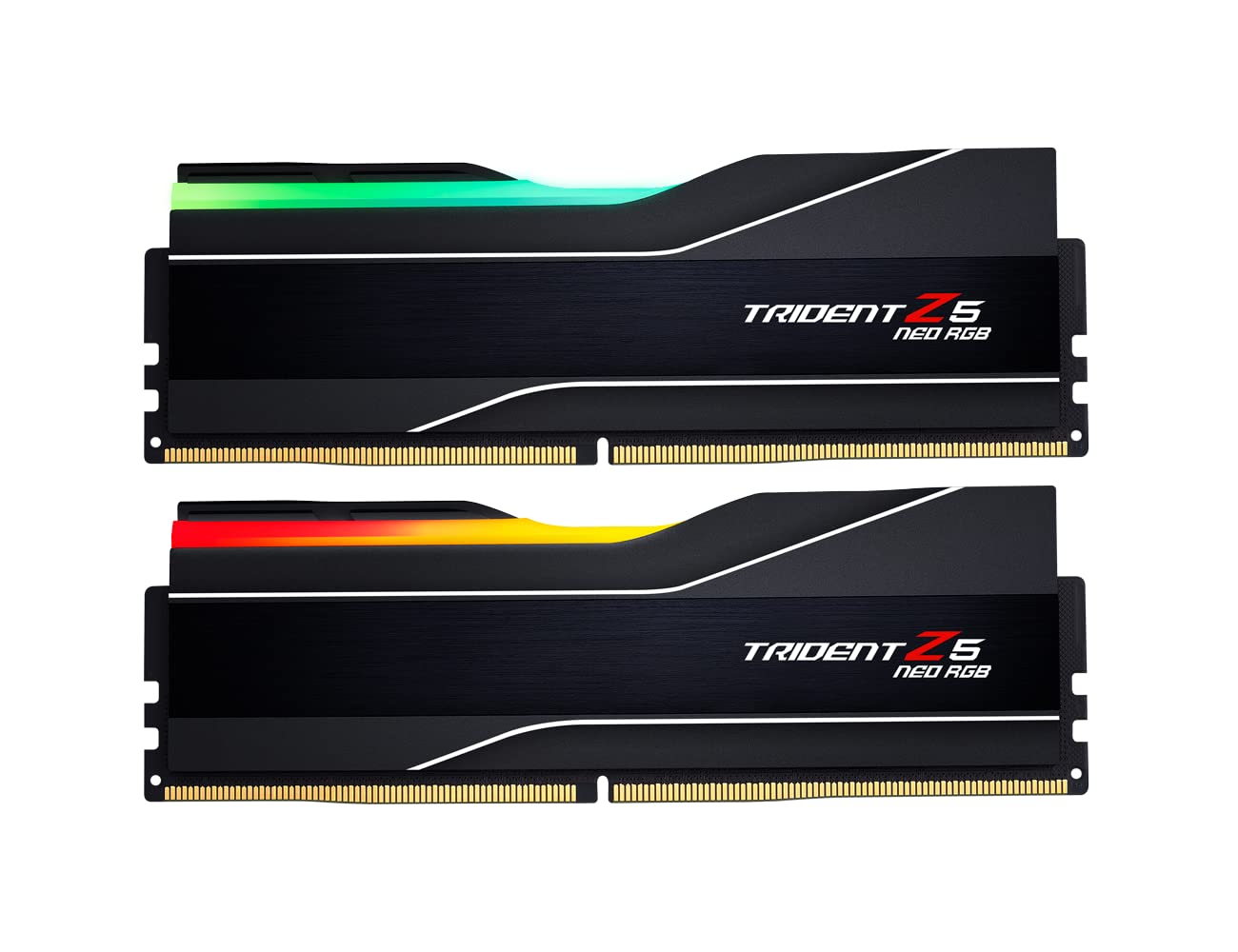
G.Skill Trident Z5 Neo RGB DDR5-6000 CL30
Our top recommendation for this category
Price as of Feb 21, 2026 — see current price on Amazon.
In this guide
- Our top picks at a glance
- Best for AMD Ryzen: G.Skill Trident Z5 Neo RGB DDR5-6000 CL30
- Best for Intel: G.Skill Trident Z5 RGB DDR5-6400 CL32
- Best all-rounder: Kingston Fury Beast RGB DDR5-6000 CL36
- Best budget: TeamGroup T-Create Expert DDR5-6000 CL30
- Best 64GB kit: G.Skill Trident Z5 Neo RGB DDR5-6000 CL30 (64GB)
- Buying guide: DDR5 RAM for gaming
Here's something most RAM marketing won't tell you: faster doesn't always mean better. A DDR5-8000 kit can actually perform worse in games than a DDR5-6000 kit on AMD Ryzen, because pushing past 6000 MT/s forces most Ryzen CPUs into a desynchronized mode that adds latency. You'd be paying more for worse performance.
RAM buying in 2026 is platform-specific. AMD Ryzen has a hard sweet spot at DDR5-6000 CL30. Intel Core Ultra 200S benefits from faster speeds up to DDR5-6400 or even 8000. And if you're running a Ryzen X3D chip, your massive V-Cache makes RAM speed almost irrelevant.
One thing to set expectations on before you scroll: DDR5 pricing has moved a long way in 2026. Every price below is the live Amazon buy-box price for the exact kit linked, and a 32GB DDR5-6000 kit that used to sit under $100 now sits above $500. "Budget" in this guide means the cheapest option in an expensive field, not a cheap one. It also means the gap between the cheapest and the priciest 32GB kit here is under 20 percent, so the old advice to save money with looser timings buys you much less than it used to.
This guide matches the right RAM to your actual platform, not just the biggest number on the box. Pairing RAM with the right GPU for gaming and a quality CPU cooler matters too, RAM doesn't make up for thermal throttling or a GPU bottleneck.
Our top picks at a glance
| RAM Kit | Speed | Latency | Capacity | Price | |
|---|---|---|---|---|---|
| G.Skill Trident Z5 Neo RGB DDR5-6000 CL30 | DDR5-6000 | CL30-38-38-96 | 32GB (2x16GB) | $599.99 | Check Price |
| G.Skill Trident Z5 RGB DDR5-6400 CL32 | DDR5-6400 | CL32-39-39-102 | 32GB (2x16GB) | $569.90 | Check Price |
| Kingston Fury Beast RGB DDR5-6000 CL36 | DDR5-6000 | CL36 | 32GB (2x16GB) | $549.99 | Check Price |
| TeamGroup T-Create Expert DDR5-6000 CL30 | DDR5-6000 | CL30 | 32GB (2x16GB) | $509.99 | Check Price |
| G.Skill Trident Z5 Neo RGB DDR5-6000 CL30 (64GB) | DDR5-6000 | CL30-40-40-96 | 64GB (2x32GB) | $1,149.99 | Check Price |
Best for AMD Ryzen: G.Skill Trident Z5 Neo RGB DDR5-6000 CL30
G.Skill Trident Z5 Neo RGB DDR5-6000 CL30
Pros
- Hits the exact DDR5-6000 sweet spot for Ryzen's Infinity Fabric 1:1 sync
- CL30-38-38-96 is the tightest primary timing set in this guide
- AMD EXPO profile for one-click DDR5-6000 setup on AM5 boards
- Runs at 1.35V, the lowest rated voltage of the kits here
- Excellent RGB implementation that actually looks good
Cons
- The most expensive 32GB kit in this guide
- About $90 more than the TeamGroup at the same speed and CAS latency
- Won't meaningfully outperform cheaper DDR5-6000 kits in most games
- Heatspreader is tall, check CPU cooler clearance
Price as of Feb 21, 2026 — see current price on Amazon.
If you're building on AMD Ryzen (any AM5 chip, whether Zen 4 or Zen 5), this is the RAM kit to get. DDR5-6000 at CL30 is the gold standard for Ryzen because it maintains perfect 1:1 synchronization between the memory clock and Infinity Fabric. Push faster and most Ryzen CPUs drop into 2:1 mode, adding latency that cancels out the bandwidth gains.
The Trident Z5 Neo is specifically designed for AMD platforms with an EXPO profile that just works. Enable EXPO in your BIOS, and you're running at rated speeds within seconds. No manual tuning, no voltage adjustments, no compatibility headaches.
There is a detail worth noticing on the spec sheet. This kit is rated at 1.35V while the 64GB version of the same family and the faster Trident Z5 RGB both want 1.40V. Lower voltage at the same speed generally means less heat in a cramped case, and it is the sort of thing that matters more in a small-form-factor build than in a full tower.
The RGB on the Trident Z5 series is genuinely well-done. Diffused lighting, software control through G.Skill's own app or motherboard RGB software, and a design that looks premium without being gaudy.
The honest caveat is the price. At $599.99 this is the most expensive 32GB kit here, and the TeamGroup below runs the same DDR5-6000 CL30 for $90 less. What you're paying for is the RGB, the EXPO tuning pedigree, and the tighter documented sub-timings. If none of those matter to you, buy the TeamGroup and put the difference toward your GPU.
Best for Intel: G.Skill Trident Z5 RGB DDR5-6400 CL32
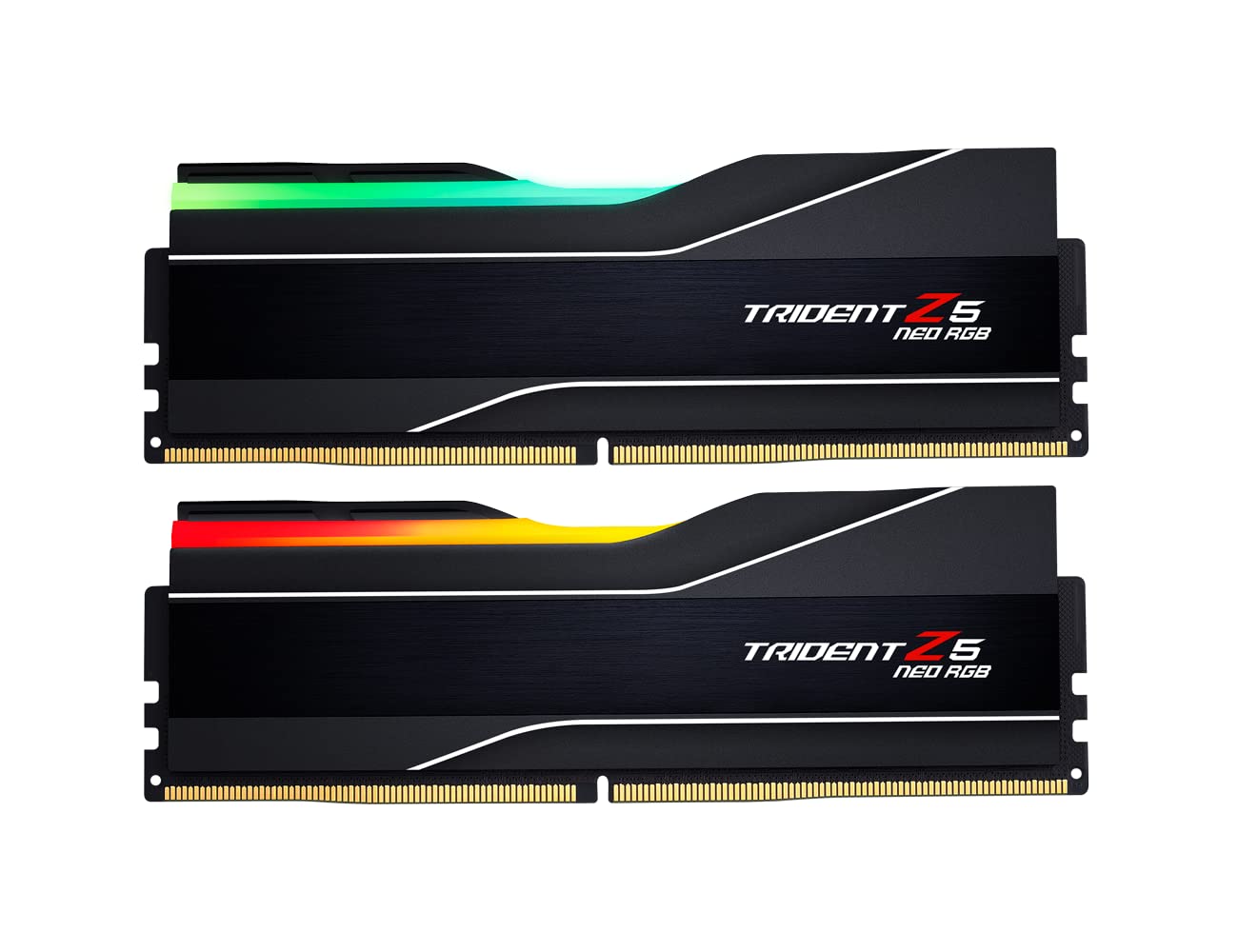
G.Skill Trident Z5 RGB DDR5-6400 CL32
Pros
- DDR5-6400 CL32 lands on the Intel sweet spot rather than overshooting it
- CL32-39-39-102 is tight for this speed grade
- XMP 3.0 profile for one-click setup on Z890 boards
- Strong starting point if you want to tune further in BIOS
- Excellent build quality and attractive RGB
Cons
- Costs more than every DDR5-6000 kit here except the G.Skill Neo
- Listed with an Intel XMP 3.0 profile, so AMD builders should take the Neo instead
- Taking advantage of the headroom requires BIOS knowledge
- CL32 at 6400 isn't as tight as CL30 at 6000
Price as of Feb 21, 2026 — see current price on Amazon.
Intel's Core Ultra 200S (Arrow Lake) architecture handles memory differently than AMD. It runs in Gear 2 by default, which means the latency penalty from faster RAM is less pronounced. Intel CPUs benefit from the extra bandwidth, which makes DDR5-6400 a better target for Intel builds than the DDR5-6000 that AMD prefers.
The Trident Z5 RGB at DDR5-6400 CL32 hits that target without overshooting into the range where you pay a lot for a percent or two. Out of the box it is already faster than DDR5-6000 CL30 on Intel, though the difference in games is typically 1-2 percent. The real value is the headroom, and many enthusiasts report pushing kits in this family well past their rated speed with manual timing adjustments on Z890 boards.
Note the profile on the listing: this kit is sold with Intel XMP 3.0, not EXPO. On an AM5 board you would be relying on the motherboard to interpret an XMP profile, which is exactly the compatibility headache the Neo above exists to avoid. If you're on AMD, skip this one.
Pricing is the pleasant surprise here. At $569.90 this Intel kit is actually cheaper than the DDR5-6000 Neo, which inverts the usual assumption that the faster kit costs more. If you're on Intel, that makes this an easy call rather than a compromise.
Best all-rounder: Kingston Fury Beast RGB DDR5-6000 CL36
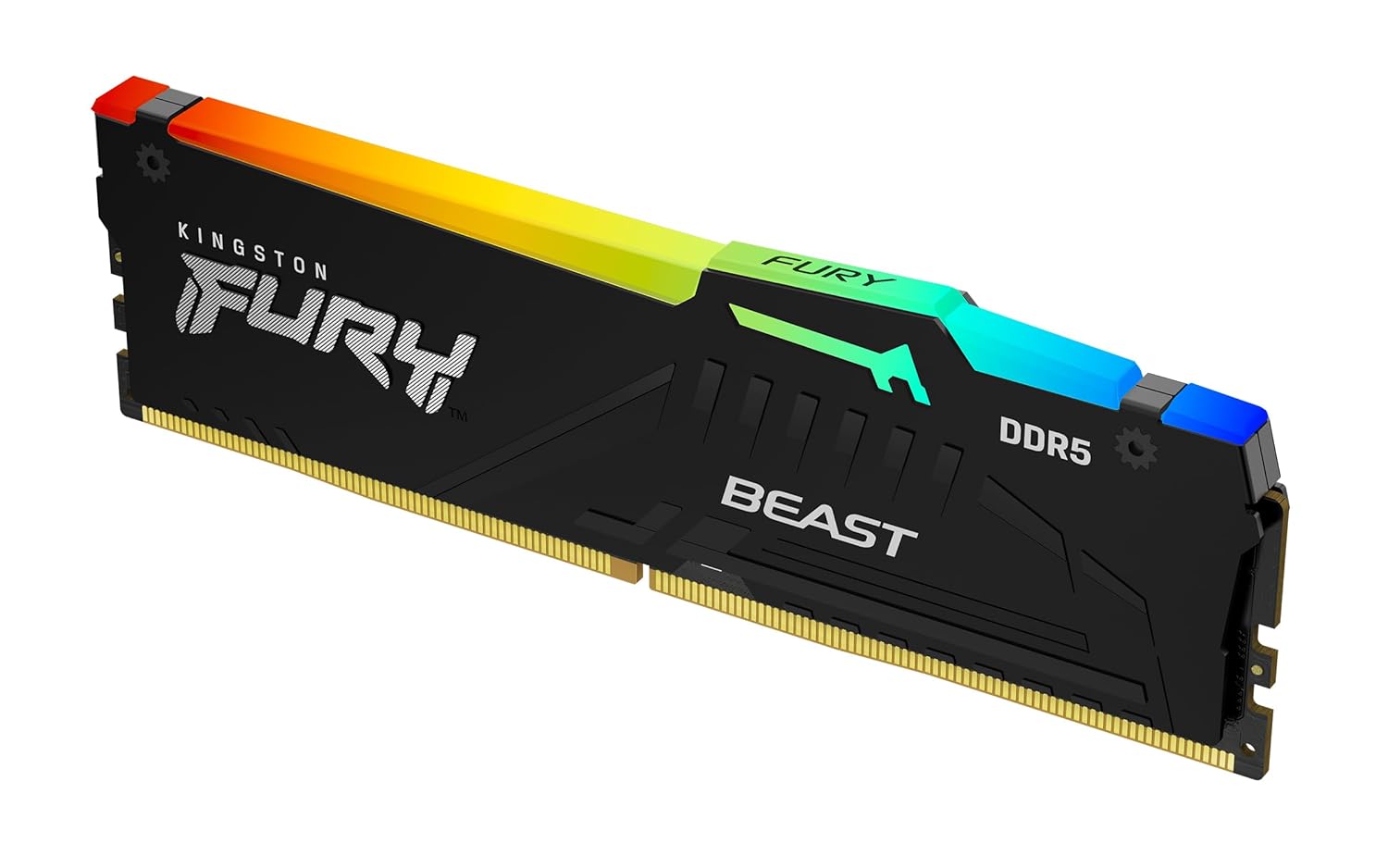
Kingston Fury Beast RGB DDR5-6000 CL36
Pros
- AMD EXPO profile with the plug-and-play behaviour Kingston is known for
- Reliable Kingston quality with strong QVL support
- Good RGB that isn't too aggressive
- Sits in the middle of this field on price
- Hits DDR5-6000, which is the speed that actually matters on Ryzen
Cons
- CL36 is the loosest latency in this guide
- The TeamGroup is cheaper and runs CL30 at the same speed
- RGB isn't as customizable as some competing ecosystems
- No standout feature, just solid across the board
Price as of Feb 21, 2026 — see current price on Amazon.
The Fury Beast RGB is the safe pick. Not the fastest, not the cheapest, not the prettiest. But it works reliably on AM5 and LGA 1851 motherboards, posts at rated speeds without drama, and carries an EXPO profile so AMD builders get one-click setup.
Kingston's QVL (Qualified Vendor List) coverage is excellent, which means your motherboard manufacturer has tested and certified compatibility. That sounds boring until you're debugging why your expensive RAM won't hit its rated speed at 2am, and you wish you'd bought something on the QVL.
The RGB is tasteful rather than aggressive. Diffused light bar on top, controllable through Kingston's FURY CTRL software or your motherboard's RGB sync. For builds where you want some lighting without committing to a full software ecosystem, it's a nice middle ground.
Be clear-eyed about where it lands, though. This is the CL36 version of the Fury Beast, and it costs $40 more than a TeamGroup kit running CL30 at the same DDR5-6000. You're buying the RGB and the Kingston support reputation, not better memory timings.
Best budget: TeamGroup T-Create Expert DDR5-6000 CL30
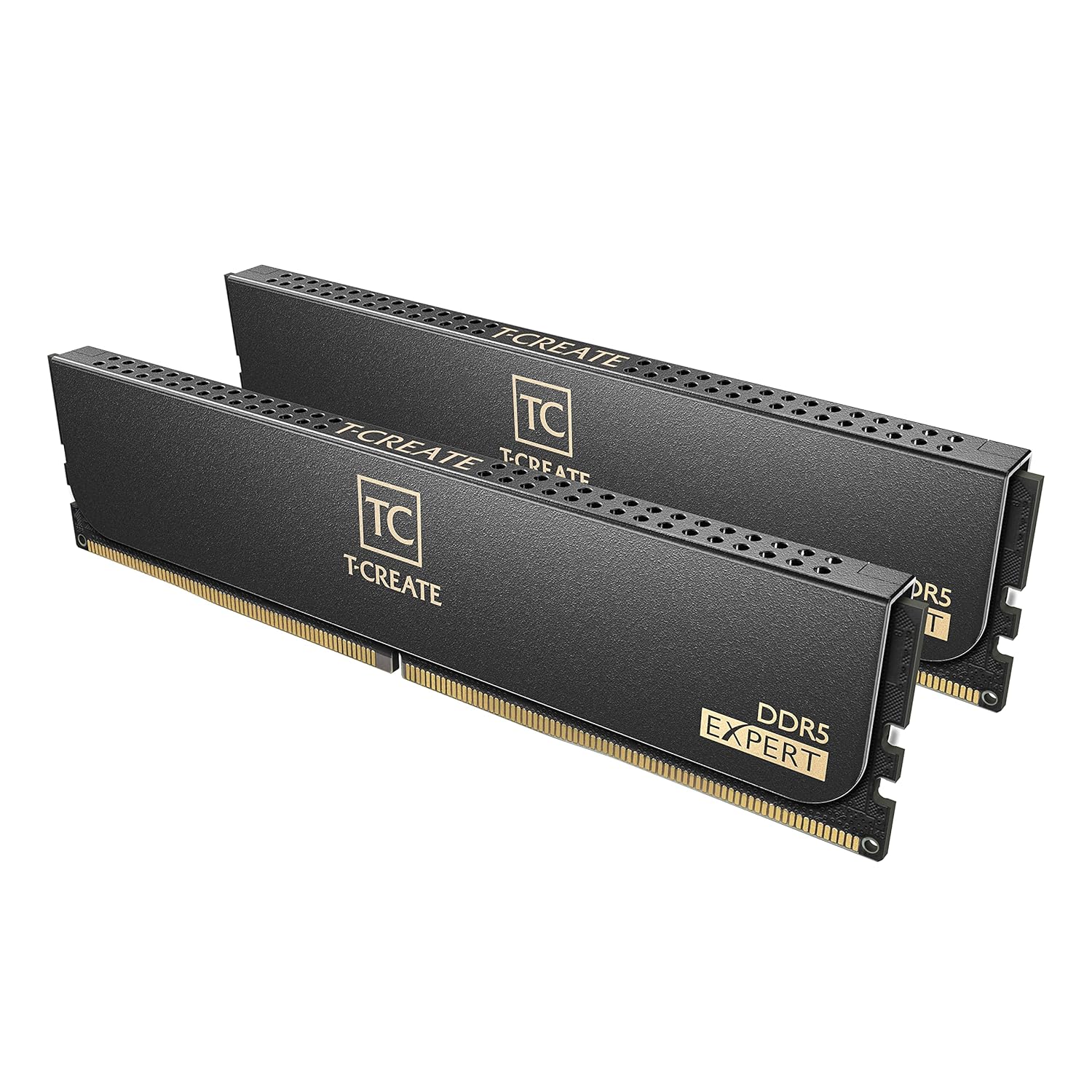
TeamGroup T-Create Expert DDR5-6000 CL30
Pros
- Cheapest kit in this guide and still runs DDR5-6000 CL30
- Carries both Intel XMP 3.0 and AMD EXPO profiles, so it fits either platform
- Low-profile 10L heatspreader clears tall air coolers
- Same CAS latency as the most expensive kit here for $90 less
- No RGB means no extra software running in the background
Cons
- No RGB at all, which rules it out for a lighting-matched build
- Plain aluminium heatspreader with minimal aesthetics
- TeamGroup has less motherboard QVL presence than Kingston or G.Skill
- Being the cheapest kit in a $500-plus field is still not cheap
Price as of Feb 21, 2026 — see current price on Amazon.
This is the value pick, and it wins on the two numbers that decide gaming performance. It runs DDR5-6000, which is the frequency that keeps Ryzen's Infinity Fabric in 1:1 mode, and it does it at CL30, matching the tightest CAS latency in this guide. It costs $90 less than the G.Skill Neo that shares both of those numbers.
The listing carries Intel XMP 3.0 and AMD EXPO profiles, so this is the one kit here that is equally at home on either platform. That is genuinely useful if you haven't settled on a CPU yet, or if you expect the sticks to outlive the platform you first put them in.
The 10L designation refers to the low-profile heatspreader. If you're running a large air cooler whose fan overhangs the first DIMM slot, this is the kit that fits without you measuring anything. Tall RGB heatspreaders are the usual culprit in that particular build headache.
What you give up is lighting and brand presence. There is no RGB, the heatspreader is plain, and TeamGroup shows up on fewer motherboard QVL lists than Kingston or G.Skill. For a build where the RAM lives under a cooler shroud and nobody sees it, none of that costs you a frame.
Best 64GB kit: G.Skill Trident Z5 Neo RGB DDR5-6000 CL30 (64GB)
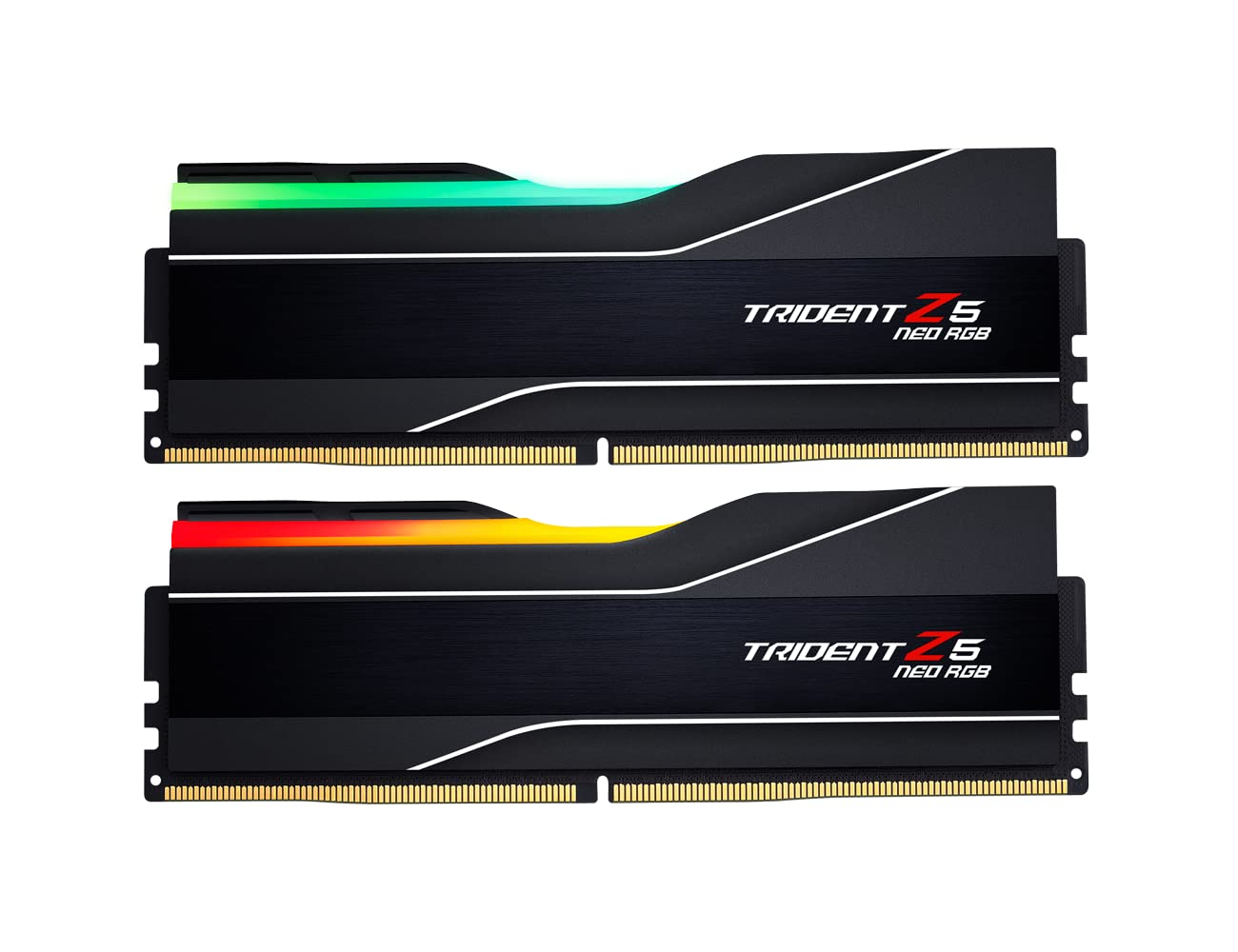
G.Skill Trident Z5 Neo RGB DDR5-6000 CL30 (64GB)
Pros
- 64GB at DDR5-6000 with a CL30 primary timing
- Same EXPO one-click setup as the 32GB kit
- 32GB per stick means two free slots for later expansion
- Headroom for streaming, VMs, and heavy multitasking alongside a game
Cons
- Nearly double the price of the 32GB Neo for capacity most games never touch
- Sub-timings are CL30-40-40-96, looser than the 32GB kit's CL30-38-38-96
- Rated at 1.40V versus 1.35V on the 32GB version
- 2x32GB puts more load on the memory controller, which can limit overclocking
Price as of Feb 21, 2026 — see current price on Amazon.
32GB is still enough for pure gaming in 2026, and at today's prices that matters more than it used to. Some newer titles use 20GB or more of RAM, Chrome eats another 8-12GB in the background, and Discord, streaming software, and capture tools add up. If you multitask heavily while gaming or run VMs, 64GB gives you breathing room.
The catch is what that breathing room now costs. At $1,149.99 this kit is roughly double the $599.99 of the 32GB Neo and more than double the TeamGroup. That is not the modest step up it was when 64GB kits carried a small premium. For gaming alone it is very hard to justify, and most people are better served putting that difference into a GPU.
Read the timings carefully too, because the two capacities are not identical parts. The 64GB kit is CL30-40-40-96 at 1.40V while the 32GB kit is CL30-38-38-96 at 1.35V. Same CAS latency, looser sub-timings, higher voltage. The difference is small in practice, but it is worth knowing you aren't simply buying the same kit with bigger sticks.
Where this makes sense is a workstation that also games. If you compile, render, run virtual machines, or keep a browser with a hundred tabs open behind a game, 64GB stops being a luxury. If you only game, buy 32GB.
Buying guide: DDR5 RAM for gaming
The DDR5-6000 rule for AMD
AMD Ryzen's Infinity Fabric synchronizes 1:1 with memory at DDR5-6000 (3000 MHz physical clock). Going faster forces 2:1 mode, adding latency. Going slower leaves performance on the table. DDR5-6000 is the sweet spot, period. This applies to all AM5 chips, including the 9800X3D.
Intel benefits from faster speeds (but not by much)
Intel Core Ultra 200S (Arrow Lake) runs memory in Gear 2 by default, which means the latency penalty from faster RAM is less severe. DDR5-6400 is the optimized sweet spot for Intel, with diminishing returns above that. The gaming performance difference between DDR5-6000 and DDR5-6400 on Intel is typically 1-3 percent.
CL30 vs CL36: Does latency matter?
At 1440p and 4K, your GPU is the bottleneck, and RAM latency barely impacts frame rates. At 1080p in CPU-bound games, CL30 outperforms CL36 by roughly 2-4 percent. The interesting wrinkle in this year's pricing is that you no longer pay a premium for the tighter number. The cheapest kit in this guide, the TeamGroup at $509.99, runs CL30, while the Kingston at $549.99 runs CL36. When the tighter timing is also the cheaper option, there is no trade-off left to weigh.
CUDIMM: Do you need it?
CUDIMM (Clocked Unbuffered DIMM) uses an onboard clock driver to stabilize signals at extreme frequencies above 8000 MT/s. Unless you're specifically targeting DDR5-8000 or beyond on a Z890 board, standard UDIMM is all you need. CUDIMM adds cost with minimal gaming benefit at normal speeds.
32GB vs 64GB
32GB (2x16GB) is sufficient for gaming in 2026. 64GB (2x32GB) makes sense if you multitask heavily, stream while gaming, or run VMs. At current prices the gap is wide rather than narrow: $509.99 buys a 32GB DDR5-6000 CL30 kit while the 64GB Neo is $1,149.99. Treat 64GB as a workstation decision you happen to game on, not as cheap future-proofing. For a complete gaming build, the right RAM pairs with a capable GPU, see our best GPUs for gaming for recommendations at every price point.
XMP vs EXPO
XMP (Extreme Memory Profile) is Intel's standard. EXPO (Extended Profiles for Overclocking) is AMD's. Many kits support both, but not all of them do, and the listings in this guide are a good example. The TeamGroup carries both, the Kingston and the two Neo kits carry EXPO, and the Trident Z5 RGB is sold as XMP 3.0. When buying, check that the kit explicitly lists your platform's profile. Running DDR5 at default JEDEC speeds (DDR5-4800) wastes a large share of the performance you paid for. Always enable XMP or EXPO in your BIOS.
Frequently asked questions
- Do I need DDR5 for gaming in 2026?
- If you're building a new PC, yes. All current AMD AM5 and Intel LGA 1851 platforms require DDR5. If you're on an older DDR4 platform (AM4, LGA 1700) that still meets your performance needs, there's no reason to upgrade RAM alone. The CPU and motherboard upgrade cost matters more than the DDR4 to DDR5 jump, and at current DDR5 prices that is truer than it has been in years.
- Is DDR5-8000 worth it for gaming?
- On AMD Ryzen: no. It forces 2:1 Infinity Fabric mode and rarely outperforms DDR5-6000. On Intel: marginally, with 1-2 percent gains over DDR5-6400 in some titles. The price premium is not justified by gaming performance alone.
- How much RAM do I need for gaming?
- 32GB is the standard for 2026 gaming builds. 16GB still works but you'll feel the squeeze with modern titles plus background applications. 64GB is for multitaskers, streamers, and workstation use, and at roughly double the price of a 32GB kit it is a hard sell for gaming alone right now.
- Does RAM speed affect the Ryzen 9800X3D?
- Barely. The massive 96MB of 3D V-Cache on X3D chips masks memory latency so effectively that DDR5-6000 and DDR5-8000 perform within 1 percent of each other in almost every game. Save the money and buy DDR5-6000 CL30.
- Can I mix different DDR5 kits?
- Technically yes, but it's not recommended. Mixing kits often means running at the slowest common speed and loosest timings. For the best stability and performance, buy a matched kit (2x16GB or 2x32GB from the same SKU).
How We Pick
We pick products by combining spec-level research, price checks, trusted third-party benchmarks, and owner sentiment from high-signal sources.
- Performance and real-world value in the category this guide targets
- Price-to-performance and deal consistency over recent pricing windows
- Build quality, reliability patterns, and known long-term issues
- Recommendation refresh cadence to keep these picks current
Author
TheTechSearch Editorial Team
Independent product reviewers & PC builders
We compare real-world specs, reviews and owner reports, price trends, and user feedback to recommend gear that actually makes sense to buy.