Best PC Cases for Airflow 2026
Top airflow PC cases for 2026 builds: mesh panels, airflow-first layouts, and picks from Fractal, Lian Li, Corsair, HAVN, and more. Expert picks, pros and co...
As an Amazon Associate we earn from qualifying purchases made through our links — this doesn't affect our picks.
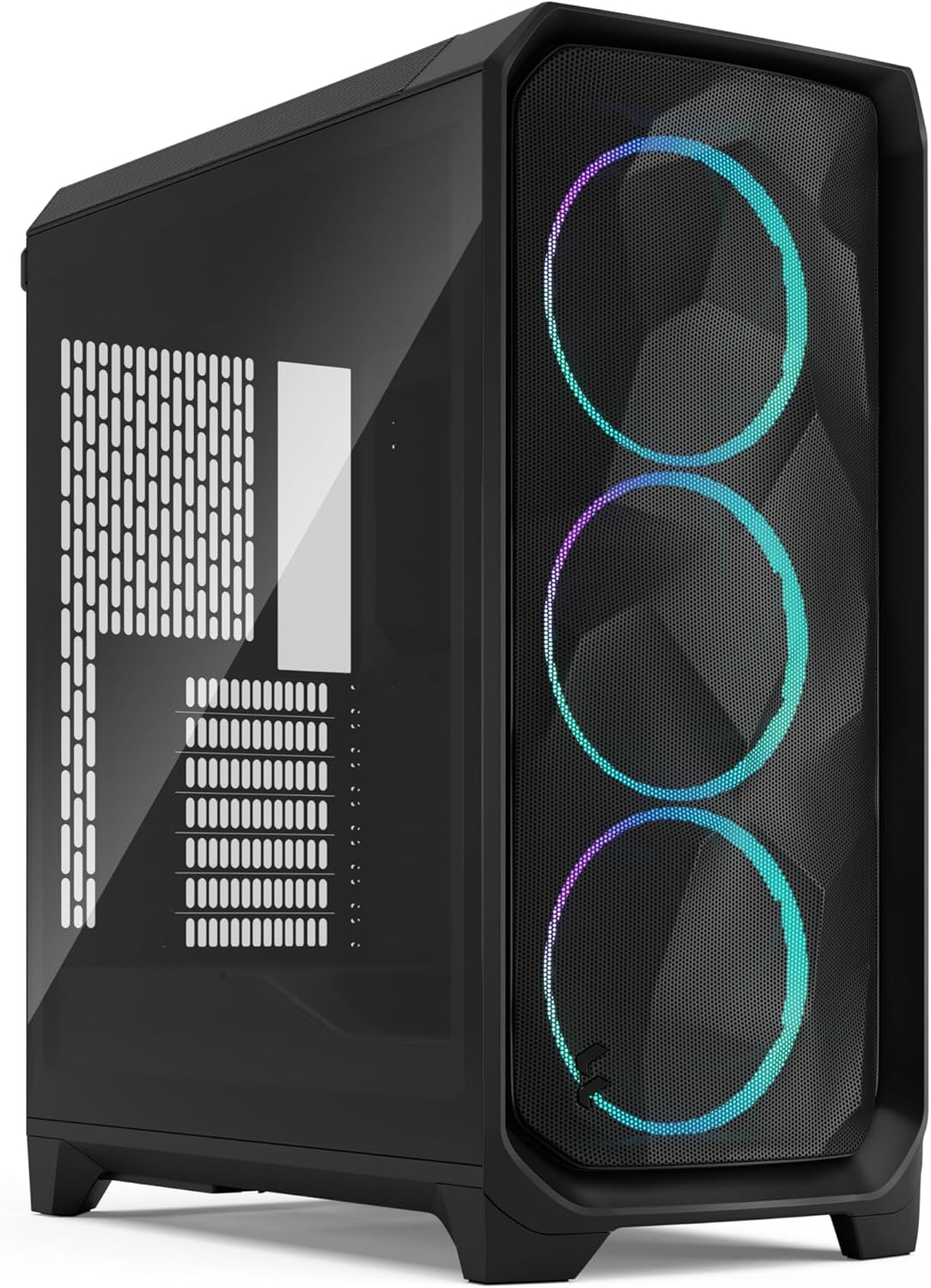
Fractal Meshify 3
Our top recommendation for this category
Price as of Feb 21, 2026 — see current price on Amazon.
Your GPU is choking. That RTX 5070 Ti you spent $750 on? It's sitting in a glass box with two anemic 120mm fans, thermal throttling every time you fire up a demanding game. The fix isn't better paste or more fans. It's a case that actually lets air move.
The good news: PC case design has gotten genuinely good over the past two years. Mesh front panels are standard now, not a premium feature. Companies are finally competing on actual airflow performance instead of RGB density. Some of these cases come with enough included fans that you won't need to buy any.
Picks draw on GamersNexus thermal benchmarks, other outlets' hands-on reviews, and community feedback, with the focus on cases that actually perform. Here's what's worth buying. If you're starting from scratch, our best budget PC builds for 2026 guide pairs each case with a full component recommendation.
Our top picks at a glance
| Case | Form Factor | Included Fans | GPU Clearance | Price | |
|---|---|---|---|---|---|
| Fractal Meshify 3 | ATX Mid Tower | 3x 140mm | 410mm | $130 | Check Price |
| Lian Li Lancool 207 | ATX Mid Tower | 3x 140mm | 400mm | $90 | Check Price |
| Corsair Frame 4000D RS | ATX Mid Tower | 3x 120mm ARGB | 370mm | $110 | Check Price |
| HAVN BF 360 | ATX Mid Tower | 3x 120mm | 395mm | $140 | Check Price |
| Lian Li Lancool 216 | ATX Mid Tower | 2x 160mm + 1x 140mm | 393mm | $100 | Check Price |
| Fractal Design North | ATX Mid Tower | 2x 140mm | 355mm | $120 | Check Price |
| Fractal Design Pop Air | ATX Mid Tower | 2x 140mm + 1x 120mm | 405mm | $75 |
Best overall: Fractal Meshify 3
Fractal Meshify 3
Pros
- GamersNexus Best Overall Case of 2025, still unbeaten
- Top-tier noise-normalized thermals in GN's testing
- Three 140mm fans included (front intake, rear exhaust)
- Removable top panel makes AIO installation painless
- 410mm GPU clearance fits every card on the market
- Excellent cable management with wide rear channel
Cons
- $130 is mid-range pricing, not budget
- Design is functional but not flashy
- No included ARGB if you want lighting
- Mesh collects dust faster than solid panels
Price as of Feb 21, 2026 — see current price on Amazon.
The Fractal Meshify 3 earned GamersNexus' Best Overall Case award for 2025, and nothing released since has knocked it off. It's not the flashiest case here. No RGB. No wood accents. No weird Y-shaped panels. What it does have is the best noise-to-thermal performance ratio of anything in its class.
Three included 140mm fans create a front-to-back airflow path that keeps even high-TDP GPUs and CPUs cool without sounding like a server rack. Pair it with any of the tower or AIO coolers from our best CPU coolers 2026 guide and you have a thermal setup that competes with cases costing twice as much. The mesh front panel has enough porosity to let air flow freely while still filtering dust. In GN's testing, the Meshify 3 posted top-tier CPU and GPU temperatures at stock fan curves, and remained near the top when noise was factored in.
Building in this thing is pleasant. The removable top panel means you can install a 360mm AIO without contorting your hands. Cable routing channels are wide and well-placed. There's room behind the motherboard tray for even the messiest cable bundles. At 410mm of GPU clearance, you won't need to worry about fitting any current card.
The only thing it doesn't do is look exciting. If you want a case that turns heads at a LAN party, look elsewhere. If you want the case that keeps your components coolest and quietest, this is it.
Best under $100: Lian Li Lancool 207
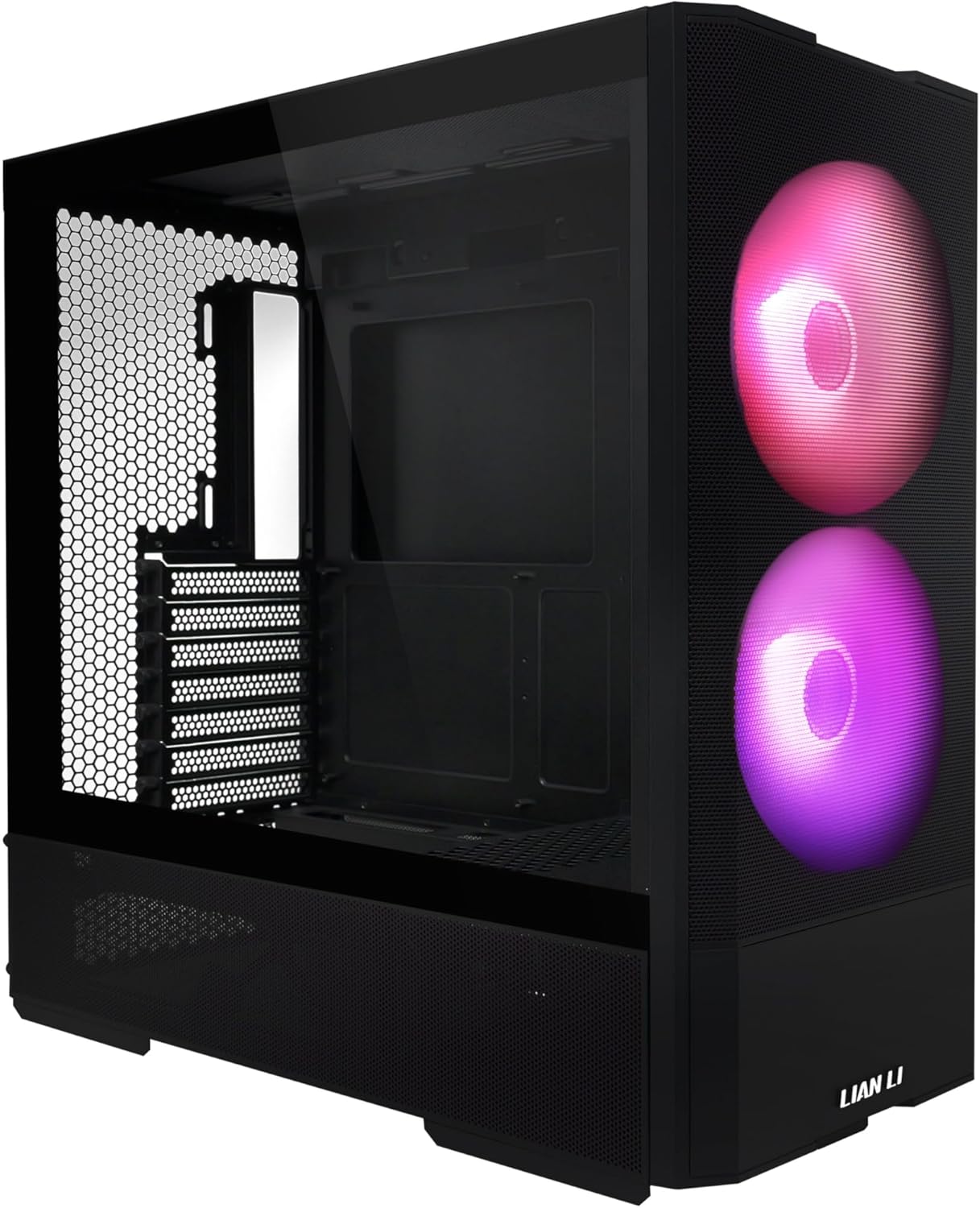
Lian Li Lancool 207
Pros
- Sub-$100 with three 140mm fans included
- GamersNexus Best Sub-$100 Case 2025
- Excellent out-of-the-box thermals without buying extra fans
- Clean build quality that feels more expensive than $90
- Good cable management for the price tier
- Mesh front and top panels
Cons
- 400mm GPU clearance is tight for the largest cards
- Plastic feel in some areas compared to Fractal
- No USB-C on front panel
- Limited color options
Price as of Feb 21, 2026 — see current price on Amazon.
Lian Li keeps making cases that embarrass more expensive competitors. The Lancool 207 ships with three 140mm fans, mesh front and top panels, and build quality you'd expect from a $120+ case. At $90, it's the no-brainer recommendation for anyone building a PC on a budget.
GamersNexus gave it their Best Sub-$100 Case award, and the out-of-the-box thermal performance explains why. You don't need to buy extra fans. You don't need to rearrange anything. Unbox it, build in it, and enjoy temperatures that rival cases costing 50% more.
Cable management is surprisingly decent for a budget case. There's enough room behind the tray, and the routing holes are positioned logically. It's not Meshify 3 levels of cable nirvana, but you won't be frustrated either.
The one real limitation is the 400mm GPU clearance. It fits every current card, but if you're running a triple-slot monster with thick aftermarket cooling, measure first. For the vast majority of builds, though? Just buy this one.
Best mid-range: Corsair Frame 4000D RS
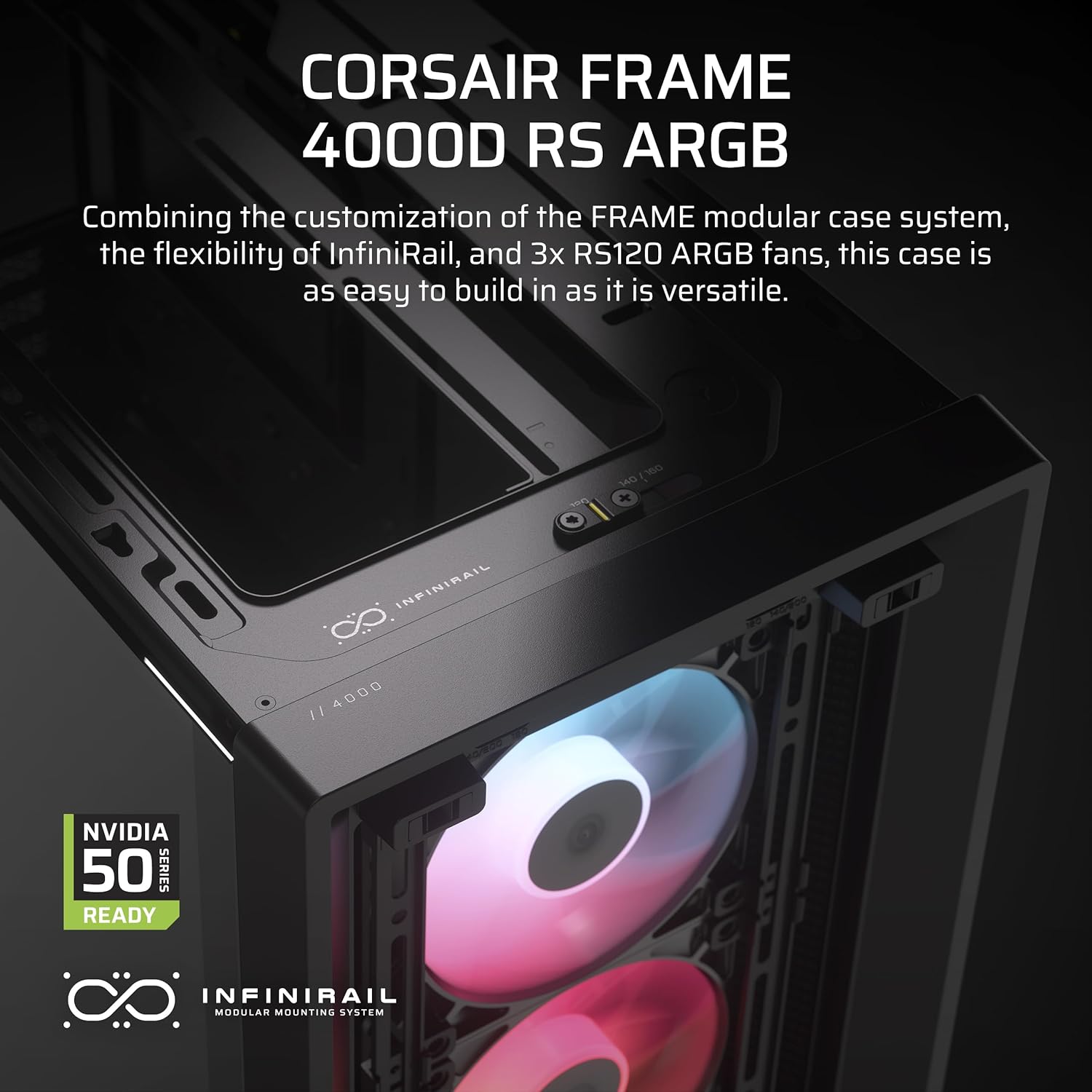
Corsair Frame 4000D RS
Pros
- The 3D Y-shaped front panel provides exceptional porosity
- Three included 120mm ARGB fans (finally, RGB that doesn't suck)
- GamersNexus Best Mid-Range Case 2025
- iCUE integration for fan/RGB control
- 370mm GPU clearance is solid for most builds
- Modular interior layout
Cons
- 370mm GPU clearance is tighter than some competitors
- Corsair ecosystem can feel lock-in-y
- 120mm fans instead of 140mm (louder at equivalent airflow)
- iCUE software is heavy on system resources
Price as of Feb 21, 2026 — see current price on Amazon.
Corsair had a rough stretch in cases. The original 4000D Airflow was fine but unremarkable. The Frame 4000D RS is Corsair remembering how to make a good case. That weird 3D Y-shaped front panel isn't just aesthetics. GN's testing showed it has some of the highest percent porosity of any case they tested, which translates directly to less airflow restriction.
The included fans are 120mm ARGB units that look good and push decent air. They're not as quiet as 140mm alternatives at the same CFM, but for a case with lighting out of the box, this is the pick. iCUE lets you control fan curves and lighting from software, which is convenient if you're already in the Corsair ecosystem.
Build quality is solid, and the modular interior gives you flexibility for different configurations. The 370mm GPU clearance is the main thing to watch. Most cards fit fine, but a few of the longer triple-fan RTX 5080 models might be tight. Check your GPU length before buying.
Most innovative: HAVN BF 360
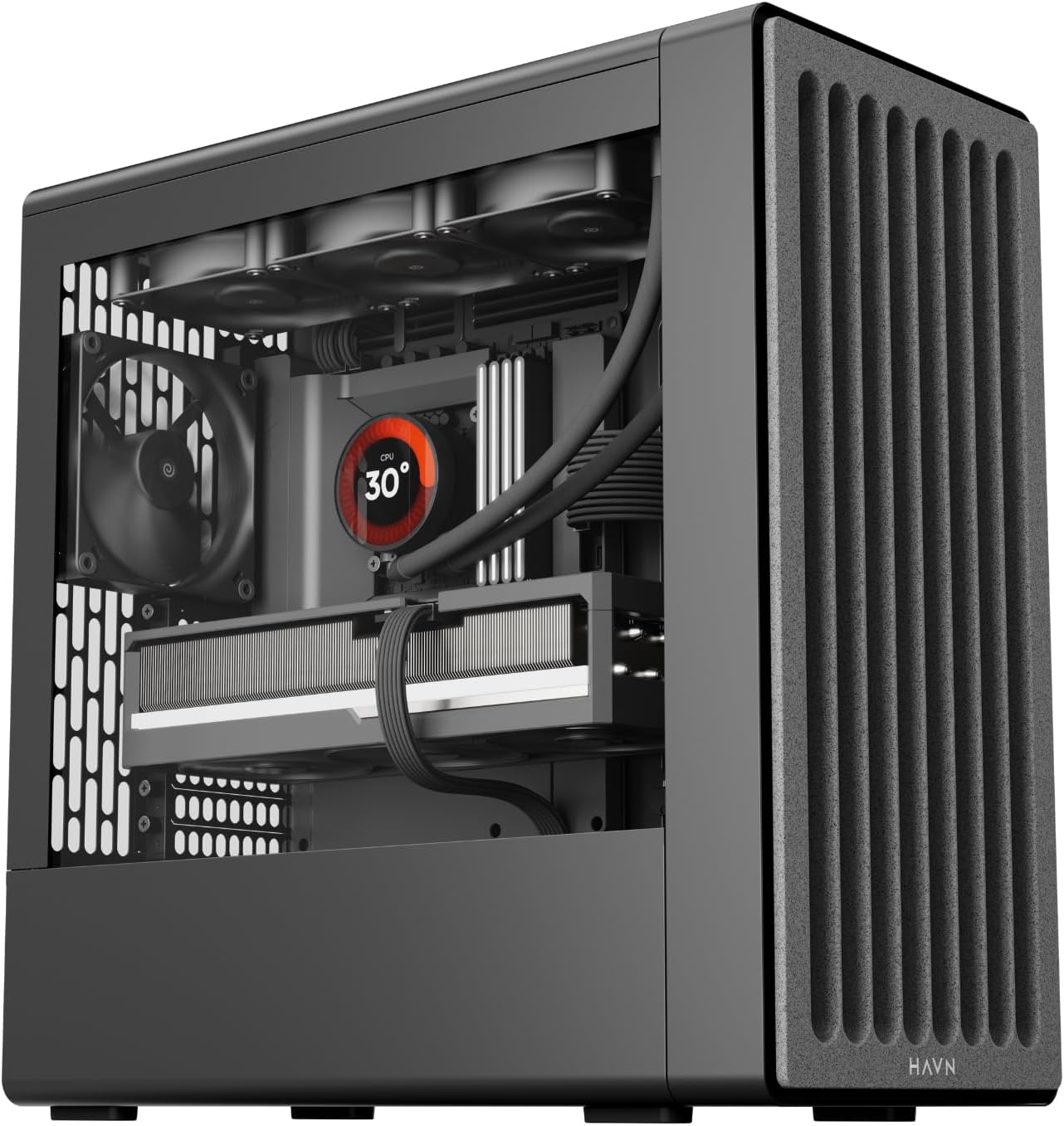
HAVN BF 360
Pros
- Semi-open design with industry-leading thermals
- SimpliCable management system is genuinely clever
- Best mechanical design of any case in 2025 per GN
- Three 120mm fans included
- 360mm radiator support
- Unique aesthetic that stands apart from everything else
Cons
- Semi-open design means more dust ingress
- $140 puts it against the Meshify 3
- Newer brand with less track record
- Not for everyone visually
Price as of Feb 21, 2026 — see current price on Amazon.
HAVN came out of nowhere and made the most interesting case of 2025. The BF 360 is a semi-open design, meaning it doesn't fully enclose your components. This sounds like a dust nightmare (and, honestly, it does collect more dust than a sealed mesh case), but the thermal performance is staggering. In GN's testing, it posted the best out-of-the-box temperatures of any case they reviewed.
The SimpliCable management system is the kind of thing that makes you wonder why nobody thought of it sooner. Cable channels are integrated into the frame structure itself, so routing is intuitive even for first-time builders. GN gave it their Best Mechanical Design award specifically for how well the physical engineering was executed.
The catch is that you're paying $140 for a relatively unknown brand. At that price, the Fractal Meshify 3 is right there with a more proven track record and a traditional enclosed design. But if you want the absolute best thermals and don't mind dusting more often, the BF 360 is genuinely impressive.
Best included fans: Lian Li Lancool 216
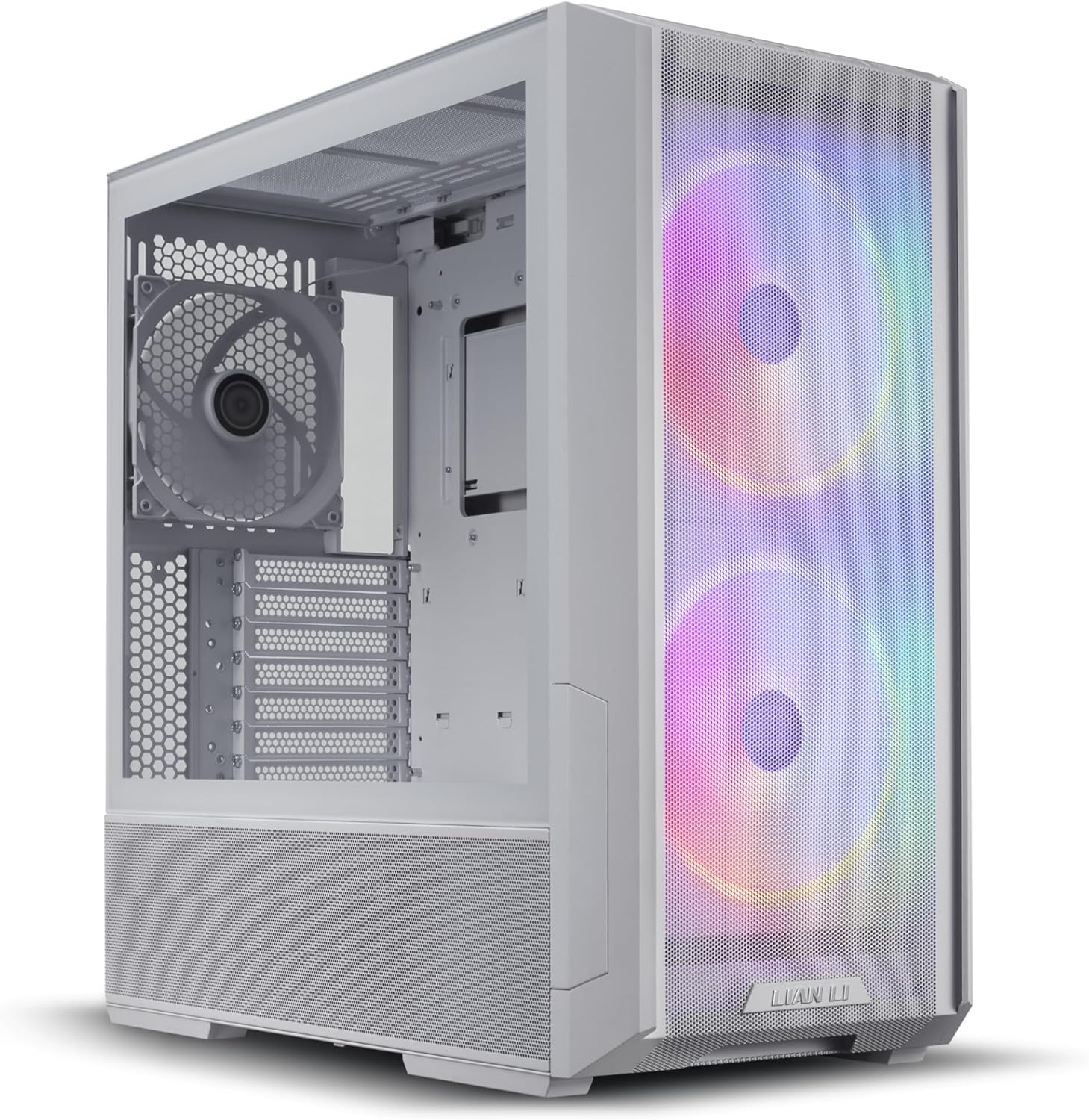
Lian Li Lancool 216
Pros
- Two 160mm front fans move massive air volume
- One 140mm rear exhaust included
- Excellent out-of-the-box thermals without touching a thing
- Mesh front panel with removable dust filter
- 393mm GPU clearance
- USB-C on front panel
Cons
- 160mm fans are loud at full speed
- Case design is getting a bit dated (2022 release)
- Limited radiator mounting options in the top
- Tempered glass side panel is fingerprint-prone
Price as of Feb 21, 2026 — see current price on Amazon.
The Lancool 216 has been a community favorite since 2022, and it's still here because nothing at $100 beats its out-of-the-box cooling. The secret is those two 160mm front intake fans. Bigger fans move more air at lower RPMs, which means better cooling with less noise. It's physics, and Lian Li exploited it perfectly.
GN listed it among the best out-of-the-box thermals cases in their 2025 awards. You open the box, build your PC, and enjoy temperatures that compete with cases where people have added $50+ in aftermarket fans. The mesh front panel has a removable dust filter that's easy to clean.
The design is starting to show its age. It launched in 2022, and newer cases like the Lancool 207 and Meshify 3 have refined the formula. But at $100, the 216 remains a reliable pick that'll keep your components cool without any extra investment.
Best looking: Fractal Design North
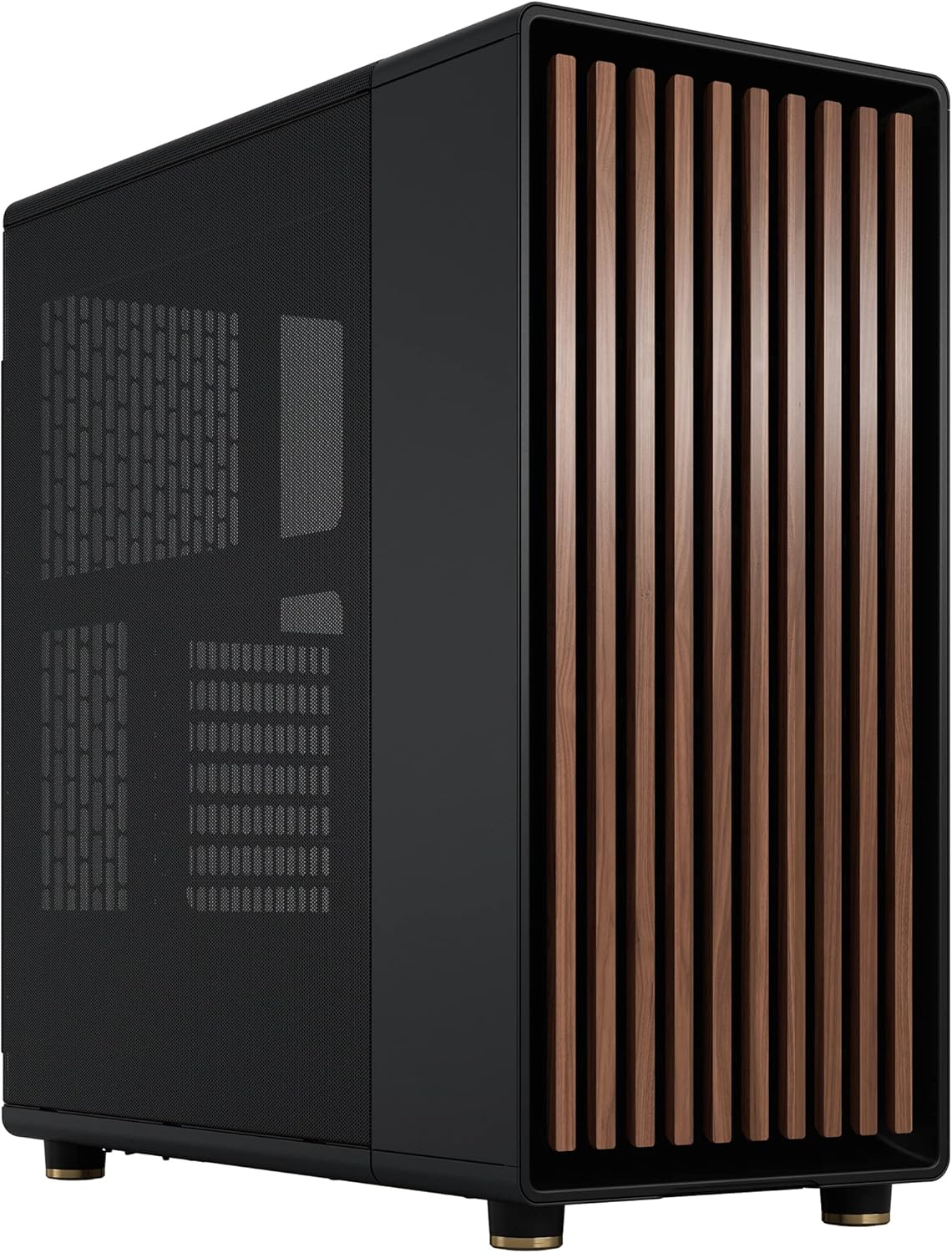
Fractal Design North
Pros
- Genuine oak wood front panel is gorgeous
- Mesh side ventilation provides real airflow, not just aesthetics
- Two 140mm fans included
- Furniture-grade build quality
- 355mm GPU clearance fits most cards
- Looks like it belongs in a living room
Cons
- 355mm GPU clearance is the tightest on this list
- Only two included fans (most competitors include three)
- Wood panel restricts front airflow compared to full mesh
- Top panel isn't mesh, limiting exhaust options
Price as of Feb 21, 2026 — see current price on Amazon.
The North's real selling point is how it looks. The genuine oak wood slats on the front panel make it look like a piece of Scandinavian furniture, not a gaming peripheral. If your PC lives in a shared space or a room where aesthetics matter, the North is in a category of one.
Airflow performance is good, not great. The wood slats restrict front intake compared to a full mesh panel, and you only get two 140mm fans instead of the three that most competitors include. Tom's Hardware praised the unique front panel and airflow-focused design, but it won't match the Meshify 3 or Lancool 216 in raw thermal performance.
The 355mm GPU clearance is the tightest on this list, which means some of the larger RTX 5070 Ti and 5080 models won't fit. Check your card's length specification before committing.
If pure thermals are your priority, get the Meshify 3. If you want a case that genuinely looks good in your living space while still performing well, the North earns its spot.
Buying guide: What makes a good airflow case
Mesh front panels are non-negotiable
If a case has a solid front panel or glass in front of the fan mounts, skip it. Mesh is the single most impactful feature for airflow. The percentage of open area (porosity) directly determines how freely air can enter the case. More porous = cooler components.
Fan size matters more than fan count
Two 140mm fans move roughly the same air as three 120mm fans, but at lower RPMs and less noise. Cases with 140mm or larger fan mounts generally offer quieter cooling. The Lian Li Lancool 216's 160mm fans are the extreme example of this principle.
Positive pressure keeps dust out
More intake fans than exhaust fans creates positive air pressure inside the case, forcing air out through unfiltered cracks rather than sucking dusty air in through them. A 2-intake, 1-exhaust configuration is a good baseline.
GPU clearance is your hard limit
Measure your GPU's length (listed in the manufacturer's specs) and compare it to the case's maximum GPU clearance. Leave at least 10-15mm of margin for cable routing. Modern GPUs are getting longer every generation, so don't buy a case that's already at the limit. If you haven't picked a card yet, our best GPU for gaming 2026 guide lists exact dimensions for every top card so you can match it to your case before buying.
Top panel exhaust
Hot air rises. A case with a mesh or perforated top panel allows heat to escape naturally and provides mounting points for exhaust fans or a top-mounted AIO radiator. Cases with solid top panels trap hot air, raising overall system temperatures.
Cable management affects airflow
A rat's nest of cables behind the motherboard or in front of the fans disrupts airflow. Cases with wide cable channels, Velcro tie-down points, and routing holes positioned near key connectors make clean builds easier.
Frequently asked questions
- Do I need to buy extra fans for these cases?
- For the Meshify 3, Lancool 207, and Pop Air, no. They include enough fans for good out-of-the-box cooling. You could add a fourth fan for marginal improvement, but it's not necessary. The North benefits from adding a third fan if budget allows.
- Are mesh cases louder than solid panel cases?
- Yes, slightly. Mesh lets sound escape more easily than solid panels. The trade-off is substantially better cooling. For most people, the noise difference is negligible at normal fan speeds. If noise is your top priority over thermals, look at cases with sound-dampened solid side panels combined with mesh front panels.
- Should I get a full tower or mid tower?
- Mid tower for almost everyone. Full towers are unnecessarily large for standard ATX builds and waste desk/floor space. The only reason to go full tower is if you're running an E-ATX motherboard or need space for extensive custom water cooling loops.
- How often should I clean dust filters?
- Check and clean mesh dust filters every 2-4 weeks if your case sits on the floor, or monthly if it's on a desk. A quick vacuum or compressed air blast keeps airflow unrestricted. Clogged dust filters can raise GPU temperatures by 5-10°C.
- Do I need an AIO cooler, or will air cooling work in these cases?
- All cases on this list perform well with either air coolers or AIO liquid coolers. For CPUs with TDP under 150W, a quality air cooler is quieter and cheaper. For 200W+ processors (Intel i9, Ryzen 9), a 240mm or 360mm AIO gives you more thermal headroom. All seven cases support at least a 240mm radiator. For specific cooler recommendations, see our best CPU coolers 2026 breakdown of the top air and liquid options.
The verdict
Pick your case based on priority. For raw thermal performance, the Fractal Meshify 3 is still unbeaten at $130. Budget builders get the best value from the Lian Li Lancool 207 at $90 with three fans included. Aesthetics-focused? The Fractal North is in a class of its own. Brave early adopters chasing the best possible thermals should look at the HAVN BF 360.
Once the case is sorted, build out your rig with components that match. Our best DDR5 RAM for gaming 2026 guide covers the memory side, and our best NVMe SSDs 2026 picks keep storage fast without busting the budget.
How We Pick
We pick products by combining spec-level research, price checks, trusted third-party benchmarks, and owner sentiment from high-signal sources.
- Performance and real-world value in the category this guide targets
- Price-to-performance and deal consistency over recent pricing windows
- Build quality, reliability patterns, and known long-term issues
- Recommendation refresh cadence to keep these picks current
Author
TheTechSearch Editorial Team
Independent product reviewers & PC builders
We compare real-world specs, reviews and owner reports, price trends, and user feedback to recommend gear that actually makes sense to buy.