Best DIY Home Security Systems 2026
Five self-install alarm kits compared on what they include, what works with no subscription, and what professional monitoring really costs each month.
As an Amazon Associate we earn from qualifying purchases made through our links — this doesn't affect our picks.
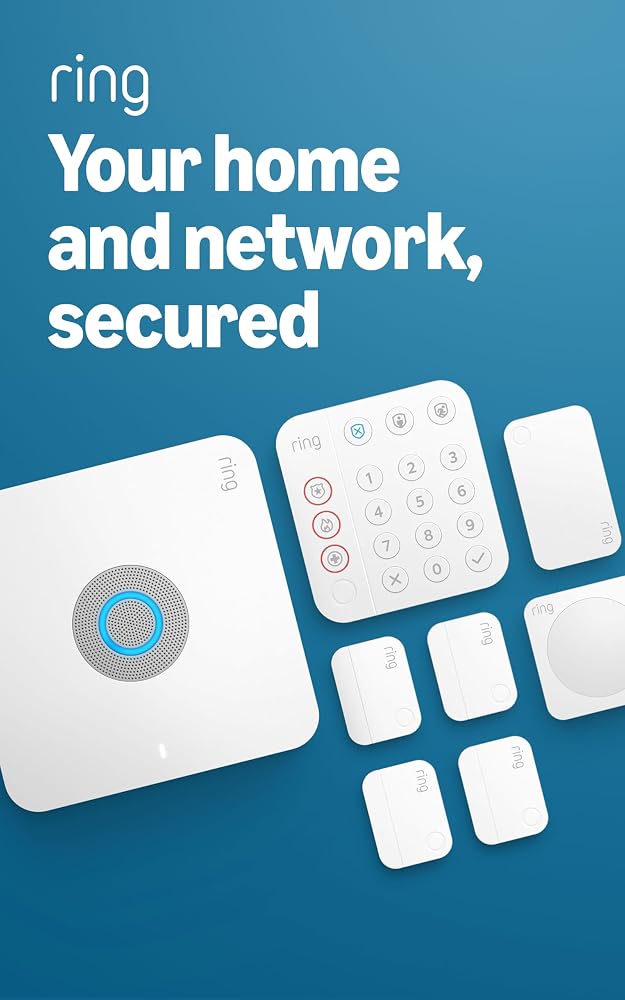
Ring Alarm Pro 8-Piece Kit
Our top recommendation for this category
Price as of Oct 8, 2026 — see current price on Amazon.
In this guide
- Quick Picks
- What "DIY" Actually Means Here
- Ring Alarm Pro 8-Piece Kit: Best Overall
- SimpliSafe 5-Piece Wireless Home Security System: Best for Professional Monitoring
- Abode 8-Piece Wireless Smart Security System: Best for Smart Homes
- Ring Alarm 8-Piece Kit (2nd Gen): Best for Alexa Homes on a Budget
- eufy Security 5-Piece Home Alarm Kit: Best Without a Monthly Fee
- How to Choose a DIY Security System
- Where to Put the Sensors
- What to Add Later
- Bottom Line
A DIY alarm system is a box of sensors you stick on doors and windows yourself, a base station with a siren, and an app. The hardware is the easy part to compare. The monthly plan is where these systems actually differ, and it's the number most roundups bury.
So this guide puts both side by side. Five kits, all self-installed, all usable without a contract, with the real monthly price of having someone call the police when the alarm goes off.
Quick Picks
| System | In the box | Pro monitoring | Free tier | Price | |
|---|---|---|---|---|---|
| Ring Alarm Pro 8-Piece Kit | 8 pieces + eero Wi-Fi 6 router | $19.99/mo | Local alarm, sensors, keypad | $299.99 | Check Price |
| SimpliSafe 5-Piece Wireless Home Security System | 5 pieces, 95 dB siren | From $22.99/mo | App alerts, siren, app control | $172.99 | Check Price |
| Abode 8-Piece Wireless Smart Security System | 8 pieces, 93 dB siren | $26.99/mo | Full app, smart home links | $188.06 | Check Price |
| Ring Alarm 8-Piece Kit (2nd Gen) | 8 pieces | $19.99/mo | Local alarm, sensors, keypad | $249.99 | Check Price |
| eufy Security 5-Piece Home Alarm Kit | 5 pieces | $9.99/mo | Full self-monitoring | $159.99 | Check Price |
What "DIY" Actually Means Here
Every system below installs with adhesive or screws, no wiring, in an afternoon. You plug in the base station, pair each sensor in the app, and stick them up.
The difference is what happens when the alarm trips. With self-monitoring, your phone gets the alert and you decide whether to call 911. With professional monitoring, a staffed center gets the signal, tries to reach you, and dispatches police or fire if needed. That's the service you pay monthly for, and it usually includes cellular backup so the alarm can still report out if someone cuts your internet.
Self-monitoring is fine for a renter in a small apartment who's always got a phone in hand. If you travel, sleep through notifications, or want an insurance discount, pay for monitoring.
Ring Alarm Pro 8-Piece Kit: Best Overall
Ring Alarm Pro 8-Piece Kit
Pros
- Base station doubles as an eero Wi-Fi 6 router, up to 900 Mbps
- Internal battery runs up to 24 hours in low-power mode
- Pro monitoring plus backup internet at $19.99/mo
- Z-Wave radio for extra sensors and locks
Cons
- Ring Edge local video needs a microSD card and the Ring Pro plan
- Router covers about 1,500 sq ft before you add extenders
- Most useful if you already use Alexa or Ring cameras
Price as of Oct 8, 2026 — see current price on Amazon.
The kit is a base station, keypad, four door and window contact sensors, a motion detector and a range extender. Ring's own store lists the same 8-piece kit at $299.99, matching Amazon.
What sets the Pro apart is the router inside the base. It replaces or extends your Wi-Fi, and on the Ring Pro plan ($19.99 a month or $199.99 a year) it adds 24/7 backup internet with 3GB of monthly data. So if your broadband drops, your cameras and alarm keep talking to the outside world. That's a real upgrade over a cellular backup that only carries alarm signals.
Without any plan, the sensors, keypad and local arming still work. You lose remote access and monitoring.
One caveat. Ring's plan lineup has changed names several times. At the time of writing it's Ring Solo ($4.99), Ring Multi ($9.99) and Ring Pro ($19.99), and only Ring Pro includes professional monitoring.
SimpliSafe 5-Piece Wireless Home Security System: Best for Professional Monitoring
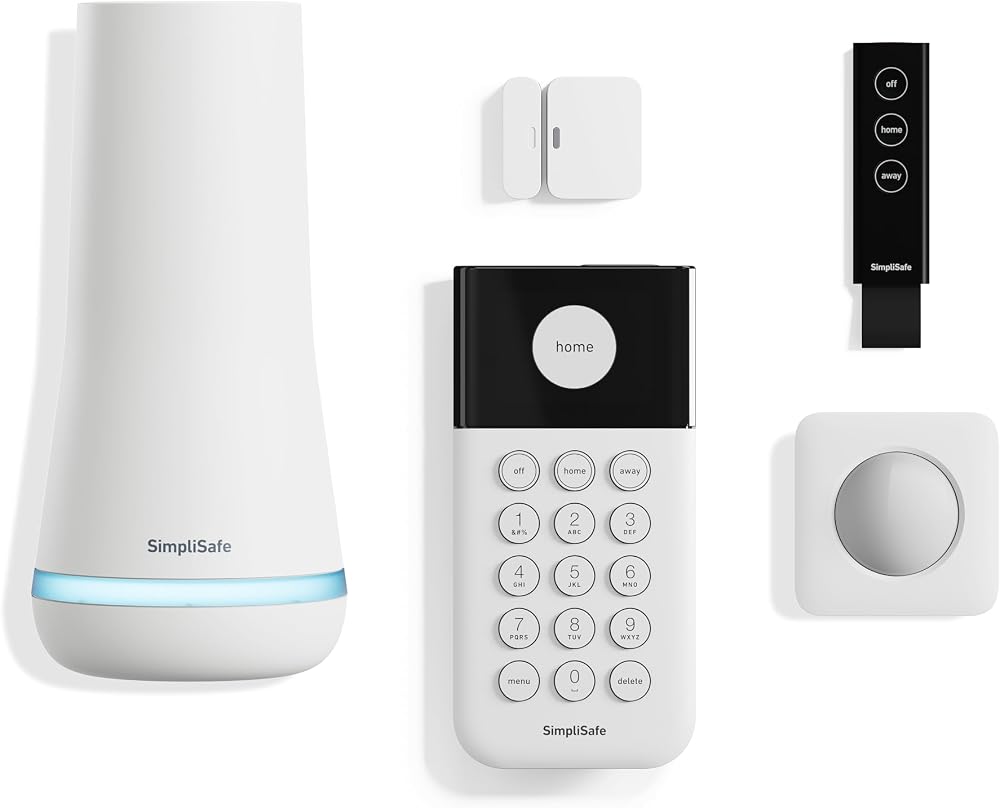
SimpliSafe 5-Piece Wireless Home Security System
Pros
- 95 dB siren and a base battery rated for 24 hours
- Free tier still sounds the siren and sends app alerts
- Pet-friendly motion sensor for pets under 60 lbs
- Works with Alexa and Google Assistant
Cons
- Only one entry sensor in this kit
- Professional monitoring starts at $22.99/mo
- No support for third-party smart home devices
Price as of Oct 8, 2026 — see current price on Amazon.
SimpliSafe is the system people buy because they want monitoring done properly, and its plans show it. Standard is $22.99 a month with 24/7 monitoring and cellular backup. Core, at $32.99, lets agents check your SimpliSafe indoor camera and talk through its two-way audio when the alarm trips. Pro adds outdoor Active Guard overnight, 8pm to 6am, for $49.99.
This 5-piece kit is small: base station, keypad, one entry sensor, one motion sensor and a key fob. Budget for a few more entry sensors if you've got more than one exterior door.
The free tier is better than it used to be. You still get app alerts, siren control and live camera viewing. Recorded clips need the $9.99 self-monitoring plan.
Abode 8-Piece Wireless Smart Security System: Best for Smart Homes
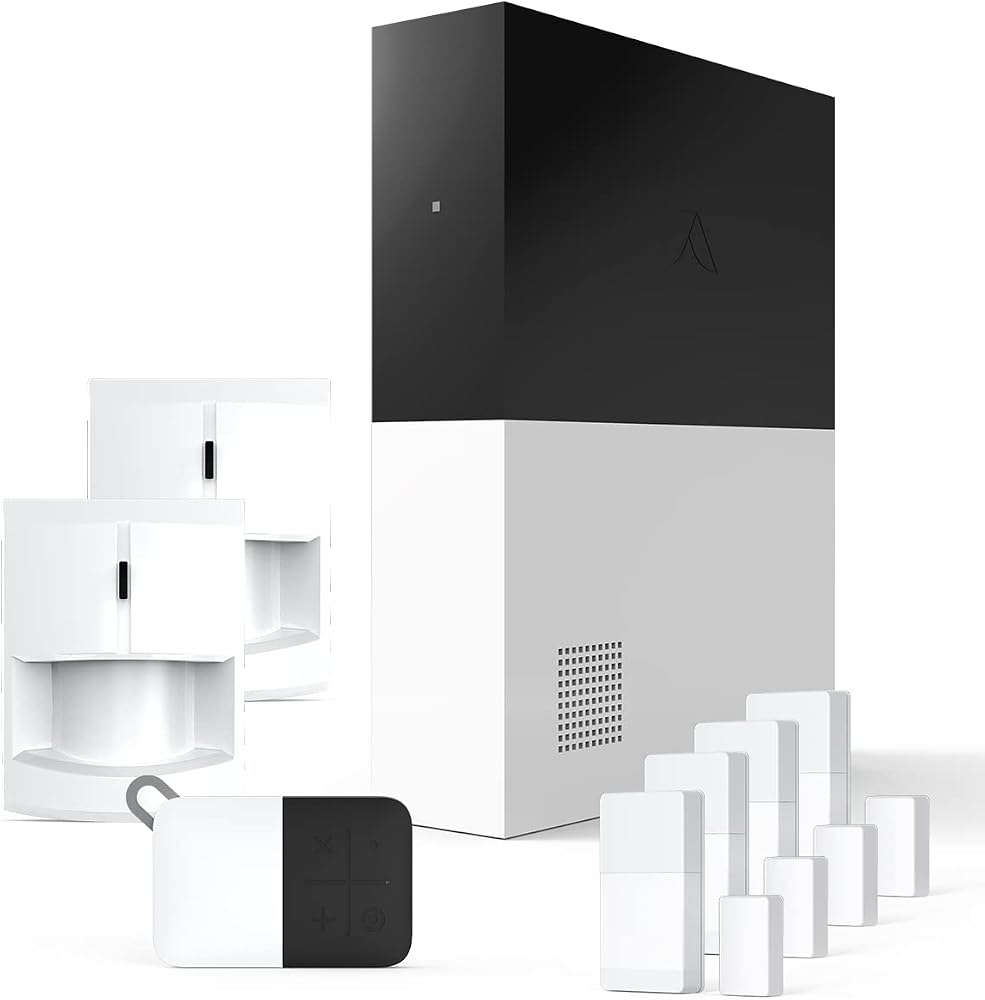
Abode 8-Piece Wireless Smart Security System
Pros
- Works with Apple HomeKit, Z-Wave and Zigbee devices
- Free tier keeps full app access and smart home integrations
- Hub has a 93 dB siren, backup battery and Ethernet
- Four door and window sensors plus two motion sensors
Cons
- Pro monitoring is the priciest of the budget picks at $26.99/mo
- Smaller company than Ring or SimpliSafe
- Smart home features take time to set up
Price as of Oct 8, 2026 — see current price on Amazon.
Abode is the alarm for people who already run a smart home and don't want a security system that lives in its own silo. HomeKit support is the headline. Neither Ring nor SimpliSafe offers it.
The kit is generous for the price: the gateway, two motion sensors, four mini door and window sensors and a key fob. Abode's free tier is also the most complete here, with full app control, live video and integrations with HomeKit, Alexa and Google Home.
Plans run $8.49 a month for Standard, which adds a 30-day timeline and smart detection, or $26.99 a month ($245.99 a year) for Pro with 24/7 monitoring and 4G cellular backup.
Ring Alarm 8-Piece Kit (2nd Gen): Best for Alexa Homes on a Budget
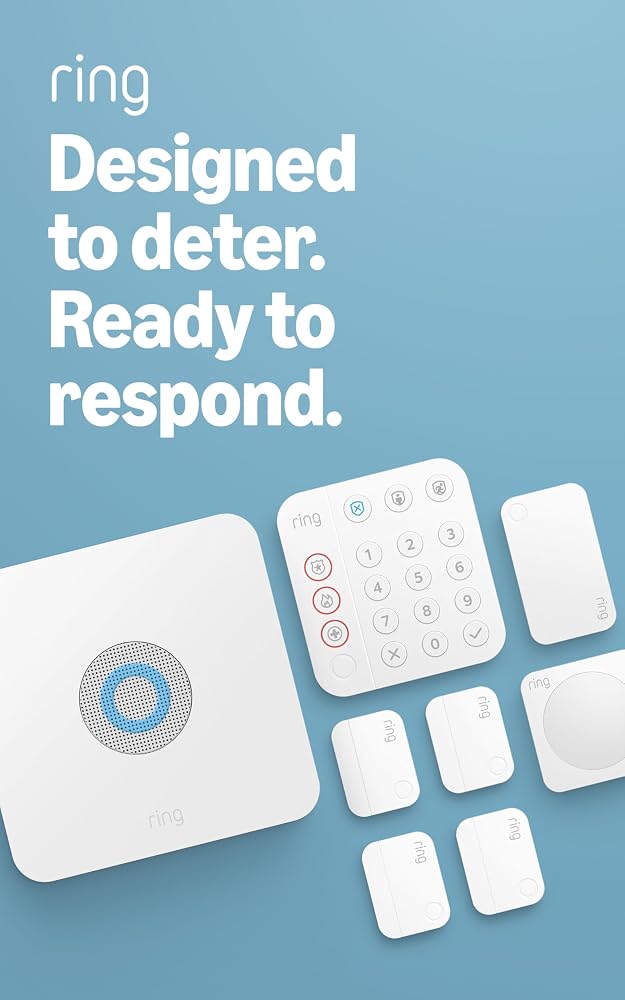
Ring Alarm 8-Piece Kit (2nd Gen)
Pros
- Same sensors and keypad as the Alarm Pro kit
- Same $19.99/mo Ring Pro plan for monitoring
- Ties into Ring cameras and doorbells in one app
- Alexa can arm and disarm it
Cons
- Only $50 less than the Alarm Pro kit
- No built-in router or backup internet
- No HomeKit support
Price as of Oct 8, 2026 — see current price on Amazon.
This is the standard Ring Alarm: base station, keypad, four contact sensors, a motion detector and a range extender. Ring lists it at $249.99, the same as Amazon.
The honest question is whether the $50 saving over the Alarm Pro is worth it. If your Wi-Fi is already good and you don't care about backup internet, yes. If you were going to buy a router anyway, the Pro is the better deal.
Monitoring works exactly the same way. Ring Pro at $19.99 a month covers it, and the lower plans add video history for any Ring cameras you own.
eufy Security 5-Piece Home Alarm Kit: Best Without a Monthly Fee
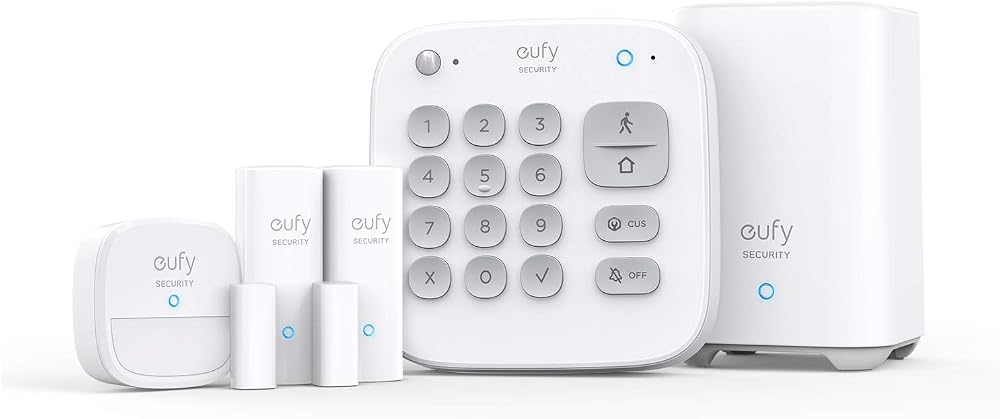
eufy Security 5-Piece Home Alarm Kit
Pros
- Self-monitoring is fully free, no plan needed
- Professional monitoring from $9.99/mo, the cheapest here
- Links with eufyCam cameras in the same app
- Cheapest kit in this guide
Cons
- No voice assistant control for the alarm itself
- No panic button or extra sensor types like the bigger brands
- Only two entry sensors in the box
Price as of Oct 8, 2026 — see current price on Amazon.
If the goal is "an alarm I never pay for every month," eufy is the cleanest answer. The kit is a HomeBase, keypad, motion sensor and two entry sensors. Self-monitoring with app alerts costs nothing, and if you change your mind later, professional monitoring is $9.99 a month.
It's a narrower system. You won't get voice control of the alarm, and the sensor catalog is thinner than SimpliSafe's. But eufy builds its cameras around local storage, so a eufy household can run cameras and an alarm with no subscription at all.
How to Choose a DIY Security System
Price three years, not the box
Add the kit price to 36 months of the plan you'll actually use. A $160 kit on $9.99 monitoring comes to about $520 over three years. A $173 kit on $22.99 monitoring is about $1,000. That's the real comparison.
Count your doors first
Walk the house and count every exterior door and ground-floor window you care about. Most kits include two to four entry sensors. Extra sensors cost money, so a cheap kit with one sensor can end up the expensive one.
Pick the ecosystem you already live in
- Alexa and Ring cameras: Ring Alarm or Alarm Pro.
- Apple Home: Abode.
- eufy cameras: eufy.
- None of the above: SimpliSafe, which works best as a standalone system.
Check what fails without internet
Cellular backup usually comes only with paid monitoring. If someone can cut a cable on the outside of your house, the self-monitored version of most systems goes quiet until it's restored. The base station siren will still sound locally.
Ask your insurer before you buy
Many insurers discount premiums for professionally monitored alarms. Abode advertises insurance discount eligibility on its paid plans. A discount can cover part of the monthly fee, so get the number first.
Where to Put the Sensors
A kit only protects the openings you cover, so placement matters more than brand. Here's a sensible order for a typical house.
Every exterior door first
Front, back, side and the door from the garage into the house. Doors are the obvious way in, and a contact sensor on each one is the core of any system. If your kit runs short, buy extra entry sensors before anything else.
One motion sensor where paths cross
Put the motion sensor in the hallway or room an intruder would have to cross to get anywhere useful, usually the main hall or the living room by the stairs. Mount it in a corner at the height the instructions give. If you've got a dog or cat, use the pet-friendly setting, or aim the sensor so it looks over the floor rather than along it.
Ground-floor windows you can't see from the street
Back and side windows hidden by fences or shrubs are a bigger risk than the big front window. Cover those next. Upstairs windows usually come last unless there's a flat roof or a deck underneath.
Keypad by the door you use most
The keypad goes inside the door you come home through, so you can disarm within the entry delay. That's normally the garage door or the back door, not the front.
What to Add Later
Start with the kit, live with it for a few weeks, then fill the gaps. Common add-ons that are worth the money:
- Extra entry sensors for the doors and windows the kit didn't cover.
- Water leak sensors under the water heater, washing machine and kitchen sink. A small leak caught early is the cheapest insurance claim you'll never file.
- Smoke and CO listeners where the system supports them, so existing alarms trigger the app.
- A second keypad by the bedroom for arming at night without walking downstairs.
- A smart lock that disarms the system when you unlock the door.
Avoid buying the biggest bundle up front. A 14-piece kit full of sensors you don't need costs more than a 5-piece kit plus the three extras you actually use.
If you want cameras around the outside too, see our best security cameras guide. For the front door itself, our best smart locks roundup covers keypad and app-controlled deadbolts that pair with these systems.
Frequently asked questions
- Can I use a DIY security system without a monthly fee?
- Yes. All five systems here work without a subscription. Sensors, keypads and the siren keep working, and you get phone alerts. Of the five, eufy and Abode give you the most for free. Professional monitoring and cellular backup always require a paid plan.
- Is Ring Alarm Pro worth it over the regular Ring Alarm?
- If you need a better router, yes. The Alarm Pro's base station is an eero Wi-Fi 6 router covering about 1,500 sq ft, and on the $19.99 Ring Pro plan it adds backup internet with 3GB of data a month. If your Wi-Fi is already solid, the regular 8-piece kit saves $50.
- How much does SimpliSafe monitoring cost?
- SimpliSafe's self-monitoring with camera recordings is $9.99 a month. Professional monitoring starts at $22.99 for Standard, then $32.99 for Core, $49.99 for Pro and $79.99 for Pro Plus. There's no contract.
- Which DIY security system works with Apple HomeKit?
- Abode is the one in this guide with HomeKit support. It also works with Z-Wave and Zigbee devices, Alexa and Google Home. Ring and SimpliSafe don't support HomeKit.
- Do DIY alarm systems work during a power outage?
- The base stations have backup batteries. Ring rates the Alarm Pro's internal battery at up to 24 hours in low-power mode, and SimpliSafe's base station battery is also rated for up to 24 hours. Reporting to a monitoring center during an internet outage requires the cellular backup that comes with paid plans.
- Is professional monitoring worth paying for?
- It's worth it if you travel, might miss an alert, or can get an insurance discount. Self-monitoring relies on you seeing the notification and calling 911 yourself. Monitoring plans in this guide range from $9.99 a month with eufy to $26.99 a month with Abode Pro.
Bottom Line
For most homes, the Ring Alarm Pro 8-Piece Kit is the best DIY system: good sensors, a real Wi-Fi router in the base, and $19.99 monitoring that keeps the house online when broadband fails. Choose SimpliSafe if monitoring quality is the priority, Abode if your home runs on HomeKit, and the eufy kit if you never want a monthly bill. Whatever you pick, price it over three years with the plan you'll actually use.
How We Test
We score products by combining spec-level research, pricing history, trusted third-party benchmarks, and owner sentiment from high-signal sources.
- Performance and real-world value in the category this guide targets
- Price-to-performance and deal consistency over recent pricing windows
- Build quality, reliability patterns, and known long-term issues
- Recommendation refresh cadence to keep these picks current
Author
TheTechSearch Editorial Team
Independent product reviewers & PC builders
We test and compare real-world specs, price trends, and user feedback to recommend gear that actually makes sense to buy.