Best Gaming Mice Under $100 in 2026
Five gaming mice that hit the sweet spot between performance and price. Wireless picks, ultra-lightweight options, and ergonomic favorites all under $100.
As an Amazon Associate we earn from qualifying purchases made through our links — this doesn't affect our picks.
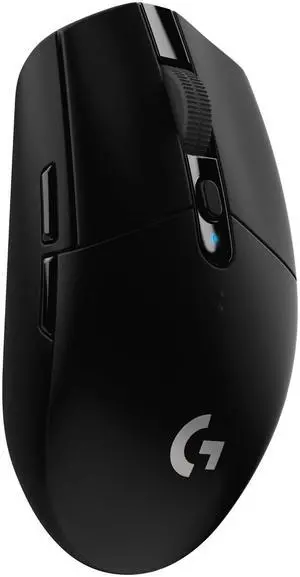
Logitech G305 LIGHTSPEED Wireless Gaming Mouse
Our top recommendation for this category
Price as of Aug 25, 2026 — see current price on Amazon.
The under-$100 gaming mouse market has gotten genuinely good in 2026. Wireless technology that used to cost $150 now shows up at $45. Sensors that compete with flagship models are standard equipment at $60. And the lightweight design trend that started in the $100-plus bracket has filtered down to mice that cost half as much.
This roundup covers five mice that each do something well at a price that doesn't require much justification. Whether you want wireless, ultralight, a specific grip shape, or just the most mouse you can get at $50, there's a real answer here.
| Mouse | Price | Connection | Weight | Sensor | |
|---|---|---|---|---|---|
| Logitech G305 | $39.99 | 2.4GHz Wireless | 99g | HERO 12K | Check Price |
| ASUS ROG Strix Impact III | $53.99 | Wired | 59g | ROG AimPoint 12K | Check Price |
| HyperX Pulsefire Haste 2 | $59.99 | Wired | 53g | HyperX 26K | Check Price |
| Razer DeathAdder V3 Wired | $69.99 | Wired | 59g | Focus Pro 30K | Check Price |
| SteelSeries Aerox 3 Wireless | $89.99 | 2.4GHz/Bluetooth | 68g | TrueMove Air 18K | Check Price |
Logitech G305: Best Budget Wireless
Logitech G305 LIGHTSPEED Wireless Gaming Mouse
Pros
- Wireless at $40 is genuinely unusual at this quality
- HERO 12K sensor is accurate and power-efficient
- 250-hour battery life on a single AA battery
- Compact shape fits most hand sizes
Cons
- 99g is noticeably heavier than modern ultralights
- No RGB, minimal frills
- AA battery adds some bulk to the top
Price as of Aug 25, 2026 — see current price on Amazon.
The G305 has been around since 2018 and it's still the best argument for wireless at this price. At $39.99, you get Logitech's LIGHTSPEED 2.4GHz wireless, which has sub-1ms latency that's essentially indistinguishable from a wired connection in practice. That matters because wired mice in this price range are common, but wireless mice with genuinely good latency at $40 are rare.
The HERO 12K sensor handles everything up to 12,000 DPI and is one of the better power-efficient sensors in Logitech's lineup. Battery life is exceptional: 250 hours on a single AA battery. You'll change it maybe three or four times a year if you game a couple hours daily.
The G305 is 99 grams, which is heavier than the ultralights below. If weight is your thing, look at the Pulsefire Haste 2. But if wireless performance at an aggressive price is the goal, the G305 hasn't been beaten at its own game in six years.
ASUS ROG Strix Impact III: Best Lightweight Wired
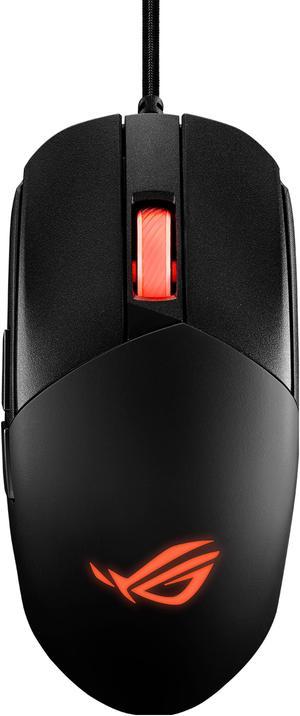
ASUS ROG Strix Impact III Gaming Mouse
Pros
- 59g is legitimately light at this price
- ROG AimPoint 12K sensor is clean with zero smoothing
- Paracord cable reduces drag significantly
- Ambidextrous-ish shape works for claw and fingertip grips
Cons
- Semi-ambidextrous, not true ambidextrous (side buttons on left only)
- 5 buttons total, minimal extras
- RGB limited to scroll wheel on base model
Price as of Aug 25, 2026 — see current price on Amazon.
ASUS's ROG division has been quietly putting out solid gaming mice for a few years and the Impact III at $53.99 is one of their better value propositions. At 59 grams with a paracord cable, it feels noticeably lighter than most mice in this price range, where 80 to 90 gram mice with stiff braided cables are still common.
The AimPoint 12K optical sensor tracks accurately without the artificial smoothing that cheaper sensors add to hide their limitations. For shooters specifically, that raw sensor response matters more than the DPI number. The Impact III's sensor passes that test.
One honest limitation: the side buttons are only on the left side, so while the shape is symmetric, it's technically only comfortable for right-handed users who want to access those buttons. Left-handed users would be fighting the layout.
HyperX Pulsefire Haste 2: Lightest Pick
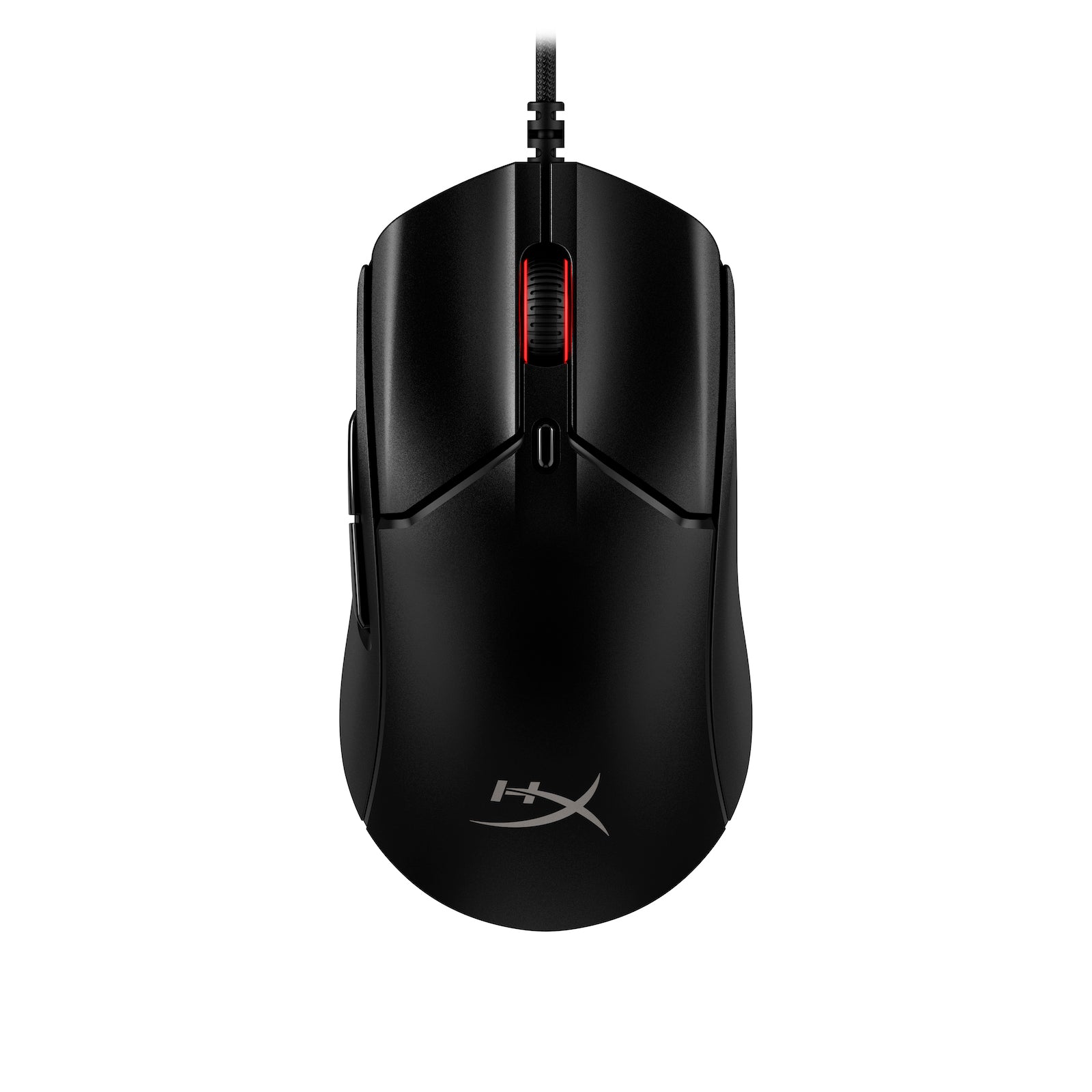
HyperX Pulsefire Haste 2 Gaming Mouse
Pros
- 53g is impressively light for under $60
- HyperX 26K sensor punches above this price tier
- 8000Hz polling rate (most mice ship at 125 or 1000Hz)
- Grip tape included in the box
Cons
- Honeycomb shell attracts dust into the holes
- Wired only at this price
- Shape is fingertip/claw grip focused, not ideal for palm grip
Price as of Aug 25, 2026 — see current price on Amazon.
The Pulsefire Haste 2 is the mouse I'd hand to someone who specifically asked about ultralight gaming mice under $60. At 53 grams, it's lighter than most gaming mice that cost twice as much. The honeycomb shell design that achieves that weight is either a selling point or a drawback depending on how you feel about open plastic grids, but structurally it's solid, no flex or creak.
The HyperX 26K sensor is the real surprise here. At this price, most mice come with basic 12K or 16K sensors. Getting a 26K optical with proper tracking at $59 is unusual. And the 8000Hz polling rate, which refreshes your mouse position 8,000 times per second rather than the standard 1,000, is a feature that usually appears on $100-plus mice.
Grip tape is included in the box, which is a nice touch. The bare plastic shell can be slippery for sweaty-hand gamers, and HyperX acknowledges this by including the tape rather than pretending the problem doesn't exist.
Razer DeathAdder V3 Wired: Best Ergonomic Pick
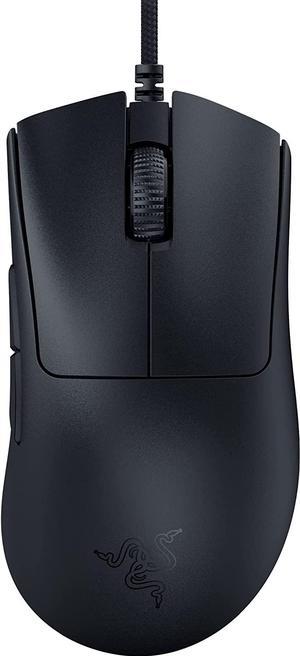
Razer DeathAdder V3 Wired Gaming Mouse
Pros
- DeathAdder shape is one of the most comfortable for palm grip users
- Focus Pro 30K sensor is excellent
- 59g at this shape is notable (older DeathAdders were 96g)
- Gen-3 optical switches rated for 90 million clicks
Cons
- Right-hand only ergonomic shape
- Wired only
- No adjustable DPI button on mouse itself
Price as of Aug 25, 2026 — see current price on Amazon.
The DeathAdder is Razer's flagship ergonomic mouse shape and the V3 version at $69 brings it to a reasonable price. This is the mouse for palm grip users specifically: the right-handed curved body cradles your hand naturally and the hump placement is dialed in after years of iteration on the shape.
What's changed from older DeathAdder models is the weight. The original DeathAdder was 96 grams. The V3 is 59 grams, achieved partly through the Speedflex cable (which is flexible enough that it barely registers as resistance) and partly through chassis refinements. It feels almost nothing like the earlier versions in hand, and that's a compliment.
The Focus Pro 30K sensor is the same optical sensor in Razer's higher-end mice. At this price, that sensor is genuinely competitive with anything on the market. If you play fast-paced shooters and want an ergonomic shape with no sensor compromises, the DeathAdder V3 is the choice.
SteelSeries Aerox 3 Wireless: Best Wireless Performance
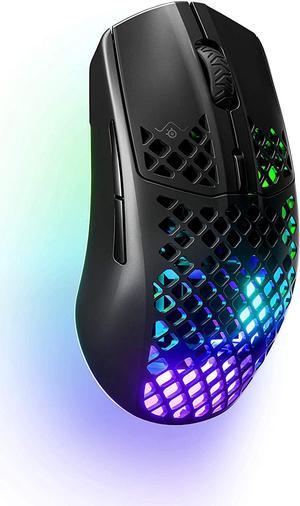
SteelSeries Aerox 3 Wireless Gaming Mouse
Pros
- 68g wireless is rare under $100
- Dual wireless: 2.4GHz for gaming, Bluetooth for travel
- IP54 water and dust resistance
- 200-hour battery life at 2.4GHz
Cons
- Honeycomb shell like the Haste 2, dust accumulates inside
- Not the most ergonomic shape
- Bluetooth mode has slightly higher latency than 2.4GHz
Price as of Aug 25, 2026 — see current price on Amazon.
The Aerox 3 Wireless is the premium wireless pick in this list, and at $89 it's the closest to the $100 ceiling. But what you get for that price is genuinely unusual: a 68-gram wireless mouse with dual connectivity (2.4GHz for your gaming sessions, Bluetooth when you want to connect to a laptop without a dongle), IP54 water and dust resistance, and 200-hour battery life.
Wireless gaming mice under $100 with good specs are getting more common, but 68 grams wireless is still not easy to find at this price. The Logitech G305 gives you wireless at $40 but it's 99 grams. The Aerox 3 gives you wireless at a weight that competes with wired mice, which is the more impressive engineering feat.
SteelSeries's TrueMove Air 18K sensor isn't the flagship unit they put in their $150 mice, but it tracks cleanly without issues at normal gaming speeds. For competitive play or casual gaming, it's more than sufficient.
Buying Guide: What to Look For Under $100
Wired vs. wireless under $100
Wireless gaming mice have historically cost a premium because the latency had to be matched to wired speeds and the battery engineering was expensive. In 2026, that premium has collapsed at the lower end. Logitech's LIGHTSPEED at $40 (in the G305) and SteelSeries' dual-band at $89 are both genuinely lag-free for gaming.
But wireless still costs more at equivalent performance levels. If you want the lightest possible mouse or the best sensor at a given price, wired options still win. The Pulsefire Haste 2's 53g wireless equivalent costs significantly more. So: wireless if cable management or flexibility matters to you, wired if you want the most hardware for the money.
Sensors: what actually matters
In 2026, any gaming mouse sensor from a major brand at $40 or more is good enough for competitive play. The DPI number that gets highlighted in marketing is almost irrelevant: most players use 400 to 1600 DPI, well within the range of every sensor on this list.
What matters more is whether the sensor tracks cleanly without adding artificial smoothing or acceleration. Cheaper sensors sometimes add smoothing to hide tracking errors, which makes precise micro-adjustments harder. All five mice above use clean-tracking sensors, which is why they made the list.
Polling rate
Standard polling rate is 1000Hz, meaning your mouse reports its position 1,000 times per second. The HyperX Pulsefire Haste 2 ships at 8000Hz. In casual gaming, you won't feel the difference. In competitive first-person shooters where frame rates are above 240fps, higher polling rate can reduce input lag slightly.
Grip style
Palm grip: your whole hand rests on the mouse. Best served by the DeathAdder V3's curved ergonomic shape.
Claw grip: palm at the back, fingertips arched on the buttons. The Impact III and Pulsefire Haste 2 work well here.
Fingertip grip: only your fingertips touch the mouse. The lighter mice (Haste 2, Aerox 3) work best.
Frequently asked questions
- What's the best wireless gaming mouse under $100?
- The SteelSeries Aerox 3 Wireless at $89 is the best wireless option under $100. It weighs 68g, has dual connectivity (2.4GHz and Bluetooth), IP54 water resistance, and 200-hour battery life. The Logitech G305 at $40 is the best budget wireless pick if you don't need the Aerox's features.
- Is it worth spending $70-90 on a gaming mouse when cheaper ones exist?
- Yes, in the $70-90 range you get noticeably better sensors, cleaner builds, and features like higher polling rates that cheaper mice skip. The DeathAdder V3 at $70 has a 30K sensor and 59g weight that would have cost $120-130 two years ago. The jump from $40 to $70 is more meaningful than the jump from $100 to $150.
- Does a higher DPI gaming mouse make you a better player?
- No. DPI is one of the most over-marketed specs in gaming peripherals. Most competitive players use 400 to 800 DPI with high in-game sensitivity adjustments. What matters more is sensor accuracy, how the mouse tracks small movements without drift, and the physical shape matching your grip style.
- Are gaming mice good for everyday computer use too?
- Yes. The optical sensors on gaming mice are excellent for general productivity work and the build quality is often higher than budget office mice. The only downside is the aesthetic, which is gaming-focused. The ASUS ROG Impact III and HyperX Pulsefire Haste 2 both have relatively understated designs that work in non-gaming contexts.
- How long should a gaming mouse last?
- A quality gaming mouse from a major brand should last three to five years with daily use. The main failure points are the scroll wheel encoder, the side buttons (which see more wear than the main buttons), and the cable on wired models. Look for mice rated for 50 million or more clicks on the main switches, which all five options above meet or exceed.
Bottom Line
The G305 is the obvious buy if wireless at the lowest price is the goal. HyperX's Pulsefire Haste 2 wins on raw specs per dollar for wired users who care about weight and sensor quality. The DeathAdder V3 is the best ergonomic option for palm grip. And the Aerox 3 Wireless is the pick if you want a fully wireless setup without spending more than $100.
All five are genuinely good mice. The upgrade from a $15 generic mouse to any of these is significant. The differences between them are preferences, not quality gaps.
How We Test
We score products by combining spec-level research, pricing history, trusted third-party benchmarks, and owner sentiment from high-signal sources.
- Performance and real-world value in the category this guide targets
- Price-to-performance and deal consistency over recent pricing windows
- Build quality, reliability patterns, and known long-term issues
- Recommendation refresh cadence to keep these picks current
Author
TheTechSearch Editorial Team
Independent product reviewers & PC builders
We test and compare real-world specs, price trends, and user feedback to recommend gear that actually makes sense to buy.