Best Wireless Gaming Headsets Under $200 2026
The best wireless gaming headsets under $200 in 2026: from HyperX's 300-hour battery beast to SteelSeries' best all-rounder. Real picks, real prices. Expert...
As an Amazon Associate we earn from qualifying purchases made through our links — this doesn't affect our picks.

HyperX Cloud Alpha Wireless Gaming Headset
Our top recommendation for this category
Price as of Jun 2, 2026 — see current price on Amazon.
Spending $200 on a wireless gaming headset used to feel excessive. Now it's the sweet spot. At this price you get proper 2.4GHz wireless (not just Bluetooth), 30-plus hours of battery, and microphone quality that doesn't embarrass you on Discord. The $50 and $100 picks require real compromises. The $200 bracket mostly doesn't.
Below are the five that actually hold up across PC and console gaming.
| Headset | Battery | Wireless | Platforms | Price | |
|---|---|---|---|---|---|
| HyperX Cloud Alpha Wireless | 300 hours | 2.4GHz | PC only | ~$120-150 | Check Price |
| SteelSeries Arctis Nova 7 Gen 2 | 50+ hours | 2.4GHz + BT | PC, PS5, Switch | ~$200 | Check Price |
| Razer BlackShark V2 Pro 2023 | 70 hours | 2.4GHz + BT | PC, PS5, Switch 2 | ~$150-200 | Check Price |
| Corsair HS80 MAX Wireless | 65 hours | 2.4GHz + BT | PC, PS5, Mobile | ~$140-190 | Check Price |
| Logitech G535 LIGHTSPEED | 33 hours | 2.4GHz | PC, PS4, PS5 | ~$70-100 | Check Price |
HyperX Cloud Alpha Wireless
HyperX Cloud Alpha Wireless Gaming Headset
Pros
- 300-hour battery life is genuinely unreal
- Dual-chamber drivers sound surprisingly rich
- Comfortable aluminum frame, real build quality
- DTS Headphone:X spatial audio
Cons
- PC-only, no console wireless support
- No Bluetooth, just 2.4GHz
- Microphone is decent but not class-leading
Price as of Jun 2, 2026 — see current price on Amazon.
Three hundred hours. I know how that sounds, but HyperX is not exaggerating. You charge this headset roughly once a month during heavy use. Once every six weeks if you're a normal person. That alone makes it worth considering even if everything else were mediocre. And everything else isn't mediocre.
The dual-chamber driver design (separate chambers for bass and mid/high frequencies) actually works. Bass doesn't bleed into voices, which matters in competitive games where footsteps and callouts need to cut through. Sound stage feels a bit narrow compared to the SteelSeries Nova 7, but imaging is crisp.
The catch is platform support. This thing only does PC. If you play on PS5 or want Bluetooth for your phone, look elsewhere. HyperX made a deliberate choice to maximize battery by dropping features. Reasonable tradeoff, but you need to know it going in. The newer HyperX Cloud Alpha 2 Wireless (ASIN B0FJXLBWWT) adds Bluetooth and multi-device, though it's priced at the top of this bracket.
SteelSeries Arctis Nova 7 Wireless Gen 2
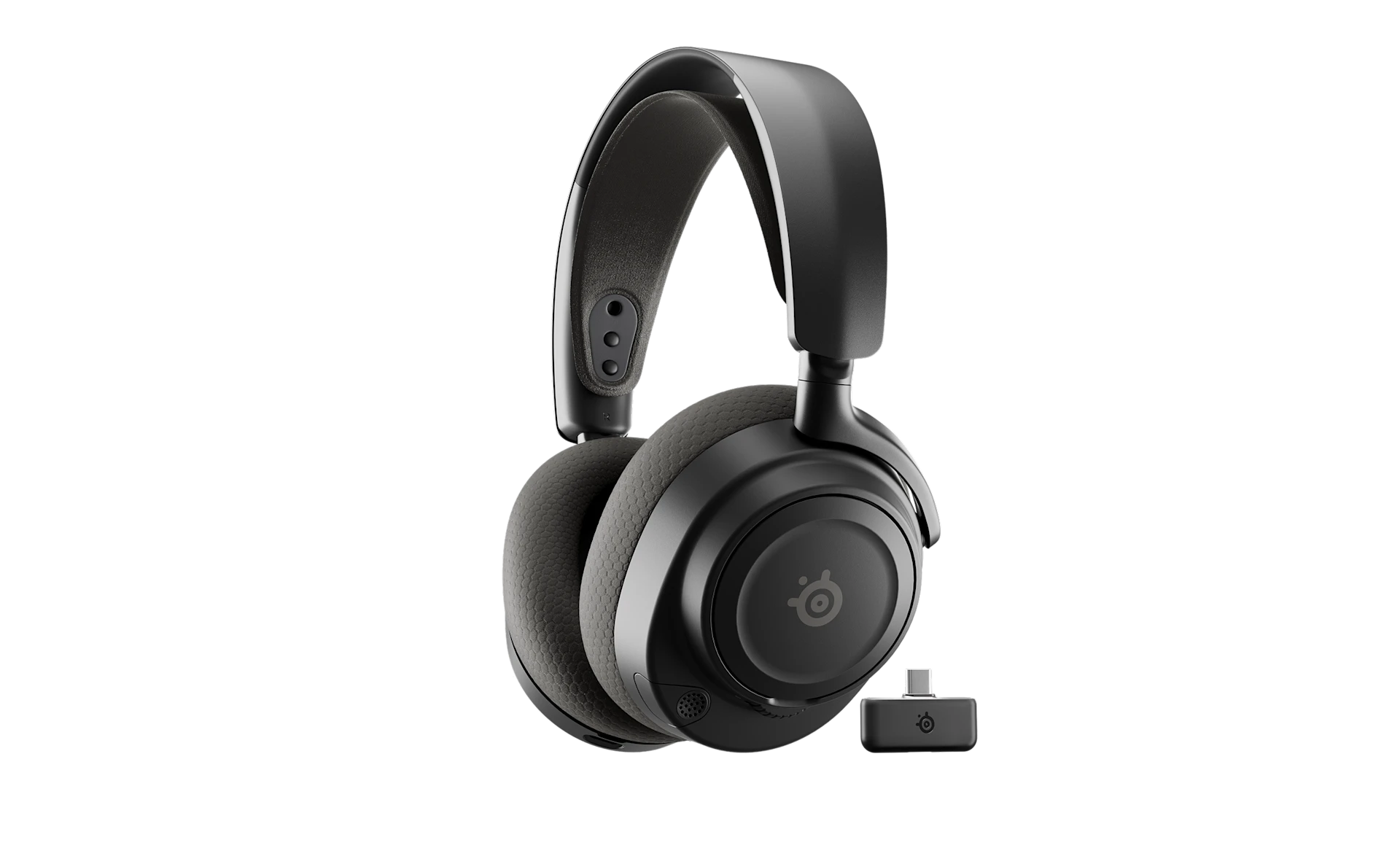
SteelSeries Arctis Nova 7 Wireless Gen 2 Gaming Headset
Pros
- Works on PC, PS5, Switch, and mobile simultaneously
- 50-plus hours battery with 2.4GHz + Bluetooth mixed
- ClearCast Gen 2 AI mic is genuinely good
- Real-time app control is a nice touch
Cons
- Sits at the top of this price bracket ($200)
- Earcup foam compresses over time
- Software adds weight (app required for full features)
Price as of Jun 2, 2026 — see current price on Amazon.
SteelSeries released the Gen 2 upgrade to the Nova 7 in 2025 and it fixed the one thing people complained about: microphone clarity. The ClearCast Gen 2 AI-processed mic picks up your voice clearly without the nasal quality the original had.
This is the most versatile headset on the list. You can simultaneously connect via 2.4GHz to your PC and Bluetooth to your phone, then cleanly mix both audio streams. Game audio through the dongle, Discord through your phone. It just works. The Nova 7 Gen 2 also supports Switch out of the box and PS5 via the USB dongle.
SteelSeries rates the battery at 50-plus hours with mixed 2.4GHz and Bluetooth use. At $199 MSRP this is technically at the ceiling of this guide, but it goes on sale to $170-180 regularly and sits there for weeks at a time. It's the one I'd personally buy for an all-purpose setup.
Razer BlackShark V2 Pro 2023
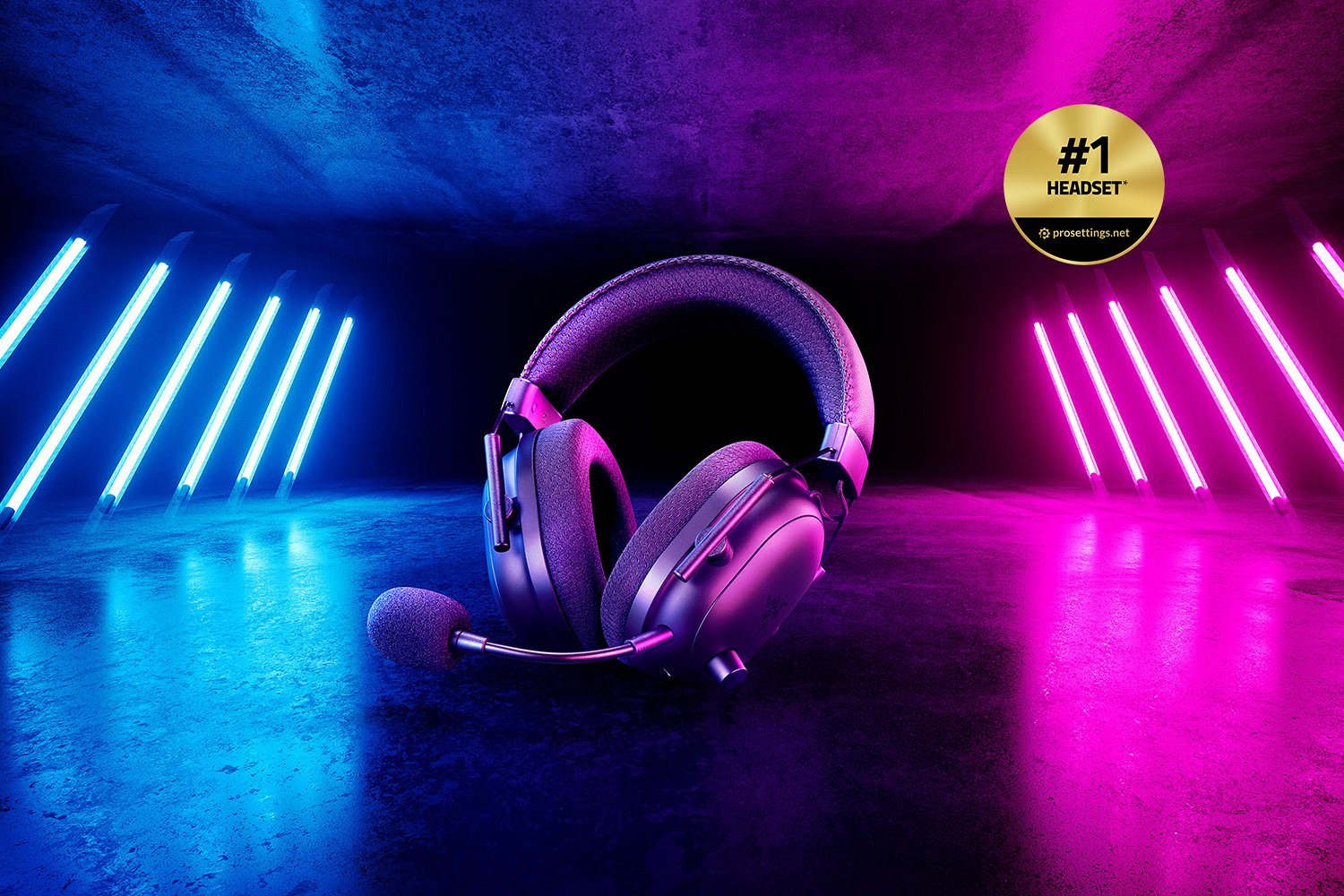
Razer BlackShark V2 Pro Wireless Gaming Headset (2023)
Pros
- 70-hour battery life
- Best microphone in this price range; Super Wideband captures voice clearly
- Pro-tuned FPS audio profiles work well in competitive games
- Frequently drops to $100-130 on sale
Cons
- No onboard EQ controls (need Razer Synapse app)
- Comfort is good but not exceptional for glasses wearers
- 2023 model is starting to age against Gen 2 competitors
Price as of Jun 2, 2026 — see current price on Amazon.
Tom's Hardware called this "our favorite gaming headset" in early 2026, and it keeps showing up on sale at prices that make it an easy recommendation. At $200 MSRP it's competitive. At $100-130 (which happens routinely) it's genuinely exceptional value.
The Super Wideband mic is the highlight. Razer figured out how to capture voice with more depth and less harshness than most gaming mics at this price. Streamers and Discord users notice. If you talk a lot while gaming, this microphone matters.
The 2023 redesign brought Bluetooth, USB-C charging, and Nintendo Switch support alongside the existing PC and PS5 compatibility. 70-hour battery is legitimately good. Not HyperX Cloud Alpha territory, but plenty. The audio profiles are worth trying: the FPS-tuned preset genuinely helps with footstep clarity in games like Warzone and Apex.
Corsair HS80 MAX Wireless
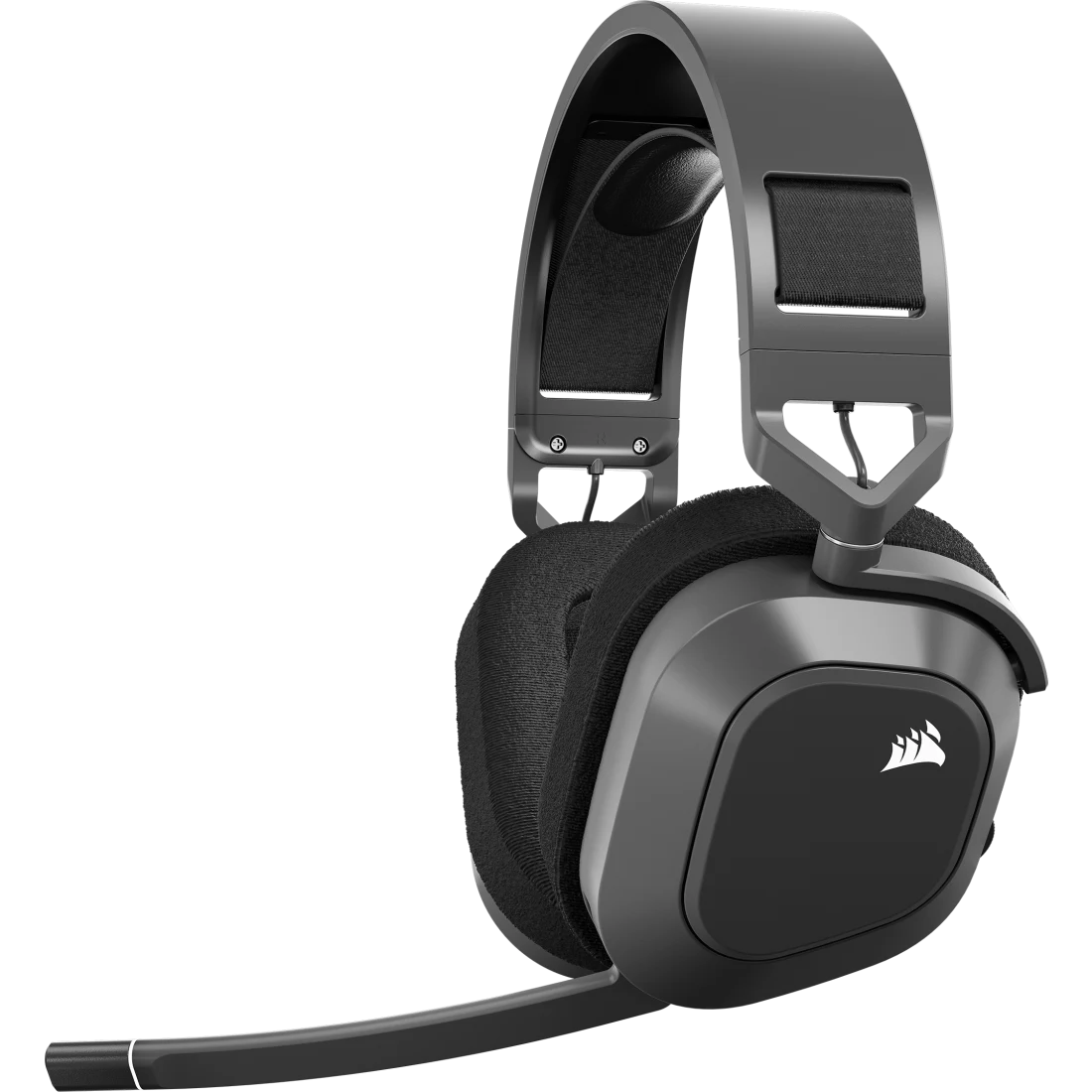
Corsair HS80 MAX Wireless Gaming Headset
Pros
- Dolby Atmos and SonarWorks SoundID support are rare at this price
- 65-hour battery with 2.4GHz
- Broadcast-quality microphone for PS5 users
- iCUE integration if you're in the Corsair ecosystem
Cons
- Heavier than the SteelSeries and Razer picks
- iCUE software can be finicky
- SoundID personalization requires extra setup
Price as of Jun 2, 2026 — see current price on Amazon.
Corsair's HS80 MAX Wireless sits in an interesting position: it costs less than the Nova 7 Gen 2 but offers features you don't normally see at this price. SonarWorks SoundID is a personalized EQ system that calibrates audio to your hearing. It's legitimately useful, not marketing fluff.
The microphone is Corsair's broadcast-quality design with flip-to-mute. For PS5 players especially, this is one of the better USB wireless options in this bracket. Dolby Atmos support works without any extra subscription, which I appreciate. 65 hours battery is strong.
The main complaint from Reddit and review sites is weight. At 322g it's noticeably heavier than the Nova 7 Gen 2 (268g) or Logitech G535 (236g). For long sessions, that matters. If you're sensitive to headset weight, this one needs a try-before-you-buy or a liberal return policy.
Logitech G535 LIGHTSPEED
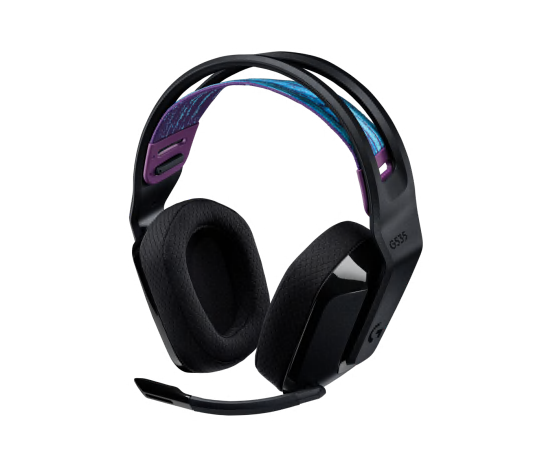
Logitech G535 LIGHTSPEED Wireless Gaming Headset
Pros
- Lightest headset on this list at 236g
- 33-hour battery is solid for the price
- Logitech LIGHTSPEED is the best wireless protocol at this price point
- Clean design, no gamer-y aesthetic
Cons
- Audio quality is good, not great (thin bass)
- Microphone is average, flip-to-mute is nice but pickup isn't exceptional
- No Bluetooth, PC/PS focused only
- On-ear cups fatigue faster than over-ear designs
Price as of Jun 2, 2026 — see current price on Amazon.
Look, this one's technically under budget at $70-100, but I'm including it because sometimes you don't actually need to spend $200. The G535 is genuinely capable wireless audio that won't embarrass anyone in a party chat.
At 236g it's the lightest headset on this list by a meaningful margin. That low weight counts for most in long gaming sessions. LIGHTSPEED is Logitech's proprietary low-latency wireless protocol.
The honest limitation is bass and soundstage. The G535 uses 40mm drivers vs the 50mm units in the HyperX and Razer, and you can hear the difference on music and cinematic games. For competitive FPS gaming (where you want flat, detailed audio anyway) this matters less. The on-ear cups are also less comfortable for extended sessions than over-ear designs -- worth knowing if you game for four-plus hours at a stretch.
What to Look for in a Wireless Gaming Headset Under $200
2.4GHz vs Bluetooth
This is the most important technical decision. Pure Bluetooth adds latency you can notice in fast games -- typically 100-300ms depending on codec. 2.4GHz wireless (via USB dongle) delivers sub-20ms latency, which is effectively undetectable. Every headset on this list uses 2.4GHz as its primary gaming connection.
The Gen 2 SteelSeries and Razer BlackShark V2 Pro add Bluetooth as a secondary connection for phone and tablet use. That's actually useful -- you can take calls without switching devices. But for in-game audio, always use the 2.4GHz dongle.
Battery Life
At this price range you should expect 30-70 hours minimum on 2.4GHz. The HyperX Cloud Alpha Wireless is an outlier at 300 hours. Anything under 20 hours is a red flag in 2026. Quick-charge matters too: the SteelSeries Nova 7 Gen 2 charges to 20 hours in 15 minutes. That's genuinely useful when you forget to plug in.
Microphone Quality
Gaming headset mics have gotten noticeably better in the last two years. The Razer Super Wideband mic and SteelSeries ClearCast Gen 2 both deliver Discord-quality audio that doesn't make you sound like you're calling from a parking garage.
If you stream or content-create, the microphone matters a lot. For casual multiplayer it matters moderately. The Logitech G535's mic is fine for callouts but you'd notice the difference if you listen back to recordings.
Platform Compatibility
PS5 has specific requirements: the console's USB port needs to read the dongle as a valid audio device. Most headsets on this list are confirmed PS5-compatible. The HyperX Cloud Alpha Wireless is the exception -- it's PC-only. If you game on both PC and PS5, the Nova 7 Gen 2 or Razer BlackShark are safer bets.
Comfort and Weight
Hours-long gaming sessions make this non-negotiable. The range here is 236g (Logitech G535) to 322g (Corsair HS80 MAX) -- an 86g difference that's noticeable after two hours. Earcup depth matters too: shallow cups rest on your ears (on-ear style, like the G535) vs. cups that surround your ears (over-ear, like the Cloud Alpha and Nova 7). Over-ear generally wins for long sessions, but heat buildup in summer can make you miss the breathability of on-ear designs.
Clamping force is the other factor reviewers rarely mention. A tight clamp keeps the headset stable during motion but compresses your head after an hour. The Nova 7 Gen 2 runs slightly loose by design, which some people love and others find annoying. The Razer BlackShark runs firmer. Neither is wrong -- it's personal preference, which is why return policies matter when buying audio gear.
Software and EQ
Most of these headsets work plug-and-play without any software. Install the companion app and you unlock EQ presets, sidetone adjustments, and spatial audio settings. Razer Synapse, Corsair iCUE, and SteelSeries GG are all free. HyperX Ngenuity is the lightest of the bunch and doesn't demand background processes the way iCUE can.
If you hate installing software, the Logitech G535 and Razer BlackShark both function fully without their companion apps. EQ is fixed but the defaults are tuned reasonably well for gaming.
Frequently asked questions
- Is 2.4GHz wireless really better than Bluetooth for gaming?
- Yes, significantly. 2.4GHz wireless via USB dongle delivers 15-20ms latency, which is effectively undetectable. Most Bluetooth connections run 100-300ms even with aptX Low Latency codecs, and that delay is noticeable in fast-paced games. Every serious gaming headset uses 2.4GHz for the primary gaming connection. Bluetooth is best used as a secondary connection for phone calls or music.
- Can I use these headsets on PS5?
- Most of them, yes. The SteelSeries Arctis Nova 7 Gen 2, Razer BlackShark V2 Pro, and Corsair HS80 MAX all support PS5 via USB dongle. The HyperX Cloud Alpha Wireless is PC-only -- no console support. The Logitech G535 works on PS4 and PS5 but not Xbox.
- How much battery do I actually need in a gaming headset?
- For typical use (2-4 hours per day), 30 hours is plenty -- you'd charge once a week. If you forget to charge regularly or game in longer sessions, 50-70 hours is a better target. The HyperX Cloud Alpha Wireless's 300-hour battery is overkill for most people but genuinely eliminates charging anxiety entirely.
- Do I need to spend $200 for good wireless audio?
- Not always. The Logitech G535 at $70-100 is genuinely capable for competitive gaming and casual use. The step up to $150-200 buys you meaningfully better microphone quality, longer battery, and often multi-device support. The biggest jump in quality per dollar is going from wired to wireless -- after that, gains get incremental.
- Are gaming headsets worse than audiophile headphones for music?
- Usually, yes. Gaming headsets boost bass and compress the soundstage to make games feel cinematic. Neutral headphones like the Sennheiser HD 600 or HiFiMAN HE400se sound better for music but require a separate microphone and amp setup. If you want to do both well, the Arctis Nova 7 Gen 2's EQ software helps bridge the gap somewhat.
- What's the difference between the SteelSeries Arctis Nova 7 and Nova 7 Gen 2?
- The Gen 2 (B0FRNR8Y11, released 2025) upgrades the microphone to ClearCast Gen 2 with AI processing, adds real-time app control via the headset itself, improves battery to 50-plus hours, and adds support for Nintendo Switch 2. If you can find the original Nova 7 (B0B15QM5LL) at a significant discount, it's still a solid headset -- but the Gen 2 mic is noticeably better.
Bottom Line
If you want one headset that does everything well, get the SteelSeries Arctis Nova 7 Wireless Gen 2. It works on every platform, the microphone is genuinely good, and 50-plus hours of battery means you're not thinking about charging during the week.
If battery life is your actual priority, the HyperX Cloud Alpha Wireless is in a category of its own at 300 hours -- just accept that it's PC-only. And if your budget is flexible, watch the Razer BlackShark V2 Pro 2023 for sales: it drops to $100-130 regularly and punches well above that price at those moments.
The Corsair HS80 MAX is the right call if you're deep in the Corsair ecosystem or specifically want SonarWorks audio personalization. The Logitech G535 is what I'd recommend if $200 feels like too much and you want something that works reliably without overthinking it.
How We Pick
We pick products by combining spec-level research, price checks, trusted third-party benchmarks, and owner sentiment from high-signal sources.
- Performance and real-world value in the category this guide targets
- Price-to-performance and deal consistency over recent pricing windows
- Build quality, reliability patterns, and known long-term issues
- Recommendation refresh cadence to keep these picks current
Author
TheTechSearch Editorial Team
Independent product reviewers & PC builders
We compare real-world specs, reviews and owner reports, price trends, and user feedback to recommend gear that actually makes sense to buy.