Best Gaming Laptops Under $2,000 in 2026
The best gaming laptops under $2,000 in 2026: RTX 5070 Ti picks from ASUS, Lenovo, HP, and Razer that hit 1440p without compromise. Expert picks, pros and co...
As an Amazon Associate we earn from qualifying purchases made through our links — this doesn't affect our picks.
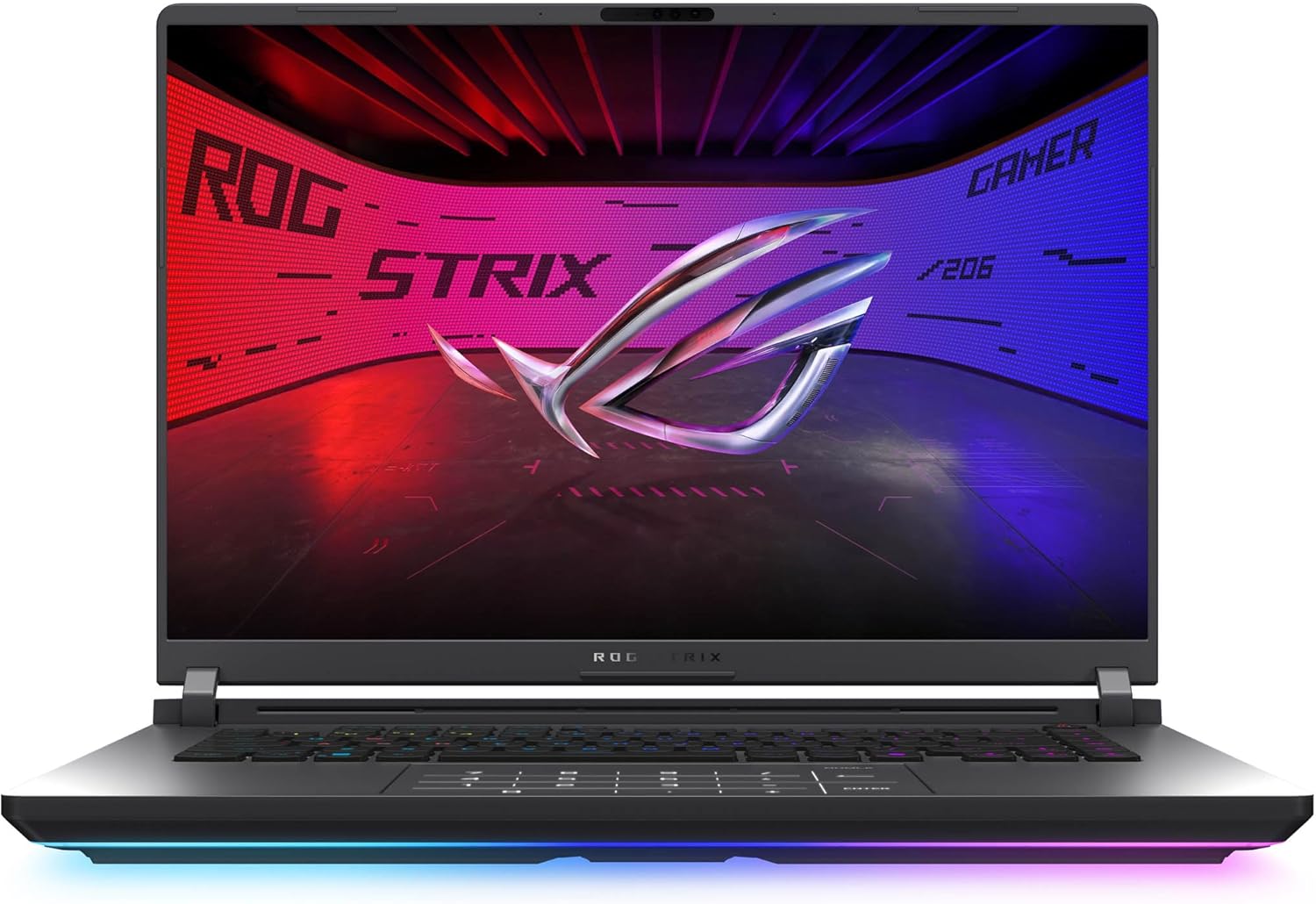
ASUS ROG Strix G16 (2025) RTX 5070 Ti - Intel Core Ultra 9 275HX, 16-inch 2.5K 240Hz
Our top recommendation for this category
Price as of Jun 15, 2026 — see current price on Amazon.
Two thousand dollars used to buy you a flagship gaming laptop. In 2026, it buys you something better: a machine with an RTX 5070 Ti, a 240Hz OLED display, and 32GB of DDR5, without the $2,500+ tax that comes with chasing the RTX 5080 tier. The under-$2,000 bracket is genuinely the sweet spot this generation.
I spent the past few weeks looking at what's actually shipping and what reviewers are actually testing. The RTX 5070 Ti consistently delivers 90-95% of RTX 5080 laptop performance in real gaming benchmarks at around 60% of the price. That's the whole argument for this price range, and it holds up.
If your budget is tighter, our gaming laptop under $1,500 guide covers the RTX 5060/5070 tier. And if budget isn't the constraint, our RTX 5080 laptops guide covers the $2,500+ range.
Quick Comparison
| Laptop | GPU | Display | RAM | Price | |
|---|---|---|---|---|---|
| ASUS ROG Strix G16 | RTX 5070 Ti | 16" 2.5K 240Hz | 32GB DDR5 | ~$2,552.90 | Check Price |
| Lenovo Legion Pro 7i | RTX 5070 Ti | 16" OLED 2.5K 240Hz | 32GB DDR5 | ~$1,999 | Check Price |
| HP Omen Max 16 | RTX 5070 | 16" 2.5K 240Hz | 32GB DDR5 | ~$1,499 | Check Price |
| ASUS ROG Zephyrus G14 | RTX 5070 Ti | 14" OLED 3K 120Hz | 32GB LPDDR5X | ~$2,979.45 | Check Price |
| Razer Blade 16 | RTX 5070 Ti | 16" QHD+ OLED 240Hz | 32GB LPDDR5X | ~$1,999 | Check Price |
ASUS ROG Strix G16 (2025): Best Overall
ASUS ROG Strix G16 (2025) RTX 5070 Ti - Intel Core Ultra 9 275HX, 16-inch 2.5K 240Hz
Pros
- ROG Nebula 2.5K 240Hz panel is one of the best gaming displays at this price
- Intel Core Ultra 9 275HX with 24 cores handles gaming and heavy creative work equally well
- RTX 5070 Ti at full wattage, no undervolting surprises
- Wi-Fi 7, Thunderbolt 4, HDMI 2.1, and 2.5GbE all standard
- PCWorld rated the cooling system as excellent under sustained load
Cons
- 5.5 lbs is heavy; this is a desk machine, not a daily commuter
- Battery life drops to 3-4 hours under gaming load
- Chassis runs warm on sustained GPU workloads
Price as of Jun 15, 2026 — see current price on Amazon.
The ROG Strix G16 is the easy recommendation for most buyers in this bracket. ASUS ships it with the Intel Core Ultra 9 275HX (24 cores, up to 5.4GHz boost) paired with an RTX 5070 Ti running at full wattage. That last part matters more than it sounds: some OEMs throttle TGP (thermal design power) to hit a price point, which cuts real-world GPU performance by 15-25%. ASUS doesn't do that here.
The ROG Nebula display runs at 2560x1600 with a 240Hz refresh rate and 3ms response time. For competitive multiplayer, it's fast enough that motion blur essentially disappears. For single-player games, the resolution bump over 1080p panels is immediately noticeable. PCWorld's review specifically called out the display as "among the best gaming panels we've tested at this price tier."
Tom's Hardware benchmarks showed the Strix G16 consistently hitting 80-110 fps in Cyberpunk 2077 at 1440p ultra settings with DLSS 4 Quality mode. Shadow of the Tomb Raider at 1440p ultra sits around 140-160 fps. Those are numbers that make 240Hz feel justified.
The weight is the honest limitation. At 5.5 lbs, you'll notice it in a backpack after a few hours. But if you game primarily at a desk and want serious performance without the RTX 5080 price tag, this is the one.
Buy it if: You want maximum 1440p gaming performance and the display refresh rate to use it, without paying the flagship premium.
Lenovo Legion Pro 7i: Best OLED Option
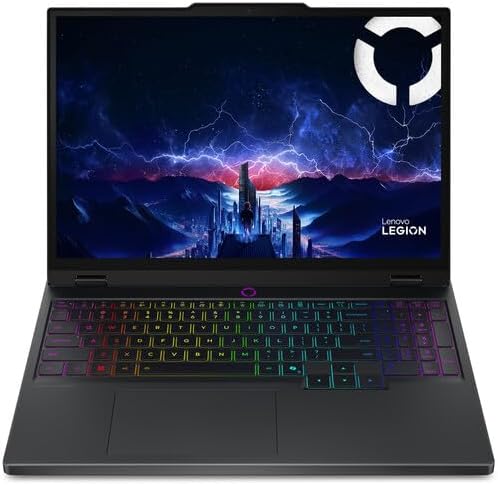
Lenovo Legion Pro 7i RTX 5070 Ti - Intel Core Ultra 9 275HX, 16-inch OLED 2.5K 240Hz
Pros
- OLED panel delivers blacks and contrast that IPS panels can't touch
- Legion Coldfront cooling with dual fans, vapor chamber, and hyperchamber tech
- Scenario detection adjusts TGP dynamically based on what you're running
- 16-inch 2.5K OLED at 240Hz hits sweet spots for both gaming and media
- Strong build quality, good keyboard with per-key RGB
Cons
- At $1,999, it's at the ceiling of this article's budget
- OLED brightness can be limiting in bright rooms at peak SDR usage
- 5.7 lbs, slightly heavier than the Strix G16
Price as of Jun 15, 2026 — see current price on Amazon.
If the display matters more than raw weight and price, the Legion Pro 7i is where you end up. That OLED panel changes the experience of playing dark games (horror titles, space sims, any game with night environments) in a way that's hard to overstate once you've seen it. The contrast ratio is essentially infinite, which sounds like marketing until you're playing Baldur's Gate 3 at midnight and the difference from an IPS panel is obvious.
Lenovo's Legion Coldfront cooling system gets more technical coverage than its competitors. The vapor chamber combined with what Lenovo calls a "hyperchamber" effectively isolates exhaust paths to prevent hot air recirculation. Notebookcheck tested the Pro 7i and found sustained GPU clocks remained stable during extended gaming sessions, which is the kind of test where most gaming laptops start thermal throttling after 20-30 minutes.
The scenario detection feature is worth mentioning: the software automatically adjusts between performance profiles based on whether you're running a game, a browser, or a render job. It's a nice touch that extends battery life during lighter use without requiring manual switching.
At $1,999, it's the most expensive pick in this guide. If the OLED display is something you actively want (and for media consumption and single-player gaming, it's genuinely excellent), it's worth the premium over the Strix G16.
Buy it if: You prioritize display quality for gaming and media over portability, and want the best screen at this price point.
HP Omen Max 16: Best Value
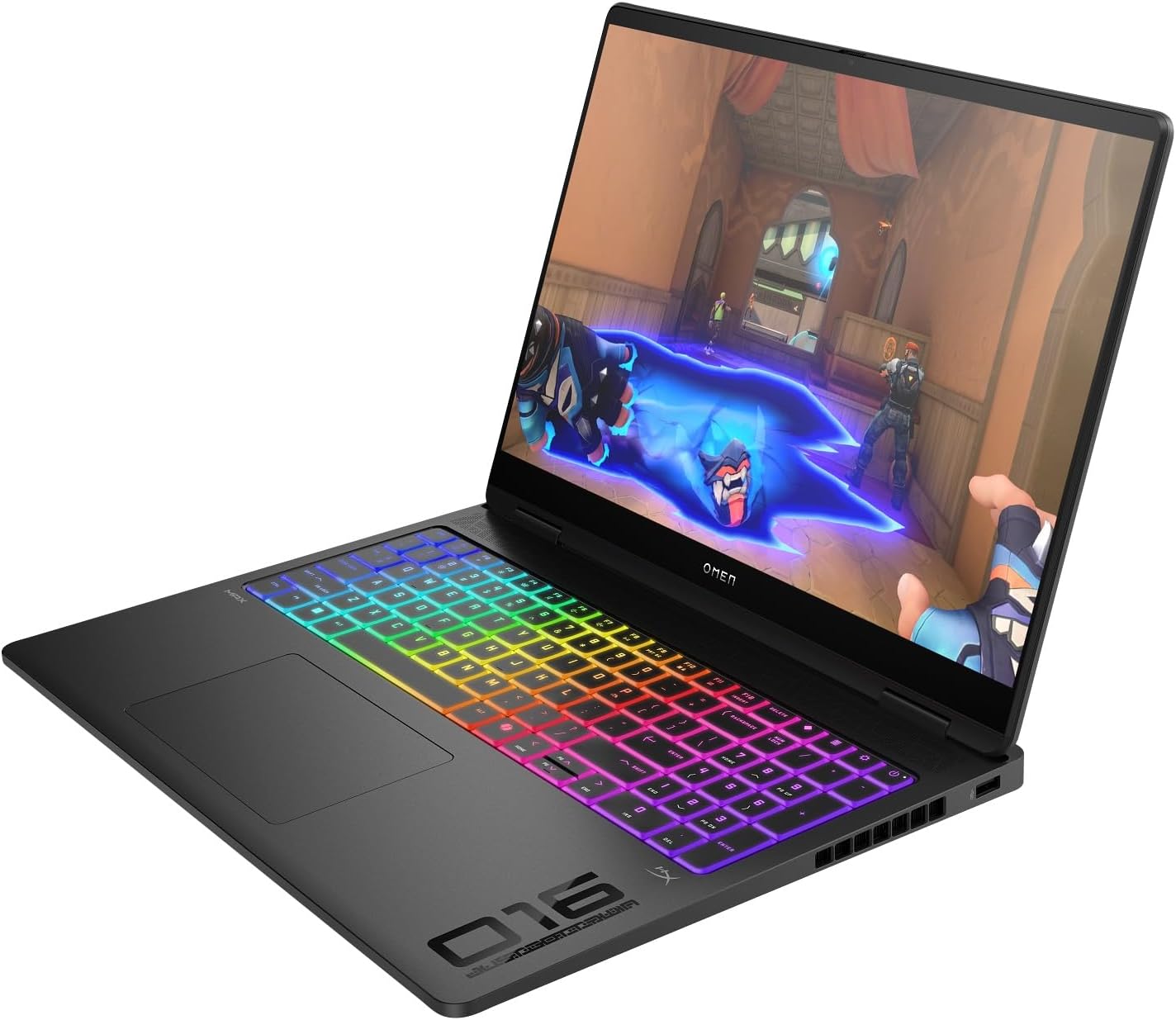
HP Omen Max 16 RTX 5070 - AMD Ryzen AI 9 HX 375, 16-inch WQXGA 240Hz
Pros
- RTX 5070 delivers strong 1440p performance at $500 less than RTX 5070 Ti options
- AMD Ryzen AI 9 HX 375 matches or beats Intel Core i9 in multi-threaded workloads
- 240Hz 2.5K display is sharp and fast
- Wi-Fi 7 included, which matters for low-latency online gaming
- Good port selection including HDMI 2.1 and USB4
Cons
- RTX 5070 is roughly 15-20% slower than the RTX 5070 Ti in rasterization
- No OLED panel at this price; IPS display is good but not exceptional
- HP Omen software can feel cluttered compared to ASUS/Lenovo equivalents
Price as of Jun 15, 2026 — see current price on Amazon.
The HP Omen Max 16 makes the strongest argument for stepping back from RTX 5070 Ti and saving $300-$500. The RTX 5070 is not dramatically slower. Notebookcheck's testing puts the gap at roughly 15-20% in rasterization, and with DLSS 4 enabled, the difference in actual frame rates shrinks further. For most AAA games at 1440p high settings, 80+ fps is very achievable on the RTX 5070.
What you get at $1,499 is interesting: the AMD Ryzen AI 9 HX 375 actually trades blows with Intel's Core Ultra 9 in multi-threaded workloads, and in some Cinebench R24 and Blender tests it comes out ahead. If you do any CPU-bound creative work alongside gaming, the AMD version of this laptop is worth serious consideration.
The 240Hz 2.5K IPS display is competent. It's not as visually impactful as the Legion Pro 7i's OLED, but the 240Hz refresh rate is real and smooth. For competitive games where you'd rather have 240fps than deep blacks, that's the right trade.
Look, at $1,499 this laptop delivers 85-90% of what the $1,999 options offer. That last 10-15% of GPU performance costs you an extra $500. For a lot of people, that math doesn't add up.
Buy it if: You want strong 1440p gaming performance at a price $300-$500 lower than RTX 5070 Ti options, and don't need OLED.
ASUS ROG Zephyrus G14 (2025): Best Portable Pick
ASUS ROG Zephyrus G14 (2025) RTX 5070 Ti - Ryzen AI 9 HX 370, 14-inch OLED 3K 120Hz
Pros
- 3.64 lbs with RTX 5070 Ti, genuinely portable gaming performance
- 3K OLED Nebula display at 120Hz is stunning for gaming and content creation
- Exceptional battery life for a gaming laptop: 8+ hours in productivity use
- AMD Ryzen AI 9 HX 370 is extremely power-efficient at this performance level
- Compact enough to commute with daily without back pain
Cons
- RTX 5070 Ti TGP is lower than the 16-inch options due to chassis constraints
- 14-inch screen is smaller, not ideal for immersive single-player titles
- Only 120Hz on the OLED (vs 240Hz on competing 16-inch options)
- Fewer ports than 16-inch competitors
Price as of Jun 15, 2026 — see current price on Amazon.
The Zephyrus G14 is the proof that you don't have to choose between portability and serious gaming performance in 2026. At 3.64 lbs with an RTX 5070 Ti, it's the laptop you can actually carry to work or school every day, run a meeting on during the day, and then game on at night.
The 3K OLED display (2880x1800) runs at 120Hz, which is lower than the 240Hz panels on 16-inch competitors. Honestly, for single-player gaming and creative work, 120Hz OLED is still excellent. The visual quality of that panel more than makes up for the lower refresh rate. Where it matters is competitive multiplayer: if you're playing Valorant or CS2 at frame rates above 120fps regularly, you won't see those extra frames on this display.
Battery life is the G14's party trick. In productivity use (browser, Office, video calls) expect 8-10 hours. That's nearly double what the Legion Pro 7i achieves. You can take this to a coffee shop without hunting for an outlet. No other RTX 5070 Ti laptop does that.
The GPU TGP is constrained by the chassis size: you're getting the RTX 5070 Ti at slightly lower wattage than in 16-inch machines, which means a 10-15% real-world performance penalty in GPU-heavy scenarios. Worth it for most portability-focused buyers. Not worth it if you're a competitive gamer who wants every frame.
Buy it if: You commute with your laptop, need all-day battery, and want the best portable gaming machine money can buy in this class (Amazon had it at $2,979.45 in September 2026, well over this guide's ceiling).
Razer Blade 16 (2025): Best Premium Build
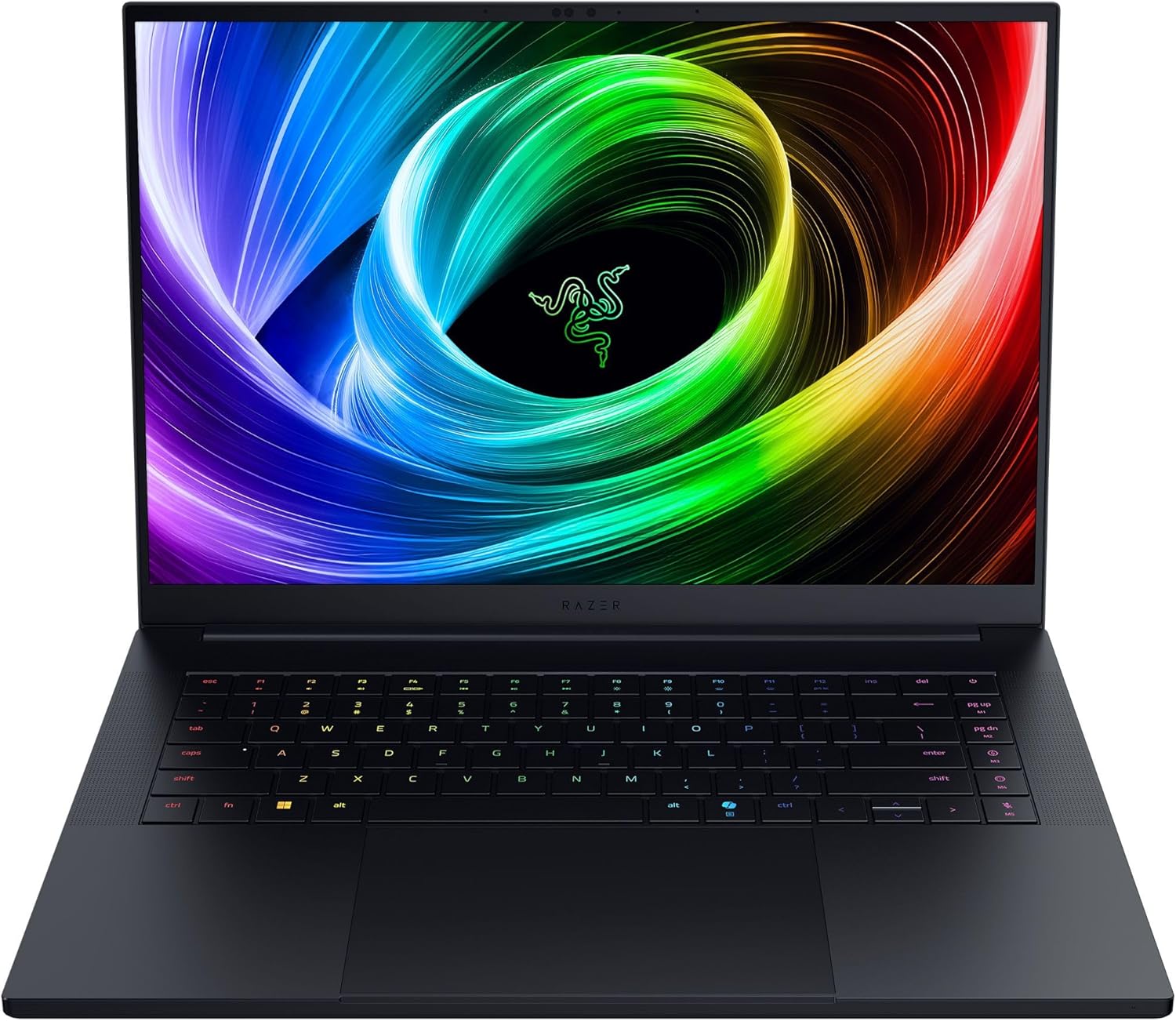
Razer Blade 16 (2025) RTX 5070 Ti - AMD Ryzen AI 9 365, 16-inch QHD+ OLED 240Hz
Pros
- Premium CNC aluminum chassis with build quality that matches or exceeds MacBook Pro
- QHD+ OLED at 240Hz is the best display combination in this roundup
- Razer Chroma RGB keyboard is genuinely one of the better laptop keyboards
- Clean, minimal design works in professional settings
- AMD Ryzen AI 9 365 delivers strong gaming and efficiency
Cons
- Razer's thermals have historically been the brand's weakness
- At $1,999, you're partly paying for the premium Razer brand
- Limited port selection without a dock
- Thinner chassis means the GPU runs at lower sustained TGP than the Strix G16
Price as of Jun 15, 2026 — see current price on Amazon.
The Razer Blade 16 is where gaming laptop meets professional laptop in terms of build quality. The CNC-machined aluminum chassis has the same density and finish quality you expect from a MacBook Pro, so it doesn't feel like a gaming laptop in a business meeting. And at 4.63 lbs for a 16-inch machine, it's meaningfully more portable than the Strix G16 or Legion Pro 7i.
That QHD+ OLED at 240Hz is the spec sheet winner in this roundup. You get the deep blacks and color pop of OLED combined with a 240Hz refresh rate, something the Zephyrus G14 doesn't offer at 120Hz. For competitive gaming on an OLED panel, this is the configuration. The AMD Ryzen AI 9 365 with RDNA iGPU also allows the discrete GPU to power down more aggressively in lighter tasks, which helps battery life relative to purely gaming-focused designs.
Where Razer has historically struggled is thermals. The thin chassis limits heat dissipation, and at full GPU load the RTX 5070 Ti may run at lower sustained clocks than in the thicker Legion or Strix chassis. Notebookcheck's data on Razer Blade thermal performance has consistently shown this tradeoff. You trade some raw gaming performance for the premium design and OLED 240Hz display.
But honestly? For buyers who value build quality and aesthetics alongside gaming performance, and want the machine to look good in both a boardroom and a game room, the Blade 16 is hard to argue with.
Buy it if: You want the best-looking gaming laptop in this roundup and don't mind the thermal tradeoff for premium build quality.
How to Choose a Gaming Laptop Under $2,000
GPU Performance: RTX 5070 vs RTX 5070 Ti
The RTX 5070 laptop GPU starts around $1,399-$1,599 in current machines. The RTX 5070 Ti sits $300-$500 higher. In real gaming benchmarks at 1440p, the Ti variant is 15-25% faster in raw rasterization. Meaningful, but not transformational. With DLSS 4 Frame Generation enabled, both GPUs can hit well over 100fps in most AAA titles at high settings.
What actually matters more than GPU tier: the TGP (thermal design power). An RTX 5070 Ti running at 80W in a thin chassis might match an RTX 5070 at 125W in a well-cooled desktop-replacement chassis. Always check the TGP and thermal reviews, not just the GPU model.
Display: IPS vs OLED, and Why Refresh Rate Matters
At $1,499-$1,999, you have real display choices. IPS panels (like the Strix G16's ROG Nebula and the HP Omen's) deliver accurate colors and fast 240Hz refresh rates. OLED panels (Legion Pro 7i, Zephyrus G14, Razer Blade 16) add exceptional contrast and color pop, but at a slight price premium.
For competitive gaming: prioritize the highest refresh rate. 240Hz matters in fast-paced shooters. For single-player and media: OLED contrast and color quality is worth the upgrade.
Resolution sweet spot: 2.5K (2560x1600) is where I'd focus in 2026. It's sharp without being as taxing as 4K, and the RTX 5070/Ti can drive it at high frame rates without DLSS assistance in many games.
Weight and Portability
There's a real spectrum here. The Zephyrus G14 at 3.64 lbs is a laptop you'll forget is in your bag. The Legion Pro 7i at 5.7 lbs will remind you it's there by the end of a commute. If you game primarily at a desk, weight barely matters. If you carry it to work or school, the G14's portability advantage is worth the GPU performance tradeoff.
RAM: 16GB vs 32GB
In 2026, 16GB of RAM is starting to feel limiting for gaming. Several recent AAA titles have been documented hitting above 12GB of VRAM usage at high settings. On a laptop where RAM is often shared with integrated graphics, 32GB gives meaningful headroom. Every laptop in this roundup ships with 32GB. I wouldn't recommend going lower.
Battery Life Reality Check
Gaming laptop battery life is almost always listed at "productivity use" in reviews. At full gaming load, expect 1.5-3 hours regardless of battery size. The exception is the Zephyrus G14, which genuinely gets 8+ hours in light use due to AMD's efficiency architecture. For all other machines here, you'll want an outlet nearby for gaming sessions.
Frequently asked questions
- Is RTX 5070 Ti worth the extra cost over RTX 5070 for gaming under $2,000?
- For 1440p gaming at high settings, the RTX 5070 handles most games well, around 80-100+ fps in AAA titles with DLSS 4. The RTX 5070 Ti adds roughly 15-25% more raw performance and handles maxed-out settings or 4K gaming better. If your budget stretches to $1,800 and up (and, as of September 2026, well past that on Amazon), the Ti is worth it. At $1,499, the RTX 5070 is still very capable.
- Which gaming laptop under $2,000 has the best display?
- For pure display quality, the Lenovo Legion Pro 7i and Razer Blade 16 both offer OLED panels with deep blacks and vivid colors. The Razer Blade 16 edges ahead with QHD+ OLED at 240Hz, combining OLED quality with a high refresh rate. For competitive gaming, the ROG Strix G16's 240Hz IPS is fast and color-accurate if you prefer brightness over OLED contrast.
- Can a gaming laptop under $2,000 handle 4K gaming in 2026?
- The RTX 5070 Ti can push 4K at medium-to-high settings in many titles with DLSS 4 Quality mode, which upscales from 1440p and looks nearly native. The HP Omen Max 16's RTX 5070 can also manage 4K with DLSS enabled. Neither GPU will hit 4K Ultra without DLSS assistance in demanding games like Cyberpunk 2077 or Avatar: Frontiers of Pandora, but the frame quality with DLSS 4 is genuinely impressive.
- How long do gaming laptops last before needing an upgrade?
- A well-chosen RTX 5070 Ti laptop bought in 2026 should handle demanding gaming at 1440p high settings for 3-4 years. The GPU is the main factor. RTX 50-series includes hardware for DLSS 4 Frame Generation, which extends the lifespan beyond what previous generations could manage. RAM and storage are theoretically upgradeable in most of these machines, though ASUS, Razer, and some HP models have varying upgrade policies worth checking before buying.
- Is the ASUS ROG Strix G16 better than the Lenovo Legion Pro 7i for gaming?
- Raw GPU performance is comparable: both run RTX 5070 Ti at full wattage. The ROG Strix G16 was the cheaper of the two at launch and has a faster 240Hz IPS panel. The Legion Pro 7i costs more but adds OLED for better visual quality in games and media. For competitive gaming: Strix G16. For single-player gaming and mixed use: Legion Pro 7i. Both are excellent.
- What's the best gaming laptop under $2,000 for college students?
- The ASUS ROG Zephyrus G14 is the answer for students. At 3.64 lbs with 8+ hours of battery in productivity use, it's the only machine here that functions as a real all-day laptop. The 3K OLED display is excellent for class materials and media, and the RTX 5070 Ti handles gaming at full quality after class. You'll pay a premium (and, on Amazon in September 2026, well over $2,000) but avoid carrying a charger everywhere.
Bottom Line
The under-$2,000 gaming laptop market in 2026 is genuinely strong. RTX 5070 Ti performance with a 240Hz 2.5K display at the prices these launched at is the kind of value that didn't exist a generation ago. The catch, as of September 2026, is that Amazon's listings have drifted: the Strix G16 was $2,552.90 and the Zephyrus G14 $2,979.45 when I checked, both over the $2,000 line, and three other listings here had no buy box at all. Treat the card prices as what Amazon showed on that check and shop the maker's store or a sale before paying marketplace markup.
For most buyers, the ASUS ROG Strix G16 is the right call: full-wattage RTX 5070 Ti, excellent 240Hz display, and proven thermals, if you can find it back near its launch price (Amazon's listing was $2,552.90 in September 2026). If display quality matters more than raw frame rates, the Lenovo Legion Pro 7i adds OLED for $200 more. On a tighter budget, the HP Omen Max 16 at $1,499 delivers most of the gaming performance at a meaningfully lower price. And if portability is the constraint, the Zephyrus G14 is in a class by itself for an RTX 5070 Ti machine under 4 lbs.
With Prime Day landing June 23-26, prices across all of these are likely to drop. Worth watching your wishlist closely.
How We Test
We score products by combining spec-level research, pricing history, trusted third-party benchmarks, and owner sentiment from high-signal sources.
- Performance and real-world value in the category this guide targets
- Price-to-performance and deal consistency over recent pricing windows
- Build quality, reliability patterns, and known long-term issues
- Recommendation refresh cadence to keep these picks current
Author
TheTechSearch Editorial Team
Independent product reviewers & PC builders
We test and compare real-world specs, price trends, and user feedback to recommend gear that actually makes sense to buy.