Best Wireless Keyboards in 2026
Best wireless keyboards in 2026. Top picks for productivity, mechanical typing, gaming, and portable use from Logitech, Keychron, and more. Expert picks, pro...
As an Amazon Associate we earn from qualifying purchases made through our links — this doesn't affect our picks.
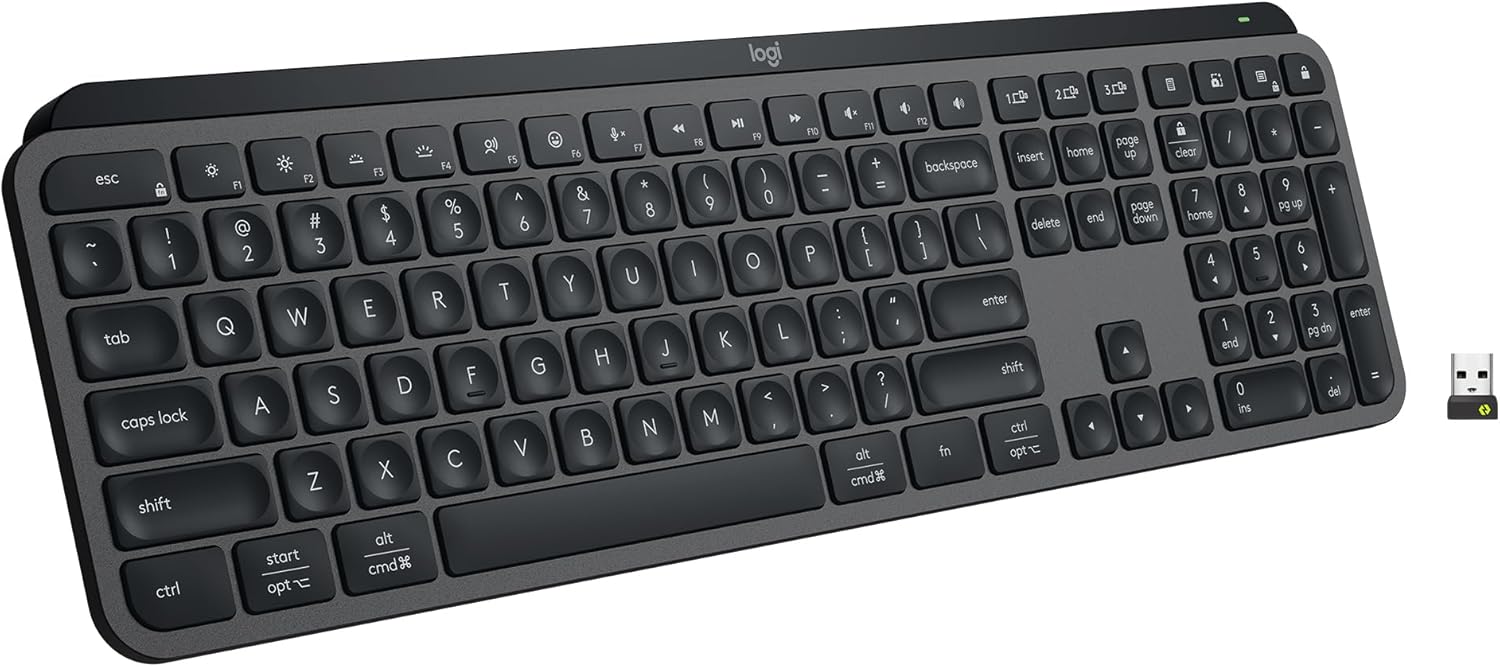
Logitech MX Keys S Wireless Keyboard
Our top recommendation for this category
Price as of Feb 27, 2026 — see current price on Amazon.
A wireless keyboard used to mean a compromise: bloated latency, short battery life, or a layout full of media keys nobody asked for. That era is over. The best wireless keyboards in 2026 match wired keyboards on response time, run for months before needing a charge, and work across your laptop, tablet, and phone without pulling out a cable.
This guide cross-references reviews from Wirecutter, RTINGS, The Verge, and Tom's Guide to pick four wireless keyboards worth buying in 2026. Each one excels at something specific, from silent all-day typing to ultra-low-latency gaming.
Quick picks
| Keyboard | Layout | Connection | Battery Life | Best For | Price | |
|---|---|---|---|---|---|---|
| Logitech MX Keys S | Full-size | Bluetooth / Logi Bolt | 10 days (backlit) | Productivity typing | ~$110 | Check Price |
| Keychron K2 Pro | 75% | Bluetooth / USB-C wired | Up to 4000mAh | Mechanical feel wireless | ~$100 | Check Price |
| Logitech G915 X TKL | TKL | LIGHTSPEED 2.4GHz + Bluetooth | Up to 40 hours | Wireless gaming | ~$229.99 | Check Price |
| Logitech K380 | Compact | Bluetooth (3-device) | Up to 2 years | Budget portable multi-device | ~$40 | Check Price |
Best overall: Logitech MX Keys S
Logitech MX Keys S Wireless Keyboard
Pros
- Spherically-dished keys give a satisfying, accurate keystroke for long typing sessions
- Logi Bolt USB receiver delivers a stable 2.4GHz connection when Bluetooth drops
- Easy-Switch button lets you pair to 3 devices and switch instantly
- Smart backlighting adjusts to ambient light via proximity sensor, saves battery
- USB-C charging, no proprietary cable required
- Full numeric keypad for spreadsheet and data entry work
Cons
- Not a mechanical keyboard, membrane feel will not satisfy switch enthusiasts
- Backlit battery life drops from 10 days to around 5 days with lighting on full
- At $110 it is the most expensive option in this roundup by a margin
- No hot-swap or custom switch options
Price as of Feb 27, 2026 — see current price on Amazon.
The MX Keys S is Logitech's best work for anyone who types all day. It does not try to be a mechanical keyboard, and that is exactly why it works. The low-profile membrane keys use spherically-dished key caps, a subtle dish pressed into the center of each key that guides your fingertips into the right position without any conscious effort. After a few hours, you stop thinking about accuracy and just write.
The dual-connection system is the practical detail that separates this keyboard from cheaper Bluetooth-only options. Bluetooth works fine for casual use. But if you run a videoconference while your keyboard is paired to three devices, Bluetooth occasionally stutters. Logi Bolt, Logitech's 2.4GHz wireless protocol, has no such issues. Plug the tiny USB receiver into your computer, connect, and the signal holds rock solid regardless of what else is happening on 2.4GHz.
Battery life is honest: roughly 10 days with backlight off, around 5 with backlight running. A 90-minute USB-C charge brings it back to full. The Smart Illumination feature uses a proximity sensor to dim the backlight when your hands move away from the keyboard and light up again when they return. It is not a gimmick. It genuinely extends battery life during calls and reading sessions where your hands are not on the keys.
The main thing the MX Keys S lacks is mechanical feedback. If you grew up on tactile switches or you are coming from a gaming keyboard, the membrane feel here will seem quiet and soft. That is a feature for most office environments, not a defect.
Best wireless mechanical keyboard: Keychron K2 Pro
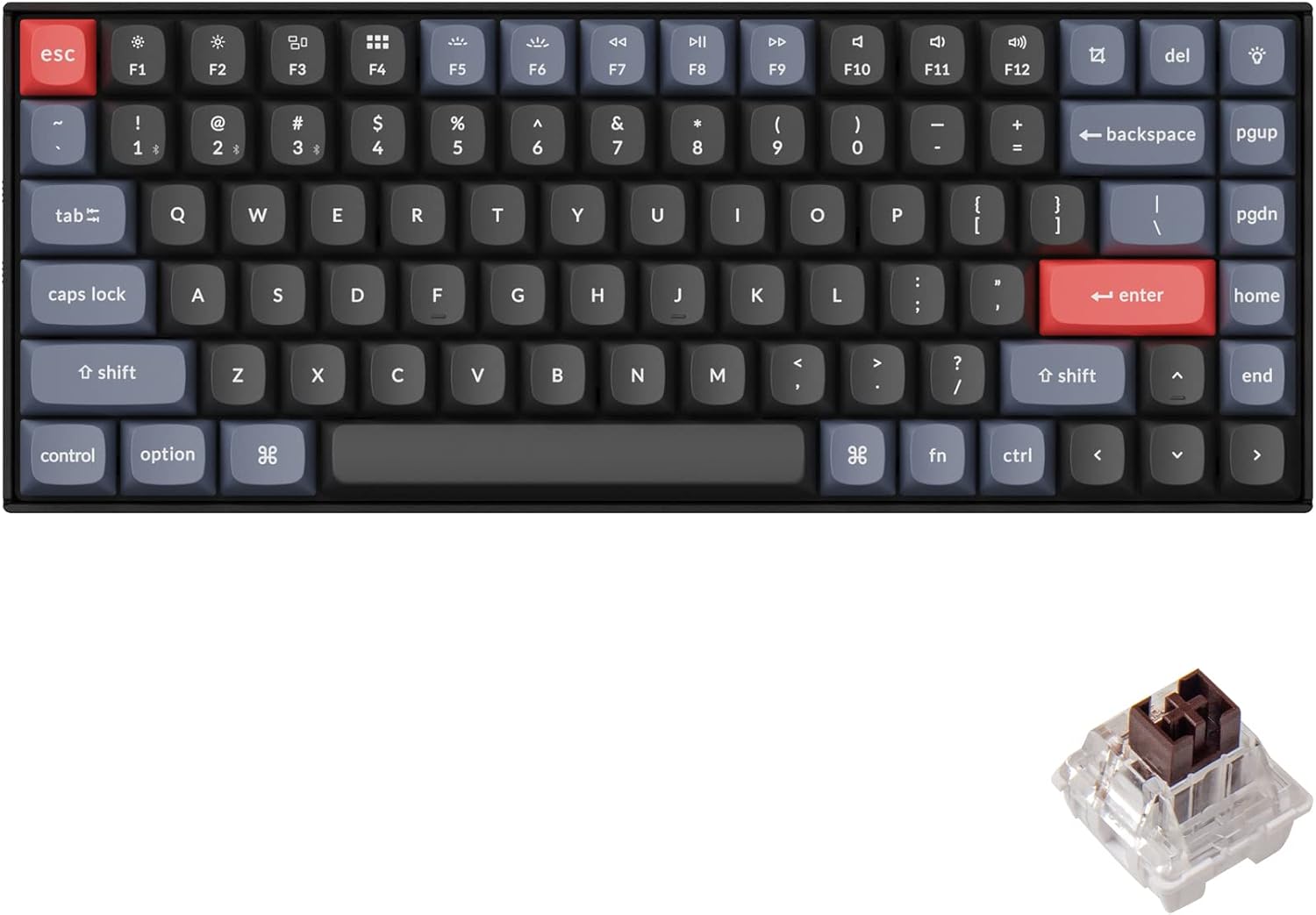
Keychron K2 Pro QMK/VIA Wireless Mechanical Keyboard
Pros
- QMK/VIA support lets you remap every key, create macros, and program layers without software
- Hot-swappable PCB means you can change switches any time without soldering
- 75% layout keeps arrow keys and F-row while cutting the numeric pad for desk space
- Both Bluetooth 5.1 and USB-C wired modes included, switch without unplugging
- Aluminum frame keeps flex and rattle minimal at this price point
- Mac and Windows keycap sets both included in the box
Cons
- Barebone version needs switches and keycaps purchased separately
- Bluetooth range is shorter than Logitech's Logi Bolt on 2.4GHz
- No per-key RGB in the white backlight version
- Battery is internal and not user-replaceable if it degrades over time
Price as of Feb 27, 2026 — see current price on Amazon.
Keychron's K2 Pro solves the problem that stopped most wireless mechanical keyboards from being taken seriously: you could not change what was in them. The K2 Pro has a hot-swap PCB, which means you pull a switch out with the included switch puller, press a new one in, and the keyboard registers the change immediately. No soldering iron, no voided warranty, no sending the board off for modification.
The 75% layout is the reason the K2 Pro outsells Keychron's larger and smaller boards for most buyers. It keeps everything you actually use: a full row of function keys across the top, arrow keys in the lower right, Delete and Page Up tucked beside the main alphanumeric section. What it cuts is the numeric keypad, which reduces the board width enough to bring your mouse 8 to 10 centimeters closer to your body. That difference in reach shows up as less shoulder strain after a long session.
QMK and VIA support are the enthusiast features that justify the price over a basic wireless mechanical board. Via is a web-based tool that runs in your browser while the keyboard is connected. You can reassign any key to any input, create multiple layers, or program macros without touching a configuration file. The K2 Pro ships with sensible defaults for Mac and Windows users and lets you diverge from those defaults as much or as little as you want.
If you are curious about mechanical keyboards but have not bought one yet, check out our guide to the best mechanical keyboards under $100 for a breakdown of switch types and what to expect.
Best wireless gaming keyboard: Logitech G915 X TKL
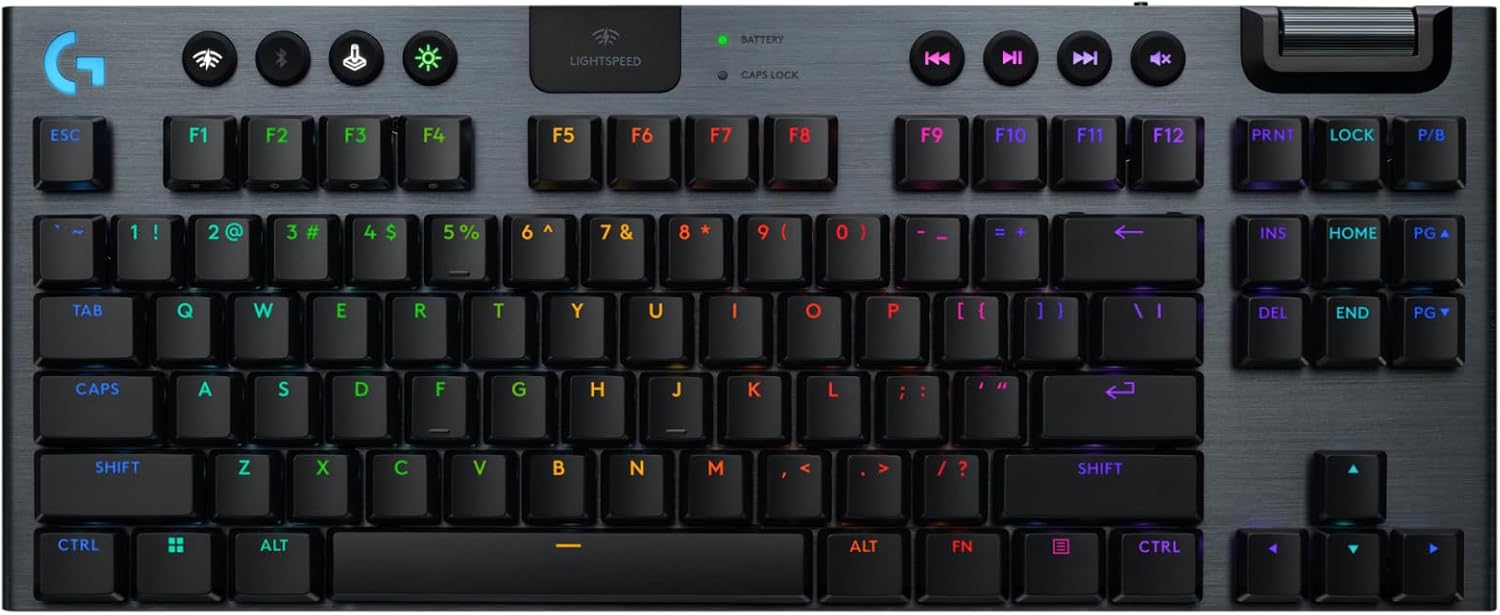
Logitech G915 X Lightspeed TKL Wireless Mechanical Gaming Keyboard
Pros
- LIGHTSPEED 2.4GHz wireless matches wired keyboard polling rates for competitive gaming
- Low-profile GL switches feel different from standard MX-height switches, not worse
- TKL layout removes the numpad but keeps arrow keys and navigation cluster
- Double-shot PBT keycaps resist shine and fading better than ABS alternatives
- Full aluminum top case, no flex or wobble under fast typing
- Dual connection: LIGHTSPEED for gaming, Bluetooth for switching to a secondary device
Cons
- At $229.99 it is the most expensive option here by a significant margin
- GL low-profile switches are not hot-swappable
- Battery life drops to 15-20 hours with RGB lighting enabled
- Low-profile design is unfamiliar if you are used to standard-height mechanical boards
Price as of Feb 27, 2026 — see current price on Amazon.
The G915 X TKL makes one argument: wireless gaming keyboards no longer have to apologize for their connection. LIGHTSPEED 2.4GHz wireless runs at a 1ms report rate, the same polling interval as a wired keyboard. In latency-sensitive titles like CS2, Valorant, and Apex Legends, the gap between this keyboard and a USB cable is not something human reaction time can detect.
Its low-profile GL switches are the point of most debate. Standard mechanical switches sit about 4mm tall; the GL switches on the G915 X sit at around 2.7mm. The actuation is shorter, the total travel is shorter, and the force curve feels more like a laptop key than a full-height mechanical switch. If you have spent years on Cherry MX, Gateron, or Kailh switches, the G915 X will feel unfamiliar at first. Most users settle into it within a week and then find standard switches feel excessive by comparison. If you want to try before committing, check a local Best Buy display unit.
The TKL format is the right call for most gaming desks. Removing the numeric pad gives you room to sweep your mouse without cramping the keyboard into the upper half of your mat. For FPS games especially, this layout change does more for your ergonomics than any wrist rest.
Battery life is the real caveat: 40 hours with RGB off, 15 to 20 hours with lighting running. For the gaming audience, 15 hours covers most multi-session weeks without thinking about charging. It pairs neatly with any of the best gaming mice under $50 if you want to round out a cable-free desk setup.
Best budget portable option: Logitech K380 Multi-Device
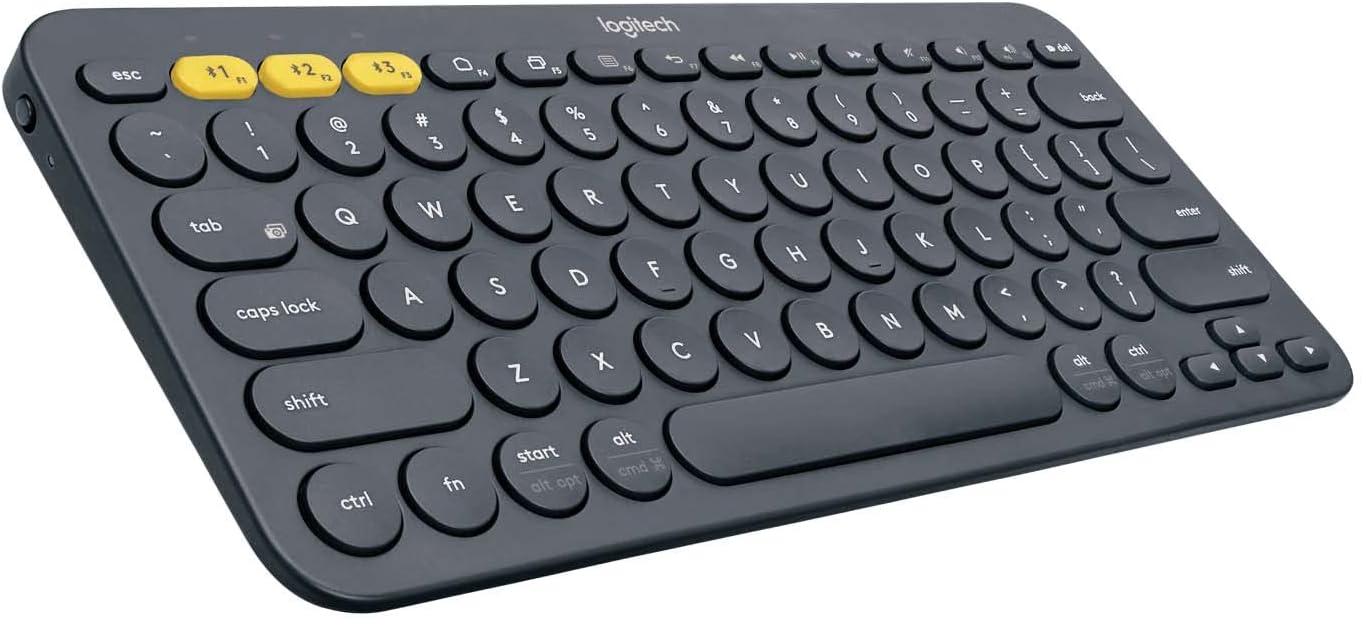
Logitech K380 Multi-Device Bluetooth Keyboard
Pros
- Pairs to 3 devices and switches between them with a single button press
- Round key caps are unusual but comfortable and accurate to type on after a short adjustment period
- 2-year battery life on 2 AAA batteries, no charging required
- Compact and light enough to drop into a bag without thinking about it
- Works with Windows, macOS, iOS, Android, and ChromeOS out of the box
- At $40 it is the lowest price in this roundup
Cons
- No backlighting, unusable in dark environments without lighting the room
- Compact layout omits numeric pad and dedicated function keys
- Round key caps require a brief adjustment period if you are used to standard square caps
- No 2.4GHz dongle option, Bluetooth only
Price as of Feb 27, 2026 — see current price on Amazon.
The K380 makes the case that a wireless keyboard does not have to be expensive to be genuinely useful. Forty dollars, two AAA batteries that last around two years, and a three-device Easy-Switch button that lets you type on your laptop, pick up your tablet, and answer your phone without touching a Bluetooth settings menu.
Those circular key caps throw people off in photos. In use, they are not a problem. Each circle sits in its own recessed well on the keyboard surface, which guides your finger into the key without needing the sharp edges of a standard keycap. The adjustment period is about 20 minutes. After that, most users stop noticing the shape entirely.
The K380 is explicitly not a keyboard for long creative writing sessions or competitive gaming. The travel is short, the key caps are ABS plastic, and there is no backlighting. It is a keyboard for people who switch between devices constantly throughout the day, who travel with a laptop or iPad, or who want a keyboard docked to a TV or smart display without running a cable across the room.
If you have a tablet setup or a secondary monitor for reference while you work, the K380 handles the multi-device switching better than any keyboard at twice the price.
How to choose a wireless keyboard
Think about connection type first. Bluetooth works fine for typing and general use. For gaming or situations where rock-solid 2.4GHz stability matters, look for a keyboard with a USB receiver (Logitech Bolt or LIGHTSPEED). If you need to pair to multiple devices, Bluetooth three-device Easy-Switch is more convenient than juggling multiple receivers.
Decide on membrane vs. mechanical before you look at anything else. Mechanical keyboards give you tactile or clicky feedback per keypress. Membrane keyboards are quieter and have a softer bottom-out feel. Neither is better; they suit different preferences and environments. Membrane works better in quiet offices. Mechanical works better for people who type heavily and want feedback that their input registered.
Battery type matters for your routine. Keyboards with rechargeable batteries (USB-C or proprietary) need a charging habit. Keyboards with replaceable AAA or AA batteries run longer per cycle and never strand you with a dead keyboard if you forget to charge. The Logitech K380 on two AAAs lasts longer than most rechargeable keyboards will last across their entire product lifespan.
Layout affects your entire desk setup. A full-size keyboard with a numpad pushes your mouse further right and forces a wider shoulder position. TKL removes the numpad but keeps arrow keys. 75% adds a compact row above the arrows for F-keys and Del. For desk ergonomics and mouse placement, smaller usually wins. See our guide to the best 4K monitors in 2026 for pairing ideas with any of these keyboards.
Frequently asked questions
- Do wireless keyboards have input lag compared to wired?
- In 2026, the answer is no for quality 2.4GHz wireless keyboards. Logitech's LIGHTSPEED and Bolt protocols report at 1ms, the same as USB wired. Bluetooth keyboards have slightly higher average latency (around 7-10ms), which is undetectable in typing and only potentially noticeable in competitive gaming. For gaming, choose a keyboard with a dedicated 2.4GHz receiver, not Bluetooth.
- Is Logitech MX Keys S worth the price over cheaper options?
- If you type for more than four hours per day, yes. The spherically-dished keys reduce finger fatigue in a way that is genuinely noticeable over a full workday. For lighter use or a secondary keyboard, the K380 does the job at a third of the price.
- Can I use a wireless keyboard for gaming?
- Yes, with the right keyboard. The Logitech G915 X TKL uses LIGHTSPEED wireless at 1ms latency, which matches wired performance. Avoid Bluetooth-only keyboards for competitive gaming; the latency variance is higher and can affect fast inputs. For anything below competitive play, Bluetooth is fine. Pair your wireless keyboard with one of the best gaming headsets in 2026 for a fully cable-free gaming setup.
- How long do wireless keyboard batteries last?
- It depends on the type. The Logitech K380 runs up to two years on two AAA batteries. The MX Keys S lasts around 10 days with backlight on and up to 70 days with backlight off. The G915 X TKL lasts 40 hours without RGB and 15 to 20 hours with full lighting. Rechargeable keyboards need a charging habit; AA or AAA keyboard batteries need replacing once or twice a year.
- What is QMK and do I need it?
- QMK is open-source keyboard firmware that lets you remap keys, create layers, and program macros via a web interface (VIA). If you have specific shortcuts you use constantly, or if you want a keyboard layer for gaming that differs from your work layer, QMK is worth learning. The Keychron K2 Pro supports it out of the box. Most users who do not customize keybindings can ignore it entirely.
Verdict
For most people, the Logitech MX Keys S is the right wireless keyboard. It types well all day, charges via USB-C, and switches between three devices without fumbling with settings. The $110 price is fair for what you get.
If you want mechanical feel, the Keychron K2 Pro is the best wireless mechanical keyboard under $150. The hot-swap PCB means you are not locked into one switch type forever, and QMK support means the layout is fully yours to configure.
For gaming, the Logitech G915 X TKL is the only wireless gaming keyboard that does not make excuses for its connection. LIGHTSPEED wireless performs on par with a cable in competitive titles.
And if you mostly need something portable that pairs to your phone, tablet, and laptop interchangeably, the Logitech K380 does all of that for $40 with two-year battery life. It is one of the best value-per-feature keyboards in any category.
Want to complete your desk setup? Check out the best budget monitors under $200 for display options that pair well with any of these keyboards.
How We Pick
We pick products by combining spec-level research, price checks, trusted third-party benchmarks, and owner sentiment from high-signal sources.
- Performance and real-world value in the category this guide targets
- Price-to-performance and deal consistency over recent pricing windows
- Build quality, reliability patterns, and known long-term issues
- Recommendation refresh cadence to keep these picks current
Author
TheTechSearch Editorial Team
Independent product reviewers & PC builders
We compare real-world specs, reviews and owner reports, price trends, and user feedback to recommend gear that actually makes sense to buy.