Best PC Case Fans 2026
The best 120mm case fans for airflow, silence, and ARGB lighting tested and ranked — from $5 budget picks to Noctua's new G2. Expert picks, pros and cons, an...
As an Amazon Associate we earn from qualifying purchases made through our links — this doesn't affect our picks.

Noctua NF-A12x25 G2 PWM
Our top recommendation for this category
Price as of May 17, 2026 — see current price on Amazon.
Case fans are boring until you actually care about them, and then they're weirdly interesting. Noctua finally released the NF-A12x25 G2 in chromax.black in May 2026, around Computex, which is newsworthy if you've been waiting to go all-black without giving up the best 120mm airflow-to-noise ratio on the market. Meanwhile Phanteks' T30-120 has been the enthusiast pick for two-plus years, and budget options from Arctic and Thermalright have gotten so good that you can genuinely furnish a full 6-fan build for under $25.
Here's where each fan fits.
Quick Picks
| Fan | Best For | Price | Max Speed | Noise | |
|---|---|---|---|---|---|
| Noctua NF-A12x25 G2 | Silent builds | $35 | 1800 RPM | 18.9 dBA | Check Price |
| Arctic P12 Pro ARGB | ARGB value | $16 | 3000 RPM | ~28 dBA max | Check Price |
| Thermalright TL-C12C-S X3 | Budget 3-pack | $15 | 1550 RPM | 25.6 dBA | Check Price |
| Corsair RS120 ARGB 3-Pack | Mid-range ARGB | $48 | 2100 RPM | ~26 dBA | Check Price |
| Phanteks T30-120 | Max performance | $33 | 3000 RPM | varies by mode | Check Price |
Noctua NF-A12x25 G2 PWM
Noctua NF-A12x25 G2 PWM
Pros
- Measurably quieter than G1 at equivalent airflow
- 3.5C better radiator cooling than original
- LS-PWM variant tops out at just 1100 RPM for near-silent use
- Class-leading 150,000 hour bearing life
Cons
- $35 for a single 120mm fan is genuinely expensive
- No RGB at all, and the brown color is visible in glass-panel builds
Price as of May 17, 2026 — see current price on Amazon.
Six years. That's how long people waited for Noctua to update the NF-A12x25, and the G2 doesn't disappoint. The redesigned progressive-bend impeller with a centrifugal turbulator hub nets 3.5 degrees C better performance on a 120mm radiator at the same noise level as the original. Or viewed from the other direction: same cooling, 1.5-3.5 dBA quieter depending on load.
The chromax.black version, released in May 2026 at $34.90, the same price as the brown, means you no longer have to choose between Noctua performance and a clean dark build. That pricing parity with the standard brown is new. The G1 chromax always commanded a premium.
There's also an LS-PWM variant that tops out at 1100 RPM. I've been running one in a home theater PC for a few weeks now and genuinely forgot it was there until I started writing this. Worth considering for any build that lives in a bedroom or living room.
Look, the T30-120 beats it at outright maximum performance. But the T30 is 30mm thick and will cause clearance headaches in some builds. The Noctua fits anywhere a standard 25mm fan goes, and nothing in the 25mm class touches its noise-to-airflow ratio.
Arctic P12 Pro A-RGB

Arctic P12 Pro A-RGB
Pros
- 77 CFM airflow at max, genuinely impressive for this price
- 6.9 mmH2O static pressure, great for radiators
- 6-year warranty included
- Fluid Dynamic Bearing instead of rifle bearing
Cons
- Audible above 2000 RPM, not a quiet fan at full tilt
- Semi-passive mode needs ARGB-capable mobo to function properly
Price as of May 17, 2026 — see current price on Amazon.
Arctic has quietly become the default answer to "what ARGB fans should I put in this budget build" over the last 12 months, and the P12 Pro ARGB is why. 77 CFM. 6.9 mmH2O static pressure. $17. That combination of specs for that price is genuinely hard to justify passing on.
Arctic's older P12 PST was already a solid fan. This Pro version bumps the RPM ceiling to 3000 and redesigns the blades in translucent material that actually diffuses ARGB lighting instead of hot-spotting it. Blade-to-frame tip clearance sits at 0.8mm, which is tight enough to maintain static pressure, which is why these hold up on radiators. I've seen builders run three of them on 360mm rads and land within 2-3 degrees C of setups using $35-per-fan alternatives.
At 3000 RPM full tilt, they're loud. Plan on PWM control keeping them below 2000 RPM under normal loads. And one thing that trips people up: the P12 Pro uses a 5V 3-pin ARGB connector. Do not plug it into a 12V RGB header. Different voltage, different connector keying (well, sort of, some older boards can physically accept it) and it will kill the LED strip. Check your header before wiring.
Thermalright TL-C12C-S X3 (3-Pack)
Thermalright TL-C12C-S X3 3-Pack
Pros
- Three fans for under $16, roughly $5.33 per fan
- S-FDB bearing is quieter than you'd expect at this price
- 66 CFM airflow is solid for general case ventilation
- ARGB lighting looks clean in photos and holds up in person
Cons
- 1550 RPM ceiling limits peak airflow vs higher-RPM options
- No daisy-chain cable, you need three mobo ARGB headers or a splitter
Price as of May 17, 2026 — see current price on Amazon.
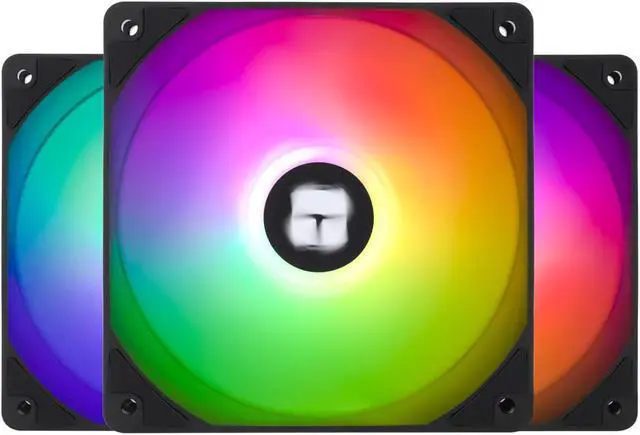
Three ARGB 120mm fans for $16. That's $5.33 per fan. And they're actually good.
Thermalright makes coolers, not fans, or at least they did until r/buildapc collectively decided the TL-C12 series was the budget fan answer in 2024. That reputation stuck, and the TL-C12C-S adds addressable RGB without raising the price.
The S-FDB bearing is a Sleeve-Fluid Dynamic Bearing hybrid that runs noticeably quieter than the cheap rifle bearings you find in $3-per-fan random brand packs. At 1550 max RPM and 25.6 dBA they're not whisper-quiet, but they're the kind of fan you forget is running unless you turn them up.
But. Three cables for three fans. No daisy-chain here. If your budget motherboard has one ARGB header (which is common on B650 and B760 boards), you'll need either a splitter or a fan hub. Not expensive, just annoying if you didn't budget for it. And at 66 CFM max, these are solid for a stock-clocked gaming rig or a light workstation. If you're running a 400W overclocked GPU with a heavy thermal load, step up to something with higher airflow.
A three-pack plus one more single fan, all under $25 combined, for a proper 4-intake setup. That's the value case here.
Corsair RS120 ARGB 3-Pack
Corsair RS120 ARGB 120mm PWM Fans Triple Pack
Pros
- Corsair AirGuide anti-vortex vanes make a measurable airflow difference
- Daisy-chain connection runs one PWM cable and one ARGB cable for all three fans
- Magnetic Dome bearing runs quieter over time than ball bearings
- Zero RPM mode at low loads
Cons
- $48 is a real commitment at $16/fan
- Full RGB sync requires iCUE or standard ARGB header
Price as of May 17, 2026 — see current price on Amazon.
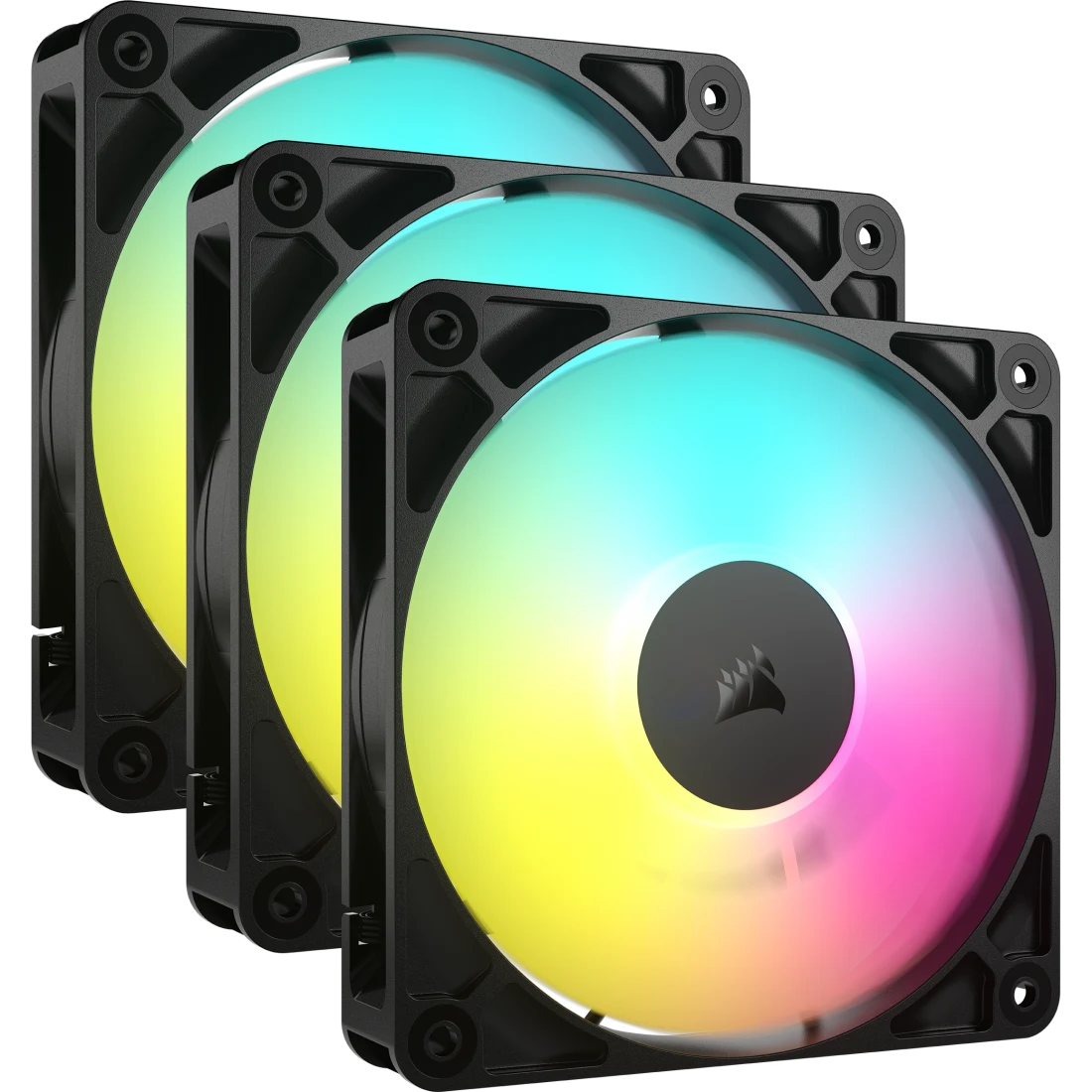
$48 for three fans is a harder sell than the $16 Thermalright pack, but the RS120 ARGB earns that price in one specific way. Daisy-chain connection. One 4-pin PWM cable and one 5V ARGB cable handles all three fans. In a windowed mid-tower where cable routing is visible, that difference shows up on camera and in person.
The AirGuide anti-vortex vanes are the other thing Corsair talks up, and it's not entirely marketing. Tom's Hardware measured roughly 5-8% effective airflow improvement from those vanes by reducing turbulent mixing at the blade tips. Not transformative, but consistent. At 2100 max RPM and 2.18 mmH2O static pressure, the RS120 is built for case ventilation, not radiators. Put the Arctic P12 Pros on your AIO and run these for intake and rear exhaust.
One thing to know: iCUE is optional, not required. These fans work on any standard ARGB header and PWM header. You lose Lighting Node features like fan curves and in-software RGB editing, but electrically everything functions the same. If you're not a Corsair ecosystem person, that's fine.
Phanteks T30-120 (Single Fan)

Phanteks T30-120 Fan
Pros
- 30mm thick frame pushes 25% more air than standard 25mm fans
- Three built-in RPM profiles via a toggle switch on the cable
- DUAL VAPO bearing is among the most durable available
- Outperforms Noctua A12x25 original in most static pressure tests
Cons
- 30mm depth causes clearance issues in some cases and cooler brackets
- No RGB at all, pure performance focus
- Price per fan is high relative to most alternatives
Price as of May 17, 2026 — see current price on Amazon.
The T30 is Phanteks saying "what if a 120mm fan were thicker." It's 30mm deep vs the standard 25mm, which gives the LCP blades 25% more surface area and lets the 3-phase motor work with more material. The static pressure numbers back this up: the T30 regularly outperforms the original Noctua NF-A12x25 in back-to-back tests on radiators and dense heatsinks. Hardware Unboxed and Optimum Tech both put it at or above Noctua levels depending on the specific thermal load.
What makes the T30 genuinely different is the built-in profile switch on the cable. Three positions: 1200 RPM (silent everyday), 2000 RPM (gaming), 3000 RPM (maximum). Flip it without opening any software, without going into BIOS. That's a feature I didn't know I wanted until I had it. Throwing fans to max when sitting down for a demanding session and back to quiet when done is satisfying in a way that fan curve adjustment never quite is.
The 30mm depth is a real constraint though. I had to double-check clearance when fitting these on the top mount in a Fractal Design North, and it worked but barely. Budget cases and anything with a tight radiator-to-GPU gap can be a problem. Check Phanteks' compatibility list before ordering, or ask r/sffpc if you're on a small form factor build.
No RGB. Zero. If that matters to your build, look elsewhere. If it doesn't, this is the best performing 120mm fan you can buy right now without going industrial.
What to Look for in a PC Case Fan
Size: 120mm vs 140mm
Most builds use 120mm fans because they fit everywhere. 140mm fans move more air per RPM (lower noise for equivalent cooling), but only fit in cases and radiators with 140mm mounting points. If your case supports 140mm fans and you prioritize silence, go 140mm on intake and exhaust, and you'll run lower RPMs for the same airflow. If you're equipping a 240mm or 360mm AIO, check whether it's a 120mm or 140mm radiator first.
Airflow vs Static Pressure
Airflow fans (high CFM, lower static pressure) are optimized for open-space movement: intake, exhaust, side panels. Static pressure fans (high mmH2O, lower CFM) push through resistance like radiators, heatsinks, and dense dust filters. Among the picks in this guide, Arctic's P12 Pro ARGB is static-pressure optimized. Corsair's RS120 is more balanced toward airflow, while Noctua's G2 and Phanteks' T30 are both excellent at static pressure and passable at airflow, making them versatile for most build scenarios.
Bearing Types
Fluid Dynamic Bearings (FDB) are what you want. They're quieter, run cooler, and last longer than rifle bearings or sleeve bearings. The Noctua SSO2 bearing is a magnetic-stabilized FDB variant that's effectively friction-free at low RPM. Ball bearings are loud but extremely durable and show up in server fans rather than gaming PCs. Avoid fans that don't specify their bearing type.
ARGB vs RGB vs Non-RGB
5V ARGB (addressable) connects to a 3-pin ARGB header and lets you control individual LEDs. 12V RGB connects to a 4-pin RGB header and changes all LEDs the same color. Non-RGB is just a fan. If you care about synchronized lighting, you want 5V ARGB fans that match your motherboard's ecosystem (ASUS Aura, MSI Mystic Light, Gigabyte RGB Fusion, etc.). All the ARGB picks in this guide use the standard 5V 3-pin connector.
How Many Fans Do You Need
Standard mid-tower baseline: 3 fans on intake (front), 1 on exhaust (rear), and 1 or 2 on top (exhaust). If you add an AIO, the radiator fans count as intake or exhaust depending on where you mount it. Front-mounted radiators work best as intake pulling cool outside air over the rad. Top-mounted radiators exhaust warm air out. A 6-fan build is common for enthusiast systems. Three to four fans is fine for most gaming rigs.
Frequently asked questions
- Is there a meaningful difference between a $5 fan and a $35 fan?
- Yes, but it depends on the category. In the $5-10 range you're typically looking at rifle or sleeve bearings, lower CFM, and shorter rated lifespans. The jump from $5 to $15-16 (like the Arctic P12 Pro or Thermalright TL-C12C-S) is significant: better bearings, higher airflow, measurably quieter. The jump from $15 to $35 (Noctua G2) is smaller in absolute terms but meaningful for noise-sensitive or high-performance builds.
- Do I need ARGB fans if my case has a tempered glass side panel?
- You don't need them, but they're nice to have. ARGB fans won't affect cooling performance, it's purely aesthetic. If your build has a glass panel and you care about looks, matching ARGB fans to your motherboard's lighting ecosystem creates a cleaner result. If you don't care, save the money and buy non-RGB. The Noctua G2 and Phanteks T30 have no RGB and are the top performers in this guide.
- Can I mix fan brands in the same build?
- Absolutely. Mixing fan brands is common and causes zero compatibility issues. PWM control works the same across all brands, your motherboard doesn't care whether it's a Noctua or an Arctic. ARGB is slightly more nuanced: fans from different brands won't sync to the same color scheme unless they support a common ARGB standard and you're using a hub or controller. But electrically, they'll all work fine.
- Does fan direction matter? Which way should intake fans face?
- Yes, direction matters a lot. The side of the fan with the motor hub visible (with the Phanteks or Noctua logo on the motor) faces the direction air comes FROM. On an intake fan sucking air in from outside the case, the label faces outward. On a rear exhaust, the label faces into the case. Most fans have arrows on the frame indicating airflow direction and rotation. Check them before installing.
- What is the real-world difference between 1200 RPM and 2000 RPM on the same fan?
- Roughly 40-50% more airflow, and about twice the noise. Fan noise scales with RPM non-linearly: doubling the RPM quadruples the acoustic energy. Most fans are silent or near-silent at 800-1000 RPM and only become noticeable above 1500-1600 RPM. With good thermal design (good paste, quality cooler), most builds never need fans above 1200-1300 RPM during normal gaming. PWM lets the motherboard or fan controller ramp up only when temperatures actually call for it.
- Will the Phanteks T30-120 fit in my case?
- Check your case specs before buying. The T30 is 30mm thick vs the standard 25mm, which creates clearance problems in some cases with tight radiator brackets or CPU cooler proximity. Most modern mid-towers (Fractal, Lian Li, NZXT H-series, Corsair 4000 series) handle it fine. Budget cases and older ITX cases are more likely to have issues. Phanteks lists compatible cases on their site, and r/sffpc has a running thread on T30 compatibility with specific models.
Bottom Line
Budget build? Thermalright X3 3-pack and call it done. You can fill a full mid-tower for $20. Want ARGB that doesn't look cheap? Arctic P12 Pro ARGB at $17 per fan, 77 CFM, honest-to-goodness good. Step up to the Corsair RS120 if cable management matters to you and you're willing to pay $16/fan for daisy-chain convenience. The Noctua G2 is for people who care deeply about acoustics and performance and have the budget to match. The Phanteks T30 is for everyone who just wants the most airflow per square inch of fan, full stop.
None of these will disappoint you. But the right choice at the wrong price tier just feels wrong, so pick accordingly.
How We Test
We score products by combining spec-level research, pricing history, trusted third-party benchmarks, and owner sentiment from high-signal sources.
- Performance and real-world value in the category this guide targets
- Price-to-performance and deal consistency over recent pricing windows
- Build quality, reliability patterns, and known long-term issues
- Recommendation refresh cadence to keep these picks current
Author
TheTechSearch Editorial Team
Independent product reviewers & PC builders
We test and compare real-world specs, price trends, and user feedback to recommend gear that actually makes sense to buy.