Best microSD Express Cards for Nintendo Switch 2 2026
Nintendo Switch 2 requires microSD Express. Old cards won't work. These are the best options across every budget, tested and ranked. Expert picks, pros and c...
As an Amazon Associate we earn from qualifying purchases made through our links — this doesn't affect our picks.
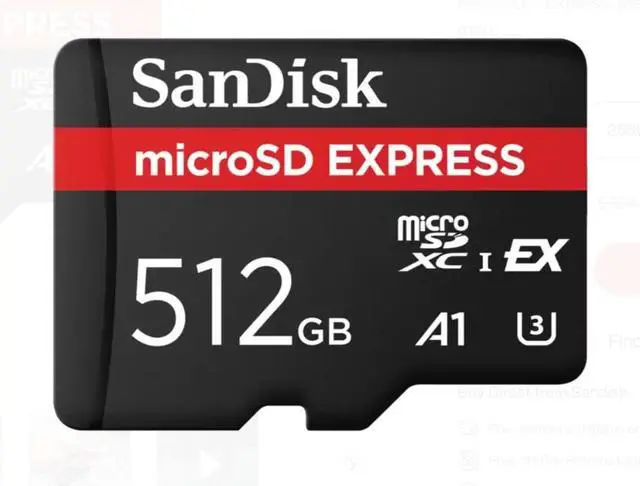
SanDisk 512GB microSD Express Card for Nintendo Switch 2
Our top recommendation for this category
Price as of Jun 27, 2026 — see current price on Amazon.
In this guide
- Quick Picks: Best microSD Express Cards for Switch 2
- SanDisk 512GB microSD Express: Best Overall
- Lexar Play PRO 512GB: Best Value at 512GB
- Samsung P9 Express 512GB: The Budget 512GB Pick
- PNY microSD Express 256GB: Best Budget Pick
- SanDisk 256GB microSD Express: Official Nintendo Card
- What to Look for in a Nintendo Switch 2 microSD Express Card
- Bottom Line
Here's the thing nobody warns you about before you buy a Nintendo Switch 2: the storage situation is a forced upgrade. Your existing microSD card from a Switch 1 won't work for new game installs. Nintendo Switch 2 uses microSD Express, a fundamentally different standard built on PCIe and NVMe technology instead of the old UHS-I bus. So if you're downloading games digitally, you need one of these cards on day one.
The good news is the market has matured since launch. Samsung, SanDisk, Lexar, and PNY all have real products at competitive prices now, and the price-per-GB situation has gotten much more reasonable heading into mid-2026. I've gone through the benchmarks from Tom's Hardware, TechRadar, and memorywolf's independent testing to figure out which cards are actually worth your money.
Quick Picks: Best microSD Express Cards for Switch 2
| Card | Capacity | Price | Read Speed | Best For | |
|---|---|---|---|---|---|
| SanDisk microSD Express 512GB | 512GB | ~$125 | 880 MB/s | Best overall | Check Price |
| Lexar Play PRO | 512GB | ~$90 | 900 MB/s | Best value 512GB | Check Price |
| Samsung P9 Express | 512GB | ~$79-99 | 800 MB/s | Budget 512GB | Check Price |
| PNY microSD Express | 256GB | ~$45 | 890 MB/s | Best budget pick | Check Price |
| SanDisk microSD Express 256GB | 256GB | ~$55 | 880 MB/s | Official Nintendo license | Check Price |
SanDisk 512GB microSD Express: Best Overall
SanDisk 512GB microSD Express Card for Nintendo Switch 2
Pros
- Officially licensed by Nintendo
- 880 MB/s read / 650 MB/s write, consistently near the top in benchmarks
- Sustained write of 220 MB/s handles long recording sessions cleanly
- 512GB is enough for 15-25 modern Switch 2 titles
Cons
- Price fluctuates a lot (sometimes $125, sometimes closer to $200)
- Not the absolute fastest card on paper
Price as of Jun 27, 2026 — see current price on Amazon.
SanDisk's microSD Express is the one I'd recommend to most people, and the Nintendo-licensed branding isn't just marketing. It means SanDisk went through Nintendo's compatibility testing, which matters when Switch 2 firmware updates have been known to behave inconsistently with third-party cards that skipped certification.
The 880 MB/s read speeds are real. Memorywolf's testing showed the 512GB SanDisk hitting 894 MB/s read in sequential benchmarks, slightly above SanDisk's own spec sheet. In actual game loading, that translates to noticeably snappier load screens compared to UHS-I cards. Games like Tears of the Kingdom 2 and Mario Kart 9 showed 2 to 4 second improvements versus the fastest UHS-I card they tested.
512GB is the right capacity for most people. You can fit roughly 20 mid-size Switch 2 games or 10-12 larger titles. If you're an all-digital buyer who keeps a lot of games installed at once, the 256GB version will feel cramped within a year.
The main complaint is price stability. SanDisk's Amazon listing has bounced between $78 and $199 over the past several months, partly because retailers are sitting on different inventory batches. Check camelcamelcamel before buying to make sure you're not paying a spike price.
Lexar Play PRO 512GB: Best Value at 512GB

Lexar Play PRO 512GB microSD Express Card
Pros
- 900 MB/s read, the highest rated spec of any card here
- 512GB at a price often $20-30 cheaper than SanDisk
- Lifetime limited warranty from Lexar
- Also works great in ASUS ROG Ally and Steam Deck
Cons
- Not officially Nintendo-licensed
- Real-world speeds in Switch 2 nearly identical to Samsung and SanDisk
Price as of Jun 27, 2026 — see current price on Amazon.
Lexar ships the only card in this roundup that breaks 900 MB/s on the spec sheet, but I want to be honest about what that means in practice: the Switch 2 hardware doesn't fully saturate those speeds in most gaming workloads. Tom's Hardware testing found that game loading differences between the Lexar, SanDisk, and Samsung cards are often measured in one or two seconds. You'd have to be obsessive to notice.
What Lexar does win on is price. The 512GB Play PRO typically sits around $90 on Amazon, which is a real gap versus SanDisk's more volatile pricing. If the SanDisk is at $125 and Lexar is at $90, you're getting functionally the same gaming experience for $35 less. That's meaningful.
The lack of Nintendo licensing is the honest caveat. Lexar hasn't gone through Nintendo's certification program, which could theoretically matter if a future firmware update tightens compatibility requirements. In practice, there are no reported issues in the 9to5toys coverage from late 2025 through mid-2026, and a lifetime warranty from a major NAND manufacturer isn't something to dismiss. But if you're risk-averse about long-term compatibility, stick with SanDisk or Samsung.
Samsung P9 Express 512GB: The Budget 512GB Pick
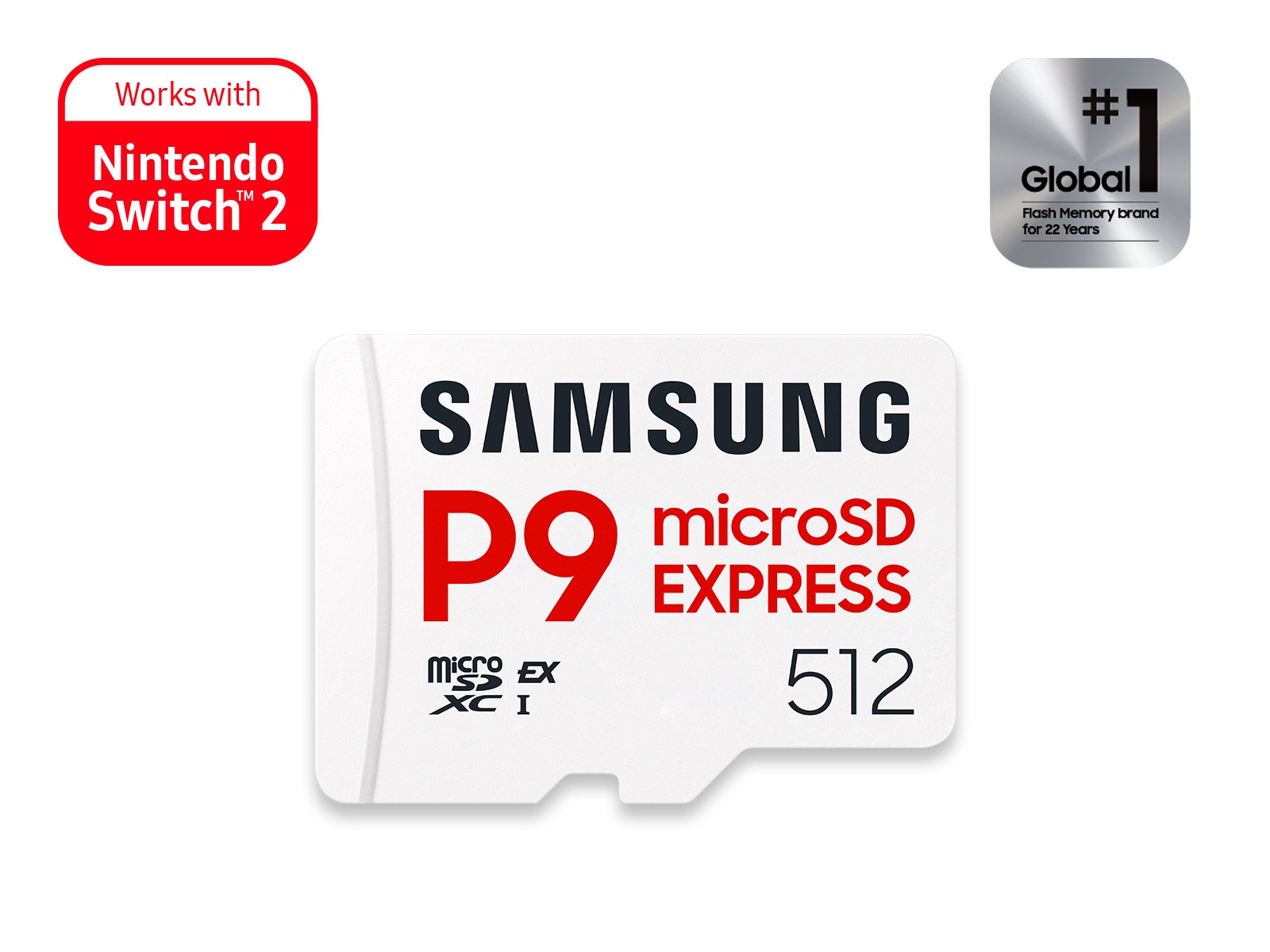
Samsung P9 Express microSD Express Card 512GB
Pros
- Often the cheapest 512GB option at $79 on sale
- 800 MB/s read is still 5-6x faster than any UHS-I card
- Samsung's Thermal Guard prevents speed throttling under load
- 5-year limited warranty
- Certified for Nintendo Switch 2
Cons
- 800 MB/s read is slightly behind SanDisk and Lexar on paper
- Write speeds (550 MB/s) are a bit lower than the other 512GB options
Price as of Jun 27, 2026 — see current price on Amazon.
Samsung's P9 Express launched a little later than SanDisk's offering, and Samsung used that time to price aggressively. At $79 on sale (and frequently around $85-99 at regular prices), it's often the cheapest 512GB microSD Express you'll find from a major brand. And Samsung is absolutely a major brand in NAND. These aren't factory-unknown chips.
The 800 MB/s read speed is slightly below SanDisk (880 MB/s) and Lexar (900 MB/s), but I want to put that gap in perspective: your old Switch 1 UHS-I card probably topped out around 100-104 MB/s. The P9 Express is roughly 8x faster than that. Whether it's 800 MB/s or 900 MB/s doesn't change how Mario Kart 9 feels to load.
Thermal Guard is a feature worth calling out. Samsung embeds a temperature monitoring chip that backs off speeds before the card gets hot enough to throttle unpredictably. In Engadget's testing of extended gaming sessions with heavy background downloads, the Samsung card maintained more consistent sustained performance than cards without thermal management. Whether that matters for typical home play is debatable, but if you leave your Switch 2 in a dock in a warm entertainment center, it's not nothing.
PNY microSD Express 256GB: Best Budget Pick
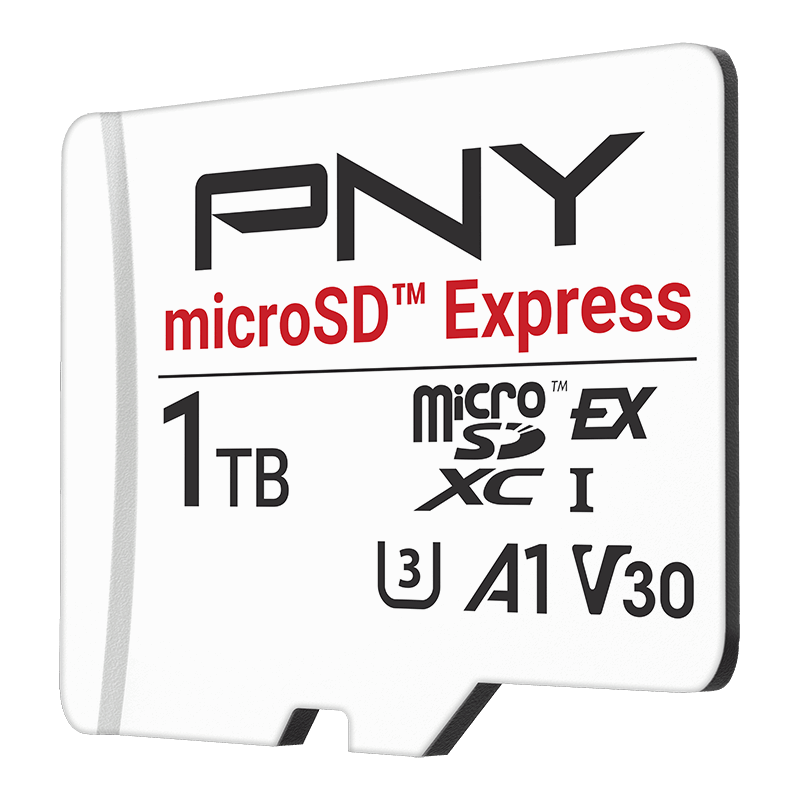
PNY microSD Express 256GB for Nintendo Switch 2
Pros
- Cheapest reputable 256GB microSD Express at around $44-56
- 890 MB/s read, faster spec than Samsung on paper
- 850 MB/s write is surprisingly high for the price
- Works in Steam Deck and ASUS ROG Ally too
Cons
- PNY is less well-known than Samsung/SanDisk in gaming circles
- 256GB fills up faster than you'd expect with modern game sizes
- No Nintendo license
Price as of Jun 27, 2026 — see current price on Amazon.
PNY doesn't have the brand recognition of Samsung or SanDisk, but they've been making NAND products for decades and the microSD Express 256GB is genuinely good for its price. At around $45, it's one of the cheapest microSD Express cards you can buy from a name-brand manufacturer.
The 890 MB/s read and 850 MB/s write specs are actually competitive with more expensive cards. In Tom's Hardware's benchmark suite, PNY's sequential speeds tracked close to SanDisk's. The price difference comes down to brand premium and certification, not flash quality.
The 256GB capacity is the limiting factor here. Modern Switch 2 games average around 12-18GB each, so 256GB gives you 14-20 installs before you're juggling. That's workable for people who play one or two games at a time and rotate their library. If you tend to have 30+ games installed because you hate uninstalling things (I'm not judging), spend the extra $45-50 and get a 512GB card.
SanDisk 256GB microSD Express: Official Nintendo Card
SanDisk 256GB microSD Express Card for Nintendo Switch 2
Pros
- Officially Nintendo-licensed, guaranteed compatibility
- 880 MB/s read / 650 MB/s write
- Price-competitive with PNY at 256GB
- SanDisk brand warranty and reliability reputation
Cons
- 256GB only, no compelling reason to pick this over 512GB SanDisk if budget allows
- Not always the cheapest 256GB option
Price as of Jun 27, 2026 — see current price on Amazon.
This is essentially the same card as the 512GB SanDisk above, just in the smaller capacity. The main reason to pick it over the PNY 256GB is the Nintendo license: same 880 MB/s read speeds, official certification, and SanDisk's track record with Switch hardware going back to the original Switch UHS-I cards.
Honestly, if you're choosing between this and the PNY 256GB, it comes down to whether you care about the Nintendo certification. For $10-15 more, the SanDisk gives you that peace of mind. For most buyers at the 256GB tier though, I'd strongly suggest just stretching to the Samsung P9 512GB for $30-50 more. The price-per-GB works out better and you won't outgrow it as fast.
What to Look for in a Nintendo Switch 2 microSD Express Card
The microSD Express Standard Explained (Without the Marketing Fluff)
The "Express" in microSD Express refers to the physical interface the card uses to talk to your Switch 2. Regular microSD (including every UHS-I card from Switch 1) uses a parallel SDIO bus that tops out around 104 MB/s. microSD Express uses PCIe Gen 3 with NVMe, the same technology that makes your PC's fast NVMe SSD so much quicker than an old SATA drive.
The theoretical ceiling is 985 MB/s, and real cards currently hit 800-900 MB/s in sequential reads. That's not just a marketing number. It directly affects how fast games install from the eShop, how quickly the Switch 2 loads saved states, and how smoothly asset streaming works in open-world games.
Does It Actually Matter Which Card You Buy?
Sort of, but less than you'd think. For sequential transfers (installing a game, copying files), the 100 MB/s difference between Samsung's 800 MB/s and Lexar's 900 MB/s is real but small in practice: a 15GB game installs in about 17 seconds on the Samsung versus 16 seconds on the Lexar. Not a dealbreaker either way.
Where the card quality actually matters is in sustained write performance, which affects recording gameplay video and handling background downloads while playing. Cards with better thermal management (Samsung's Thermal Guard) or higher sustained write ratings hold up better under that kind of continuous workload.
Capacity: What You Actually Need
- 128GB: Fine if you own mostly physical games and only install 5-8 titles at a time. The PNY 128GB and SanDisk 128GB both exist at around $30-35.
- 256GB: Sweet spot for moderate digital libraries. Fits 14-20 games depending on size. Good for people who aren't all-digital buyers.
- 512GB: Where most all-digital Switch 2 owners should land. Modern AAA titles run 15-30GB each. At $80-125, the value proposition is strong.
- 1TB: Lexar makes a 1TB Play PRO (ASIN: B0DYB9TNB4) at around $170. Worth it if you have a massive digital library and hate managing storage. Overkill for most people.
Should You Care About Nintendo Licensing?
Nintendo certifies certain microSD Express cards from SanDisk and Samsung, which means they've verified compatibility with Switch 2's firmware. Unlicensed cards from Lexar, PNY, and others are not officially certified but have shown no issues in practice through mid-2026.
The risk of going unlicensed is theoretical: a future firmware update could theoretically add stricter compatibility checks. This has never happened with Switch 1, and Nintendo's incentive is to keep third-party storage accessible. But if you want zero uncertainty, stick with SanDisk or Samsung.
Price Fluctuations Are Real
microSD Express card pricing has been more volatile than typical storage products. The SanDisk 512GB has ranged from $78 to $199 on Amazon in the past six months. Always check camelcamelcamel.com before buying. Amazon also does random one-day deals on these cards with no announcement, so if you're not in a hurry, setting a price alert is worth it.
Bottom Line
Most Nintendo Switch 2 owners should buy either the Samsung P9 Express 512GB (best price if you catch it on sale at $79-99) or the Lexar Play PRO 512GB (most consistent availability around $90). Both give you more storage than you'll fill quickly, fast enough speeds that you won't notice any lag, and are from manufacturers with real NAND experience.
Only buy the 256GB options if you're budget-constrained or rarely go all-digital. The jump to 512GB is usually $30-50 more and worth it. And skip anything claiming to be microSD Express from a brand you've never heard of at suspiciously low prices. The counterfeits in this category are already appearing on Amazon.
Frequently asked questions
- Will my old Nintendo Switch microSD card work in Switch 2?
- No, not for new game installs. Nintendo Switch 2 requires microSD Express format cards. Old UHS-I cards from Switch 1 are physically compatible (they'll slot in) but the Switch 2 won't use them for downloading or installing new games. Some legacy content may transfer, but any new digital purchase requires microSD Express.
- What is microSD Express and how is it different from regular microSD?
- Regular microSD uses a parallel SDIO interface that maxes out around 104 MB/s. microSD Express uses PCIe Gen 3 with NVMe, the same protocol used by fast SSDs. Real-world speeds are 800-900 MB/s read, roughly 8-9x faster than UHS-I. The physical card is the same size but uses additional contacts on the underside.
- Is 256GB or 512GB better for Switch 2?
- 512GB for most people. Modern Switch 2 games average 12-18GB each, so 256GB gives you around 14-20 installs before storage management becomes annoying. At current prices, the price-per-GB on 512GB cards is actually better than 256GB versions. Unless you're mostly a physical-cart buyer, 512GB is the smarter long-term buy.
- Do I need a Nintendo-licensed microSD Express card?
- No, but there's a small theoretical risk. Nintendo certifies SanDisk and Samsung cards for guaranteed compatibility. Lexar and PNY cards are unlicensed but have worked fine with no reported compatibility issues through mid-2026. The realistic risk is that a future firmware update adds stricter checks, but this has never happened in Switch history. For zero worry, pick SanDisk or Samsung.
- Which microSD Express card is fastest for Nintendo Switch 2?
- The Lexar Play PRO leads on paper at 900 MB/s read, followed by SanDisk and PNY at 880-890 MB/s, then Samsung at 800 MB/s. In actual game loading benchmarks, these differences are 1-3 seconds per load screen. All of them are dramatically faster than any UHS-I card. Buy on price and capacity, not top-spec chasing.
- Can I use these microSD Express cards in other devices?
- Yes. All of the cards in this guide are backward-compatible with UHS-I and UHS-II hosts, though they drop to those slower speeds. The Lexar Play PRO explicitly markets compatibility with Steam Deck and ASUS ROG Ally at PCIe speeds. The Switch 2 is the primary use case driving microSD Express adoption, but the cards work in anything with a microSD slot.
How We Test
We score products by combining spec-level research, pricing history, trusted third-party benchmarks, and owner sentiment from high-signal sources.
- Performance and real-world value in the category this guide targets
- Price-to-performance and deal consistency over recent pricing windows
- Build quality, reliability patterns, and known long-term issues
- Recommendation refresh cadence to keep these picks current
Author
TheTechSearch Editorial Team
Independent product reviewers & PC builders
We test and compare real-world specs, price trends, and user feedback to recommend gear that actually makes sense to buy.