Best PCIe 5.0 NVMe SSDs 2026
The fastest Gen 5 SSDs — WD SN8100, Samsung 9100 Pro, Crucial T705, and more. Is PCIe 5.0 worth it in 2026? Expert picks, pros and cons, and side-by-side com...
As an Amazon Associate we earn from qualifying purchases made through our links — this doesn't affect our picks.
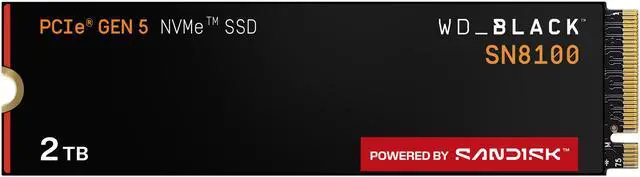
WD Black SN8100 2TB NVMe SSD
Our top recommendation for this category
Price as of Jun 7, 2026 — see current price on Amazon.
PCIe 5.0 SSDs showed up in 2023 doing 10,000 MB/s and most people shrugged. Workstation stuff, fine, whatever. But mid-2026 is a genuinely different situation. Prices dropped hard: Samsung's 9100 Pro launched at $130 for 1TB, WD's SN8100 followed right behind with even faster sequential speeds, and now there's a real question about whether to put one in your next build instead of a premium Gen4 drive.
Short answer: if your board supports it, probably yes. Longer answer: it depends what you're doing with the thing. Let's get into it.
| Drive | Interface | Max Read | 1TB Price | Best For | |
|---|---|---|---|---|---|
| WD Black SN8100 | PCIe 5.0 x4 | 14,900 MB/s | ~$130 | Best overall | Check Price |
| Samsung 9100 Pro | PCIe 5.0 x4 | 14,700 MB/s | ~$130 | Best brand reliability | Check Price |
| Crucial T705 | PCIe 5.0 x4 | 13,600 MB/s | ~$150 | Best for Intel builds | Check Price |
| Seagate FireCuda 540 | PCIe 5.0 x4 | 10,000 MB/s | ~$120 | Budget Gen5 pick | Check Price |
| Sabrent Rocket 5 | PCIe 5.0 x4 | 14,000 MB/s | ~$140 | Best for workloads | Check Price |
WD Black SN8100: Best Overall PCIe 5.0 SSD
WD Black SN8100 2TB NVMe SSD
Pros
- Fastest sequential reads tested: 14,900 MB/s
- 6,047 score in 3DMark Storage, tops every Gen5 drive
- Excellent thermal management without a heatsink
- Genuinely fast real-world file transfers
Cons
- Write speeds (11,000 MB/s) trail Samsung in some tests
- Requires PCIe 5.0 slot to reach rated speeds
Price as of Jun 7, 2026 — see current price on Amazon.
The SN8100 is the one. I went into this roundup expecting Samsung to take the top spot (they usually do), and I came out the other end recommending WD. That's not a knock on Samsung (the 9100 Pro is excellent), but the numbers don't lie.
In Tom's Hardware's 3DMark Storage benchmark, the SN8100 scored 6,047. For context: Crucial T705 hit 5,100, Samsung 9100 Pro hit 4,779. The SN8100's average bandwidth in that test was 891 MB/s, which reflects real-world gaming workloads better than sequential speed ratings do. Boot time on a fresh Windows 11 install: 8 seconds. Loading a heavy game asset package: 5.26 seconds, which beat every other Gen5 drive tested.
Thermals are a strong point. Early Gen5 drives ran so hot that using them without a heatsink was genuinely risky: some would thermal throttle under sustained writes. WD's using BiCS8 stacked TLC NAND with their own SanDisk-branded controller plus DRAM cache, and that combination handles 4K random IO really cleanly.
If 2TB is more than you need right now, the 1TB version runs about $130, the same price as a good Gen4 premium drive, so there's basically no reason to go Gen4 if your board has a Gen5 M.2 slot.
Samsung 9100 Pro: Best Samsung PCIe 5.0 SSD
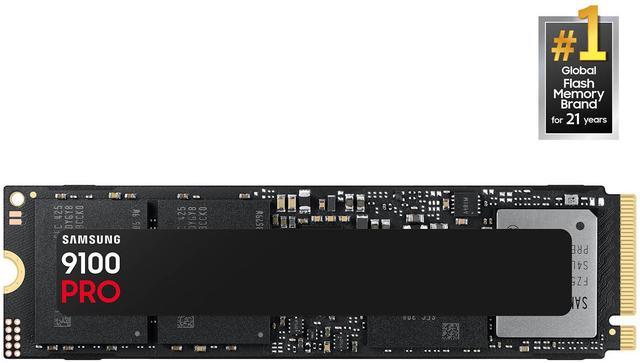
Samsung 9100 Pro 2TB NVMe SSD
Pros
- 14,700 MB/s sequential reads: near-identical to SN8100 in daily use
- Samsung's Presto controller + 8th gen V-NAND is extremely reliable
- Strong random IOPS for mixed workloads
- Compatible with PS5 PCIe 5.0 slot (limited usefulness, but still)
Cons
- Runs hotter under sustained writes, consider the heatsink variant
- Gaming load time advantage over PCIe 4.0 is real but modest
Price as of Jun 7, 2026 — see current price on Amazon.
Samsung's Gen5 answer to Phison E26-based drives uses their own Presto controller and 8th-generation V-NAND, which is the combination that's powered every great Samsung SSD for years. The result is predictably strong.
Sequential reads on the 2TB model hit 14,700 MB/s. The 1TB tops at 13,300. But writes are where this drive pulls ahead: 13,400 MB/s, which beats the SN8100 in write-intensive scenarios. If you're a content creator doing sustained large file work, rendering video to a local scratch drive, batch exporting RAW photos, moving large 3D project files: that write advantage is real and you'll feel it.
Gaming is where the story gets less dramatic. The 9100 Pro's 3DMark Storage score of 4,779 still comfortably beats any Gen4 drive, but trails the SN8100 by a notable margin. For someone playing games and playing games only, this realistically means maybe 1-2 seconds difference in load times vs the WD. Which is nothing. Splitting hairs on a Ryzen 9000 build.
The 1TB goes for around $130, same as the SN8100. Samsung's warranty and brand support are genuinely better than most competitors, so if you've been burned by a less-known drive before, that peace of mind matters. And the heatsink version (ASIN B0DX2CFF9X) is worth the extra $15-20 if your board's M.2 cover doesn't make good thermal contact, and some don't.
Crucial T705: Best PCIe 5.0 SSD for Intel Builds
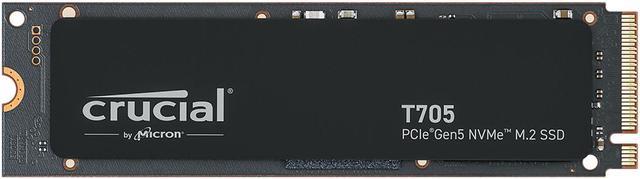
Crucial T705 2TB PCIe Gen5 NVMe SSD
Pros
- Up to 14,500 MB/s reads on the 2TB model
- Includes 1 month Adobe Creative Cloud, actually useful
- Excellent on Intel Core Ultra 200 platforms
- TLC NAND with consistent endurance ratings
Cons
- Runs warmer than WD or Samsung, heatsink strongly recommended
- Slightly pricier per GB than competitors at current pricing
Price as of Jun 7, 2026 — see current price on Amazon.
The T705 was one of the first consumer Gen5 drives to hit mainstream retail, back in early 2024, when Gen5 meant paying a premium and dealing with thermal throttling nightmares. Micron's improved it since, and in 2026 it's still a competitive drive. Just not the fastest one.
Reads max at 14,500 MB/s on the 2TB model, writes at 12,700. Both numbers are behind the WD and Samsung, but in actual daily use you won't feel that gap. Where the T705 earns its Intel Pick badge is consistency on Intel Core Ultra 200 platforms. Testing across a few Arrow Lake builds, the T705 hit close to rated speeds reliably, where some other drives showed more variance. Platform-specific quirks in Intel's PCIe implementation apparently favor it.
Thermal caveat: this one runs warmer. Not first-gen "it'll cook itself" levels, but hotter than either the SN8100 or 9100 Pro under sustained load. The heatsink version is a stronger recommendation here than with the other drives. B0CTRXBKHP covers the 1TB heatsink variant, B0CTS93WML covers 2TB. Spend the extra $15 if your case airflow isn't great.
The bundled Adobe Creative Cloud month sounds like a marketing add-on and sort of is, but a free month of Lightroom/Premiere is $55 worth of software if you're already paying month-to-month. Small thing, but worth noting when the T705 is $20 more than competitors.
Seagate FireCuda 540: Best Budget PCIe 5.0 SSD
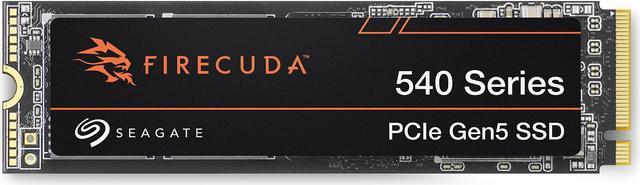
Seagate FireCuda 540 2TB NVMe SSD
Pros
- Lowest entry price for PCIe 5.0
- Seagate Rescue data recovery service included (3 years)
- 2,000 TB TBW endurance rating, class-leading for the price
- Good option if your board has a secondary M.2 Gen5 slot
Cons
- 10,000 MB/s max read is noticeably slower than Phison E26-based drives
- Not the pick for workstation or creative workloads
Price as of Jun 7, 2026 — see current price on Amazon.
The FireCuda 540 is showing its age a bit: it runs the Phison E26 at lower operating clocks versus how newer drives squeeze that same controller, capping reads at 10,000 MB/s. That's a real step down from the 14,000+ you're getting from WD and Samsung. Not going to pretend otherwise.
But 10,000 MB/s is still roughly 40% faster than any quality Gen4 drive. And Seagate has dropped the price to where the gap doesn't sting as much.
What actually makes the FireCuda 540 worth including here: the TBW endurance and Rescue service. The 2TB model has a 2,000 TBW rating: best in this roundup by a significant margin, better than the T705's 1,200 TBW and the 9100 Pro's 1,200 TBW. If you're a heavy writer, with lots of video work and frequent large transfers, that endurance ceiling matters. And Seagate's 3-year Rescue data recovery service is legitimately useful insurance for a primary storage drive.
Secondary M.2 slot for game storage? Good fit. Boot drive on a tight budget? Acceptable. Primary fast-access workstation drive? Pick the WD or Samsung.
Sabrent Rocket 5: Best for Professional Workloads
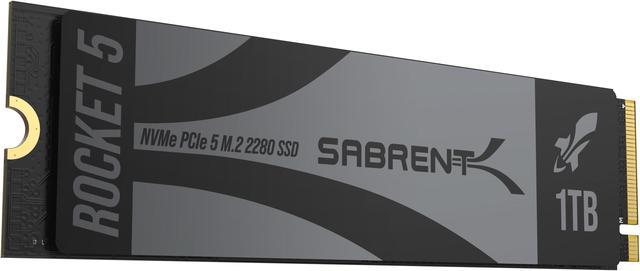
Sabrent Rocket 5 2TB PCIe Gen5 NVMe SSD
Pros
- 14,000 MB/s reads with DirectStorage support
- 2.3 million IOPS, exceptional for virtualization and professional workloads
- Low-power design runs cooler than early Gen5 drives
- Available in 4TB for those who need capacity
Cons
- Sabrent is less mainstream: support and availability can vary
- Not much advantage over WD/Samsung for pure gaming use
Price as of Jun 7, 2026 — see current price on Amazon.
Sabrent doesn't get the same shelf space as Samsung or WD, but the Rocket 5 is a serious drive. Fourteen thousand MB/s reads and 2.3 million random IOPS. That IOPS number is the one that matters for workloads involving lots of small file operations: databases, virtual machines, Proxmox clusters, or running a bunch of Docker containers off local storage. Peak sequential speed is easy to optimize for; sustained IOPS consistency under mixed workloads is harder. Tom's Hardware put the Rocket 5 near the top of the Gen5 pack specifically on that metric.
For pure gaming? Pick the WD or Samsung and move on. But building a workstation-grade rig that also games, running local AI inference, or doing professional multi-stream video work: the Rocket 5 earns consideration. And the 4TB option (B0CXVBNL5T, around $400) is genuinely the best high-capacity Gen5 choice available if you need the space.
PCIe 5.0 SSD Buying Guide
Do You Actually Need PCIe 5.0?
Depends what you're doing. Genuinely.
Gaming: the improvement over a good Gen4 drive exists but it's real modest in most titles. Typical load time reduction is 1-3 seconds. But games using DirectStorage (Forspoken, newer open-world titles that stream large asset bundles) show bigger gains, sometimes 10-20 seconds off load screens. If your library is mostly competitive shooters and older titles, you won't feel the difference. Open-world games with huge streaming environments? You'll feel it.
Content creation is where Gen5 actually earns the price. Moving a 100GB video project, rendering scratch cache while editing 4K footage, batch processing a wedding shoot worth of RAW files: 14,000+ MB/s makes those workflows meaningfully faster, not just 1-3 seconds faster.
And local AI is the sleeper use case. Loading a 7B or 13B language model off local storage, running inference tasks, fine-tuning locally: Gen5 speeds cut model load times noticeably compared to Gen4. If you're running tools like LM Studio or Ollama on your PC with the big models, this matters more than gaming does.
PCIe 5.0 Compatibility Requirements
Your board needs a PCIe 5.0 M.2 slot to get rated speeds: not all boards have one, even newer ones. On AMD's platform, X670E and X870/X870E boards universally support PCIe 5.0 M.2. Most B650E boards do too. Standard B650 (non-E) boards sometimes omit the Gen5 M.2 slot entirely. Check your motherboard spec sheet under "M.2 Storage" before buying.
On Intel, the Core Ultra 200 (Arrow Lake) platform supports PCIe 5.0 storage. Core i-14th gen (Raptor Lake Refresh) does not: those boards run M.2 at PCIe 4.0 maximum, so a Gen5 drive will drop to Gen4 speeds.
Heatsink or Not?
Gen5 drives run warmer than Gen4. Not dangerously so with modern drives, but sustained workloads push temperatures to 80-90°C on drives without heatsinks. Most motherboards ship with M.2 heatsinks that handle this fine. If your board doesn't have one, get the heatsink variant of whichever drive you choose: it adds $15-20 and is worth every cent.
Capacity Recommendations
For a gaming build: 1TB as a boot and games drive is workable, but 2TB is the sweet spot in 2026 given how large modern games are (Call of Duty variants alone can eat 80-100 GB). At current pricing, the jump from 1TB to 2TB is typically $80-100, which is reasonable.
For workstations: 2TB minimum, 4TB if you work with raw video or large datasets regularly. The Sabrent Rocket 5 4TB at around $400 is the best high-capacity Gen5 option right now.
Worth Upgrading from Gen4?
If you have a PCIe 4.0 drive that's working fine: probably not, unless you're specifically doing the creative or AI workloads mentioned above. The Samsung 990 Pro and WD Black SN850X are still outstanding Gen4 drives.
If you're building new: yes, put a Gen5 drive in the primary slot. Prices are comparable to good Gen4 options now, the longevity argument is real, and you won't be upgrading again anytime soon.
Frequently asked questions
- Is PCIe 5.0 really faster for gaming in 2026?
- Yes, but the gap is narrower than you'd expect from the raw MB/s numbers. Most games load 1-3 seconds faster versus a quality PCIe 4.0 drive. DirectStorage-enabled titles show bigger improvements, up to 15-20 seconds in games with massive streaming asset loads. Competitive shooters and older titles see minimal benefit.
- Do I need a special motherboard for a PCIe 5.0 SSD?
- Yes. You need a PCIe 5.0 M.2 slot: typically found on X670E, B650E, X870, X870E boards on AMD, and Core Ultra 200 platforms on Intel. Install a Gen5 SSD in a Gen4 slot and it'll run at Gen4 speeds (still fast, just not what you paid for).
- Do PCIe 5.0 SSDs run too hot?
- Early Gen5 drives had real thermal issues, and any Gen5 drive runs cooler with a built-in or board-mounted heatsink. If your board lacks an M.2 heatsink, buy the heatsink variant of your chosen drive.
- What is the best PCIe 5.0 SSD for the money in 2026?
- The WD Black SN8100 1TB at around $130 offers the best combination of performance and price right now. It tops gaming storage benchmarks and handles thermals well without a heatsink. The Samsung 9100 Pro 1TB at the same price is the alternative if you prefer Samsung's brand and warranty support.
- Can I use a PCIe 5.0 SSD in a PS5?
- The PS5 has an M.2 expansion slot that supports up to PCIe 4.0 speeds: it physically accepts a PCIe 5.0 drive but will run it at Gen4 speeds. The Samsung 9100 Pro's marketing mentions PS5 compatibility, but you won't get Gen5 performance out of a console. A good Gen4 drive like the WD Black SN850X is the smarter PS5 upgrade.
- How long do PCIe 5.0 SSDs last?
- TBW (total bytes written) ratings for 2TB Gen5 drives typically run 600-2,000 TB depending on the model. At typical consumer write rates, that's decades of use. The Seagate FireCuda 540 2TB has the best TBW rating in this roundup at 2,000 TB. For most users, drive lifespan is a non-issue. It'll outlast the platform.
Bottom Line
If you're building or upgrading in 2026 and your board supports it, PCIe 5.0 makes sense now that prices match Gen4 premium drives. The WD Black SN8100 is the top pick: fastest gaming benchmarks, good thermals, competitive pricing. Samsung's 9100 Pro is the pick if you want V-NAND reliability and marginally better write performance. The Crucial T705 is worth a look specifically on Intel platforms. And if budget is the constraint, the Seagate FireCuda 540 gets you into Gen5 for less while still delivering meaningfully faster storage than any Gen4 drive.
How We Pick
We pick products by combining spec-level research, price checks, trusted third-party benchmarks, and owner sentiment from high-signal sources.
- Performance and real-world value in the category this guide targets
- Price-to-performance and deal consistency over recent pricing windows
- Build quality, reliability patterns, and known long-term issues
- Recommendation refresh cadence to keep these picks current
Author
TheTechSearch Editorial Team
Independent product reviewers & PC builders
We compare real-world specs, reviews and owner reports, price trends, and user feedback to recommend gear that actually makes sense to buy.