Best Monitors for RTX 5060 Ti in 2026
The RTX 5060 Ti handles 1440p at 240Hz with DLSS 4 and can push 4K. These five monitors unlock everything that $429 GPU can do. Expert picks, pros and cons,...
As an Amazon Associate we earn from qualifying purchases made through our links — this doesn't affect our picks.
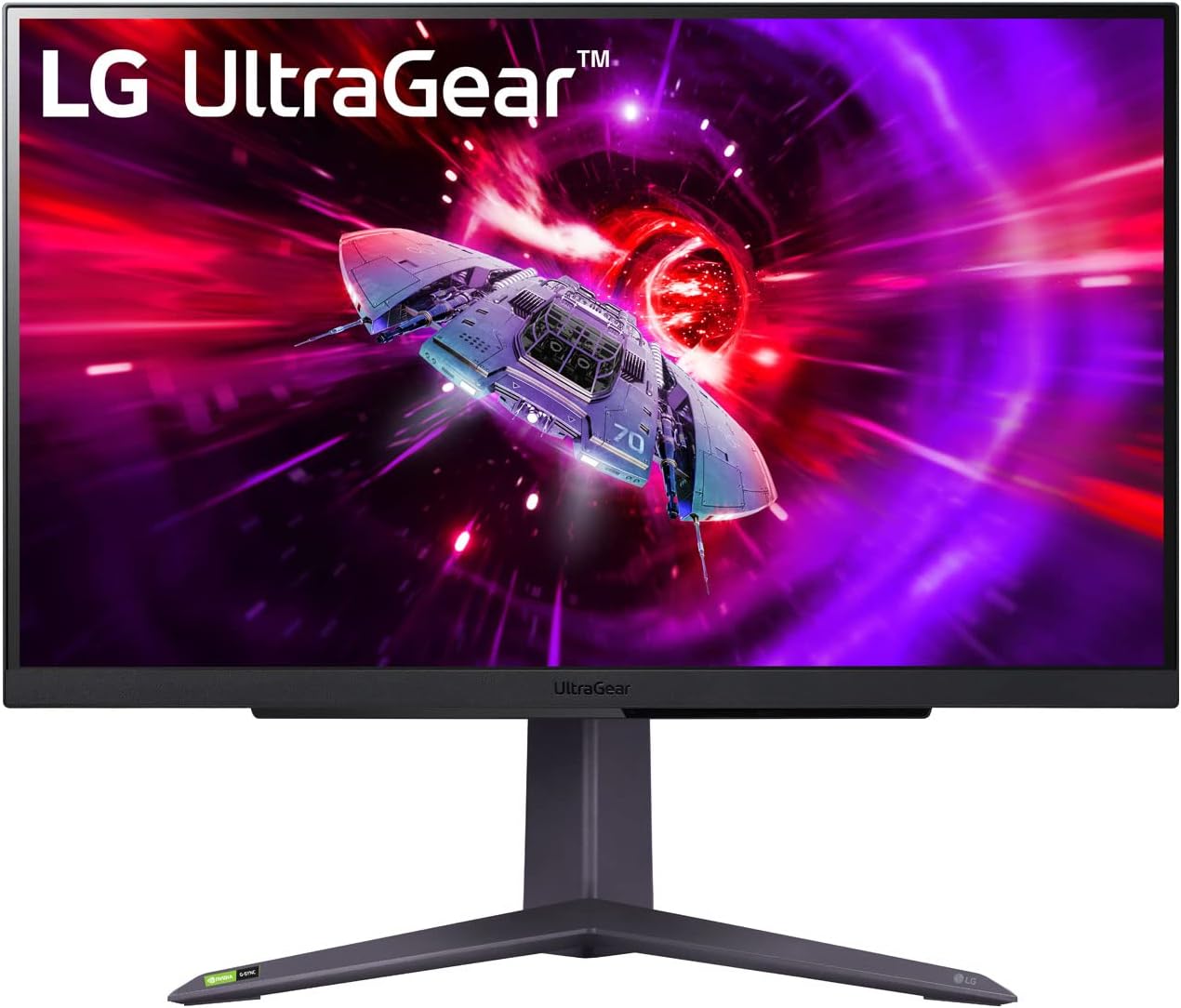
LG UltraGear 27GR75Q-B 27-inch 1440p 165Hz Nano IPS Gaming Monitor
Our top recommendation for this category
Price as of Jul 6, 2026 — see current price on Amazon.
In this guide
- LG UltraGear 27GR75Q-B: Best Overall for RTX 5060 Ti
- A note on the Gigabyte GS27QC
- LG 27G810A-B: Best 4K Value for RTX 5060 Ti
- AOC Agon PRO AG274QZM: Best 240Hz HDR Pick
- Samsung Odyssey Neo G7 32-inch: Best Large Screen for RTX 5060 Ti
- Buying Guide: Choosing the Right Monitor for Your RTX 5060 Ti
- Bottom Line
The RTX 5060 Ti launched April 16, 2026 at $429 for the 16GB, and it's been the GPU most people are actually buying ever since. But I keep seeing the same thing in every PC build thread: someone drops $429 on this card and then pairs it with a 1080p 60Hz monitor they've had since 2018. That's like buying a Ferrari and leaving it in second gear.
Here's what the 5060 Ti can actually do. At 1440p without any DLSS, it averages around 75 FPS in Cyberpunk 2077 at Ultra settings and 57 FPS in Black Myth: Wukong. Turn on DLSS 4 Quality mode and both numbers roughly double. That's 140-150 FPS in demanding AAA titles and well past 200 FPS in competitive shooters at 1440p. The card has 4608 CUDA cores on GB206 silicon with 448 GB/s of GDDR7 bandwidth, and with DLSS 4 active it can handle 4K at genuinely playable frame rates. An RTX 5060 couldn't say that without serious asterisks.
The five monitors below go from a $279.99 IPS panel all the way to a $699 32-inch 4K screen. Every one of them is a step up from what most 5060 Ti buyers are currently gaming on, and each one hits a different point in the price-to-performance curve.
| Monitor | Panel | Size / Res | Refresh | Price | Best For | |
|---|---|---|---|---|---|---|
| LG UltraGear 27GR75Q-B | Nano IPS | 27" 1440p | 165Hz | $279.99 | Editor's Choice | Check Price |
| LG 27G810A-B | IPS Dual Mode | 27" 4K | 180Hz / 360Hz | $349 | Best 4K Value | Check Price |
| AOC Agon PRO AG274QZM | IPS Mini LED | 27" 1440p | 240Hz | $420 | Best 240Hz HDR | Check Price |
| Samsung Odyssey Neo G7 32" | VA Mini LED | 32" 4K | 165Hz | $699 | Best Large Screen | Check Price |
LG UltraGear 27GR75Q-B: Best Overall for RTX 5060 Ti
LG UltraGear 27GR75Q-B 27-inch 1440p 165Hz Nano IPS Gaming Monitor
Pros
- Nano IPS panel with 99% sRGB coverage and solid factory calibration
- Full ergonomic stand: height, tilt, swivel, and pivot
- Zero VA ghosting -- clean motion at 165Hz for competitive play
- G-Sync Compatible and FreeSync Premium dual certification
- Trusted LG quality with reliable warranty support
Cons
- 165Hz means the RTX 5060 Ti can push past it in lighter competitive titles
- IPS blacks look washed out in very dark rooms
- No USB hub, which stings at $279.99
Price as of Jul 6, 2026 — see current price on Amazon.
Most people buying a 5060 Ti should land here. The LG 27GR75Q-B is a clean, reliable 27-inch 1440p monitor at $279.99 that just gets the fundamentals right.
The Nano IPS panel covers 99% sRGB with solid factory calibration, so games look correct out of the box. No afternoon fiddling with color profiles required. At 165Hz, the 5060 Ti runs in its comfortable native performance zone in most AAA titles, around 120-160 FPS with DLSS 4 Quality enabled, and the Nano IPS response time is clean enough that ghosting doesn't come up.
The thing I appreciate most about this monitor is actually the stand. Full height, tilt, swivel, and pivot at $279.99. That's genuinely rare at this price point. Most budget monitors hand you tilt and call it done. LG didn't cut that corner here.
Honest downsides: at 165Hz, the 5060 Ti outpaces this panel in lighter competitive games. In Valorant and CS2, the card hits 200-240 FPS with DLSS 4, and the monitor can't show all of it. If you play competitive shooters seriously, the AOC AG274QZM further down this list is the smarter pick. For everyone else mixing AAA campaigns and casual competitive play, $279.99 and the 27GR75Q-B is where I'd tell a friend to land.
A note on the Gigabyte GS27QC
The Gigabyte GS27QC was the under-$200 budget pick here. Its Amazon listing had no buy box when I re-checked in September 2026, and the GS27QCA that replaced it was only available through third-party sellers with no price in the buy box, so the card is gone until Gigabyte's own listing is back.
LG 27G810A-B: Best 4K Value for RTX 5060 Ti
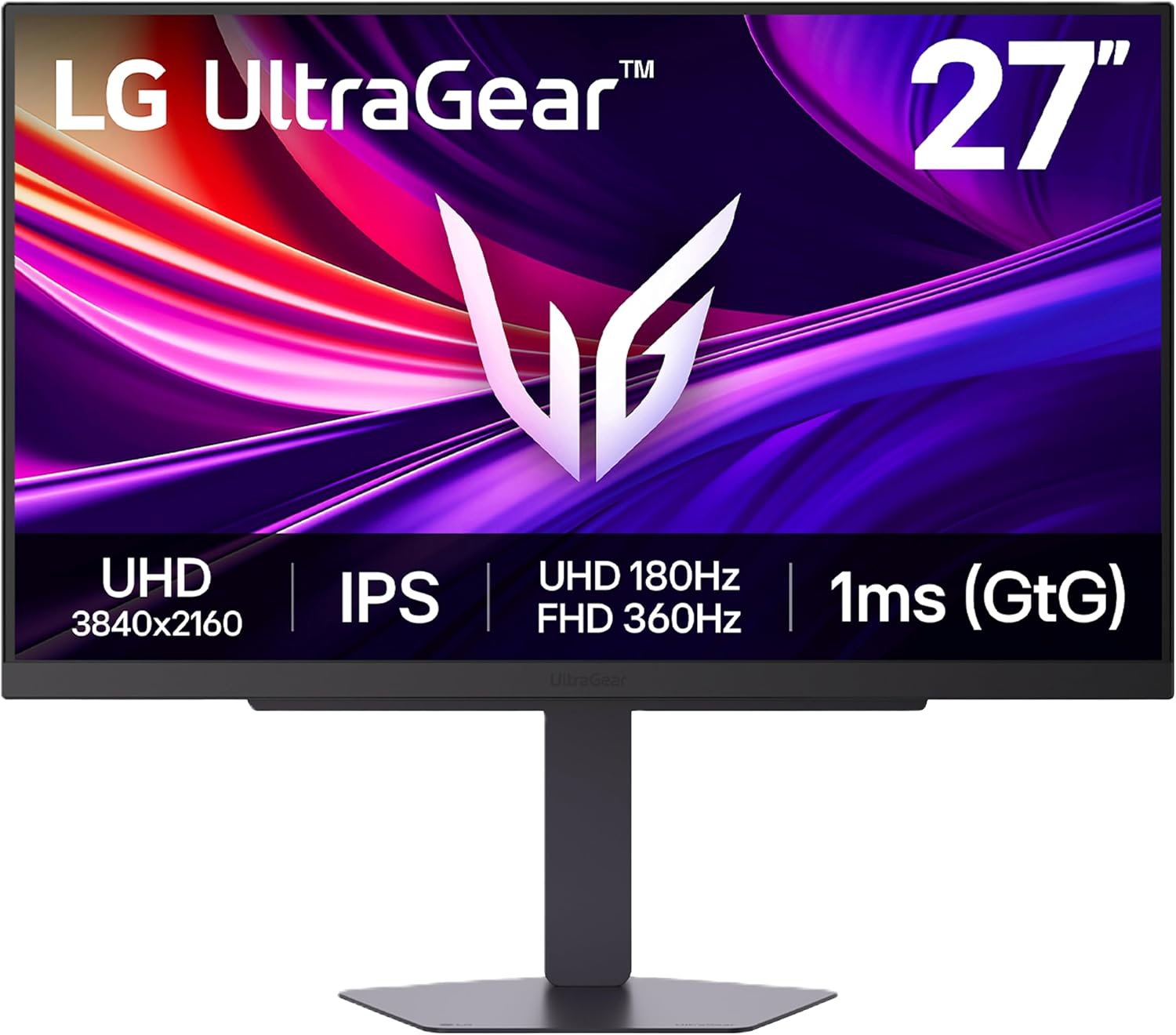
LG 27G810A-B UltraGear 4K 180Hz Dual Mode Gaming Monitor
Pros
- Dual mode: 4K at 180Hz for single-player, FHD at 360Hz for competitive shooters
- HDMI 2.1 enables 4K 120Hz gaming from PS5 or Xbox Series X
- 95% DCI-P3 color coverage, strong accuracy for an IPS gaming panel
- USB-C with 90W power delivery for laptop charging at the desk
Cons
- DisplayHDR 400 only -- peak brightness tops around 450 nits, no local dimming
- IPS contrast ratio means dark scenes lack the depth of VA or OLED panels
- Dual-mode switch takes a few seconds through the monitor menu, not instant
Price as of Jul 6, 2026 — see current price on Amazon.
This is the most interesting monitor on the list. Possibly the best value pairing for this specific GPU tier. Let me explain.
LG launched the 27G810A-B in early 2026 at around $350 and quietly introduced a dual-mode feature that most buyers haven't thought through yet. Run it at 4K 180Hz -- that's your Cyberpunk 2077, your Elden Ring, your single-player mode where you want every pixel sharp and the game looking beautiful. Or flip to FHD 360Hz and you get a native 1080p image at 360Hz, which is meaningfully sharper than what you get from a 4K panel trying to downscale to 1080p. Native resolution at high refresh rate -- that's what competitive CS2 players actually want.
For the 5060 Ti specifically, this dual-mode fits better than it would for almost any other GPU in this price tier. In 4K mode, the card handles most titles at 60-90 FPS natively, and with DLSS 4 Performance mode enabled you're hitting 130-160 FPS in demanding games. That's actually playable 4K gaming, not "technically works if you squint." Switch to FHD 360Hz and the 5060 Ti saturates that refresh in Valorant and CS2 without working up a sweat.
The 95% DCI-P3 coverage is genuinely good for an IPS gaming panel. HDMI 2.1 means PS5 or Xbox Series X at 4K 120Hz, no adapter nonsense. USB-C at 90W charges a laptop from the monitor. For $349 you're getting what amounts to two monitors' worth of functionality.
Only real knock: DisplayHDR 400 with no local dimming means HDR mode looks plain compared to the Mini LED picks below. For serious HDR gaming, spend more. For the dual-mode flexibility at $349, I don't think anything else at this price point comes close.
AOC Agon PRO AG274QZM: Best 240Hz HDR Pick
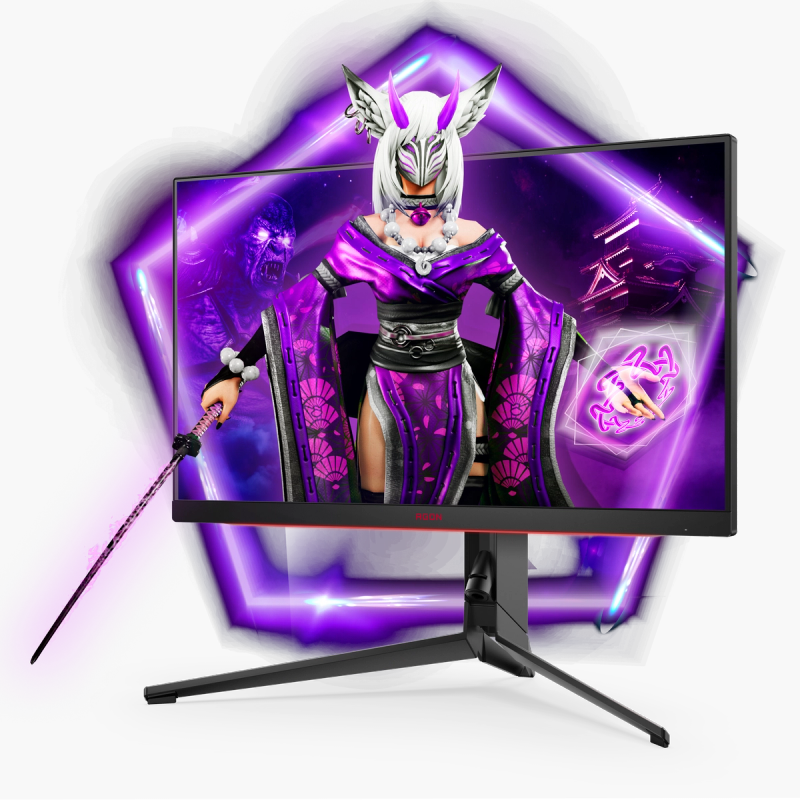
AOC Agon PRO AG274QZM 27-inch 1440p 240Hz Tournament Mini LED Monitor
Pros
- 240Hz IPS at 1440p with 1ms response -- the RTX 5060 Ti can fill this panel with DLSS 4
- 576-zone Mini LED backlight with DisplayHDR 1000 certification
- USB-C 65W power delivery and built-in USB hub
- Rock-solid stand with height, tilt, swivel, and pivot
- G-Sync Compatible and FreeSync Premium for both GPU brands
Cons
- 576 zones is good but not exceptional -- haloing visible around small bright objects on dark backgrounds
- $420 is a meaningful step up from the 27GR75Q-B at $279.99
- AOC AGON software is functional but less polished than ASUS or LG equivalents
Price as of Jul 6, 2026 — see current price on Amazon.
Who should buy the AG274QZM: someone who plays competitive titles seriously enough that 165Hz has started to feel slow, but also spends enough time in single-player games to want real HDR performance, not the fake kind.
The 5060 Ti with DLSS 4 Quality in CS2, Valorant, and Apex Legends regularly pushes 200-260 FPS at 1440p. The AG274QZM runs at 240Hz, so you're actually displaying most of that output. At 165Hz, anywhere from 60 to 100 of those generated frames per second get wasted because the display can't show them. The jump from 165Hz to 240Hz isn't subtle in competitive play. It feels fundamentally smoother when you're tracking fast movement -- not a placebo, an actual reduction in perceived motion blur.
The 576-zone Mini LED backlight is the other reason to spend the extra $140 over the 27GR75Q-B. AOC rated it DisplayHDR 1000, meaning real peak brightness around 1,000 nits in HDR highlights. Alan Wake 2, Cyberpunk 2077, any title with DirectX 12 Ultimate HDR support -- they all look materially better on this panel than on a standard IPS monitor. If you haven't seen proper Mini LED HDR before, the first time you toggle it on in a game with good HDR mastering is one of those "oh, that's what people were talking about" moments.
AOC built this specifically for esports venues, and it shows in the physical design. The stand doesn't wobble. Cable routing is clean. There's a carrying handle cut into the back of the unit, which sounds like a dumb detail until you're moving equipment and you actually appreciate it.
Samsung Odyssey Neo G7 32-inch: Best Large Screen for RTX 5060 Ti
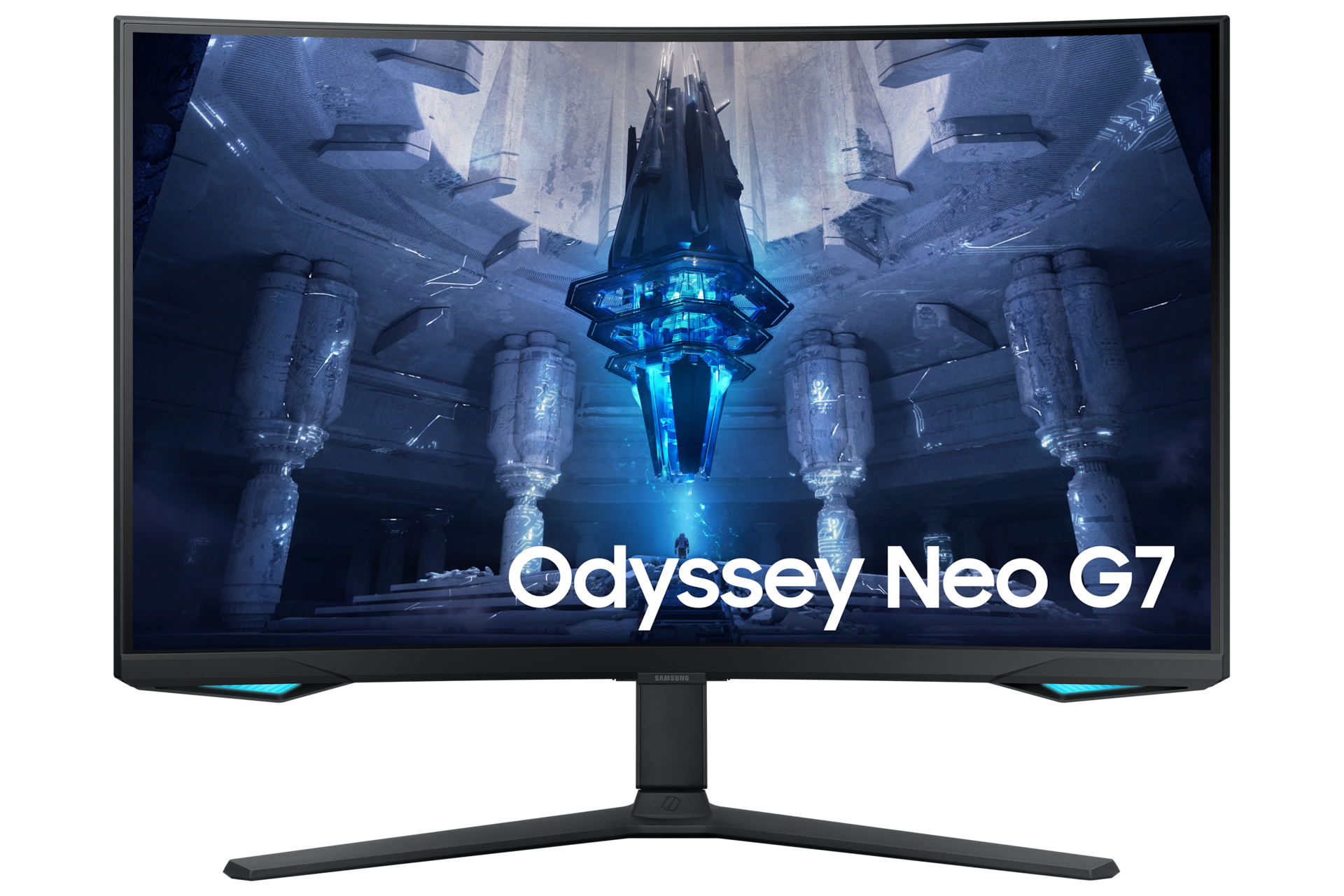
Samsung Odyssey Neo G7 32-inch 4K 165Hz Curved Mini LED Gaming Monitor
Pros
- 1,196 local dimming zones with Quantum HDR 2000 (2,000 nit peak brightness)
- 32-inch 4K curved panel is a dramatic upgrade from any 27-inch monitor
- 1000R curve on a 32-inch screen is genuinely immersive without feeling forced
- Samsung Quantum Matrix Technology delivers some of the best Mini LED HDR available
Cons
- $699 means the monitor costs 63% more than the GPU itself
- VA panel has some residual pixel response ghosting at high refresh rates
- 165Hz max refresh rate means competitive players should look elsewhere
Price as of Jul 6, 2026 — see current price on Amazon.
The Neo G7 32-inch is the aspirational pick. It's also, honestly, slightly over-spec'd for the RTX 5060 Ti. Here's when buying it anyway makes sense.
At $699, you're spending more on the monitor than on the GPU. That math only works if the monitor outlasts the GPU -- and it will. A 32-inch 4K panel from 2024-2025 will still be a premium display in 2028 when you've upgraded to whatever NVIDIA is shipping at that point. The GPU is what you replace every three years. The monitor might last a decade.
Samsung's 1,196-zone Quantum Matrix Technology and Quantum HDR 2000 certification (2,000 nit peak) are genuinely exceptional. Peak brightness at 2,000 nits in HDR makes the screen look lit from within during sunrise sequences, fire effects, or any high-contrast scene. Put it next to a standard IPS panel and the HDR difference is immediate. Not a subtle thing. More of an "oh" thing.
For the 5060 Ti, you'd run this at 4K with DLSS 4 Performance mode in demanding games and see 100-130 FPS in most titles. In lighter games, DLSS 4 Quality at 4K hits 120-150 FPS. The 165Hz ceiling is fine at 4K because the 5060 Ti isn't going to consistently exceed 165 FPS at that resolution regardless of DLSS mode anyway.
If you're building a setup you want to keep for the long haul, the Neo G7 32-inch makes the argument. If you want the best performance-per-dollar for today's gaming, the LG 27GR75Q-B or the 27G810A-B are the smarter calls.
Buying Guide: Choosing the Right Monitor for Your RTX 5060 Ti
Should I Target 1440p or 4K With the RTX 5060 Ti?
It depends on DLSS 4.
Without it, the 5060 Ti is a 1440p card. It averages 75 FPS in Cyberpunk 2077 at Ultra and 57 FPS in Black Myth: Wukong at 1440p natively. Those drop to around 45-55 FPS at native 4K, which is marginal for a smooth experience in demanding single-player titles.
With DLSS 4 Quality mode, 1440p performance jumps to 140-160 FPS in demanding games, and the visual quality difference from native rendering is minimal -- honestly, in motion at those frame rates, most people can't tell. Enable DLSS 4 Performance mode at 4K and you're looking at 100-130 FPS in most games.
If you refuse to use DLSS because you care deeply about native rendering, stay at 1440p. But if you're willing to run DLSS 4 Quality (and most people should be), the LG 27G810A-B's dual-mode 4K feature opens up real options that didn't exist for the 5060 generation.
How Much Does Refresh Rate Matter With the RTX 5060 Ti?
More than most people admit.
At 1440p with DLSS 4 Quality in competitive shooters, the 5060 Ti delivers 200-260 FPS in CS2 and Valorant. A 165Hz monitor displays 165 of those frames. A 240Hz monitor displays 240. That extra 75 Hz translates to roughly 4-6ms less motion-to-display lag, which competitive players notice and non-competitive players generally do not.
For single-player gaming at 1440p with DLSS 4, 165Hz is plenty. You are not going to see 200 FPS in Elden Ring regardless of settings. For mixed use, the 240Hz monitors cost $140-240 more and the benefit is only meaningful in competitive titles.
What Panel Type Works Best With the RTX 5060 Ti?
IPS panels are the safest choice for most buyers. They have good color accuracy, acceptable contrast ratios around 1000:1, and zero pixel response problems at 165-240Hz. The LG 27GR75Q-B and AOC AG274QZM are both IPS-based.
VA panels like the Samsung Neo G7 have better native contrast at 4000:1, which means darker blacks and better passive HDR performance. The tradeoff is pixel response ghosting in fast-motion dark scenes, visible at 165Hz in games with quick movement through shadow. If you play primarily slower-paced games, VA contrast is worth the tradeoff.
OLED panels are not on this list because they start around $349 for 180Hz OLED and climb quickly from there. The 5060 Ti can absolutely drive an OLED monitor, but the monitors that pair best with the card's performance ceiling (240Hz 1440p, or 4K with DLSS 4) tend to be IPS or Mini LED in 2026 price ranges.
Does the RTX 5060 Ti's 16GB VRAM Matter for Monitor Choice?
Indirectly, yes. The 16GB GDDR7 on the 5060 Ti means you will not hit VRAM limits at 1440p even in texture-heavy titles like Monster Hunter Wilds or Alan Wake 2. That matters when choosing a 4K monitor because 4K textures consume more VRAM. An 8GB card would run into VRAM pressure at 4K with high texture settings. The 16GB avoids that constraint, which is one reason the LG 27G810A-B at $349 makes sense as a 4K pairing for this specific card where it would not for the 8GB version.
Will Any of These Monitors Bottleneck the RTX 5060 Ti?
No. All five monitors have DisplayPort 1.4 or HDMI 2.1, both of which have enough bandwidth to run 1440p at 240Hz or 4K at 165Hz without compression. The LG 27G810A-B and Samsung Neo G7 specifically have HDMI 2.1, which is also useful if you want to connect a PS5 or Xbox Series X at 4K 120Hz.
Frequently asked questions
- What is the best overall monitor for the RTX 5060 Ti?
- The LG UltraGear 27GR75Q-B at $279.99 is the best all-around pick. It delivers 1440p at 165Hz with a clean Nano IPS panel, full ergonomic stand, and dual G-Sync/FreeSync support. Most 5060 Ti owners will be happy here. If 240Hz matters to you for competitive play, step up to the AOC Agon PRO AG274QZM at $420.
- Can the RTX 5060 Ti actually run 4K gaming?
- Yes, with caveats. At native 4K without DLSS, the 5060 Ti averages 45-55 FPS in demanding AAA titles, which is marginal. With DLSS 4 Performance mode enabled, that climbs to 100-130 FPS in most games. For casual single-player gaming with DLSS 4, 4K is genuinely playable on the 5060 Ti. The 16GB GDDR7 also means no VRAM limits on 4K textures, which the 8GB version cannot say.
- Is the 8GB or 16GB RTX 5060 Ti better for these monitors?
- Get the 16GB version. At 1440p with high texture packs, games like Monster Hunter Wilds and Alan Wake 2 push past 8GB of VRAM, causing frame drops and stuttering on the 8GB card. At 4K, the VRAM gap is worse. The 16GB SKU is $429 vs $379 for the 8GB -- a $50 difference that pays back immediately in the games where it matters.
- What refresh rate should I get with the RTX 5060 Ti?
- 165Hz is the minimum worth buying today for a 5060 Ti pairing. The card outpaces 144Hz in most situations. For single-player gaming, 165Hz with a good IPS or Mini LED panel is excellent. For competitive shooters like CS2 or Valorant where the 5060 Ti can push 200-260 FPS at 1440p with DLSS 4, a 240Hz monitor like the AOC AG274QZM fully earns its premium.
- Does the LG 27G810A-B dual mode actually work well?
- Yes, it does. The 4K 180Hz mode delivers a sharp, detailed image for single-player games. The FHD 360Hz mode gives a native 1080p image for competitive titles, which is noticeably sharper than a 4K panel downscaling to 1080p. Mode switching takes a few seconds through the OSD menu. It is not instant, but it is clean and works reliably. For 5060 Ti owners who play both Cyberpunk and CS2 on the same monitor, the dual-mode pays off.
- Is the Samsung Neo G7 32-inch worth buying for a $429 GPU?
- Only if you are buying for longevity. The monitor will outlast the GPU by years. The 1,196-zone Mini LED backlight and Quantum HDR 2000 spec is genuinely premium display technology that holds up across multiple GPU upgrade cycles. If you are focused on maximizing today's performance per dollar, the LG 27GR75Q-B at $279.99 is a smarter buy. If you want a display that is still the best monitor at your desk in 2029, the Neo G7 32-inch makes the argument.
Bottom Line
The RTX 5060 Ti is a 1440p powerhouse that also opens the door to 4K with DLSS 4. Most people should start with the LG 27GR75Q-B at $279.99 -- clean IPS, full stand ergonomics, and enough refresh rate for everything except serious competitive play. Competitive players who push the 5060 Ti past 200 FPS in CS2 and Valorant should spend the extra $140 and get the AOC AG274QZM's 240Hz Mini LED panel. The LG 27G810A-B at $349 is the sleeper pick: a dual-mode 4K monitor that lets the 5060 Ti run crisp 4K in single-player games and native 360Hz FHD in competitive titles. The Samsung Neo G7 32-inch is for buyers building a setup they want to keep for the next decade.
Whatever you pick, the 5060 Ti will run it well. The card just needs a monitor that can keep up.
How We Test
We score products by combining spec-level research, pricing history, trusted third-party benchmarks, and owner sentiment from high-signal sources.
- Performance and real-world value in the category this guide targets
- Price-to-performance and deal consistency over recent pricing windows
- Build quality, reliability patterns, and known long-term issues
- Recommendation refresh cadence to keep these picks current
Author
TheTechSearch Editorial Team
Independent product reviewers & PC builders
We test and compare real-world specs, price trends, and user feedback to recommend gear that actually makes sense to buy.