Best Photo Editing Monitors 2026
The best monitors for photo editing in 2026. Accurate color, wide gamuts, and real calibration support for photographers at every budget. Expert picks, pros...
As an Amazon Associate we earn from qualifying purchases made through our links — this doesn't affect our picks.
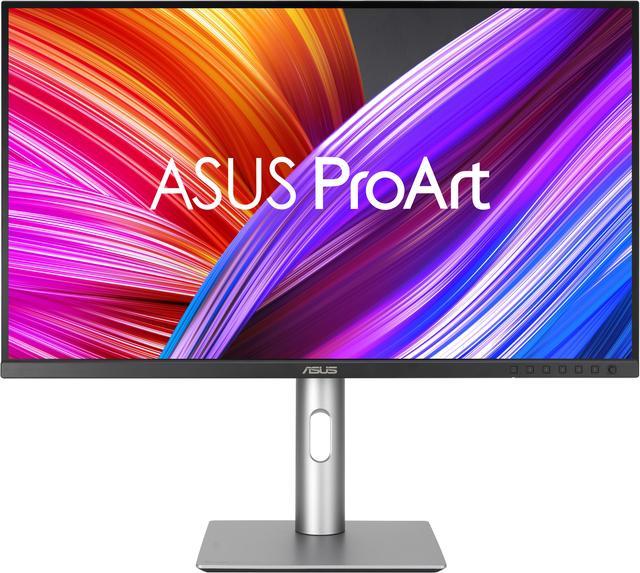
ASUS ProArt PA279CRV 27-inch 4K Professional Monitor
Our top recommendation for this category
Price as of Aug 17, 2026 — see current price on Amazon.
Something shifted in the photo editing monitor market over the last couple of years. Displays that used to cost $1,200 or more for genuine 99% AdobeRGB coverage now start at $399. That's a meaningful change for hobbyists and working pros alike. You no longer need to spend studio-budget money just to see your images in the color space you're actually editing.
That said, not every monitor marketed at photographers is worth your money. A lot of "content creator" displays hit 100% sRGB and call it a day. This guide cuts through the noise and focuses on monitors with real color accuracy credentials: wide gamut coverage, Delta E below 2, and calibration options that go beyond a color profile you download from the manufacturer's website.
| Monitor | Price | Resolution | AdobeRGB | Calibration | USB-C | |
|---|---|---|---|---|---|---|
| ASUS ProArt PA279CRV | $399 | 27" 4K | 99% | Software (Calman) | 96W PD | Check Price |
| Dell UltraSharp U2723QE | ~$649 | 27" 4K | 98% DCI-P3 | Software | 90W PD | Check Price |
| ViewSonic VP2768a-4K | $545 | 27" 4K | 100% sRGB | Software + LUT | 90W PD | Check Price |
| LG 27UK850-W | $370 | 27" 4K | 99% sRGB | None | Yes | Check Price |
| BenQ SW271C | $1,599 | 27" 4K | 99% | Hardware | 60W PD | Check Price |
ASUS ProArt PA279CRV (Best Overall Value)
ASUS ProArt PA279CRV 27-inch 4K Professional Monitor
Pros
- 99% AdobeRGB and 99% DCI-P3 coverage at a competitive price
- Calman Verified factory calibration with Delta E under 2
- 96W USB-C power delivery with daisy chain support
- Works beautifully with Mac setups via single-cable connection
Cons
- No hardware calibration (Calman software only)
- 60Hz panel limits multitasking if you also game
Price as of Aug 17, 2026 — see current price on Amazon.
The ASUS ProArt PA279CRV is genuinely the reason I updated this guide. When this launched at $399 with verified 99% AdobeRGB coverage and factory Delta E under 2, it made a lot of competing monitors look overpriced overnight.
For context: a few years ago, hitting 99% AdobeRGB meant spending $700 minimum. The PA279CRV delivers that coverage at nearly half the price, and ASUS backed the calibration claim with Calman Verification, not just marketing language.
The 27" 4K IPS panel is sharp enough that you'll actually want to view images at 100% crop. Pixel density at this size is high enough to reveal detail you'd miss on a 1440p display. And the USB-C setup is genuinely convenient for photographers who shoot tethered on a laptop, since you get power delivery and display over a single cable.
My main caveat: no hardware calibration. You get Calman software-based calibration support, which is solid but not the same as the on-board hardware LUT system in the BenQ below. For most photographers, software calibration with a colorimeter like the X-Rite i1Display Pro is more than enough. If you're unsure whether you need a colorimeter at all, our guide to whether you need a monitor calibrator walks through it.
Dell UltraSharp U2723QE (Best for Connectivity)
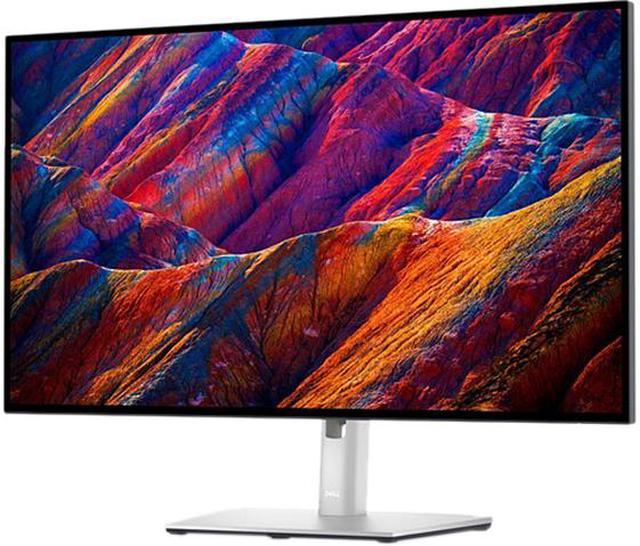
Dell UltraSharp U2723QE 27-inch 4K Monitor
Pros
- IPS Black panel delivers 2000:1 contrast ratio (rare for IPS)
- 98% DCI-P3 coverage with factory Delta E under 2
- USB-C hub replaces most desk dongles
- 90W power delivery charges 15-inch MacBook Pro without issues
Cons
- More expensive than the ASUS with similar color specs
- IPS Black requires some bias lighting to avoid dark-corner glow
Price as of Aug 17, 2026 — see current price on Amazon.
The U2723QE uses Dell's IPS Black panel technology. Standard IPS panels top out around 1000:1 contrast; this one hits 2000:1. That matters when you're evaluating dark shadow regions in landscape shots or trying to judge black levels in prints.
Color-wise, you get 98% DCI-P3 and 100% sRGB with factory calibration under Delta E 2. It's not quite the 99% AdobeRGB spec of the ASUS, but for photographers who primarily output for digital (web, social, client galleries), the sRGB and DCI-P3 accuracy is what you need.
What actually sets this apart from the PA279CRV is the hub. The U2723QE has a full USB-C dock built in: downstream USB-A ports, a USB-C port, RJ45 ethernet, and 90W power delivery. If you're constantly plugging in card readers, tethering cables, and external drives, having those ports on the monitor instead of hunting for dongles is a real quality-of-life improvement.
ViewSonic ColorPro VP2768a-4K (Best Mid-Range Professional)
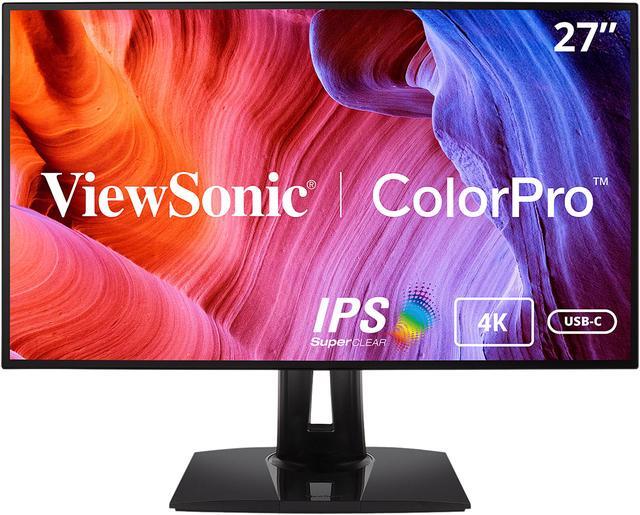
ViewSonic ColorPro VP2768a-4K Professional Monitor
Pros
- Pantone Validated with 14-bit 3D LUT for precise tone mapping
- 100% sRGB coverage verified by Pantone
- 90W USB-C power delivery and built-in RJ45 ethernet
- Solid build quality with extensive ergonomic adjustments
Cons
- Covers 100% sRGB but not wide gamut AdobeRGB
- HDR10 support is present but peak brightness limits HDR quality
Price as of Aug 17, 2026 — see current price on Amazon.
The VP2768a-4K is ViewSonic's answer to photographers who want Pantone validation but can't stomach $1,500 for a BenQ. At $545, it covers 100% sRGB with a 14-bit 3D LUT that provides more precision in tone reproduction than the 8-bit + FRC approach common in cheaper monitors.
Pantone Validation is a third-party certification, not just a self-reported spec. It means Pantone tested the physical unit and confirmed it meets their color standards. For photographers working on print-bound projects, that independently verified accuracy matters.
The connectivity story is good too: 90W USB-C PD, built-in ethernet (no dongle needed), and multiple display inputs. The ergonomic stand does full tilt, swivel, pivot, and height adjustment. Honestly, the build quality feels a step above what you'd expect at this price.
Where it falls short: this is a 100% sRGB monitor, not a wide-gamut display. If your workflow involves AdobeRGB raw files that you're evaluating in full native gamut, you'll want the ASUS or BenQ instead.
LG 27UK850-W (Best Budget Entry)
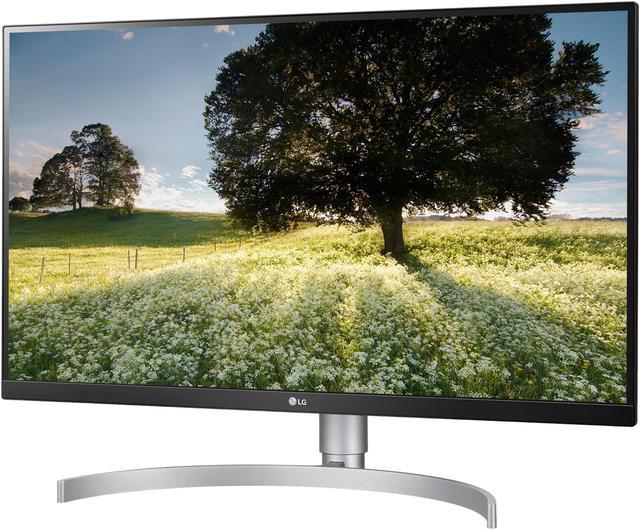
LG 27UK850-W 27-inch 4K UHD IPS Monitor
Pros
- 27" 4K IPS at the lowest price on this list
- 99% sRGB coverage is accurate enough for web and social media output
- USB-C connectivity for Mac users
- HDR10 support with 450-nit peak brightness
Cons
- No AdobeRGB wide gamut coverage
- No hardware or software calibration support
- Older model with no third-party color validation
Price as of Aug 17, 2026 — see current price on Amazon.
Look, I'm not going to pretend the LG 27UK850-W is a dedicated professional photo editing display. It's not. But at $370 for a 27" 4K IPS panel with 99% sRGB coverage, it's a reasonable starting point if your budget is tight and your output is primarily web delivery.
The IPS panel at this size gives you good viewing angles and color consistency across the screen. The 4K resolution is the more important spec here, since editing at 100% crop on a 4K display reveals detail you'd miss on 1440p. And the USB-C connectivity makes it practical for laptop setups.
Where it breaks down: this monitor won't hold you if you're evaluating AdobeRGB files accurately, and there's no calibration support worth speaking of. The factory calibration isn't verified by any third party. If you're outputting prints to a lab, or working with a photographic printer where color matching matters, step up to the ASUS or ViewSonic.
It's a solid entry point. Just be honest with yourself about what "entry point" means.
BenQ SW271C (Best Professional Studio Monitor)
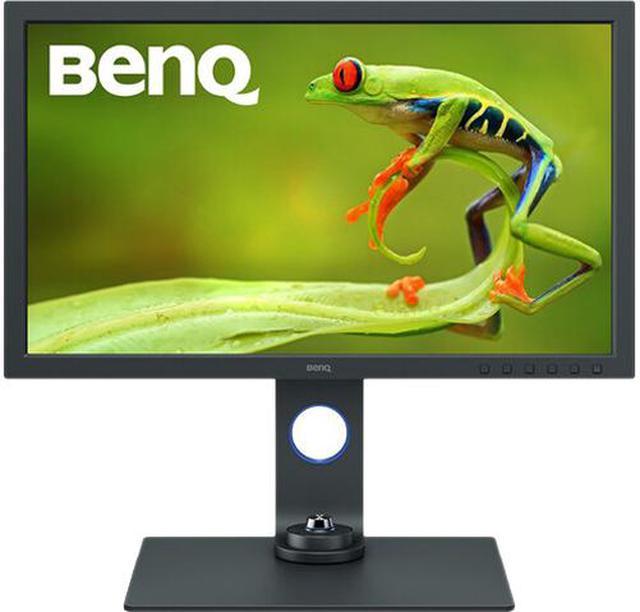
BenQ SW271C 27-inch 4K Photo Video Editing Monitor
Pros
- Hardware calibration with 16-bit 3D LUT (the real deal for color accuracy)
- 99% AdobeRGB and 100% sRGB coverage verified by Pantone and AQCOLOR
- Delta E under 2 with factory certification and third-party lab verification
- Built-in black-and-white mode for evaluating monochrome conversions
Cons
- $1,599 is a serious investment, not for casual use
- USB-C only at 60W (won't fast-charge power-hungry laptops)
- BenQ's on-screen display software is dated compared to competitors
Price as of Aug 17, 2026 — see current price on Amazon.
The BenQ SW271C is what you buy when color accuracy is genuinely mission-critical. Hardware calibration means the monitor has its own on-board lookup table that persists independently of your computer's graphics card, operating system, and software settings. Plug it into any machine and the color output remains accurate. That's not how software calibration works.
The 16-bit 3D LUT gives you more calibration precision than almost any other monitor at any price. BenQ pairs it with AQCOLOR certification and Pantone validation. The 99% AdobeRGB coverage is what you need if you're delivering files to print labs that work in AdobeRGB.
I want to be direct about the price: $1,599 is a lot. It's justifiable for photographers who invoice enough work to write off equipment, or for studios where consistent color across multiple screens matters. If you're a serious enthusiast who shoots landscapes, portraits, or weddings for your own satisfaction, the ASUS PA279CRV at $399 gives you most of the color coverage for a quarter of the price.
But if you're producing prints at 20x30 or larger for clients, or if you're a retoucher where clients pay specifically because your color judgment is dependable, the BenQ pays for itself in avoided client corrections.
What to Look for in a Photo Editing Monitor
Color Space Coverage: AdobeRGB vs sRGB vs DCI-P3
Most camera raw files are captured in AdobeRGB color space, which is larger than the sRGB gamut most screens display. A monitor that only covers sRGB can't show you colors that exist in your raw files. You'll literally be editing colors you can't see.
For web output only: 100% sRGB is sufficient. For print output or professional labs: 99%+ AdobeRGB is what you want. DCI-P3 is the cinema/video standard and overlaps significantly with AdobeRGB, so a monitor covering 99% DCI-P3 is also suitable for still photography.
The number matters. 95% AdobeRGB and 99% AdobeRGB sound similar but represent a real visible difference, especially in saturated greens and blues.
Delta E and Factory Calibration
Delta E measures the difference between what a display shows and what it should show. Delta E under 2 is considered imperceptible to the human eye in most conditions. Under 1 is excellent. Above 3 is noticeable.
Every monitor on this list ships with Delta E under 2, but the verification methods differ. ASUS uses Calman, which is a respected third-party verification. BenQ ships each unit with an individual calibration report. Some "factory calibrated" claims are looser than that, so look for named third-party validation rather than vague self-certified language.
Hardware vs. Software Calibration
Software calibration adjusts your display through ICC profiles and your operating system. It works well for most photographers, especially when using a colorimeter like the X-Rite i1Display Pro.
Hardware calibration stores the calibration data directly in the monitor's LUT chip. The monitor itself performs the correction before it reaches your graphics card. This is more stable, more accurate, and immune to changes in graphics card settings, OS updates, or switching computers.
Hardware calibration is the domain of the BenQ SW271C and a few other professional monitors. For most photographers, software calibration is entirely adequate, and the money saved is better spent on a good colorimeter.
Resolution: 4K is the Threshold
I wouldn't edit photos seriously on anything below 4K at 27 inches today. The pixel density gives you enough resolution to evaluate sharpness and fine detail at 100% crop without physical eye strain. Every monitor on this list is 4K, which is the right call.
Panel Type
IPS panels are the standard for color work. Better viewing angles and more consistent color across the screen than VA or TN. The Dell U2723QE uses IPS Black, which is IPS technology with improved contrast. All five monitors here use IPS variants.
Frequently asked questions
- Do I need a monitor that covers AdobeRGB for photo editing?
- It depends on your output. For web delivery and social media, 100% sRGB coverage is enough. For print labs, client deliverables, or fine art printing, you want 99% AdobeRGB or better so you can see and evaluate the full gamut of your raw files. The ASUS PA279CRV and BenQ SW271C both cover 99% AdobeRGB.
- What's Delta E and why does it matter for photos?
- Delta E measures color accuracy. Specifically, it's the difference between the color a display shows and the color it should show. A Delta E under 2 is generally considered imperceptible to the human eye. Every monitor on this list ships with Delta E under 2 from the factory, but the ASUS and BenQ have the most verifiable claims backed by third-party calibration labs.
- Can I use a gaming monitor for photo editing?
- Most gaming monitors prioritize fast refresh rates (144Hz+) and response times over color accuracy. They typically cover 100% sRGB at best, and many ship with boosted color settings that look vivid but aren't accurate. If you're editing for web output only, a well-reviewed IPS gaming monitor can work, but for serious color work you want a monitor specifically designed around accuracy. None of the monitors on this list are gaming displays.
- Is hardware calibration worth the extra cost?
- Hardware calibration keeps accuracy stable when you switch computers, update drivers, or change software. For most photographers, a good software calibration with an X-Rite i1Display Pro or Datacolor Spyder is entirely sufficient and costs $150-250 for the colorimeter. Hardware calibration (as in the BenQ SW271C) becomes worth it for studios running multiple monitors that need to match, or when you're delivering color-critical work to clients regularly.
- How often should I calibrate my photo editing monitor?
- Once a month is the standard recommendation. Display backlights drift over time, so even a factory-calibrated monitor will shift after a few months. If you calibrate every 4-6 weeks with a colorimeter, you keep Delta E in check and your color judgments stay reliable.
- Is 4K necessary for photo editing, or does 1440p work?
- 4K at 27 inches gives you enough pixel density to evaluate sharpness, fine texture, and detail accurately at 100% view. 1440p at 27 inches is workable but you'll find yourself zooming to 150% more often to see what you're actually editing. Given that most monitors on this list are 4K at $370-$649, the price premium for 4K over 1440p at this size is minimal and worth it.
Bottom Line
Most photographers would be well-served by the ASUS ProArt PA279CRV. At $399 with 99% AdobeRGB coverage and Calman-verified calibration, it represents what the entire category should have always been priced at. The Dell U2723QE earns its place for photographers who want a built-in hub and the contrast improvement of IPS Black. The ViewSonic VP2768a-4K sits in a solid middle ground with Pantone validation and great connectivity. If you're serious enough about color that you need hardware calibration and independent lab verification on every unit, the BenQ SW271C is worth the premium. And if you're just getting started with 4K color work, the LG 27UK850-W won't hold you back for web output.
How We Test
We score products by combining spec-level research, pricing history, trusted third-party benchmarks, and owner sentiment from high-signal sources.
- Performance and real-world value in the category this guide targets
- Price-to-performance and deal consistency over recent pricing windows
- Build quality, reliability patterns, and known long-term issues
- Recommendation refresh cadence to keep these picks current
Author
TheTechSearch Editorial Team
Independent product reviewers & PC builders
We test and compare real-world specs, price trends, and user feedback to recommend gear that actually makes sense to buy.