Best UPS Battery Backups 2026
Six UPS battery backups for gaming PCs, home offices and home networks, picked on waveform, real wattage, runtime and price against brand list. Expert picks,...
As an Amazon Associate we earn from qualifying purchases made through our links — this doesn't affect our picks.
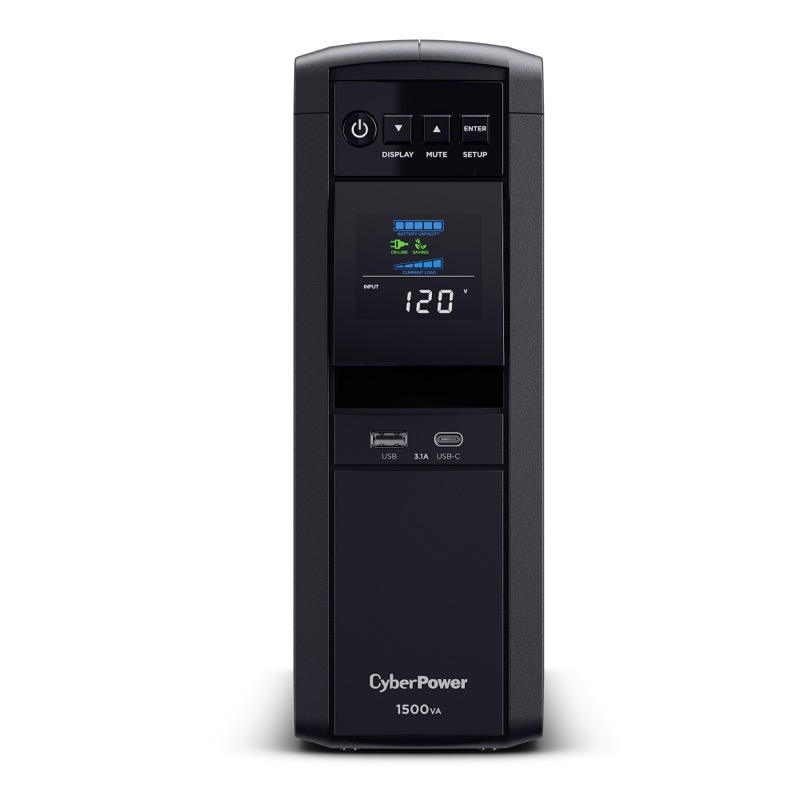
CyberPower CP1500PFCLCD
Our top recommendation for this category
Price as of Oct 5, 2026 — see current price on Amazon.
In this guide
- CyberPower CP1500PFCLCD: Best UPS for Most Gaming PCs
- APC Back-UPS Pro BR1500MS2: Best APC Pick
- CyberPower CP1000PFCLCD: Best for Mid-Range PCs
- APC Back-UPS Pro BX1500M: Best for a Home Office
- CyberPower CP1500AVRLCD3: Best for Routers and NAS
- Eaton 5SC1500: Best for Workstations
- How to Choose a UPS
- Bottom Line
A UPS (uninterruptible power supply) is the cheapest insurance a desktop PC can have. It won't run your rig through a long outage. What it does is keep the power clean through brownouts and flickers, and give you a few minutes to save and shut down when the lights go out. That's the job.
Picking one comes down to three numbers most listings bury: real wattage (not VA), output waveform, and runtime at the load you'll actually draw. These six cover gaming PCs, home offices and network closets, and every price was checked against the brand's own list price.
| UPS | Price | Capacity | Waveform | Best for | |
|---|---|---|---|---|---|
| CyberPower CP1500PFCLCD | $239.95 | 1500VA / 1000W | Pure sine | Gaming PCs | Check Price |
| APC Back-UPS Pro BR1500MS2 | $299.99 | 1500VA / 900W | Pure sine | APC fans | Check Price |
| CyberPower CP1000PFCLCD | $179.95 | 1000VA / 600W | Pure sine | Mid-range PCs | Check Price |
| APC Back-UPS Pro BX1500M | $189.99 | 1500VA / 900W | Simulated sine | Home office | Check Price |
| CyberPower CP1500AVRLCD3 | $199.95 | 1500VA / 900W | Simulated sine | Networks | Check Price |
| Eaton 5SC1500 | $455.34 | 1440VA / 1080W | Pure sine | Workstations | Check Price |
CyberPower CP1500PFCLCD: Best UPS for Most Gaming PCs
CyberPower CP1500PFCLCD
Pros
- Pure sine wave output for active-PFC power supplies
- 1000W, the most real wattage at this price
- 12 outlets, 6 on battery
- $500,000 connected equipment guarantee
Cons
- About 2.5 minutes at full load
- Fan and alarm are noticeable in a quiet room
Price as of Oct 5, 2026 — see current price on Amazon.
There's a reason this one shows up on nearly every list. It's the cheapest way to get 1,000 real watts of pure sine wave output, and that matters for modern gaming PCs.
Most power supplies sold in the last decade use active PFC. When a UPS on simulated sine output switches to battery, some of those supplies don't like the stepped waveform and can shut off, which is the exact moment you bought the UPS for. Pure sine output avoids the problem.
CyberPower rates it at 10 minutes at half load (500W) and 2.5 minutes at full load. That's enough to save a game or a project and shut down cleanly. It has 12 outlets (six on battery, six surge-only), 1,445 joules of surge protection and two USB charging ports. At $239.95 it's well under CyberPower's $274.95 list.
APC Back-UPS Pro BR1500MS2: Best APC Pick
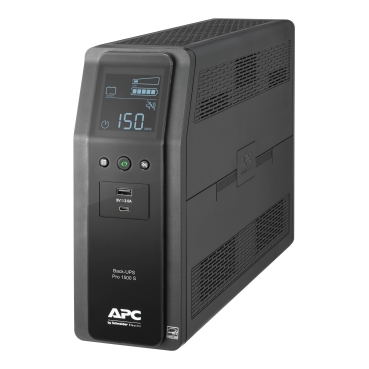
APC Back-UPS Pro BR1500MS2
Pros
- Pure sine wave output
- USB-A and USB-C charging ports
- User-replaceable battery
- $500,000 lifetime equipment protection policy
Cons
- 900W, 100W less than the CyberPower for more money
- Battery warranty shorter than the unit's
Price as of Oct 5, 2026 — see current price on Amazon.
If you prefer APC, this is the model to get. It matches the CyberPower on the thing that matters, pure sine output, and adds a USB-C charging port on the front that's handy for a phone or tablet.
The trade-off is wattage. It's rated at 900W instead of 1,000W, for about $60 more. For a PC that draws 400 to 500W while gaming, that gap doesn't matter. For a flagship rig with a high-end GPU, the CyberPower has more headroom.
APC's authorized seller APCGuard lists it at $339.99, so the $299.99 Amazon price is a fair one. It has 10 outlets, six of them on battery. The unit carries a three-year warranty, while APCGuard lists the battery at 12 months.
CyberPower CP1000PFCLCD: Best for Mid-Range PCs

CyberPower CP1000PFCLCD
Pros
- Pure sine wave at $180
- Same compact mini-tower as the 1500VA
- 10 outlets, 5 on battery
- $350,000 connected equipment guarantee
Cons
- 600W ceiling rules out high-end GPUs
- 6 minutes at half load is tight
Price as of Oct 5, 2026 — see current price on Amazon.
Not every PC needs 1,000W of backup. A system with a mid-range GPU, say an RTX 5060 Ti or RX 9060 XT class card, usually draws well under 400W while gaming. For that, the CP1000PFCLCD gives you the same pure sine output for $60 less.
Watch the ceiling, though. It's a 600W unit, and CyberPower rates it at 6 minutes at half load and 2 minutes at full load. Add a big monitor to the battery side and you're closer to the limit than you'd think. CyberPower lists it at $199.95.
APC Back-UPS Pro BX1500M: Best for a Home Office

APC Back-UPS Pro BX1500M
Pros
- Long runtime at light loads (68 minutes at 100W, per APC's listing)
- AVR handles brownouts without draining the battery
- 10 outlets, 5 on battery
- $250,000 connected equipment policy
Cons
- Simulated sine output, not ideal for active-PFC gaming PSUs
- Bulkier than the CyberPower mini-towers
Price as of Oct 5, 2026 — see current price on Amazon.
For a work laptop dock, a small office desktop, a monitor and a router, the BX1500M is a strong pick. Light loads are where it shines. APC's listing quotes 68 minutes at 100W, which is enough to ride out most short outages without shutting anything down.
It uses a stepped (simulated) sine output, so keep it away from a high-wattage gaming PC with an active-PFC supply. For laptops, which run off their own battery anyway, and for networking gear, that doesn't matter. Staples, Micro Center and Home Depot carry it at the same $189.99, and APCGuard lists it at $249.99.
CyberPower CP1500AVRLCD3: Best for Routers and NAS
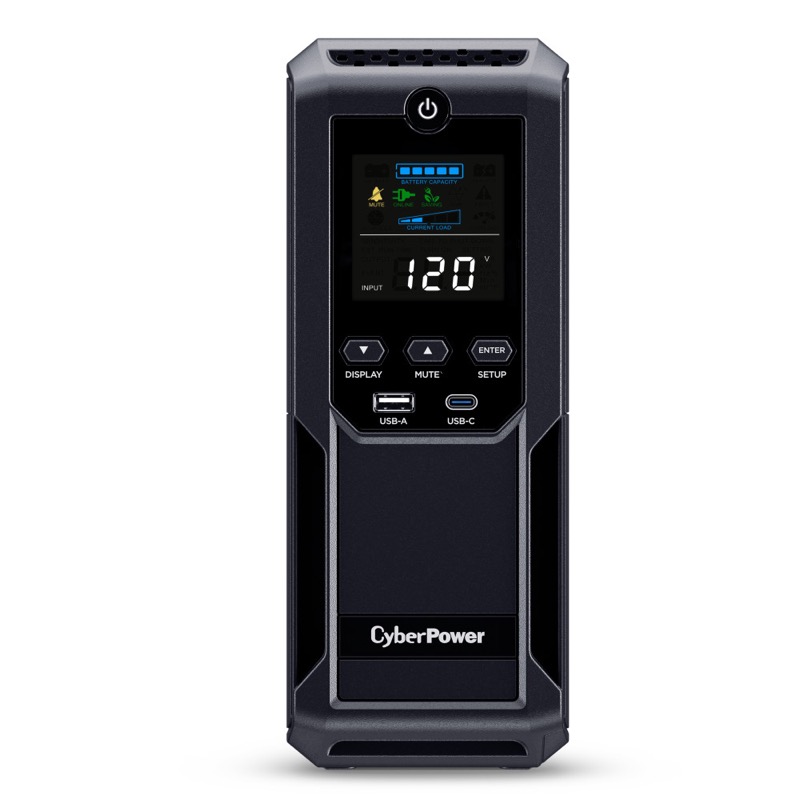
CyberPower CP1500AVRLCD3
Pros
- 12 minutes at half load, the longest of the CyberPower picks
- 12 outlets, 6 on battery
- USB-A and USB-C charging
- 1,500 joules of surge protection
Cons
- Simulated sine wave
- Not the one for an active-PFC gaming PC
Price as of Oct 5, 2026 — see current price on Amazon.
This is the UPS for everything that isn't a gaming PC. A modem, router, mesh node, NAS and a couple of smart home hubs together draw a fraction of its 900W, which means long runtime and an internet connection that stays up through a short outage.
CyberPower rates it at 12 minutes at half load and 3 minutes at full. At low network-gear loads you'll get far more than that. It's simulated sine, so the same caution applies as with the APC BX1500M: it's not the one for a modern gaming PC. CyberPower lists it at $219.95.
Eaton 5SC1500: Best for Workstations
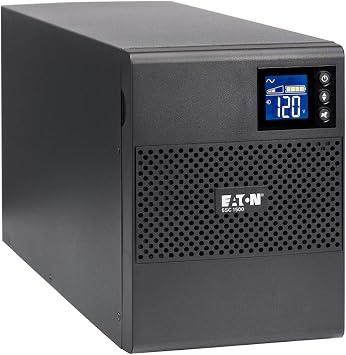
Eaton 5SC1500
Pros
- 1080W pure sine wave, the most wattage here
- 13 minutes at half load, 5 minutes at full
- Buck and boost voltage correction
- Built for small business and server use
Cons
- Roughly double the price of the CyberPower
- Only 8 outlets
Price as of Oct 5, 2026 — see current price on Amazon.
Eaton builds this for small servers and business desks, and it shows in the numbers. It's rated at 1,080W of pure sine output with 13 minutes at half load and 5 at full, the best figures in this guide.
That's overkill for most home gaming setups. For a workstation that renders overnight, a home server, or a desk where a dropped job costs real money, the extra runtime and headroom are worth it. Eaton's list price is $580, so $455.34 on Amazon is well under it.
How to Choose a UPS
Size it in watts, not VA
The VA number on the box is the big one, and it's the less useful one. Look for watts. Then add up what goes on the battery outlets: your PC's real draw while gaming, your monitor and maybe your router. Keep that total under about 70% of the UPS's wattage so you're not running at its limit with minimal runtime.
A rough guide:
- PC draws under 350W while gaming: a 600W unit like the CP1000PFCLCD is fine
- 350 to 600W: get a 900W to 1000W unit
- Above 600W, or a flagship GPU: the CP1500PFCLCD or Eaton 5SC1500
Pure sine for active-PFC power supplies
If your PC's power supply is recent and decent, it almost certainly uses active PFC. Pair it with a pure sine wave UPS. The simulated sine models in this guide are for laptops, network gear and older equipment.
Runtime is for shutting down
A desktop UPS buys minutes, not hours. At gaming loads, expect a few minutes, enough to save and shut down. If you need hours, that's a different product. A UPS's job is a clean shutdown and clean power, not running through a long outage.
What goes on the battery outlets
Each of these has two kinds of outlets: battery-backed and surge-only. Put the PC, the main monitor and your modem and router on the battery side. Printers, speakers, desk lamps and phone chargers go on the surge-only side. A laser printer in particular can pull a big spike when it warms up, and you don't want that eating into your runtime or tripping an overload.
Keeping the network gear on battery is the underrated move. If your PC stays up for five minutes but the router drops instantly, an online match or cloud upload dies anyway.
Line-interactive is the right type for home use
All six picks are line-interactive units. They pass wall power through, correct sags and surges with AVR (automatic voltage regulation), and switch to battery in a few milliseconds when the power drops. CyberPower lists a 4 ms transfer time for its models.
The other main type, online double-conversion, runs everything through the inverter all the time. That gives zero transfer time and the cleanest power, but those units cost more, run warmer and have louder fans. They make sense in a server room. At a desk, a pure sine line-interactive unit does the job.
What a UPS won't fix
A UPS isn't whole-home protection. It won't stop a surge coming in on a coax or Ethernet line from another room, and it won't protect anything that isn't plugged into it. It also won't save a PC whose power supply is already failing. If your rig reboots under load with no power event at all, look at the PSU first.
Plan on a new battery every few years
These all use sealed lead-acid batteries. Expect to replace them every three to five years, sooner in a hot room. Every pick here has a user-replaceable battery, so it's a cartridge swap rather than a new UPS.
Use the software
Every pick has a USB data port. Plug it into your PC and install the maker's software (CyberPower PowerPanel, APC PowerChute or Eaton's own), and the UPS can shut your PC down on its own if you're away.
Frequently asked questions
- What size UPS do I need for a gaming PC?
- Size it in watts. Add your PC's gaming draw to your monitor's, then pick a UPS where that total is under about 70% of its rated watts. A 1000W unit like the CyberPower CP1500PFCLCD covers most gaming PCs, and a 600W unit covers mid-range builds.
- Do I need a pure sine wave UPS?
- For a modern desktop with an active-PFC power supply, yes. Some active-PFC supplies can shut off when a simulated sine UPS switches to battery. Laptops, routers and older equipment are fine on simulated sine.
- How long will a UPS run my PC?
- Minutes. CyberPower rates the CP1500PFCLCD at 10 minutes at half load and 2.5 at full. That's enough to save and shut down, not to keep playing through an outage.
- How often do UPS batteries need replacing?
- Typically every three to five years, sooner in hot rooms. All six picks here have user-replaceable batteries.
- Is APC or CyberPower better?
- Both are solid. CyberPower gives more watts for the money, which is why the CP1500PFCLCD is our top pick. APC's BR1500MS2 is the better choice if you want USB-C charging or prefer APC's software.
- Can I plug a surge protector into a UPS?
- Both CyberPower and APC advise against plugging a surge protector or power strip into a UPS. Use the UPS's own surge-only outlets for extra devices.
Bottom Line
For most gaming PCs, the CyberPower CP1500PFCLCD is the UPS to buy: 1000W of pure sine output for $239.95, under CyberPower's own list price. APC loyalists should get the BR1500MS2, and a mid-range build can save $60 with the CP1000PFCLCD. For a home office or network closet, the simulated sine APC BX1500M and CyberPower CP1500AVRLCD3 give longer light-load runtime for less. And if a dropped render costs you real money, the Eaton 5SC1500 is worth the premium. Not sure you need one at all? Start with do you need a UPS for your gaming PC.
How We Test
We score products by combining spec-level research, pricing history, trusted third-party benchmarks, and owner sentiment from high-signal sources.
- Performance and real-world value in the category this guide targets
- Price-to-performance and deal consistency over recent pricing windows
- Build quality, reliability patterns, and known long-term issues
- Recommendation refresh cadence to keep these picks current
Author
TheTechSearch Editorial Team
Independent product reviewers & PC builders
We test and compare real-world specs, price trends, and user feedback to recommend gear that actually makes sense to buy.