Best Key Lights for Streaming 2026
Five key lights for streaming and video calls, from a $56 USB panel to a 2,800-lumen Elgato, with the lumens, CRI and mounts that matter. Expert picks, pros...
As an Amazon Associate we earn from qualifying purchases made through our links — this doesn't affect our picks.
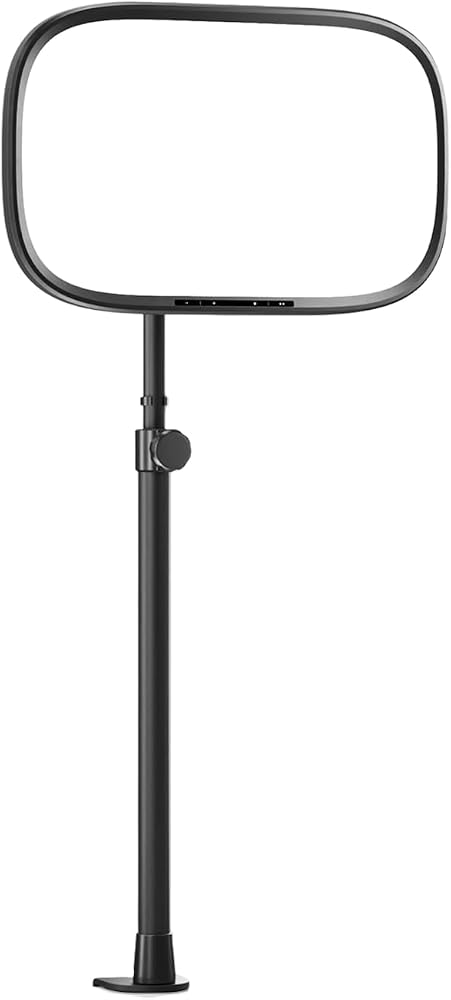
Elgato Key Light Air MK.2
Our top recommendation for this category
Price as of Oct 9, 2026 — see current price on Amazon.
A better webcam won't fix a dark room. Light will. Put a soft, bright panel in front of your face and almost any webcam drops its gain, loses the grain and stops hunting for exposure every time you lean back.
That's why a key light is usually the cheapest real upgrade to a stream or a video call. This guide covers five that are worth buying, from a $56 USB panel that clips behind a monitor to a 2,800-lumen Elgato that can light a whole corner of a room.
| Light | Max output | Color temp | Power | Price | |
|---|---|---|---|---|---|
| Elgato Key Light Air MK.2 | ~2,100 lm | 2900-7000K | USB-C | $139.99 | Check Price |
| Elgato Key Light | 2,800 lm | 2900-7000K | AC adapter, 45W | $179.99 | Check Price |
| NEEWER GL1 PRO | 3,700 lux at 0.5 m | 2900-7000K | DC adapter, 45W | $125.99 | Check Price |
| Elgato Key Light Neo (No Mount) | 1,000 lm | 2900-7000K | USB-C | $56.48 | Check Price |
| Logitech Litra Glow | 250 lm | 2700-6500K | USB | $58.60 | Check Price |
How to Read the Numbers First
Three specs do most of the work here. The rest is mounting and software.
Lumens tell you raw output. Around 250 lumens is enough for a face at arm's length on a video call. Streaming with a wider frame, or fighting a bright window behind you, wants 1,000 or more.
Color temperature is measured in kelvin. Every light below covers roughly 2900K (warm, like a table lamp) to 6500-7000K (cool daylight). The point isn't to pick a favorite. It's to match the other light in your room so your face and your background don't look like two different photos.
CRI (color rendering index) says how faithfully a light shows skin tones, on a scale to 100. Anything above 90 is good. The Elgato panels list above 94, and the NEEWER claims 97 or better.
Elgato Key Light Air MK.2: Best Overall
Elgato Key Light Air MK.2
Pros
- Up to about 2,100 lumens on a 27W USB-C power adapter
- Runs from a laptop's USB-C port at lower output, no wall brick needed
- Touch controls on the light plus Wi-Fi, Bluetooth and Stream Deck control
- CRI above 94 and a 2900-7000K range
Cons
- Full brightness needs a separate 27W or better USB-C adapter
- Desk clamp tops out at 88 cm, lower than the original Key Light's pole
Price as of Oct 9, 2026 — see current price on Amazon.
Elgato announced the MK.2 in July 2026 as the replacement for the original Key Light Air. The old Air topped out at 1,400 lumens and shipped with its own power supply. The MK.2 is brighter and runs entirely on USB-C.
How bright depends on what you plug it into. Elgato's spec sheet lists roughly 400 lumens at 7.5W, 750 at 15W, 1,270 at 20W and about 2,100 lumens on a 27W or better adapter. So a laptop port gets you a usable fill light. A proper charger turns it into a real key light.
The panel is edge-lit and measures 319 x 207 mm, about 15 inches on the diagonal. It weighs 735 g, which matters because it sits on a single desk clamp that extends from 60 to 88 cm. There's also a MagSafe ring on the back, handy if you'd rather mount it on a phone-style magnetic arm.
Control is where it pulls ahead of cheaper panels. You can tap the light itself, use Elgato's Control Center app on Windows, macOS, iOS or Android, or bind brightness to a Stream Deck key. Elgato sells it at $139.99 with the desk mount, matching the Amazon listing, or $119.99 as a light-only version.
Elgato Key Light: Brightest Pick
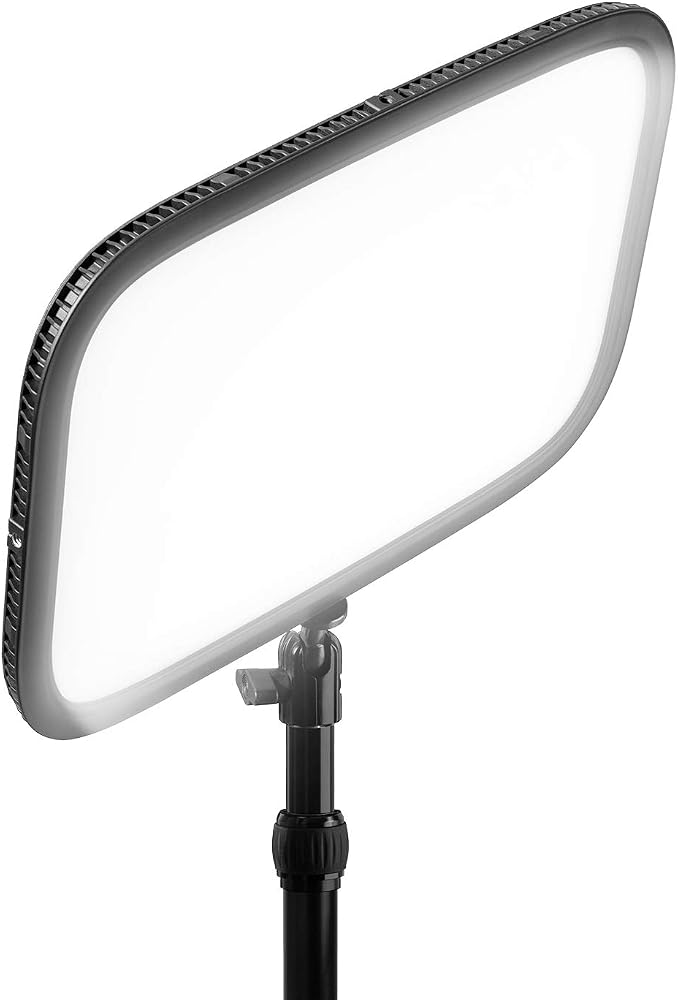
Elgato Key Light
Pros
- 2,800 lumens from 160 OSRAM LEDs behind opal glass
- Master Mount L pole reaches 125 cm, tall enough to light from above
- Dual-band Wi-Fi control from desktop, phone or Stream Deck
- The same 2900-7000K range as the rest of Elgato's line
Cons
- Needs mains power, up to 45W, so one more cable at the desk
- Adjustments go through Wi-Fi apps only, with no Bluetooth or touch controls
- Big panel, 350 x 250 mm, and overkill for a laptop setup
Price as of Oct 9, 2026 — see current price on Amazon.
This is the light Elgato built its lighting line on, and it's still the brightest thing in it. At 2,800 lumens it has a third more output than the Air MK.2 at full power, and it delivers that from wall power rather than a USB-C budget.
That headroom matters more than it sounds. A brighter light can sit farther away, and light falls off with the square of distance. Twice as far means a quarter as bright. Push a strong panel back to a meter and the light on your face gets softer and more even, while a weak panel has to sit close and starts to look like a spotlight.
The Master Mount L is the other reason to pay more. It extends from 55 to 125 cm, so you can raise the light above eye level and angle it down, which is the classic flattering key position. Elgato lists the Key Light at $179.99 on its own store, the same as Amazon.
Skip it if you work from a laptop on a kitchen table. It's a desk-studio light.
NEEWER GL1 PRO: Best Value Panel
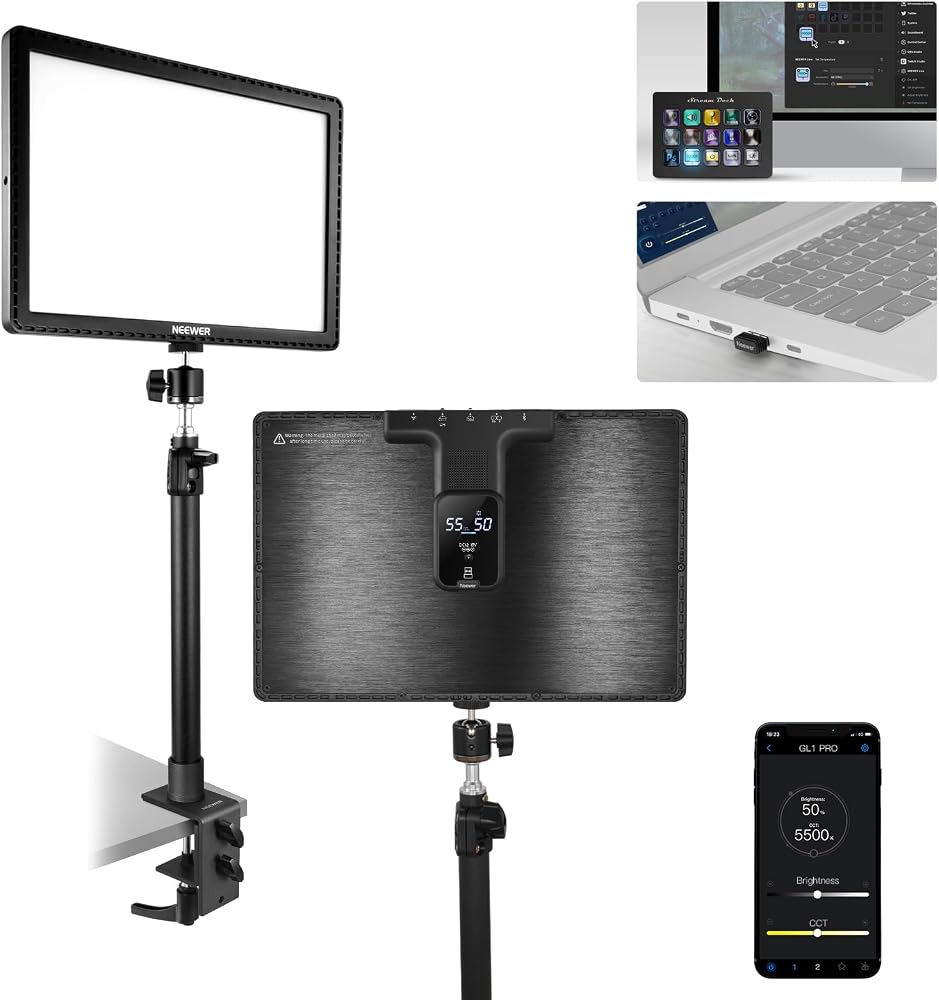
NEEWER GL1 PRO
Pros
- Rated CRI 97+ and TLCI 98+, the highest color claims in this guide
- 3,700 lux at 0.5 m from a 45W, 192-LED panel
- Control by 2.4G USB dongle, Wi-Fi, Bluetooth or Elgato Stream Deck
- Desk clamp fits desks 0.9 to 7.5 cm thick
Cons
- Clamp stand only reaches 60 cm, shorter than Elgato's Master Mount L
- Two different NEEWER apps depending on Wi-Fi or Bluetooth control
- Needs its DC power adapter, not USB
Price as of Oct 9, 2026 — see current price on Amazon.
NEEWER makes lights for photographers first, and it shows in the spec sheet. The GL1 PRO claims a CRI of 97 or better and a TLCI (the broadcast-camera version of the same idea) of 98 or better. On paper that's the most accurate color here.
It's also a big, powerful panel. Output is quoted as 3,700 lux at half a meter rather than in lumens, so it doesn't line up neatly against Elgato's numbers. But 45W into 192 LEDs puts it in the same class as the full-size Elgato Key Light, for less money.
The useful trick is the 2.4G USB dongle. Plug it into your PC and the light takes commands without touching your Wi-Fi at all, which is a real fix if your network is crowded or locked down. It also works with an Elgato Stream Deck, so you're not stuck in NEEWER's software.
It's listed at $125.99 on Amazon (October 9, 2026), under the $139.99 sale price and $189.99 regular price on NEEWER's own store.
Elgato Key Light Neo (No Mount): Best Budget Pick
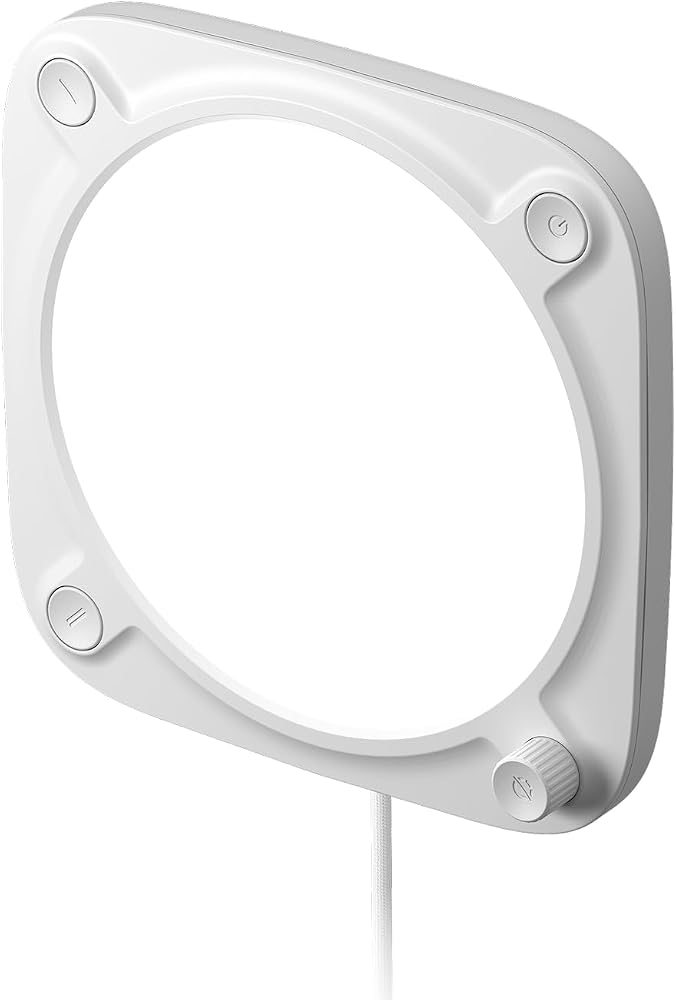
Elgato Key Light Neo (No Mount)
Pros
- Up to 1,000 lumens from a 150 mm square, 246 g panel
- Plain USB-C power, with optional Wi-Fi for app control
- CRI above 94, the same as Elgato's larger panels
- Standard 1/4-inch thread fits stands, clamps and arms you may already own
Cons
- This version ships with no mount at all
- Only 400 lumens from a USB-A port, so it needs a good power source
- Small panel gives harder light up close than a 15-inch edge-lit one
Price as of Oct 9, 2026 — see current price on Amazon.
The Neo is Elgato's entry point, and it's the light most people on video calls should look at first. It's a 150 mm square, edge-lit panel that gets brighter the more power you give it: 400 lumens from USB-A, 700 from USB-C and 1,000 from a 3A power supply.
Read the name carefully, though. This listing is the no-mount version, $59.99 on Elgato's store against $69.99 for the version with a monitor mount. It has a 1/4-inch thread, so it fits a mini tripod, a camera clamp or a monitor arm accessory. If you own none of those, the $10 mount is worth paying for.
Reviewers have been kind to it. Cubed3 scored it 9 out of 10, and MakeUseOf called it the best entry-level key light for creators. The CRI above 94 is the real reason: skin tones look like the expensive Elgatos, just with less light to work with.
Logitech Litra Glow: Best for Video Calls
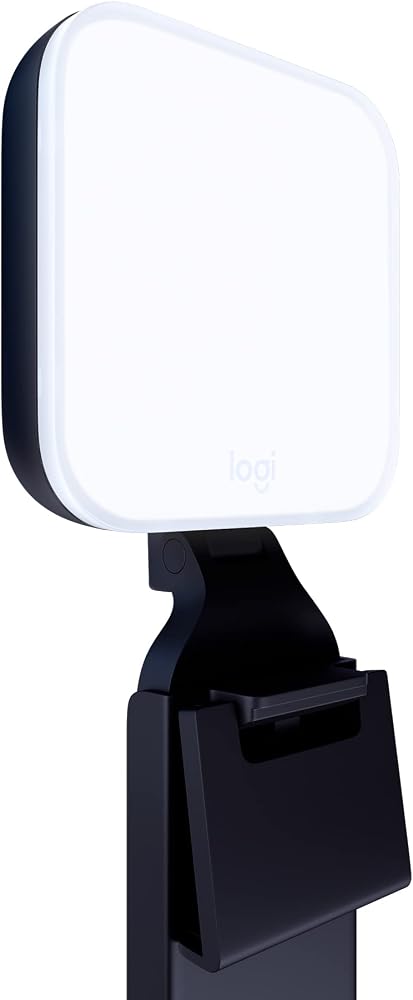
Logitech Litra Glow
Pros
- Monitor mount included, with height, tilt and rotation adjustment
- USB powered, so it runs from the same computer it lights
- Frameless diffuser keeps glare off glasses better than bare LEDs
- Brightness and color presets in Logitech G HUB
Cons
- 250 lumens tops out early; fine for calls, thin for a wide stream frame
- Narrower 2700-6500K range and a CRI of 93
Price as of Oct 9, 2026 — see current price on Amazon.
The Litra Glow is the light for people who don't want a lighting project. It clips onto the top of a monitor, plugs into a USB port and sits about where your webcam does. That's it.
Logitech's spec sheet puts output at 250 lumens with a 2700-6500K range and a CRI of 93, from a 90.5 mm panel that weighs 99 g. Those are the smallest numbers here, by a lot. But a face 60 cm from a monitor doesn't need 2,000 lumens. It needs soft, even light from the front, and the Glow's frameless diffuser does exactly that.
It's listed at $58.60 on Amazon (October 9, 2026), below the $69.99 Logitech charges on its own store. If your only goal is looking less washed-out on Zoom or Teams, this or the Neo is the whole answer.
How to Choose a Key Light
Match brightness to distance, not to the spec sheet
The inverse-square rule decides everything. A small light close to your face looks harsh; a big light far away looks soft. If your desk only allows 50 to 70 cm between you and the light, the Neo or Litra Glow is plenty. If you can put a stand a meter away, go for one of the 2,000-lumen-plus panels.
Decide where it's going to mount
This is the spec that's easiest to overlook. Logitech's Litra Glow clips on a monitor. A Neo needs something with a 1/4-inch screw. Both the Air MK.2 and NEEWER use desk clamps, reaching 88 and 60 cm. And the full-size Key Light's pole goes to 125 cm.
Check how thick your desk is and whether there's a lip for a clamp. A glass desk or a thick butcher-block top rules out some clamps entirely; NEEWER's fits 0.9 to 7.5 cm.
Think about power
Two of these lights need wall power. Three run on USB, but USB power isn't equal. The Air MK.2 gives about 400 lumens at 7.5W and about 2,100 on a 27W adapter, a five-fold difference from the same light. A good USB-C charger is part of the purchase.
One light, then a second
Start with one key light about 30 to 45 degrees to one side and slightly above your eyes. That's the standard setup photographers use, and one light covers most streams. A second, dimmer light on the other side (a fill) softens the shadow. A small Neo makes a cheap fill next to a bigger Elgato.
Software and Stream Deck
If you already own an Elgato Stream Deck, the three Elgato lights and the NEEWER all take commands from it. That's handy for switching scenes, and our Stream Deck guide covers which controller fits which setup.
Frequently asked questions
- Do I need a key light if my webcam is good?
- Usually, yes. Webcams raise gain in dim rooms, which adds grain and smears detail. A key light lets the camera use a lower gain and faster shutter, which does more for image quality than most webcam upgrades. Even a 250-lumen Logitech Litra Glow makes a visible difference on video calls.
- How many lumens do I need for streaming?
- For a face at arm's length on video calls, 250 to 700 lumens is enough. For streaming with a wider frame, or with a bright window in shot, aim for 1,000 lumens or more. The Elgato Key Light Air MK.2 reaches about 2,100 lumens and the full-size Elgato Key Light 2,800.
- What color temperature should my key light be?
- Match the other light in your room. Around 5000 to 6500K blends with daylight from a window, while 3000 to 3500K matches warm household bulbs. All five lights here cover roughly 2900K to 6500K or more, so you can match either.
- Is the Elgato Key Light Air MK.2 better than the original Key Light?
- It's better for most desks, not brighter. The Air MK.2 reaches about 2,100 lumens over USB-C with touch controls and Bluetooth. The original Key Light reaches 2,800 lumens on a 45W mains adapter and has a taller 125 cm pole, so it suits larger rooms and lighting from farther away.
- Does the Key Light Neo come with a stand?
- Only one version does. The Key Light Neo without Monitor Mount is $59.99 on Elgato's store and includes cables but no mount. The standard version at $69.99 adds a monitor mount. Both have a 1/4-inch thread for stands and clamps.
- Can I control a NEEWER key light from a Stream Deck?
- Yes. NEEWER lists the GL1 PRO as compatible with the Elgato Stream Deck, alongside its 2.4G USB dongle, Wi-Fi and Bluetooth app control.
Bottom Line
For most streamers, the Elgato Key Light Air MK.2 at $139.99 is the one to buy: about 2,100 lumens over USB-C, touch and app control, and a clamp that keeps it off the desk. Want more punch for a bigger room? The original Elgato Key Light's 2,800 lumens and 125 cm pole earn the extra $40, while the NEEWER GL1 PRO gets close for less and claims the best color accuracy here. And if you only need to look better on calls, the Elgato Key Light Neo or Logitech Litra Glow, both under $60, solve the problem for the price of a decent webcam.
How We Test
We score products by combining spec-level research, pricing history, trusted third-party benchmarks, and owner sentiment from high-signal sources.
- Performance and real-world value in the category this guide targets
- Price-to-performance and deal consistency over recent pricing windows
- Build quality, reliability patterns, and known long-term issues
- Recommendation refresh cadence to keep these picks current
Author
TheTechSearch Editorial Team
Independent product reviewers & PC builders
We test and compare real-world specs, price trends, and user feedback to recommend gear that actually makes sense to buy.