Best 1440p 165Hz Gaming Monitors 2026
The five best 1440p 165Hz gaming monitors in 2026, compared across panel types, motion clarity, and value. Find the right QHD display for your GPU and budget.
As an Amazon Associate we earn from qualifying purchases made through our links — this doesn't affect our picks.
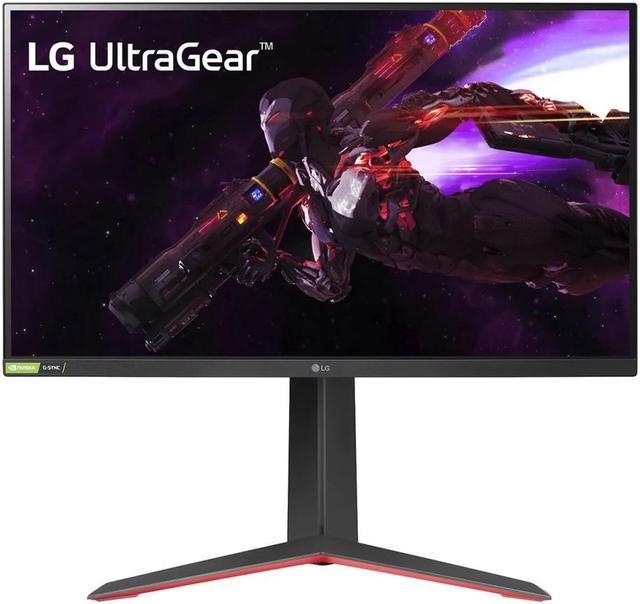
LG UltraGear 27GP850-B 27-Inch QHD Nano IPS Gaming Monitor
Our top recommendation for this category
Price as of Aug 30, 2026 — see current price on Amazon.
The 1440p 165Hz combination is the sweet spot right now for mid-range gaming builds. If you've got an RTX 5060 Ti, an RTX 4070, or anything in that class, a 1440p panel at 165Hz will actually let you hit that refresh rate in most titles without maxing out your GPU. Go to 4K and you're fighting for frames. Stay at 1080p and you're leaving pixel quality on the table.
The problem is there are a lot of 1440p monitors and not all of them are good. The picks below draw on the specs, reviews from Hardware Unboxed and Rtings, and real-world reports to find the ones actually worth buying.
| Monitor | Panel | Refresh Rate | Notable Feature | Price | |
|---|---|---|---|---|---|
| LG 27GP850-B | Nano IPS | 165Hz (180Hz OC) | 98% DCI-P3, G-SYNC Compatible | $359.99 | Check Price |
| ASUS TUF VG27AQL3A | Fast IPS | 180Hz | ELMB Sync, 3-year warranty | $249.99 | Check Price |
| Samsung G55A | VA 1000R | 165Hz | Deep blacks, curved, budget value | $219 | Check Price |
| Lenovo Legion 27QD-10 | IPS | 240Hz | USB-C, HDMI 2.1, 99% sRGB | $229.49 | Check Price |
LG 27GP850-B: The Benchmark Others Are Measured Against
LG UltraGear 27GP850-B 27-Inch QHD Nano IPS Gaming Monitor
Pros
- Nano IPS covers 98% DCI-P3 -- colors look genuinely rich, not just technically accurate
- 1ms GtG response is sharp and clean in motion
- G-SYNC Compatible and FreeSync Premium -- works well with both team red and green
- 165Hz that overclocks to 180Hz without drama
Cons
- DisplayHDR 400 certification means real HDR performance is limited
- IPS glow in dark rooms is present and noticeable at extreme angles
- Panel lottery exists -- some units have uniformity issues, less common but worth knowing
Price as of Aug 30, 2026 — see current price on Amazon.
The 27GP850-B is the monitor that set the expectation for what a 165Hz 1440p IPS panel should do. Released in 2021, it's been reviewed thoroughly enough that you know exactly what you're getting: clean 1ms GtG response, Nano IPS color coverage that makes games look vivid without being oversaturated, and G-SYNC compatibility that actually works smoothly.
Hardware Unboxed's review specifically called out the motion clarity as "excellent" at native 165Hz, and that assessment has held up. In fast-paced titles like Doom Eternal or any high-framerate shooter, trailing and ghosting are minimal. The overclock to 180Hz is reported stable on most units, though results vary.
At $359.99, it sits near its launch price, and that changes the recommendation. It is still the proven panel, but it is no longer the value pick. If money is no object and you want the reference Nano IPS, start here. Otherwise the ASUS below does the job for $110 less.
ASUS TUF Gaming VG27AQL3A: More Hz for Less Money
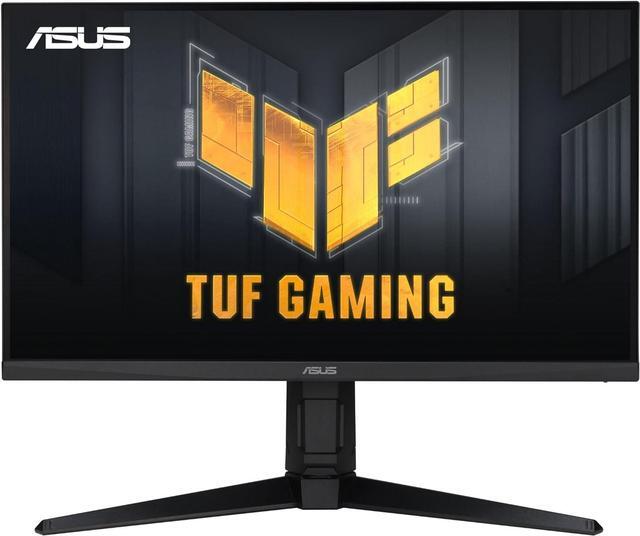
ASUS TUF Gaming VG27AQL3A 27-Inch WQHD 180Hz Fast IPS Monitor
Pros
- 180Hz native (no overclock needed)
- ELMB Sync backlight strobing reduces perceived blur at any framerate
- G-SYNC Compatible and FreeSync Premium
- 3-year warranty is genuinely reassuring for a monitor in this price range
Cons
- Fast IPS has slightly less color coverage than Nano IPS (130% sRGB vs 98% DCI-P3)
- ELMB Sync and variable refresh can't run simultaneously -- you have to pick one
- Stand adjustability is fine but not exceptional
Price as of Aug 30, 2026 — see current price on Amazon.
ASUS went with 180Hz native here instead of the 165Hz plus optional overclock approach, and that matters a little. Native 180Hz is more stable than an overclocked 165Hz. The panel itself is Fast IPS, which has slightly better response times than standard IPS but slightly less color coverage than Nano IPS -- you get 130% sRGB instead of 98% DCI-P3.
The ELMB Sync feature is worth explaining: it's a backlight strobe that reduces motion blur by inserting black frames. It makes fast movement sharper at the cost of some brightness. The catch is you can't run variable refresh rate and ELMB Sync simultaneously. So it's a choice: smoother framerate compensation with VRR, or sharper motion clarity with ELMB. Both modes work well. It's just a workflow choice based on what you play.
For competitive gaming specifically -- shooters, battle royale, anything where tracking fast-moving targets matters -- this is my recommendation over the LG above. The combination of 180Hz native and ELMB Sync is genuinely better for that use case. And the 3-year warranty is a real differentiator in a category where warranties are often shorter.
Samsung Odyssey G55A: The Curved VA Pick for Dark Room Gaming
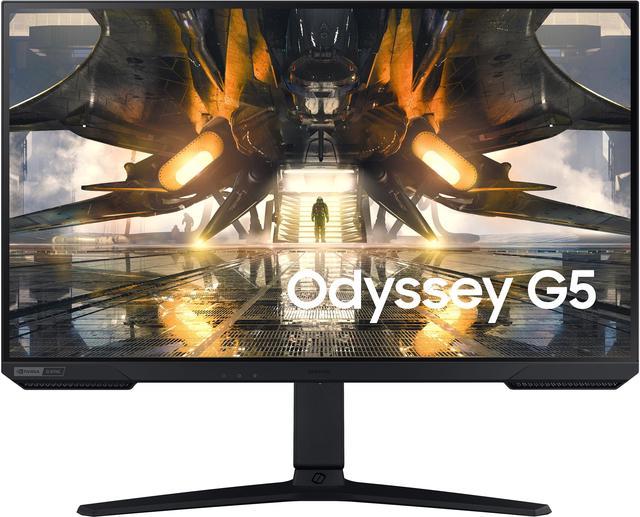
Samsung Odyssey G55A 27-Inch WQHD Curved Gaming Monitor (LS27AG550ENXZA)
Pros
- VA panel delivers genuine blacks -- something IPS panels can't do
- 1000R curve on a 27-inch is aggressive but feels immersive for single-player
- 165Hz with FreeSync Premium at this price is strong value
- HDR10 support with real contrast to back it up
Cons
- VA response times show some trailing in dark-to-dark pixel transitions
- Color accuracy out of box needs calibration to compete with IPS
- 1000R curve is polarizing -- some people love it, some genuinely dislike it
Price as of Aug 30, 2026 — see current price on Amazon.
VA panels are a different proposition than IPS. The blacks are real -- contrast ratios around 3000:1 versus the 1000:1 typical of IPS. In a dark room, gaming on a VA panel with deep blacks looks completely different from IPS, and for some games (horror, noir, space games) that difference is dramatic.
But. VA panels have a known limitation in dark-to-dark pixel transitions. When something dark moves across a dark background, there can be trailing or ghosting that IPS doesn't show. Samsung has improved this over the years and the G55A's 1ms MPRT does help, but measured GtG at slow transitions is still worse than a good IPS panel.
For the right buyer this is still a strong pick: someone who plays a lot of dark, atmospheric games, values deep blacks, and doesn't primarily play fast competitive shooters where VA ghosting would show up most. At $219 it's $140 less than the LG 27GP850-B, which makes it the cheapest panel in the guide.
Lenovo Legion 27QD-10: The Best-Value 240Hz Option
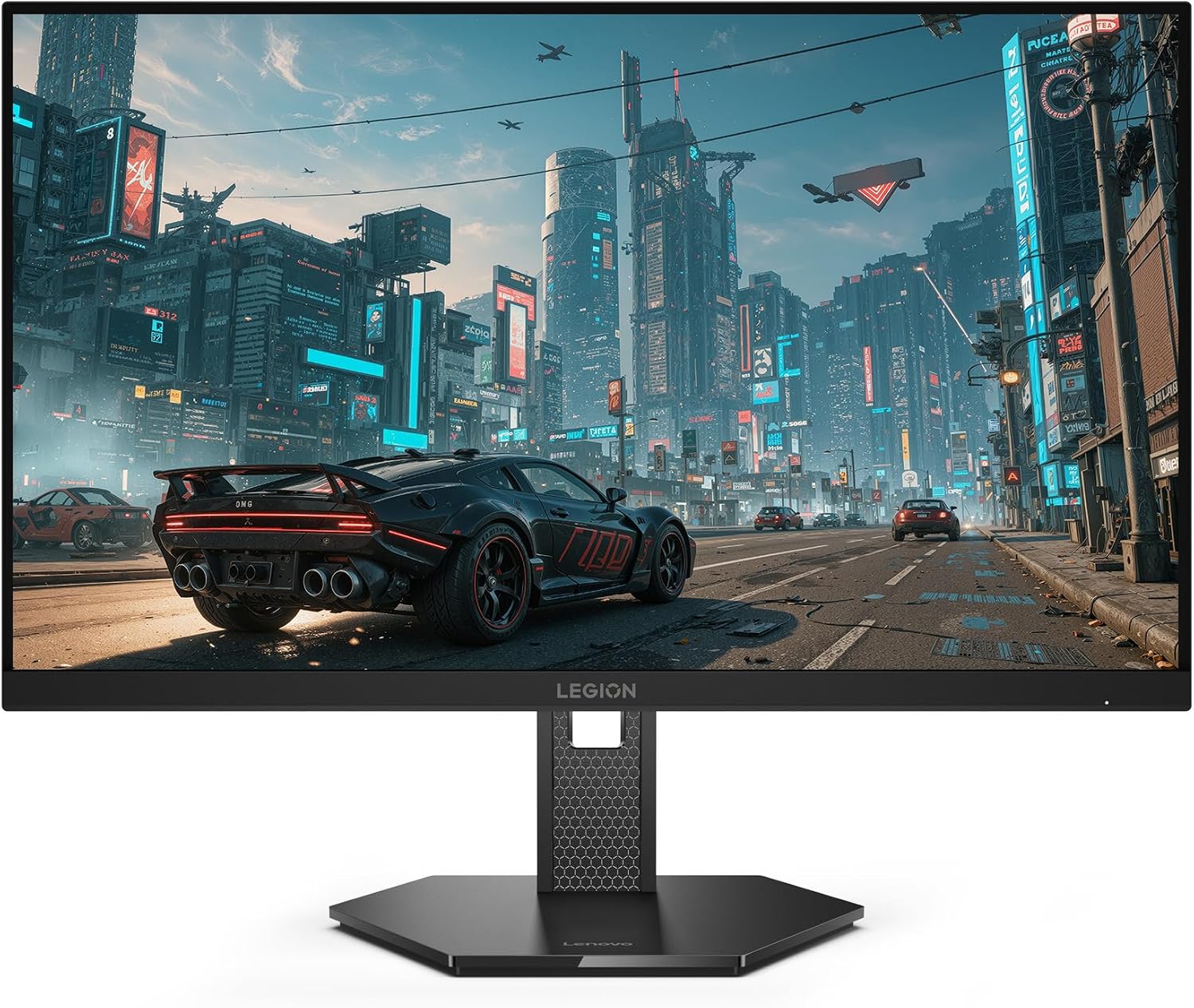
Lenovo Legion 27QD-10 27-inch QHD IPS 240Hz Gaming Monitor
Pros
- 240Hz native at 1440p for less than the 165Hz LG above
- 0.5ms MPRT response per the listing
- 99% sRGB coverage and FreeSync Premium
- Listing bullets include USB-C, HDMI 2.1, DisplayPort 1.4 and USB-A
- Ergonomic stand per the listing
Cons
- No KVM switch, which the Gigabyte it replaces had
- DCI-P3 coverage is 90% per the listing bullets, below the LG's Nano IPS
- HDR certification is not stated on the listing
Price as of Aug 30, 2026 — see current price on Amazon.
Everything below about the Legion 27QD-10 comes from Lenovo's Amazon listing.
This one technically goes past the 165Hz spec of the others on this list, and I'm including it because at $229.49 it is cheaper than the 165Hz LG while running 240Hz. If you have a GPU that can actually push 200-plus frames per second at 1440p -- something like an RTX 5070 or RTX 4080 class card -- jumping from 165Hz to 240Hz is a noticeable upgrade. The display is visibly smoother. It's not placebo.
What the listing states: a 27-inch QHD IPS panel at 240Hz, 0.5ms MPRT, 99% sRGB and 90% DCI-P3, FreeSync Premium, and an ergonomic stand. The port bullets list USB-C, HDMI 2.1, DisplayPort 1.4 and USB-A, which is a better set than the Gigabyte had for anyone who also plugs in a console or a laptop. What you lose is the KVM switch. If sharing one keyboard and mouse between two computers was the reason you wanted the Gigabyte, that feature is gone at this price.
Color coverage is the honest trade against the LG. 90% DCI-P3 is fine for gaming and general use, but the LG's Nano IPS at 98% is the one for anyone who also does color work. For a pure high-refresh gaming panel, the Lenovo's price is hard to argue with.
Buying Guide: What to Know Before You Buy
IPS vs VA vs SS IPS: Which Panel for Which Use
IPS is the safe default. Good color, decent contrast, fast enough response for 165Hz gaming, available from multiple brands. Nano IPS (LG) and Fast IPS (ASUS) are IPS variants with improved color or speed respectively.
VA panels deliver better contrast -- real dark blacks -- at the cost of slower response in dark transitions. Worth considering if you play immersive single-player games in dark rooms. Avoid if you mainly play competitive FPS.
Standard IPS at 240Hz (Lenovo) is the same panel family as the LG, just driven faster. Fine choice in practice.
Do You Need 165Hz vs Higher?
165Hz is genuinely smooth for almost every genre. The jump from 60Hz to 144-165Hz is massive and immediately perceptible. The jump from 165Hz to 240Hz is real but requires a capable GPU to see any benefit at 1440p. Check your average framerates in your most-played games before paying extra for 240Hz -- if you're averaging 130fps at 1440p, you're not getting anything from 240Hz.
G-SYNC Compatible vs G-SYNC: Does It Matter?
For most buyers, no. G-SYNC Compatible monitors (NVIDIA-validated FreeSync panels) deliver variable refresh rate that works smoothly with modern NVIDIA cards. The hardware G-SYNC module in more expensive monitors adds no visible gaming benefit in typical use. All five monitors here are G-SYNC Compatible. Save the money.
Frequently asked questions
- Is 1440p 165Hz worth it over 1080p 240Hz for gaming?
- Depends on what you play. For competitive FPS where framerate is everything, 1080p 240Hz can be the better call if your GPU can maintain 240fps. For anything else -- open-world, RPG, strategy -- 1440p 165Hz wins on visual quality and most people will prefer it. At 1440p, the image at 165Hz looks noticeably sharper than 1080p, and 165Hz is smooth enough for nearly every genre.
- What GPU do I need to run 1440p at 165Hz?
- An RTX 4070, RTX 5060 Ti, or RX 9060 XT will get you to 165fps at 1440p in many titles at high settings. Demanding games like Cyberpunk 2077 at max settings will push below 165fps even on these cards -- that's where variable refresh rate earns its keep by keeping the experience smooth even below your target framerate.
- Is 27 inches the right size for 1440p gaming?
- It's the sweet spot. At 27 inches, 1440p gives you around 109 pixels per inch, which looks sharp at normal desk viewing distances of 2-3 feet. You get enough screen real estate that games feel expansive, but pixel density is good enough that individual pixels aren't visible. 32-inch 1440p is technically lower pixel density, which some people notice.
- Does DisplayHDR 400 actually matter on these monitors?
- Honestly, not much. DisplayHDR 400 is the entry-level HDR certification, and at 400 nits peak brightness with most of these panels lacking local dimming, you won't see the dramatic HDR difference that high-end OLED or mini-LED panels deliver. The monitors here look great for SDR gaming, and HDR is a minor bonus rather than a selling point.
- Can these monitors be used for console gaming?
- Yes, with a note. All five monitors accept HDMI 2.0 input, which supports 1440p at up to 144Hz from compatible sources. PlayStation 5 outputs 1440p up to 120Hz over HDMI 2.1, and these monitors cap at 144Hz over HDMI 2.0 -- so the PS5 will work but you'll want to verify your console's supported output matches. Xbox Series X also supports 1440p 120Hz and will work fine.
Bottom Line
For most 1440p 165Hz buyers, the ASUS VG27AQL3A at $249.99 is the starting point. It has 180Hz native, ELMB Sync, and a 3-year warranty, and it costs $110 less than the LG. The LG 27GP850-B has been proven across thousands of user reviews and benchmarks, and the Nano IPS panel holds up well against newer alternatives, but at $359.99 it is a pay-for-the-reference-panel choice rather than a value pick.
Look at the Lenovo Legion 27QD-10 at $229.49 if you have the GPU to use 240Hz; it is the cheapest panel here and the fastest. Otherwise, you'll be happy with any of the five options here -- the real question is just panel type and which features matter to your specific use case.
How We Pick
We pick products by combining spec-level research, price checks, trusted third-party benchmarks, and owner sentiment from high-signal sources.
- Performance and real-world value in the category this guide targets
- Price-to-performance and deal consistency over recent pricing windows
- Build quality, reliability patterns, and known long-term issues
- Recommendation refresh cadence to keep these picks current
Author
TheTechSearch Editorial Team
Independent product reviewers & PC builders
We compare real-world specs, reviews and owner reports, price trends, and user feedback to recommend gear that actually makes sense to buy.